Azure Active Directory (Part 1)
Neil Haddley • March 29, 2021
Using Microsoft Identity to Authenticate Users.
Microsoft Teams
Microsoft Office 365 applications including Microsoft SharePoint and Microsoft Teams use Azure Active Directory to authenticate users.
Microsoft Teams allows Guest users to be added to a Team.
Azure Active Directory supports the Teams Guest user feature.
I added John Doe with email address john@doe.com as a Guest user.
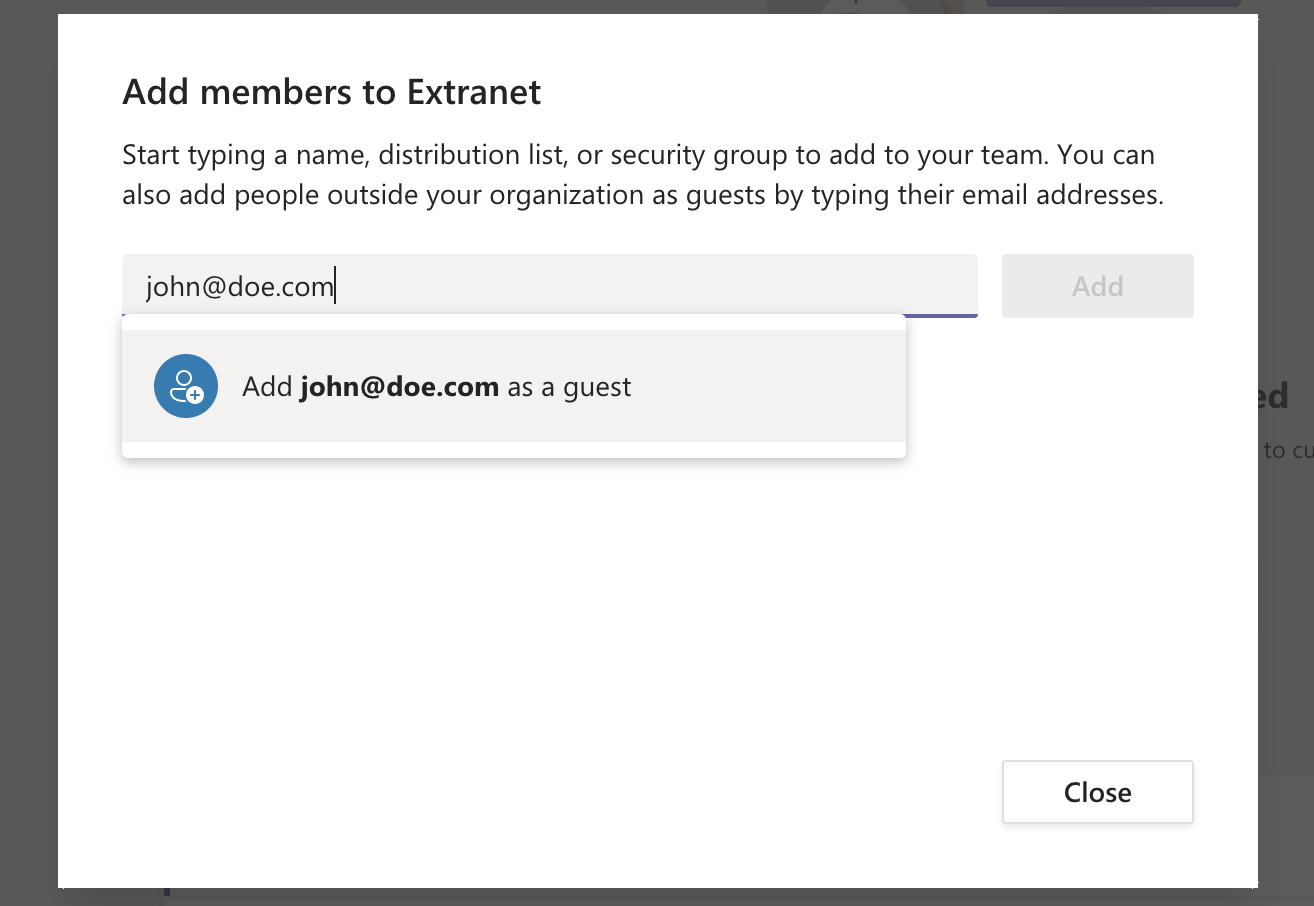
I added John Doe as a Guest user.
Members and guests
After I added John Doe, his account appeared in the "Members and guests" list.
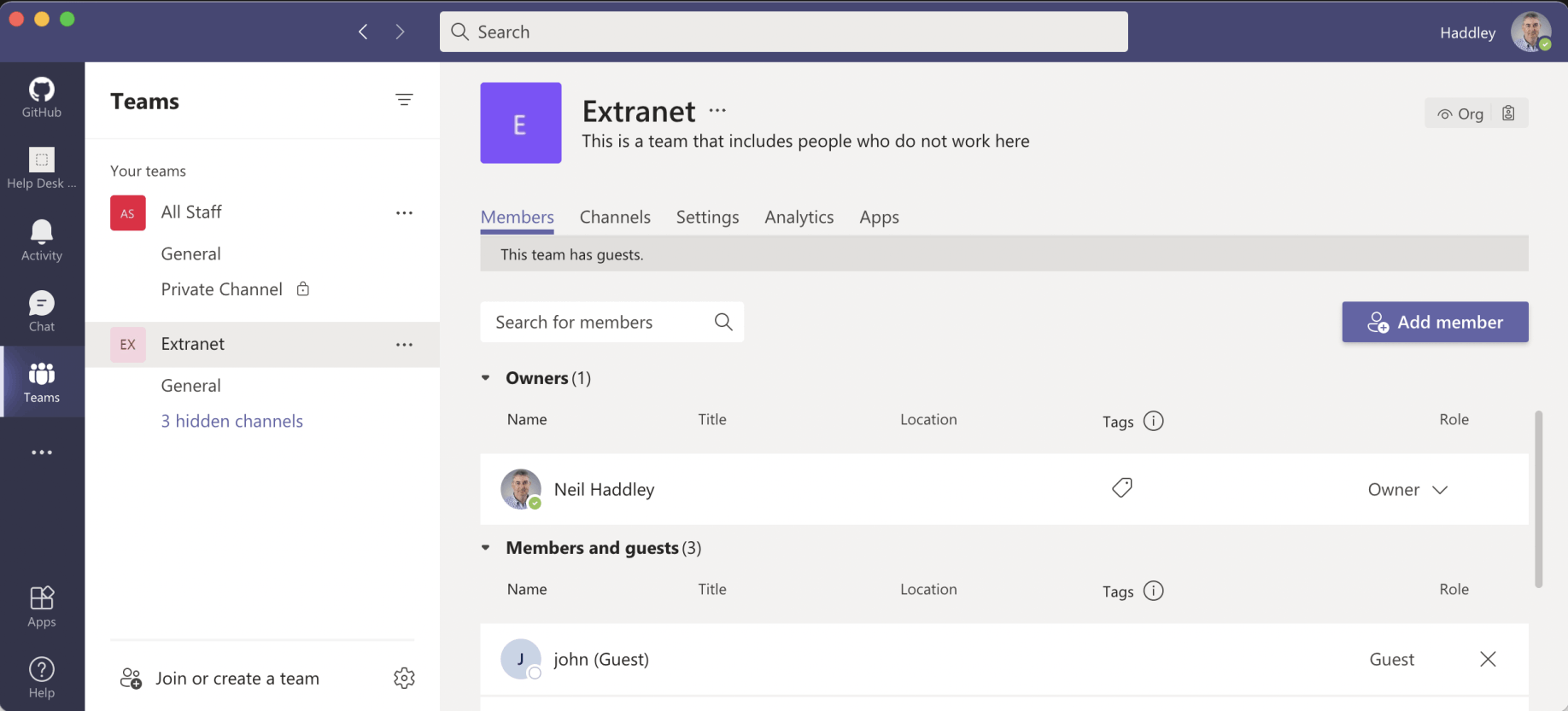
John was added as a guest member of the Team
Azure Active Directory Users
In the Azure Portal I could see an external (EXT) Active Directory account had been created for John Doe.
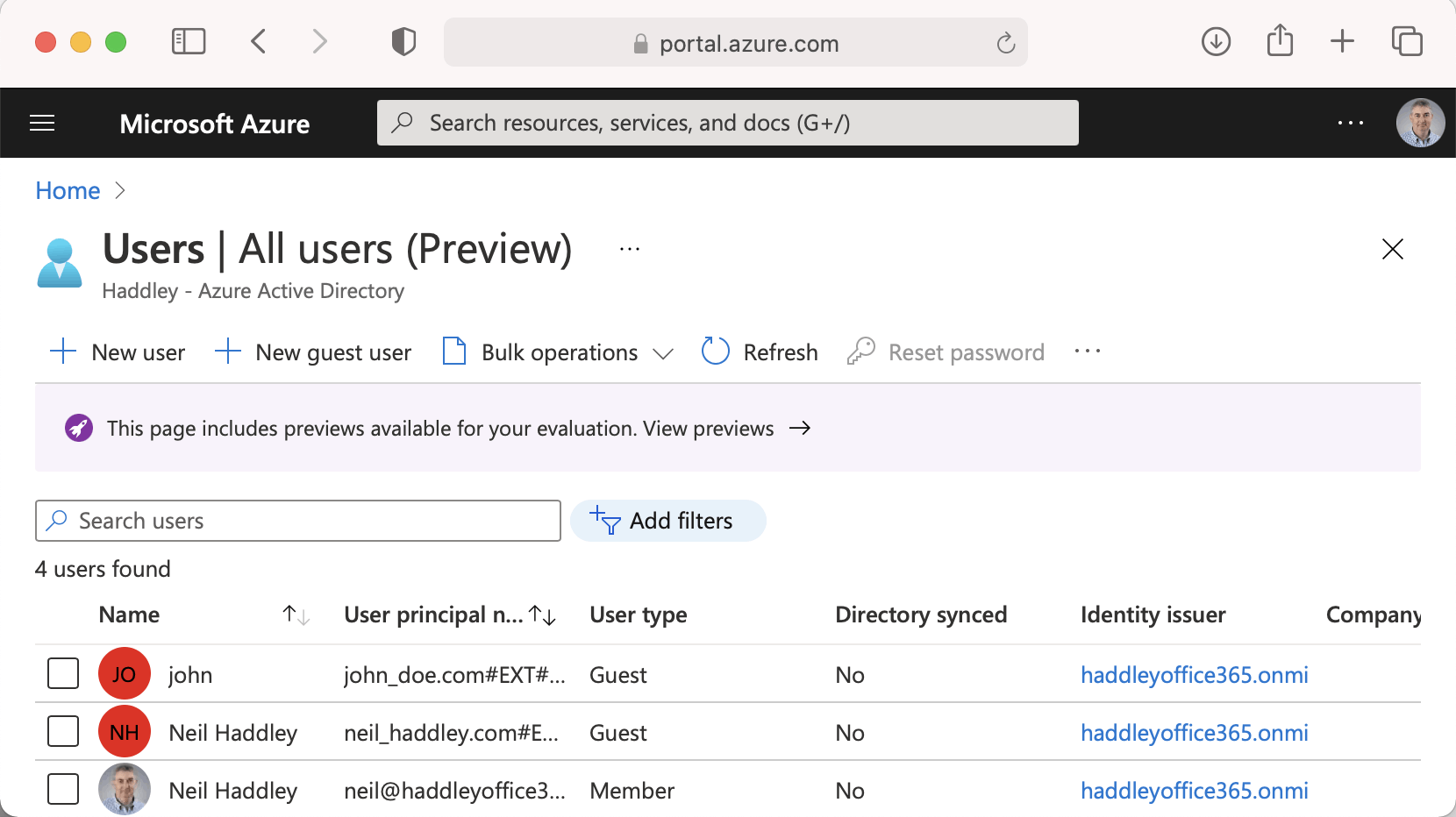
I viewed the Azure Active Directory Users
Custom Web Application
I used the same Azure Active Directory user list to authenticate users accessing a custom "Who am I" web application.
App Registration
The key step is the creation of an "application registration".
I navigated to the Azure Active Directory service and selected the App registrations page.
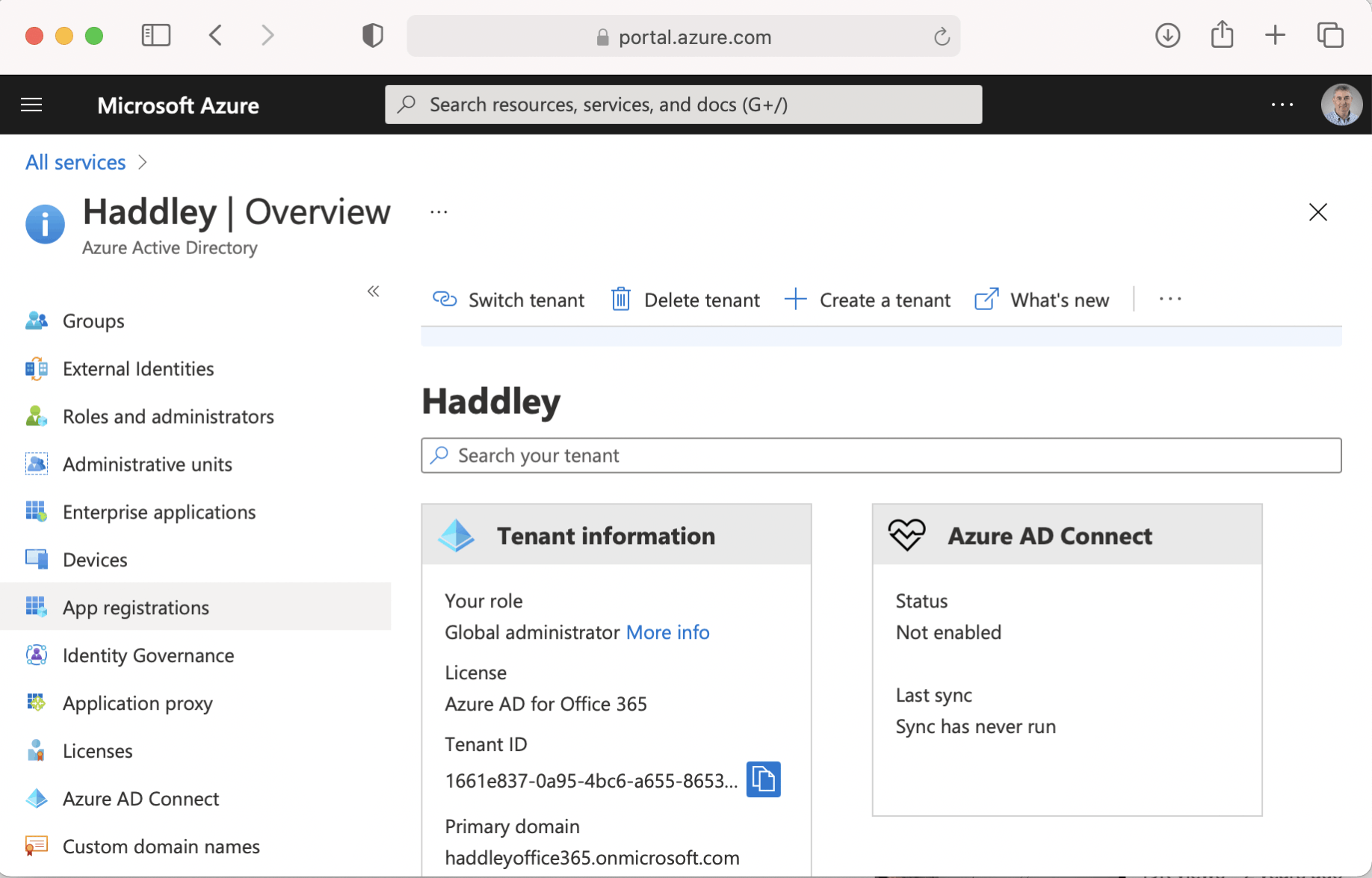
I navigated to Azure Active Directory and selected App registrations
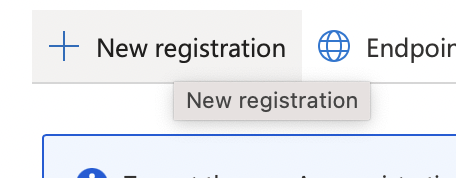
I clicked the "+ New registration" button
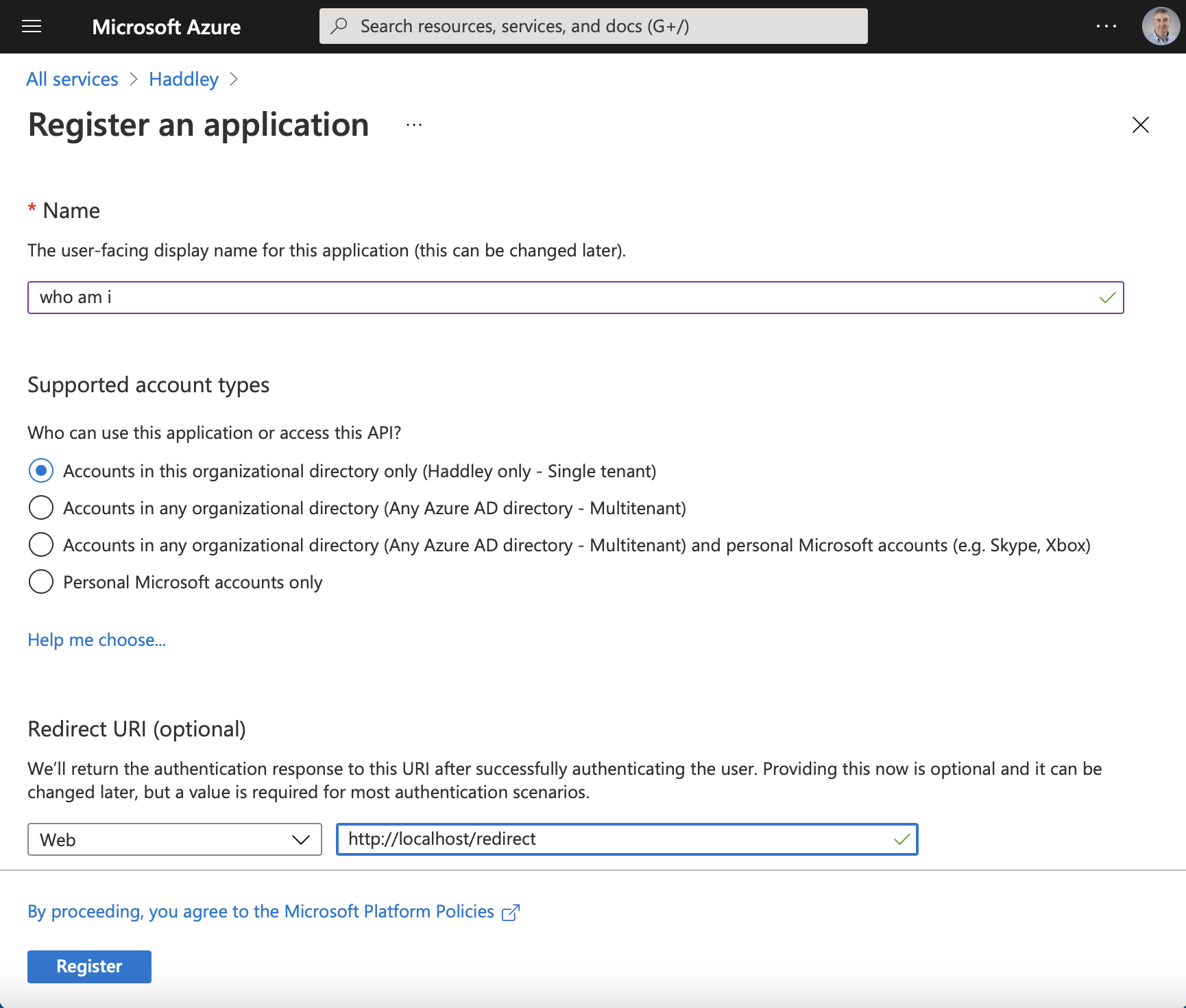
I entered the display name "who am i" and the redirect URI.
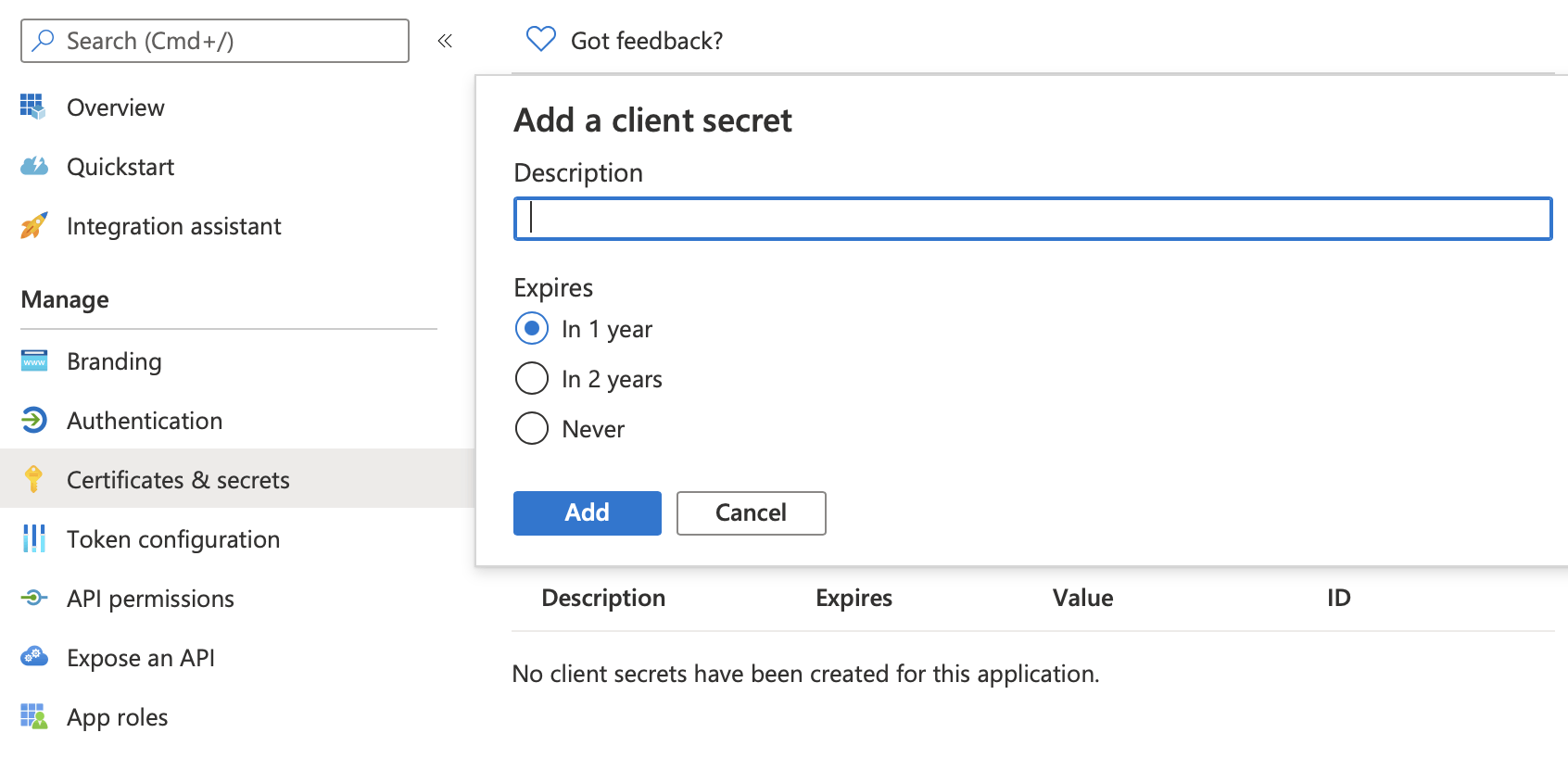
I created a client secret
I noted these three values
Application (client) ID 63fe01c7-f396-484e-8a48-760f
Directory (tenant) ID 1661e837-0a95-4bc6-a655-8653
Client secret -~nGgWS3F7y~-o2etNGc0BW_ik_*
Test the solution
I tested the who-am-i web application by navigating to http://localhost:3000
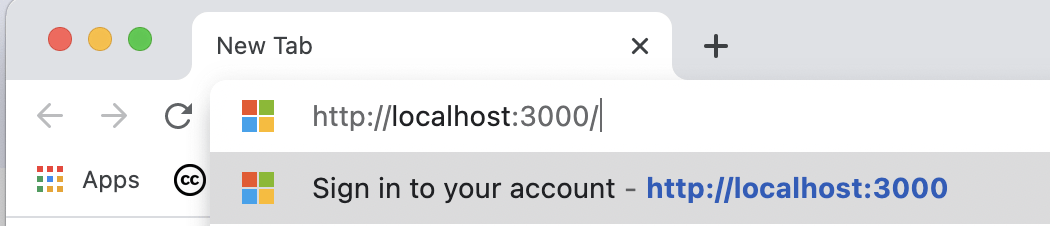
I navigated to http://localhost:3000
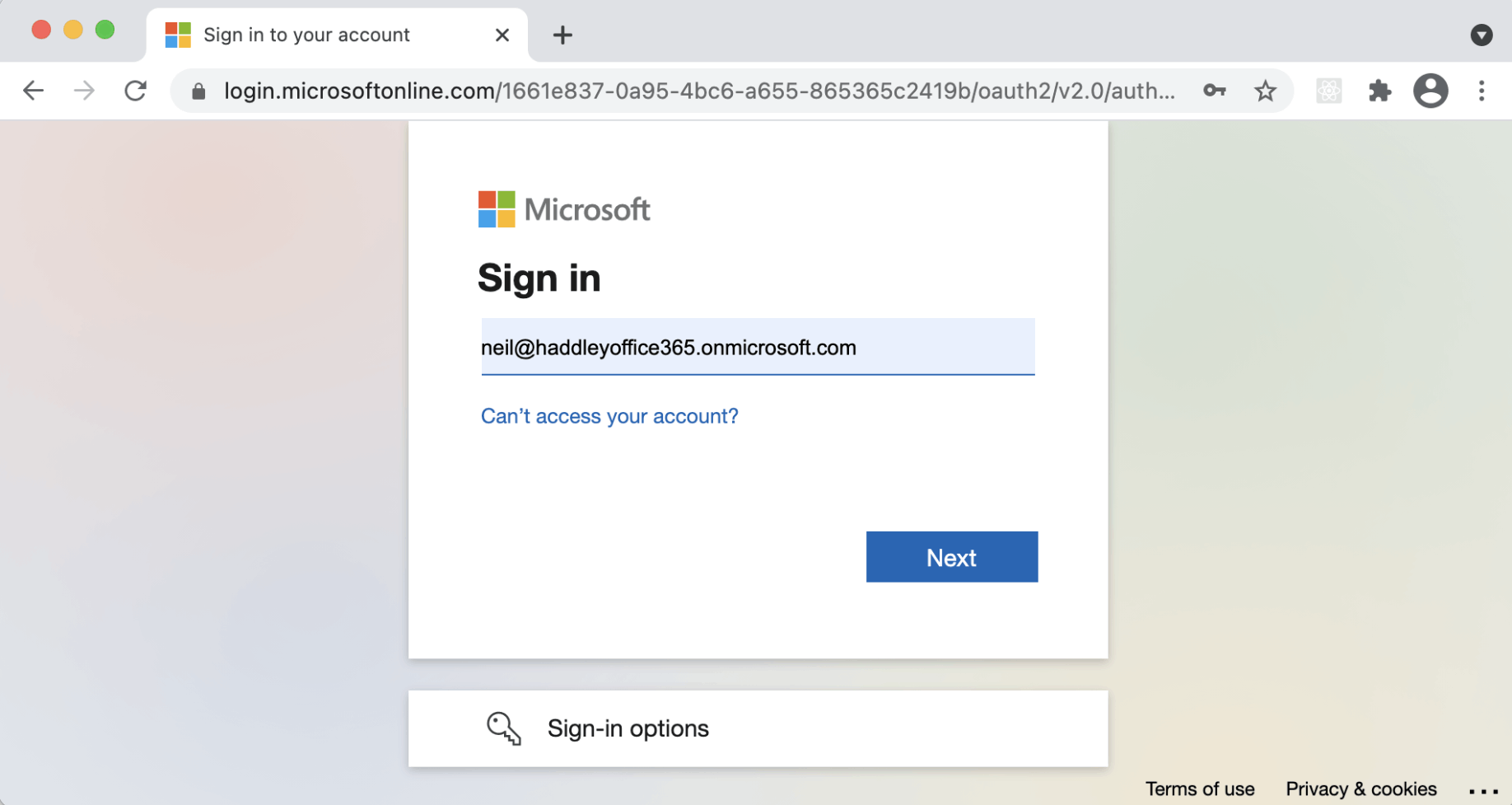
I was redirected to the Azure Active Directory Sign in page.
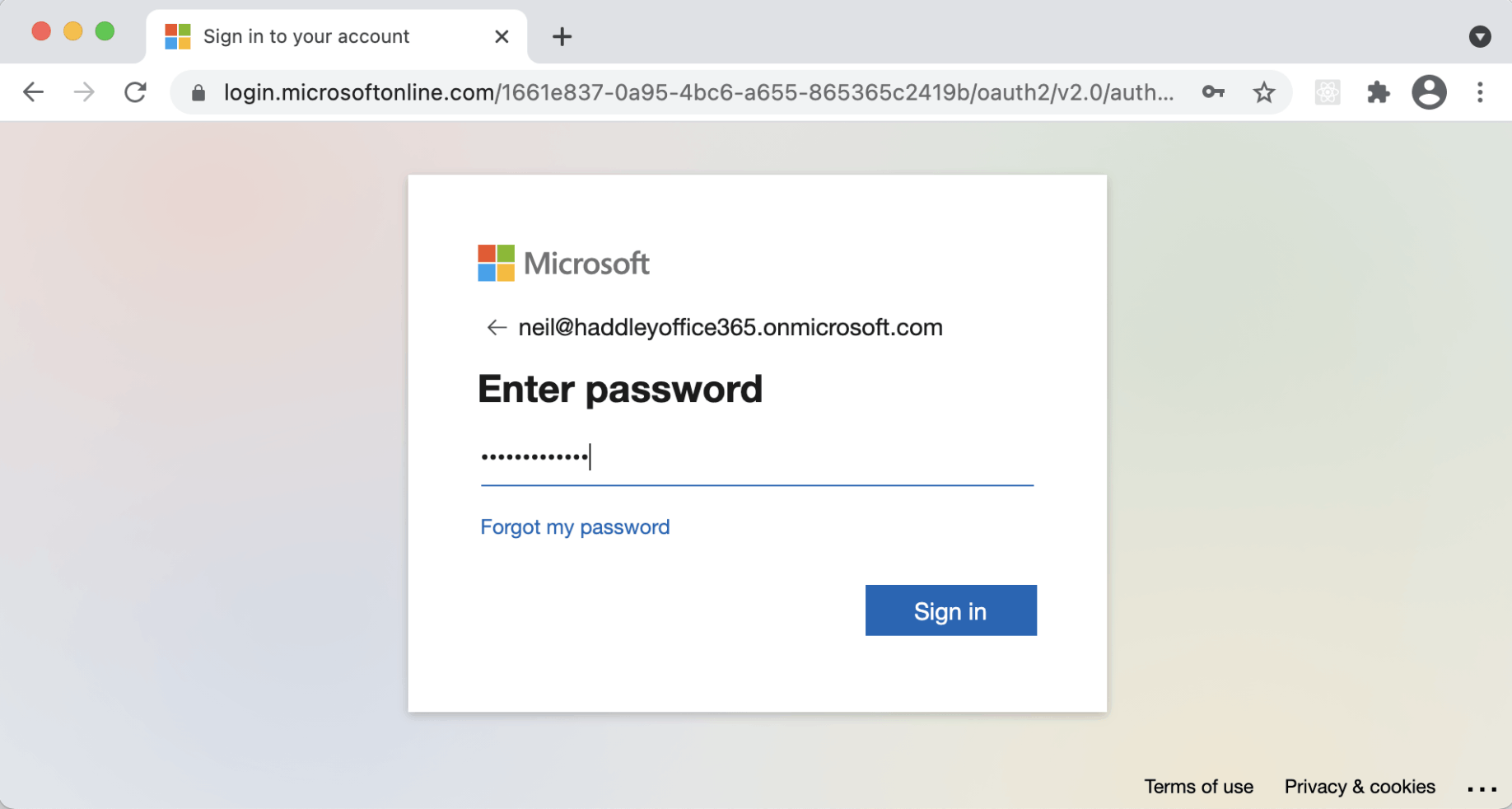
After I entered my credentials...
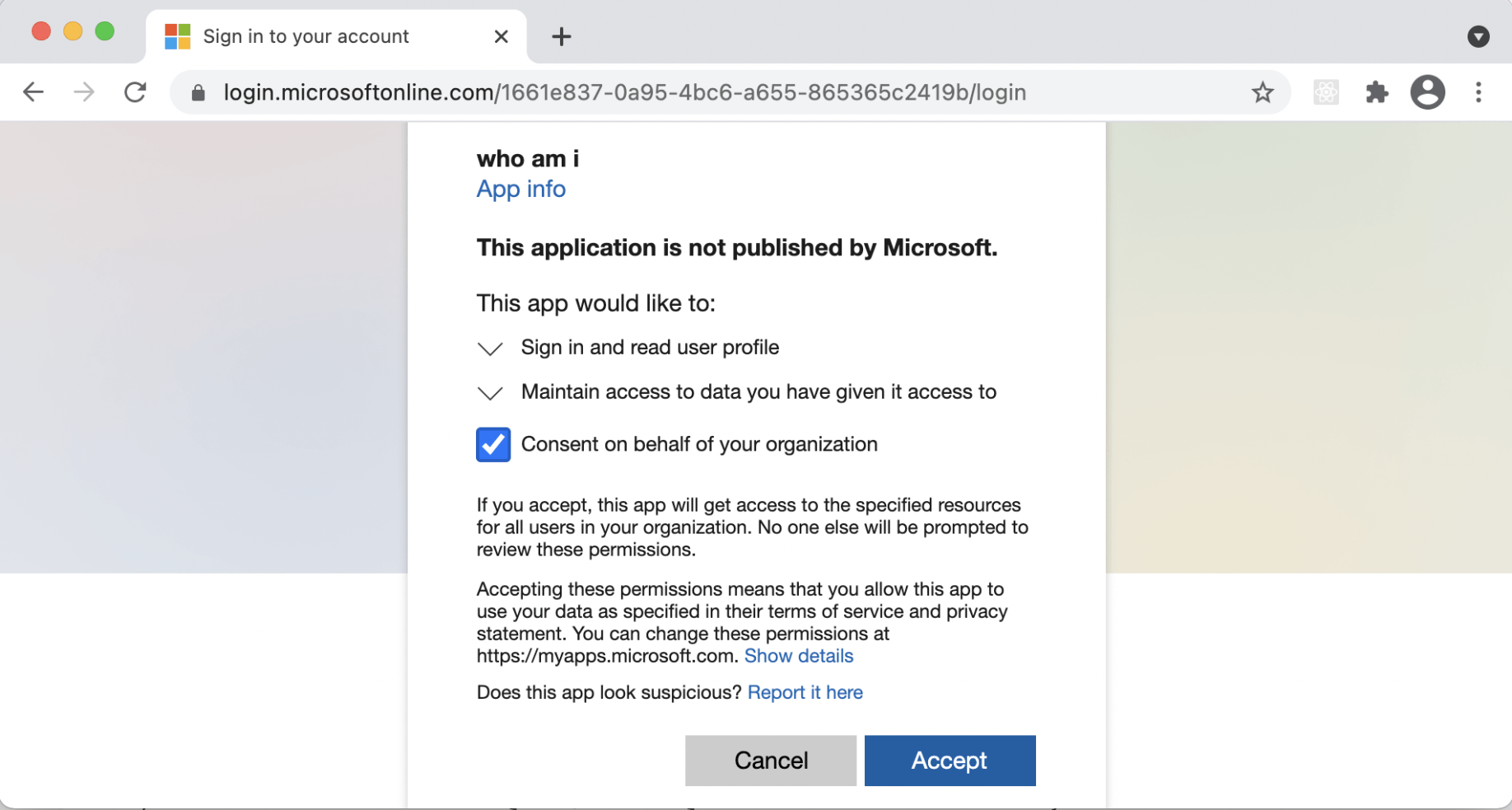
...I was asked to consent to passing my details to the "who am i" application.
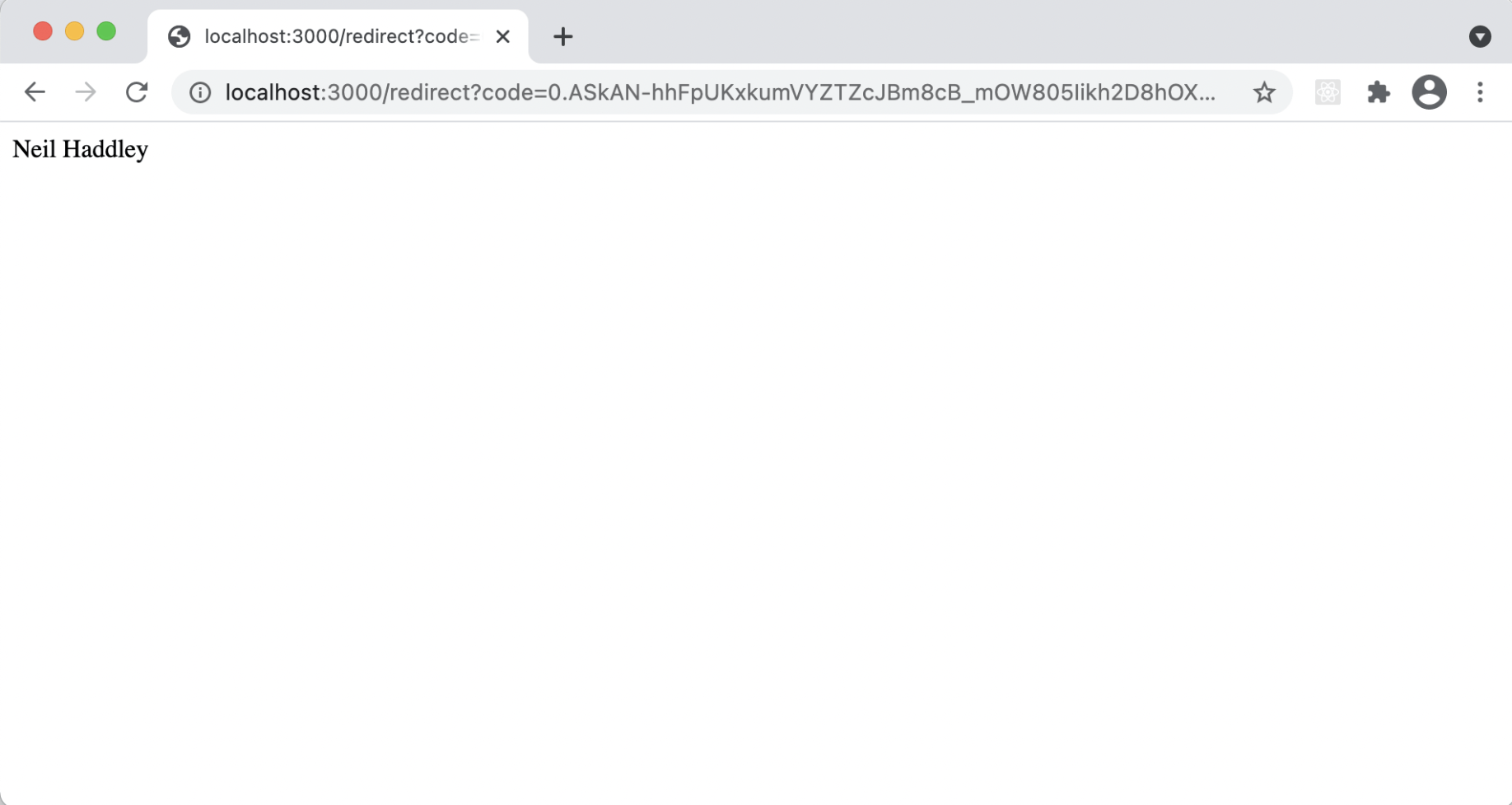
I was redirected to "/redirect" and my name was displayed
package.json
JSON
1{
2  "name": "who-am-i",
3  "version": "1.0.0",
4  "description": "",
5  "main": "index.js",
6  "dependencies": {
7    "@azure/msal-node": "^1.0.0",
8    "express": "^4.17.1",
9    "uuid": "^8.3.1"
10  },
11  "devDependencies": {},
12  "scripts": {
13    "start": "node index.js"
14  },
15  "repository": {
16    "type": "git",
17    "url": "git+https://github.com/Haddley/who-am-i.git"
18  },
19  "author": "",
20  "license": "ISC",
21  "bugs": {
22    "url": "https://github.com/Haddley/who-am-i/issues"
23  },
24  "homepage": "https://github.com/Haddley/who-am-i#readme"
25}
index.js
JAVASCRIPT
1/*
2 * Copyright (c) Microsoft Corporation. All rights reserved.
3 * Licensed under the MIT License.
4 */
5const express = require("express");
6const msal = require('@azure/msal-node');
7
8const SERVER_PORT = process.env.PORT || 3000;
9const REDIRECT_URI = "http://localhost:3000/redirect";
10
11// Before running the sample, you will need to replace the values in the config,
12// including the clientSecret
13const config = {
14    auth: {
15        clientId: "63fe01c7-f396-484e-8a48-760f********",
16        authority: "https://login.microsoftonline.com/1661e837-0a95-4bc6-a655-8653********",
17        clientSecret: "-~nGgWS3F7y~-o2etNGc0BW_ik_*******"
18    },
19    system: {
20        loggerOptions: {
21            loggerCallback(loglevel, message, containsPii) {
22                console.log(message);
23            },
24            piiLoggingEnabled: false,
25            logLevel: msal.LogLevel.Verbose,
26        }
27    }
28};
29
30// Create msal application object
31const pca = new msal.ConfidentialClientApplication(config);
32
33// Create Express App and Routes
34const app = express();
35
36app.get('/', (req, res) => {
37    const authCodeUrlParameters = {
38        scopes: ["user.read"],
39        redirectUri: REDIRECT_URI,
40    };
41
42    // get url to sign user in and consent to scopes needed for application
43    pca.getAuthCodeUrl(authCodeUrlParameters).then((response) => {
44        res.redirect(response);
45    }).catch((error) => console.log(JSON.stringify(error)));
46});
47
48app.get('/redirect', (req, res) => {
49    const tokenRequest = {
50        code: req.query.code,
51        scopes: ["user.read"],
52        redirectUri: REDIRECT_URI,
53    };
54
55    pca.acquireTokenByCode(tokenRequest).then((response) => {
56        console.log("\nResponse: \n:", response);
57        // Return the current user's name
58        console.log(response.account.name);
59        res.send(response.account.name);
60        res.sendStatus(200);
61    }).catch((error) => {
62        console.log(error);
63        res.status(500).send(error);
64    });
65});
66
67
68app.listen(SERVER_PORT, () => console.log(`Msal Node Auth Code Sample app listening on port ${SERVER_PORT}!`))