Business Central Azure Functions (Part 1)
Neil Haddley • December 15, 2025
Creating the Azure Functions App
Azure Functions with Business Central
project files
TEXT
1qrcode-generator-function/
2├── src/
3│   └── app.js
4├── host.json
5├── package.json
src/app.js
JAVASCRIPT
1const { app } = require('@azure/functions');
2const qr = require('qrcode');
3
4app.http('QRCodeGenerator', {
5    methods: ['GET'],
6    authLevel: 'anonymous',
7    handler: async (request, context) => {
8        const text = request.query.get('text');
9
10        if (!text) {
11            return {
12                status: 400,
13                body: "Please provide text to encode via the 'text' query parameter."
14            };
15        }
16
17        try {
18            // Generate a QR code as a Data URI (base64 string)
19            const qrCodeDataUrl = await qr.toDataURL(text);
20            return {
21                status: 200,
22                body: qrCodeDataUrl,
23                headers: {
24                    'Content-Type': 'text/plain'
25                }
26            };
27        } catch (error) {
28            return {
29                status: 500,
30                body: `Error generating QR code: ${error.message}`
31            };
32        }
33    }
34});
host.json
JSON
1{
2  "version": "2.0",
3  "logging": {
4    "applicationInsights": {
5      "samplingSettings": {
6        "isEnabled": true,
7        "maxTelemetryItemsPerSecond": 20
8      }
9    }
10  },
11  "extensionBundle": {
12    "id": "Microsoft.Azure.Functions.ExtensionBundle",
13    "version": "[4.*, 5.0.0)"
14  }
15}
package.json
JSON
1{
2  "name": "qrcode-generator-function",
3  "version": "1.0.0",
4  "description": "Azure Functions QR Code Generator",
5  "main": "src/app.js",
6  "scripts": {
7    "start": "func start",
8    "test": "echo \"Error: no test specified\" && exit 1"
9  },
10  "dependencies": {
11    "@azure/functions": "^4.0.0",
12    "qrcode": "^1.5.3"
13  },
14  "devDependencies": {
15    "@types/node": "^20.x"
16  },
17  "engines": {
18    "node": ">=18.0.0"
19  }
20}
Azure Portal (Visual)
I navigated to portal.azure.com
I clicked + Create a resource

I clicked + Create a resource
I clicked Function App|Create
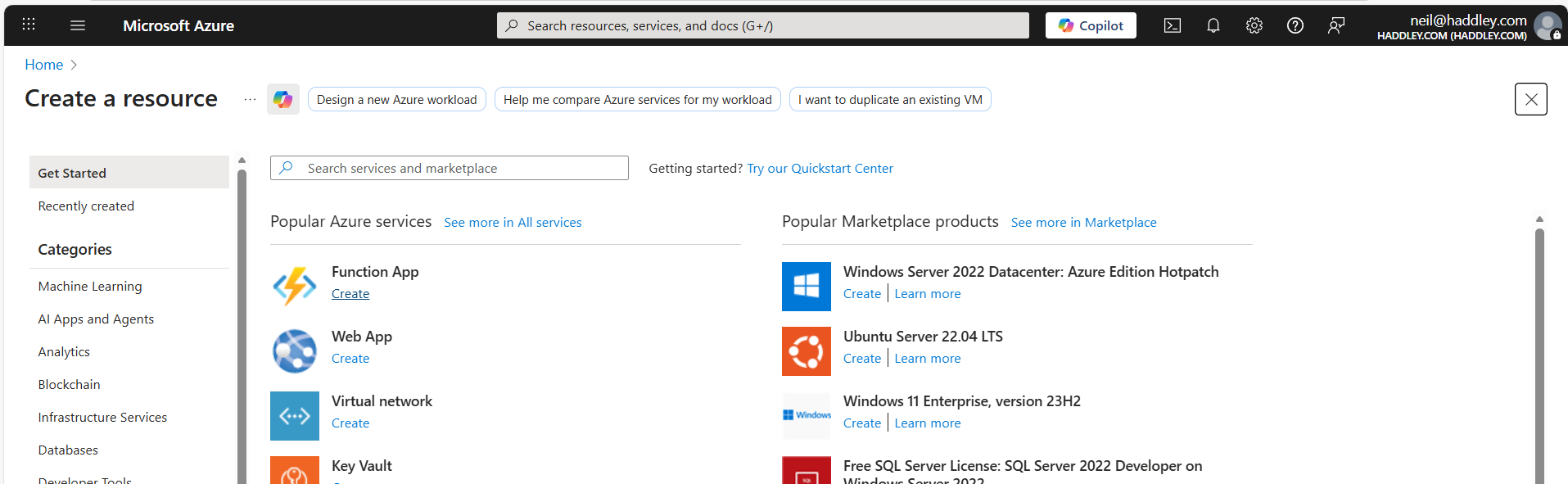
I clicked "Create"
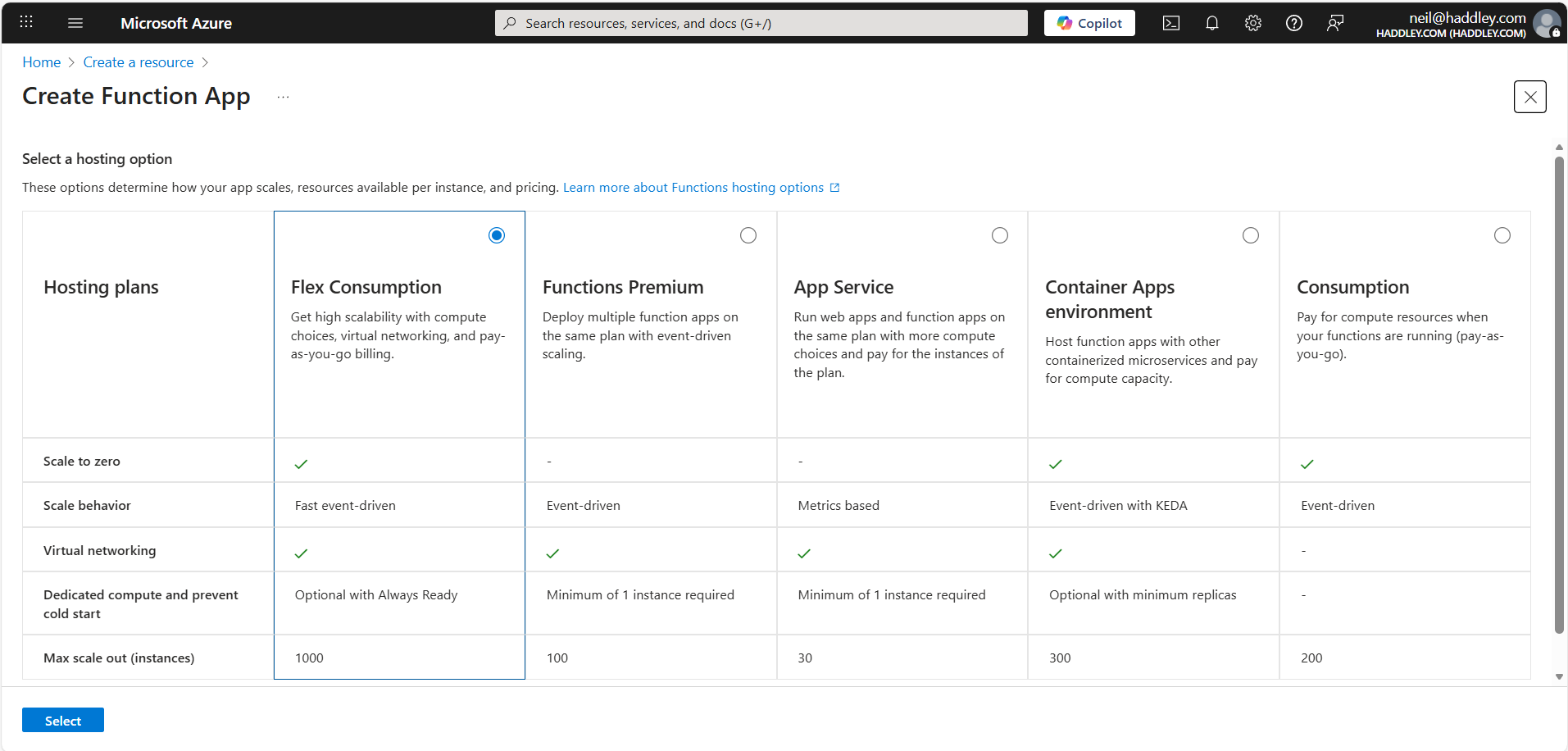
I selected a hosting option
I filled in:
Name: qrcode-generator-function
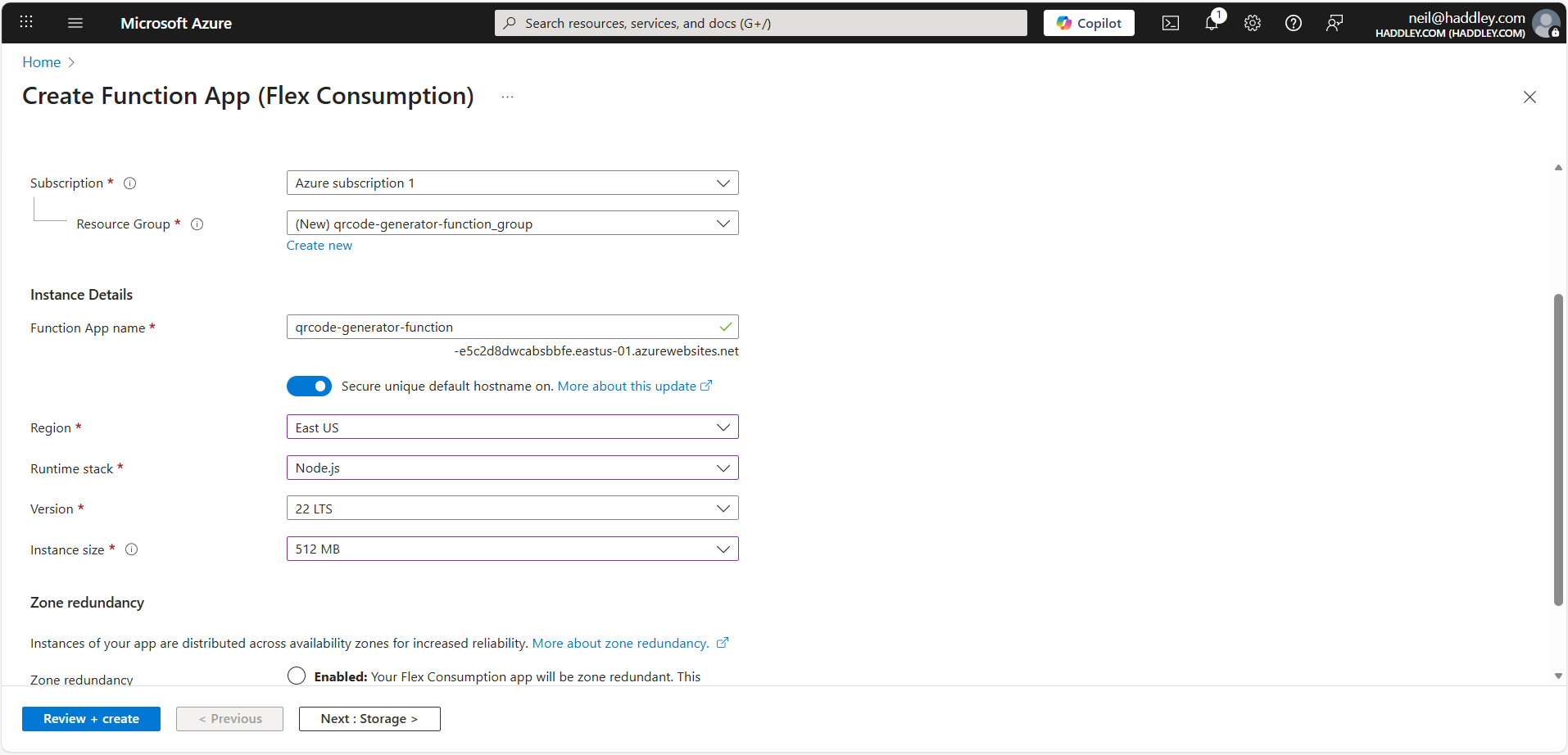
I provided a Resource Group and Function App name
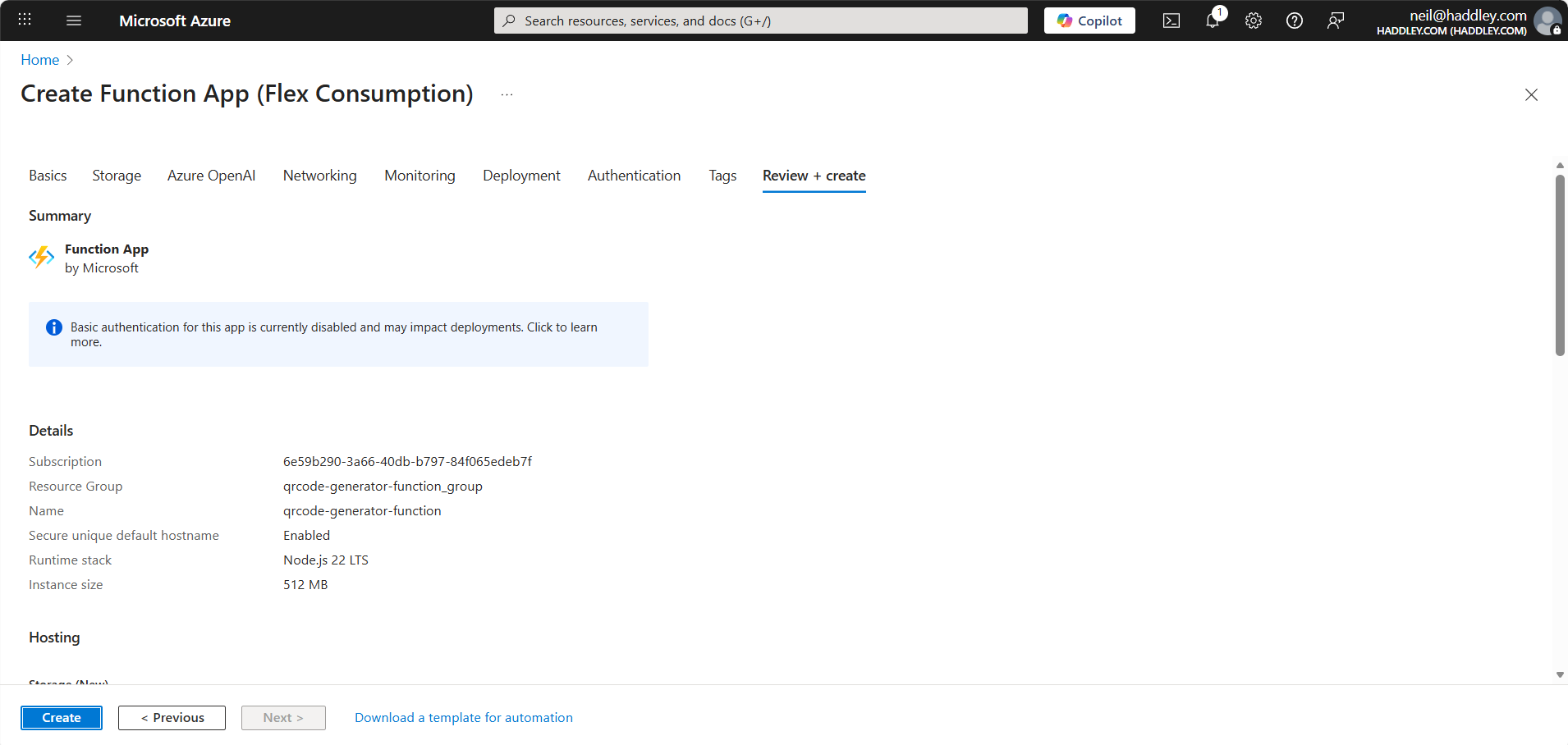
I clicked Create
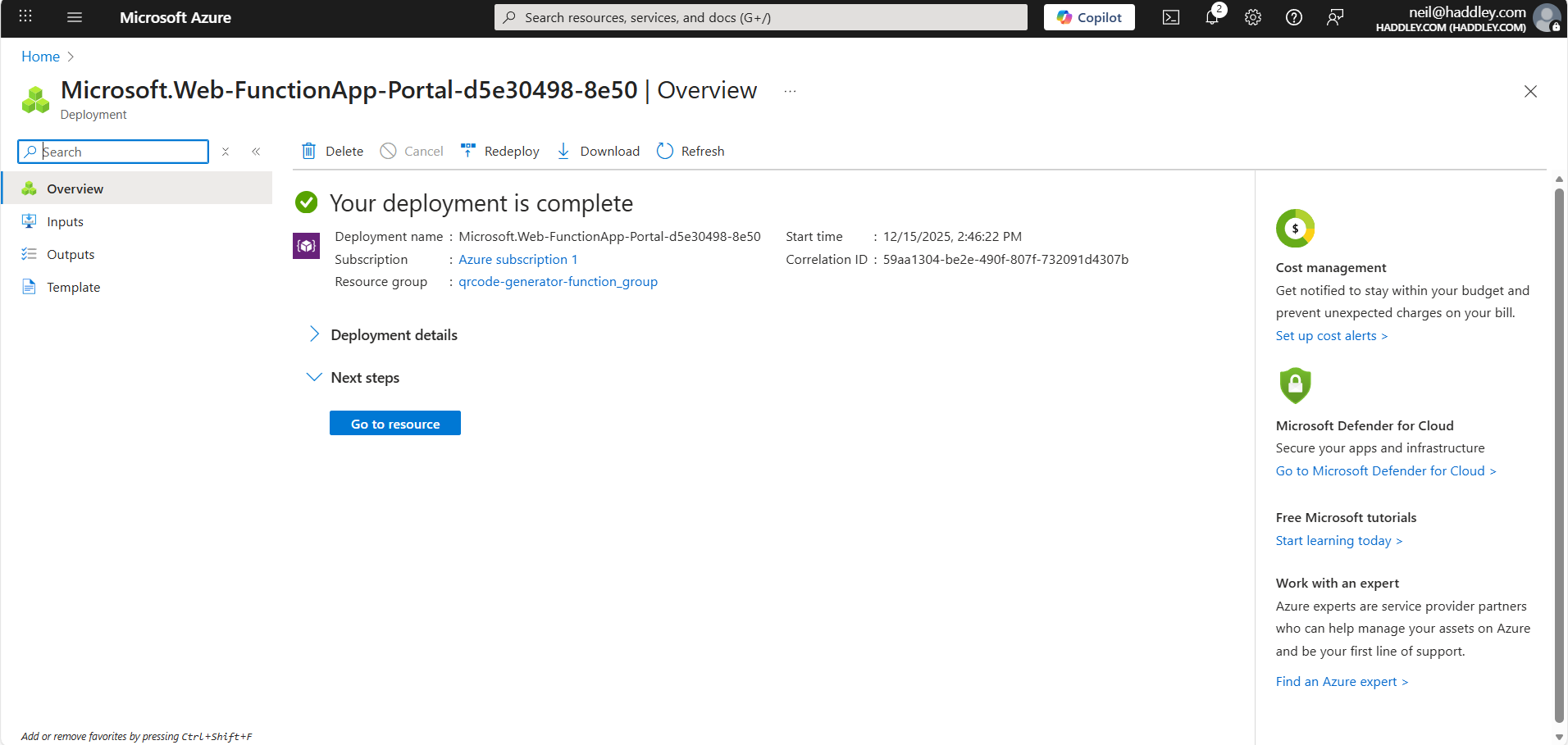
I clicked Go to resource
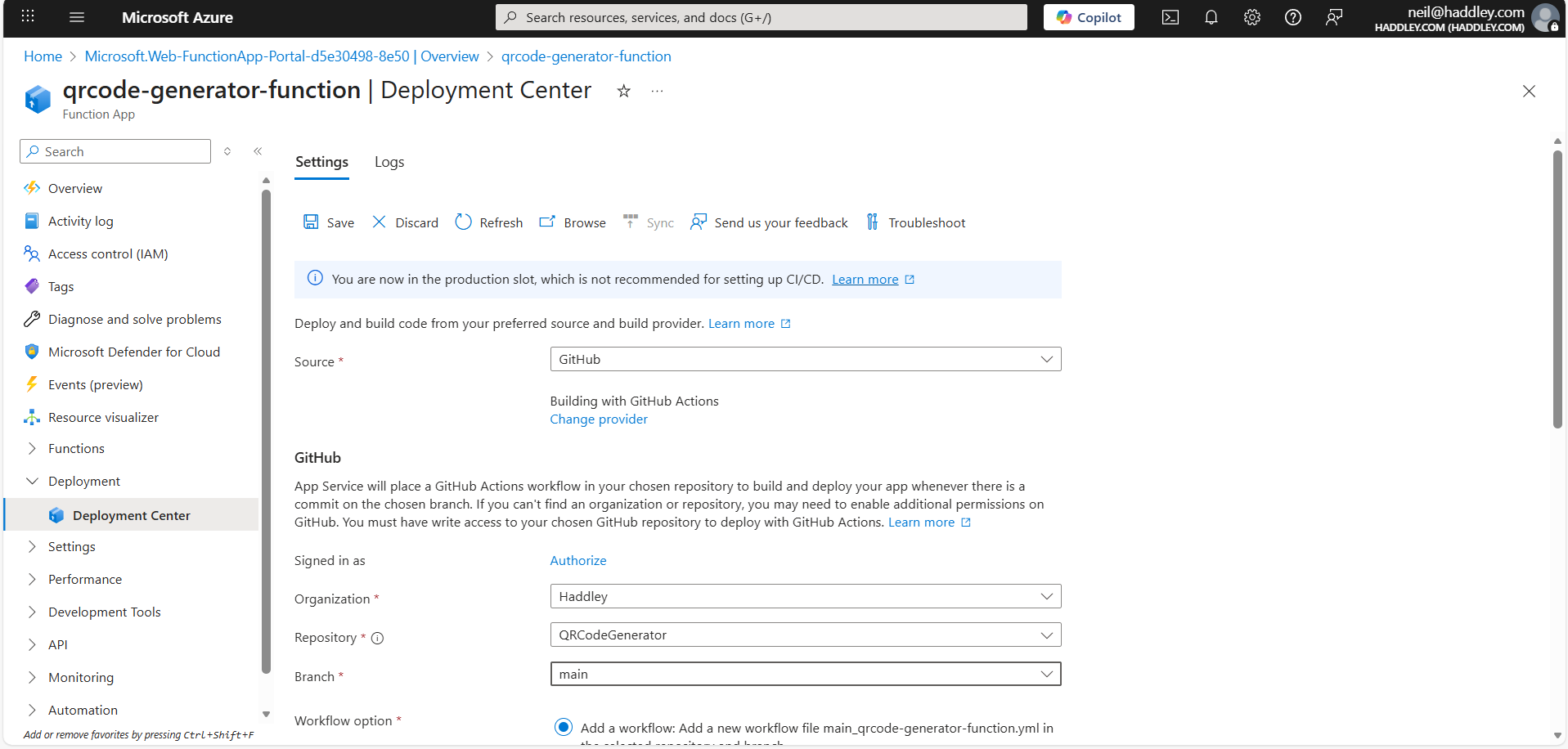
I clicked Deployment|Deployment Center and entered Github project details
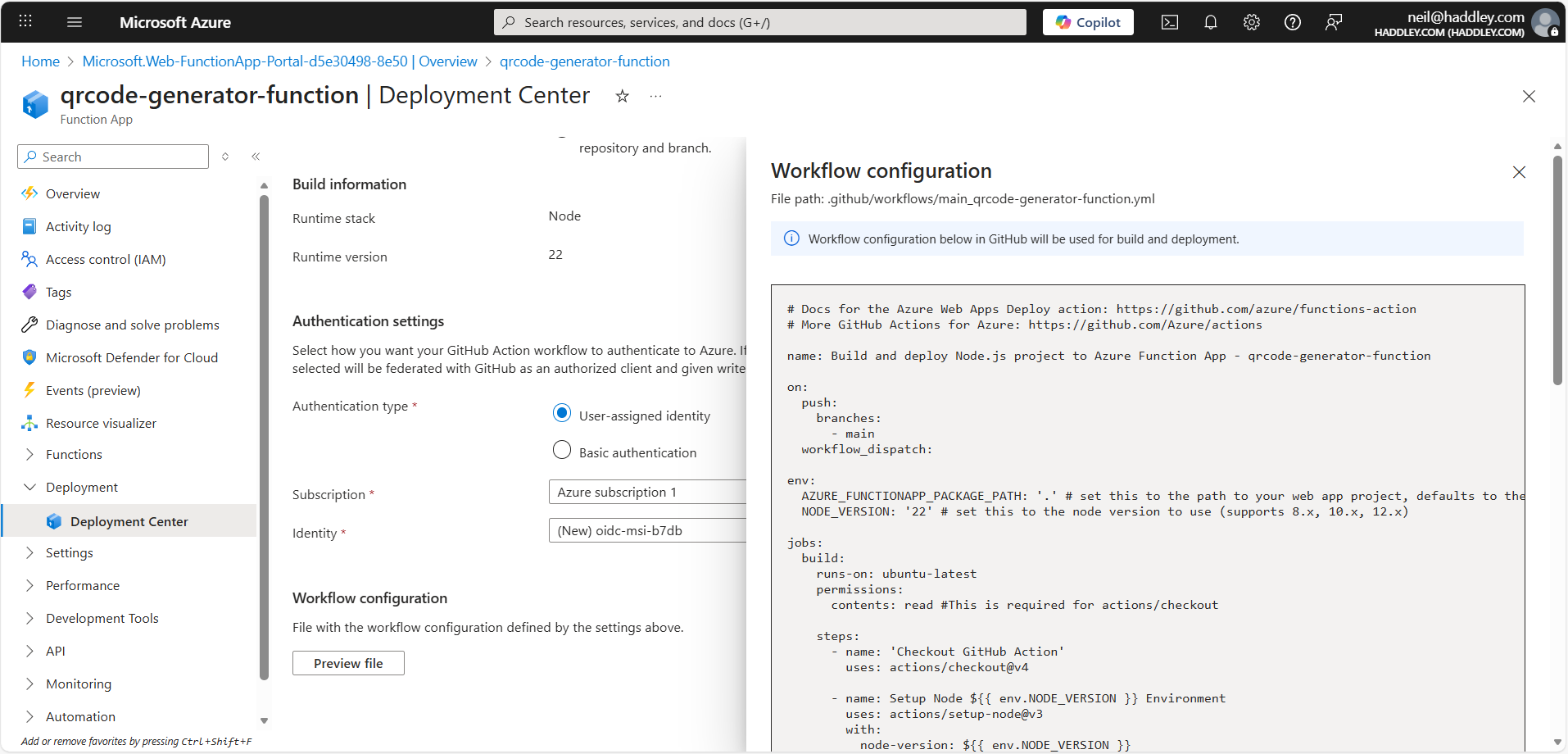
I previewed the Github action details
.github/workflows/main_qrcode-generator-function.yml
YML
1# Docs for the Azure Web Apps Deploy action: https://github.com/azure/functions-action
2# More GitHub Actions for Azure: https://github.com/Azure/actions
3
4name: Build and deploy Node.js project to Azure Function App - qrcode-generator-function
5
6on:
7  push:
8    branches:
9      - main
10  workflow_dispatch:
11
12env:
13  AZURE_FUNCTIONAPP_PACKAGE_PATH: '.' # set this to the path to your web app project, defaults to the repository root
14  NODE_VERSION: '22' # set this to the node version to use (supports 8.x, 10.x, 12.x)
15
16jobs:
17  build:
18    runs-on: ubuntu-latest
19    permissions:
20      contents: read #This is required for actions/checkout
21
22    steps:
23      - name: 'Checkout GitHub Action'
24        uses: actions/checkout@v4
25
26      - name: Setup Node ${{ env.NODE_VERSION }} Environment
27        uses: actions/setup-node@v3
28        with:
29          node-version: ${{ env.NODE_VERSION }}
30
31      - name: 'Resolve Project Dependencies Using Npm'
32        shell: bash
33        run: |
34          pushd './${{ env.AZURE_FUNCTIONAPP_PACKAGE_PATH }}'
35          npm install
36          npm run build --if-present
37          popd
38
39      - name: Zip artifact for deployment
40        run: zip release.zip ./* -r
41
42      - name: Upload artifact for deployment job
43        uses: actions/upload-artifact@v4
44        with:
45          name: node-app
46          path: release.zip
47
48  deploy:
49    runs-on: ubuntu-latest
50    needs: build
51    permissions:
52      id-token: write #This is required for requesting the JWT
53      contents: read #This is required for actions/checkout
54
55    steps:
56      - name: Download artifact from build job
57        uses: actions/download-artifact@v4
58        with:
59          name: node-app
60
61      - name: Unzip artifact for deployment
62        run: |
63          unzip release.zip
64          rm release.zip
65
66      - name: Login to Azure
67        uses: azure/login@v2
68        with:
69          client-id: ${{ secrets.AZUREAPPSERVICE_CLIENTID_DC52AD8DA7DF437A982237D80ABB5CC7 }}
70          tenant-id: ${{ secrets.AZUREAPPSERVICE_TENANTID_32D143B72F614D7EB5E5481E145E9815 }}
71          subscription-id: ${{ secrets.AZUREAPPSERVICE_SUBSCRIPTIONID_7D7131AD943A4E09A8845E8BBEBDD7DA }}
72
73      - name: 'Run Azure Functions Action'
74        uses: Azure/functions-action@v1
75        id: fa
76        with:
77          app-name: 'qrcode-generator-function'
78          slot-name: 'Production'
79          package: ${{ env.AZURE_FUNCTIONAPP_PACKAGE_PATH }}
80

The Github action built the Function App and deployed to Azure
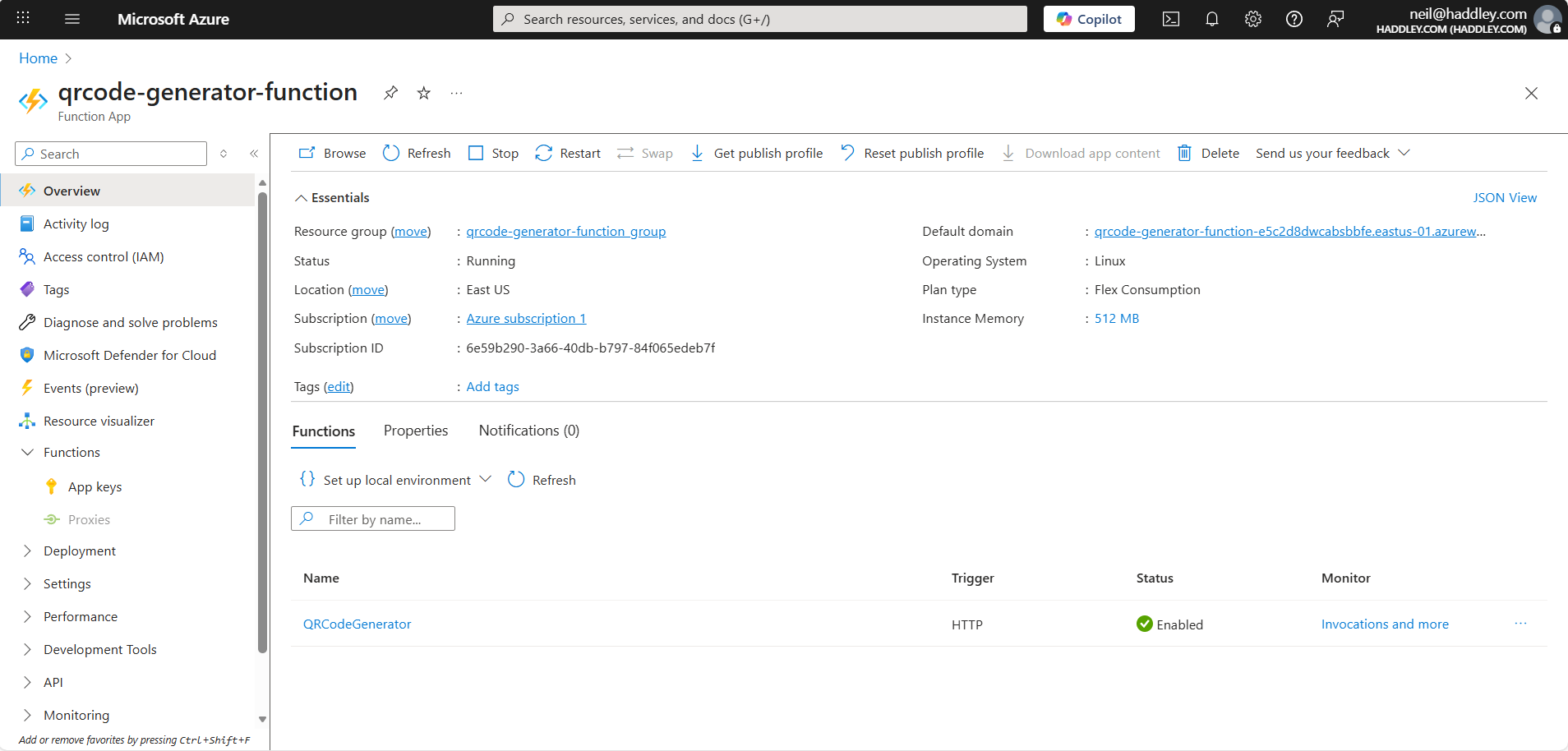
I reviewed the QRCodeGenerator function details
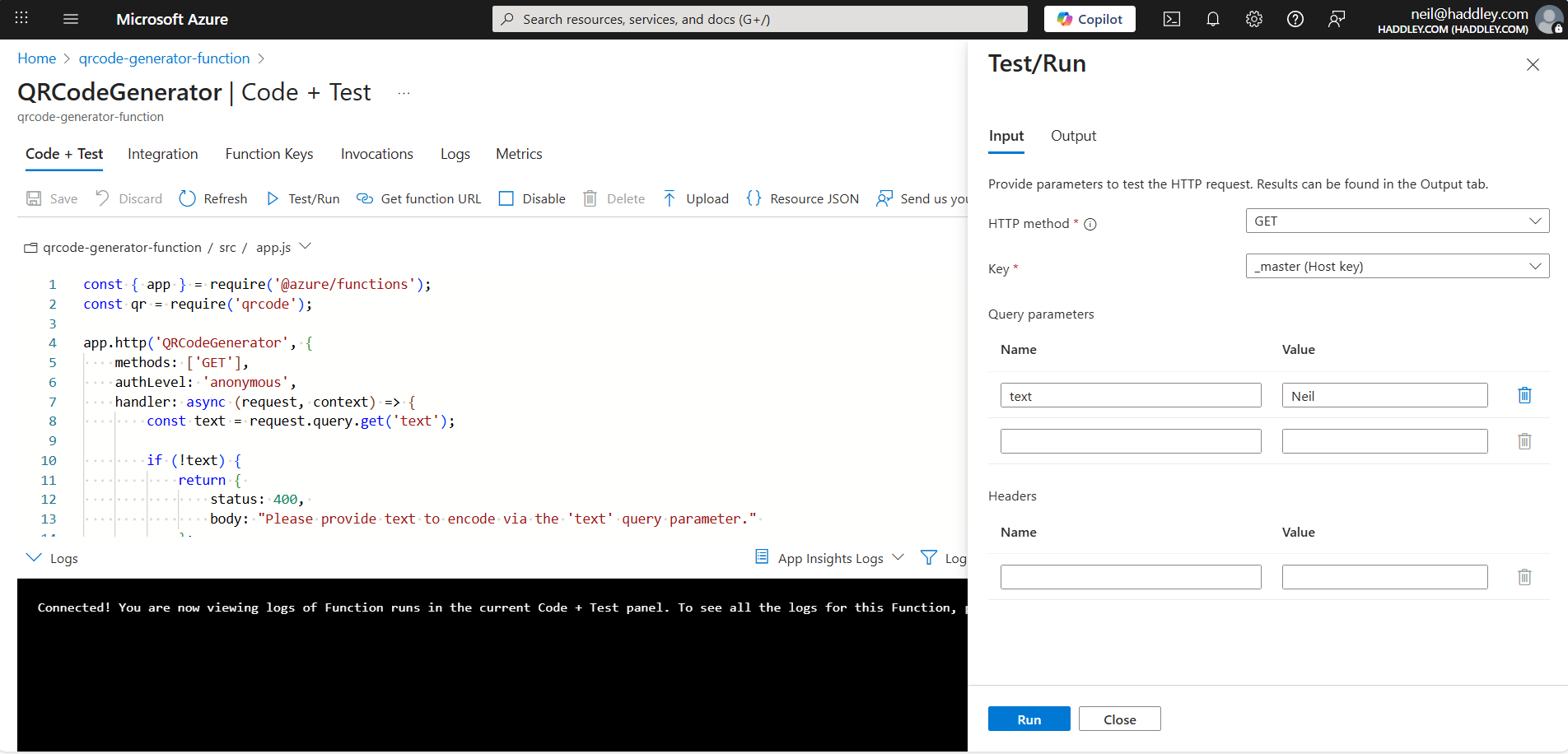
Testing the QRCodeGenerator function in the Azure portal
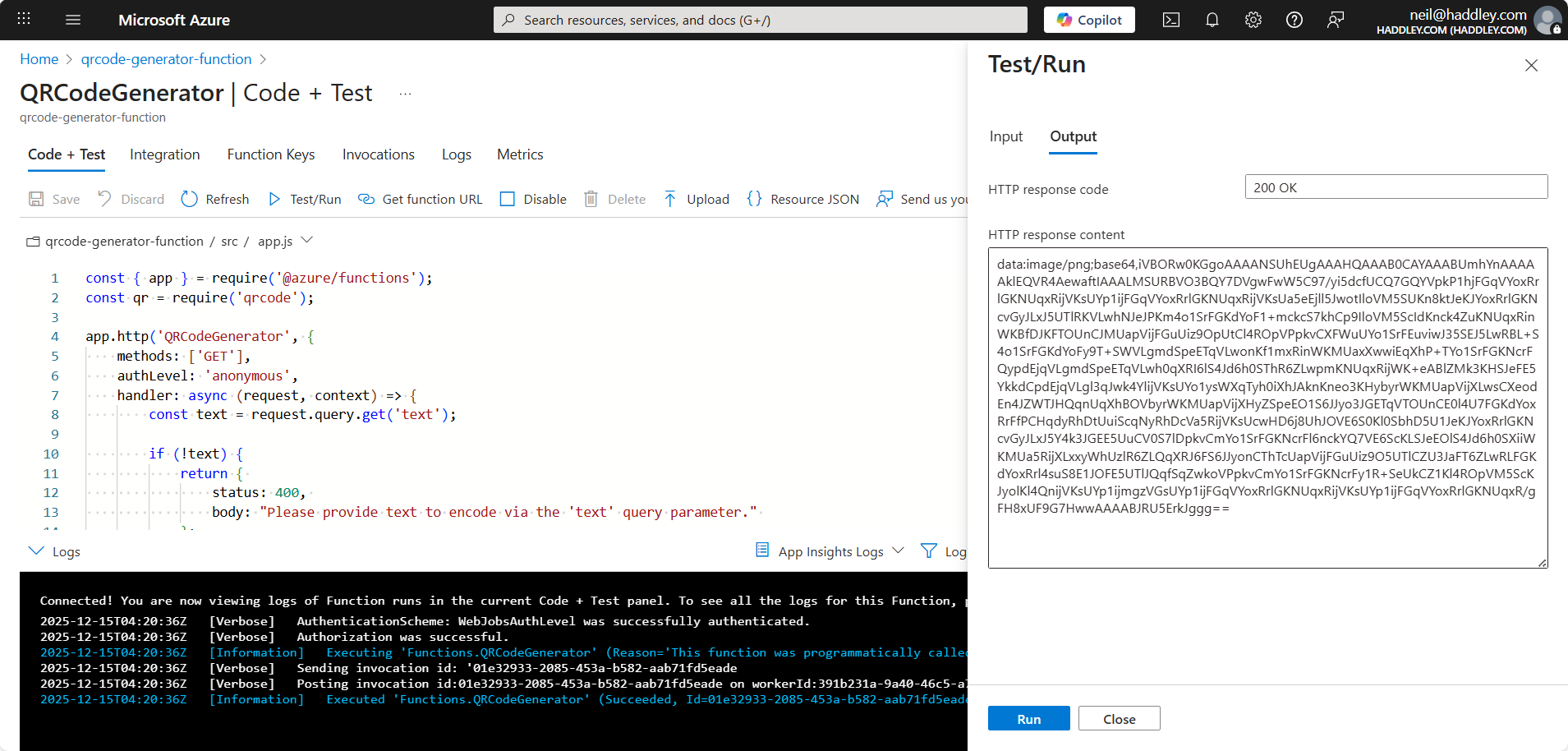
Test results
