A CLAUDE.md file gives Claude Code persistent knowledge about your project — its setup, conventions, and rules. Claude reads it automatically at the start of every session, so you don't have to re-explain context each time.
I can create the file manually, or let Claude generate a starter version by running /init.
Creating a CLAUDE.md with /init
I ran /init in my project directory. Claude scanned the project and generated a starter CLAUDE.md:
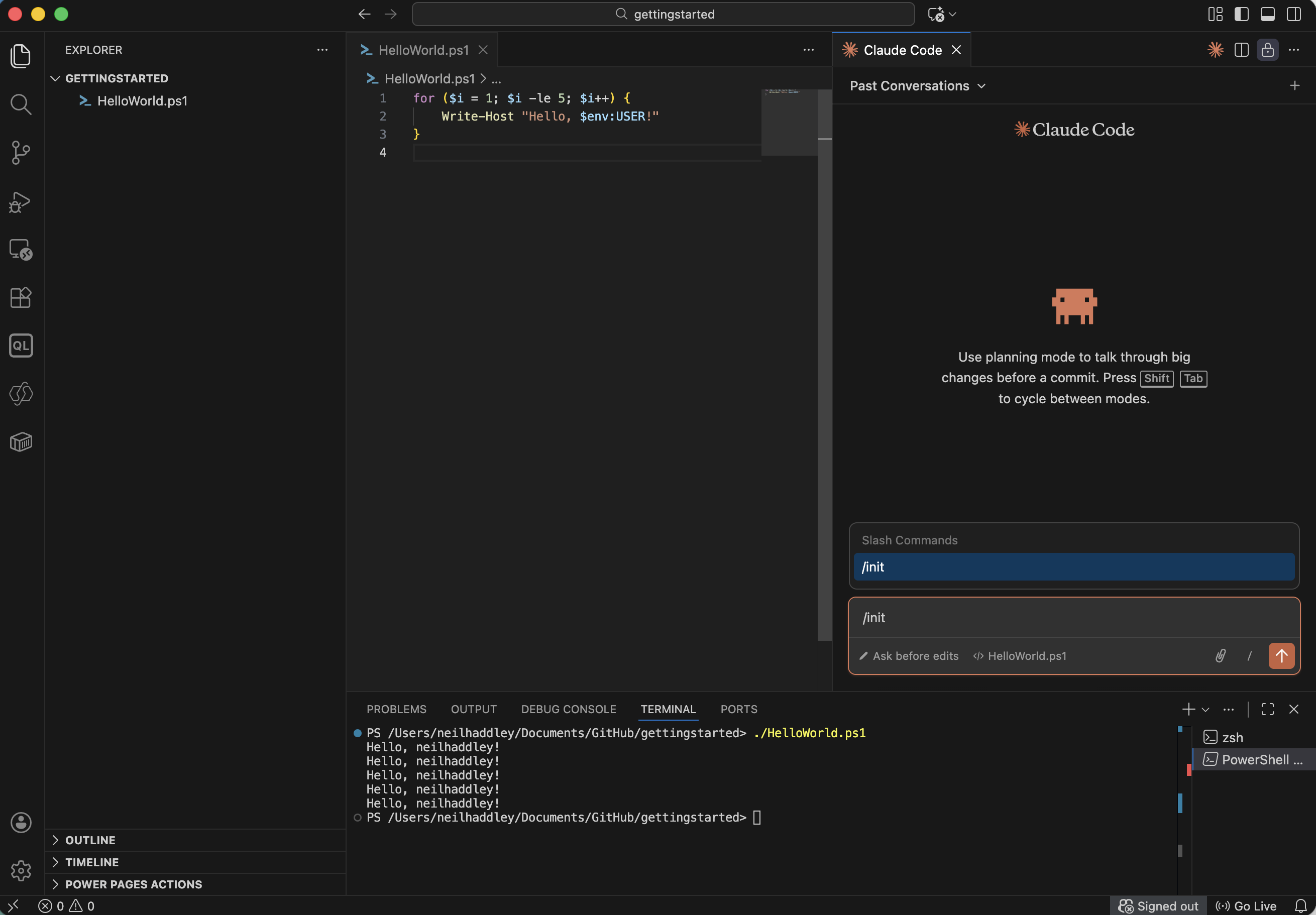
I ran /init to generate a starter CLAUDE.md
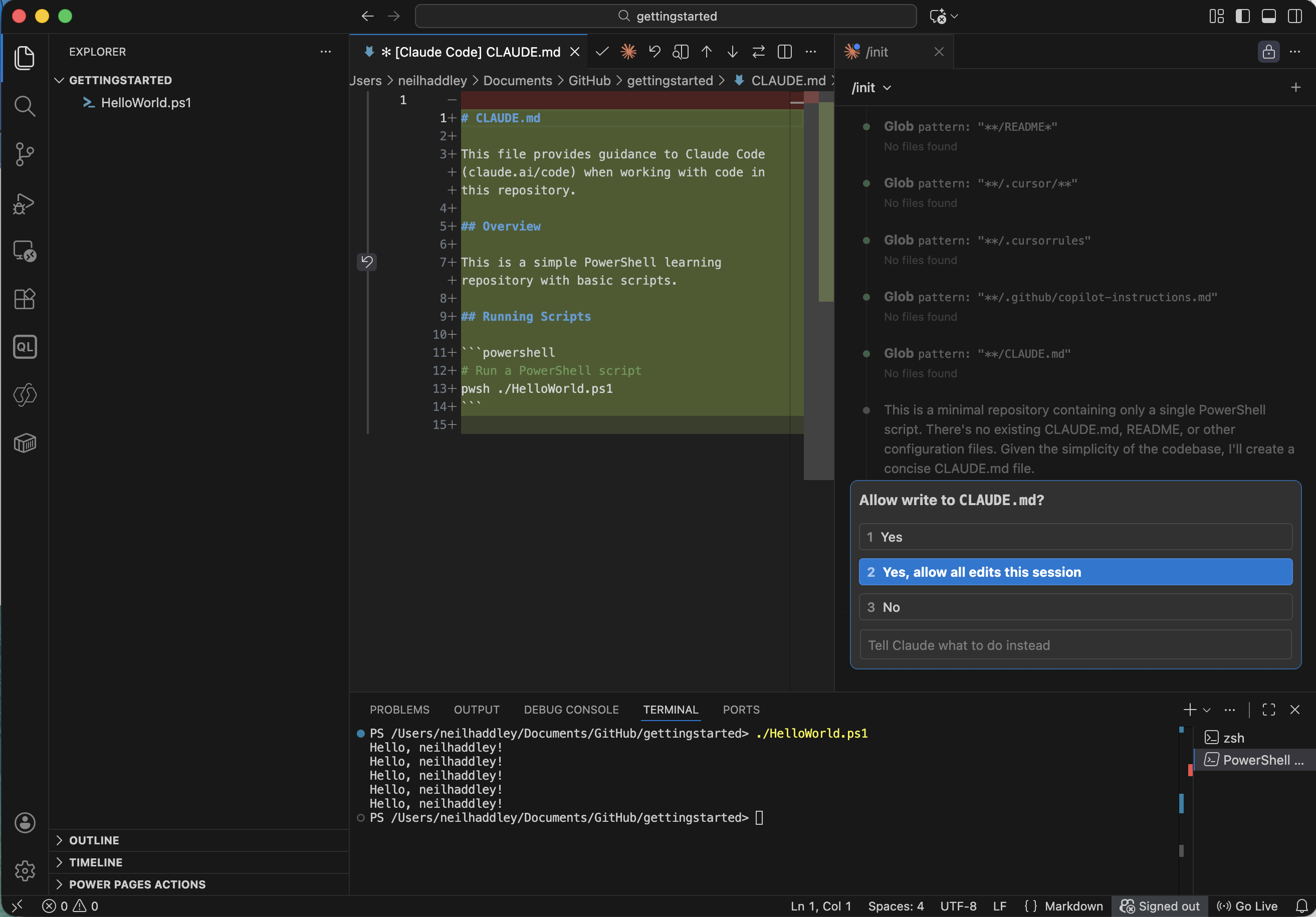
I approved the file write for the session
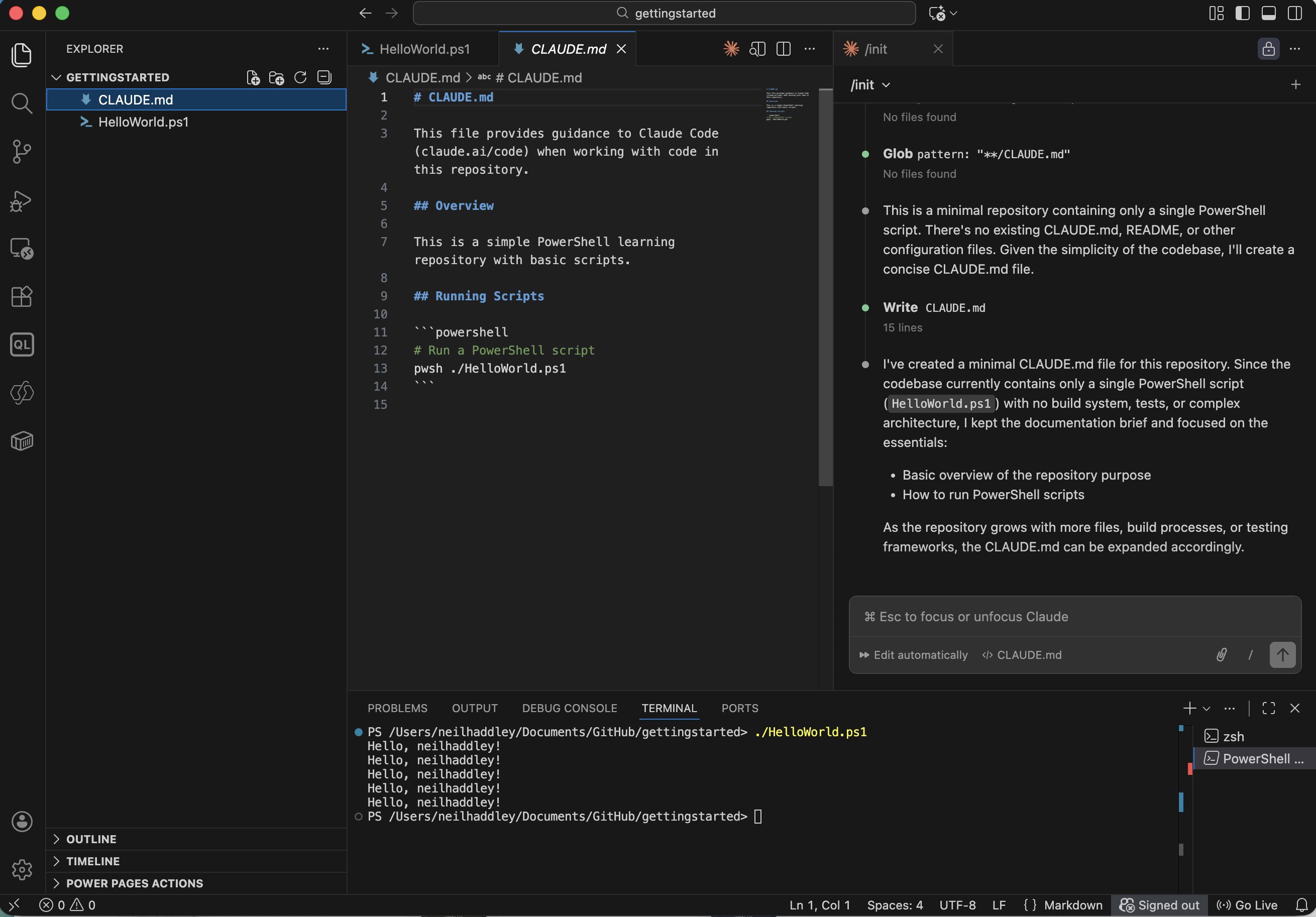
Claude created a project-specific CLAUDE.md in the root directory
Adding code style rules
I treat CLAUDE.md as a living document. When Claude makes a consistent mistake — or when I want to enforce a convention — I ask it to update the file directly.
I asked Claude to add a PowerShell variable naming rule:
PROMPT
1Please add to my CLAUDE.md: In PowerShell scripting loop variables should have descriptive names, use camelCase, and explicitly differentiate the single item variable from the collection variable.
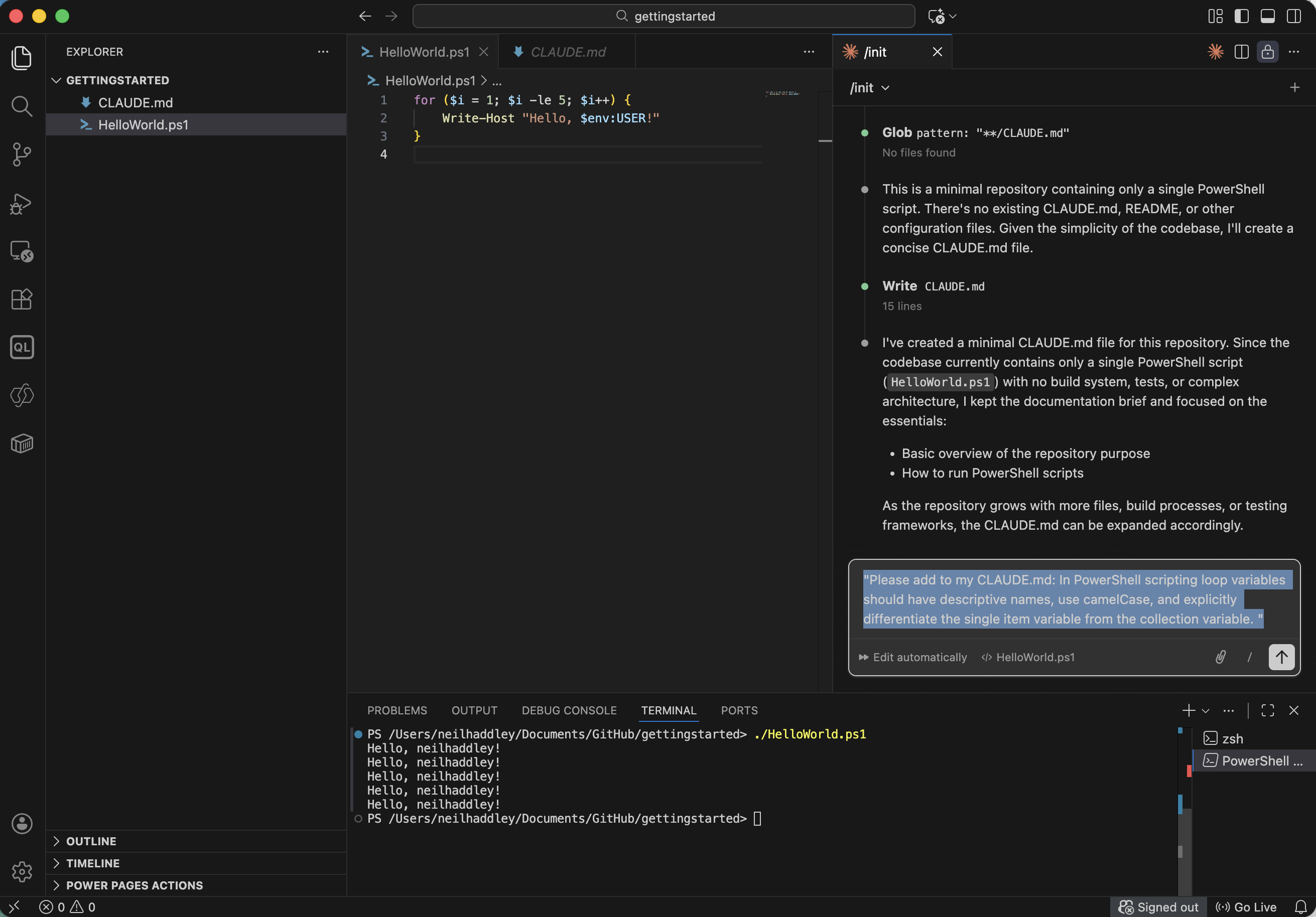
I asked Claude to add a code style rule to CLAUDE.md
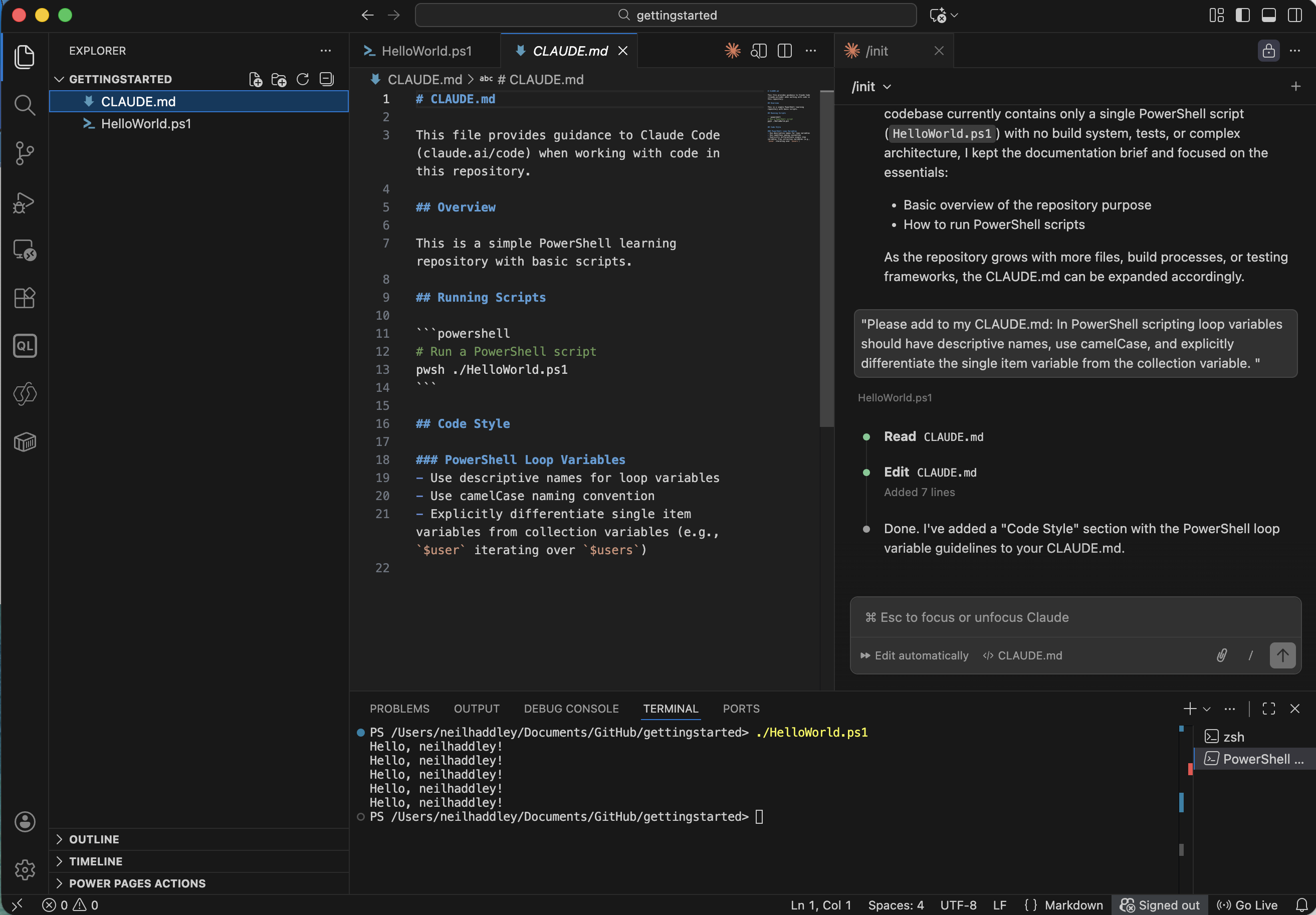
Claude added a Code Style section to CLAUDE.md
Applying the rules
With the rule in place, I asked Claude to update my existing script to conform:
PROMPT
1update script using "Code Style"
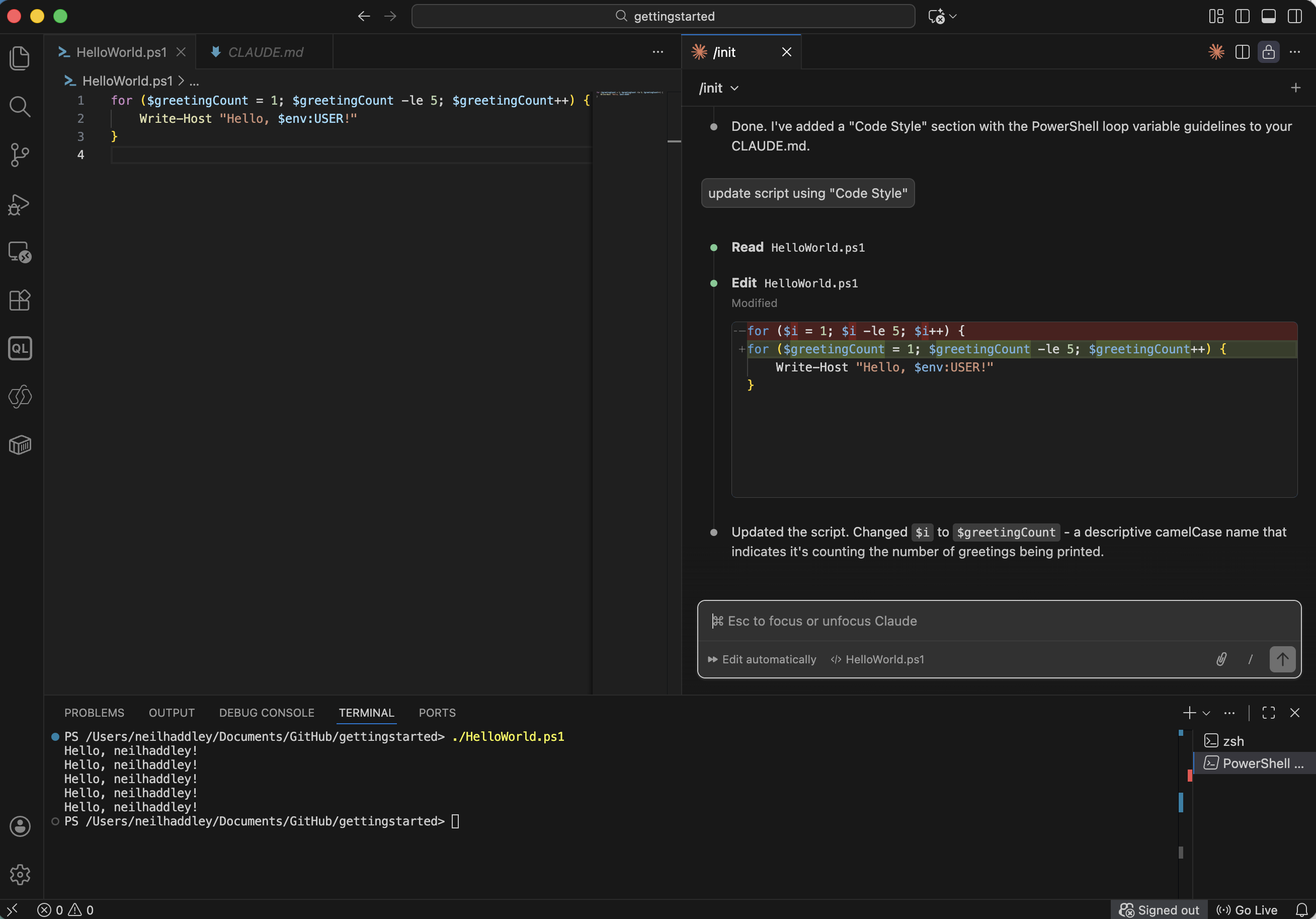
I asked Claude to refactor the script to match the new code style
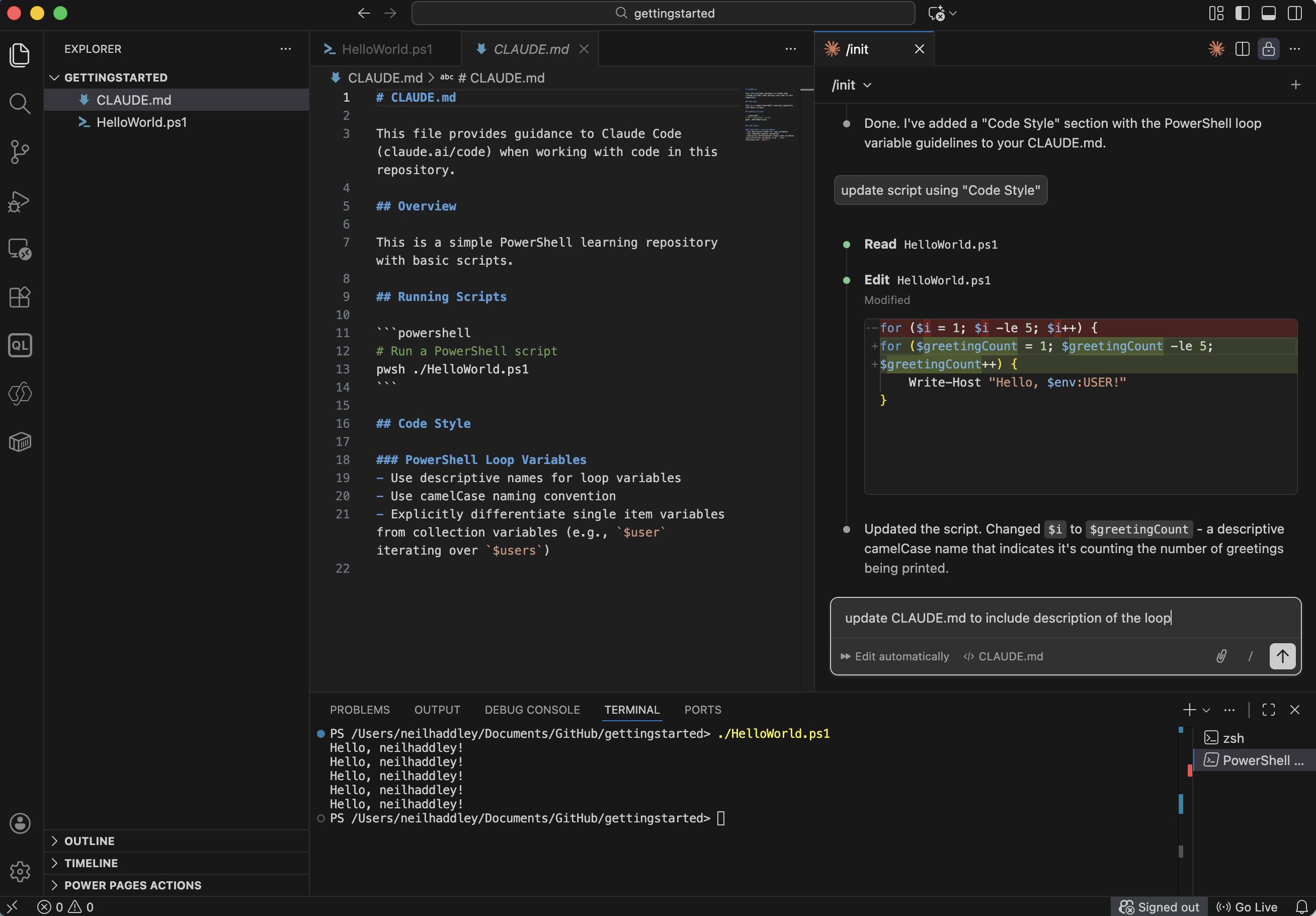
Claude updated the script with descriptive camelCase loop variable names
Keeping CLAUDE.md up to date
After the refactor I also asked Claude to update CLAUDE.md to describe the loop itself, so future sessions have that context too:
PROMPT
1update CLAUDE.md to include description of the loop
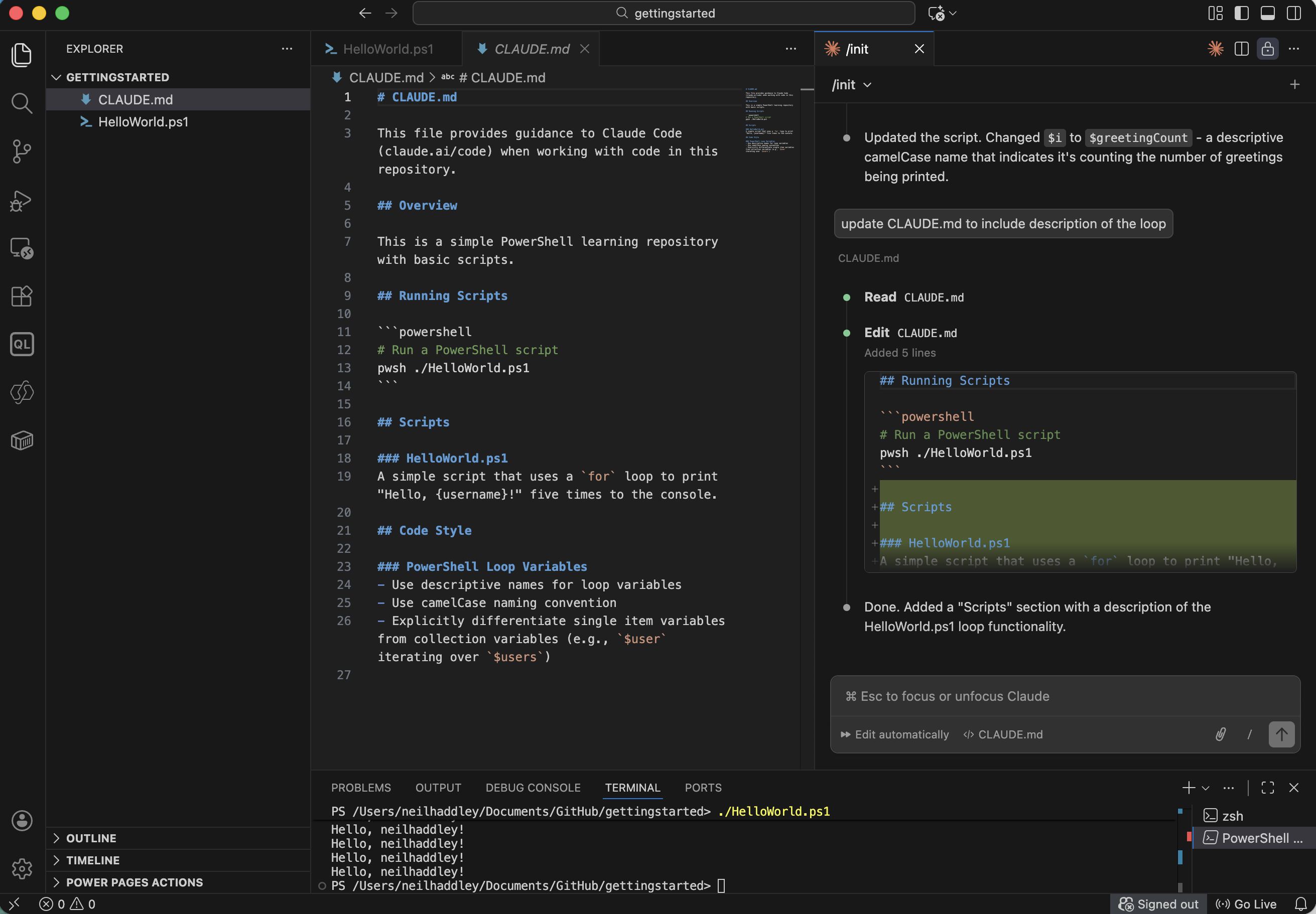
Claude updated CLAUDE.md to document the loop logic
The key habit is to keep CLAUDE.md in sync with the project — add rules when Claude gets something wrong, and update descriptions when the code changes. Over time it becomes an accurate, always-loaded onboarding guide for the AI.