Claude Cowork (Part 1)
Neil Haddley • June 4, 2026
Using the page-line-summary skill in Claude Cowork to generate a deposition summary from a transcript PDF
Claude Cowork is the desktop app version of Claude — it works with projects (local folders), skills, and scheduled tasks, without needing the terminal.
I ran the same page-line-summary skill from Claude Code (Part 14) inside the Claude Cowork app. I uploaded the page-line-summary skill as a zip file through the Claude Cowork UI.
I didn't need a curl command to install the skill. I attached the deposition transcript with @, answered the two context questions, and got back the page line summary.
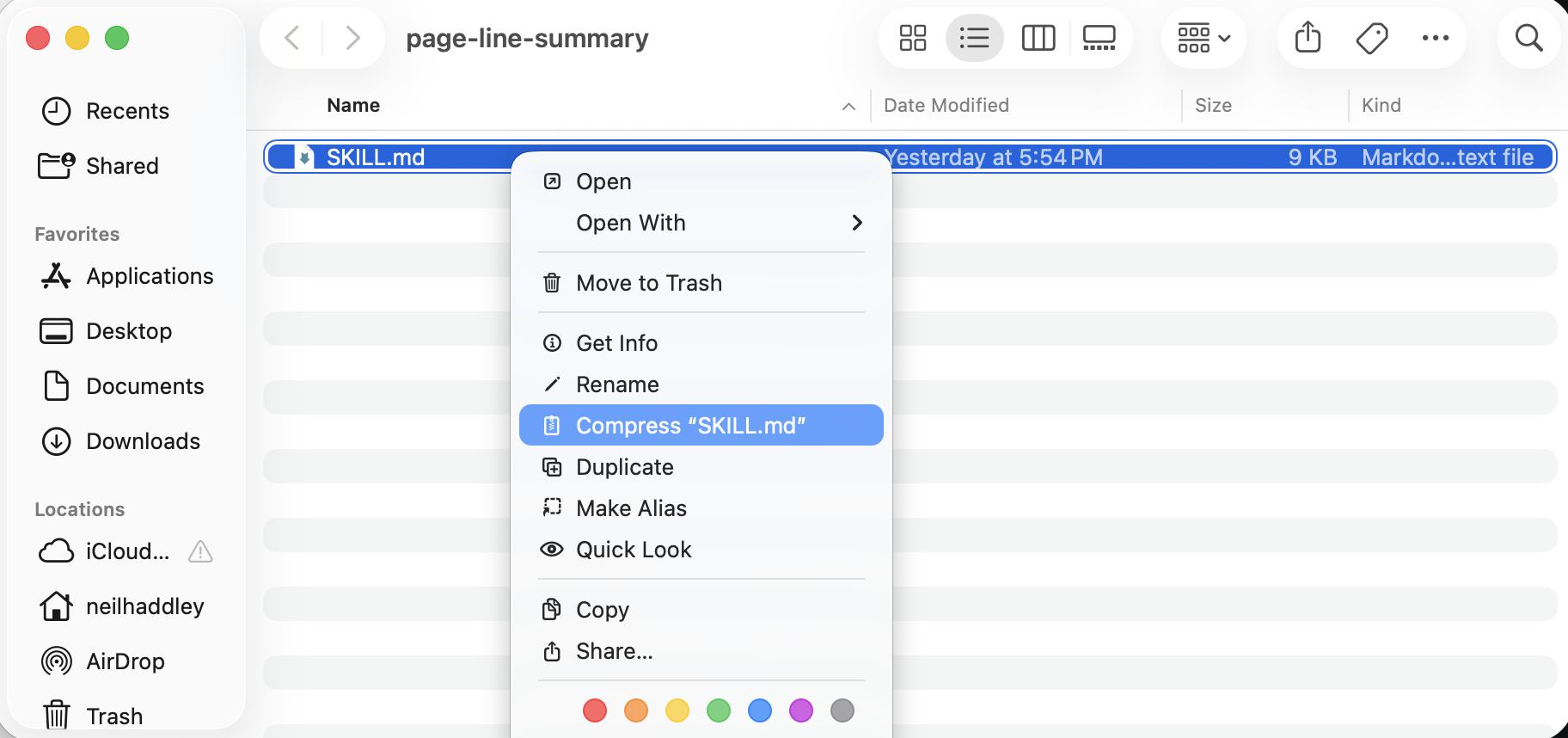
I right-clicked SKILL.md in the page-line-summary folder and selected Compress to create the zip file
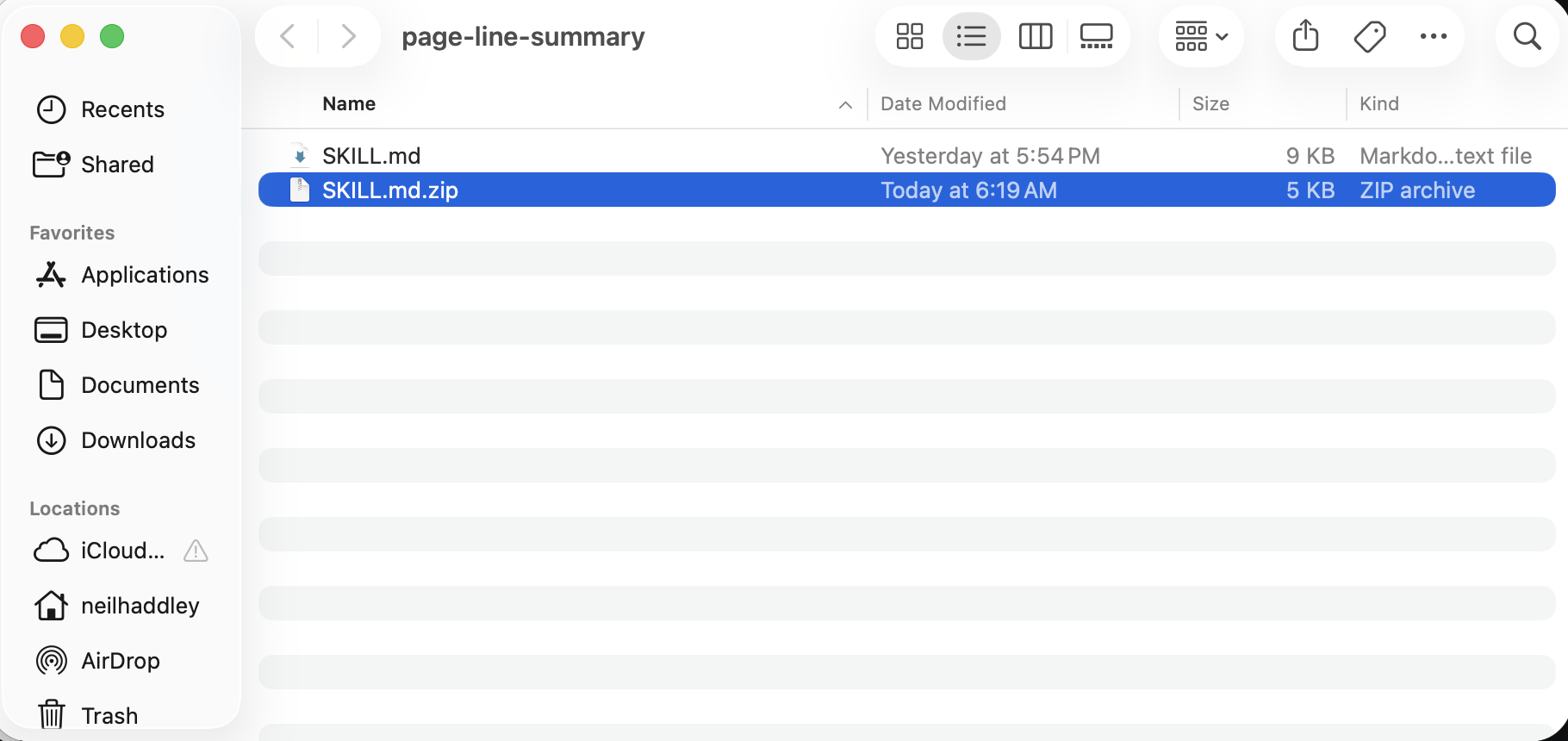
Finder created SKILL.md.zip in the folder, ready to upload to Cowork
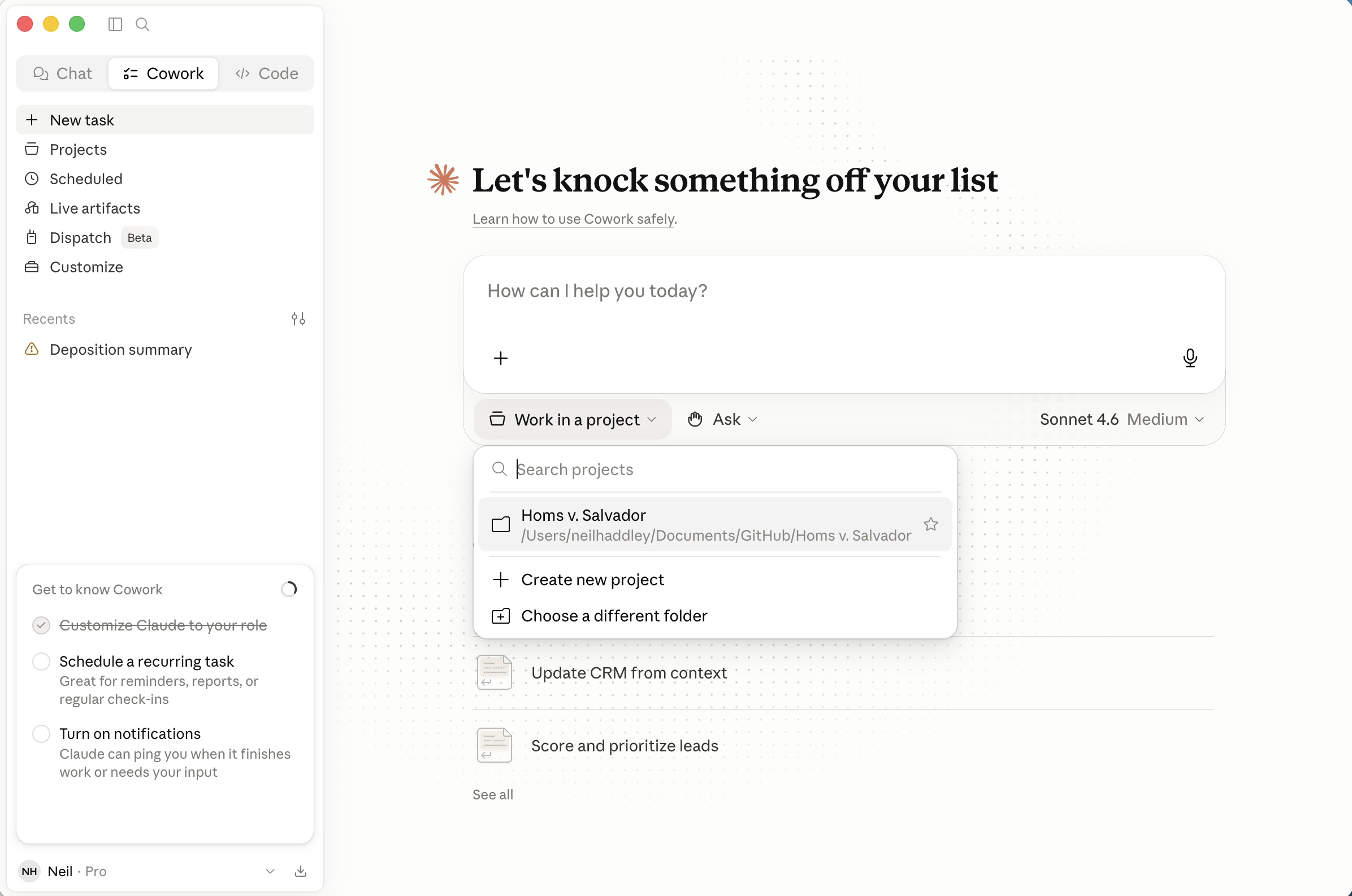
I selected the Homs v. Salvador project (folder) from the Work in a project dropdown
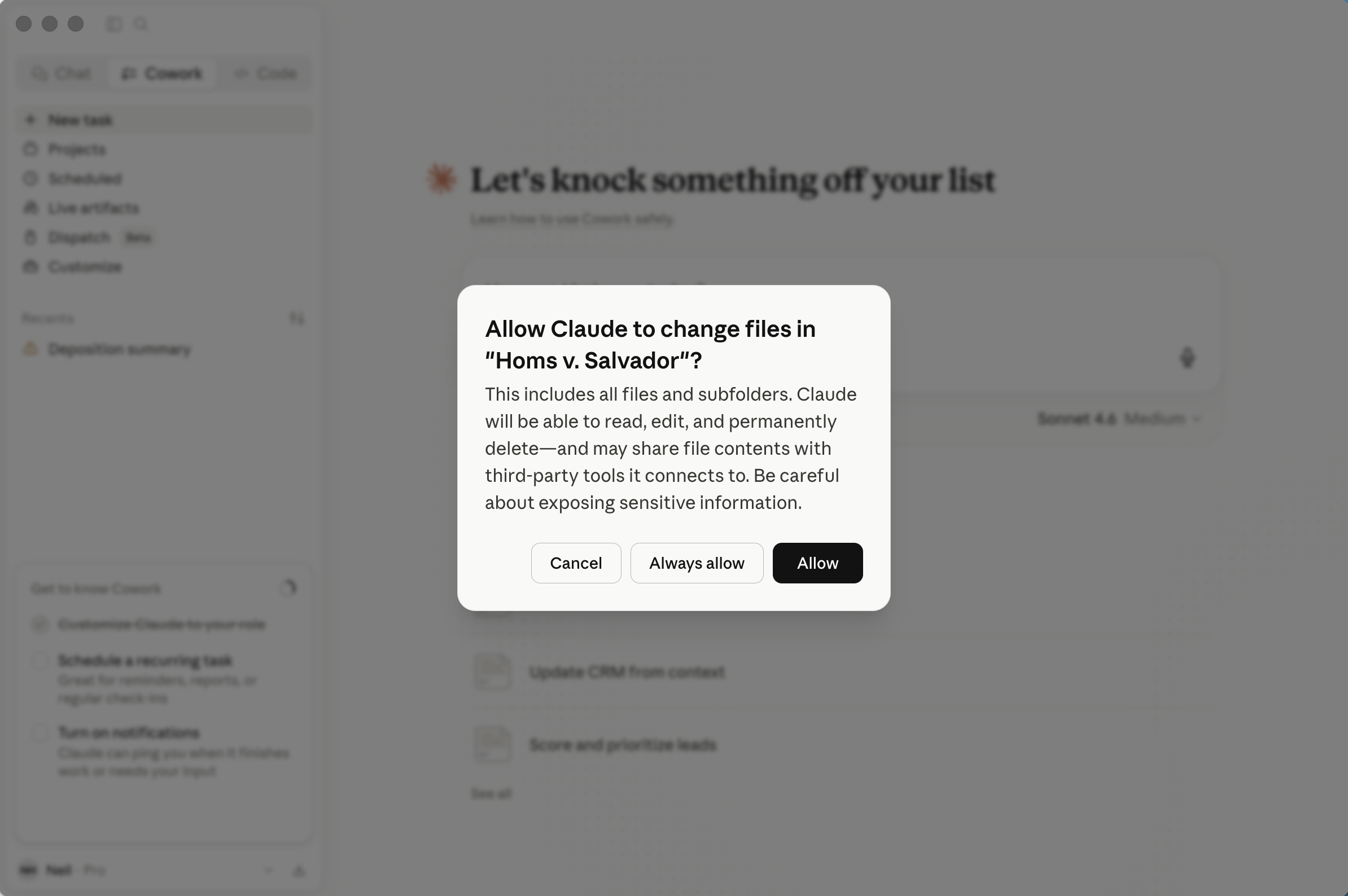
I clicked Allow when Cowork asked for permission to access the project (local folder)
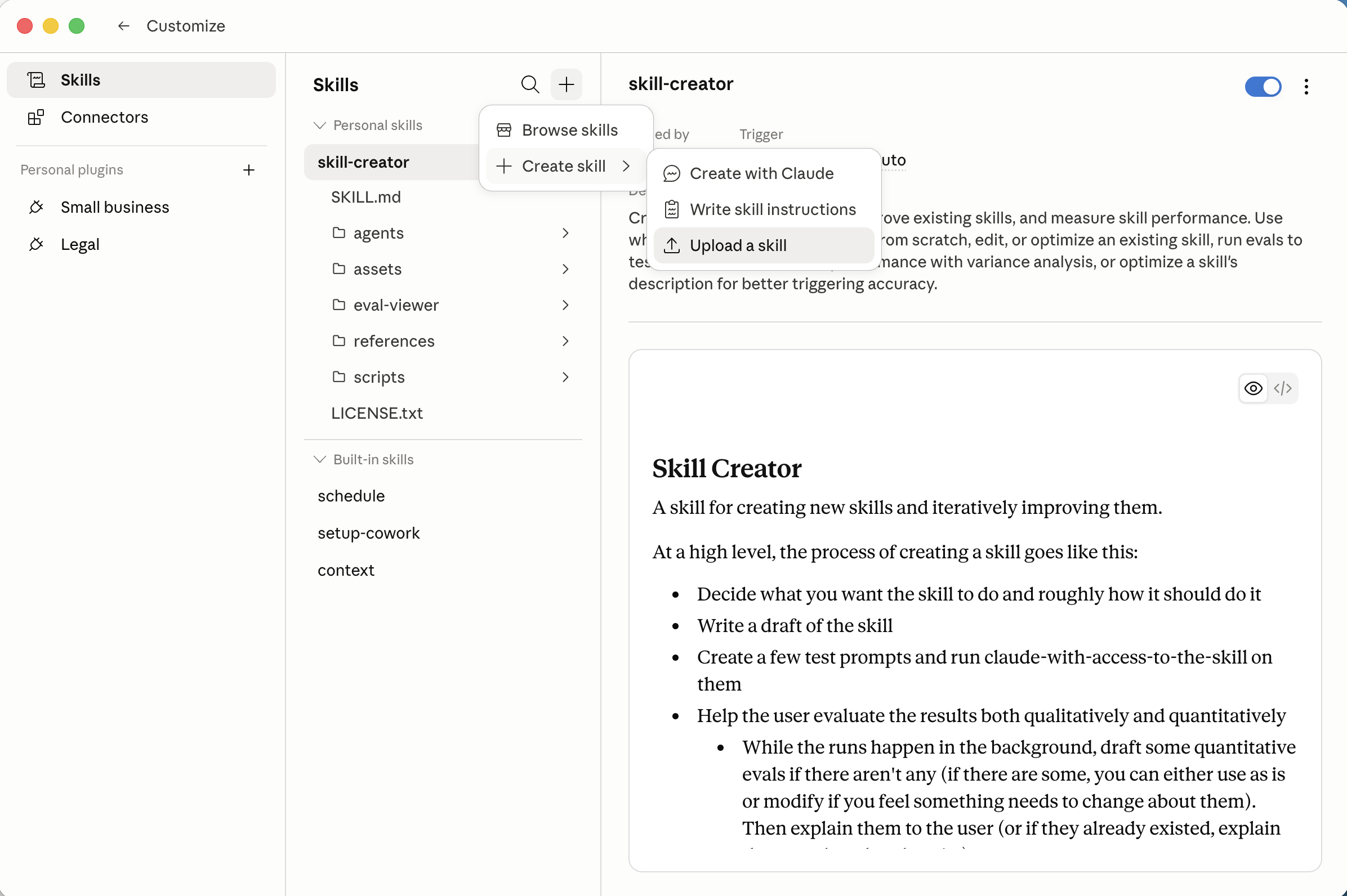
I clicked the + button to see the options for adding a skill, including Upload a skill
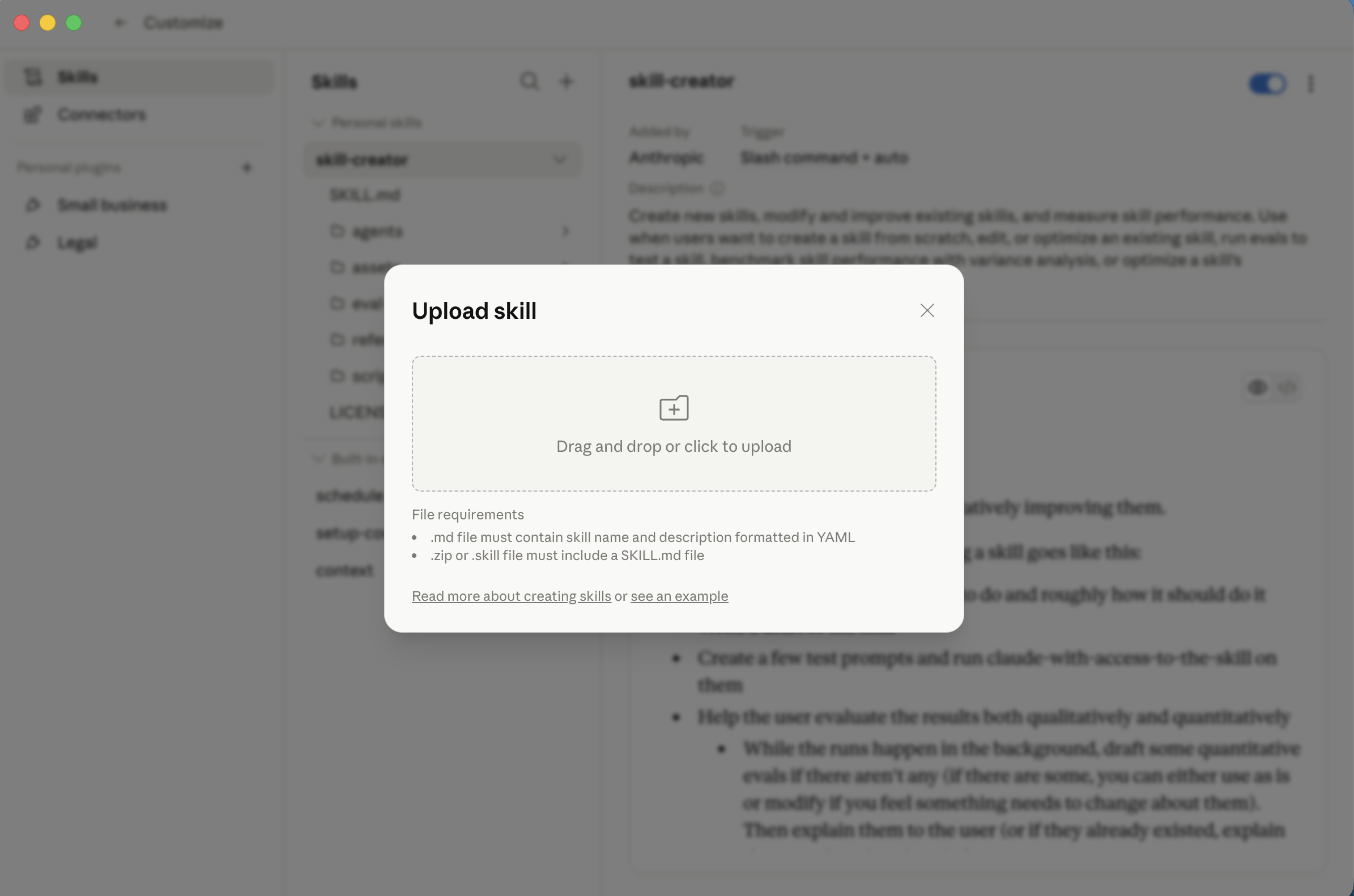
The Upload skill dialog accepts a .md file or .zip containing a SKILL.md. I selected the zip file
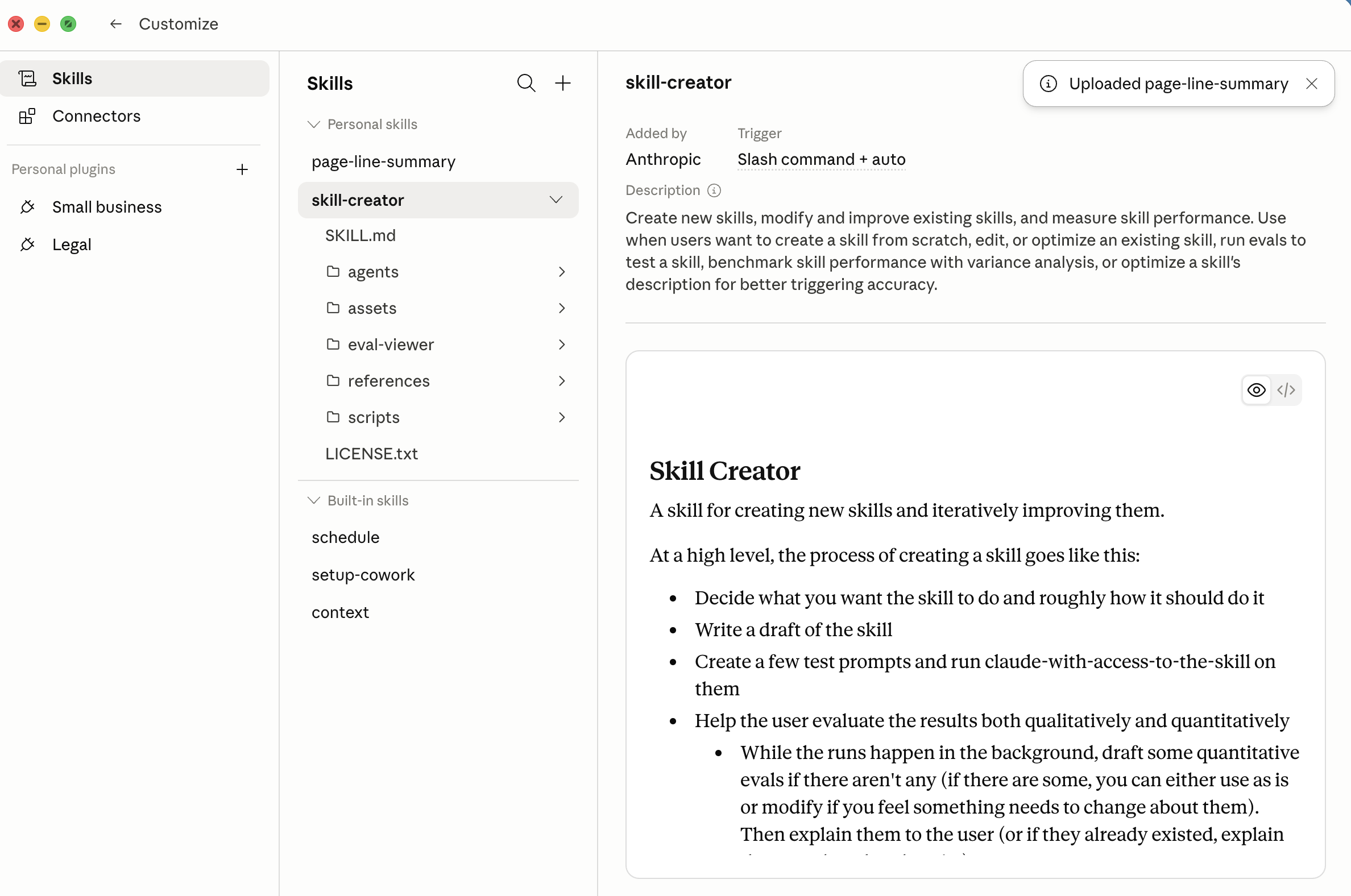
After I uploaded the zip, Cowork confirmed the skill with an "Uploaded page-line-summary" badge
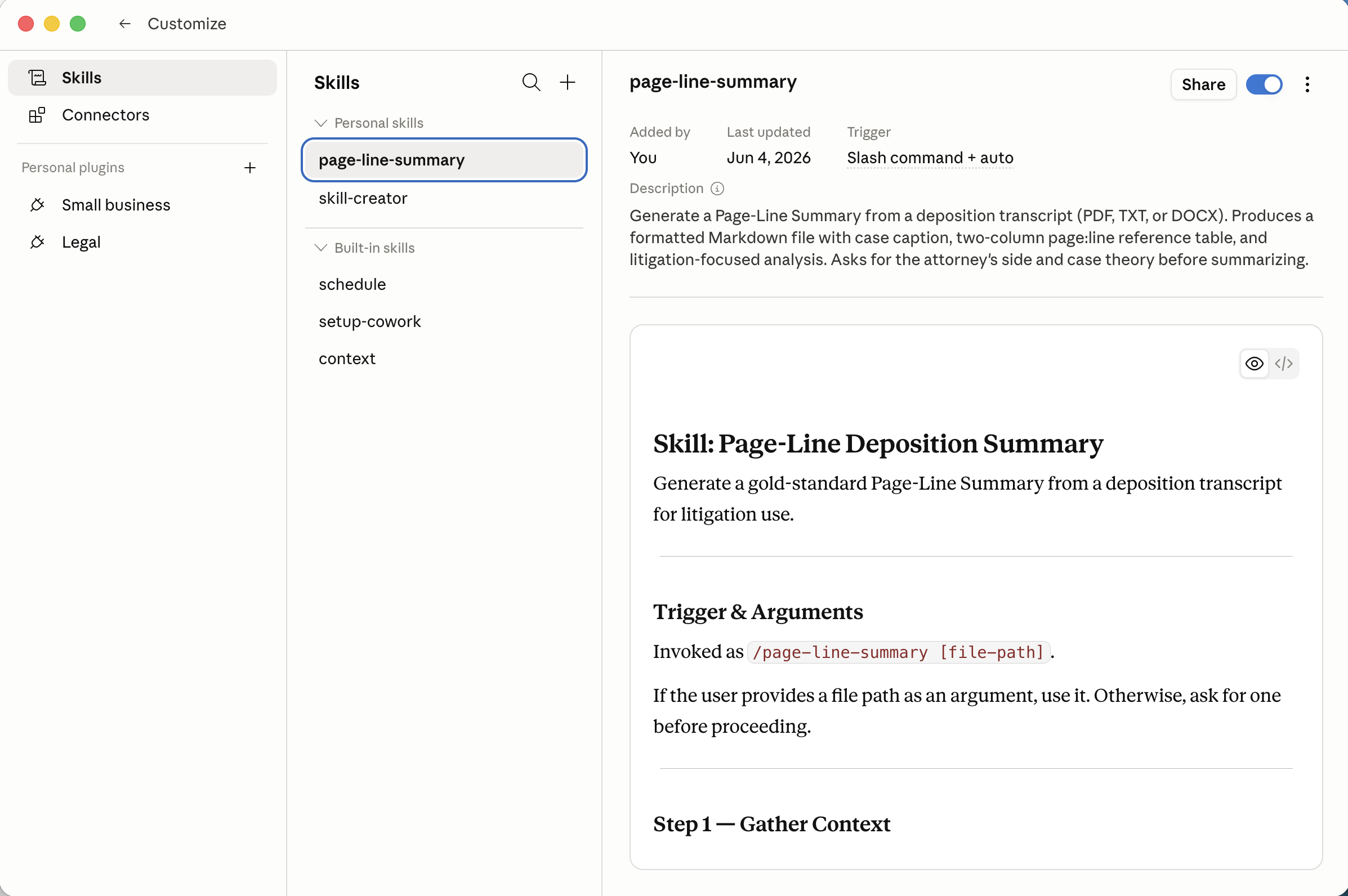
I opened the skill detail view — it showed the trigger and description
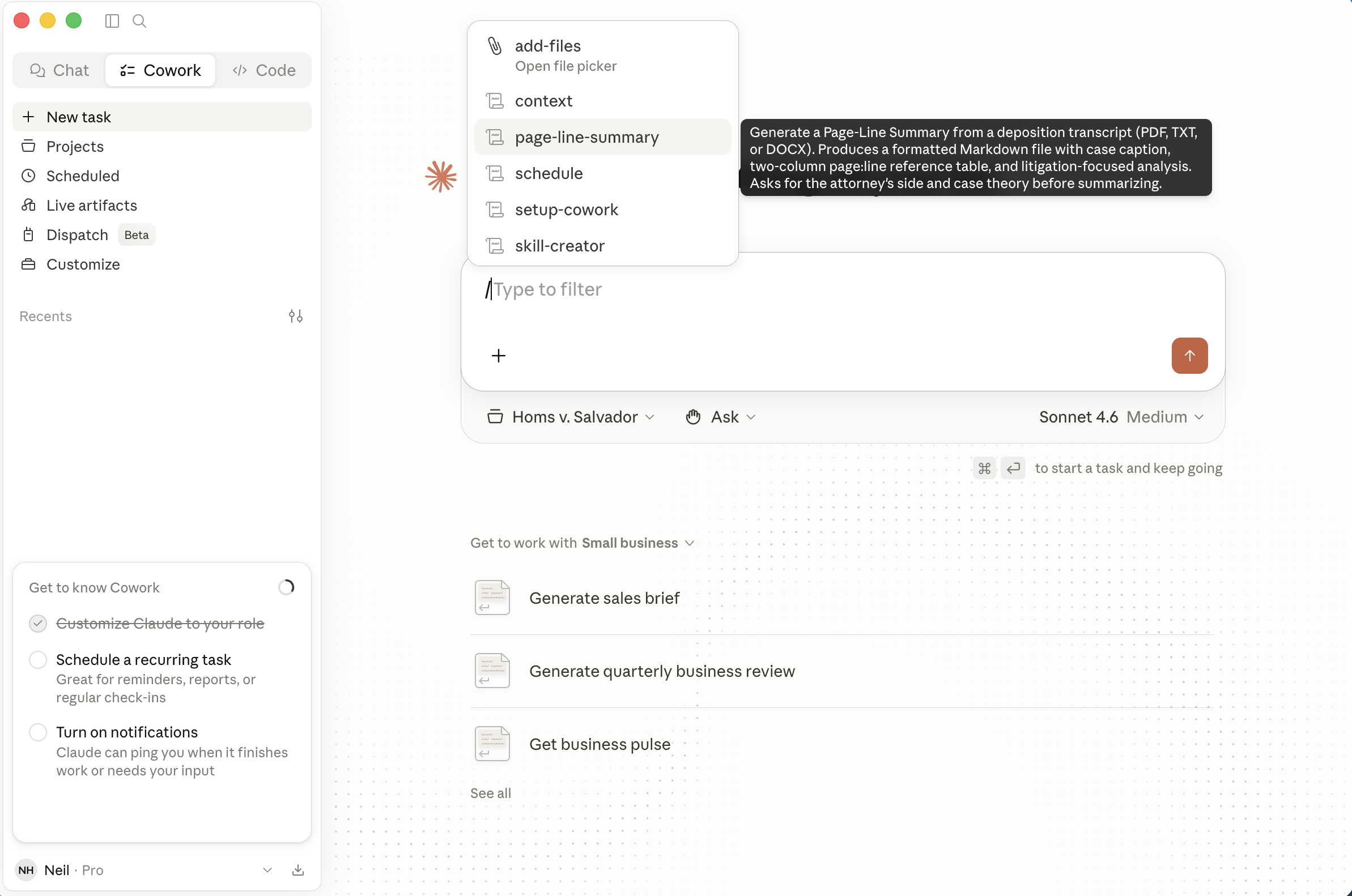
I typed '/' to select a skill. The skill picker showed page-line-summary with its description as a tooltip. I could have typed /page-line-summary
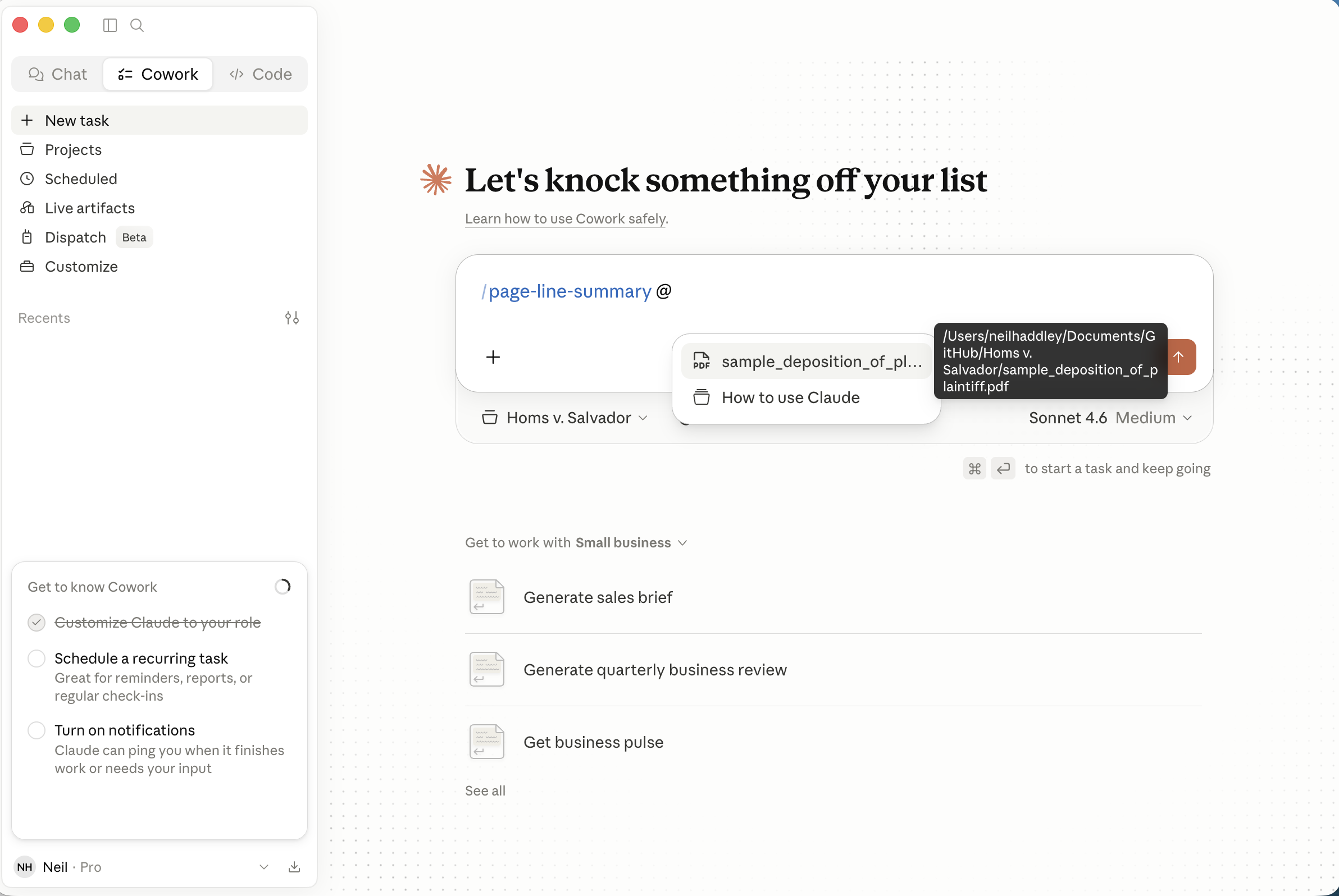
I typed '@' to attach a file and the project's transcript appeared in the picker
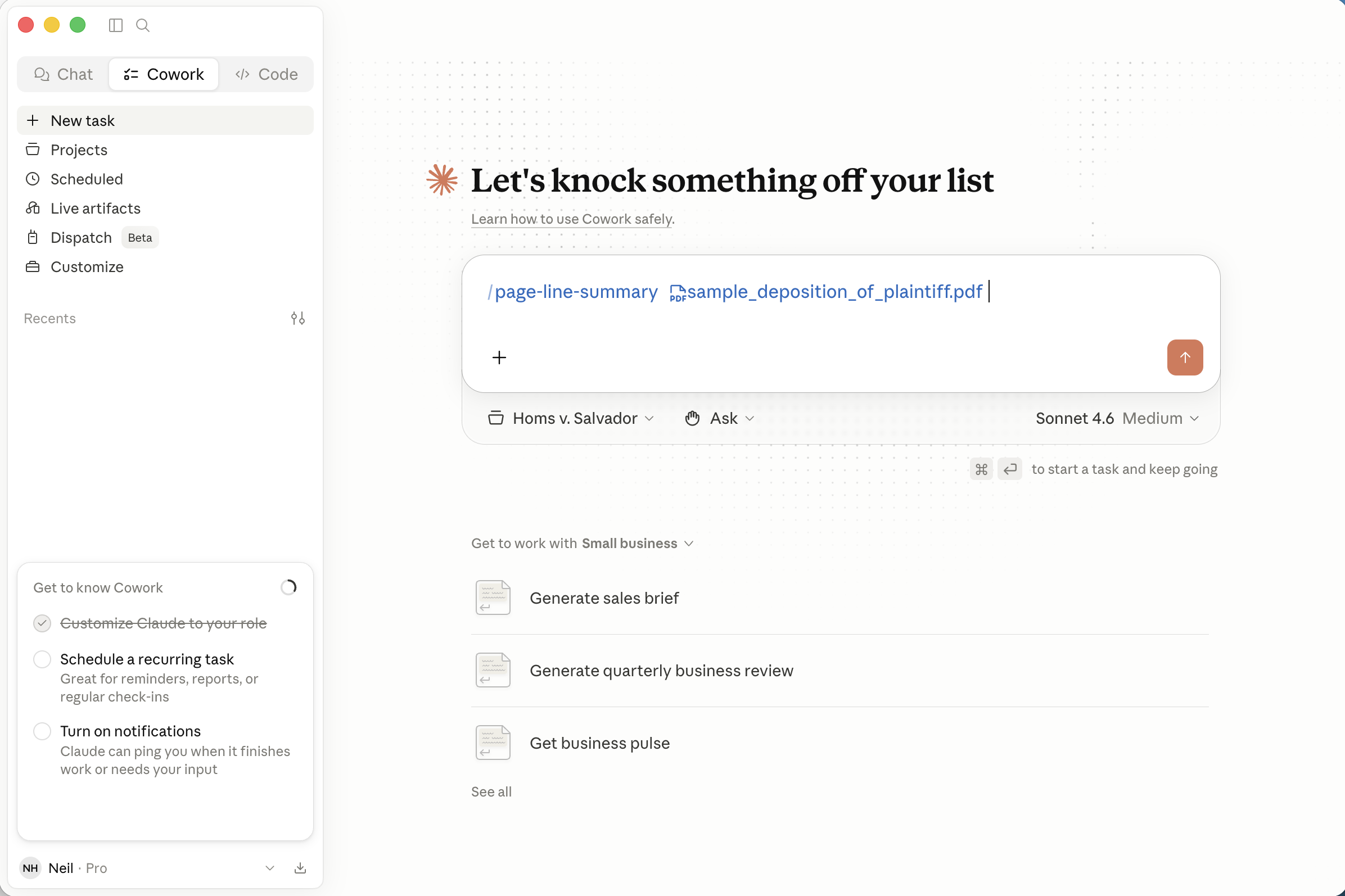
I attached the PDF deposition transcript directly to the skill invocation before submitting
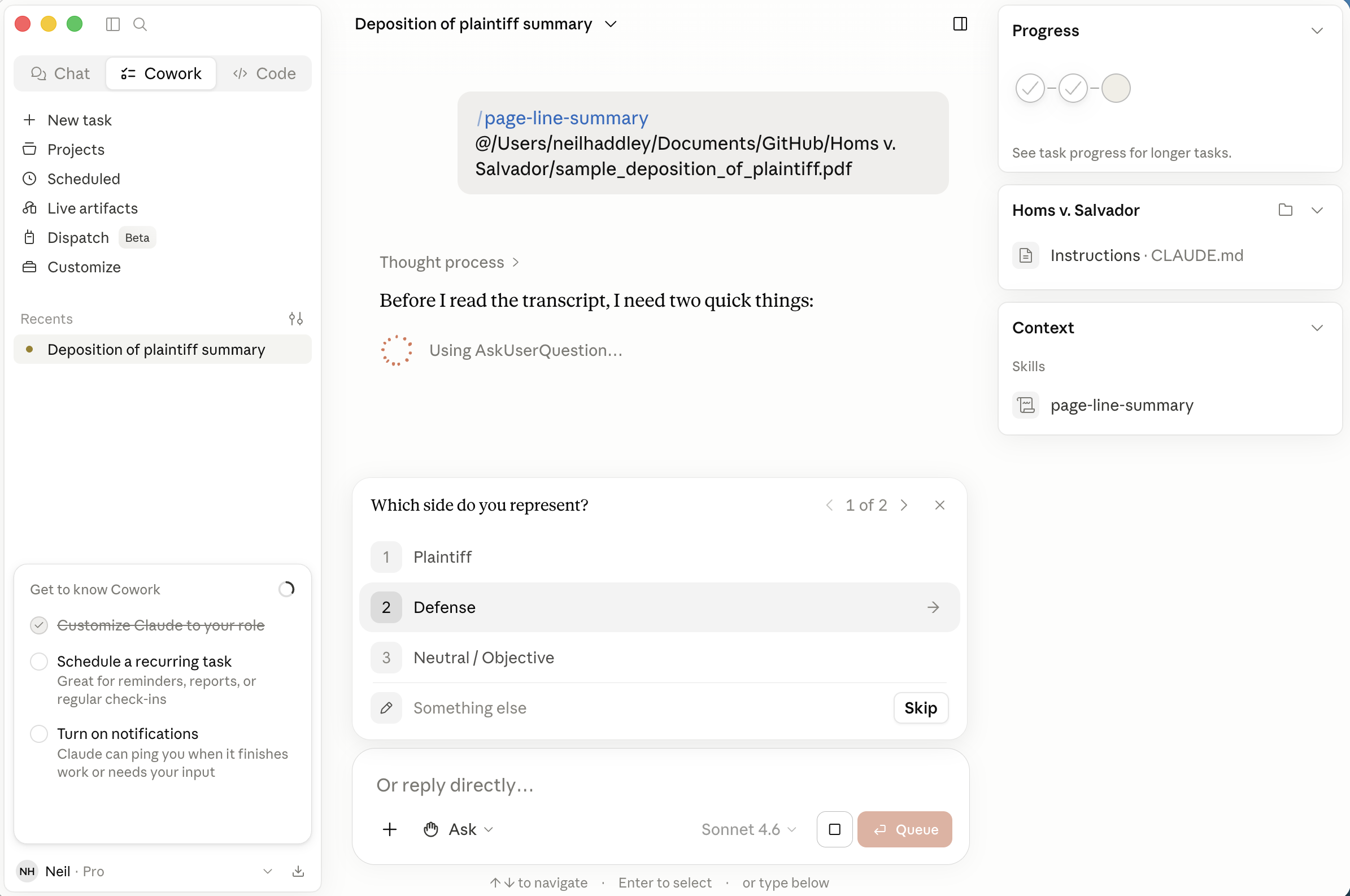
The skill asked which side I represent — I selected Defense
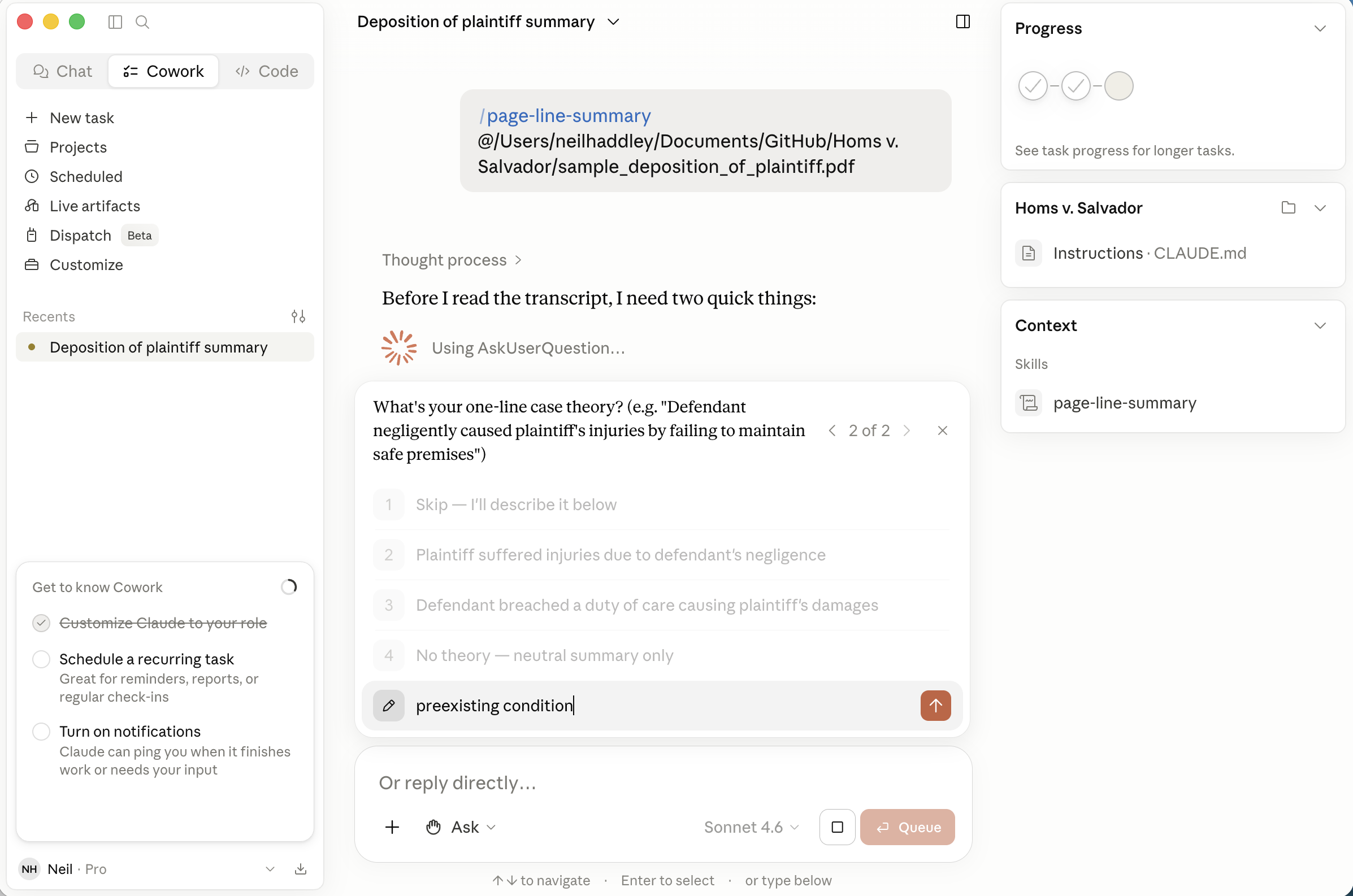
I entered my case theory in the free-text field: preexisting condition
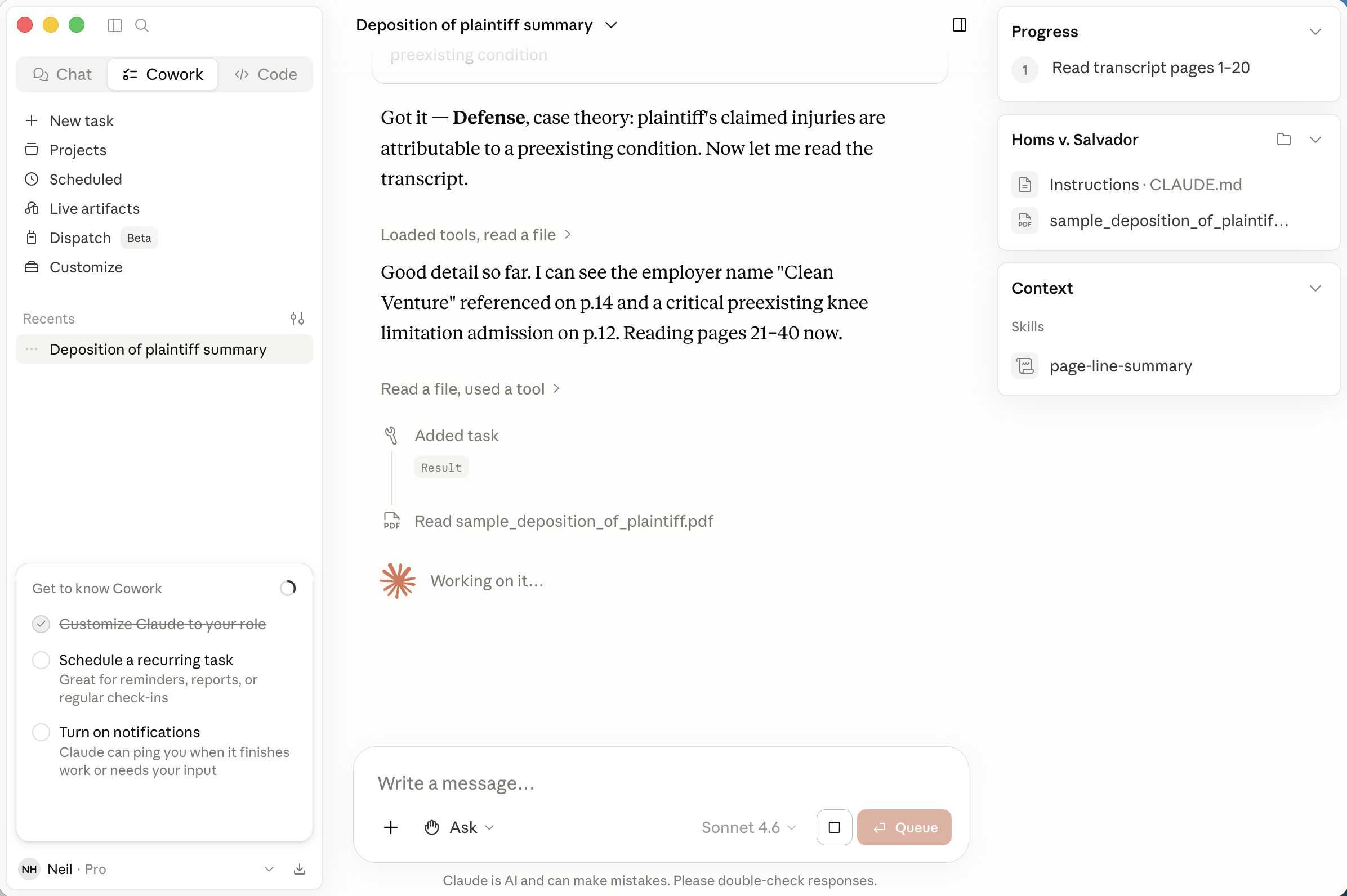
The skill started reading the transcript and immediately flagged the key knee limitation admission on p.14
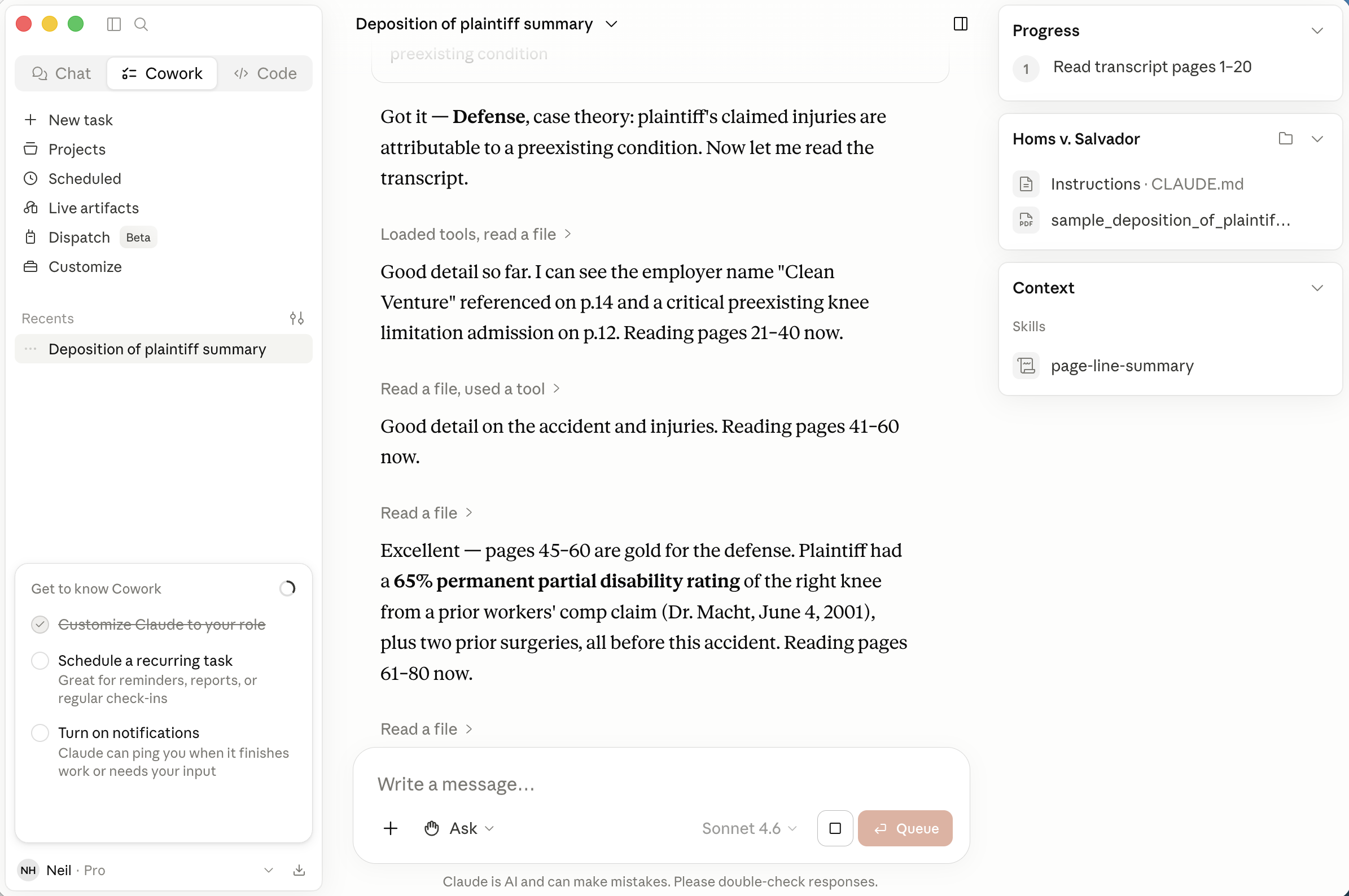
Reading pages 45–60, the skill flagged the 65% permanent partial disability rating — two years before the accident
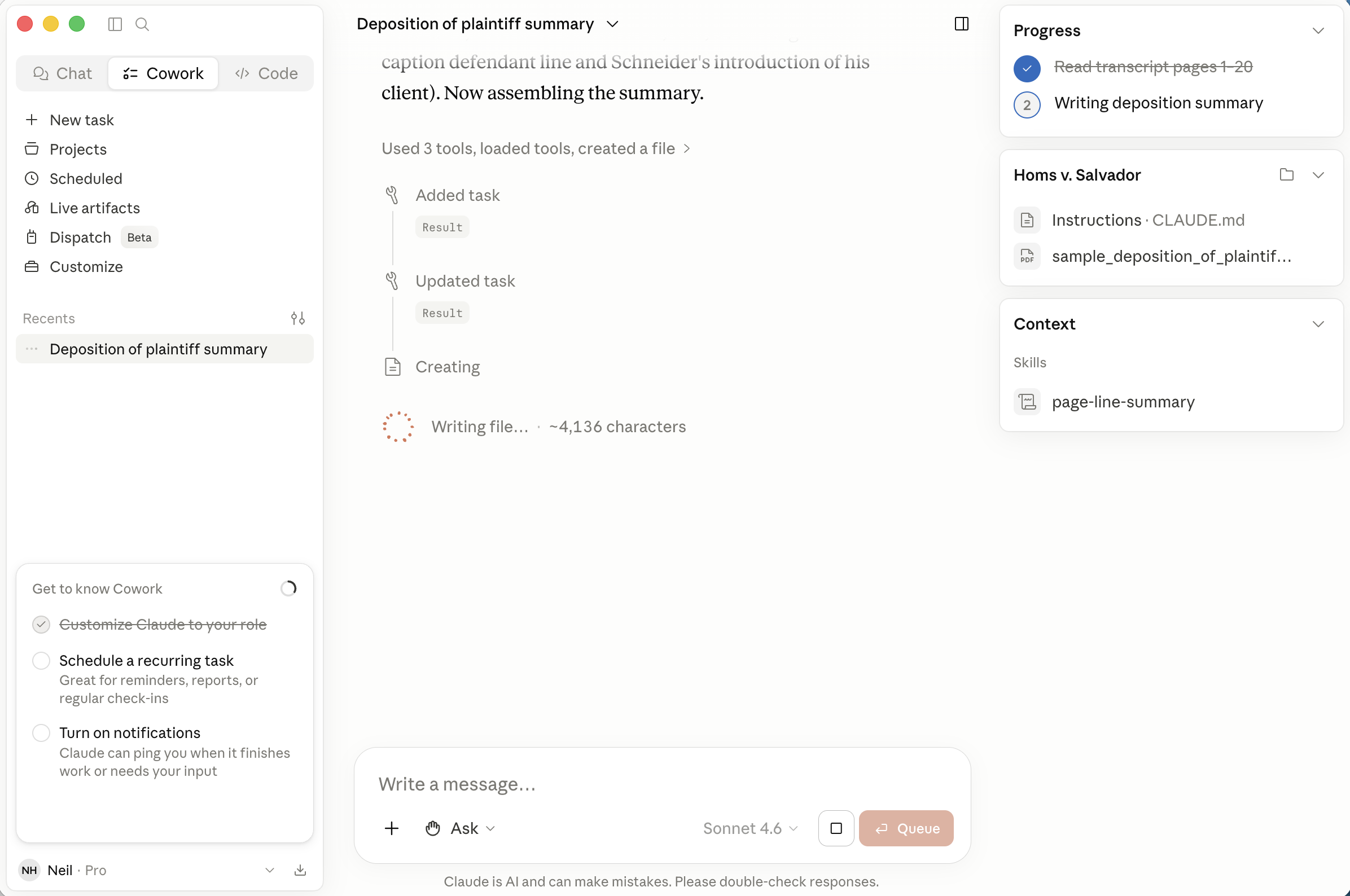
The skill assembled the summary and wrote the output file — 92 pages processed, 30 table entries
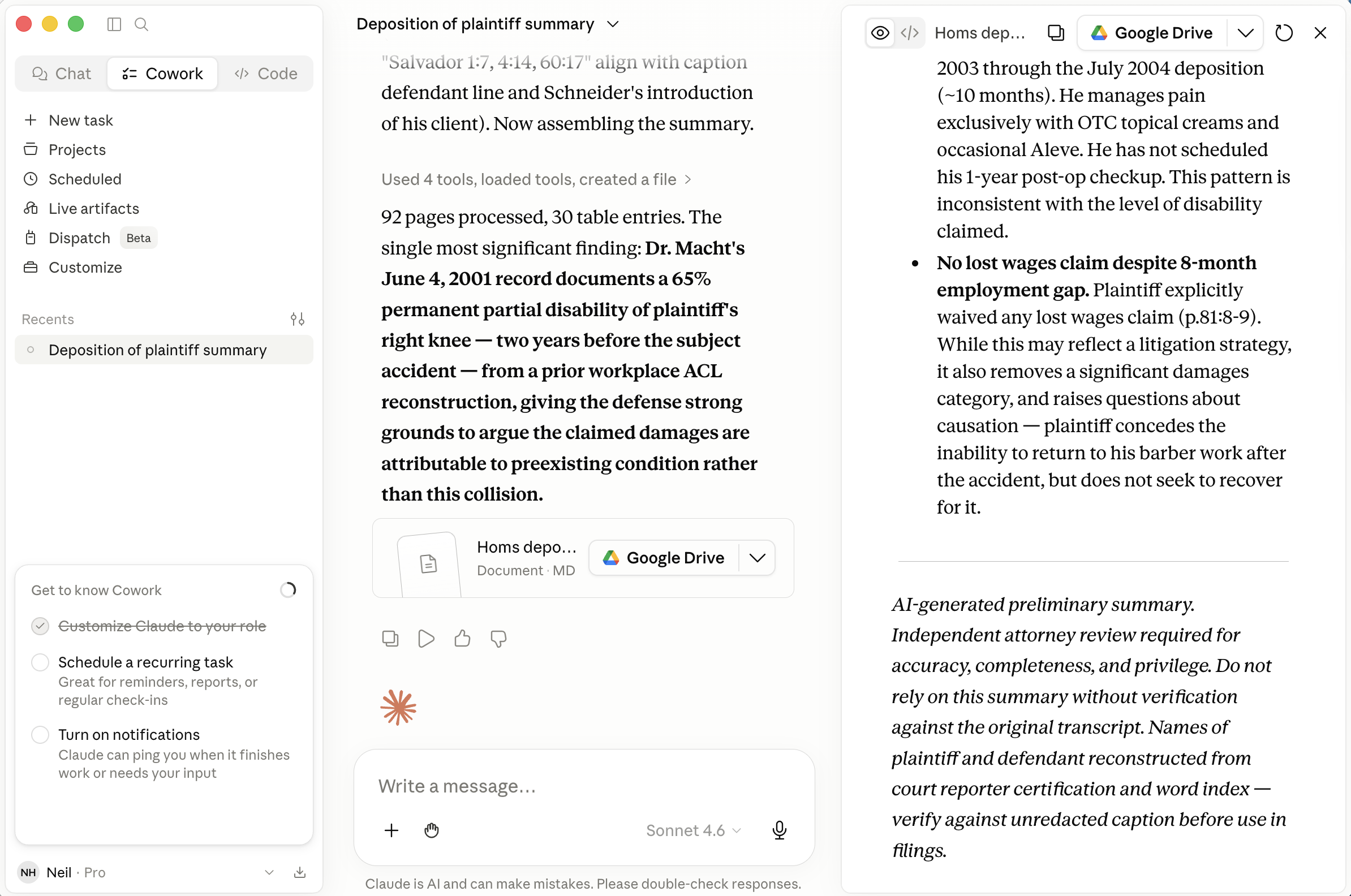
The skill reported its single most significant finding and linked the output document in Google Drive
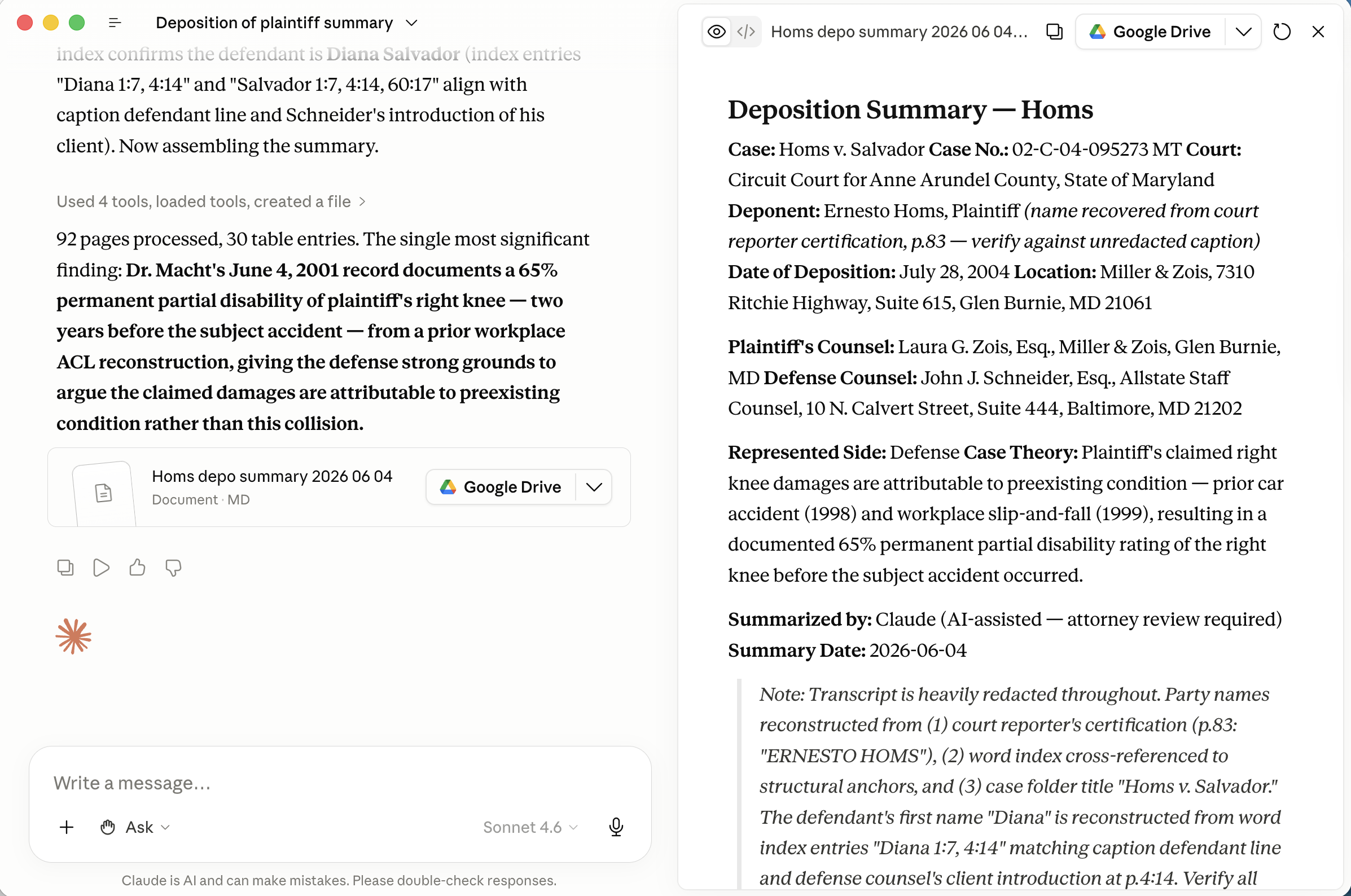
The formatted summary opened with the full case caption and page-line table
Skill
MARKDOWN
1---
2name: page-line-summary
3description: Generate a Page-Line Summary from a deposition transcript (PDF, TXT, or DOCX). Produces a formatted Markdown file with case caption, two-column page:line reference table, and litigation-focused analysis. Asks for the attorney's side and case theory before summarizing.
4---
5
6# Skill: Page-Line Deposition Summary
7
8Generate a gold-standard Page-Line Summary from a deposition transcript for litigation use.
9
10---
11
12## Trigger & Arguments
13
14Invoked as `/page-line-summary [file-path]`.
15
16If the user provides a file path as an argument, use it. Otherwise, ask for one before proceeding.
17
18---
19
20## Step 1 — Gather Context
21
22Before reading the transcript, collect the following. Ask all in a single message if not already provided:
23
241. **File path** — if not already given as an argument
252. **Which side do you represent?** — Plaintiff, Defense, or Neutral/Objective
263. **One-line case theory** — e.g., *"Defendant failed to warn of known product defects, causing plaintiff's injuries"* (skip if Neutral)
27
28---
29
30## Step 2 — Read the Transcript
31
32Determine the file type from the extension:
33
34**PDF (`.pdf`)**
35Use the Read tool. For files over 10 pages, read in 20-page chunks (`pages: "1-20"`, `"21-40"`, etc.) until the full transcript is processed. Accumulate all content before summarizing.
36
37**Plain text (`.txt`)**
38Use the Read tool directly.
39
40**Word document (`.docx`)**
41Run this Bash command to extract plain text on macOS:
42```bash
43textutil -convert txt -stdout "[file-path]"
44```
45If `textutil` is unavailable, try:
46```bash
47pandoc "[file-path]" -t plain
48```
49
50---
51
52## Step 3 — Parse & Identify Structure
53
54After reading, identify:
55
56- **Page/line markers** — most transcripts use a page number at the top and line numbers 1–25 down the left margin. Look for patterns like `Page 25`, standalone integers at line starts, or `25:14` inline references.
57- **Caption block** — typically the first 3–5 pages: case name, case number, court, date, deponent name, attorneys present.
58- **Examination sections** — `DIRECT EXAMINATION BY`, `CROSS EXAMINATION BY`, `REDIRECT EXAMINATION`, `RECROSS`, etc.
59
60If the transcript lacks explicit page/line numbers, use the best available reference (e.g., document page numbers only) and note this in the summary header.
61
62---
63
64## Step 4 — Extract Caption Information
65
66From the opening pages, extract:
67
68- Case Name (e.g., *Smith v. Acme Corp.*)
69- Case Number
70- Court / Jurisdiction
71- Deponent Full Name and Title / Role
72- Date of Deposition
73- Location
74- Examining Attorney(s) — name, firm, and side
75- Defending Attorney(s) — name, firm, and side
76
77If any field is absent from the transcript, mark it `[Not stated in transcript]`.
78
79### Redacted transcripts — reconstruct names from the word index
80
81Many transcripts have party names blacked out in the body (common in published sample transcripts) while the **court reporter's word index** at the end remains unredacted. The index lists every word alphabetically with its page:line citations. Use it to recover names:
82
831. **Read the index pages** (typically the last 5–10 pages of the PDF).
842. **Identify known structural anchors** — fixed page:line positions where names must appear:
85   - Caption plaintiff line (e.g., p.1:4–5 in most Maryland transcripts)
86   - Caption defendant line (e.g., p.1:7–8)
87   - Court reporter certification (last substantive page — names are rarely redacted here)
88   - Counsel's introduction of themselves or their client (e.g., p.4:13–14)
893. **Cross-reference** — any index entry whose page:line citations match an anchor position is a party or attorney name.
904. **Validate gender/role** — confirm the reconstructed name is consistent with how the transcript refers to the person (she/he, plaintiff/defendant).
915. **Note the source** — add `*(name reconstructed from court reporter word index, p. XX — verify against unredacted caption)*` beside any name recovered this way.
92
93---
94
95## Step 5 — Generate the Page-Line Table
96
97### Compression target
98
99Aim for **1 page of summary per 5–10 pages of transcript**. For a 100-page transcript, produce roughly 10–20 substantive table rows — not 100. Be selective and high-yield.
100
101### Priority order for inclusion
102
1031. **Admissions** — any concession harmful to the witness's own side
1042. **Key liability facts** — what happened, when, who was responsible
1053. **Inconsistencies** — conflicts with prior testimony, pleadings, documents, or other witnesses
1064. **Damages** — physical, financial, emotional harm; causation and extent
1075. **Credibility factors** — bias, motive, relationship to parties, prior bad acts
1086. **Expert opinions** (expert witnesses only) — qualifications, methodology, opinions, limitations conceded
1097. **Exhibit references** — exhibits introduced; witness's admission, denial, or reaction
1108. **Case-theory facts** — anything that directly supports or damages the stated case theory
111
112### What to omit
113
114- Routine swearing-in and stipulations
115- Extended background and biography (unless the witness is an expert or credentials are disputed)
116- Repetitive questions covering the same ground as a prior entry
117- Pure procedural objections with no substantive outcome
118
119### Table format
120
121```markdown
122| Page:Line | Summary |
123|-----------|---------|
124| 1:1–3:25  | Caption, appearances, oath administered. |
125| 5:14–18   | Witness confirms employment as plant manager at Acme Corp., 2018–2023. |
126| 12:4–13:2 | **[ADMISSION]** Witness received the March 3, 2021 safety inspection report and did not forward it to engineering. |
127```
128
129### Inline tags — use sparingly, only when clearly earned
130
131| Tag | When to use |
132|-----|-------------|
133| `**[ADMISSION]**` | Damaging concession by the witness |
134| `**[INCONSISTENCY]**` | Conflicts with prior statement, pleading, or document |
135| `**[DAMAGES]**` | Relates to harm, causation, or quantification |
136| `**[KEY FACT]**` | Central liability or chronology fact |
137| `**[EXHIBIT]**` | Exhibit introduced or referenced |
138| `**[EXPERT OPINION]**` | Expert witness opinion or methodology |
139
140Do not tag routine testimony. Over-tagging dilutes the signal for the reviewing attorney.
141
142---
143
144## Step 6 — Assemble the Output Document
145
146Build the full Markdown document in this order:
147
148```markdown
149# Deposition Summary — [Deponent Last Name]
150
151**Case:** [Case Name]
152**Case No.:** [Case Number]
153**Court:** [Court / Jurisdiction]
154**Deponent:** [Full Name], [Title / Role]
155**Date of Deposition:** [Date]
156**Location:** [Location]
157
158**Plaintiff's Counsel:** [Name, Firm]
159**Defense Counsel:** [Name, Firm]
160
161**Represented Side:** [Plaintiff / Defense / Neutral]
162**Case Theory:** [User's stated theory, or "Neutral — no theory provided"]
163
164**Summarized by:** Claude (AI-assisted — attorney review required)
165**Summary Date:** [Today's date: YYYY-MM-DD]
166
167---
168
169## Examination Index
170
171| Section | Examining Attorney | Pages |
172|---------|--------------------|-------|
173| Direct  | [Name, Side]       | X–Y   |
174| Cross   | [Name, Side]       | X–Y   |
175
176---
177
178## Page-Line Summary
179
180| Page:Line | Summary |
181|-----------|---------|
182| ...       | ...     |
183
184---
185
186## Key Takeaways
187
1883–5 bullet points identifying the most strategically significant facts from the standpoint of the represented side (or neutral observations if no side was given). Lead with the single most important finding.
189
190---
191
192*AI-generated preliminary summary. Independent attorney review required for accuracy, completeness, and privilege. Do not rely on this summary without verification against the original transcript.*
193```
194
195---
196
197## Step 7 — Save the File
198
1991. Determine output path: save in the same directory as the input transcript.
2002. File name: `[DeponentLastName]_depo_summary_[YYYY-MM-DD].md` using today's date.
2013. Use the Write tool to create the file.
202
203Report to the user:
204- Full output file path
205- Total transcript pages processed
206- Number of table entries in the summary
207- One sentence identifying the single most significant finding
208
209---
210
211## Edge Cases
212
213**No page/line numbers in transcript**
214Add this note beneath the summary header: *"Transcript lacks explicit page/line numbering. References below are approximate page numbers based on document pagination."* Use `p.12` style references instead of `12:4`.
215
216**Very short transcript (under 20 pages)**
217Summarize more thoroughly — the 1:5–10 ratio is a ceiling, not a floor. Capture all substantively meaningful exchanges.
218
219**Very long transcript (200+ pages)**
220Read in chunks using the Read tool's `pages` parameter. Keep a running list of key entries as you go. Do not stop early — process the full transcript before writing the summary.
221
222**Multiple deponents in one file**
223Ask the user whether to summarize all deponents or a specific one. If all, create a separate `## [Deponent Name]` section with its own table and takeaways.
224
225**Confidential or sealed transcript**
226The transcript stays local — no data is sent to external services beyond Claude's inference. If the transcript bears a confidentiality designation, note it in the summary footer: *"Transcript marked [CONFIDENTIAL / ATTORNEYS' EYES ONLY]. Handle accordingly."*