Kubernetes
Neil Haddley • February 6, 2021
Kubernetes is a platform for managing containerized workloads.
Docker Desktop includes Kubernetes.
I deployed the haddley/blog container image using these commands:
BASH
1$ kubectl create deployment blog --image=haddley/blog --replicas=2
2
3$ kubectl expose deployment blog --type=LoadBalancer --port=8080 --target-port=80
Or I created a file called blog.yaml and used this command:
BASH
1$ kubectl apply -f .\blog.yaml
I adjusted the Kubernetes cluster by editing the yaml file below and "applying" the yaml file again.
I accessed one of the blog web servers by navigating to:
http://<ip address of the computer running Docker Desktop>:8080
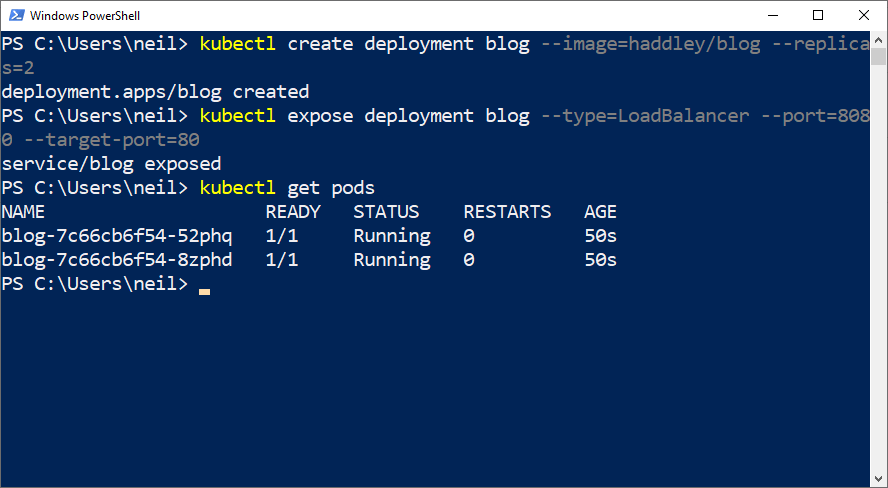
I used the "kubectl create deployment" and "kubectl expose deployment" commands
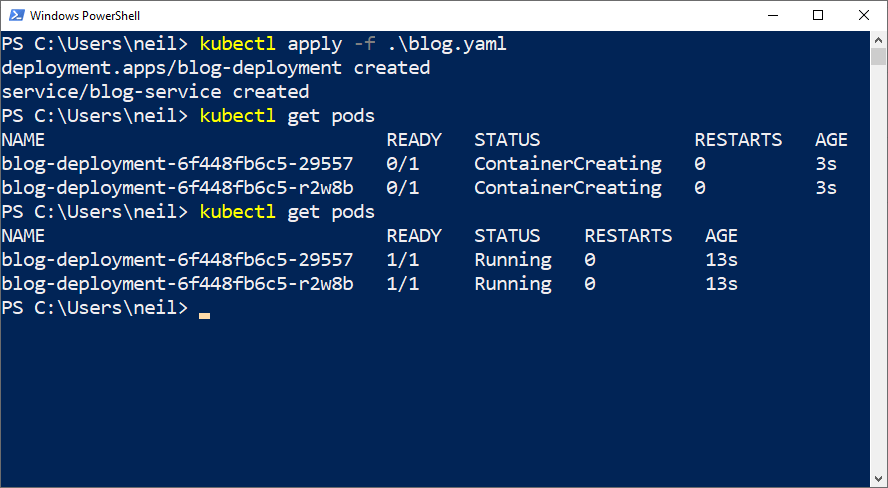
I used the "kubectl apply" command to apply a yaml file
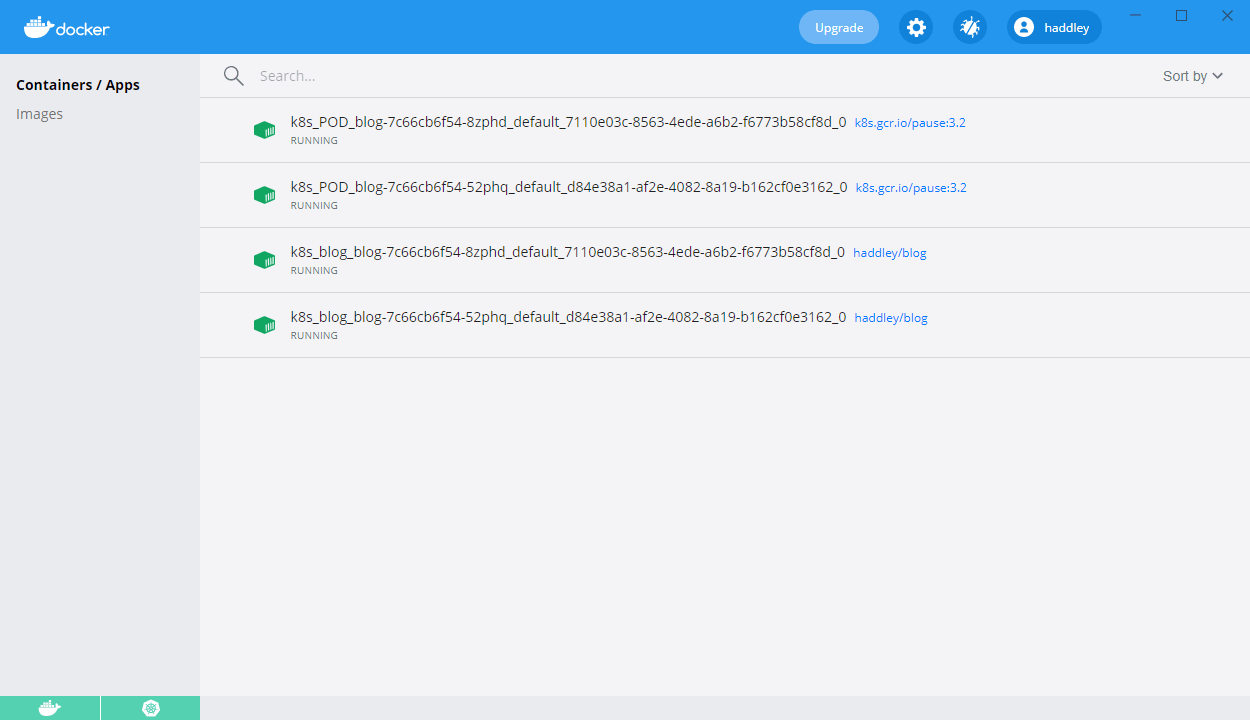
I ran the Docker image in two Kubernetes pods.
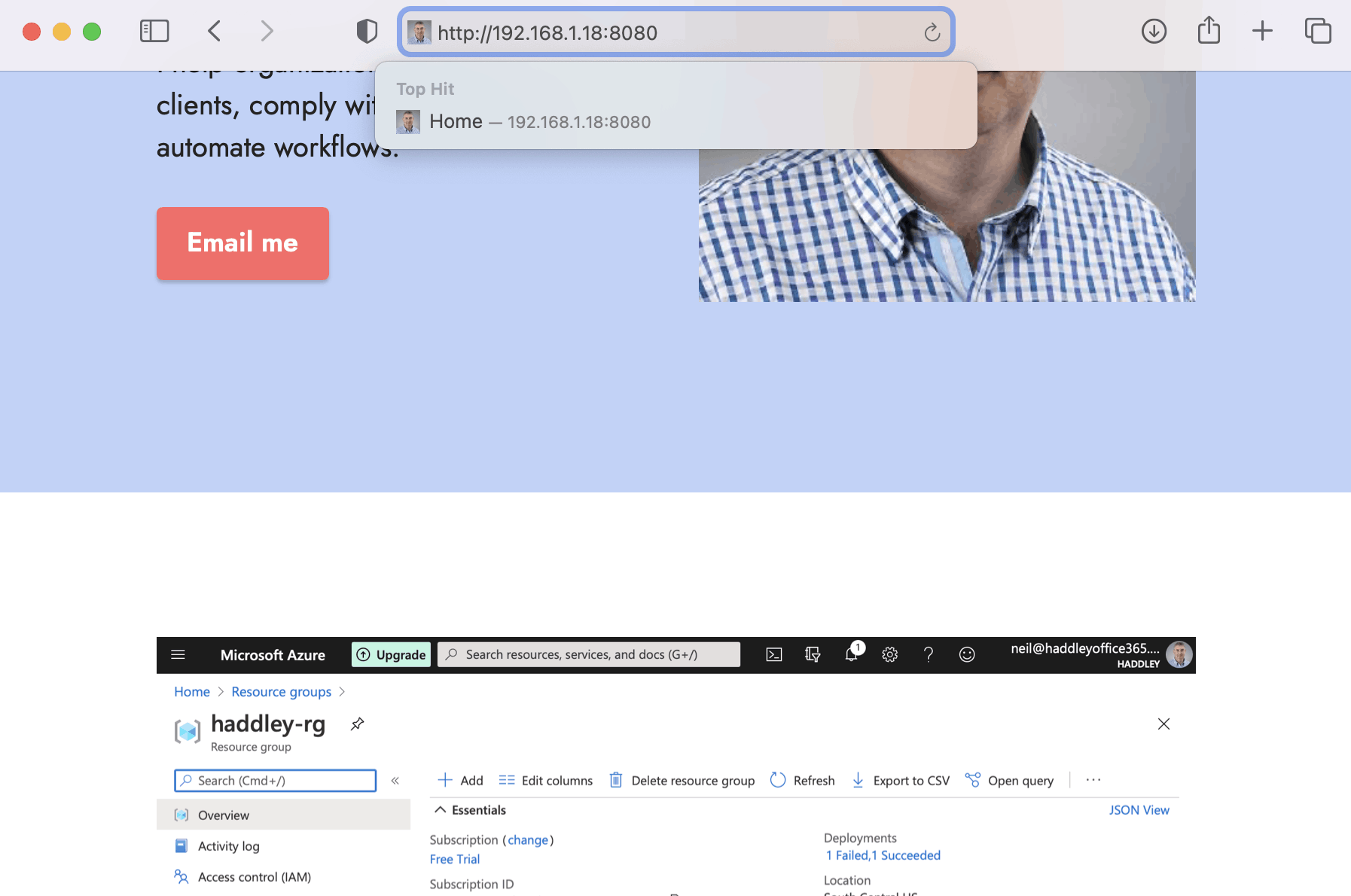
I accessed the cluster using port 8080
blog.yaml
YAML
1apiVersion: apps/v1
2kind: Deployment
3metadata:
4  name: blog-deployment
5  labels:
6    app: blog
7spec:
8  replicas: 2
9  selector:
10    matchLabels:
11      app: blog
12  template:
13    metadata:
14      labels:
15        app: blog
16    spec:
17      containers:
18      - name: blog
19        image: haddley/blog
20        resources:
21          limits:
22            memory: 512Mi
23            cpu: "1"
24          requests:
25            memory: 256Mi
26            cpu: "0.2"
27        ports:
28        - containerPort: 80
29---
30apiVersion: v1
31kind: Service
32metadata:
33  name: blog-service
34spec:
35  selector:
36    app: blog
37  ports:
38    - protocol: TCP
39      port: 8080
40      targetPort: 80
41  type: LoadBalancer