Local Agent
Neil Haddley • June 14, 2026
A conversational AI assistant for this blog using WebLLM (in-browser) and a self-hosted Ollama server (Hosted, public, HTTPS) as interchangeable backends
I've added a conversational AI assistant to this blog — the 💬 button in the bottom-right corner of every page. It runs with no cloud API fees, using one of two model backends: WebLLM (in-browser, no setup) or Hosted (a real Ollama server I run and manage, reachable by any visitor over HTTPS).
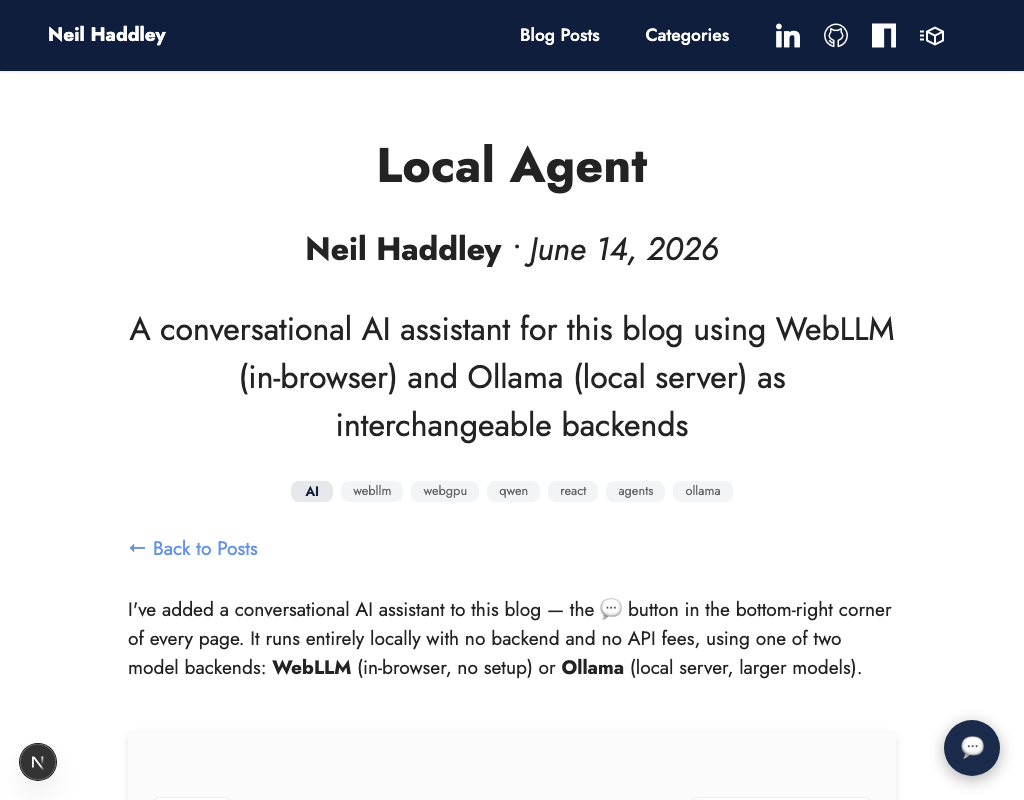
The chat button appears on every page — click it to open the assistant panel. The "Blog AI Assistant" title in the panel header links back to this post.
Choosing a Backend
| WebLLM | Hosted | |
|---|---|---|
| Setup | None — loads in the browser | None — always on, I run the server |
| Browser support | Chrome / Edge with WebGPU | Any browser |
| Model sizes | Up to 7B (browser VRAM limits) | Qwen3.5, 0.8B–9B |
| Inference speed | Depends on GPU via WebGPU | Native, on my server — shared across all visitors |
| Works for visitors | Yes | Yes |
| Model storage | Browser cache (per device) | My server's disk — nothing downloaded to your device |
WebLLM is the right choice for anyone visiting the public site who wants the request handled entirely on their own device — it just works, and nothing leaves the browser except the blog's own post data. Hosted is the other option — no download at all, native inference speed, at the cost of every request going to my server instead of staying on-device.
WebLLM
WebLLM runs a quantized Qwen2.5 model directly in the browser using WebGPU. The model is downloaded once and cached — subsequent loads are instant. WebGPU is required, so it works in Chrome and Edge on GPU-enabled devices.
Three model sizes are available, all quantized to 4-bit weights:
| Model | Download | Note |
|---|---|---|
| Qwen2.5-7B-Instruct-q4f16_1-MLC | ~4 GB | Best quality · WebLLM |
| Qwen2.5-3B-Instruct-q4f16_1-MLC | ~2 GB | Balanced · WebLLM |
| Qwen2.5-1.5B-Instruct-q4f16_1-MLC | ~1 GB | Fast · WebLLM |
The 1.5B is the default — a fast first download and a reasonable starting point. Larger models give better reasoning and more reliable multi-step tool use.
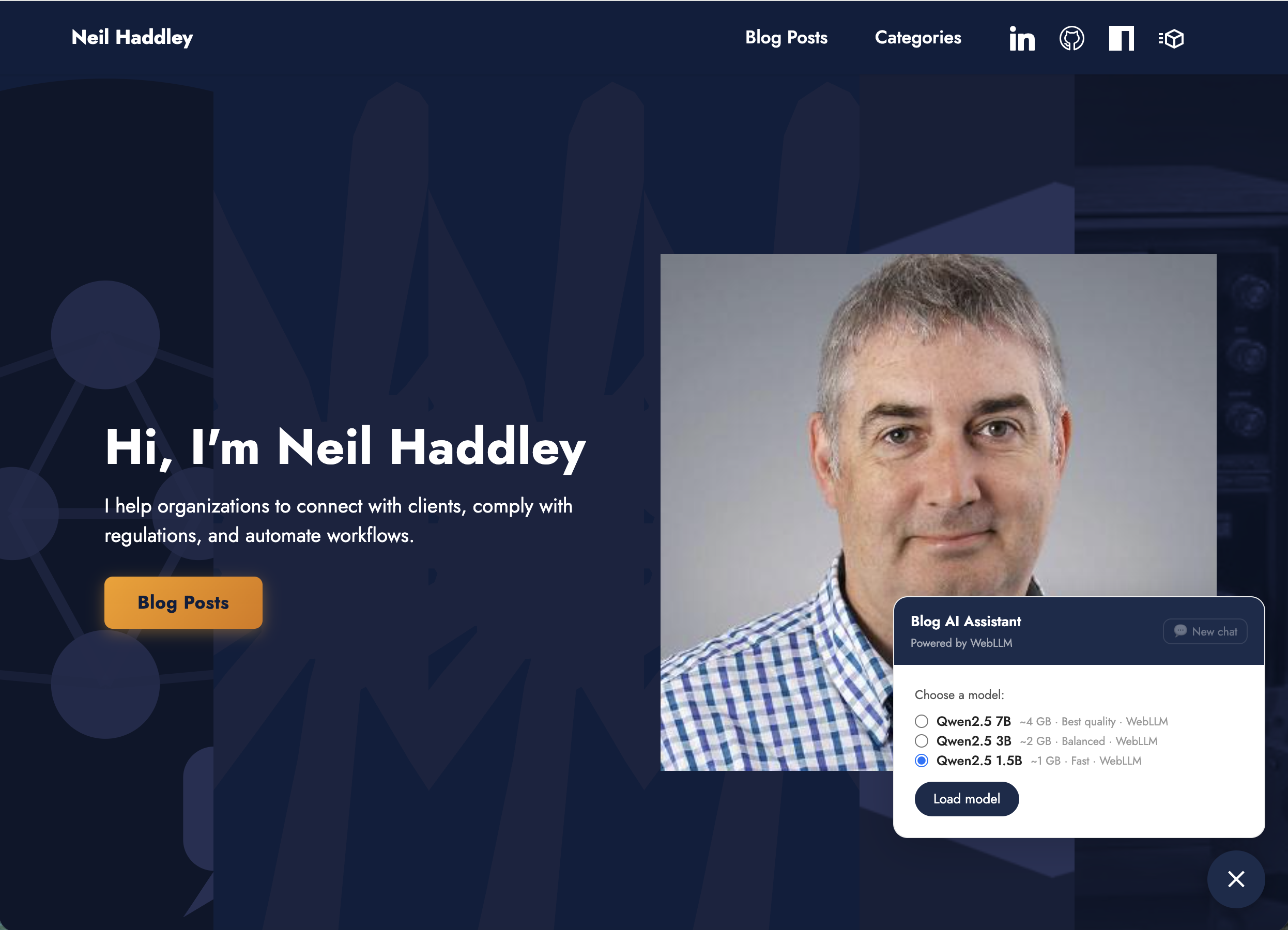
The model selector, showing the three available WebLLM model sizes
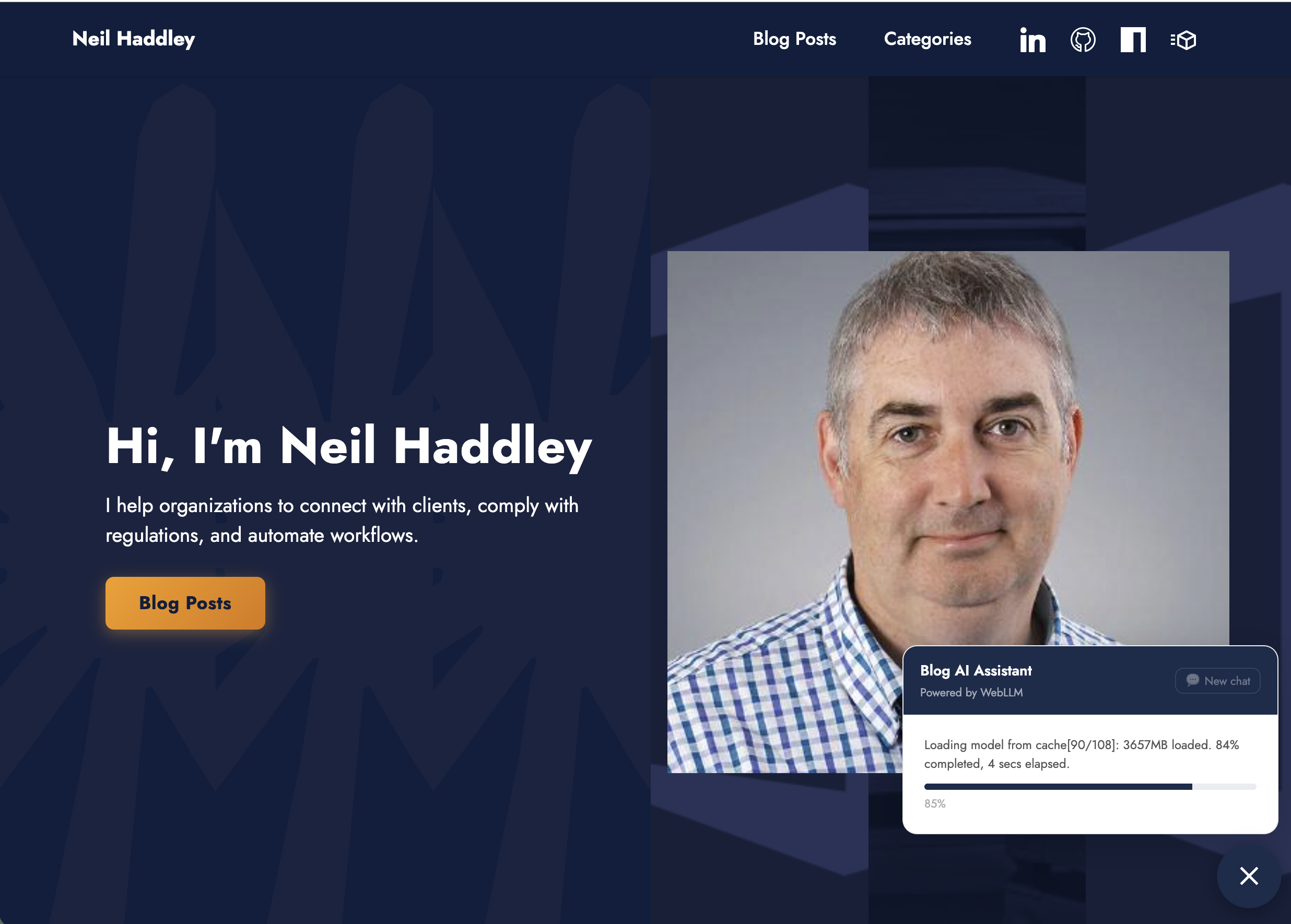
Loading the model for the first time — progress bar fills as the weights download to the browser cache
Why Quantization?
A standard Qwen2.5-7B model in 16-bit precision weighs around 14 GB. Most consumer GPUs don't have that much VRAM, and browsers impose their own caps on top of that. 4-bit quantization brings it down to a manageable size:
| Model | FP16 | q4f16_1 |
|---|---|---|
| 7B | ~14 GB | ~4 GB |
| 3B | ~6 GB | ~2 GB |
| 1.5B | ~3 GB | ~1 GB |
WebLLM only supports its own pre-compiled MLC model variants — the MLC compilation step converts the model to run on WebGPU and bakes in the quantization. The quality tradeoff is minimal: benchmark scores drop by around 1–2% at q4f16_1, which is unnoticeable for a blog assistant.
Model Quality
Smaller models trade reasoning quality for speed. I ran the same query — "Any Java related posts?" — against the 1.5B and 3B to see the difference.
The 1.5B called tools redundantly, hit the round limit, and returned an empty response:
CODE
1round 0 — search_posts {"query": "Java"}
2round 1 — get_posts_by_category {"category": "Java"}  (already had the data)
3round 2 — get_posts_by_category {"category": "Java"}  → skipping duplicate
4round 3 — get_posts_by_category {"category": "Java"}  → skipping duplicate
5loop exhausted — final nudge → (empty)
The 3B called one tool and answered cleanly on the next round:
CODE
1round 0 — search_posts {"query": "Java related"}
2round 1 — text: "Here are the Java related posts: …"
The 3B handles multi-step tool use reliably. The 1.5B is faster to load but may struggle on follow-up questions.
When WebLLM Doesn't Work
On some hardware — particularly Windows machines with Intel Arc integrated graphics — WebGPU can lose its GPU context mid-inference. The error surfaces as Object has already been disposed or Device was lost, and the agent panel shows a plain-English message:
GPU context lost — your device may have insufficient GPU memory for WebLLM. Try an Ollama model instead.
I tested this on a Windows 11 machine with an Intel Core Ultra 7 (32 GB RAM, Intel Arc iGPU). Both the fp16 and fp32 variants crashed with the same error — the GPU context loss happens at the WebGPU driver level regardless of weight precision. The only reliable fix on that hardware is to switch to the Hosted backend, which bypasses WebGPU entirely and runs natively on my server instead.
Hosted
The Hosted backend runs Ollama, but not on the visitor's own machine — it runs on a server I manage, and any visitor to the public site can use it. No install, no browser download. This is the option Private Network Access can't block, because it was never a request to a private address: it goes to a real public hostname with its own domain and a genuine HTTPS certificate, exactly like any other API this site might call.
Model Sizes
Four Qwen3.5 sizes are available:
| Model | Note |
|---|---|
| qwen3.5:9b | Hosted · default |
| qwen3.5:4b | Balanced · Hosted |
| qwen3.5:2b | Fast · Hosted |
| qwen3.5:0.8b | Fastest · Hosted |
27B was the original plan, and it downloads and runs fine directly on the server — but through this chat widget, a one-word reply took over three minutes and I gave up waiting. A 27-billion-parameter model needs real GPU throughput to feel responsive in a live chat interface; asking visitors to wait minutes per reply isn't a reasonable trade for the quality gain, so 9B is the ceiling here.
How It Works
The agent is a React component (BlogAgent.tsx) mounted in the Next.js layout, so it appears on every page. Post metadata is pre-built at deploy time into agent-data.json, which the component fetches when the panel first opens.
Both backends implement the same interface so the agent loop runs identically regardless of which is active. For WebLLM:
TYPESCRIPT
1const { CreateMLCEngine } = await import('@mlc-ai/web-llm');
2const engine = await CreateMLCEngine(
3  selectedModel,
4  { initProgressCallback: ({ progress, text }) => setLoadState(...) },
5);
For Hosted, a thin fetch wrapper is created at load time, pointed at the public HTTPS host with an authentication header:
TYPESCRIPT
1let controller: AbortController | null = null;
2const engine = {
3  chat: {
4    completions: {
5      create: async ({ messages }) => {
6        controller = new AbortController();
7        const r = await fetch('https://ollama.haddley.net:8443/v1/chat/completions', {
8          method: 'POST',
9          headers: { 'Content-Type': 'application/json', 'X-Site-Key': REMOTE_SITE_KEY },
10          body: JSON.stringify({ model: modelName, messages, stream: false }),
11          signal: controller.signal,
12        });
13        return r.json();
14      },
15    },
16  },
17  interruptGenerate: () => controller?.abort(),
18};
Tools
The agent has six tools:
| Tool | What it does |
|---|---|
search_posts | Keyword search across titles, descriptions, and tags |
get_posts_by_category | All posts in a named category |
list_categories | All categories ranked by post count |
get_post_content | Full content of a specific post |
navigate_to_post | Push the browser to a post via the Next.js router |
web_search | Live web search via Jina AI — for topics not covered by the blog |
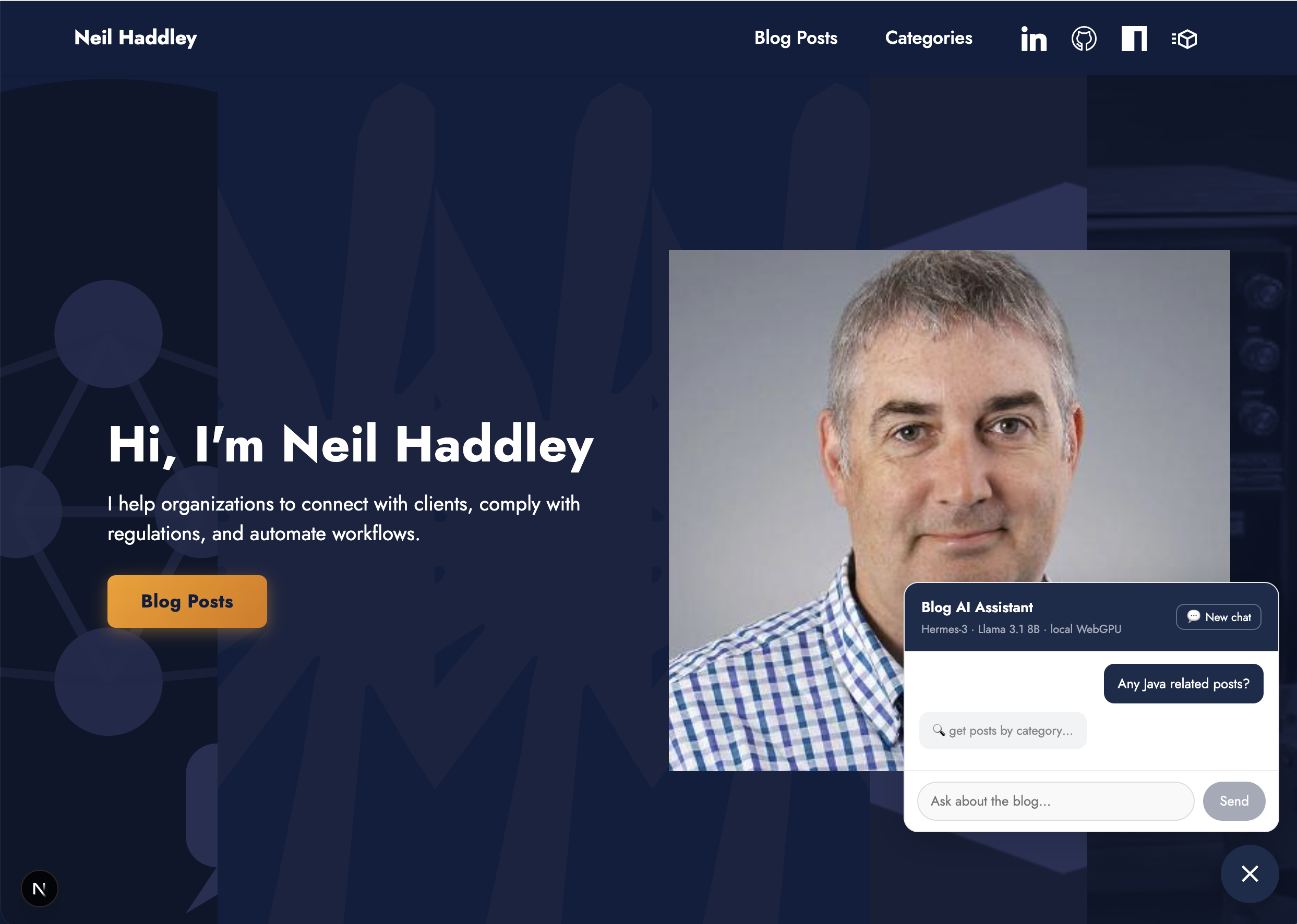
I asked "Any Java related posts?" and the agent called get_posts_by_category
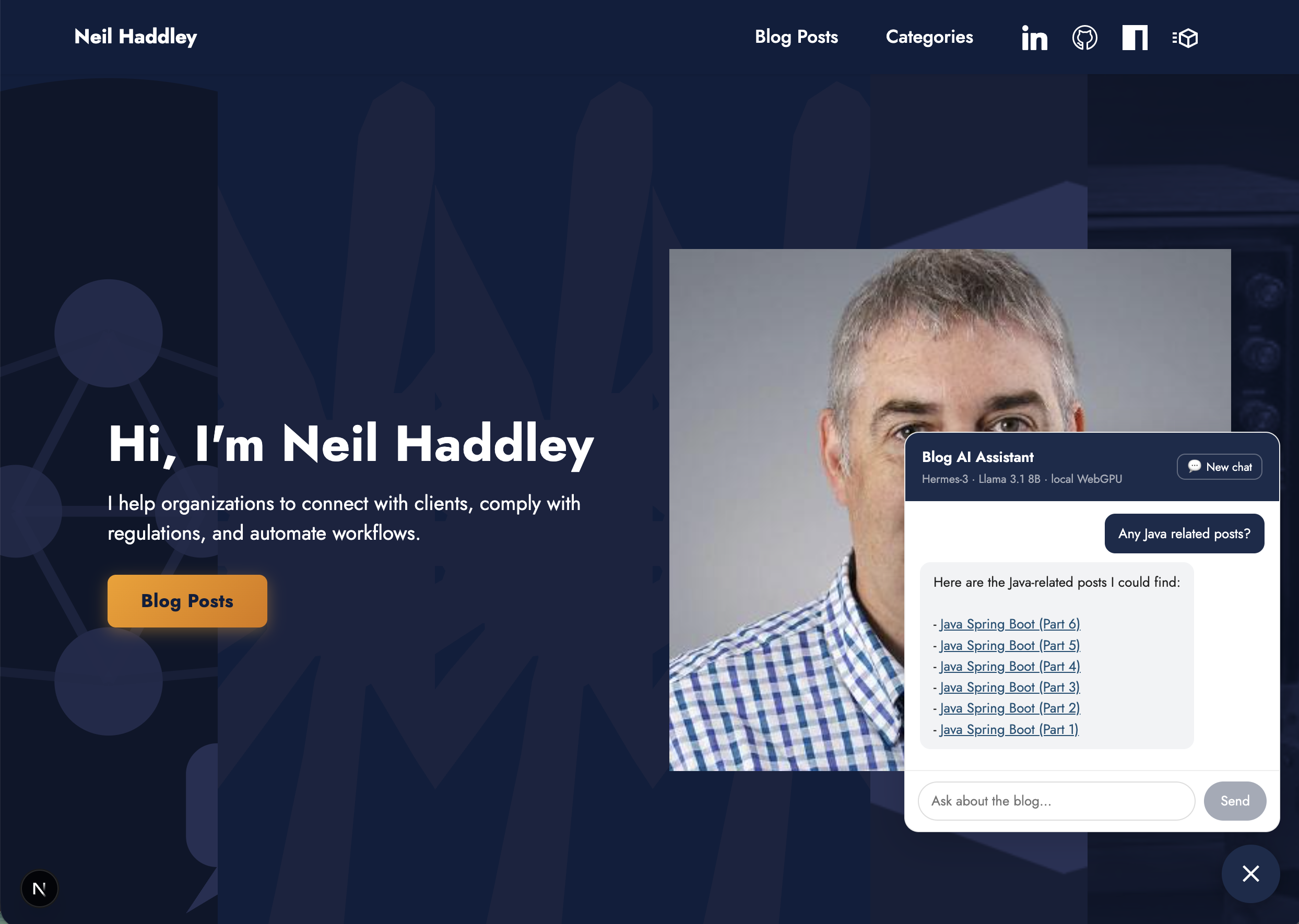
The agent returned links to all six Java Spring Boot posts
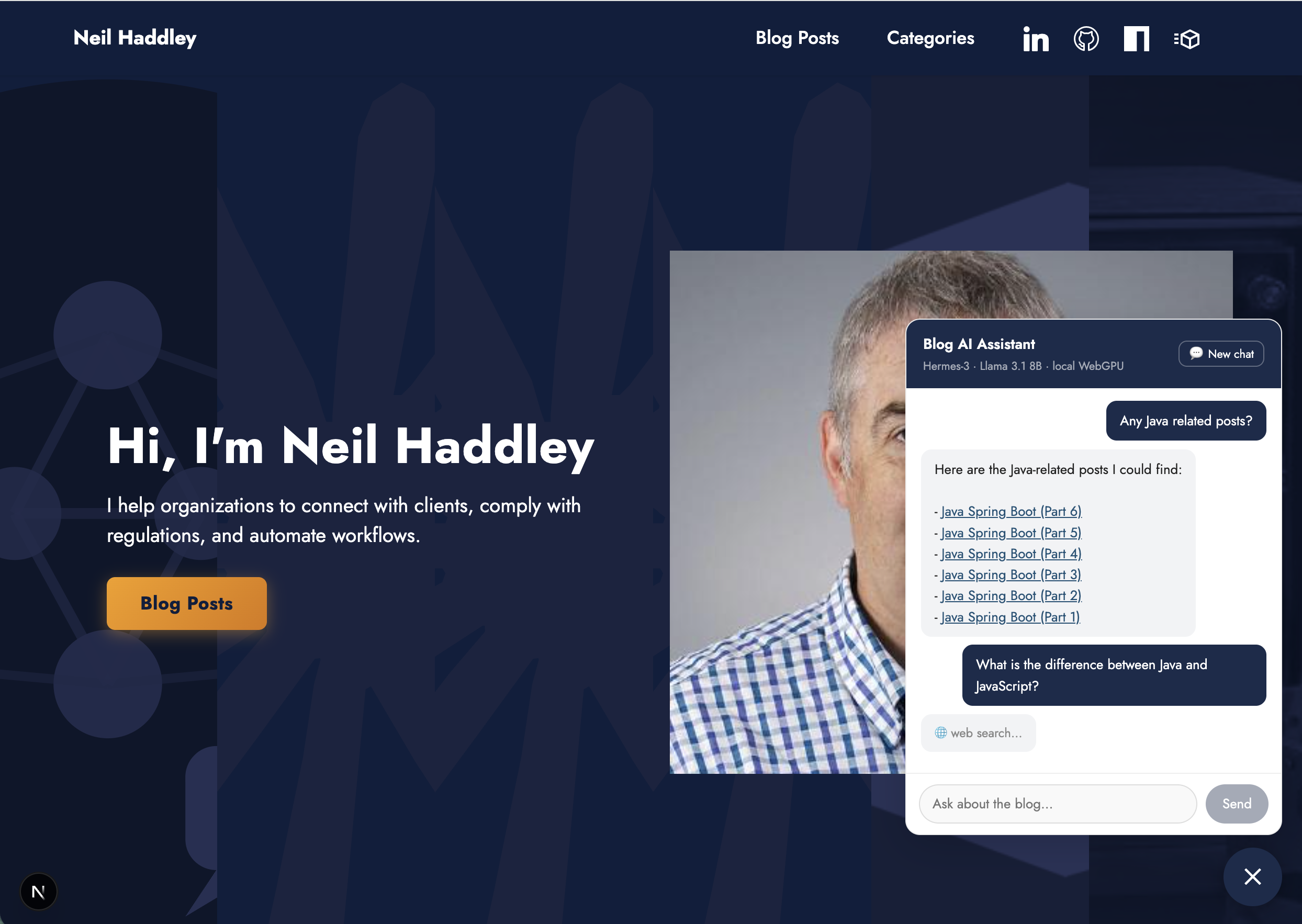
I followed up asking the difference between Java and JavaScript — the agent used web_search
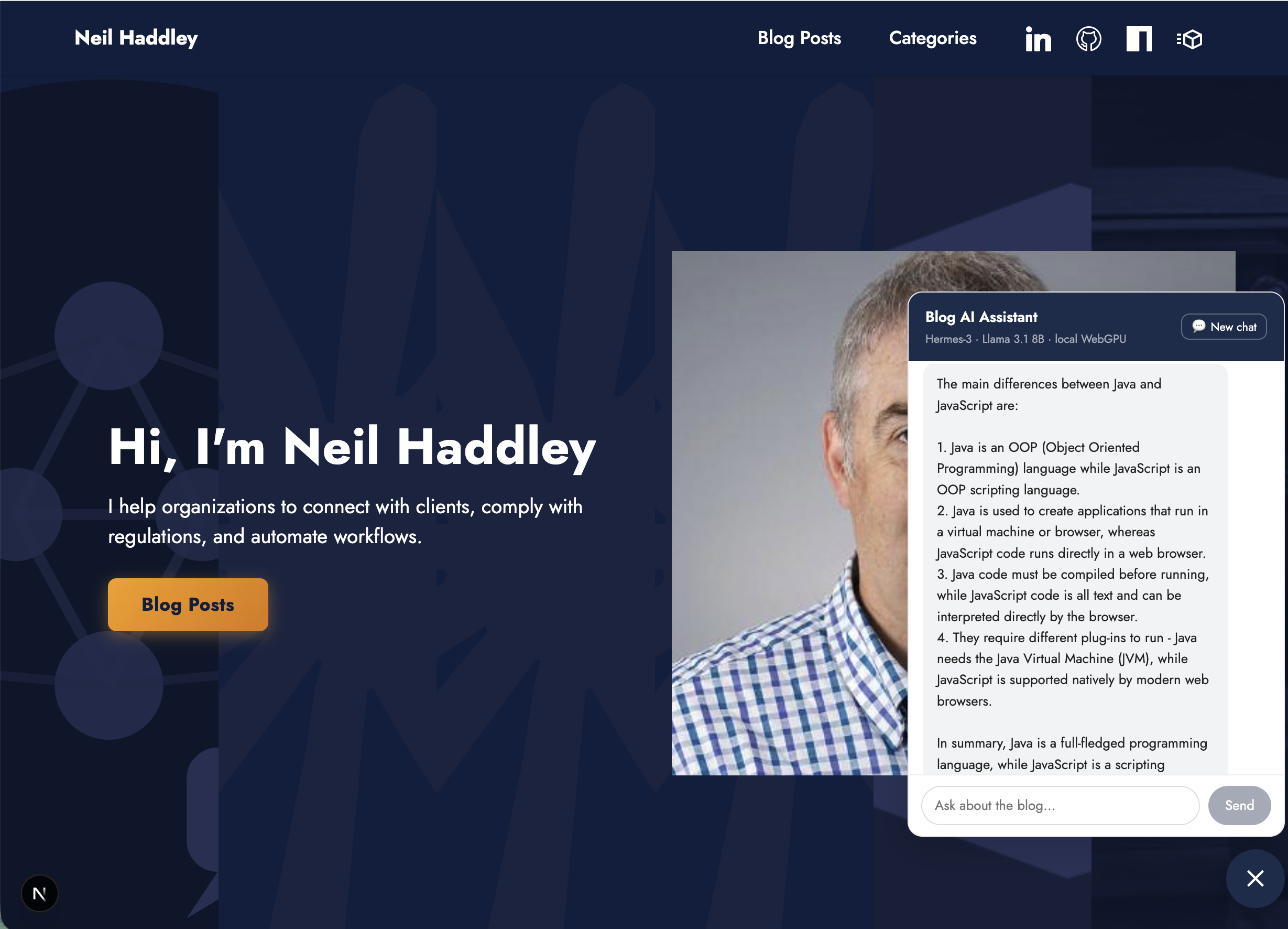
The agent answered using the web search results
The Agent Loop
Each turn, the model replies either with a plain-text answer (done) or a <tool_call> block naming a function to run. The component parses the block, executes the tool, and feeds the result back as a <tool_response> user message. This repeats until the model produces a text answer with no tool calls.
Because WebLLM's native tools API only supports a fixed set of Hermes models, I implemented function calling via prompt engineering — tool definitions are injected as JSON in the system message, and the model outputs structured <tool_call> blocks rather than using a native API.
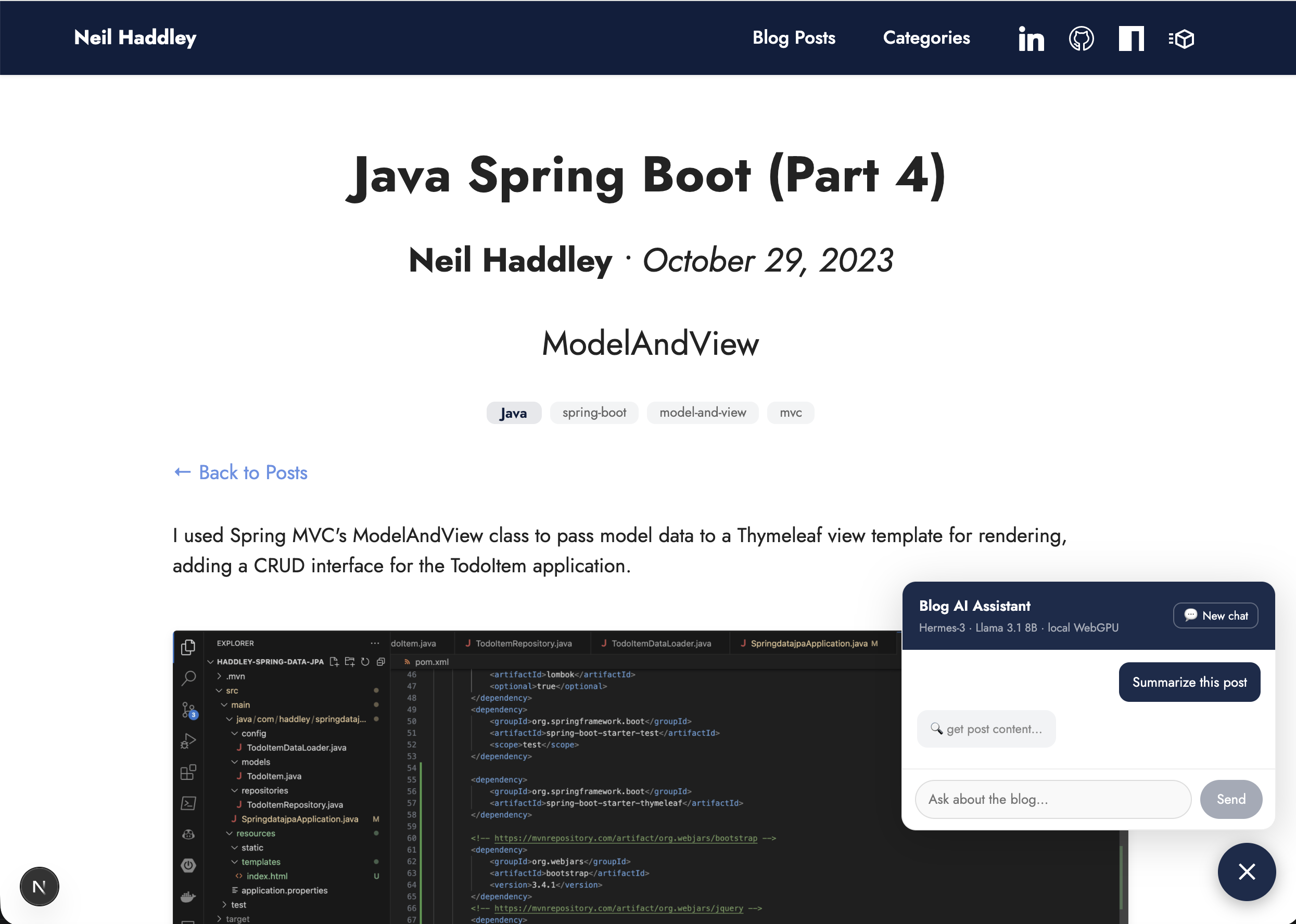
On a post page I asked the agent to summarise — it called get_post_content with the current slug
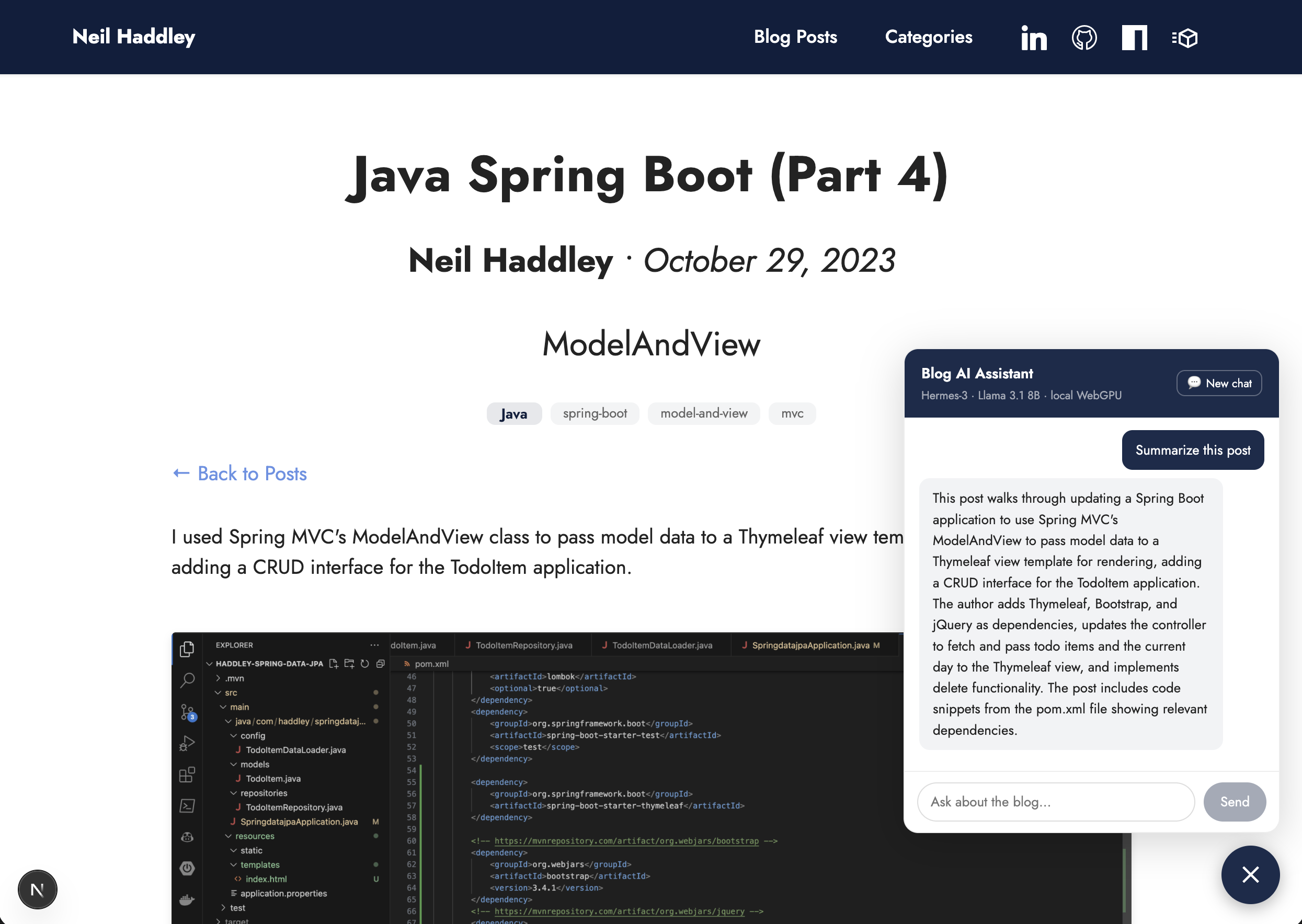
The agent summarised the post content
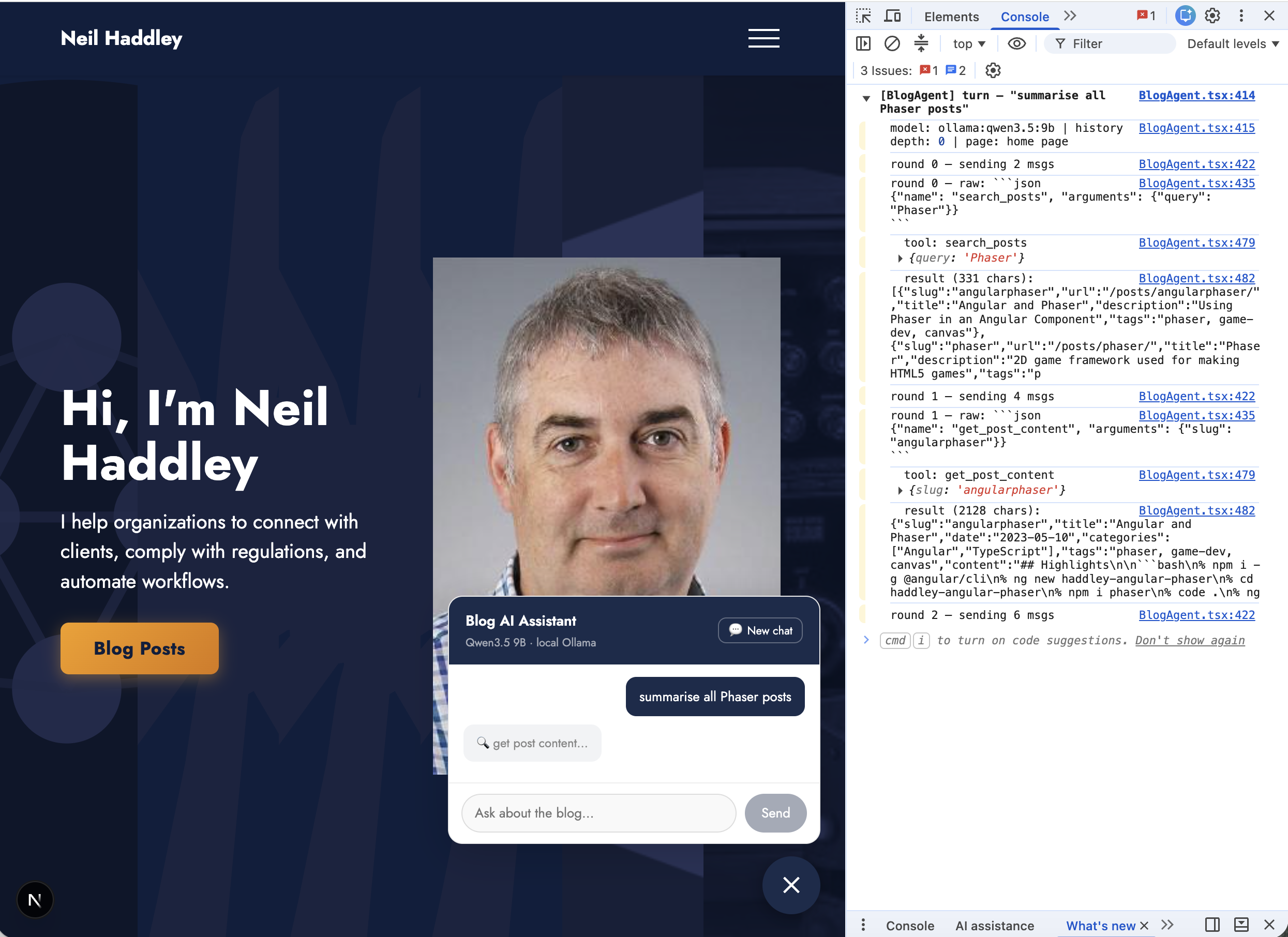
I asked "summarise all Phaser posts" from the home page — DevTools shows Qwen3.5 9B calling search_posts then get_post_content for each result
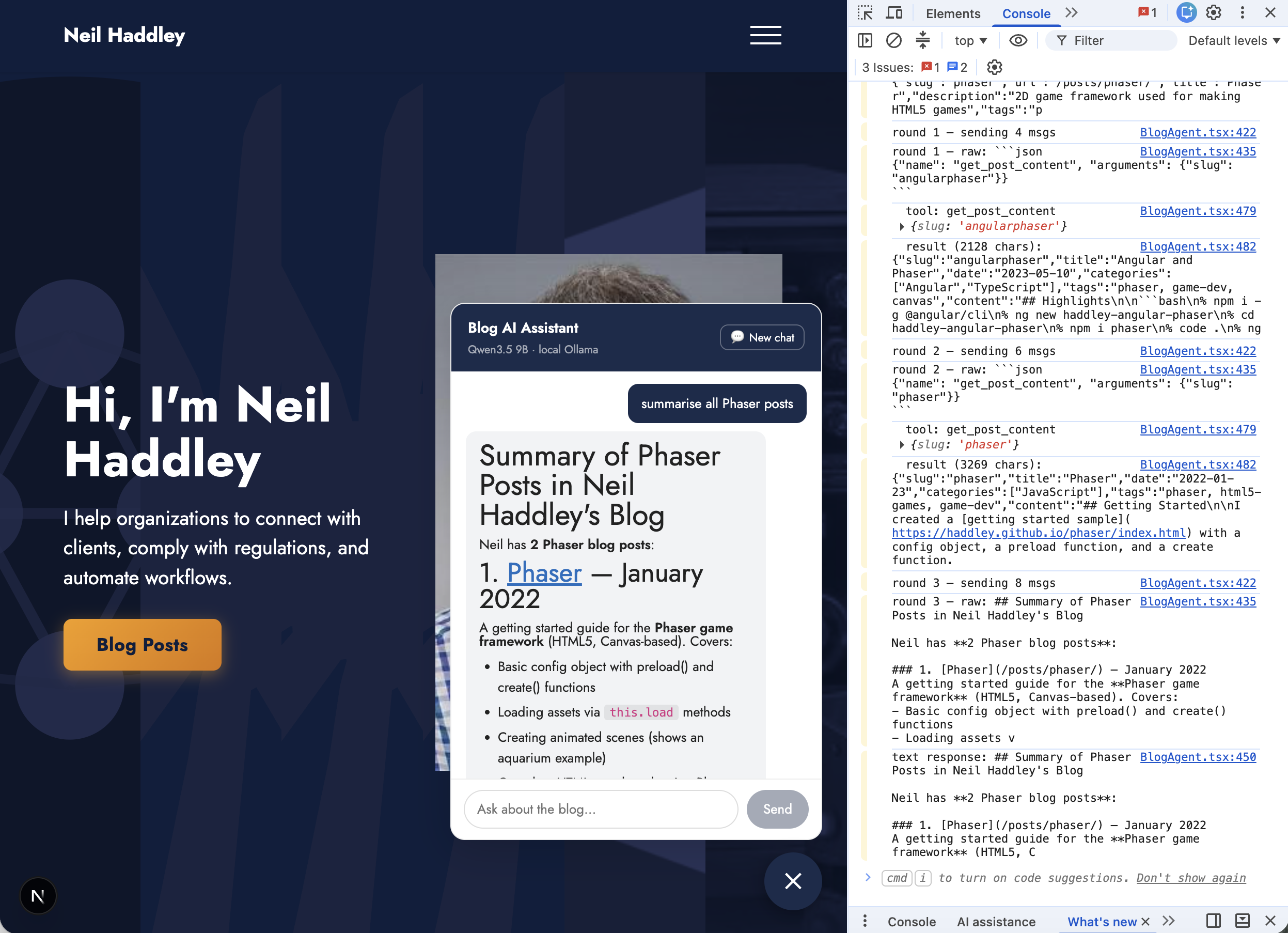
The agent produced a formatted summary of all Phaser posts with links