Colab is Google's implementation of Jupyter Notebooks.
A Colab consists of text comments and code
NumPy
NumPy is a Python library for creating and manipulating vectors and matrices.

I imported numpy as np
![I created an array with np.array([...])](/assets/images/machinelearning4/screen-shot-2022-06-08-at-6.24.04-pm-745x209.png)
I created an array with np.array([...])
![I created a matrix with np.array([[...],[...],...,[...]])](/assets/images/machinelearning4/screen-shot-2022-06-08-at-6.25.18-pm-764x221.png)
I created a matrix with np.array([[...],[...],...,[...]])
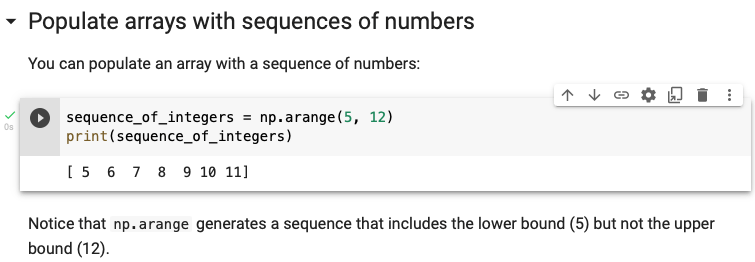
I created a sequence from 5 to 11
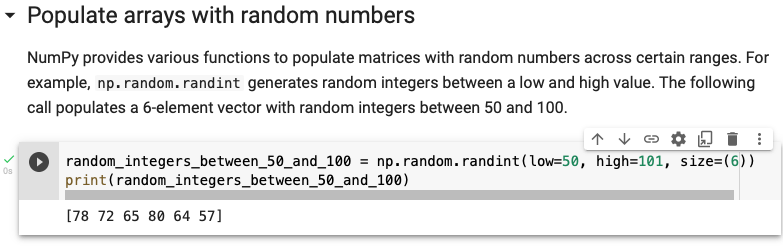
I generated 6 random values between 50 and 100
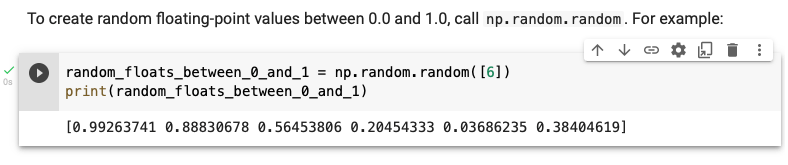
I generated 5 random floating point values between 0 and 1
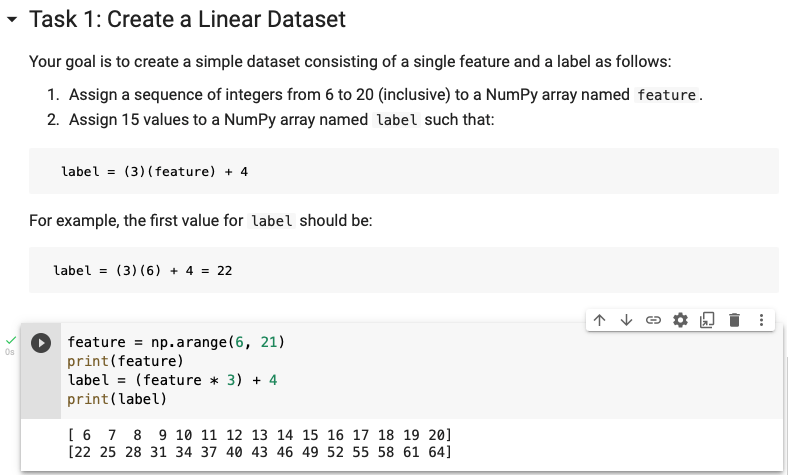
I created a feature and label
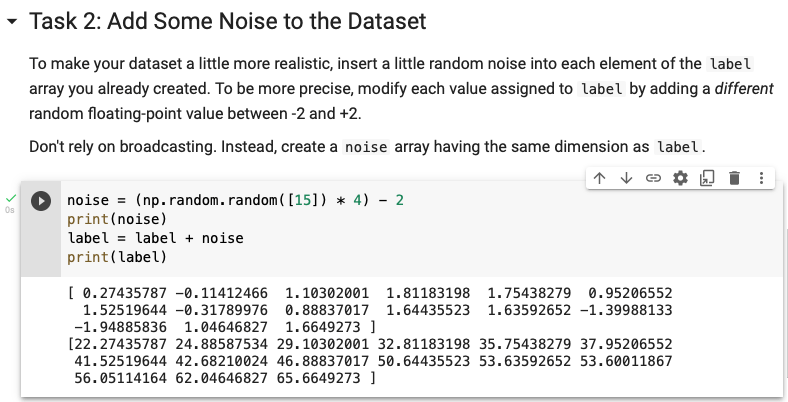
I added noise
Pandas
Pandas DataFrames are similar to spreadsheets. DataFrames have columns and rows.
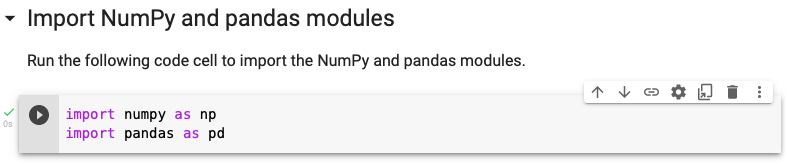
I imported numpy and pandas
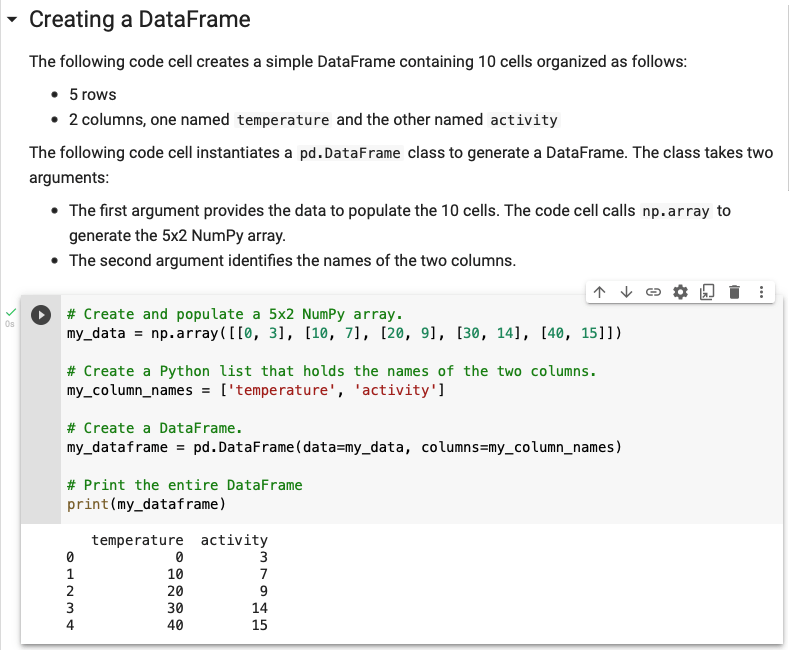
pd.DataFrame(data=<data cell values>, columns=<column names>)
![<dataframe>["<new column name>"] = <dataframe>["<existing column name>"] + <constant>](/assets/images/machinelearning4/screen-shot-2022-06-08-at-6.54.36-pm-779x348.png)
<dataframe>["<new column name>"] = <dataframe>["<existing column name>"] + <constant>
![<dataframe>[<start index>,<end index + 1>]](/assets/images/machinelearning4/screen-shot-2022-06-08-at-6.58.28-pm-787x739.png)
<dataframe>[<start index>,<end index + 1>]
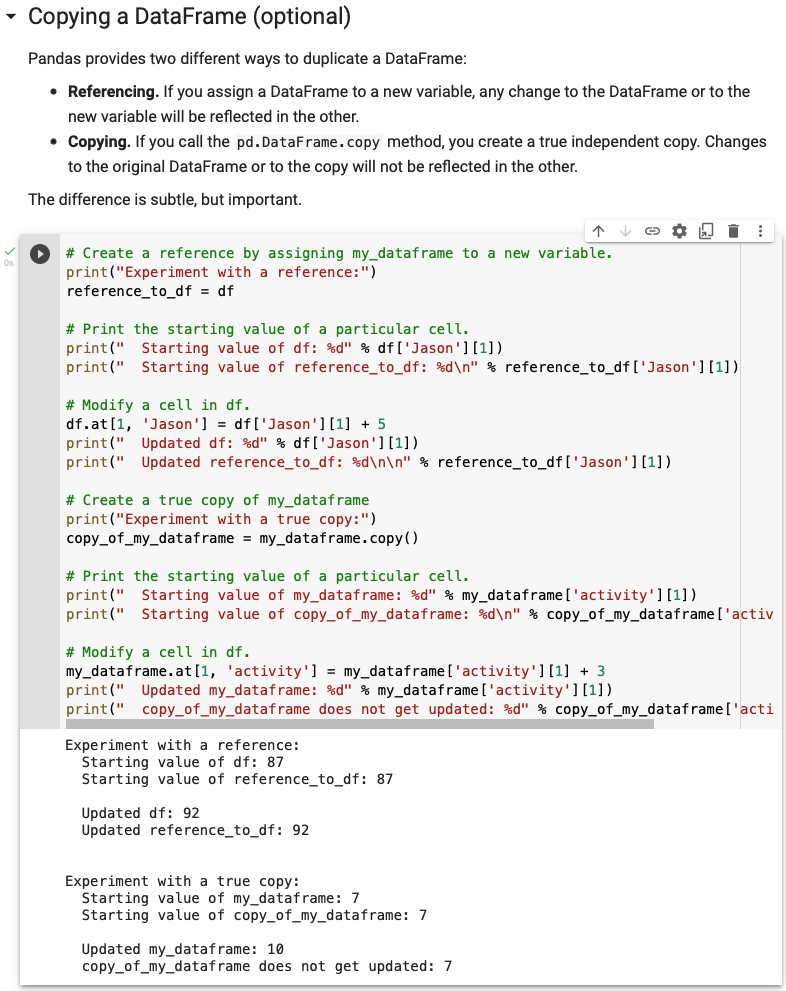
<dataframe>.copy()