Machine Learning (Part 7)
Neil Haddley • June 11, 2022
Google Cloud Platform
AutoML enables developers to train high-quality models specific to their business needs.
I used AutoML to build and use the diabetes binary classification model I described here.
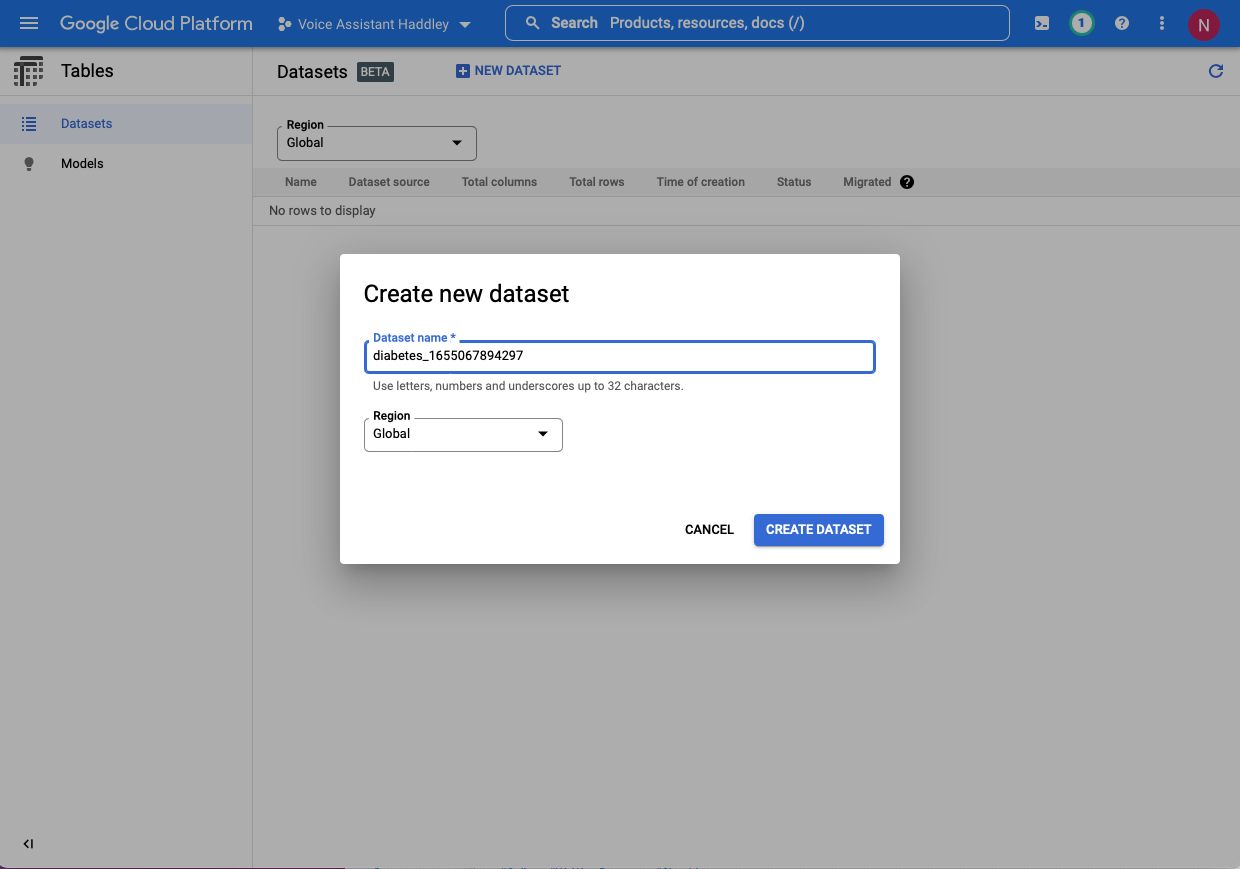
I created a new dataset
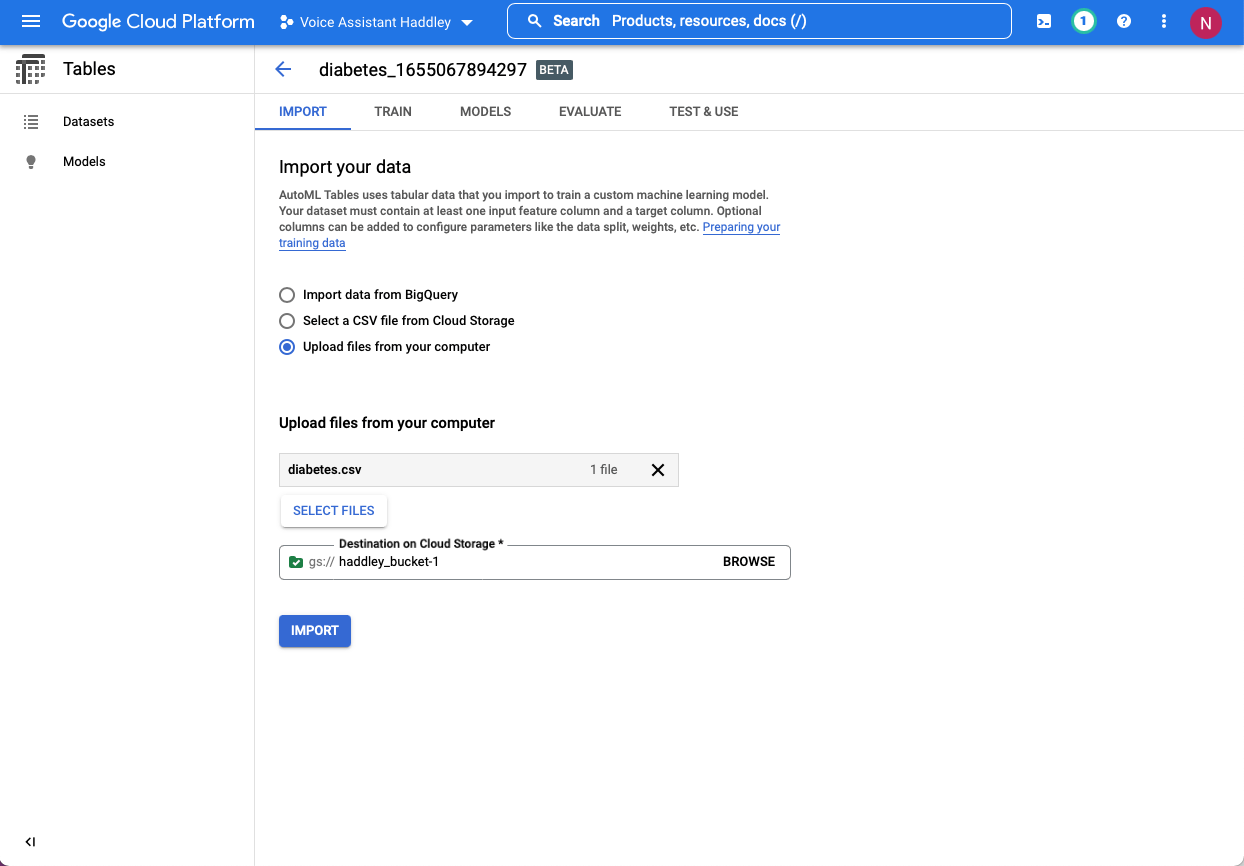
I uploaded the csv file (minimum size is 1000 rows)
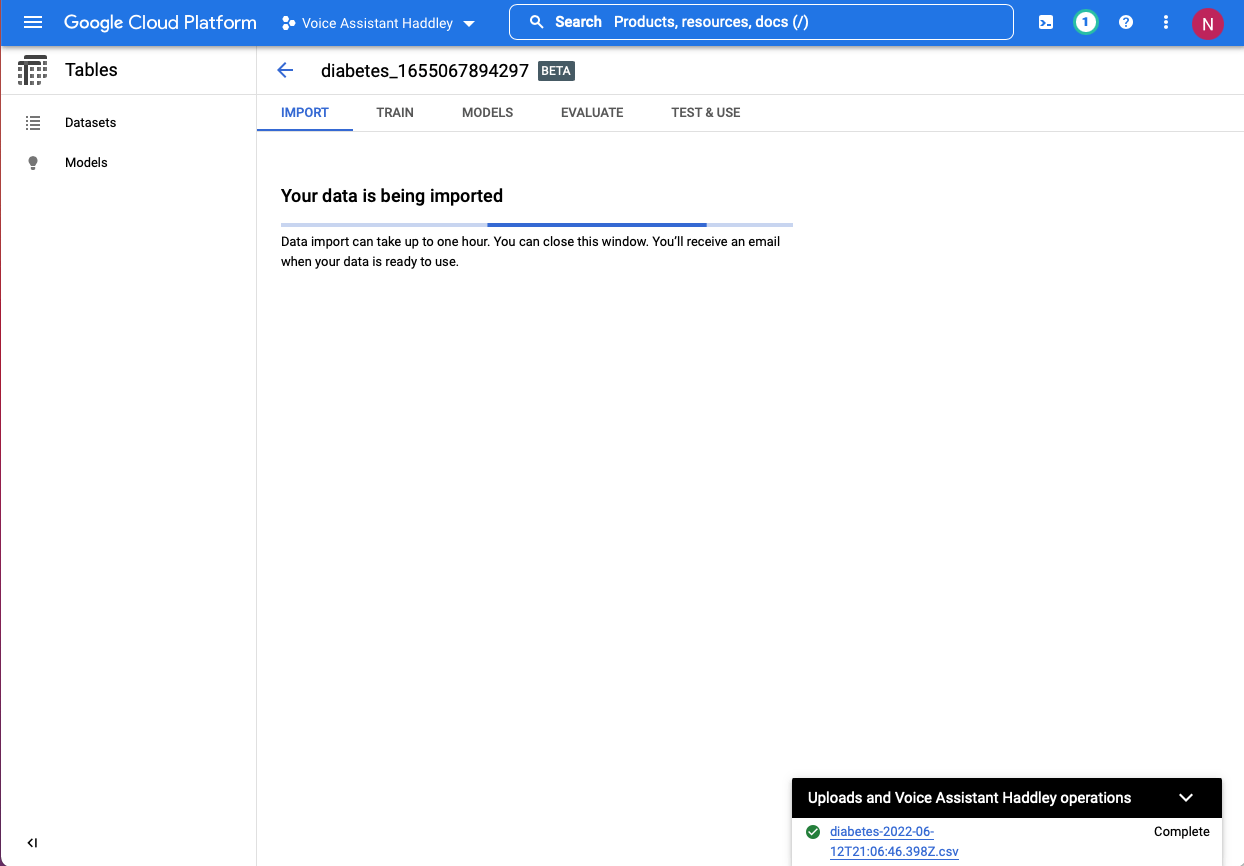
I confirmed the data was imported
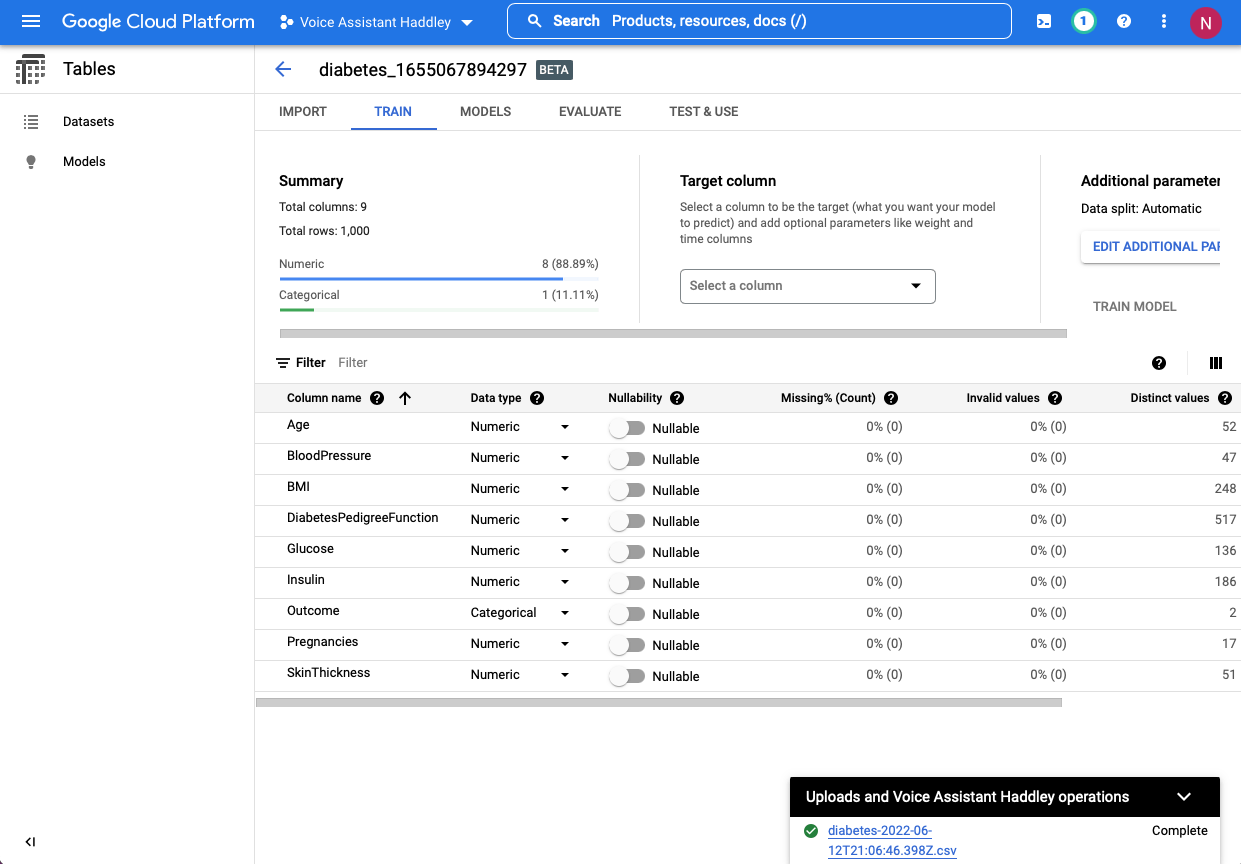
I confirmed AutoML detected 9 columns
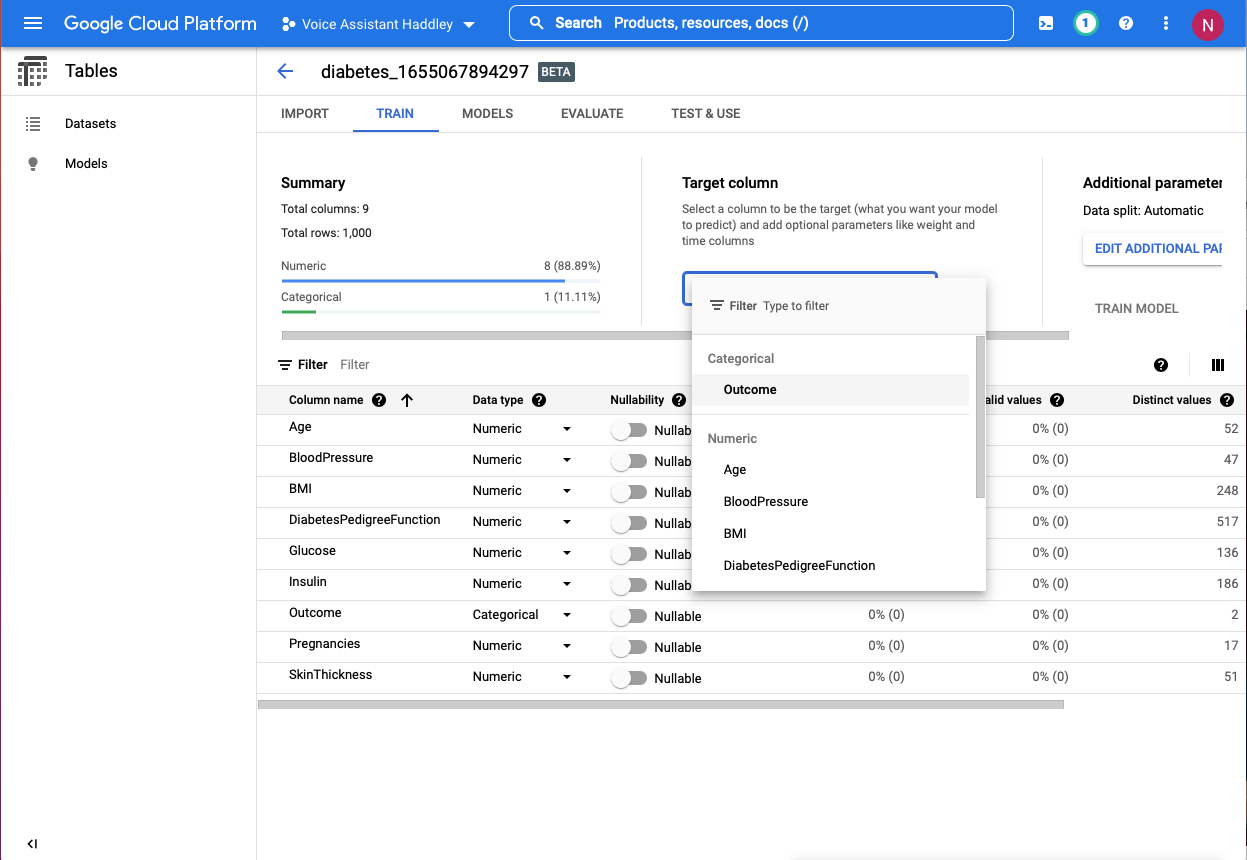
I selected "Outcome" as the Target column
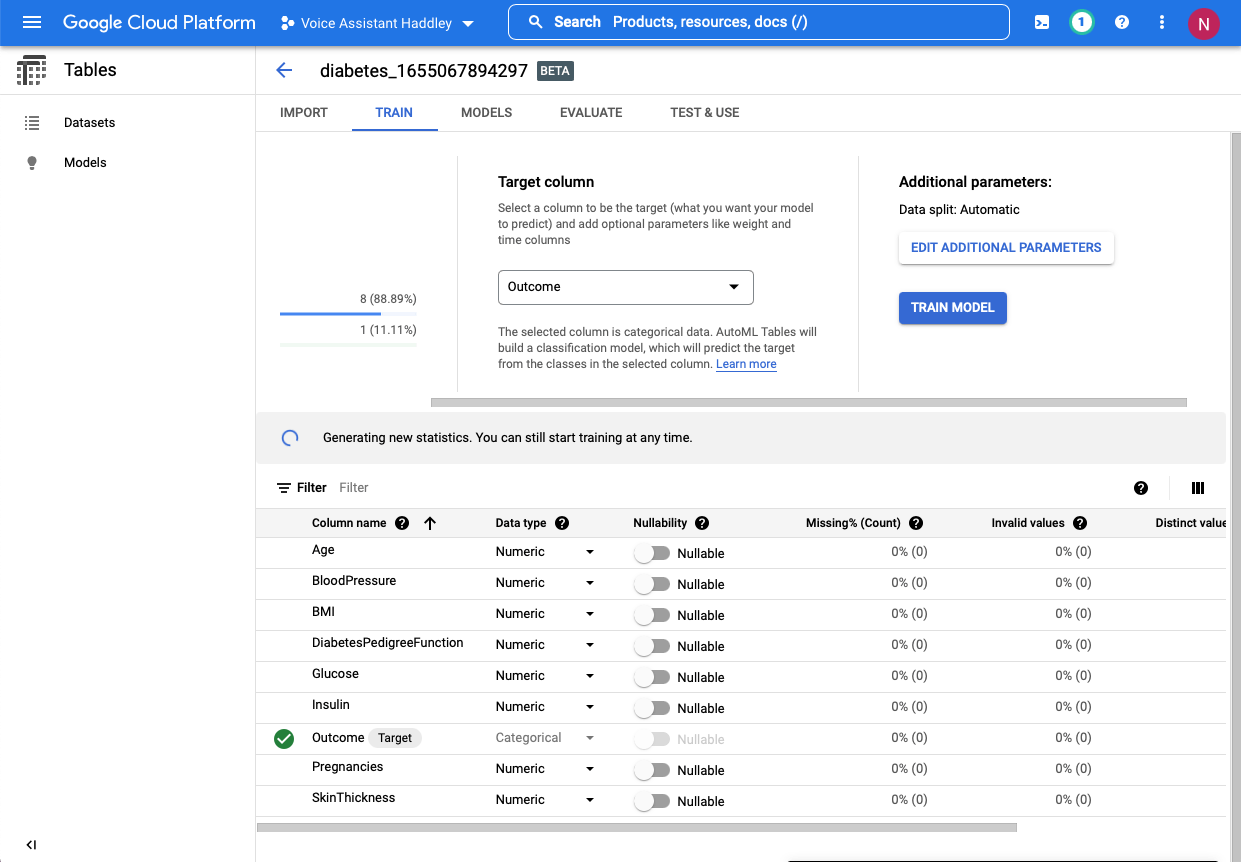
I trained the AutoML model
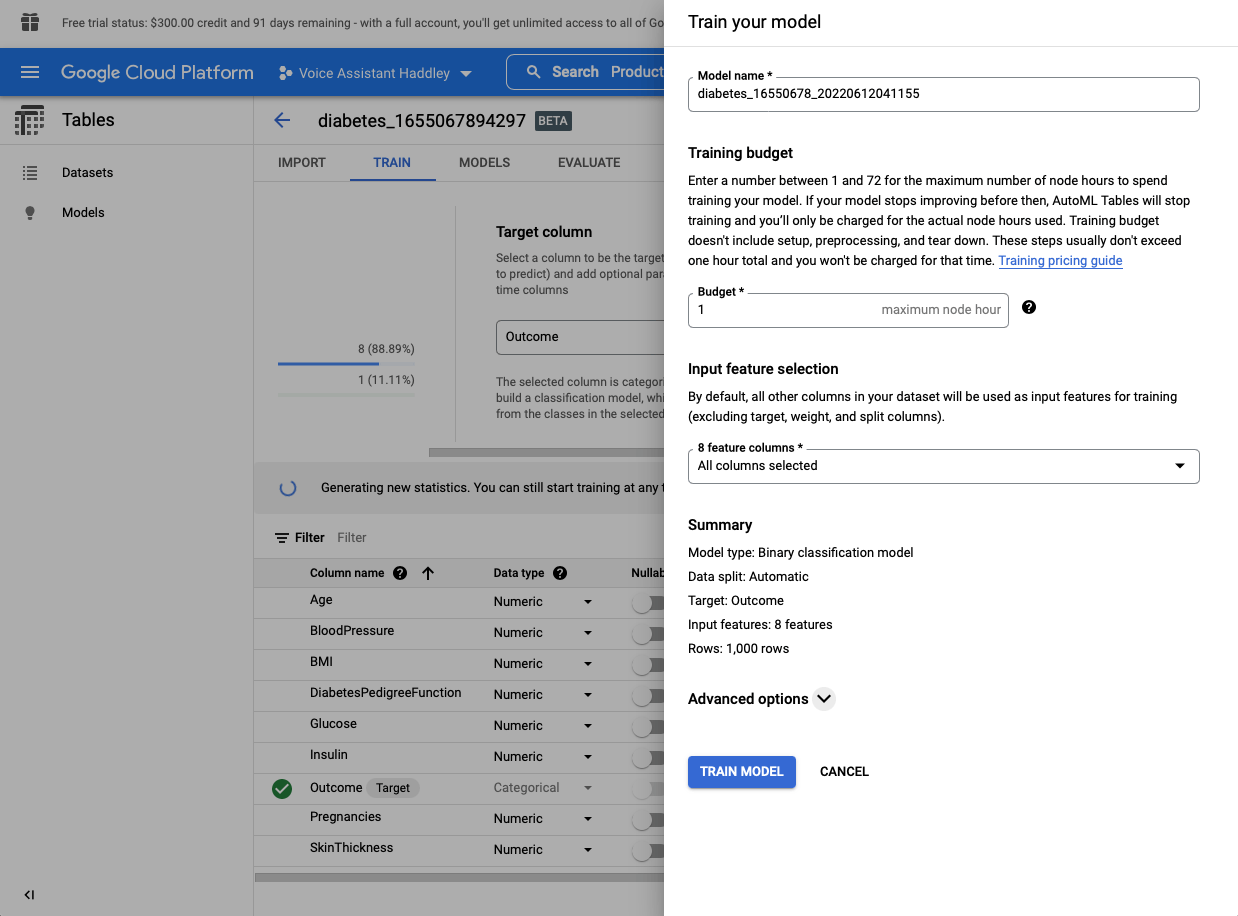
I specified a budget of one hour
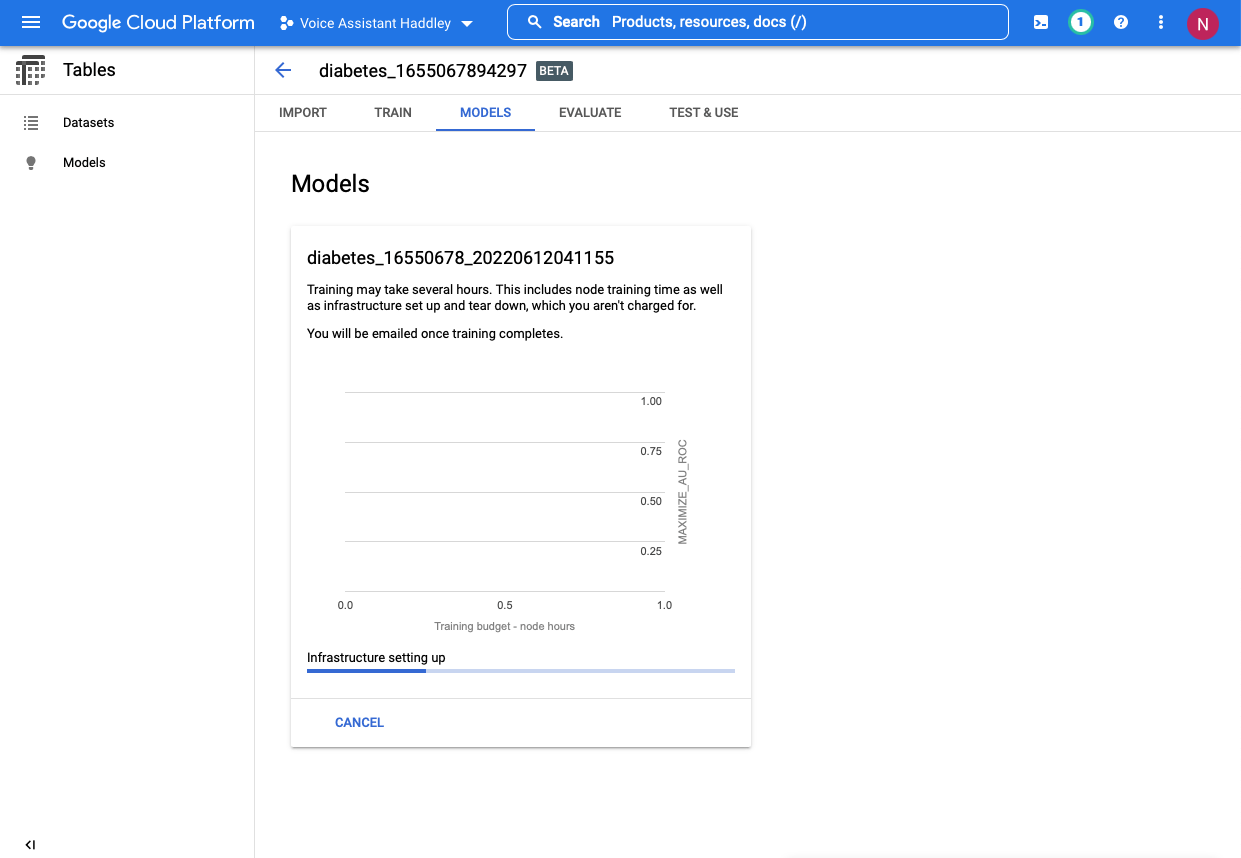
I confirmed training had started
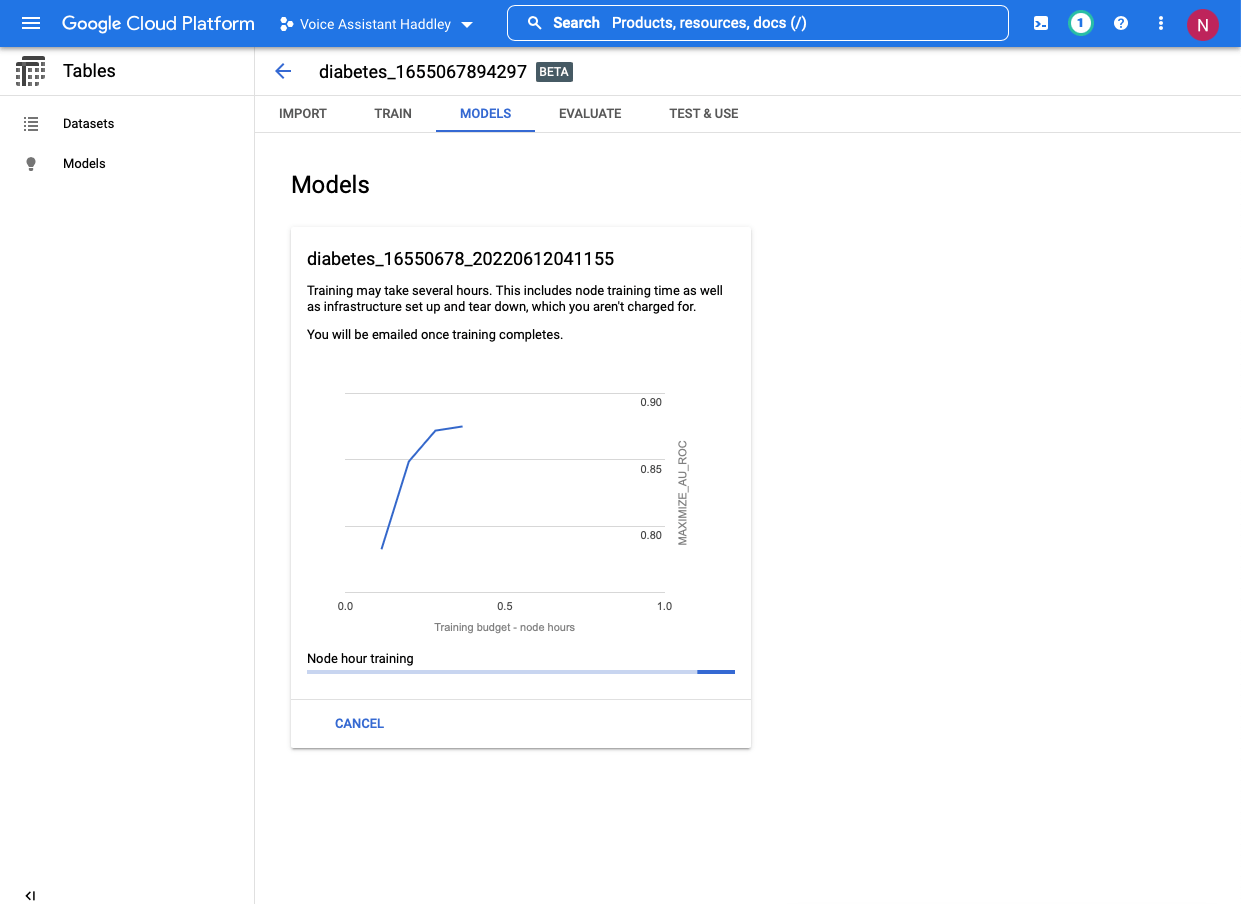
I monitored training progress
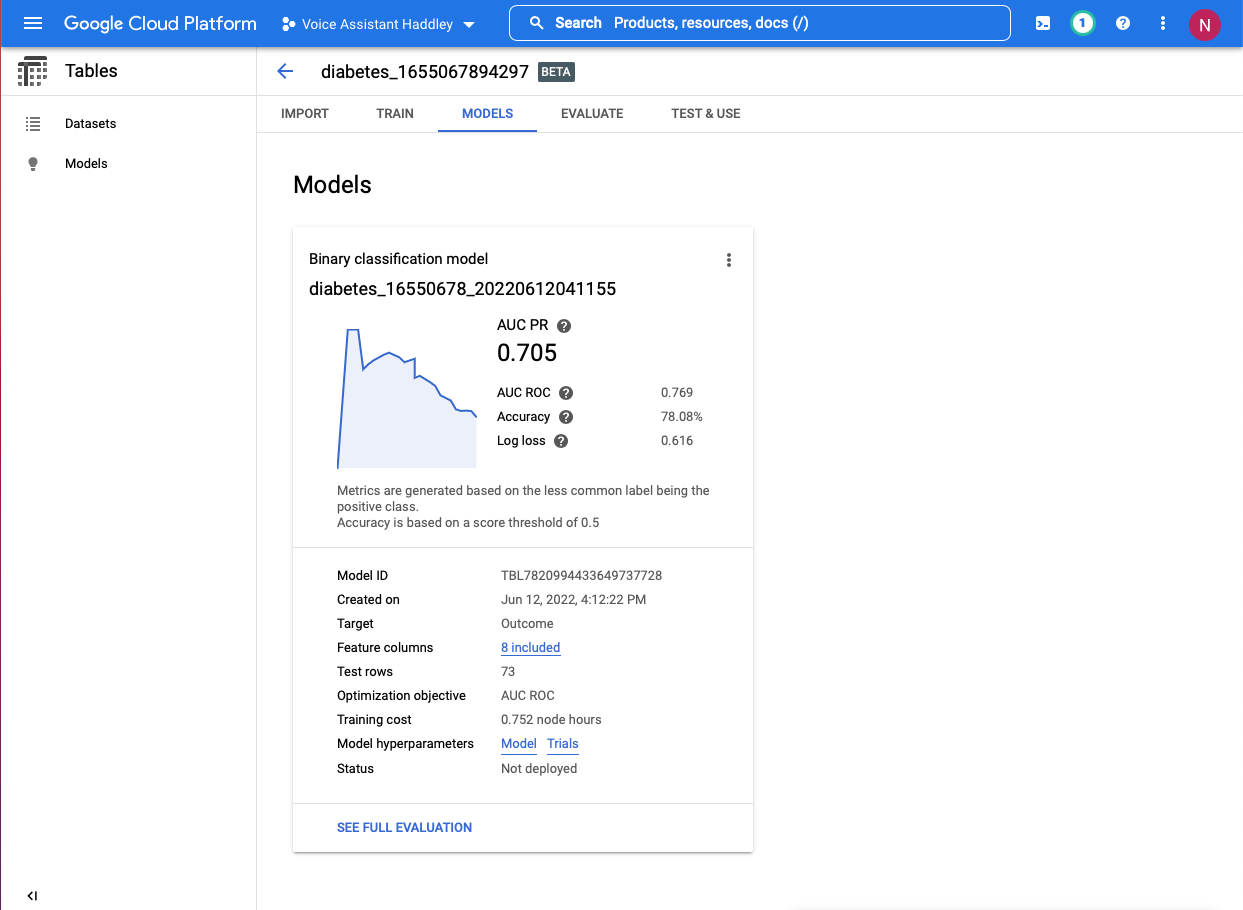
I confirmed training completed
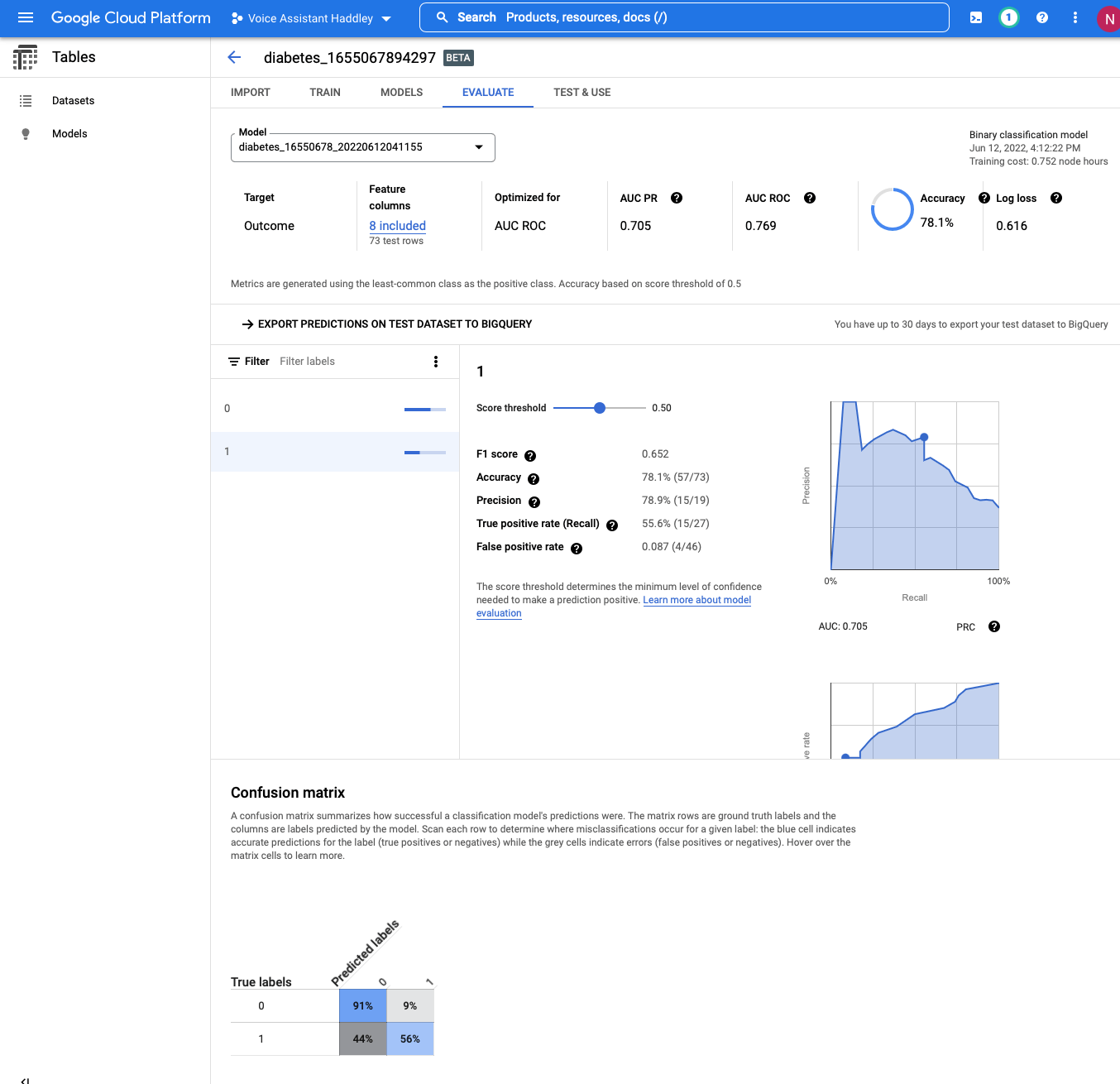
I reviewed the Confusion matrix (the true positives. false positives, true negatives and false negatives)
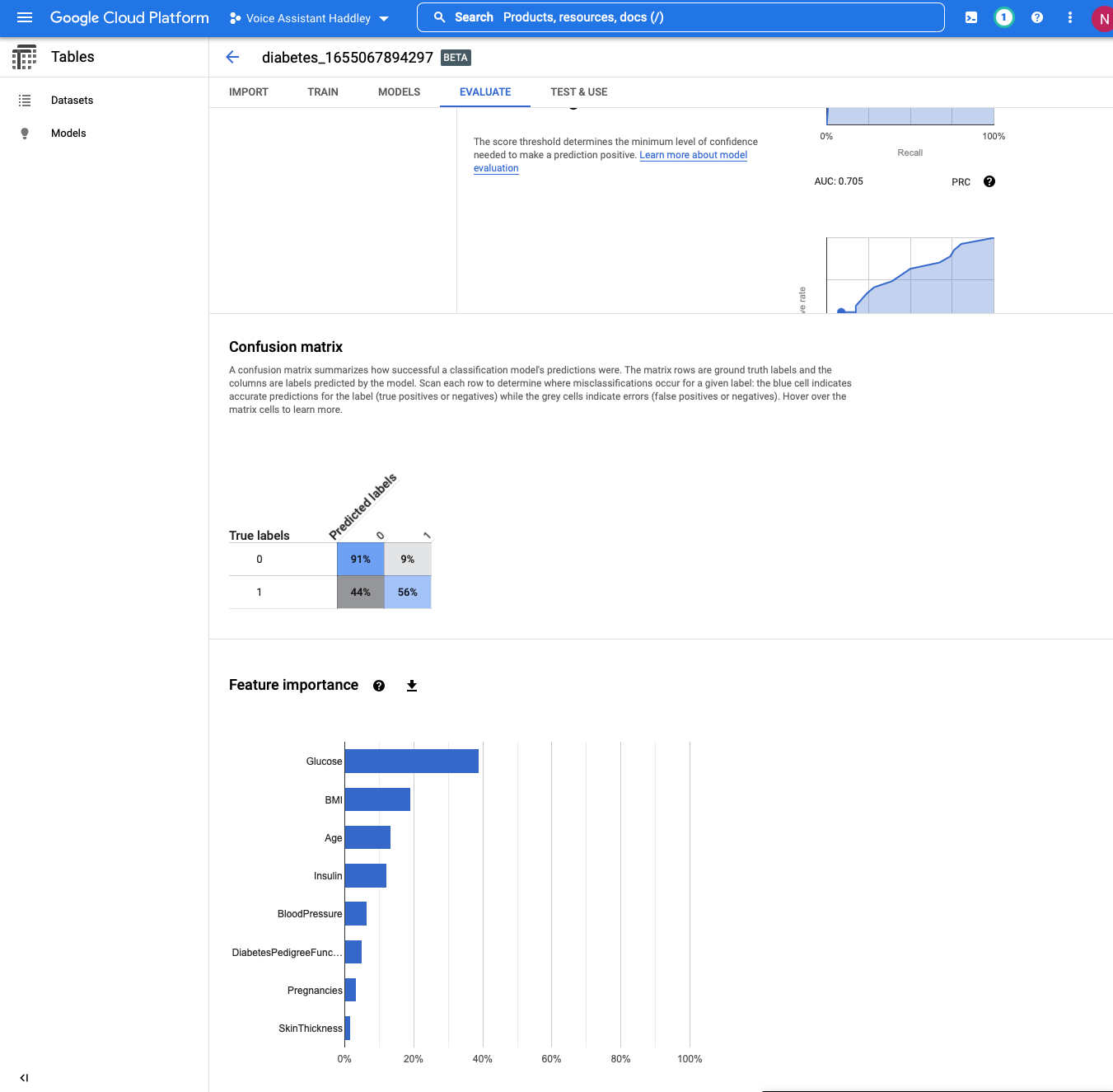
I reviewed the Feature importance summary
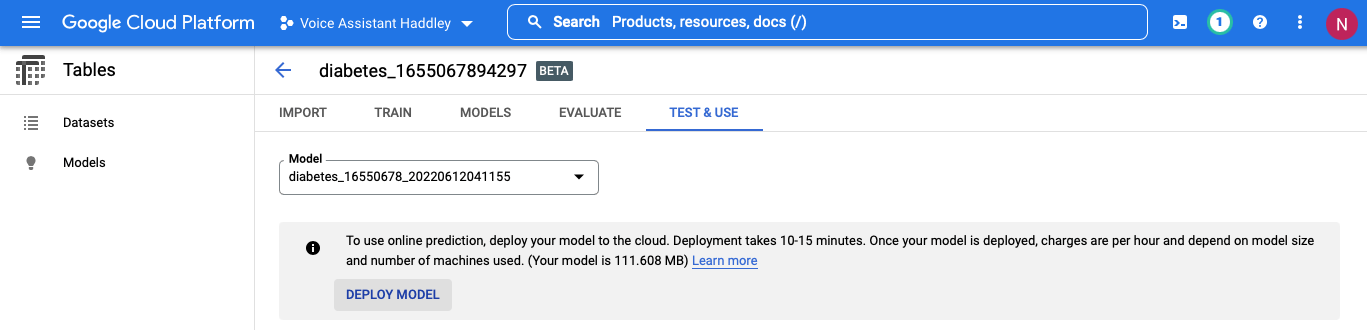
I deployed the model to the cloud
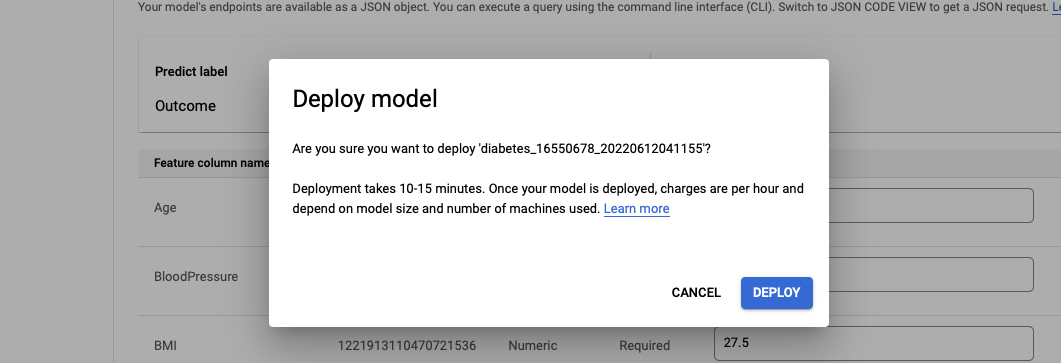
I clicked the DEPLOY button
I confirmed the deployment completed
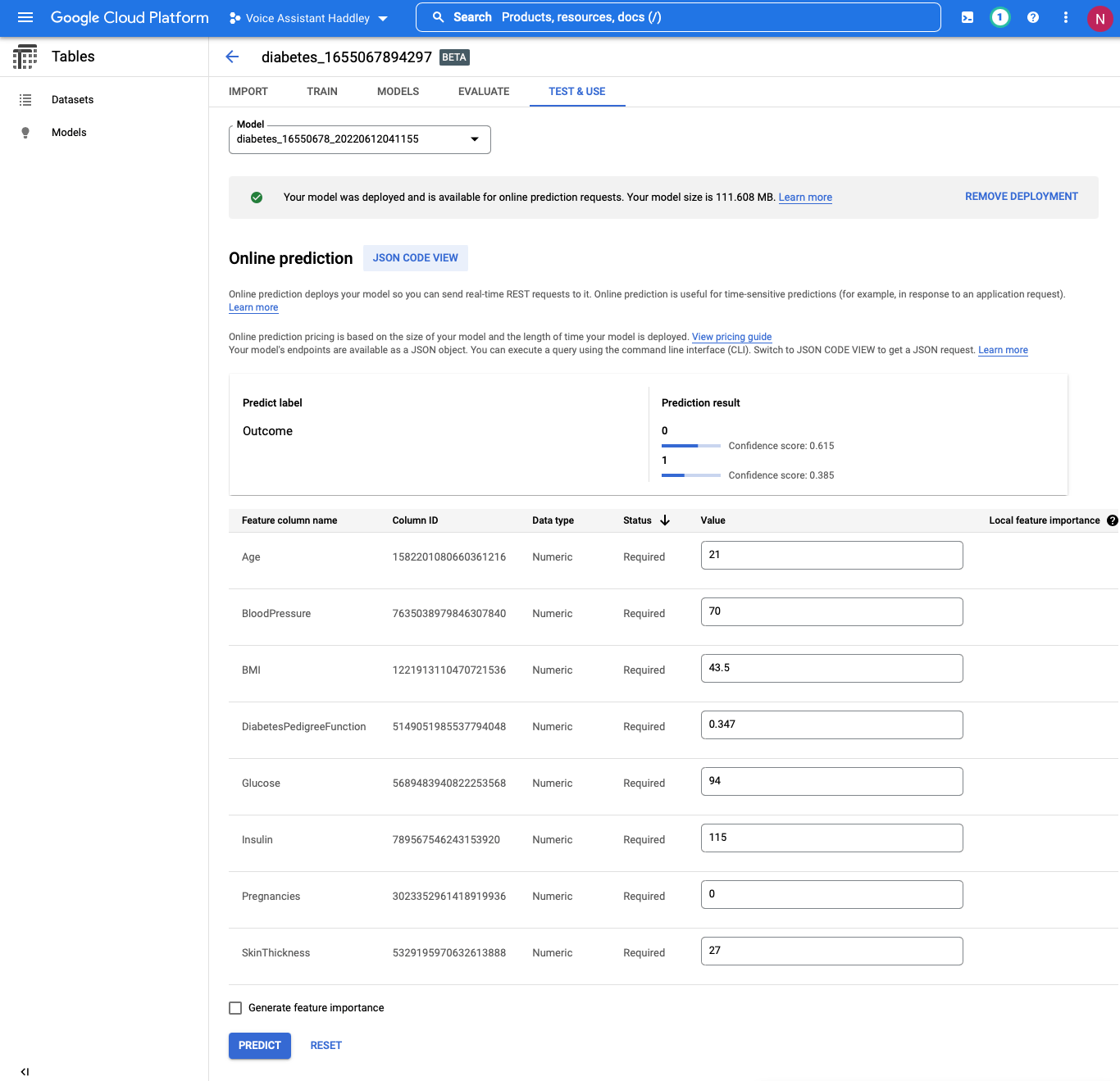
I entered test data and asked the model to predict the "Outcome" value