Model Context Protocol (Part 2)
Neil Haddley • September 21, 2025
Business Central
I created a Model Context Protocol (MCP) server for Microsoft Business Central
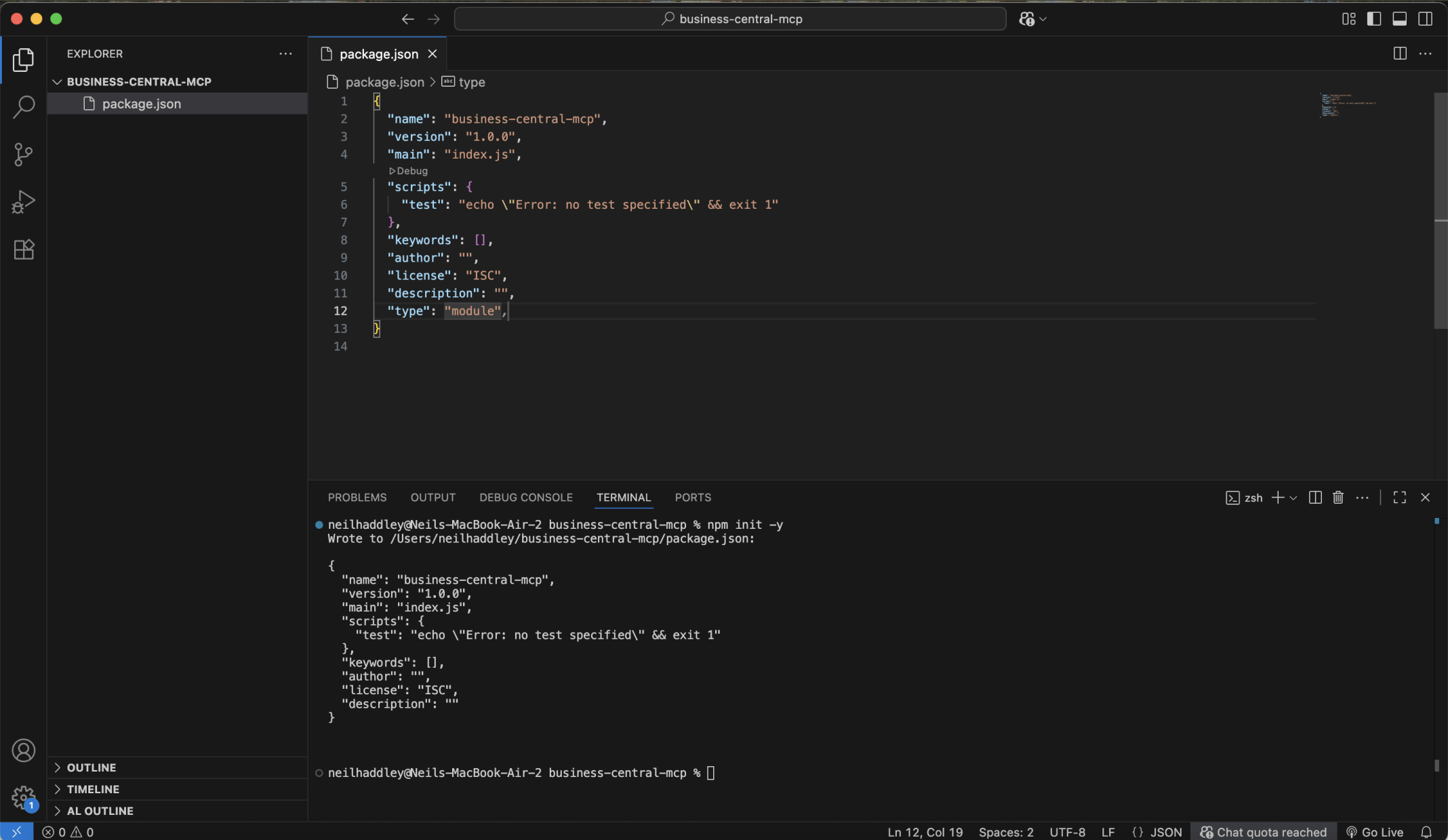
I created a business-central-mcp folder. I ran npm init -y. I updated the generated package.json file adding type: "module".
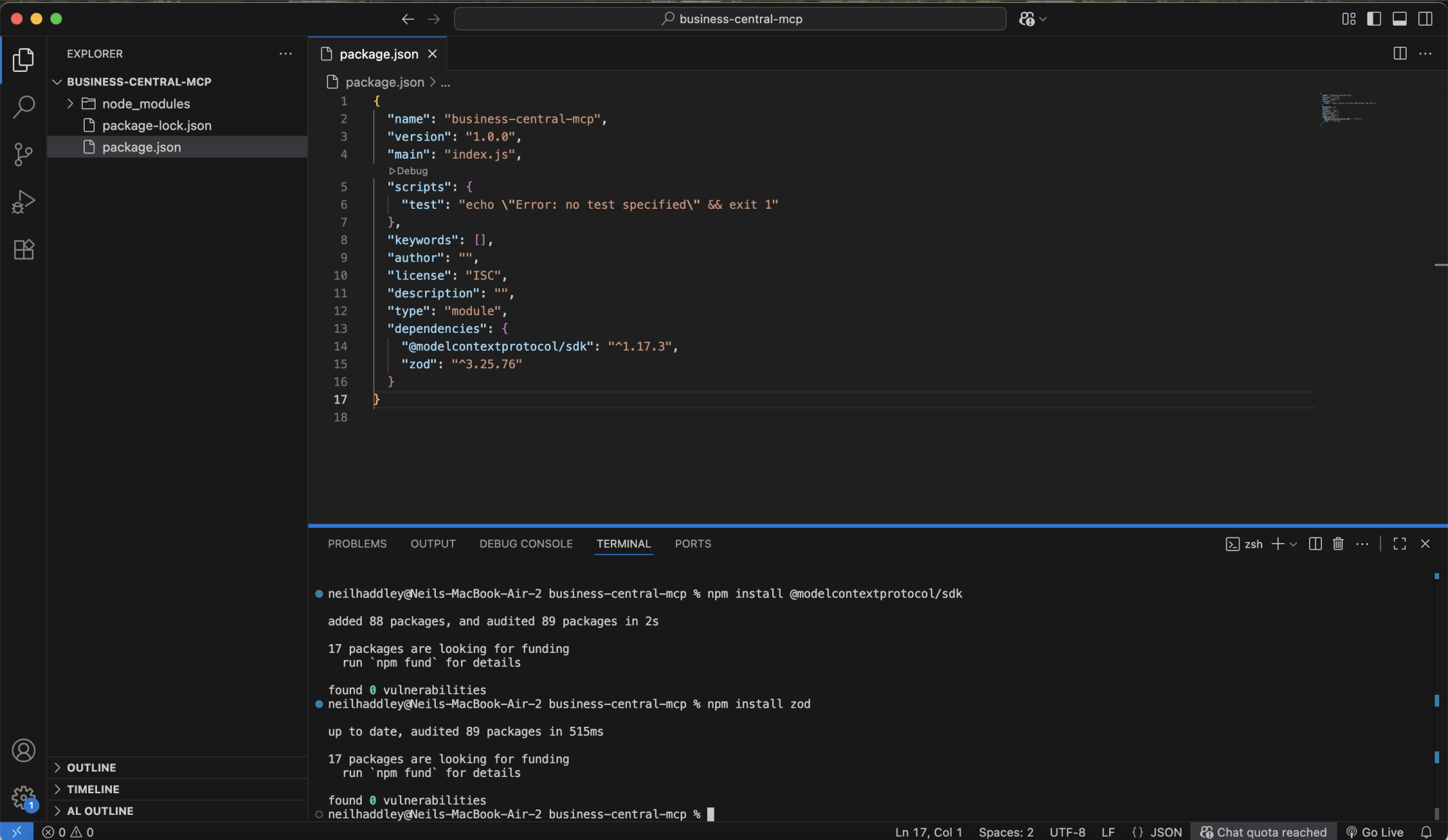
I ran npm install @modelcontextprotocol/sdk and npm install zod.
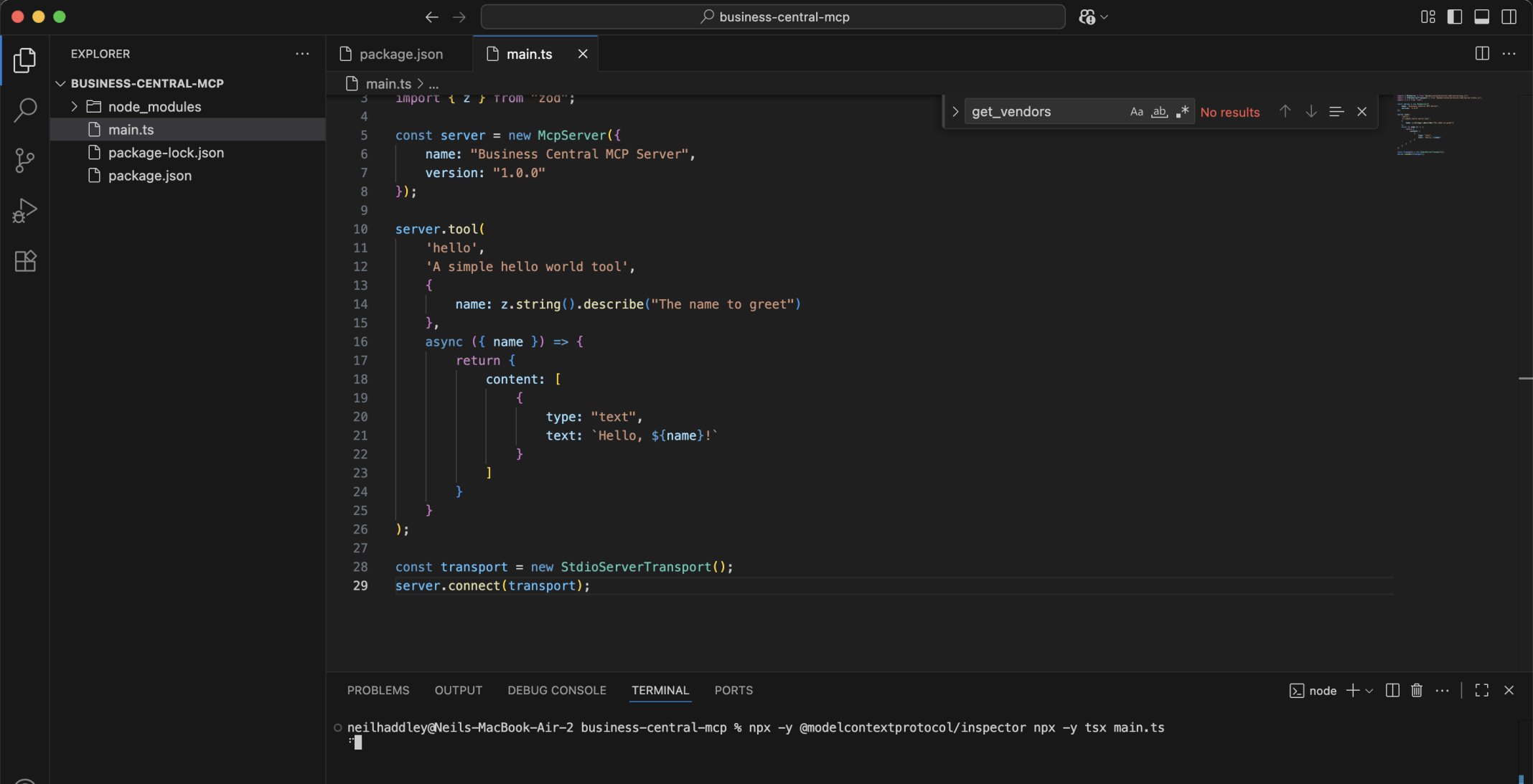
I ran npx -y @modelcontextprotocol/inspector npx -y tsx main.ts.

I confirmed the hello tool returned success

I replaced the hello tool with a get-vendors tool
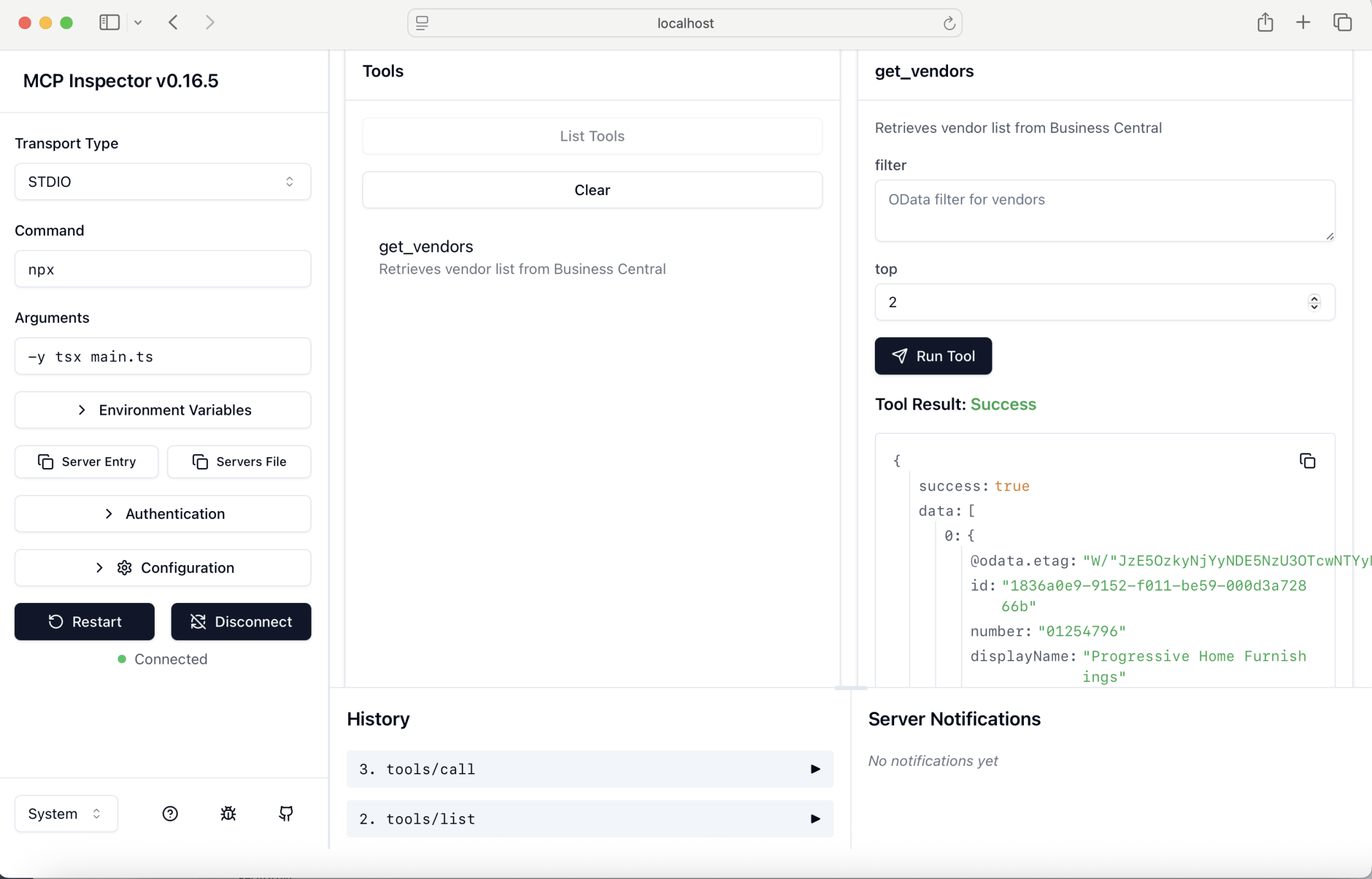
I ran npx -y @modelcontextprotocol/inspector npm run dev. The get_vendors tool returned success. Later I ran npm run build and then npx -y @modelcontextprotocol/inspector npm run start
For remote servers, I set up a Streamable HTTP transport that handles both client requests and server-to-client notifications.
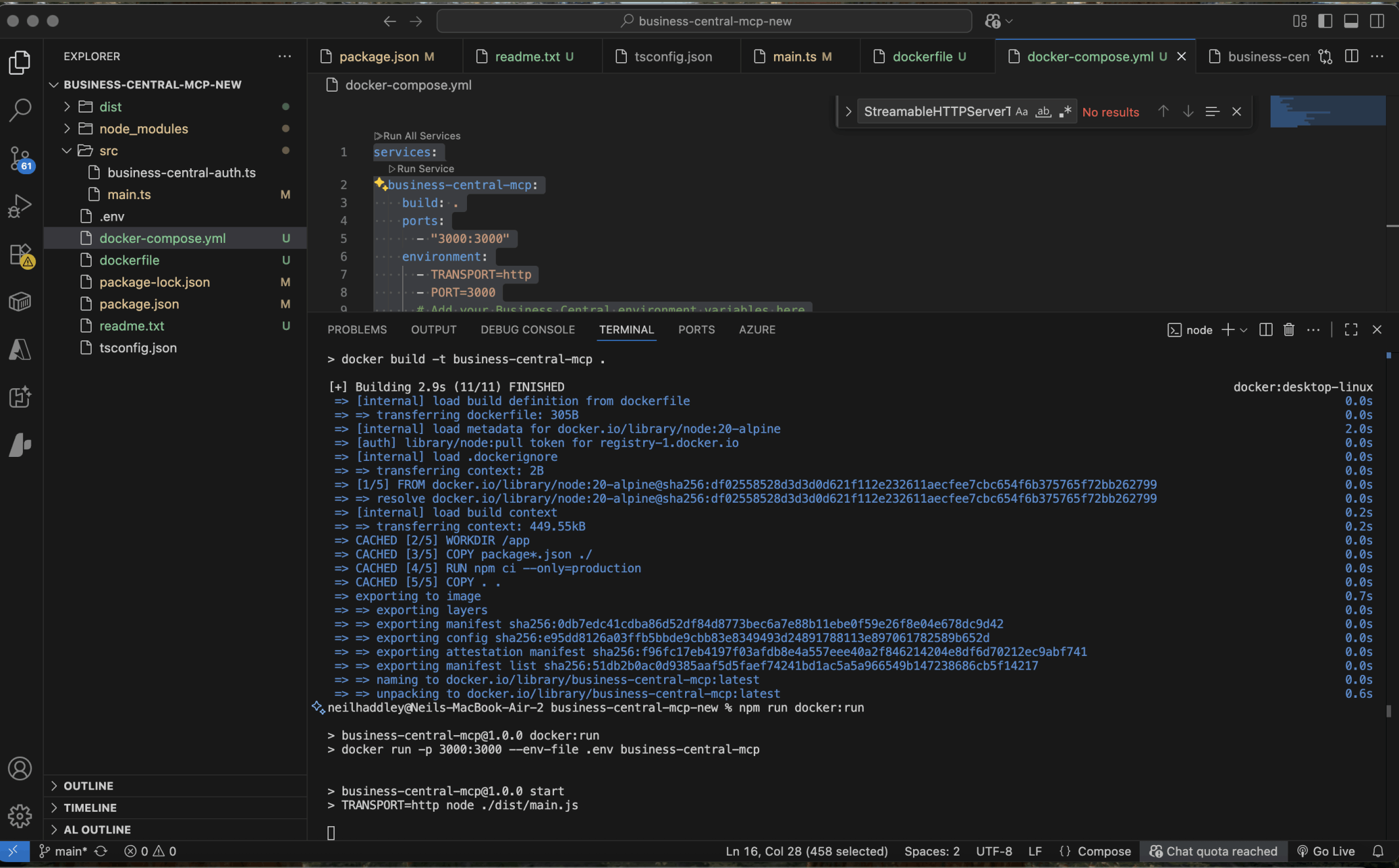
I ran docker build -t business-central-mcp .then npm run docker:run
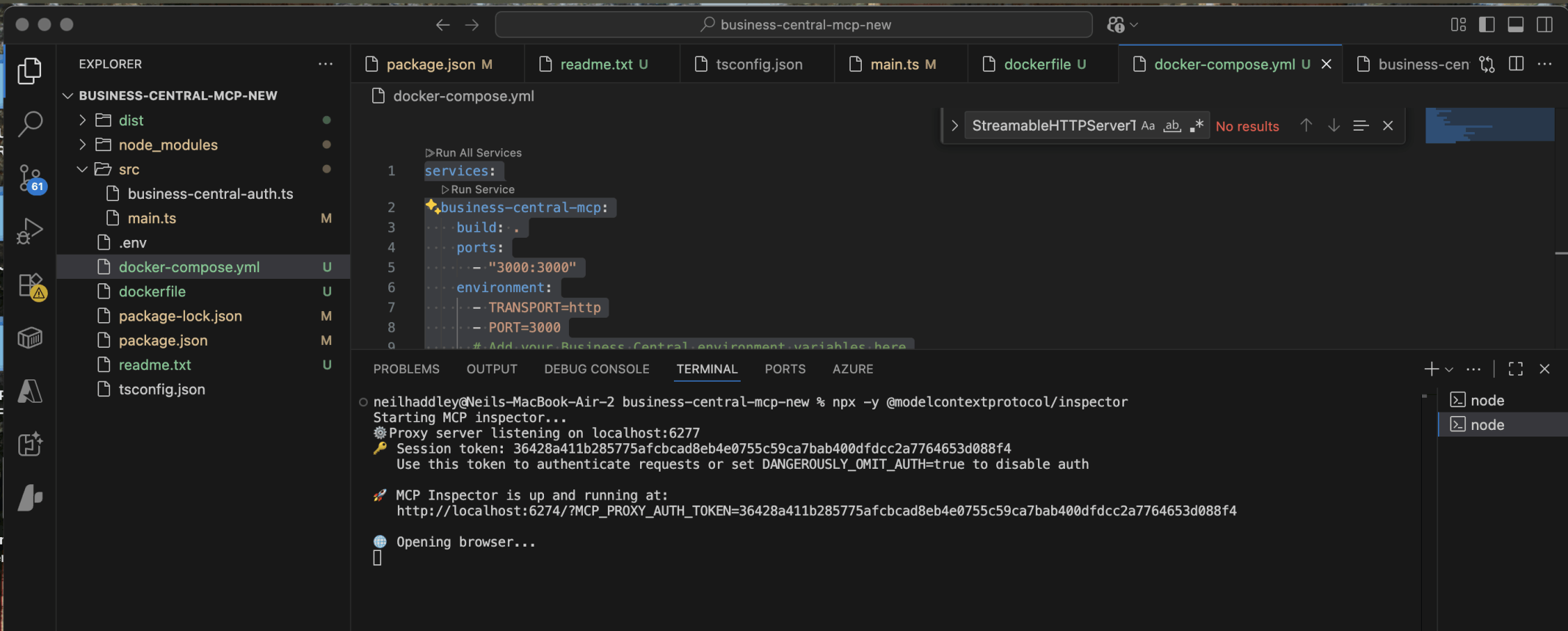
I ran npx -y @modelcontextprotocol/inspector
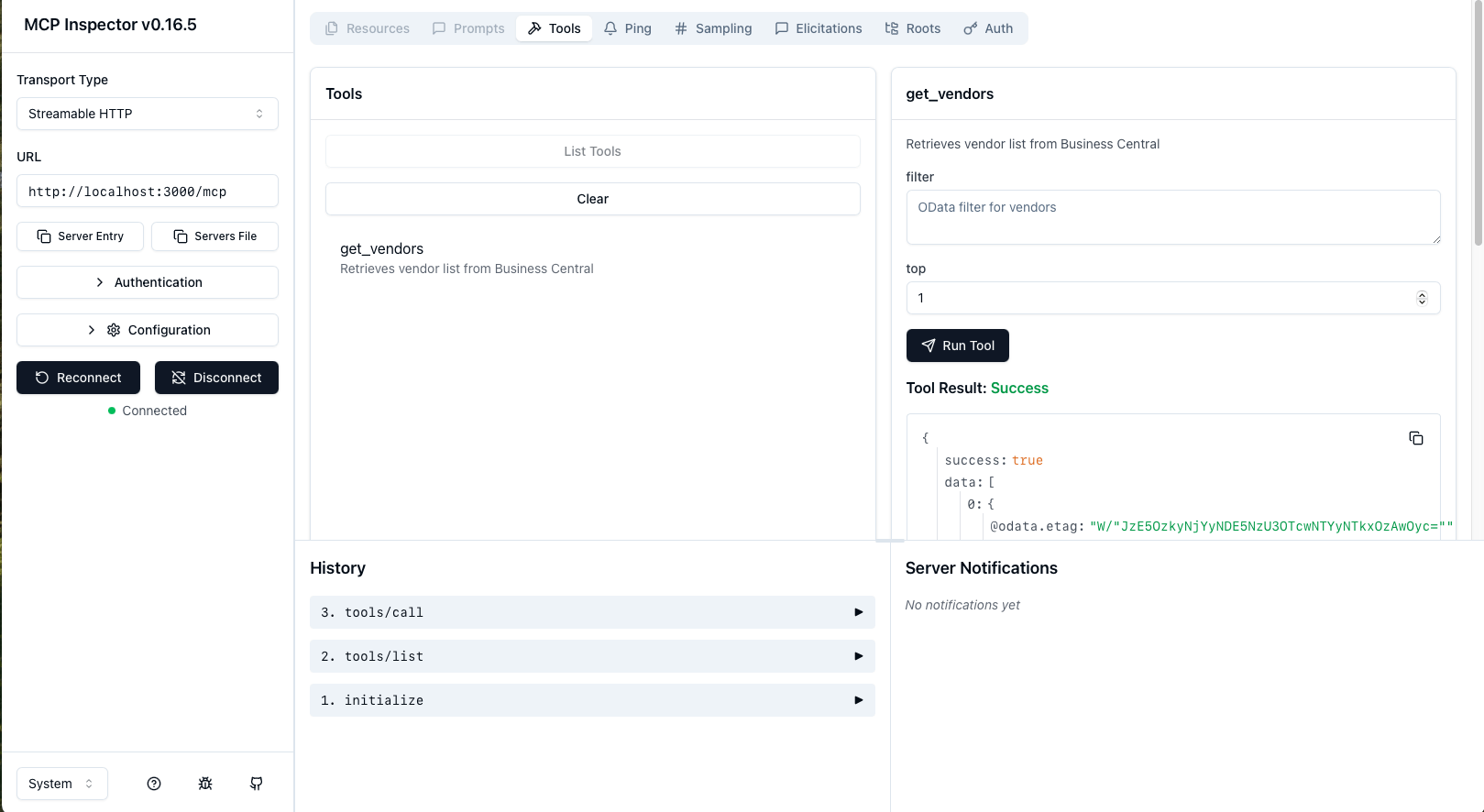
I ran the get_vendors tool
I used the Azure Container Apps extension for Visual Studio Code to choose existing Container Apps resources and deploy my application.
https://learn.microsoft.com/en-us/azure/container-apps/deploy-visual-studio-code

I entered the name of new container apps environment

I selected a location

I selected the Deploy Project from Workspace... menu item

I accepted the generated container app name

I selected the Managed Identity option

I selected the .env file

I confirmed the deployment finished
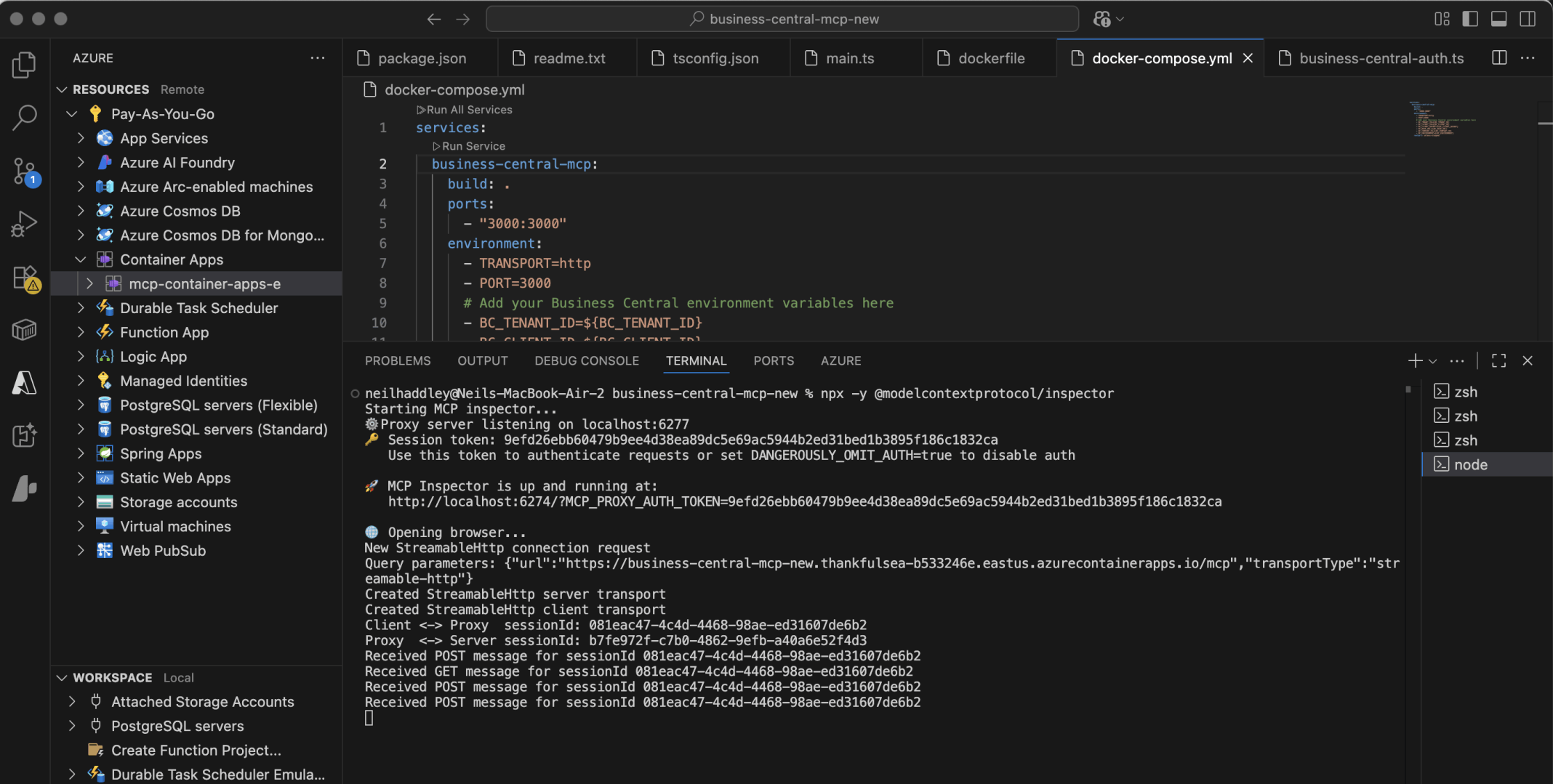
I ran a fresh copy of the inspector
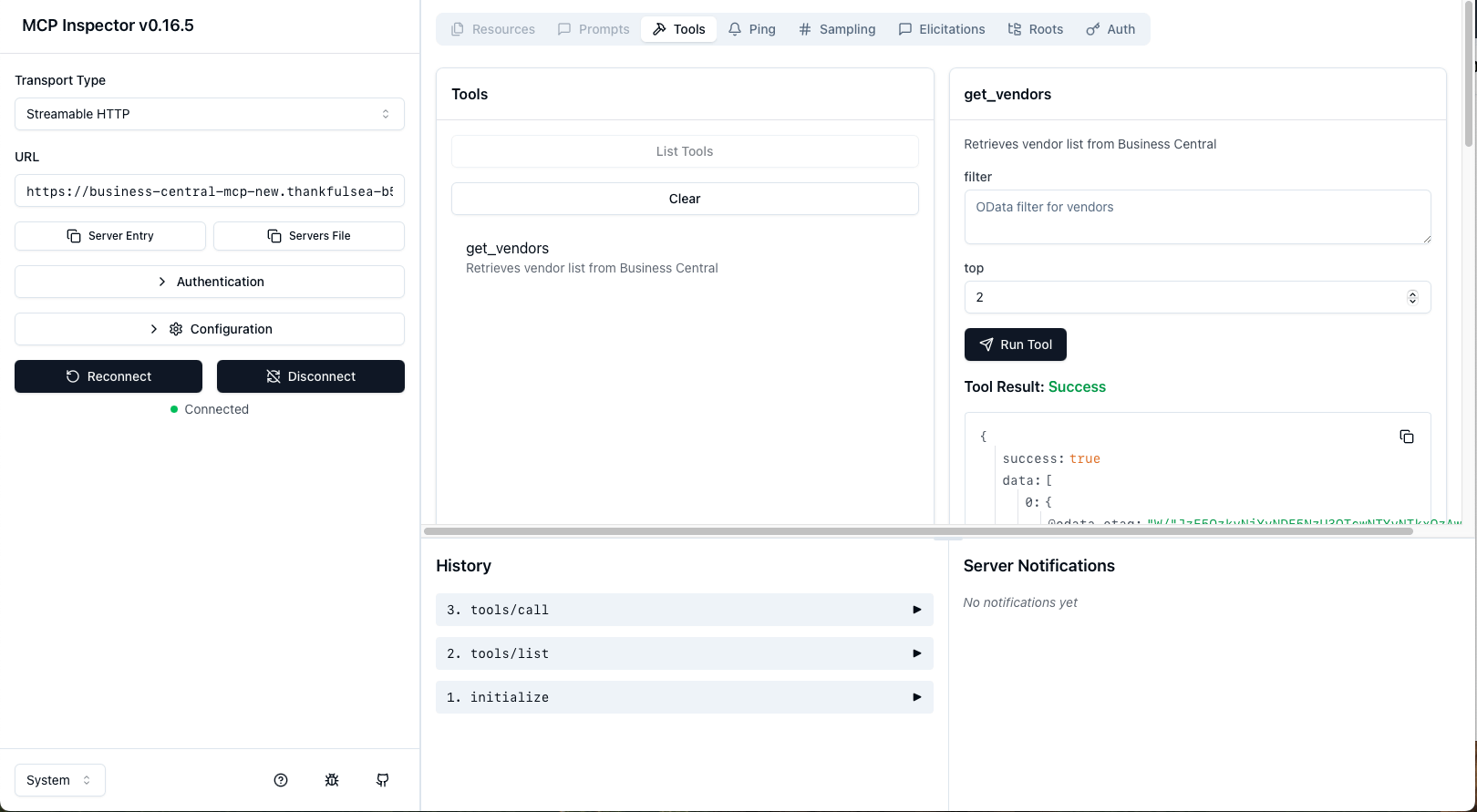
I tested the deployment using the URL https://business-central-mcp-new.thankfulsea-b533246e.eastus.azurecontainerapps.io/mcp
I used a Custom Connector to connect Copilot Studio to the Model Context Protocol server.
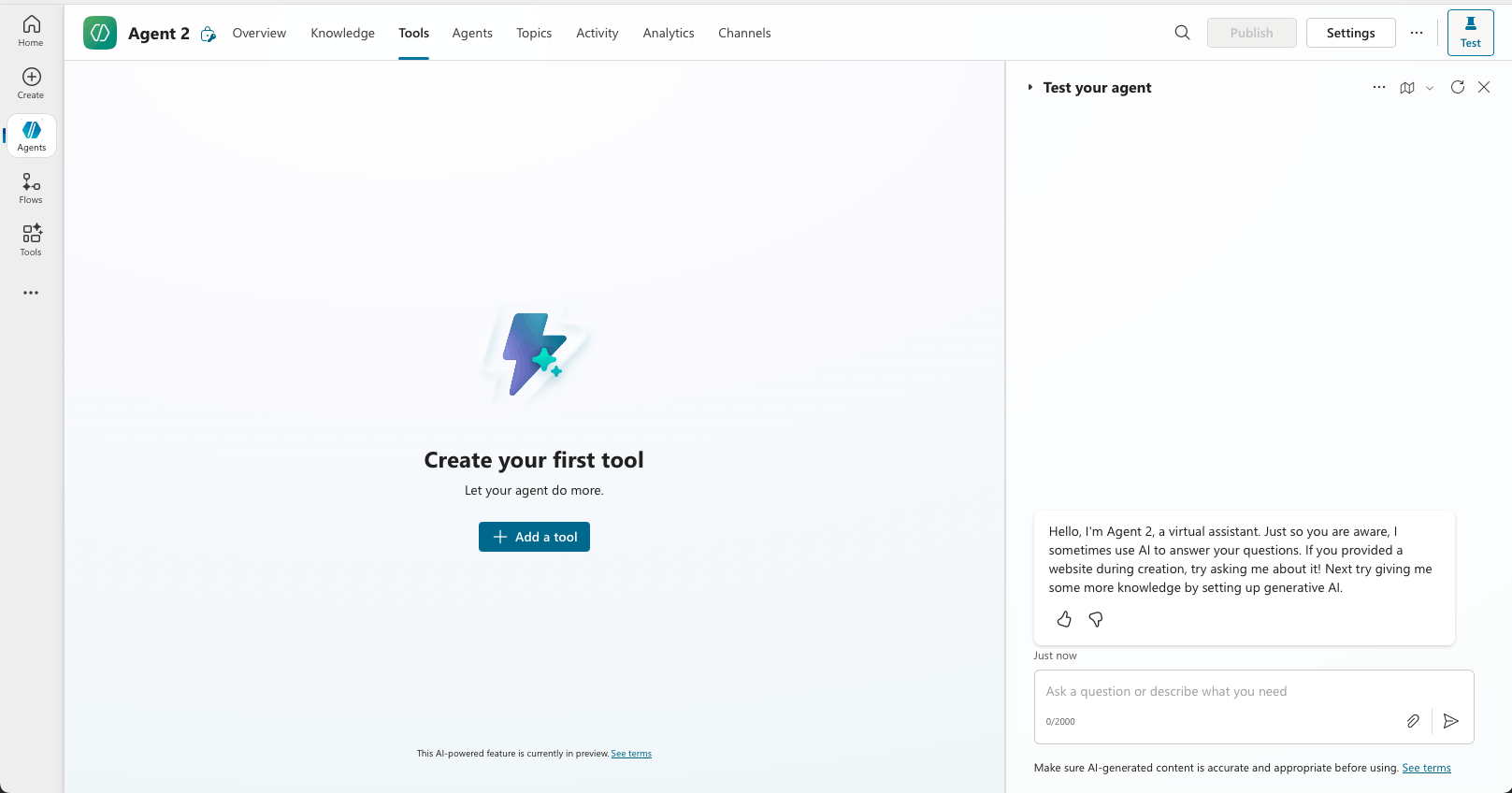
I created an Agent. I selected the Tools tab. I clicked the + Add a tool button
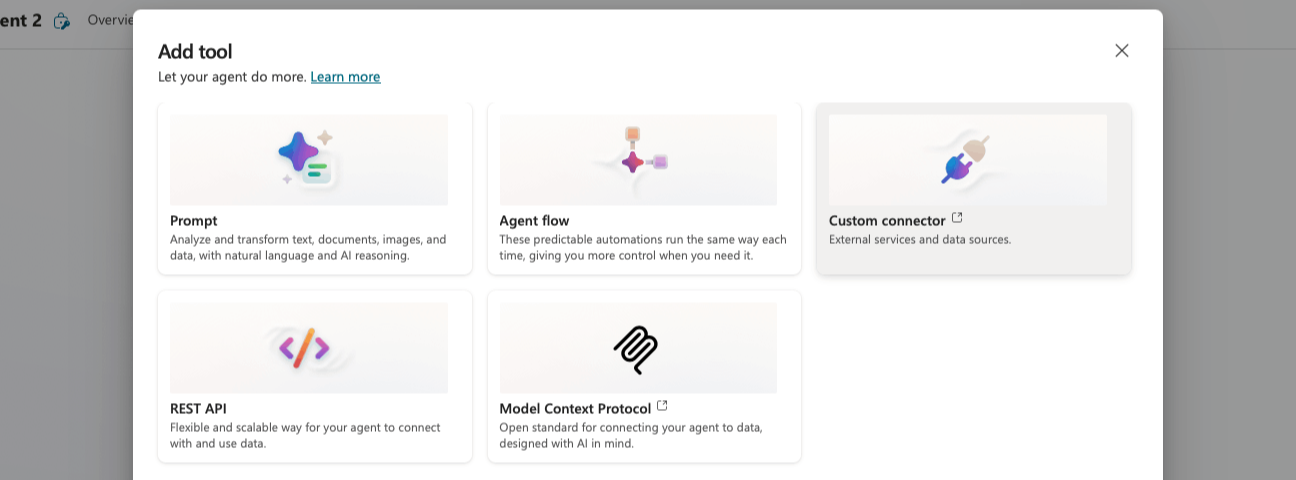
I selected Custom connector
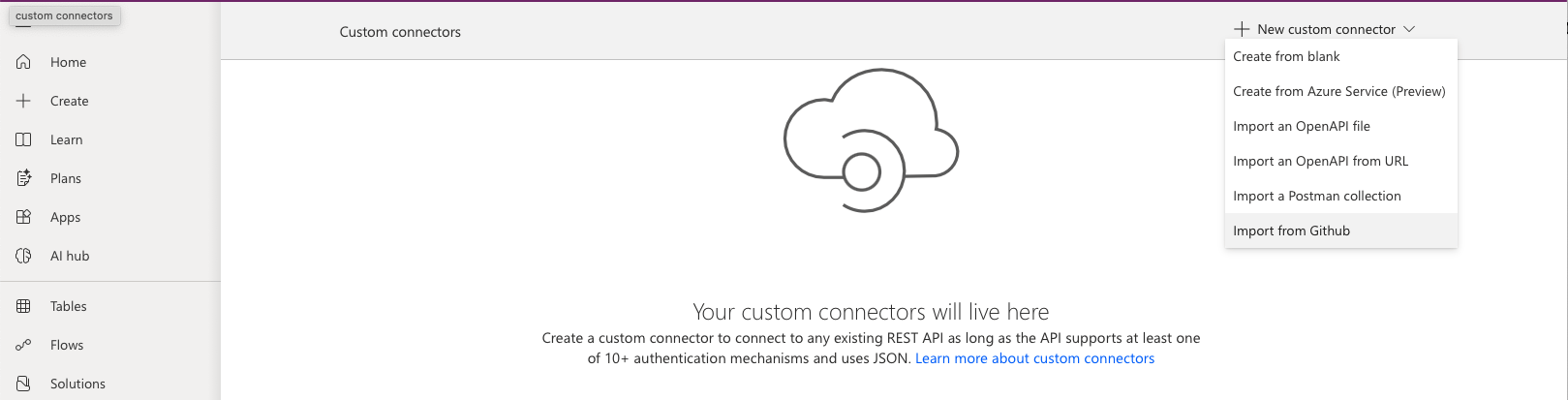
I selected the Import from Github option
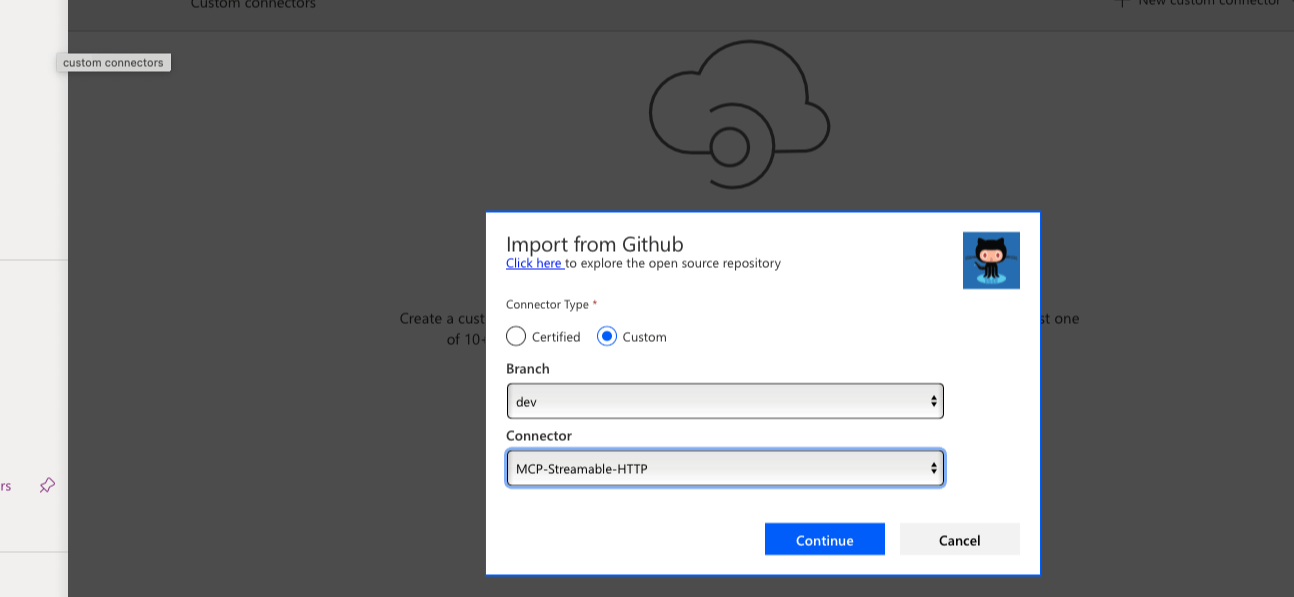
I selected the Custom radio button, I selected the dev branch, I selected the MCP-Streamable-HTTP Connector
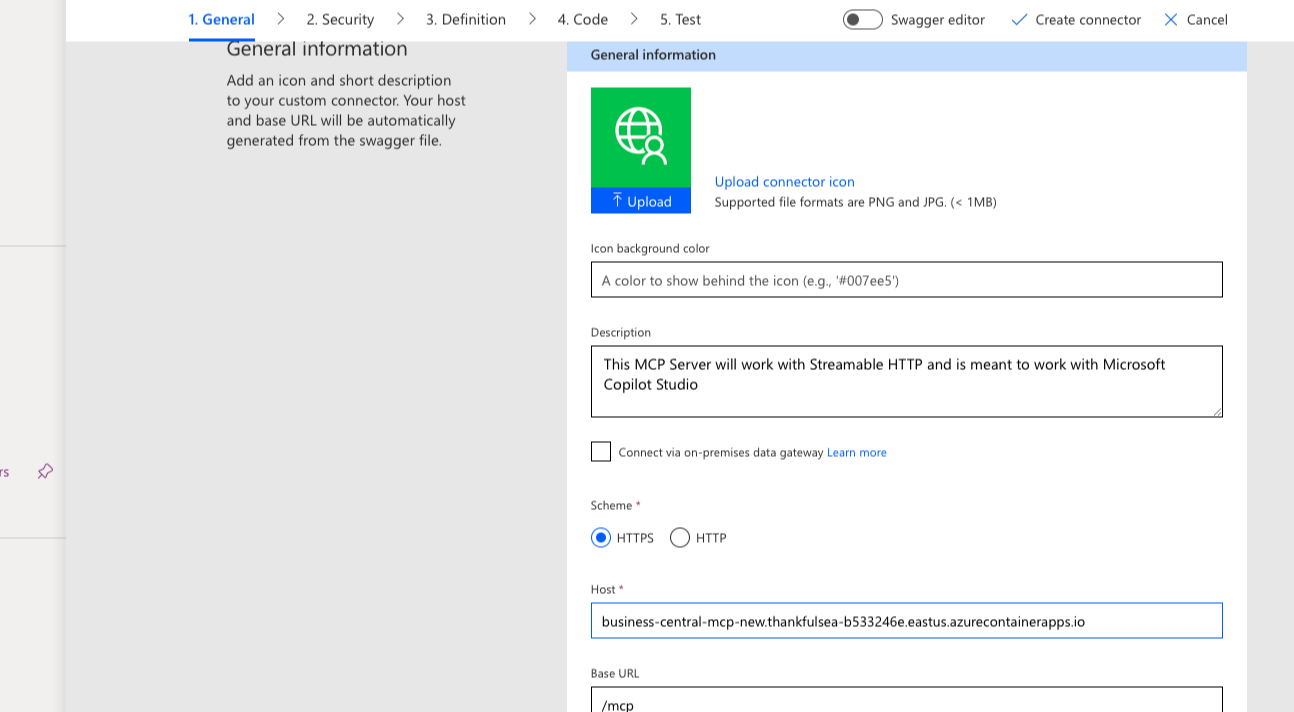
I entered the server url https://business-central-mcp-new.thankfulsea-b533246e.eastus.azurecontainerapps.io/mcp
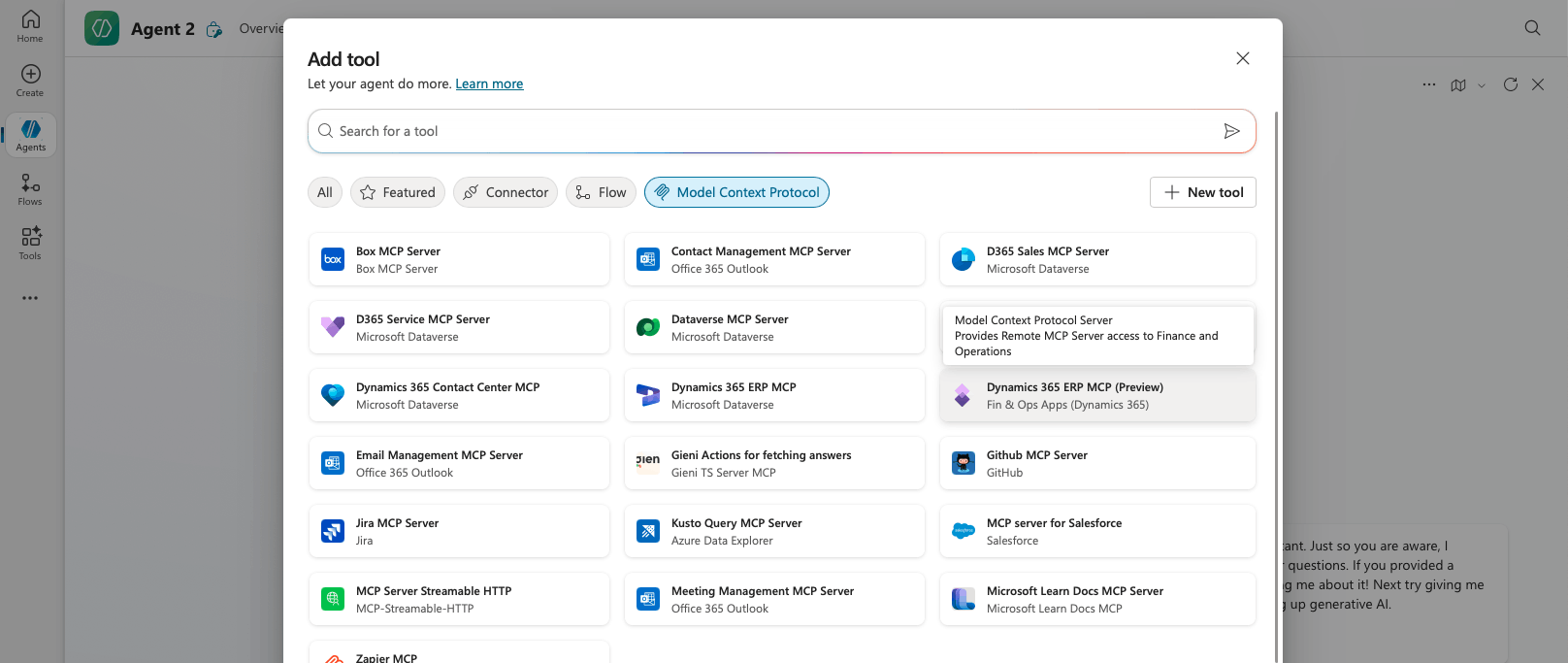
I refreshed the Model Context Protocol options
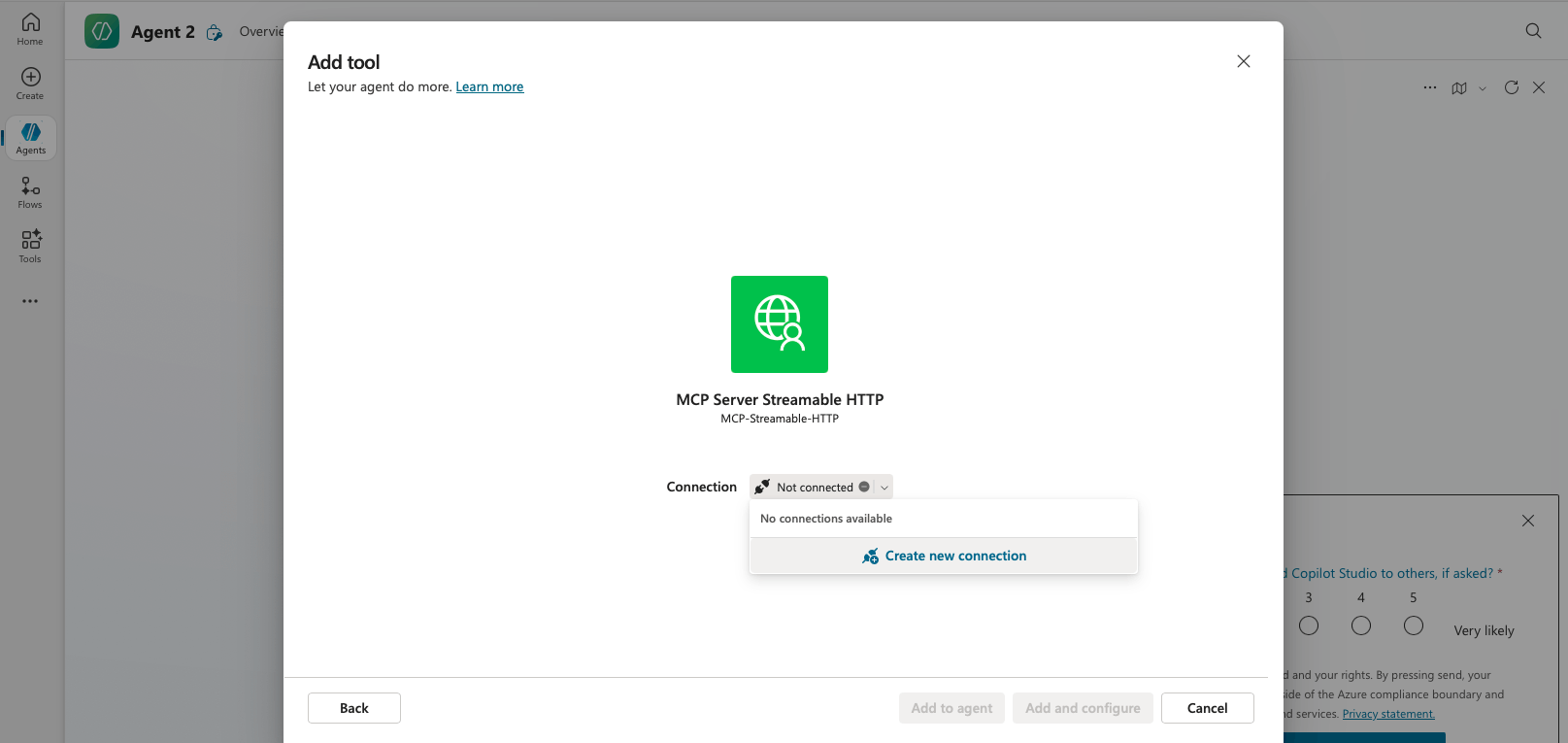
I clicked on the MCP Server Streamable HTTP option
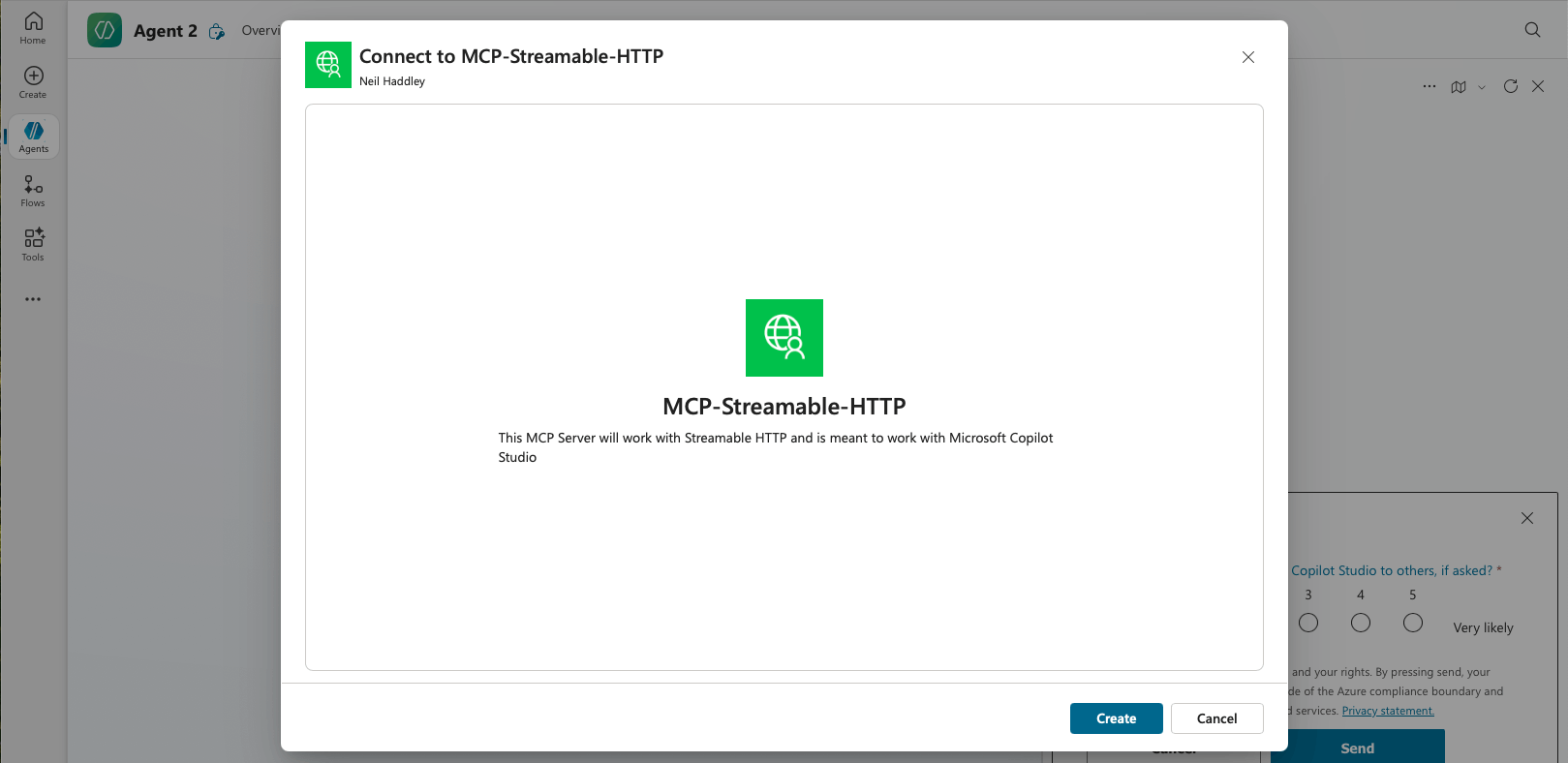
I clicked the Create button
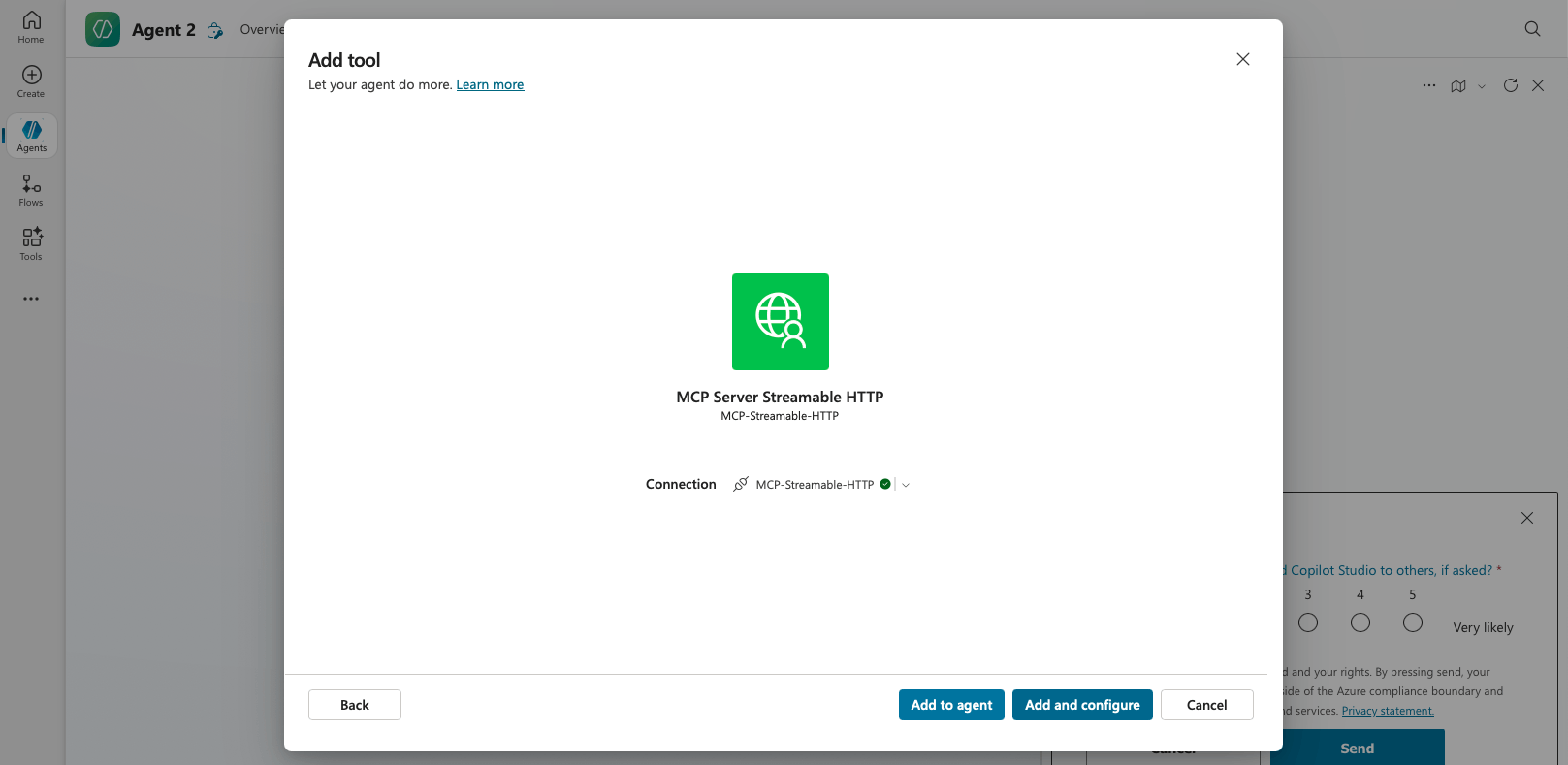
I clicked the Add and configure button
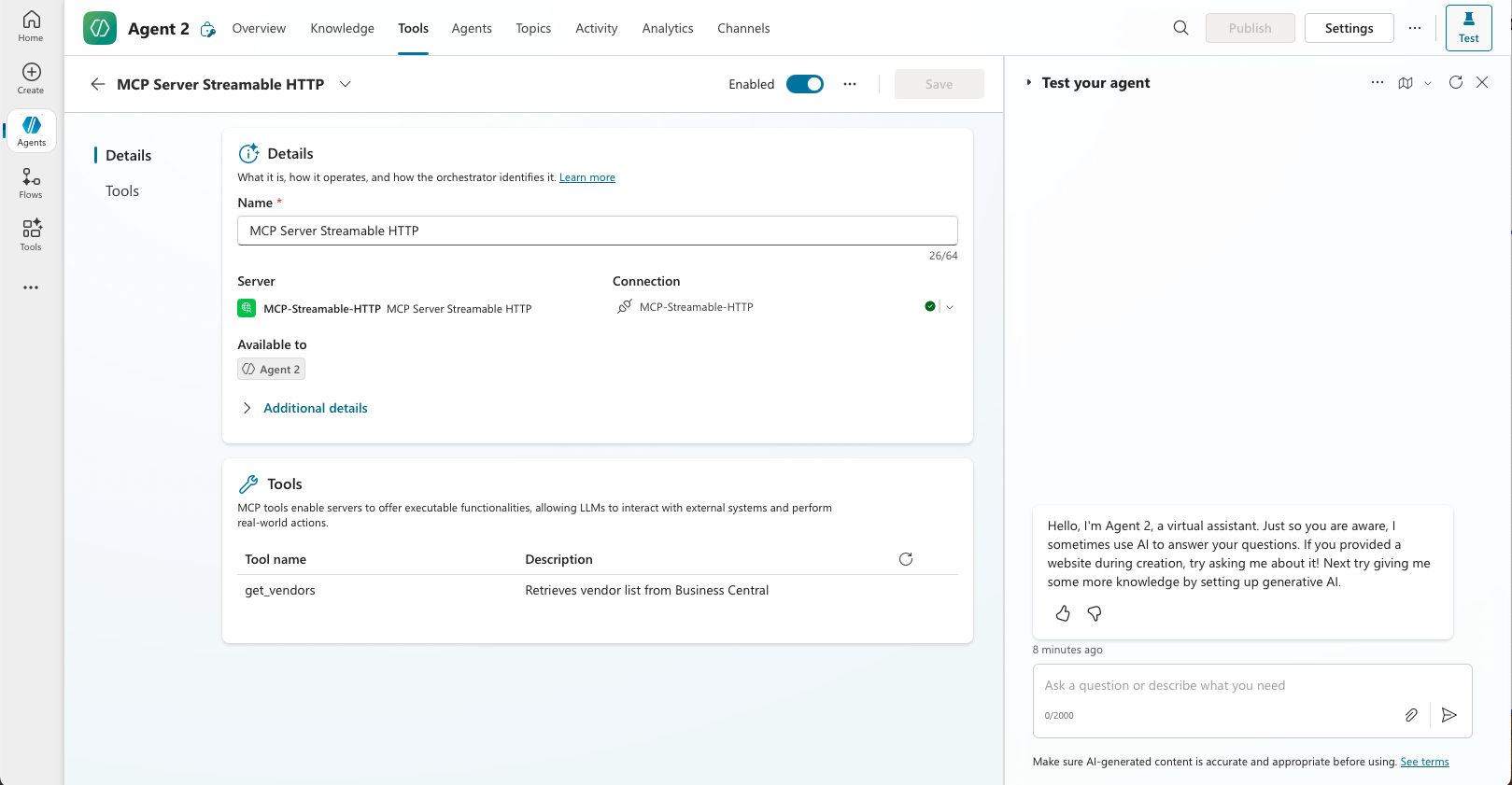
I confirmed the get_vendors tool was displayed
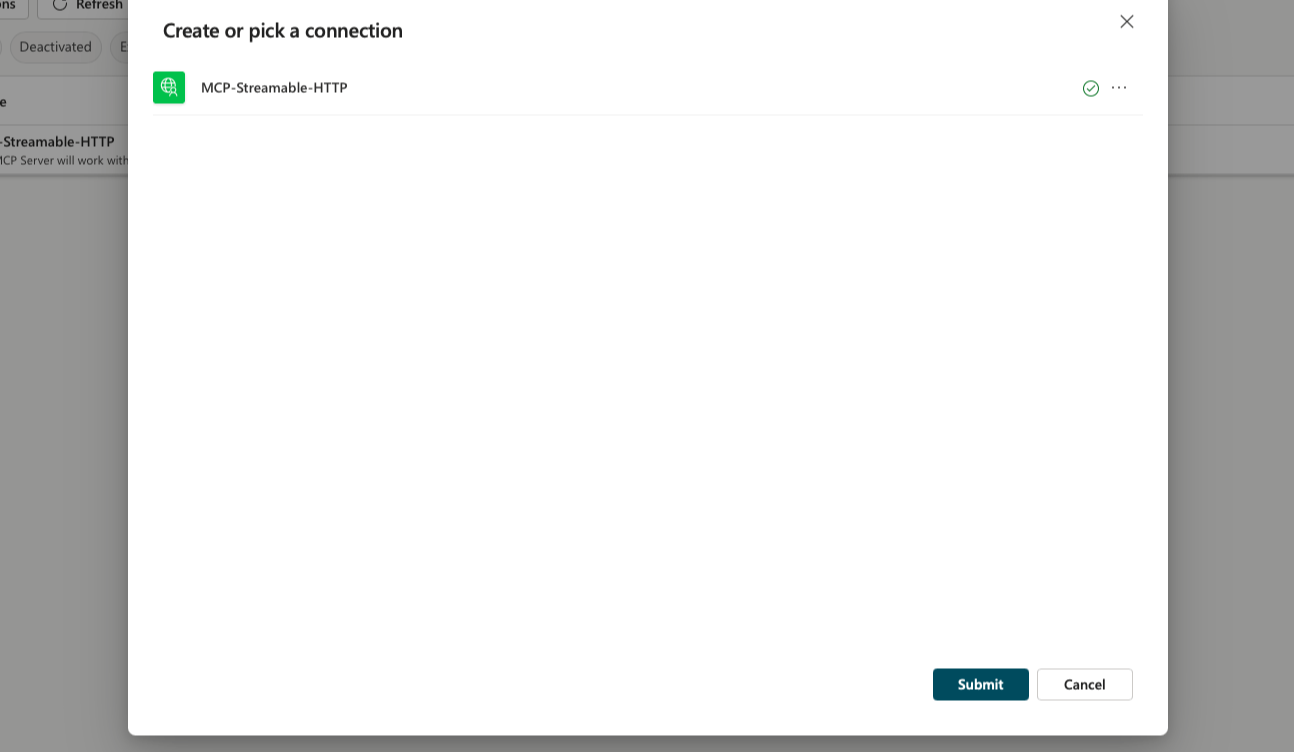
I was directed to the Create or pick a connection form. I clicked the Submit button
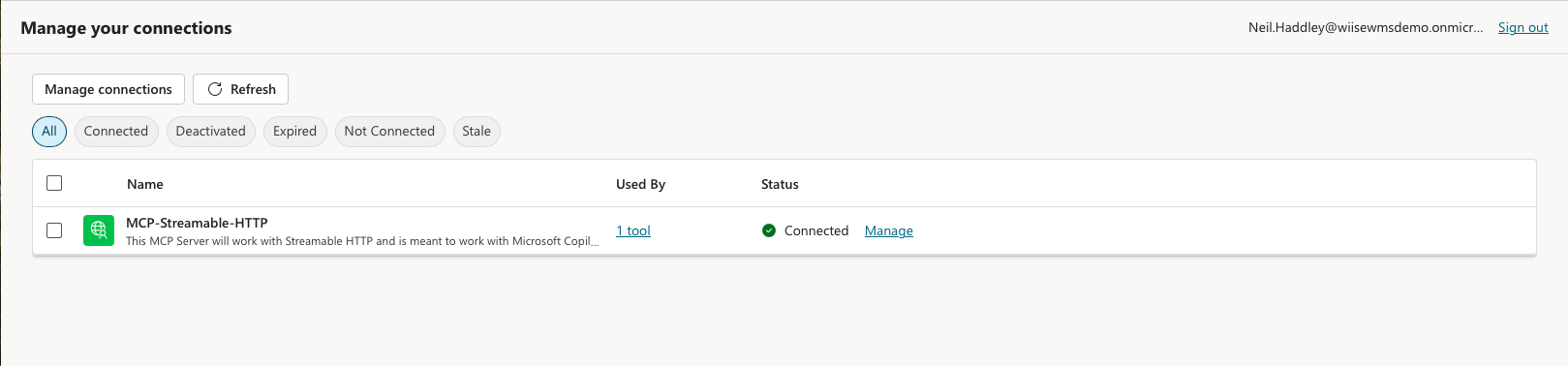
I confirmed the status of MCP-Streamable-HTTP was updated to Connected

I had entered this prompt Please show me a table of vendors
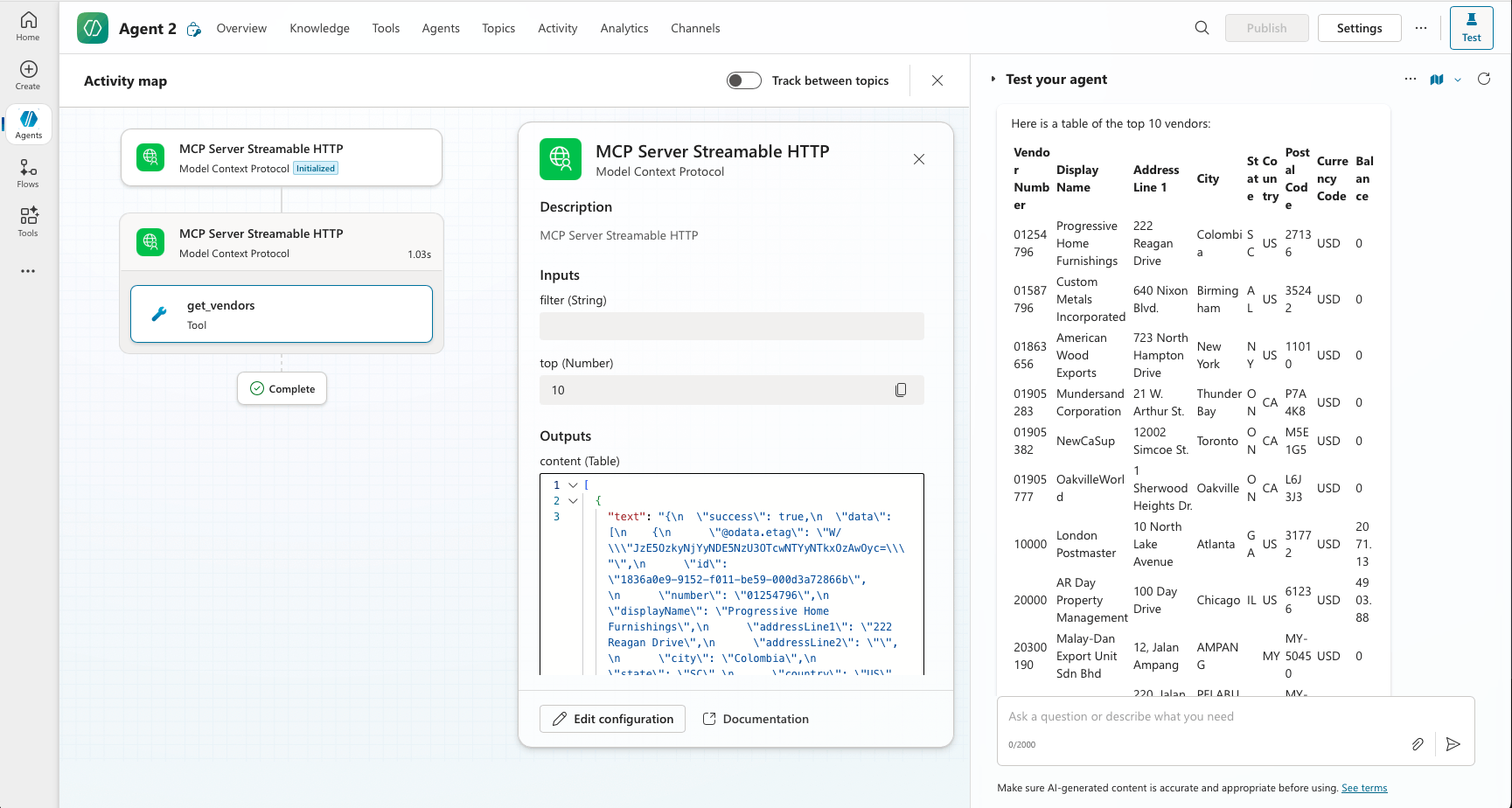
Copilot Studio's Large Language Model used the get_vendors tool to establish the context.
I opened LM Studio and navigated to the "Program" tab in the right sidebar. I clicked on "Install" and selected "Edit mcp.json", which opened the mcp.json file in LM Studio's in-app editor. I added my MCP server configuration to the mcp.json file.
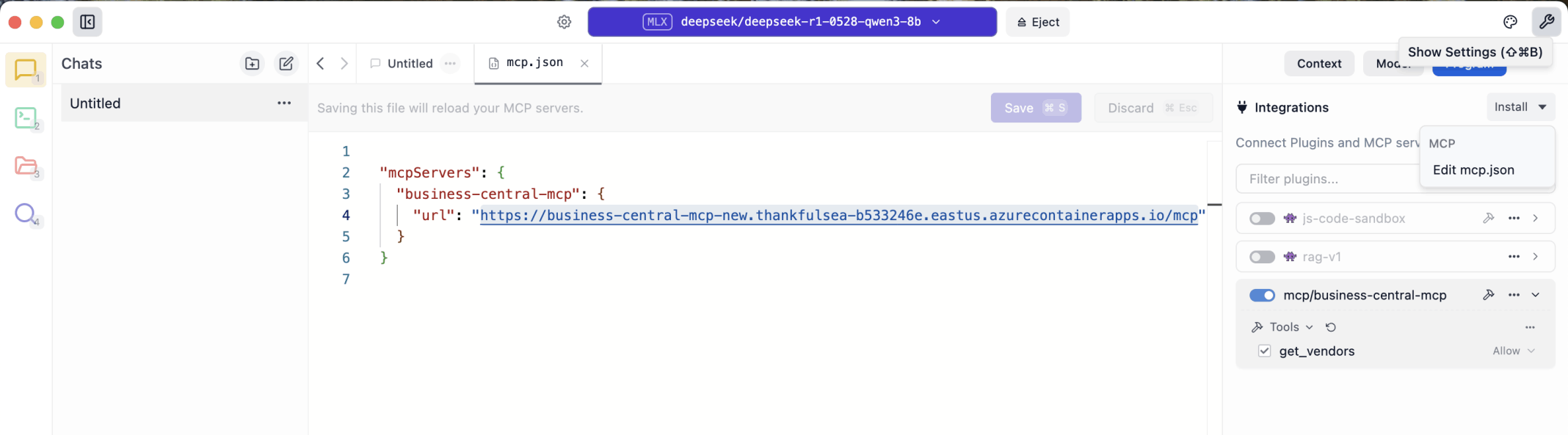
I selected Chats in the left hand menu. I clicked the show settings button at the top right of the LM Studio application. I added the business central mcp server using the url https://business-central-mcp-new.thankfulsea-b533246e.eastus.azurecontainerapps.io/mcp. I enabled the mcp server connection.
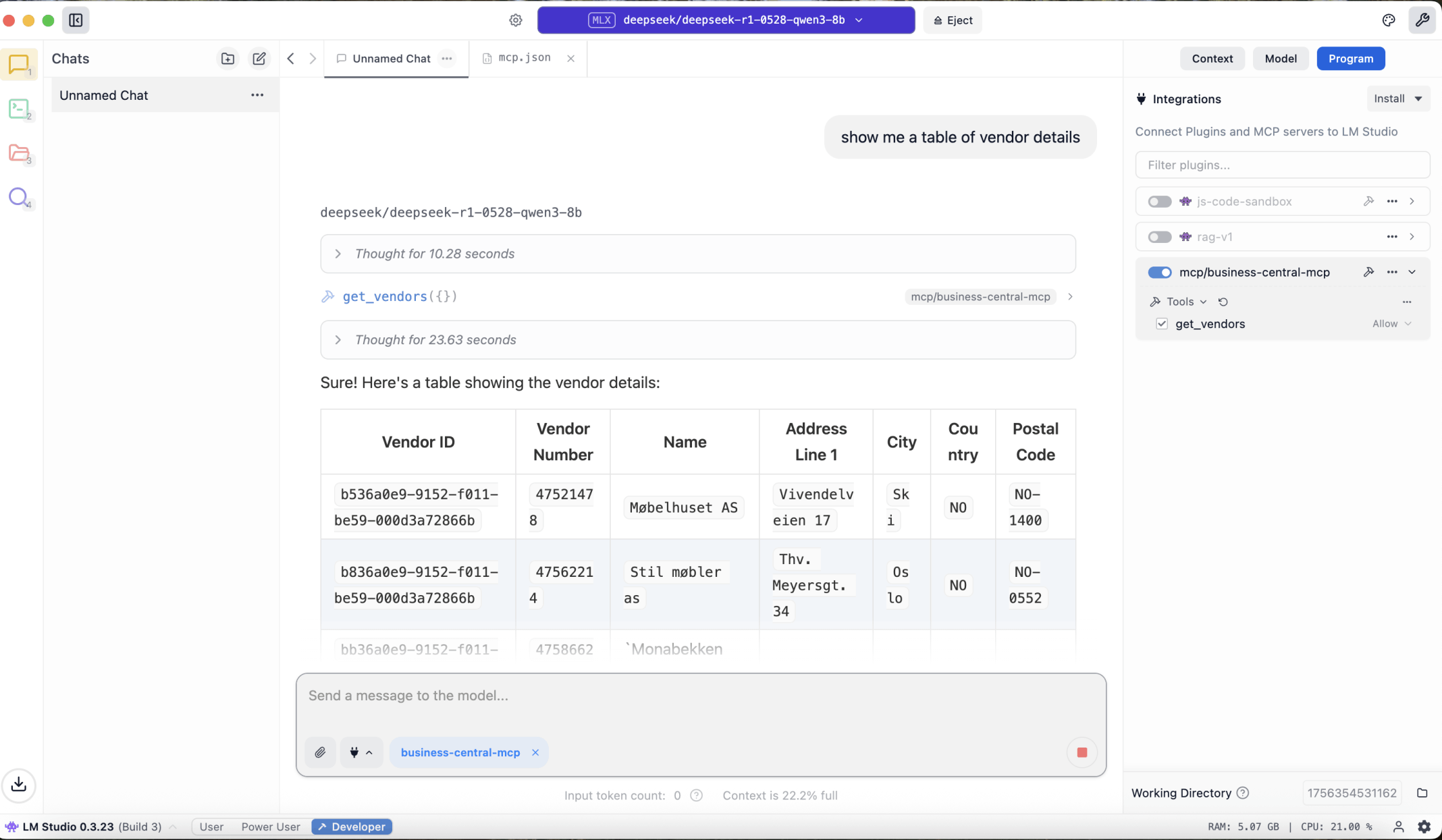
I entered the prompt show me a table of vendor details
main.ts
TYPESCRIPT
1import { McpServer } from "@modelcontextprotocol/sdk/server/mcp.js";
2import { StdioServerTransport } from "@modelcontextprotocol/sdk/server/stdio.js";
3import { z } from "zod";
4
5const server = new McpServer({
6    name: "Business Central MCP Server",
7    version: "1.0.0"
8});
9
10server.tool(
11    'hello',
12    'A simple hello world tool',
13    {
14        name: z.string().describe("The name to greet")
15    },
16    async ({ name }) => {
17        return {
18            content: [
19                {
20                    type: "text",
21                    text: `Hello, ${name}!`
22                }
23            ]
24        }
25    }
26);
27
28const transport = new StdioServerTransport();
29server.connect(transport);
package.json
JSON
1{
2    "name": "business-central-mcp",
3    "version": "1.0.0",
4    "main": "index.js",
5    "scripts": {
6        "test": "echo \"Error: no test specified\" && exit 1"
7    },
8    "keywords": [],
9    "author": "",
10    "license": "ISC",
11    "description": "",
12    "type": "module",
13    "dependencies": {
14        "@modelcontextprotocol/sdk": "^1.17.3",
15        "zod": "^3.25.76"
16    }
17}
srcmain.ts
TYPESCRIPT
1import { McpServer } from "@modelcontextprotocol/sdk/server/mcp.js";
2import { StdioServerTransport } from "@modelcontextprotocol/sdk/server/stdio.js";
3import { z } from "zod";
4import { ensureAuthenticated, makeApiCall } from "./business-central-auth.js";
5
6import { configDotenv } from "dotenv";
7configDotenv();
8
9const server = new McpServer({
10    name: "Business Central MCP Server",
11    version: "1.0.0"
12});
13
14
15server.tool(
16  'get_vendors',
17  'Retrieves vendor list from Business Central',
18  {
19    filter: z.string().optional().describe('OData filter for vendors'),
20    top: z.number().optional().describe('Maximum number of results')
21  },
22  async ({ filter, top = 100 }) => {
23    await ensureAuthenticated();
24
25    const params: any = {
26      $top: top
27    };
28
29    if (filter) {
30      params.$filter = filter;
31    }
32
33    const result = await makeApiCall('vendors', params);
34
35    return {
36      content: [
37        {
38          type: "text",
39          text: JSON.stringify({
40            success: true,
41            data: result.value || [],
42            count: result.value?.length || 0
43          }, null, 2)
44        }
45      ]
46    };
47  }
48);
49
50
51const transport = new StdioServerTransport();
52server.connect(transport);
srcbusiness-central-auth.ts
TYPESCRIPT
1import axios from 'axios';
2import qs from 'querystring';
3
4// Configuration interface
5interface BusinessCentralConfig {
6  tenantId: string;
7  clientId: string;
8  clientSecret: string;
9  baseUrl: string;
10  environment: string;
11  companyId: string;
12}
13
14// Token storage
15let accessToken: string | null = null;
16let tokenExpiry: Date | null = null;
17
18// Get configuration from environment variables
19function getConfig(): BusinessCentralConfig {
20  return {
21    tenantId: process.env.BC_TENANT_ID || '',
22    clientId: process.env.BC_CLIENT_ID || '',
23    clientSecret: process.env.BC_CLIENT_SECRET || '',
24    baseUrl: process.env.BC_BASE_URL || '',
25    environment: process.env.BC_ENVIRONMENT || 'Sandbox',
26    companyId: process.env.BC_COMPANY_ID || ''
27  };
28}
29
30// Authenticate with Business Central
31export async function ensureAuthenticated(): Promise<void> {
32  if (accessToken && tokenExpiry && new Date() < tokenExpiry) {
33    return;
34  }
35
36  const config = getConfig();
37
38  try {
39    const tokenUrl = `https://login.microsoftonline.com/${config.tenantId}/oauth2/v2.0/token`;
40
41    const tokenData = {
42      grant_type: 'client_credentials',
43      client_id: config.clientId,
44      client_secret: config.clientSecret,
45      scope: 'https://api.businesscentral.dynamics.com/.default'
46    };
47
48    const response = await axios.post(tokenUrl, qs.stringify(tokenData), {
49      headers: {
50        'Content-Type': 'application/x-www-form-urlencoded'
51      }
52    });
53
54    accessToken = response.data.access_token;
55    tokenExpiry = new Date(Date.now() + (response.data.expires_in * 1000));
56
57  } catch (error: any) {
58    throw new Error(`Authentication failed: ${error.response?.data?.error_description || error.message}`);
59  }
60}
61
62// Make API call to Business Central
63export async function makeApiCall(endpoint: string, params: any = {}): Promise<any> {
64  const config = getConfig();
65  const url = `${config.baseUrl}/${config.environment}/api/v2.0/companies(${config.companyId})/${endpoint}`;
66
67  if (!accessToken) {
68    throw new Error('Not authenticated. Call ensureAuthenticated first.');
69  }
70
71  try {
72    const response = await axios.get(url, {
73      headers: {
74        'Authorization': `Bearer ${accessToken}`,
75        'Accept': 'application/json'
76      },
77      params
78    });
79
80    return response.data;
81  } catch (error: any) {
82    throw new Error(`API call failed: ${error.response?.data?.error?.message || error.message}`);
83  }
84}
85
86// Clear authentication (useful for testing or re-authentication)
87export function clearAuthentication(): void {
88  accessToken = null;
89  tokenExpiry = null;
90}
package.json
JSON
1{
2    "name": "business-central-mcp",
3    "version": "1.0.0",
4    "main": "index.js",
5    "scripts": {
6        "build": "tsc --outDir dist",
7        "start": "node ./dist/main.js",
8        "dev": "tsx main.ts"
9    },
10    "keywords": [],
11    "author": "",
12    "license": "ISC",
13    "description": "",
14    "type": "module",
15    "dependencies": {
16        "@modelcontextprotocol/sdk": "^1.17.3",
17        "axios": "^1.11.0",
18        "dotenv": "^17.2.1",
19        "zod": "^3.25.76"
20    },
21    "devDependencies": {
22        "@types/node": "^24.3.0",
23        "@typescript-eslint/eslint-plugin": "^8.41.0",
24        "@typescript-eslint/parser": "^8.41.0",
25        "tsx": "^4.20.5",
26        "typescript": "^5.9.2"
27    }
28}
tsconfig.json
JSON
1{
2  // Visit https://aka.ms/tsconfig to read more about this file
3  "compilerOptions": {
4    // File Layout
5    // "rootDir": "./src",
6    // "outDir": "./dist",
7
8    // Environment Settings
9    // See also https://aka.ms/tsconfig/module
10    "module": "nodenext",
11    "target": "esnext",
12    "types": [],
13    // For nodejs:
14    // "lib": ["esnext"],
15    // "types": ["node"],
16    // and npm install -D @types/node
17
18    // Other Outputs
19    "sourceMap": true,
20    "declaration": true,
21    "declarationMap": true,
22
23    // Stricter Typechecking Options
24    "noUncheckedIndexedAccess": true,
25    "exactOptionalPropertyTypes": true,
26
27    // Style Options
28    // "noImplicitReturns": true,
29    // "noImplicitOverride": true,
30    // "noUnusedLocals": true,
31    // "noUnusedParameters": true,
32    // "noFallthroughCasesInSwitch": true,
33    // "noPropertyAccessFromIndexSignature": true,
34
35    // Recommended Options
36    "strict": true,
37    "jsx": "react-jsx",
38    "verbatimModuleSyntax": true,
39    "isolatedModules": true,
40    "noUncheckedSideEffectImports": true,
41    "moduleDetection": "force",
42    "skipLibCheck": true,
43  }
44}
.env
TEXT
1# Configurazione Business Central OAuth 2.0
2BC_TENANT_ID=XXXXXXXX-XXXX-XXXX-XXXX-XXXXXXXXXXXX
3BC_CLIENT_ID=XXXXXXXX-XXXX-XXXX-XXXX-XXXXXXXXXXXX
4BC_CLIENT_SECRET=XXXXX~XX-XXXXXXXXXXXXXXXXXXXXXXXXXX.XXXX
5
6# Business Central API base URL
7BC_BASE_URL=https://api.businesscentral.dynamics.com/v2.0/XXXXXXXX-XXXX-XXXX-XXXX-XXXXXXXXXXXX
8
9# Business Central Company ID
10BC_COMPANY_ID=XXXXXXXX-XXXX-XXXX-XXXX-XXXXXXXXXXXX
11
12# Sandbox or Production?
13BC_ENVIRONMENT=Production
srcmain.ts
TYPESCRIPT
1import express from "express";
2import { randomUUID } from "node:crypto";
3import { McpServer } from "@modelcontextprotocol/sdk/server/mcp.js";
4import { StreamableHTTPServerTransport } from "@modelcontextprotocol/sdk/server/streamableHttp.js";
5import { isInitializeRequest } from "@modelcontextprotocol/sdk/types.js"
6import { ensureAuthenticated, makeApiCall } from "./business-central-auth.js";
7import { z } from "zod";
8
9const app = express();
10app.use(express.json());
11
12// Map to store transports by session ID
13const transports: { [sessionId: string]: StreamableHTTPServerTransport } = {};
14
15// Handle POST requests for client-to-server communication
16app.post('/mcp', async (req, res) => {
17  // Check for existing session ID
18  const sessionId = req.headers['mcp-session-id'] as string | undefined;
19  let transport: StreamableHTTPServerTransport;
20
21  if (sessionId && transports[sessionId]) {
22    // Reuse existing transport
23    transport = transports[sessionId];
24  } else if (!sessionId && isInitializeRequest(req.body)) {
25    // New initialization request
26    transport = new StreamableHTTPServerTransport({
27      sessionIdGenerator: () => randomUUID(),
28      onsessioninitialized: (sessionId) => {
29        // Store the transport by session ID
30        transports[sessionId] = transport;
31      },
32      // DNS rebinding protection is disabled by default for backwards compatibility. If you are running this server
33      // locally, make sure to set:
34      // enableDnsRebindingProtection: true,
35      // allowedHosts: ['127.0.0.1'],
36    });
37
38    // Clean up transport when closed
39    transport.onclose = () => {
40      if (transport.sessionId) {
41        delete transports[transport.sessionId];
42      }
43    };
44    const server = new McpServer({
45      name: "example-server",
46      version: "1.0.0"
47    });
48
49    // ... set up server resources, tools, and prompts ...
50
51    server.tool(
52      'get_vendors',
53      'Retrieves vendor list from Business Central',
54      {
55        filter: z.string().optional().describe('OData filter for vendors'),
56        top: z.number().optional().describe('Maximum number of results')
57      },
58      async ({ filter, top = 100 }) => {
59        await ensureAuthenticated();
60        const params: any = { $top: top };
61        if (filter) params.$filter = filter;
62
63        const result = await makeApiCall('vendors', params);
64        return {
65          content: [{
66            type: "text",
67            text: JSON.stringify({
68              success: true,
69              data: result.value || [],
70              count: result.value?.length || 0
71            }, null, 2)
72          }]
73        };
74      }
75    );
76
77    // Connect to the MCP server
78    await server.connect(transport);
79  } else {
80    // Invalid request
81    res.status(400).json({
82      jsonrpc: '2.0',
83      error: {
84        code: -32000,
85        message: 'Bad Request: No valid session ID provided',
86      },
87      id: null,
88    });
89    return;
90  }
91
92  // Handle the request
93  await transport.handleRequest(req, res, req.body);
94});
95
96// Reusable handler for GET and DELETE requests
97const handleSessionRequest = async (req: express.Request, res: express.Response) => {
98  const sessionId = req.headers['mcp-session-id'] as string | undefined;
99  if (!sessionId || !transports[sessionId]) {
100    res.status(400).send('Invalid or missing session ID');
101    return;
102  }
103
104  const transport = transports[sessionId];
105  await transport.handleRequest(req, res);
106};
107
108// Handle GET requests for server-to-client notifications via SSE
109app.get('/mcp', handleSessionRequest);
110
111// Handle DELETE requests for session termination
112app.delete('/mcp', handleSessionRequest);
113
114app.listen(3000);
package.json
JSON
1{
2    "name": "business-central-mcp",
3    "version": "1.0.0",
4    "main": "index.js",
5    "scripts": {
6        "build": "tsc --outDir dist",
7        "start": "TRANSPORT=http node ./dist/main.js",
8        "dev:stdio": "tsx ./src/main.ts",
9        "dev:http": "TRANSPORT=http tsx ./src/main.ts",
10        "docker:build": "docker build -t business-central-mcp .",
11        "docker:run": "docker run -p 3000:3000 --env-file .env business-central-mcp"
12    },
13    "keywords": [],
14    "author": "",
15    "license": "ISC",
16    "description": "",
17    "type": "module",
18    "dependencies": {
19        "@modelcontextprotocol/sdk": "^1.17.3",
20        "axios": "^1.11.0",
21        "cors": "^2.8.5",
22        "dotenv": "^17.2.1",
23        "express": "^5.1.0",
24        "zod": "^3.25.76"
25    },
26    "devDependencies": {
27        "@types/cors": "^2.8.19",
28        "@types/express": "^5.0.3",
29        "@types/node": "^24.3.0",
30        "@typescript-eslint/eslint-plugin": "^8.41.0",
31        "@typescript-eslint/parser": "^8.41.0",
32        "tsx": "^4.20.5",
33        "typescript": "^5.9.2"
34    }
35}
dockerfile
TEXT
1FROM node:20-alpine
2WORKDIR /app
3
4# Install dependencies
5COPY package*.json ./
6RUN npm ci --only=production
7
8# Copy source code
9COPY . .
10
11# Expose port
12EXPOSE 3000
13
14# Set environment variables
15ENV TRANSPORT=http
16ENV PORT=3000
17
18# Start the server
19CMD ["npm", "start"]
docker-compose.yml
TEXT
1services:
2  business-central-mcp:
3    build: .
4    ports:
5      - "3000:3000"
6    environment:
7      - TRANSPORT=http
8      - PORT=3000
9      # Add your Business Central environment variables here
10      - BC_TENANT_ID=${BC_TENANT_ID}
11      - BC_CLIENT_ID=${BC_CLIENT_ID}
12      - BC_CLIENT_SECRET=${BC_CLIENT_SECRET}
13      - BC_BASE_URL=${BC_BASE_URL}
14      - BC_COMPANY_ID=${BC_COMPANY_ID}
15      - BC_ENVIRONMENT=${BC_ENVIRONMENT}
16    restart: unless-stopped