Model Driven Apps (Part 4)
Neil Haddley • October 9, 2023
Power FX
Power FX is Microsoft's low-code formula language for the Power Platform. It uses Excel-like syntax to create expressions, custom business logic, and automation across Power Apps, Power Automate, and other Microsoft products. I used Power FX to add a Clone button to my model driven app's command bar.
Clone a Record
I used Power FX to add a Clone button to my Project Model Driven App's Main Form Command Bar.
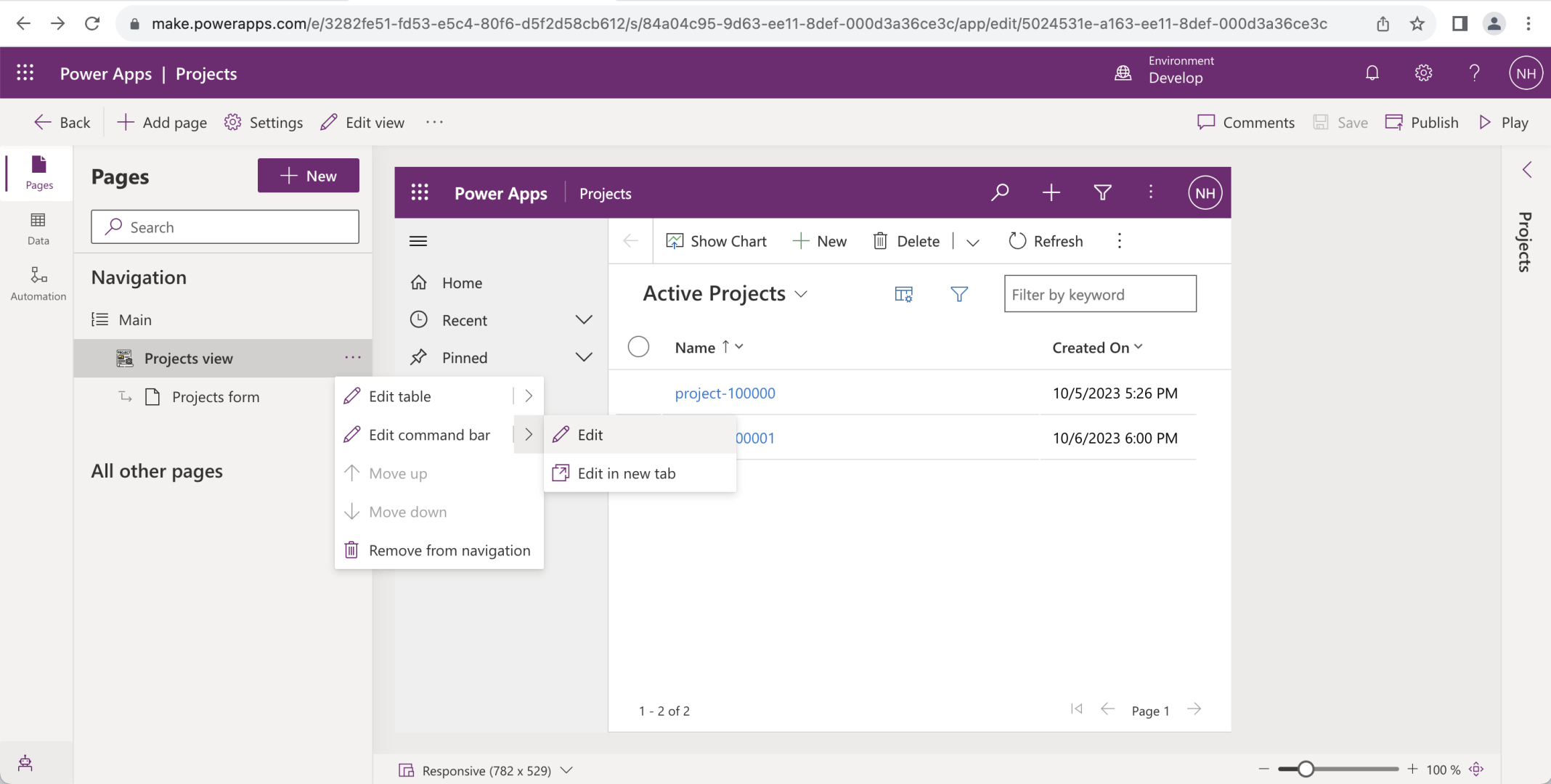
I selected Projects view and selected the "Edit command bar" menu item
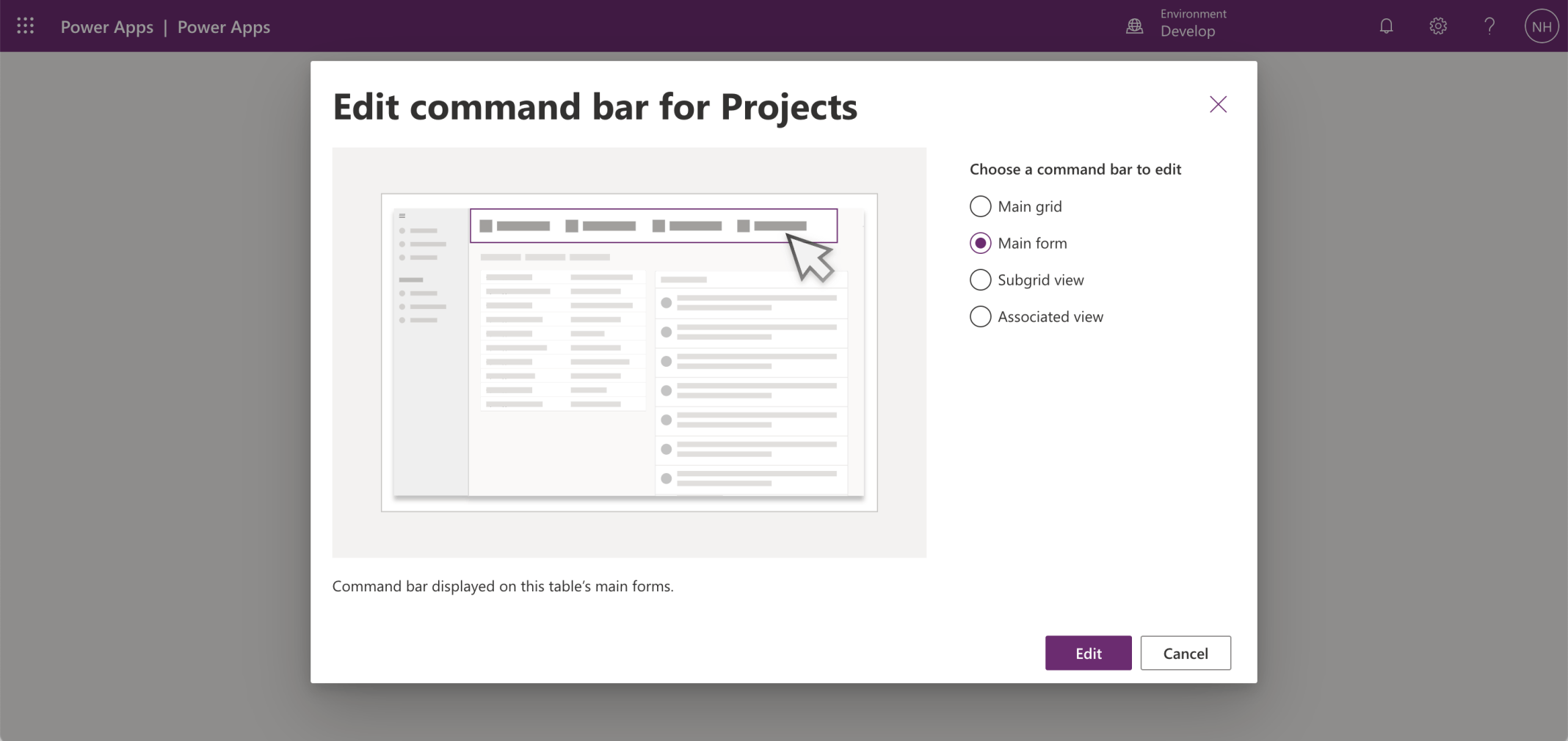
I selected the Main form command bar
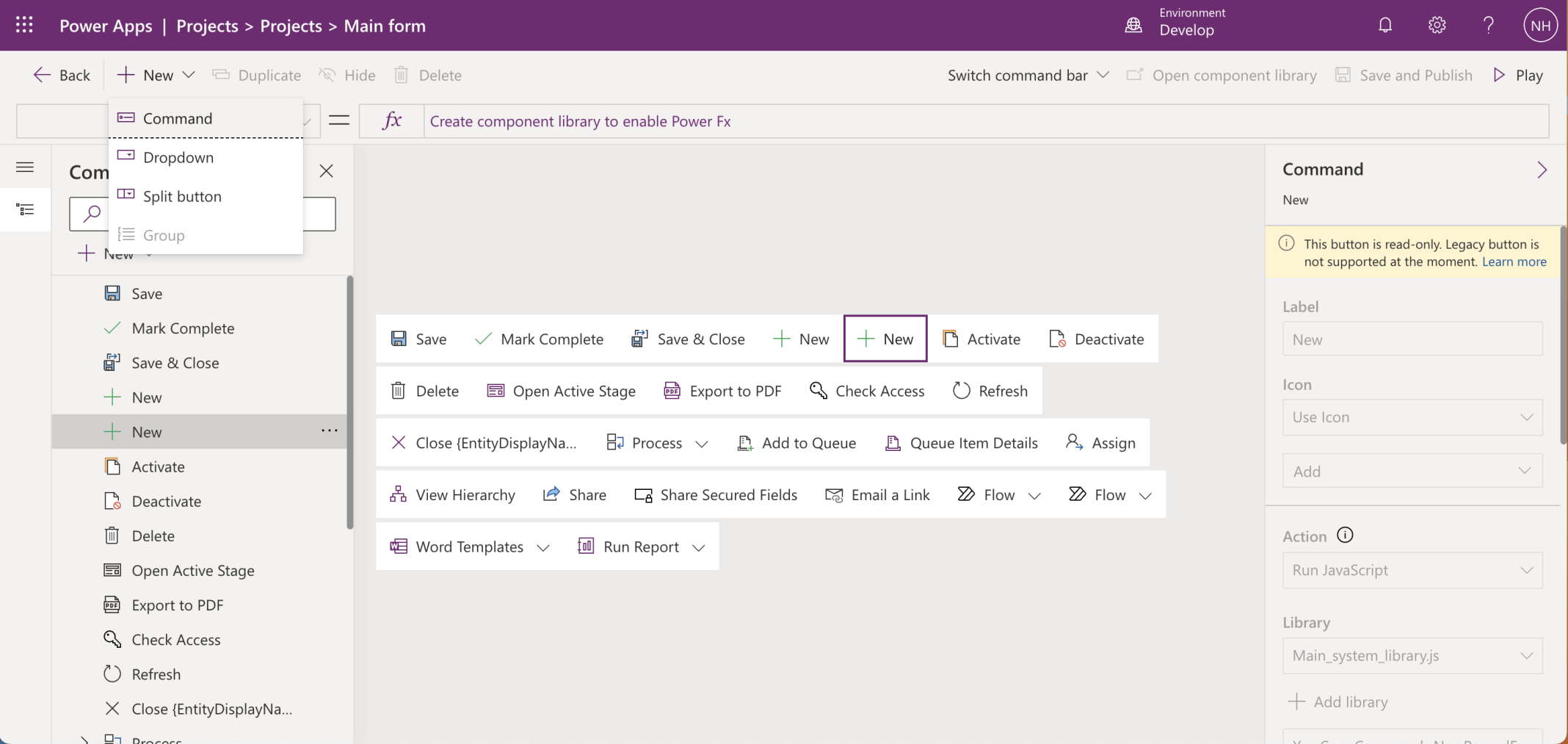
I added a new command
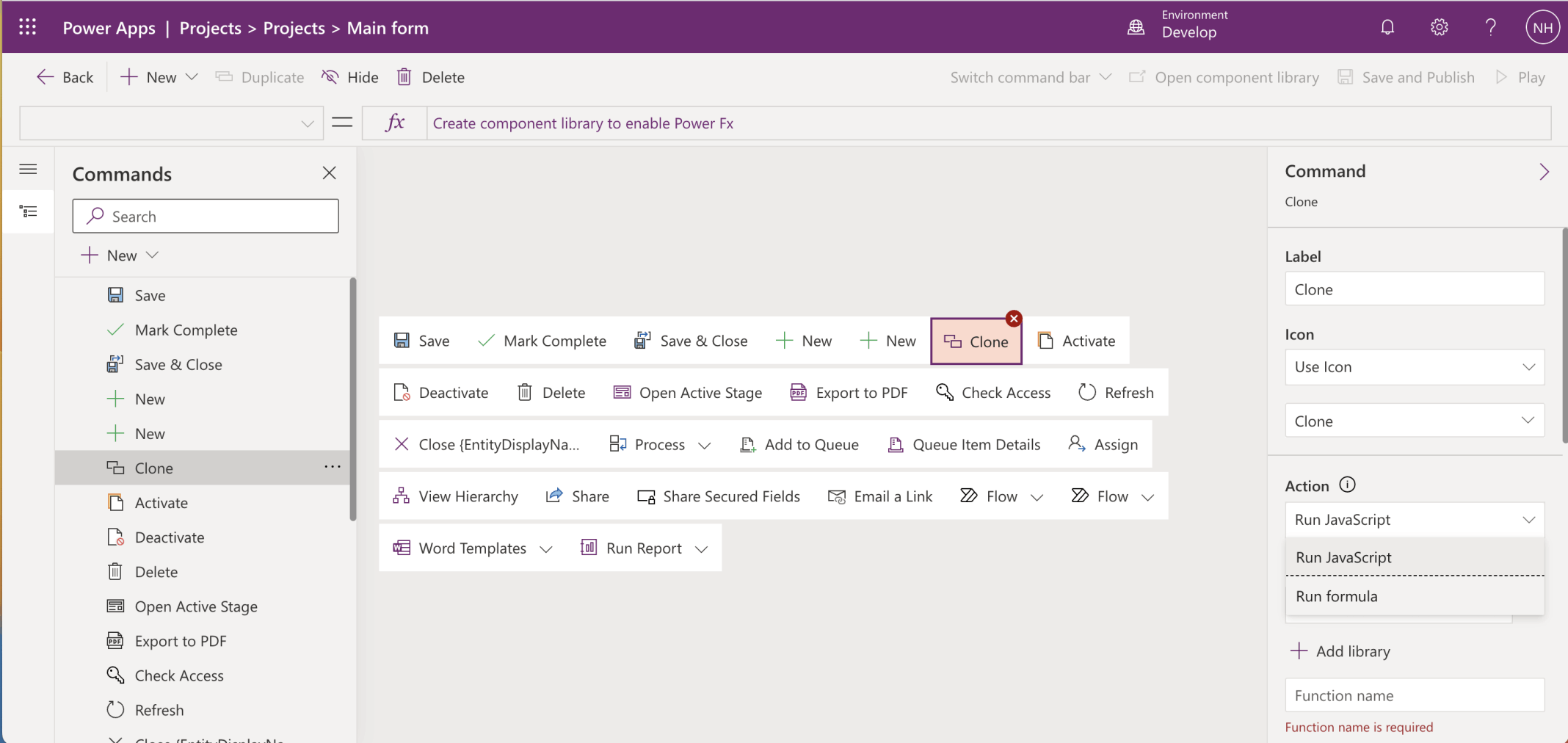
I named the command Clone, selected the Clone Icon and selected the Run formula action
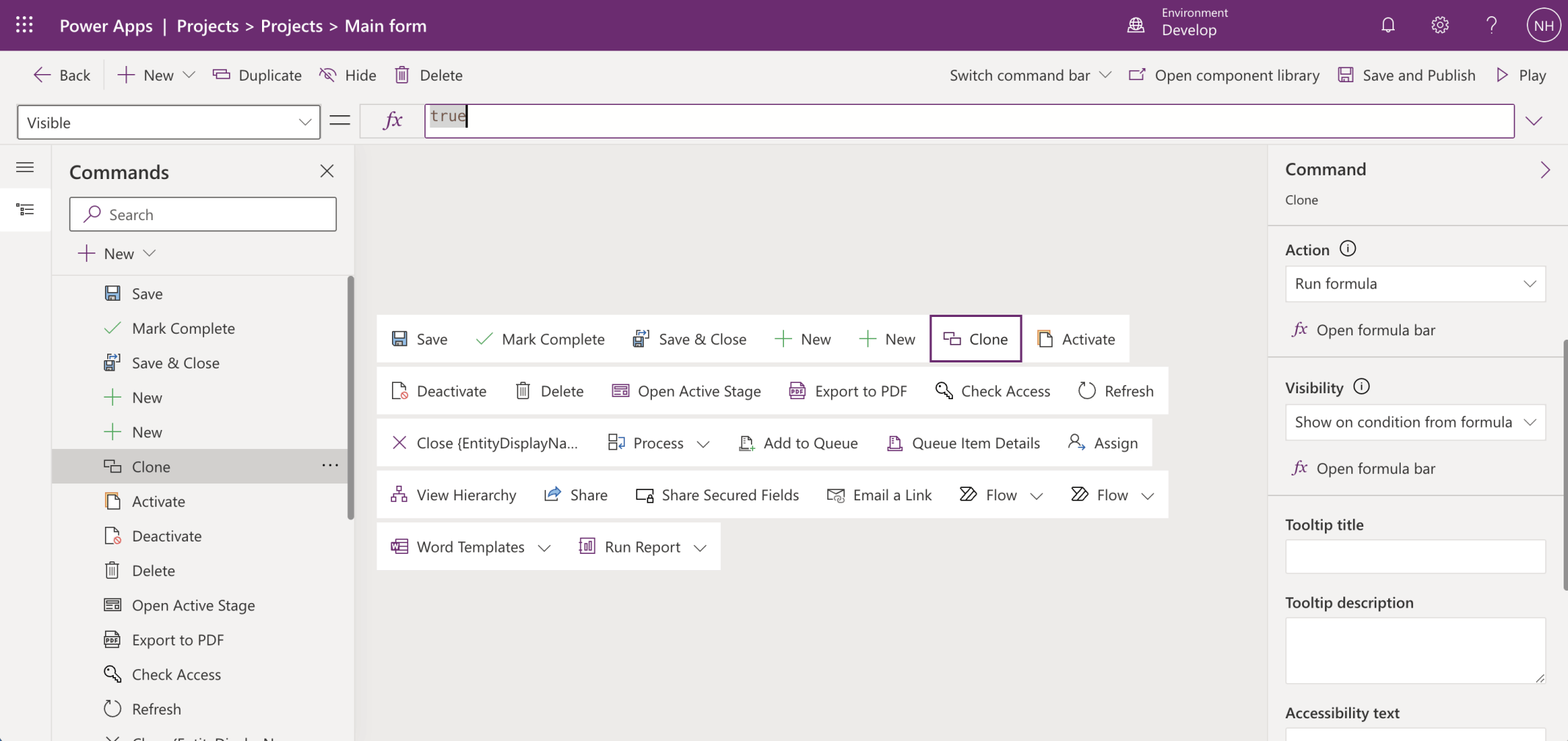
I selected the Show on condition from formula visibility option
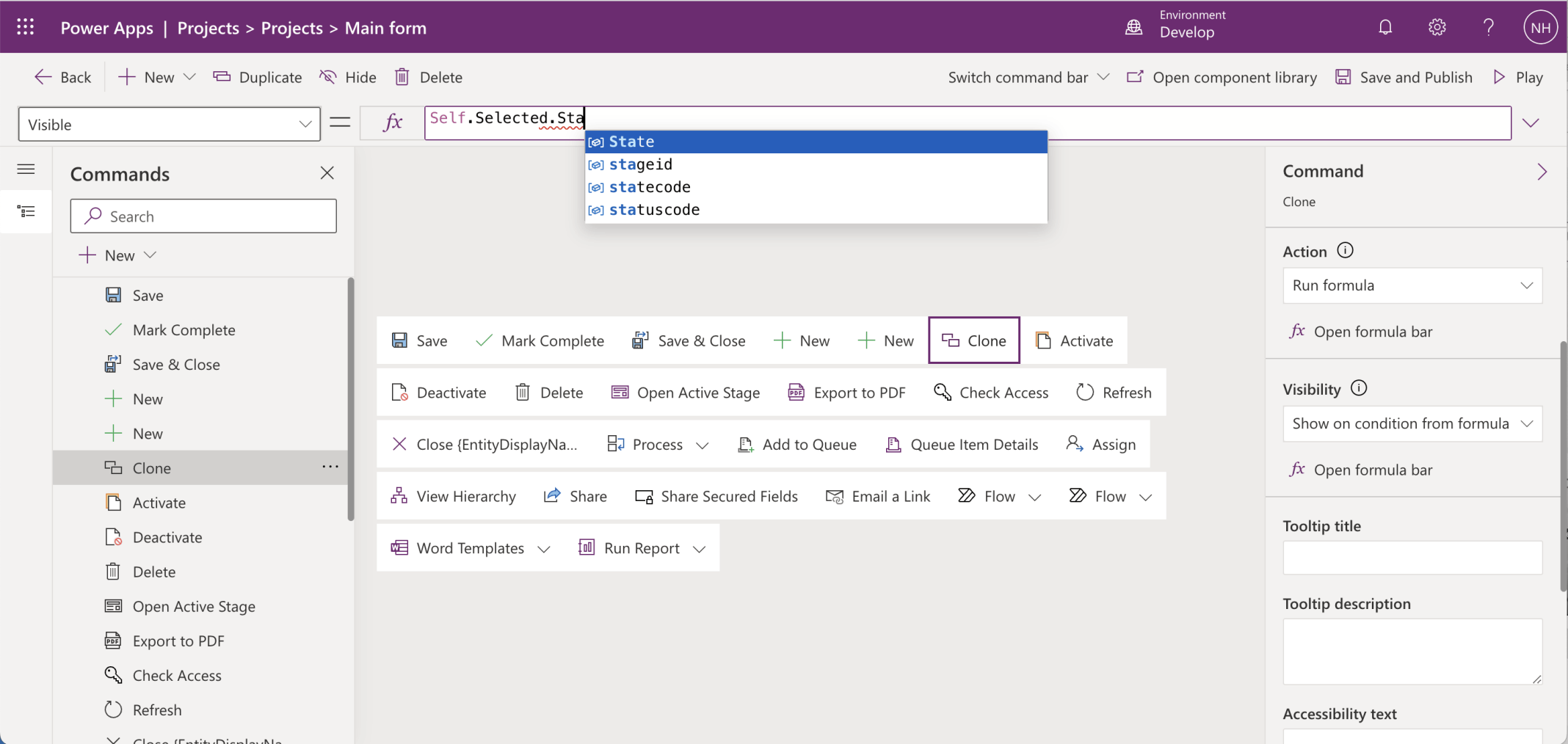
I only wanted the Clone command to be visible when the State...
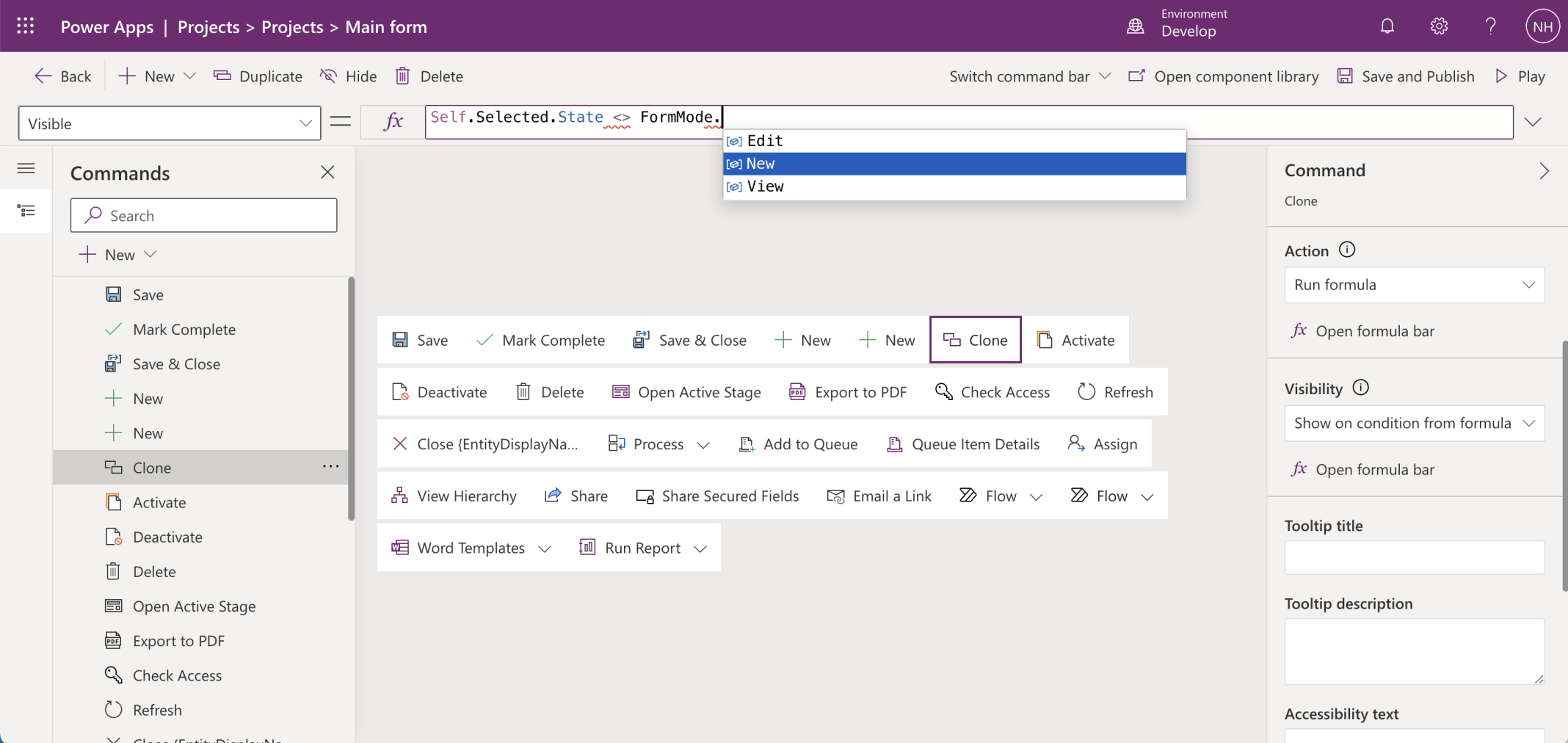
... was not FormMode.New

I clicked the Save and Publish button
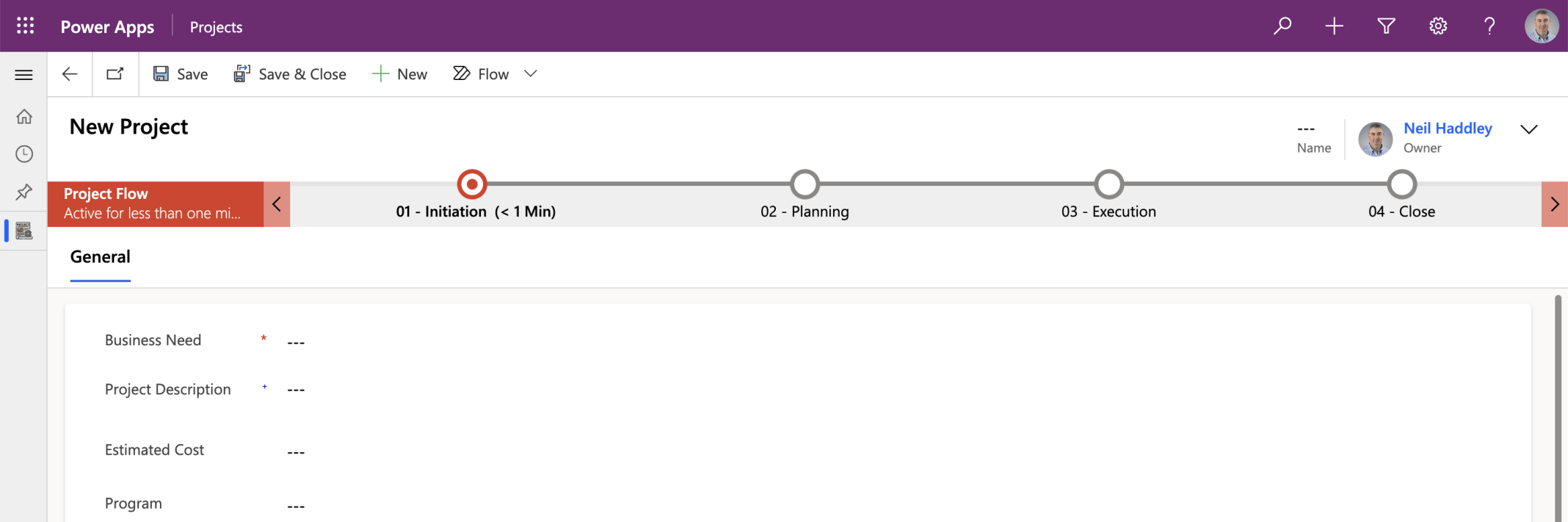
The Clone command didn't appear when I was creating a new record
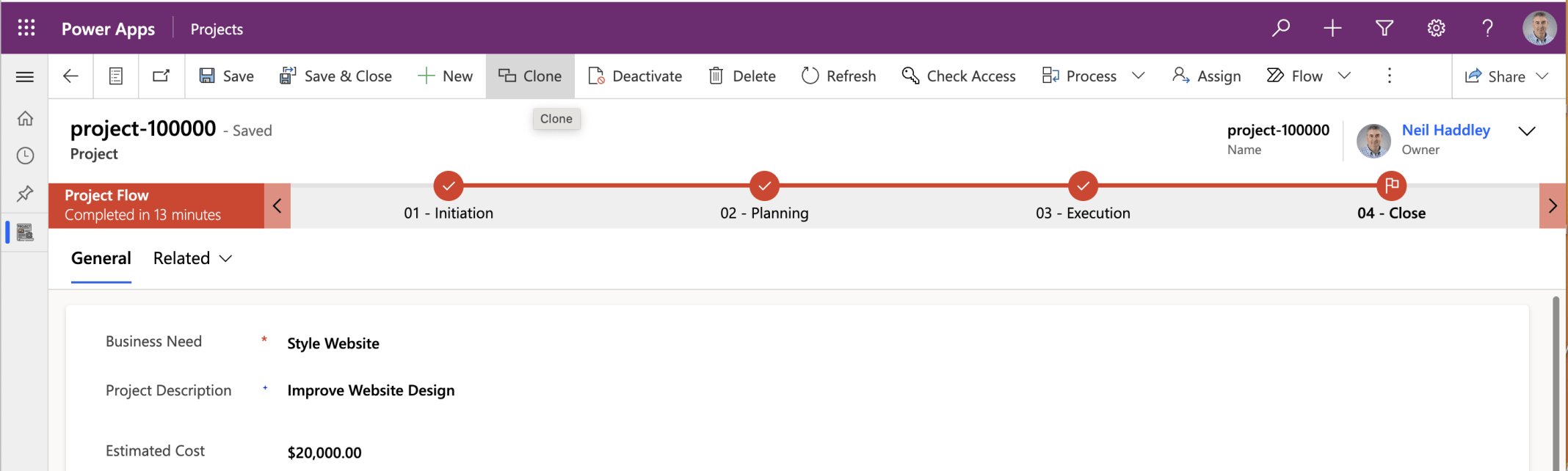
The Clone command appeared when I was viewing an existing record
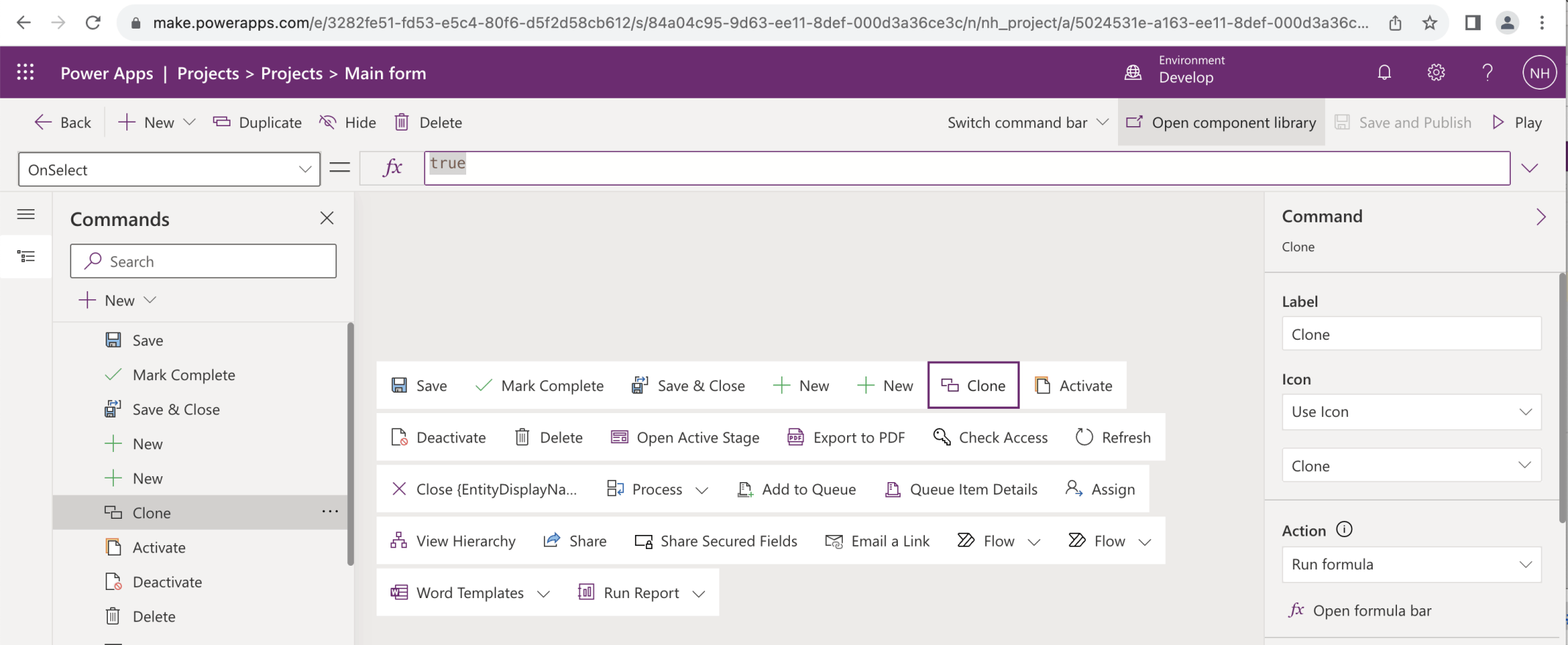
I updated the Run formula action
Power FX

I clicked the Save and Publish button and the Play button
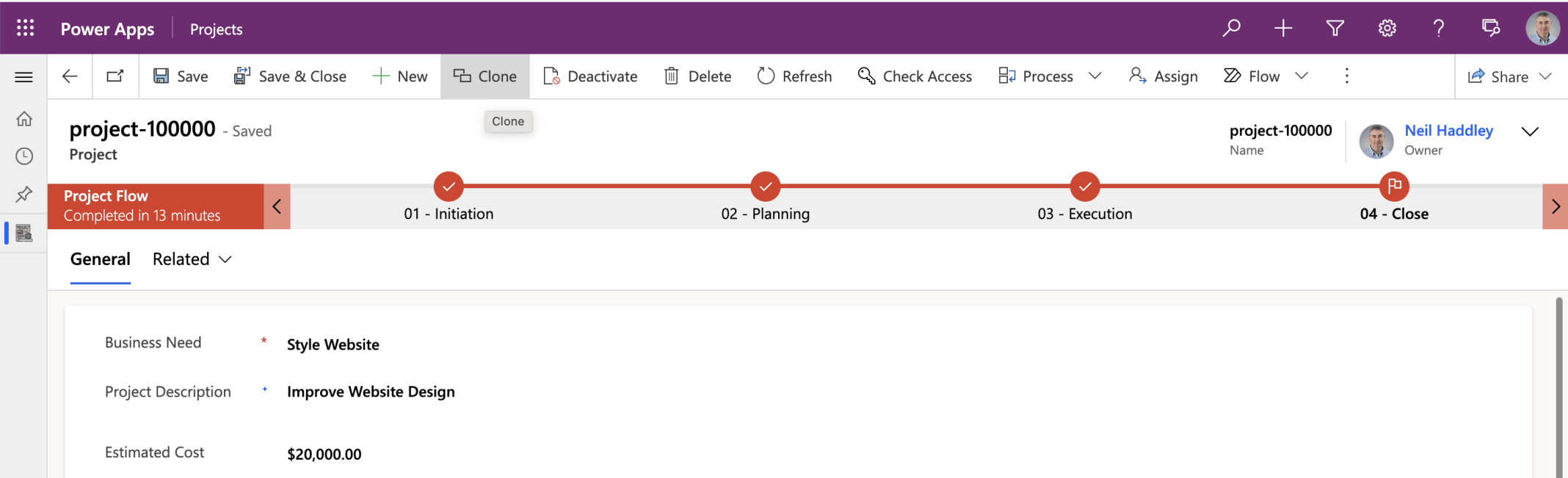
I opened an existing record and clicked the Clone button
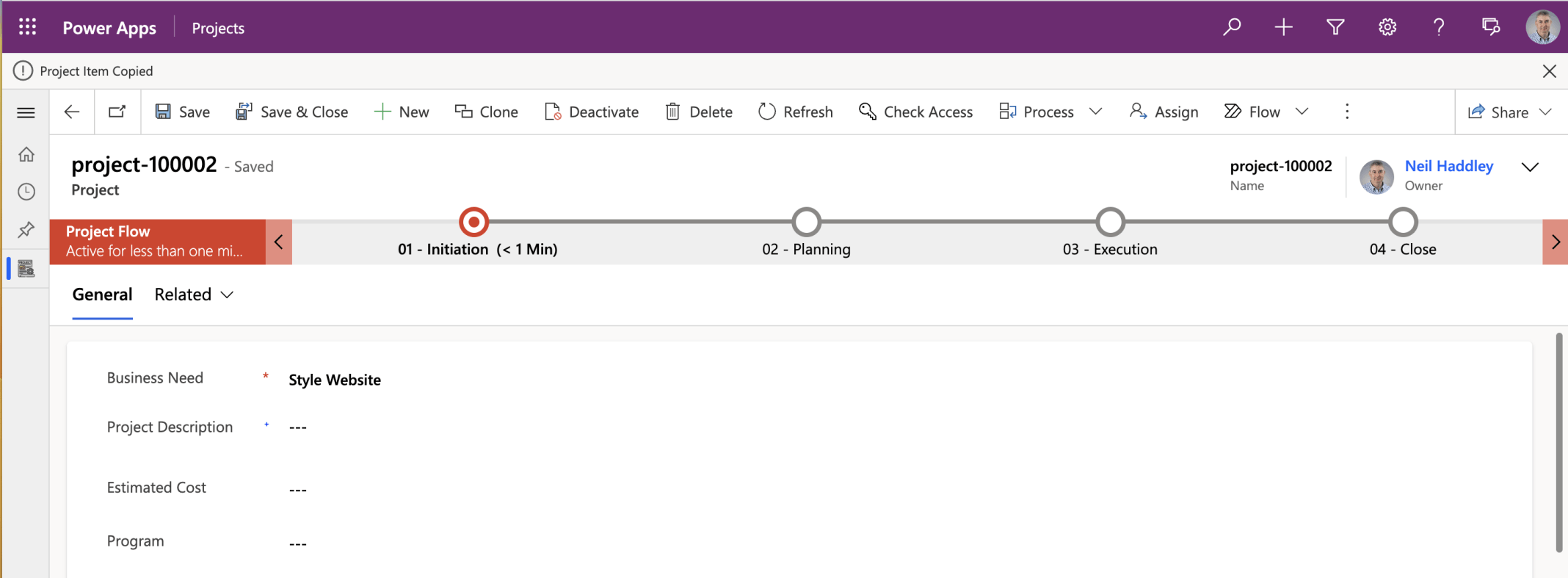
The Power FX formula created a new record using the original record's Business Need value, navigated me to the new record, and displayed a "Project Item Copied" message
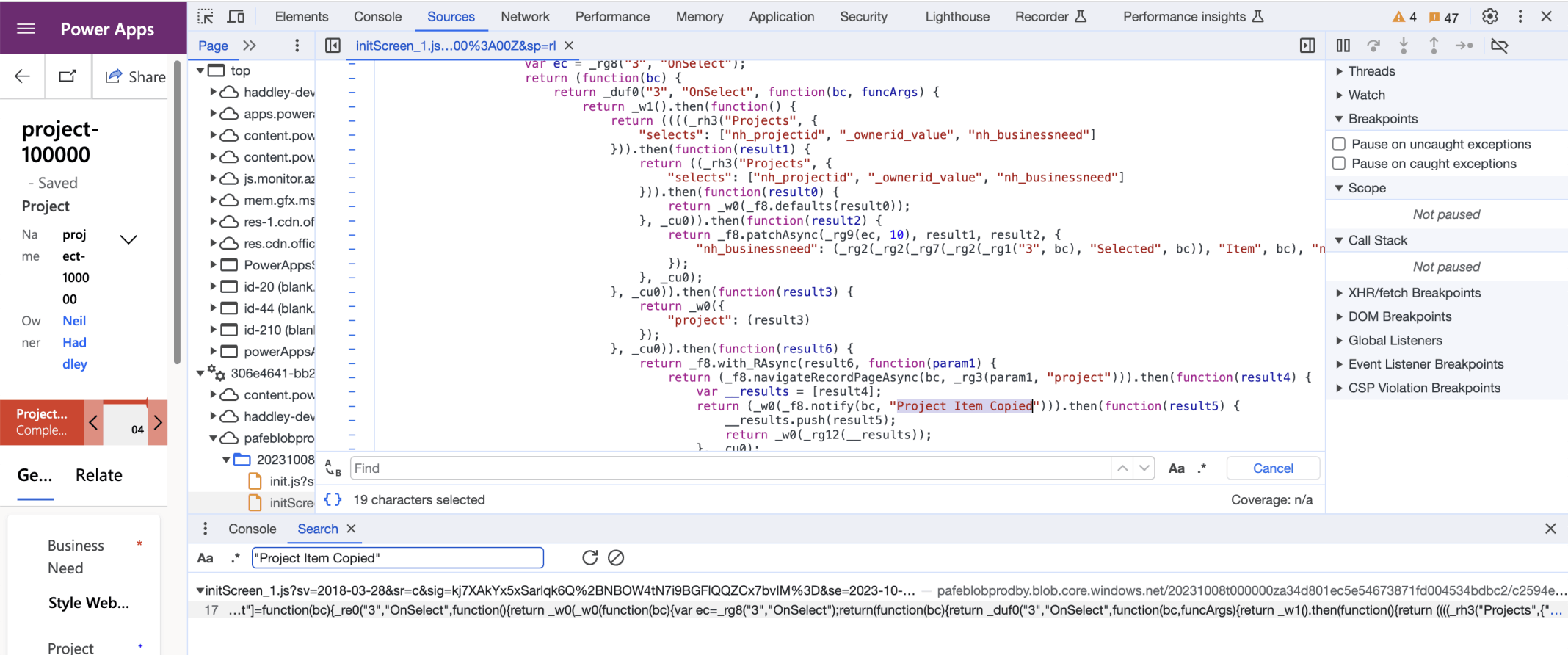
The browser's developer tools shows the JavaScript generated from the Power FX formula