Purchase Invoice
Neil Haddley • December 14, 2023
Purchase Invoice
I traced how Business Central determines the Inventory, Purchase, Tax, and Payables accounts for a Purchase Invoice, using the Inventory Posting Group, General Product Posting Group, General Business Posting Group, General Posting Setup, Tax Setup, and Vendor Posting Group.
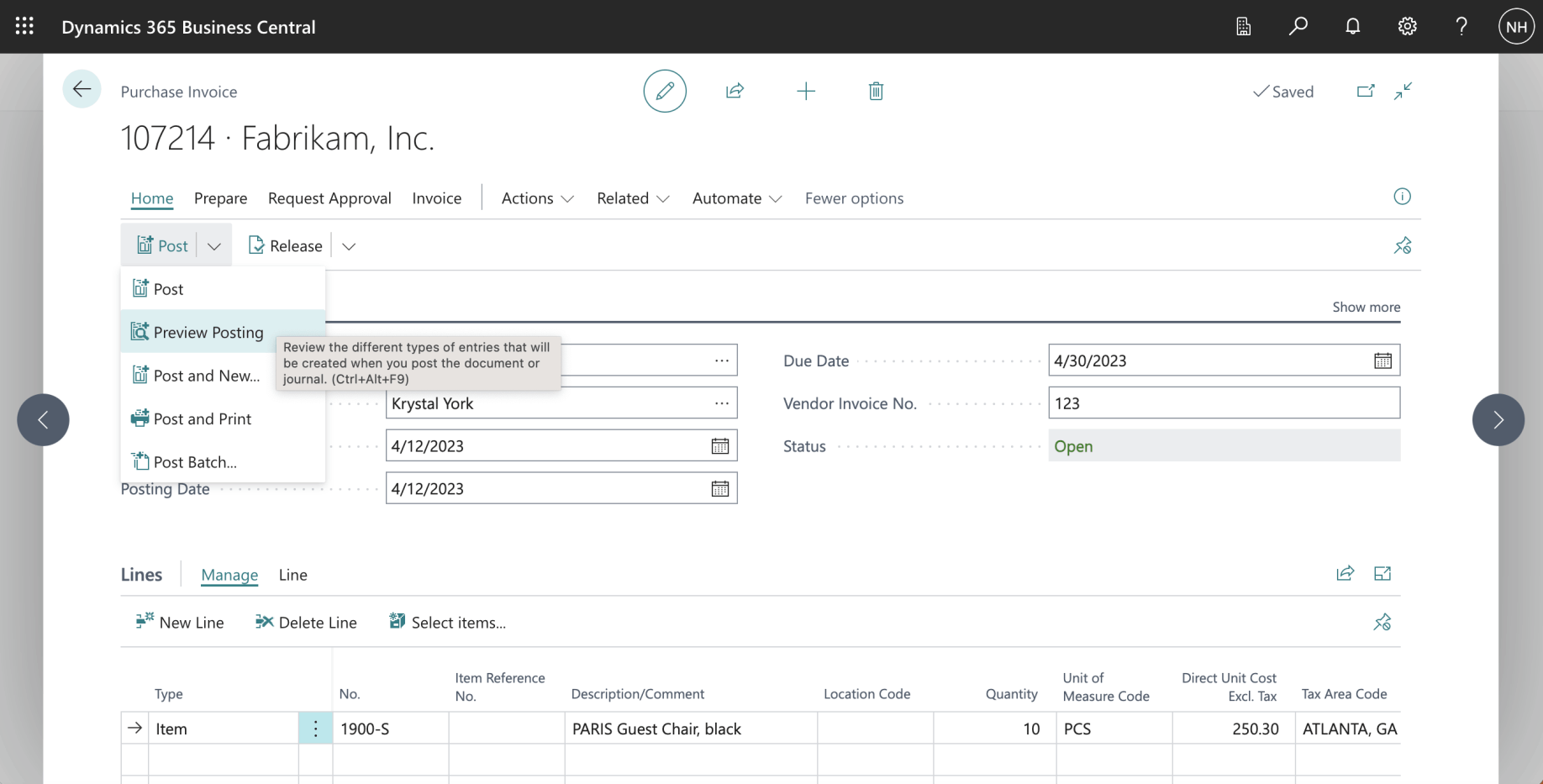
I purchased a RETAIL RESALE item from a DOMESTIC vendor.
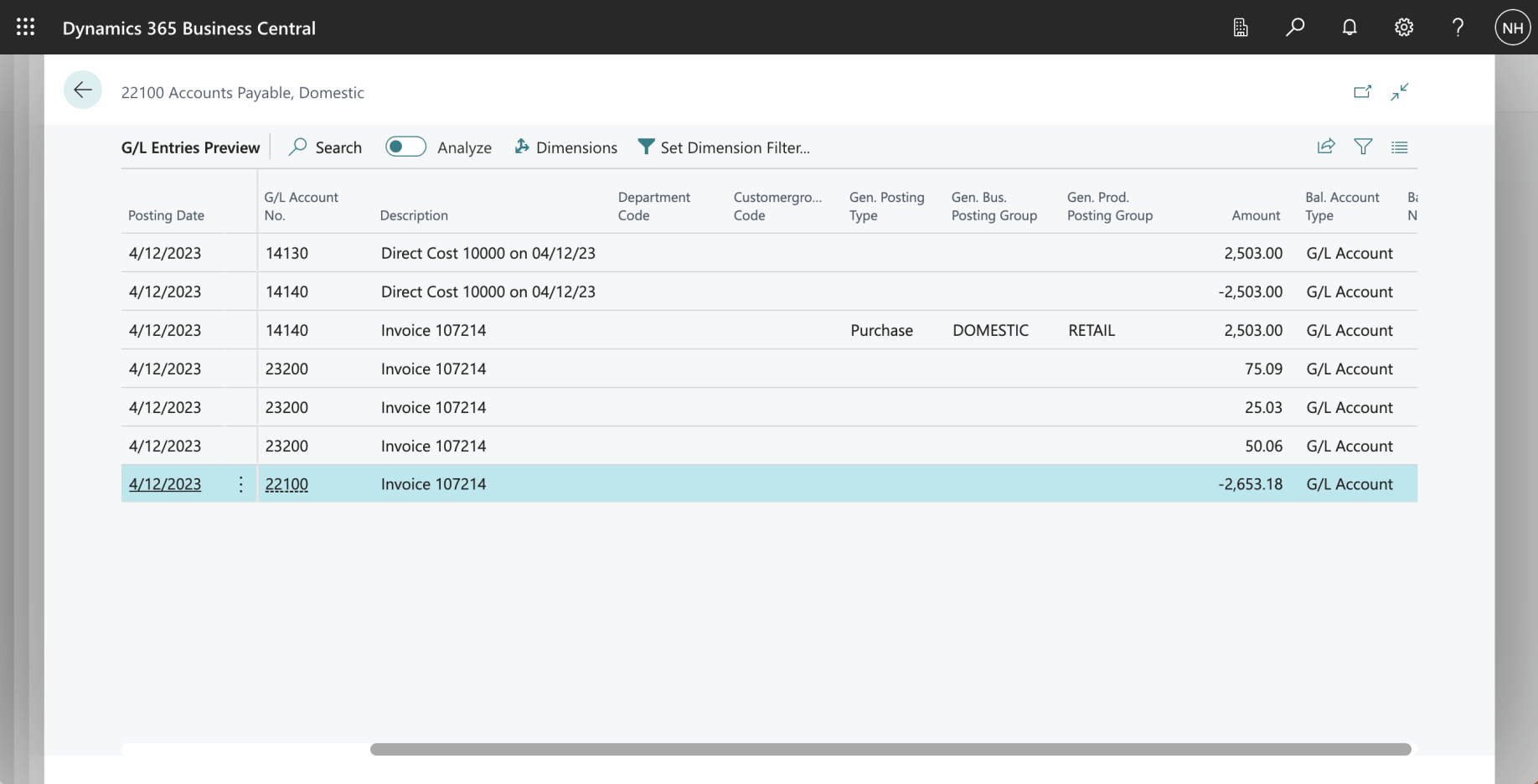
I reviewed the General Ledger entries generated from the Purchase Invoice Document
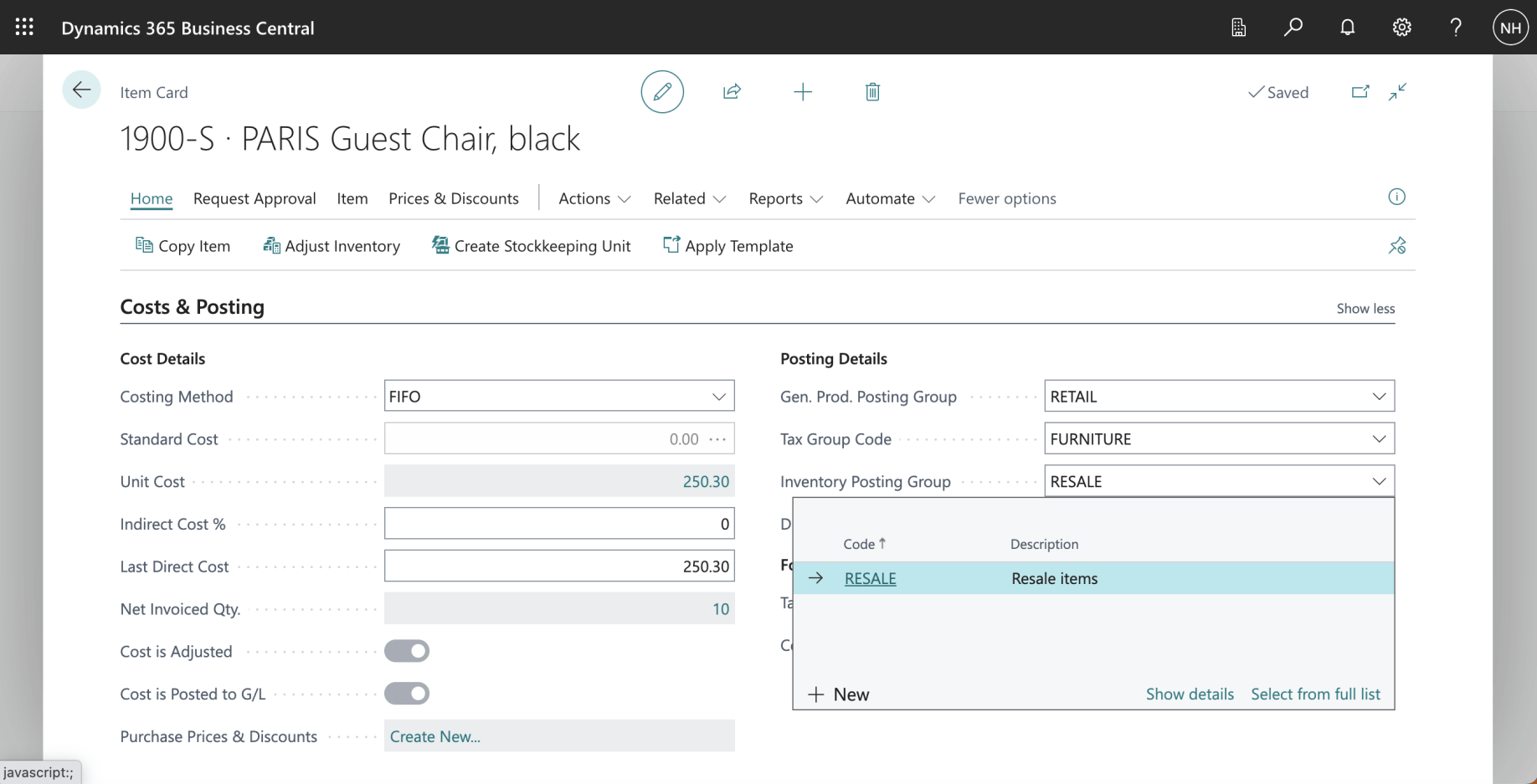
The Item we are purchasing is a "RESALE" item. I clicked the Show details link.
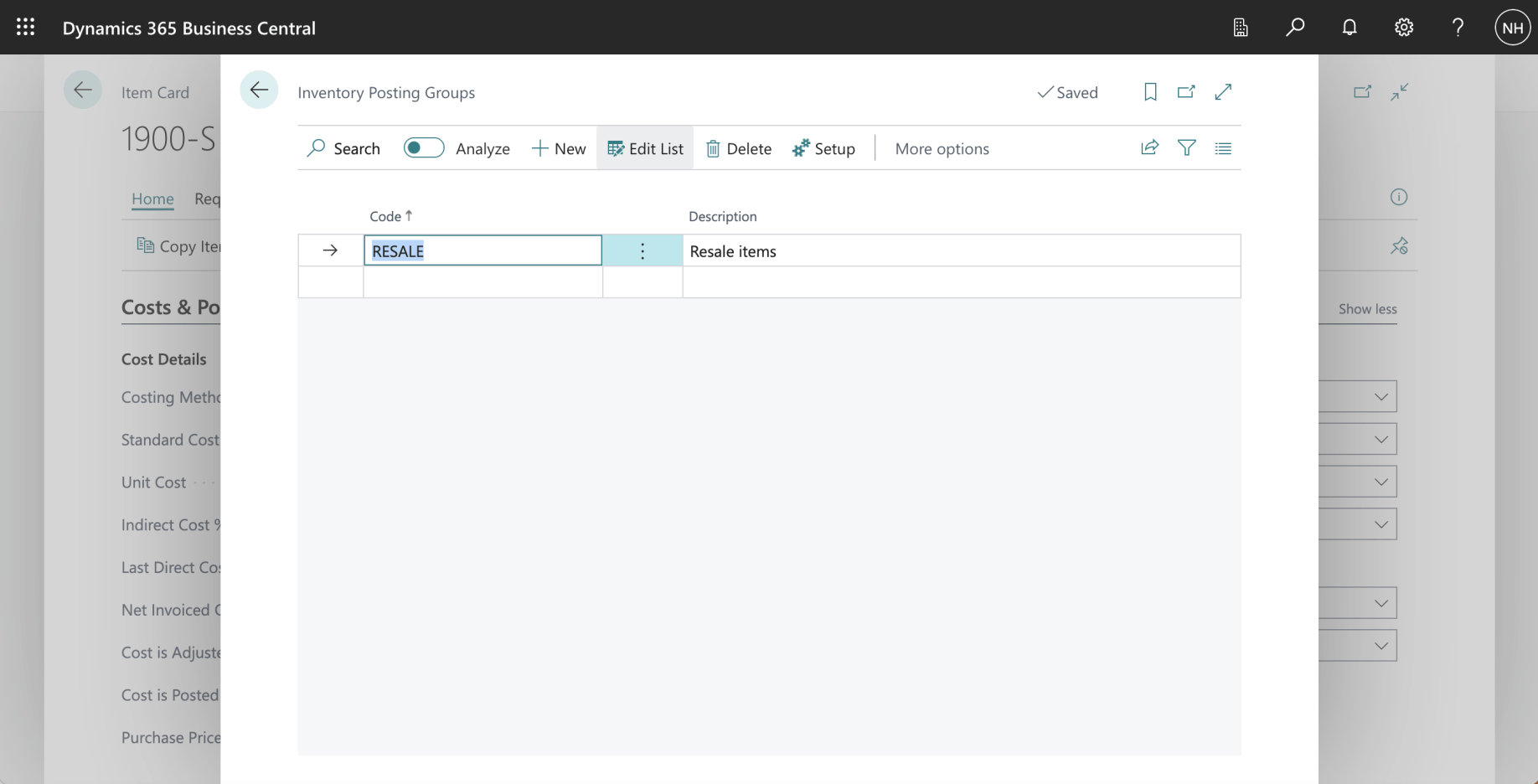
RESALE is an Inventory Posting Group. I clicked on the Setup button.
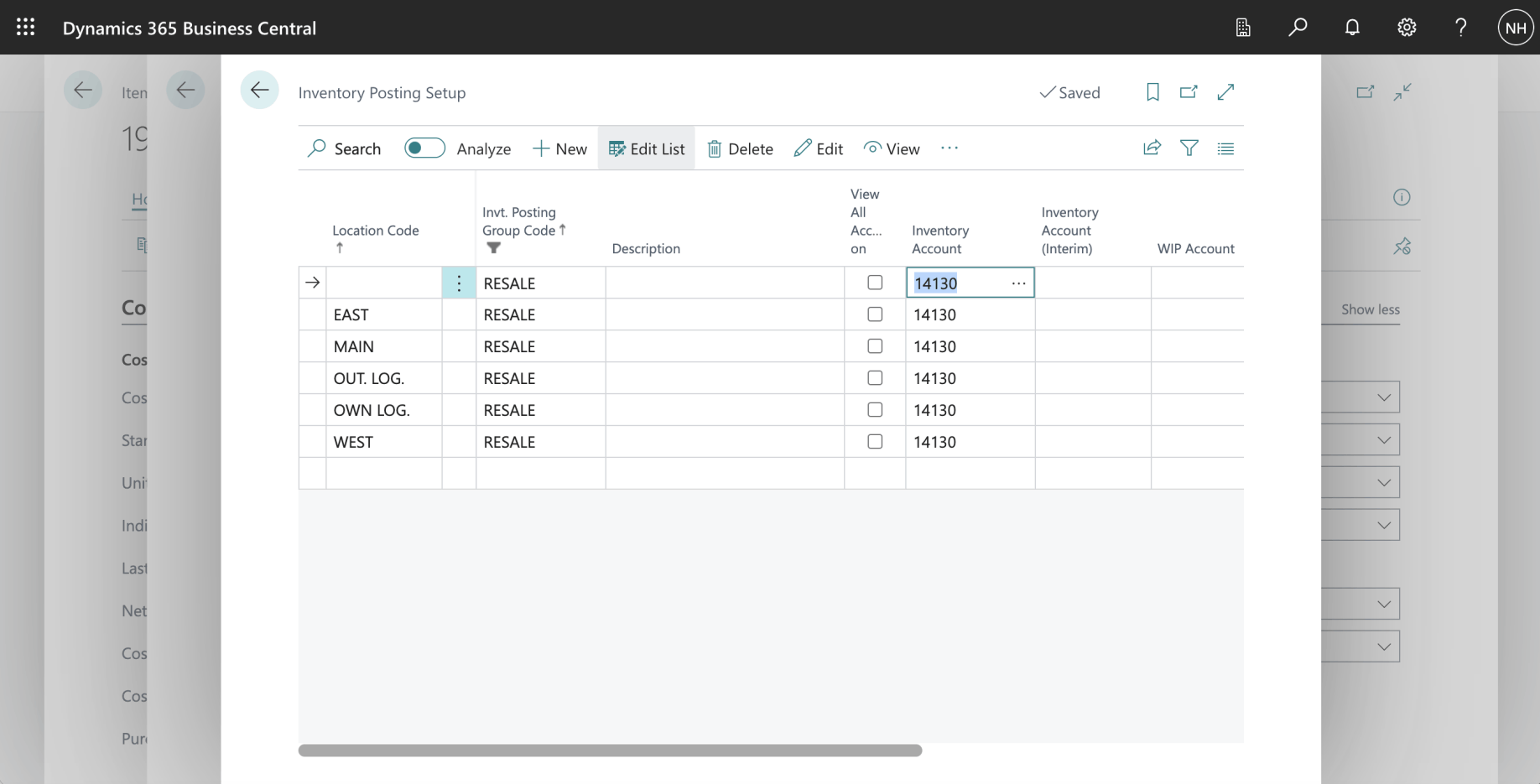
When purchasing a RESALE item, the system uses account 14130 Finished Goods as the Inventory Account.
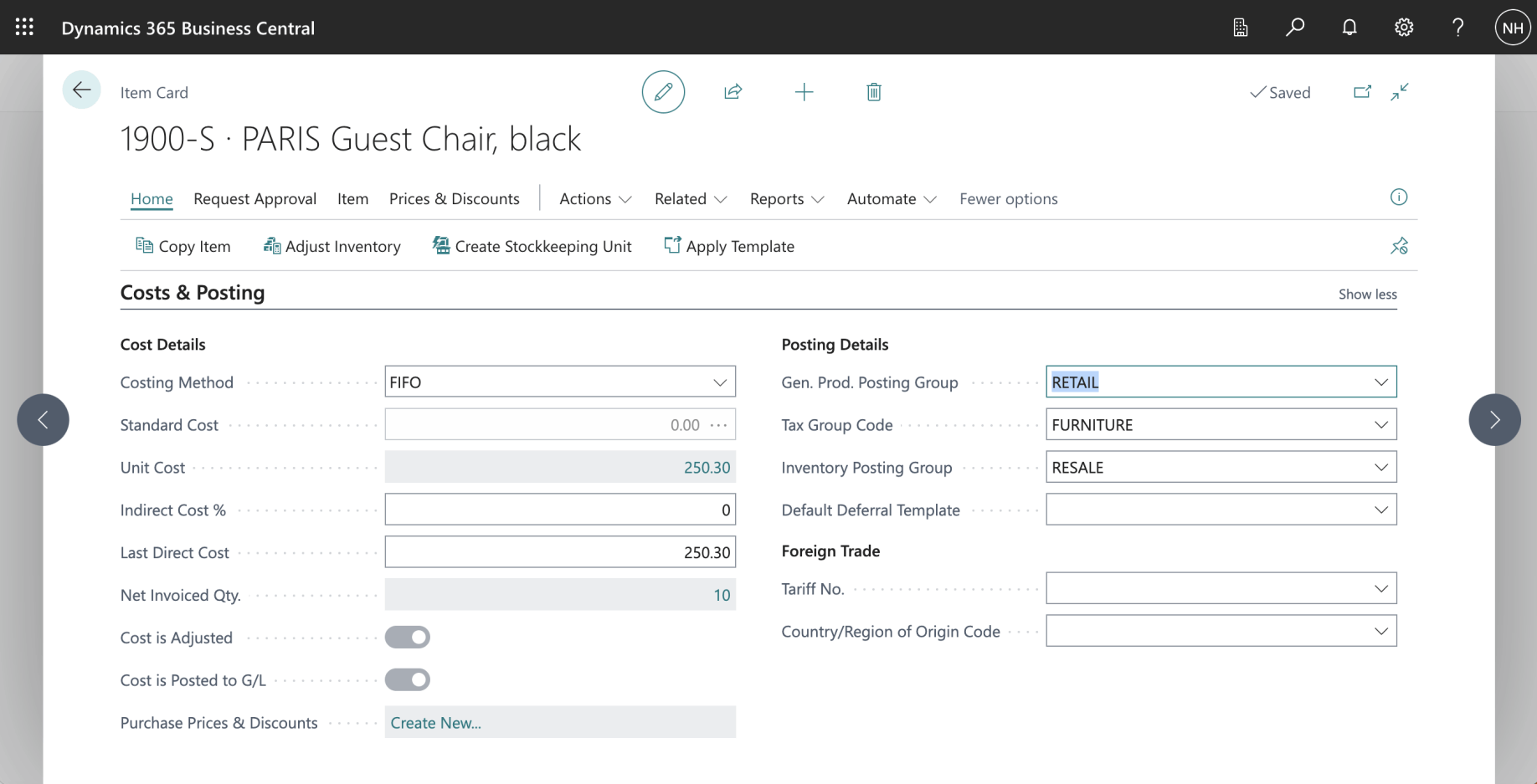
The Item we are purchasing is a "RETAIL" item.
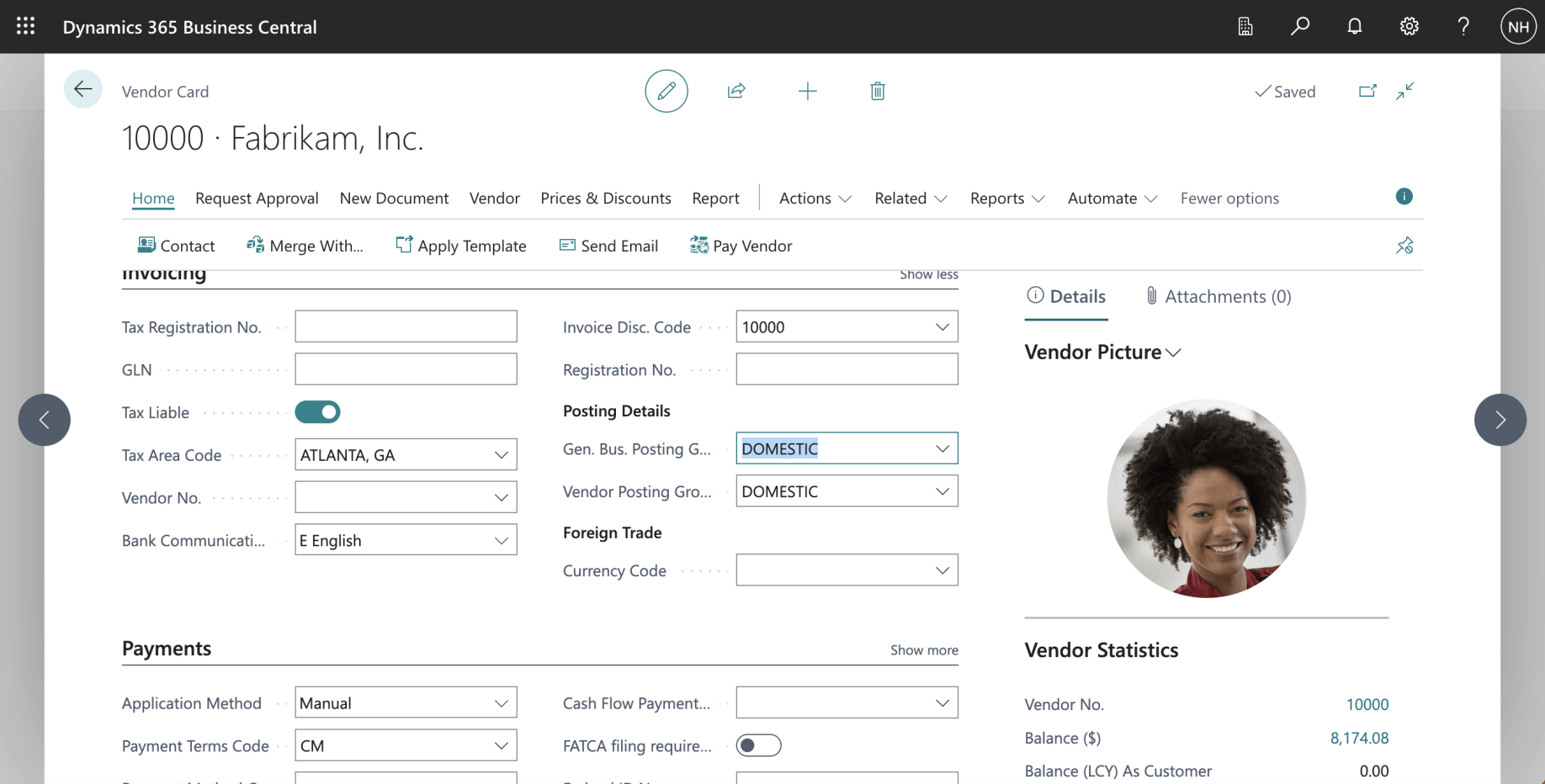
The Vendor we are buying from is a "DOMESTIC" vendor.
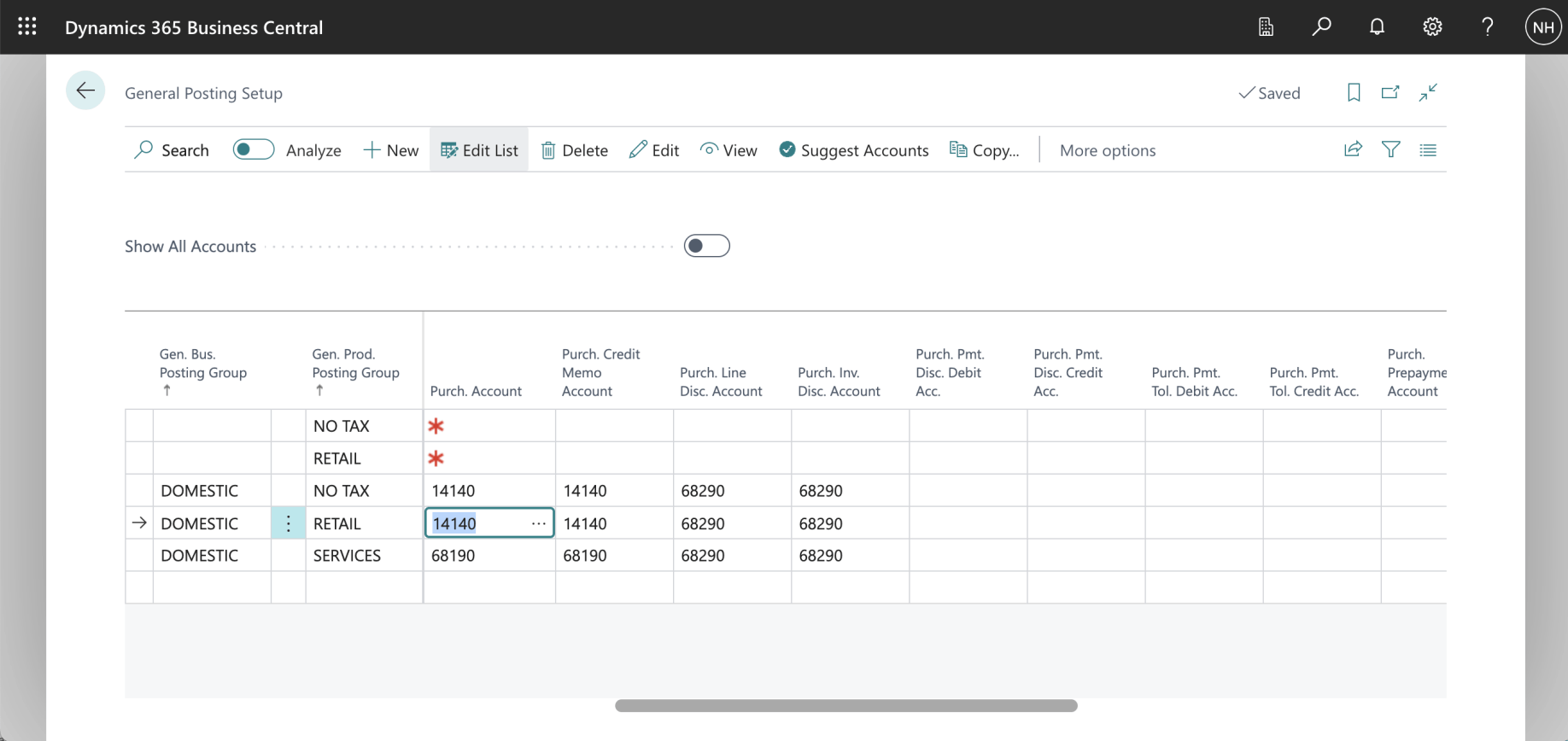
When buying a RETAIL item from a DOMESTIC vendor, the system uses the 14140 Goods for Resale account to record the purchase
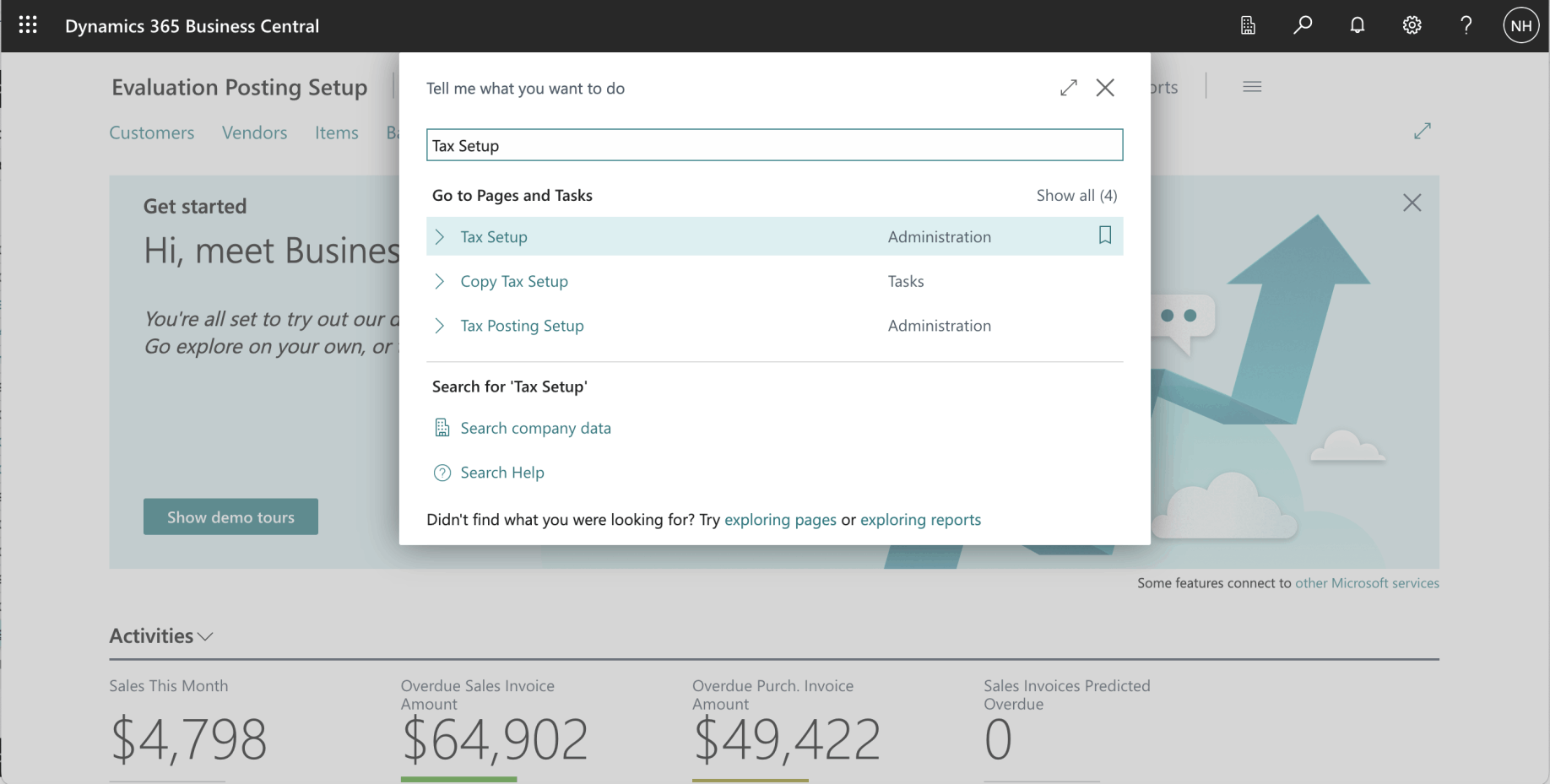
I used search to navigate to the Tax Setup page
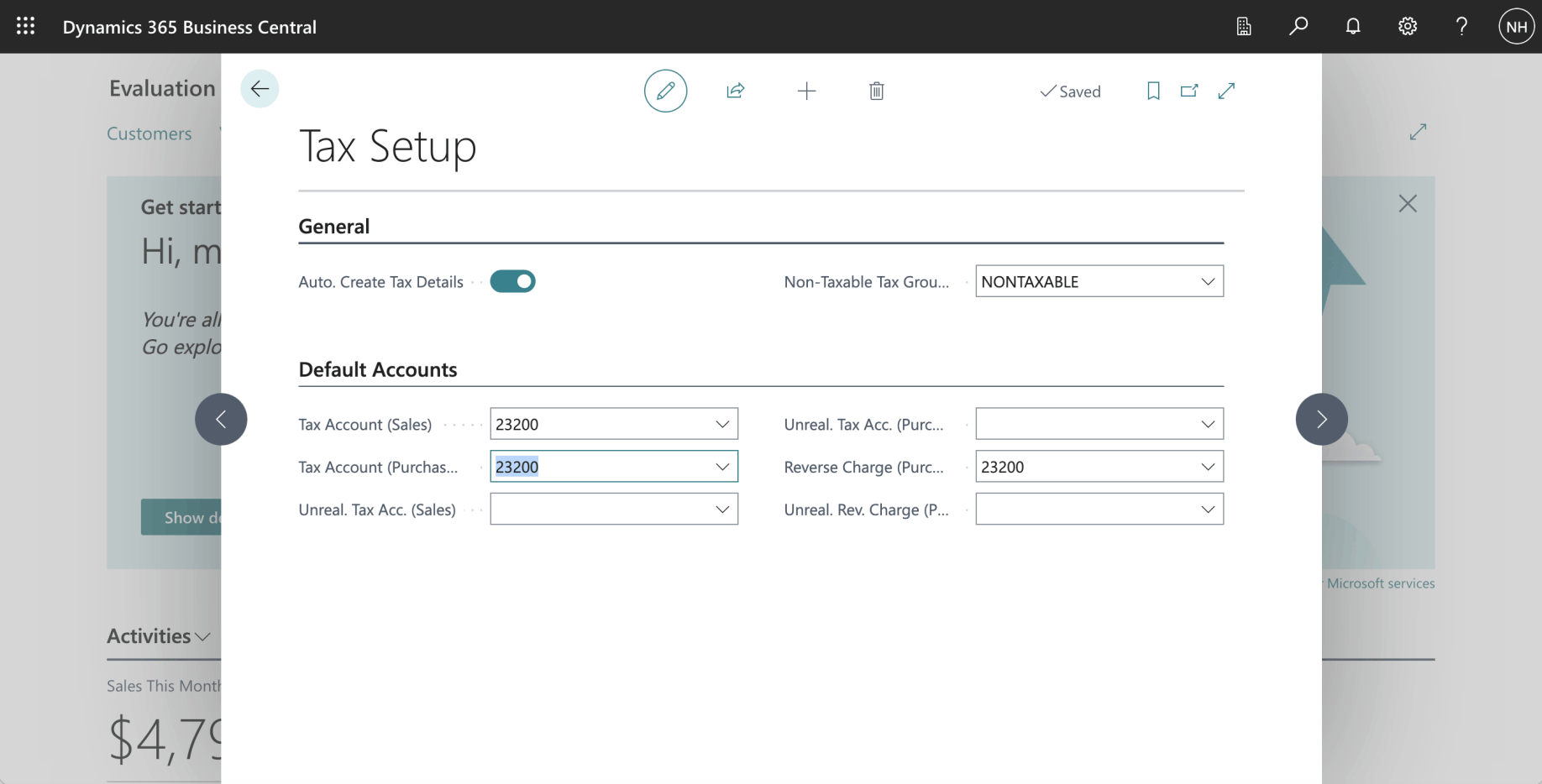
When buying any item from any vendor, the system uses the 23200 Taxes Liable account to record City, County, and State tax.
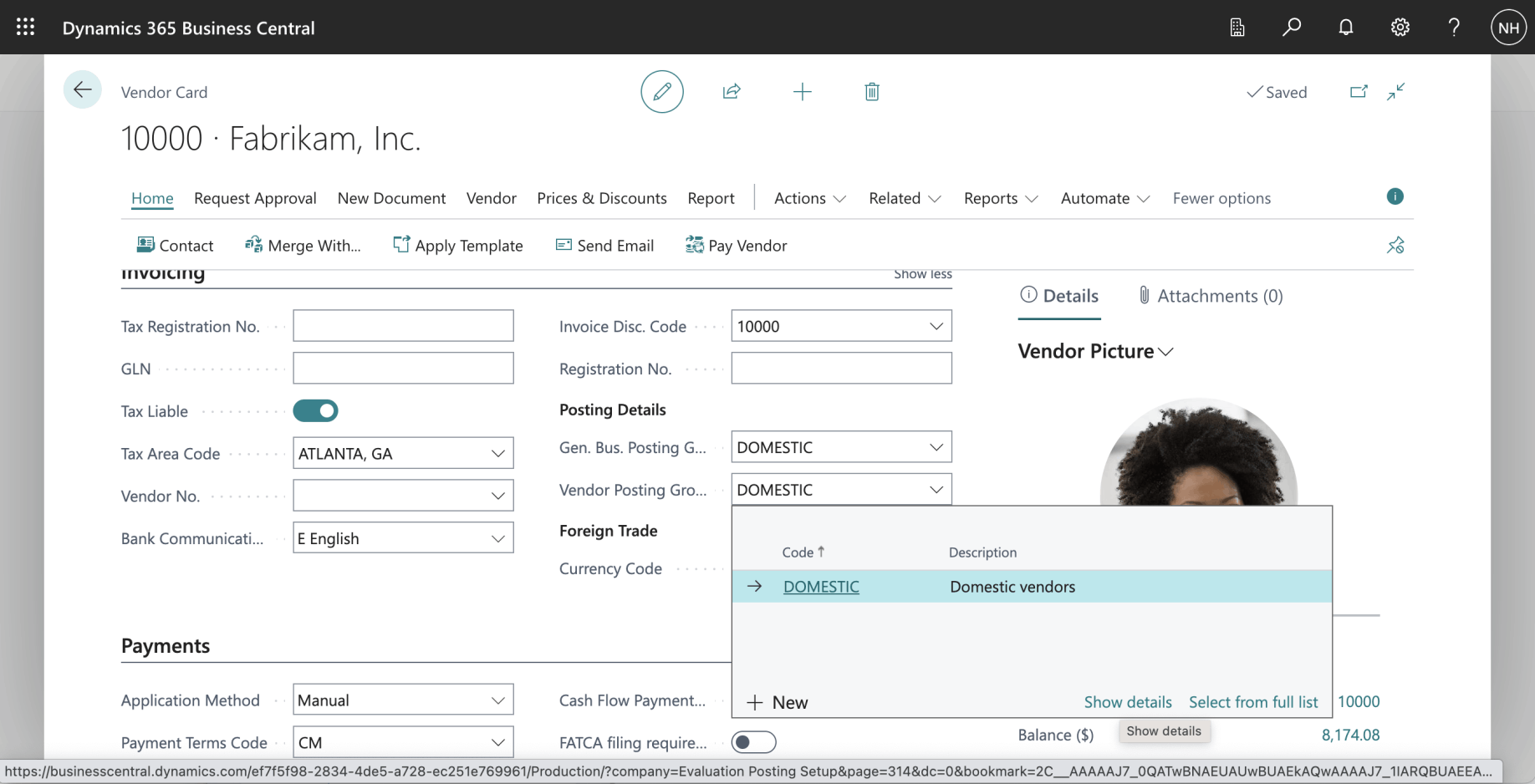
The Vendor is a "DOMESTIC" vendor. I clicked the show details link
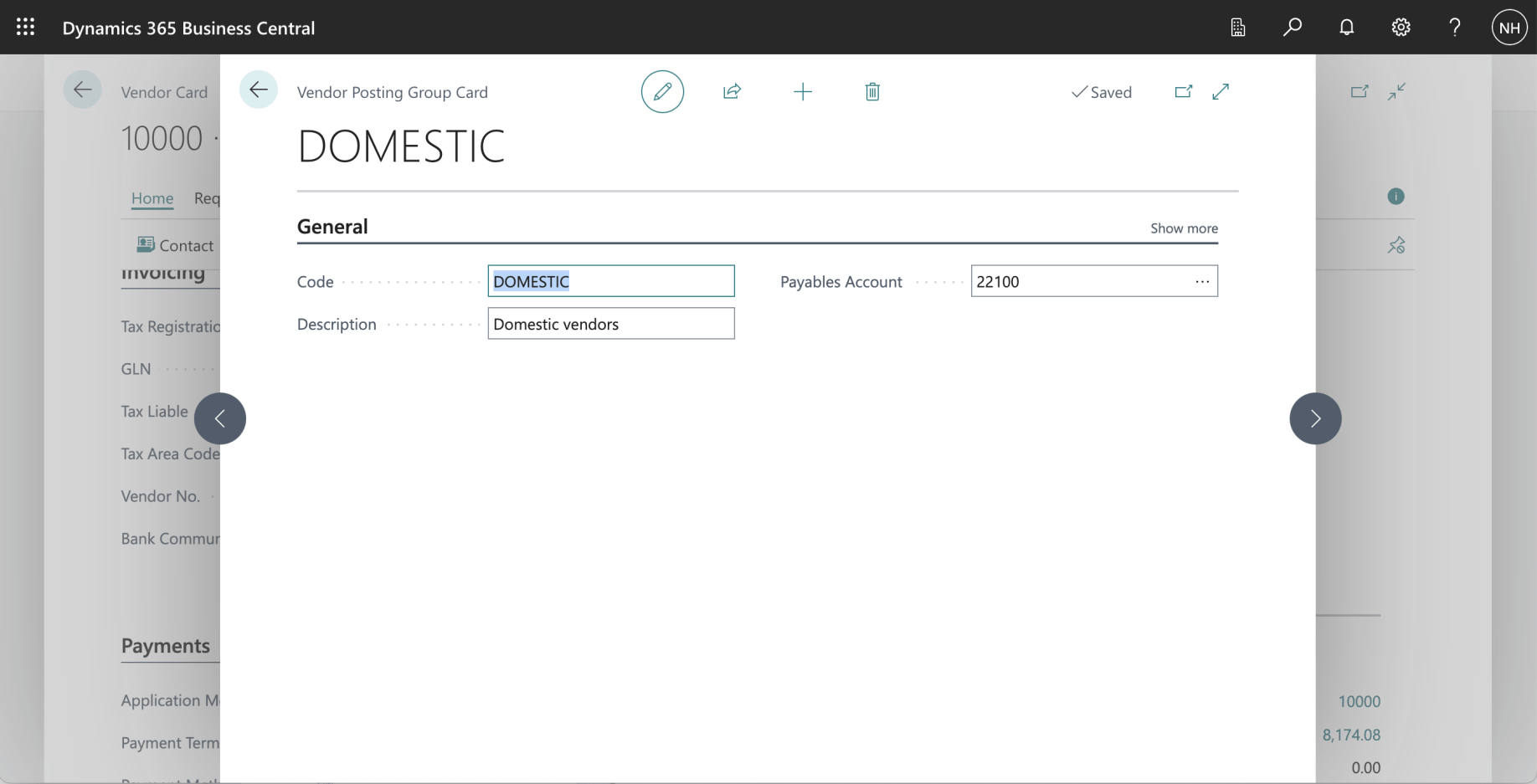
When purchasing from a DOMESTIC vendor, the system uses 22100 Accounts Payable, Domestic as the Payables Account