SharePoint site designs and site scripts
Neil Haddley • February 15, 2021
SharePoint users and administrators have long appreciated the opportunity to reuse SharePoint Site Templates.
I used SharePoint site scripts and site designs to automate the provisioning of SharePoint sites with consistent configurations.
Site scripts
Site scripts allow administrators to automate the provisioning of similar SharePoint sites.
Site scripts are JSON formatted files.
Site scripts include "actions" that modify a SharePoint site.
Site script actions include:
Add Nav Link
Apply ThemeCreate Content TypeCreate Site ColumnCreate SharePoint ListInstall SolutionJoin Hub SiteRemove Nav LinkSet Regional SettingsSet Site BrandingSet Site LogoSet Site External Sharing CapabilityTrigger Flow
The full schema can be downloaded from here
Add-SPOSiteScript
I added site scripts to the SharePoint tenant using the Add-SPOSiteScript command.
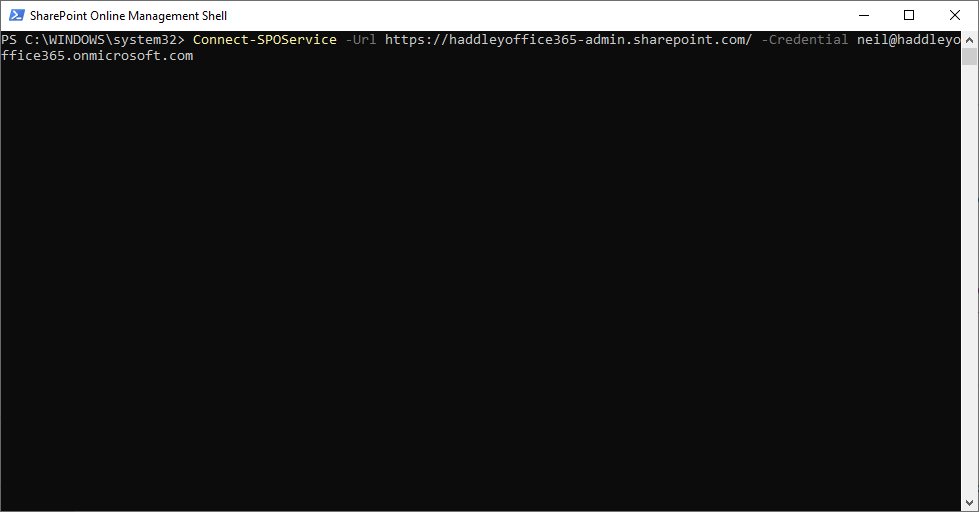
I connected to the SharePoint administration site
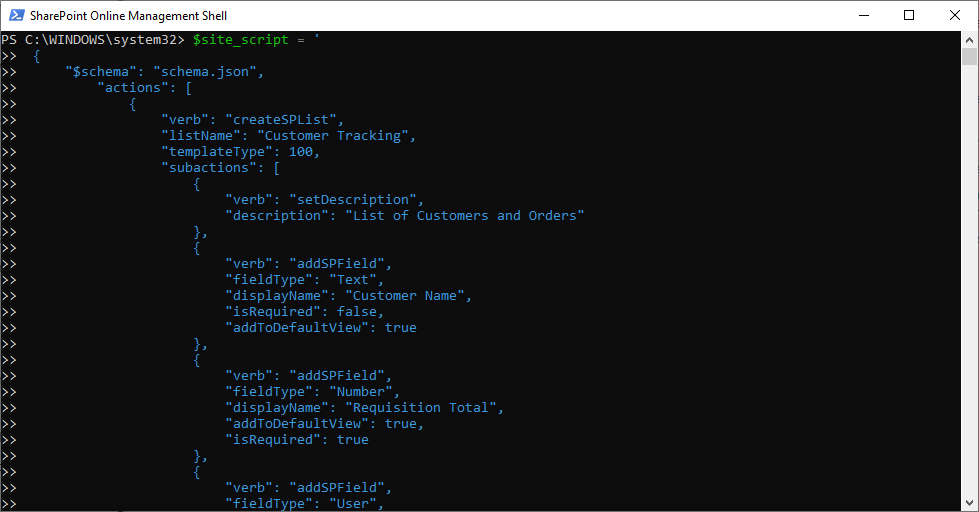
I loaded the JSON text into a variable
Add-SPOSiteDesign
I created site designs that extend the SharePoint modern team site template (64) or the communication site template (68).
I added them to the tenant using the Add-SPOSiteDesign command, specifying one or more site script IDs.
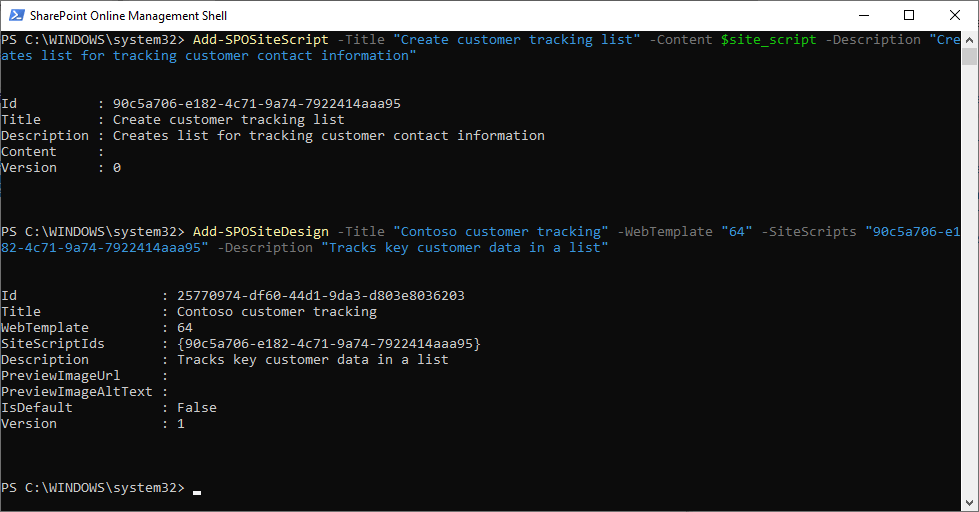
I added the Site Script and Site Design
SharePoint Create a Site
Once I created the site design, it appeared in the out-of-the-box "Create a Site" experience.
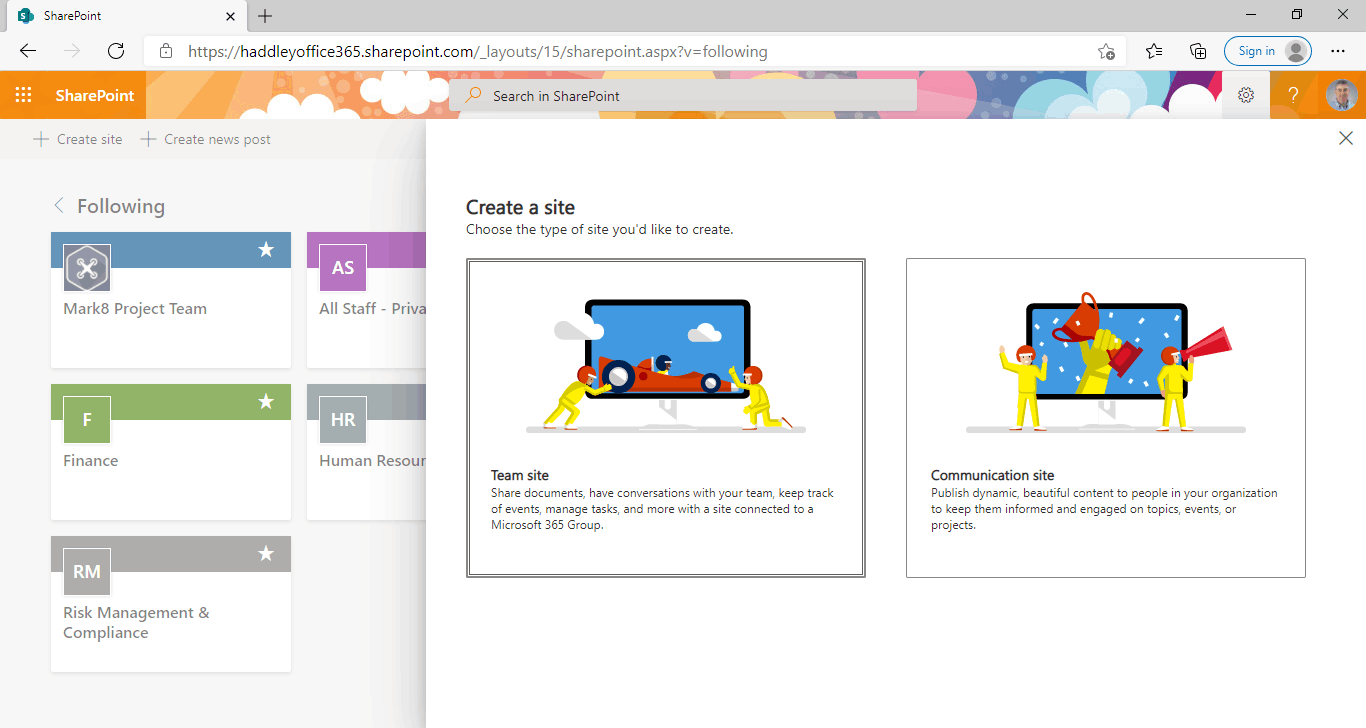
I selected "Team Site" because the site design is based on the team site template (64)
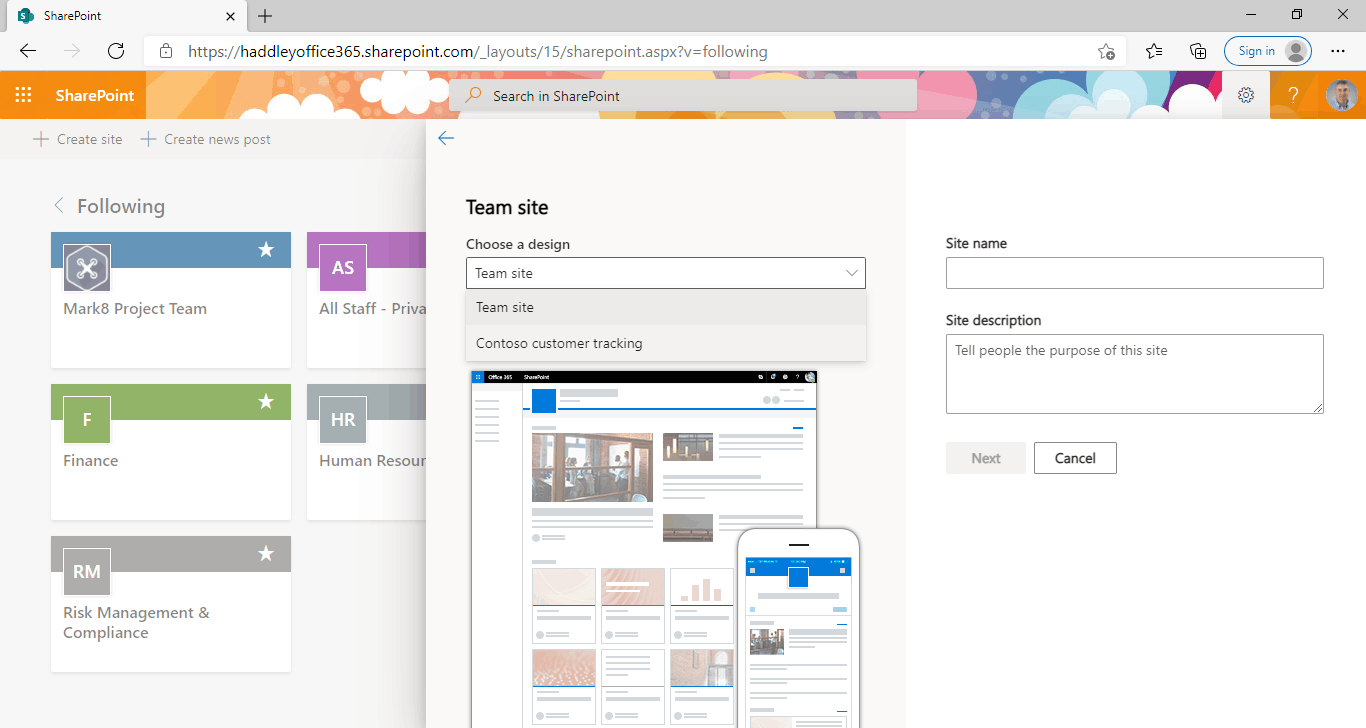
The "Contoso customer tracking" Site Design is available in the "Choose a design" drop down list.
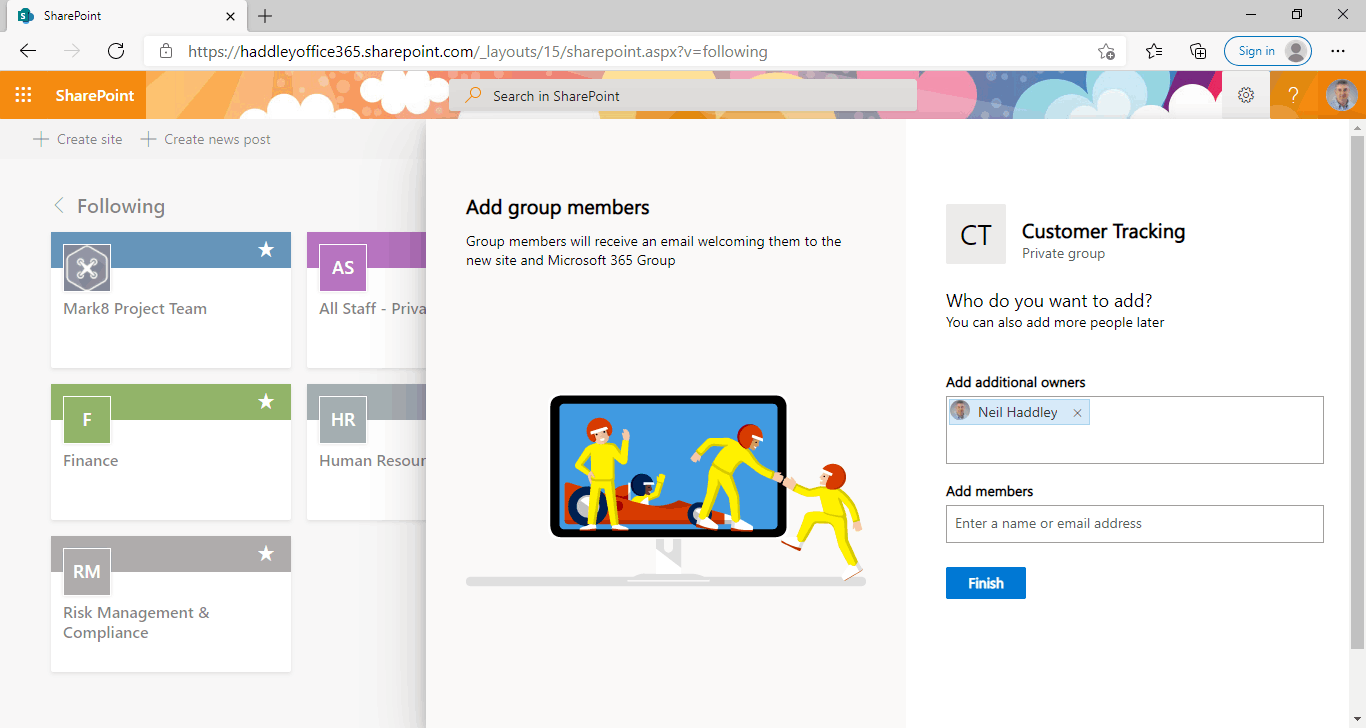
I clicked Finish to create the new site and run the site scripts
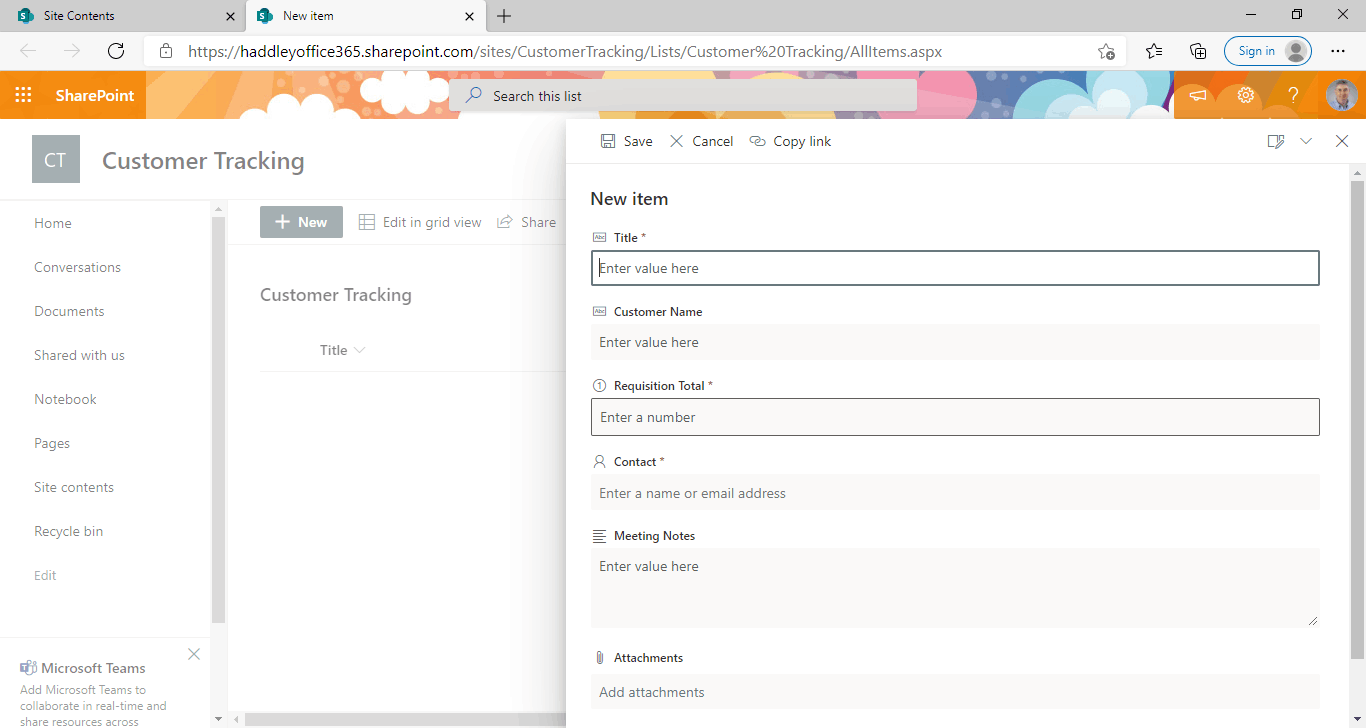
The newly created site includes the "Customer Tracking" list
Applying a site design to an existing site
I used Get-SPOSiteDesign to list the installed site designs and their IDs.
I applied site designs to an existing SharePoint site using the Invoke-SPOSiteDesign command.
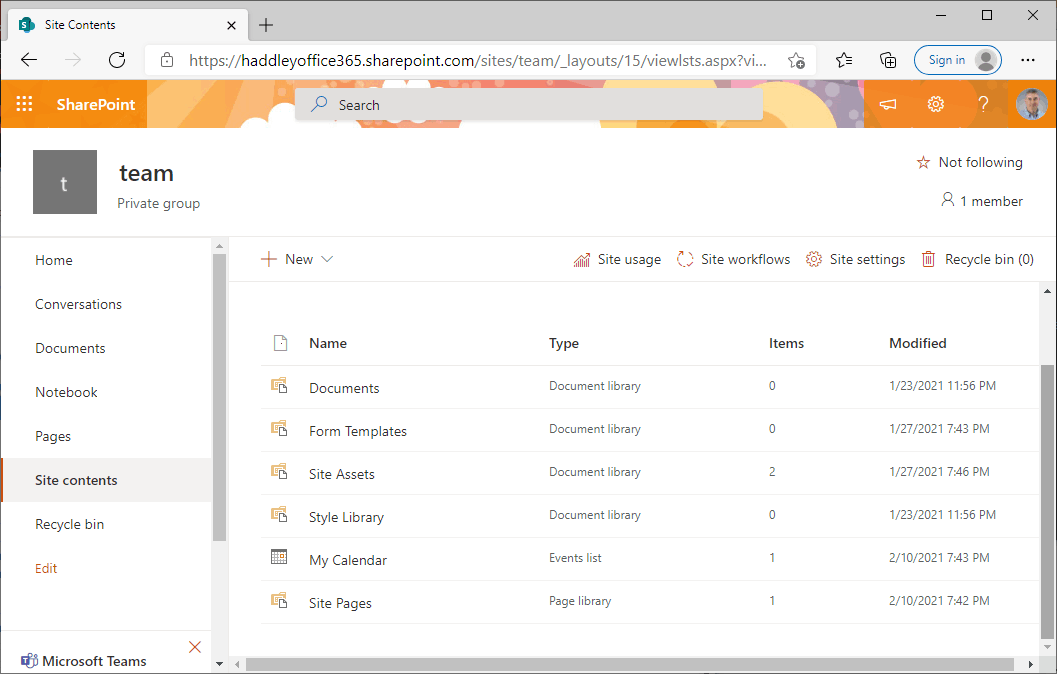
Site contents before invoking site design
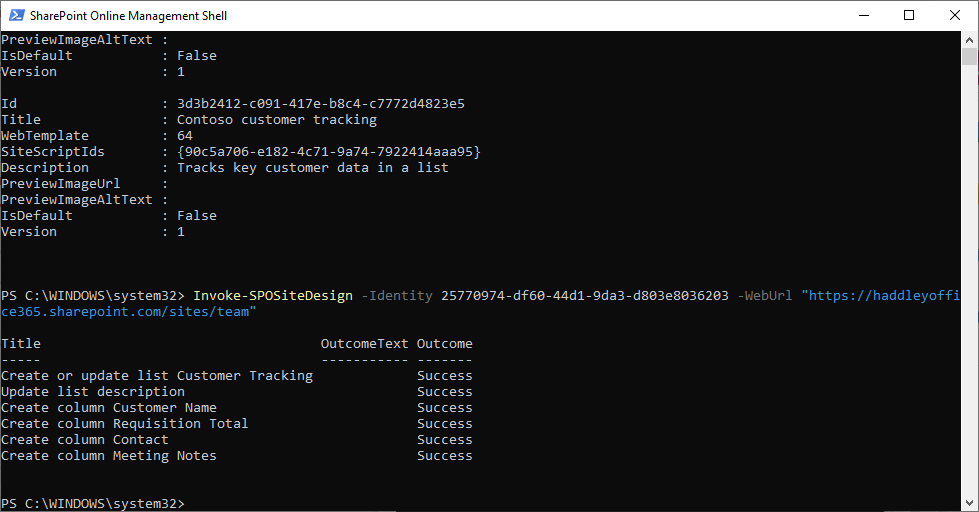
I ran Invoke-SPOSiteDesign
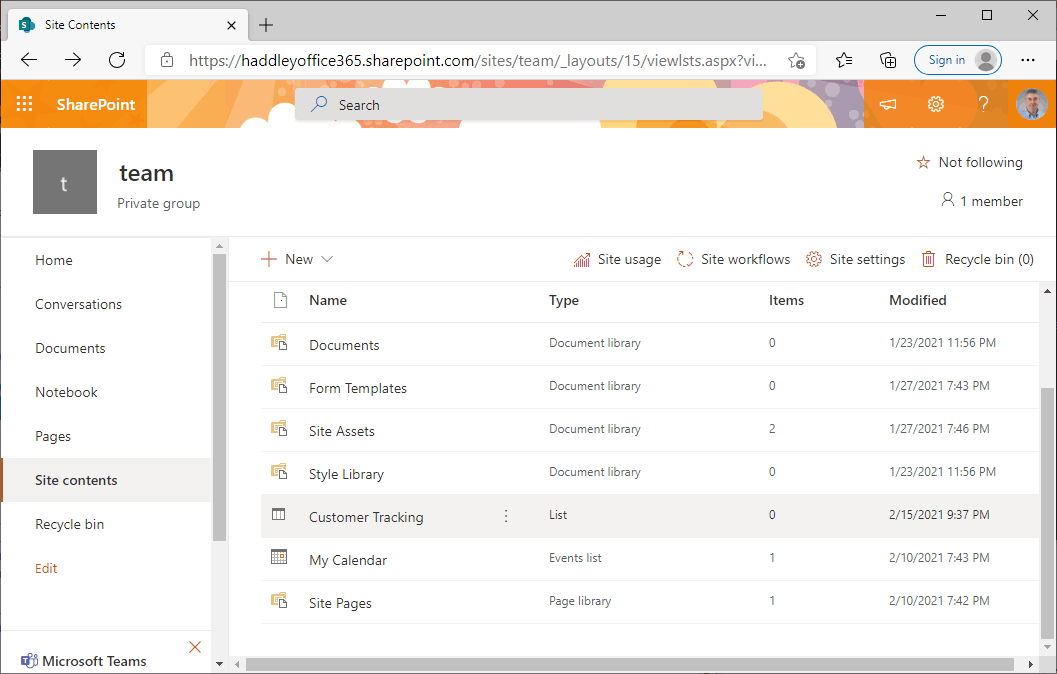
Site contents after invoking site design
Get-SPOSiteScriptFromWeb
I used Get-SPOSiteScriptFromWeb to extract a site script from an existing SharePoint site.
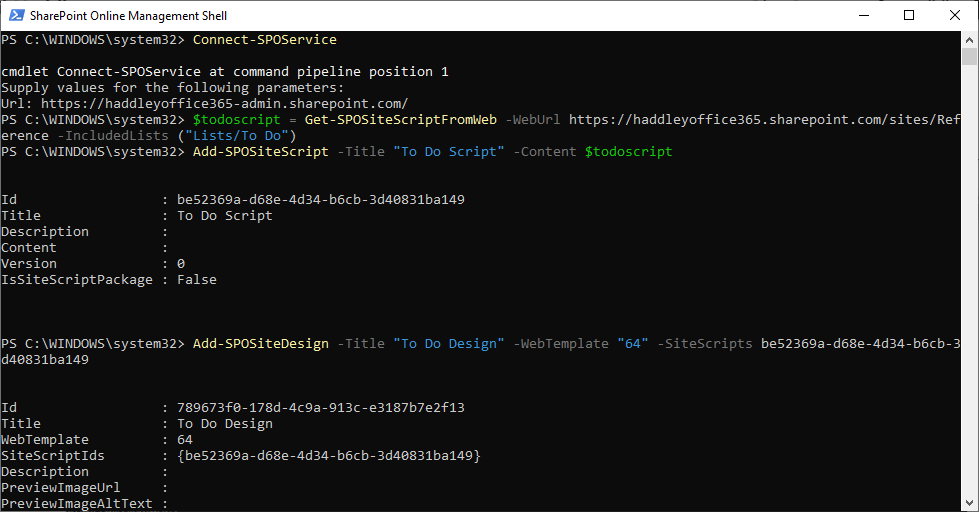
I ran the Get-SPOSiteScriptFromWeb command
Example site script
JAVASCRIPT
1{
2     "$schema": "schema.json",
3         "actions": [
4             {
5                 "verb": "createSPList",
6                 "listName": "Customer Tracking",
7                 "templateType": 100,
8                 "subactions": [
9                     {
10                         "verb": "setDescription",
11                         "description": "List of Customers and Orders"
12                     },
13                     {
14                         "verb": "addSPField",
15                         "fieldType": "Text",
16                         "displayName": "Customer Name",
17                         "isRequired": false,
18                         "addToDefaultView": true
19                     },
20                     {
21                         "verb": "addSPField",
22                         "fieldType": "Number",
23                         "displayName": "Requisition Total",
24                         "addToDefaultView": true,
25                         "isRequired": true
26                     },
27                     {
28                         "verb": "addSPField",
29                         "fieldType": "User",
30                         "displayName": "Contact",
31                         "addToDefaultView": true,
32                         "isRequired": true
33                     },
34                     {
35                         "verb": "addSPField",
36                         "fieldType": "Note",
37                         "displayName": "Meeting Notes",
38                         "isRequired": false
39                     }
40                 ]
41             }
42         ],
43             "bindata": { },
44     "version": 1
45}
Get-SPOSiteScriptFromWeb results
JAVASCRIPT
1{ 2 "$schema": "https://developer.microsoft.com/json-schemas/sp/site-design-script-actions.schema.json", 3 "actions": [ 4 { 5 "verb": "createSiteColumnXml", 6 "schemaXml": "<Field ID=\"{c15b34c3-ce7d-490a-b133-3f4de8801b76}\" Name=\"TaskStatus\" Group=\"Core Task and Issue Columns\" Type=\"Choice\" DisplayName=\"Task Status\" SourceID=\"http://schemas.microsoft.com/sharepoint/v3/fields\" StaticName=\"TaskStatus\" DelayActivateTemplateBinding=\"GROUP,SPSPERS,SITEPAGEPUBLISHING\" Customization=\"\" AllowDeletion=\"TRUE\"><CHOICES><CHOICE>Not Started</CHOICE><CHOICE>In Progress</CHOICE><CHOICE>Completed</CHOICE><CHOICE>Deferred</CHOICE><CHOICE>Waiting on someone else</CHOICE></CHOICES><MAPPINGS><MAPPING Value=\"1\">Not Started</MAPPING><MAPPING Value=\"2\">In Progress</MAPPING><MAPPING Value=\"3\">Completed</MAPPING><MAPPING Value=\"4\">Deferred</MAPPING><MAPPING Value=\"5\">Waiting on someone else</MAPPING></MAPPINGS><Default>Not Started</Default></Field>", 7 "pushChanges": true 8 }, 9 { 10 "verb": "createContentType", 11 "name": "To Do Item", 12 "id": "0x0100AC72E73DED8B1947B3AD265DD7CFCB4A", 13 "description": "", 14 "parentId": "0x01", 15 "hidden": false, 16 "group": "Custom Content Types", 17 "subactions": [ 18 { 19 "verb": "addSiteColumn", 20 "internalName": "TaskStatus" 21 } 22 ] 23 }, 24 { 25 "verb": "createSPList", 26 "listName": "To Do", 27 "templateType": 100, 28 "color": "2", 29 "icon": "11", 30 "subactions": [ 31 { 32 "verb": "setDescription", 33 "description": "To Do List" 34 }, 35 { 36 "verb": "addContentType", 37 "name": "To Do Item" 38 }, 39 { 40 "verb": "addSPFieldXml", 41 "schemaXml": "<Field ID=\"{fa564e0f-0c70-4ab9-b863-0177e6ddd247}\" Type=\"Text\" Name=\"Title\" DisplayName=\"Title\" Required=\"TRUE\" SourceID=\"http://schemas.microsoft.com/sharepoint/v3\" StaticName=\"Title\" FromBaseType=\"TRUE\" MaxLength=\"255\" />" 42 }, 43 { 44 "verb": "addSPFieldXml", 45 "schemaXml": "<Field ID=\"{82642ec8-ef9b-478f-acf9-31f7d45fbc31}\" DisplayName=\"Title\" Description=\"\" Name=\"LinkTitle\" SourceID=\"http://schemas.microsoft.com/sharepoint/v3\" StaticName=\"LinkTitle\" Type=\"Computed\" ReadOnly=\"TRUE\" FromBaseType=\"TRUE\" Width=\"150\" DisplayNameSrcField=\"Title\" Sealed=\"FALSE\"><FieldRefs><FieldRef Name=\"Title\" /><FieldRef Name=\"LinkTitleNoMenu\" /><FieldRef Name=\"_EditMenuTableStart2\" /><FieldRef Name=\"_EditMenuTableEnd\" /></FieldRefs><DisplayPattern><FieldSwitch><Expr><GetVar Name=\"FreeForm\" /></Expr><Case Value=\"TRUE\"><Field Name=\"LinkTitleNoMenu\" /></Case><Default><HTML><![CDATA[<div class=\"ms-vb itx\" onmouseover=\"OnItem(this)\" CTXName=\"ctx]]></HTML><Field Name=\"_EditMenuTableStart2\" /><HTML><![CDATA[\">]]></HTML><Field Name=\"LinkTitleNoMenu\" /><HTML><![CDATA[</div>]]></HTML><HTML><![CDATA[<div class=\"s4-ctx\" onmouseover=\"OnChildItem(this.parentNode); return false;\">]]></HTML><HTML><![CDATA[<span> </span>]]></HTML><HTML><![CDATA[<a onfocus=\"OnChildItem(this.parentNode.parentNode); return false;\" onclick=\"PopMenuFromChevron(event); return false;\" href=\"javascript:;\" title=\"Open Menu\"></a>]]></HTML><HTML><![CDATA[<span> </span>]]></HTML><HTML><![CDATA[</div>]]></HTML></Default></FieldSwitch></DisplayPattern></Field>" 46 }, 47 { 48 "verb": "addSPView", 49 "name": "All Items", 50 "viewFields": [ 51 "LinkTitle", 52 "TaskStatus" 53 ], 54 "query": "", 55 "rowLimit": 30, 56 "isPaged": true, 57 "makeDefault": true, 58 "replaceViewFields": true 59 } 60 ] 61 } 62 ] 63}