SharePoint Web Part (Part 2)
Neil Haddley • February 14, 2021
How to create and publish a SharePoint Web Part
Adding the big calendar
I added the react-big-calendar events calendar component to the SharePoint Web Part solution.
https://www.npmjs.com/package/react-big-calendar
I installed it by running:
$ npm i react-big-calendar
Update the Calendar Function Component
I updated the Web Part's Calendar Component to include react-big-calendar, again using React's useEffect and useState hooks.
Pnp react-calendar sample
SharePoint provides a REST API.
The pnp react-calendar sample project uses an "sp-services" class to hold all of the code needed to fetch Calendar list items from the SharePoint site via SharePoint's REST API.
I used the same approach:
workbench.aspx
The code assumes the SharePoint site has a Calendar list named "Calendar".
The Local Workbench does not have a Calendar list, so I navigated to the workbench page on a SharePoint site that does (e.g. https://haddleyoffice365.sharepoint.com/sites/AllStaff/_layouts/15/workbench.aspx).
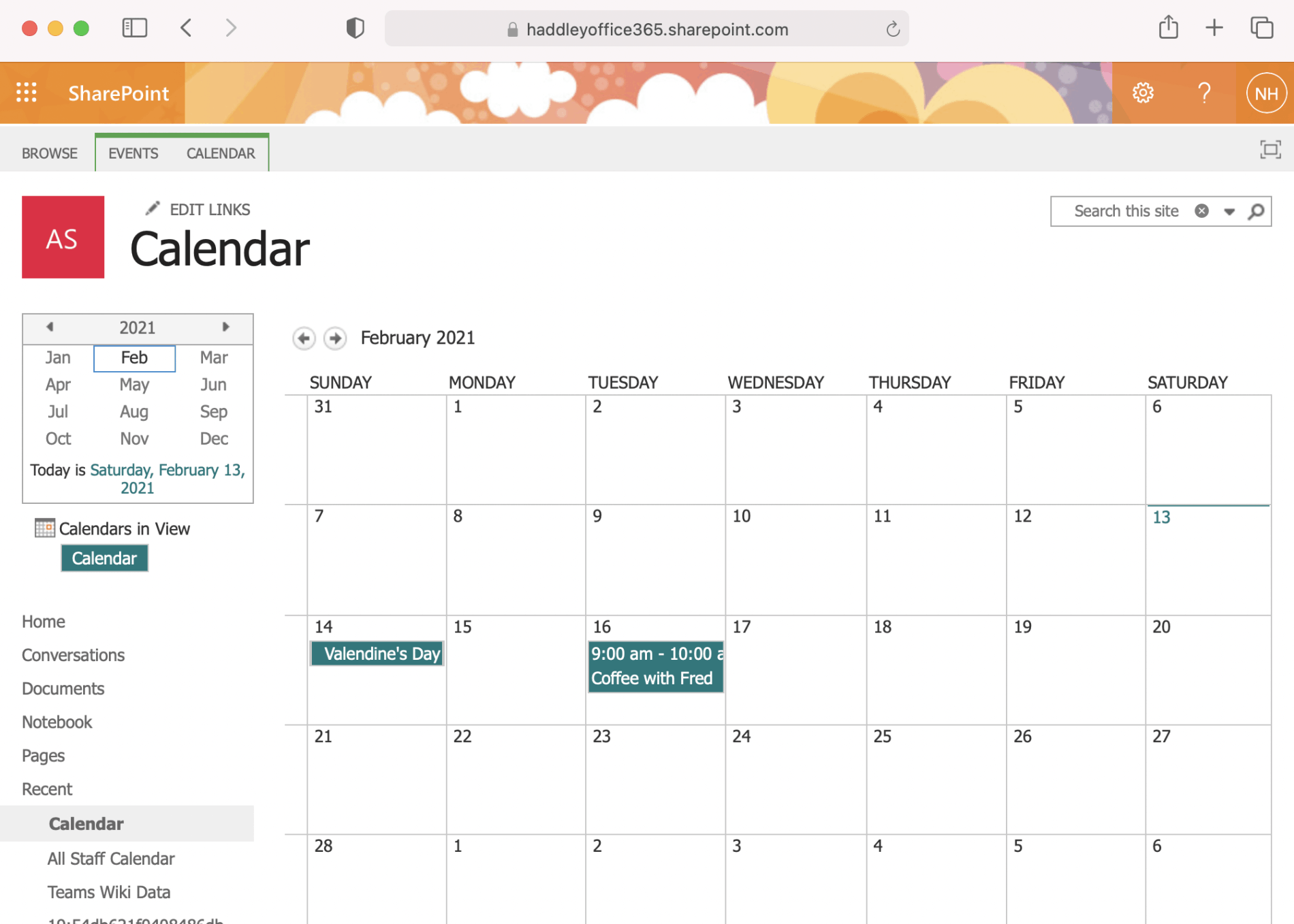
Example Team Site Calendar with sample events
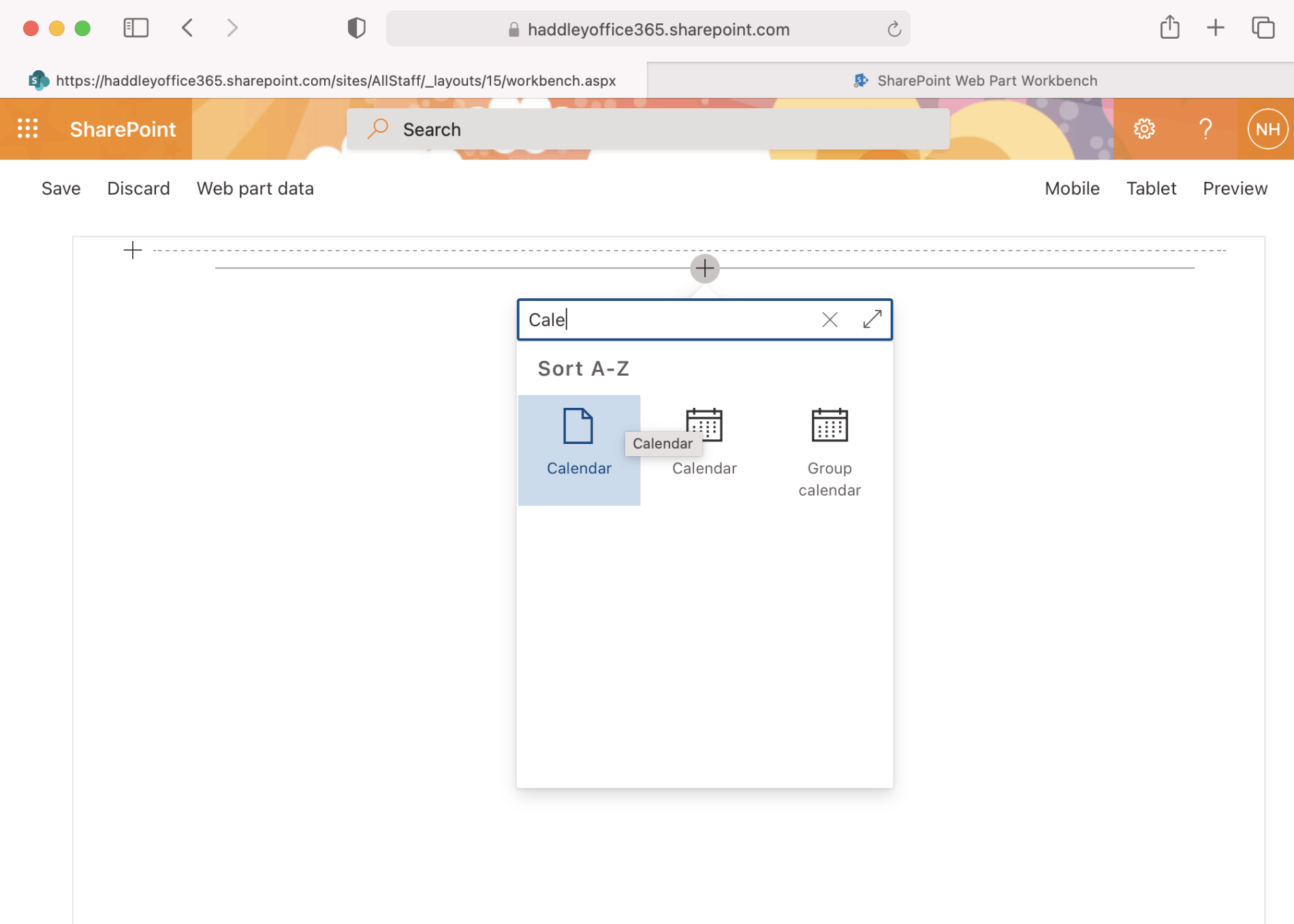
Calendar Web Part icon in /layouts/15/workbench.aspx page
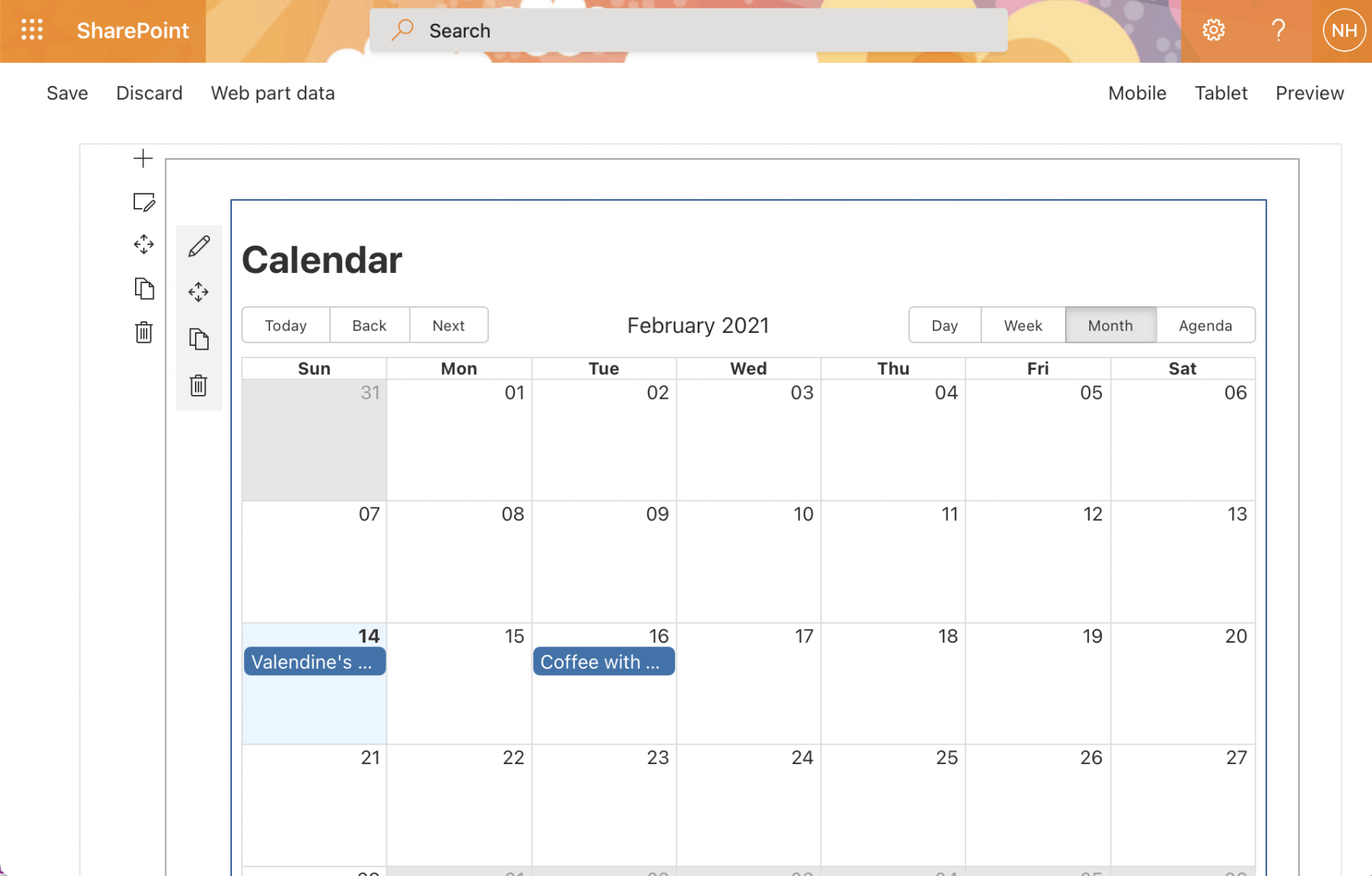
Calendar Web Part running in /layouts/15/workbench.aspx page displaying sample events
Packaging and deploying
I used these commands to create a .sppkg package:
gulp clean
gulp bundle --ship
gulp package-solution --ship
I deployed the web part by copying the .sppkg package to the SharePoint tenant's app catalog site.
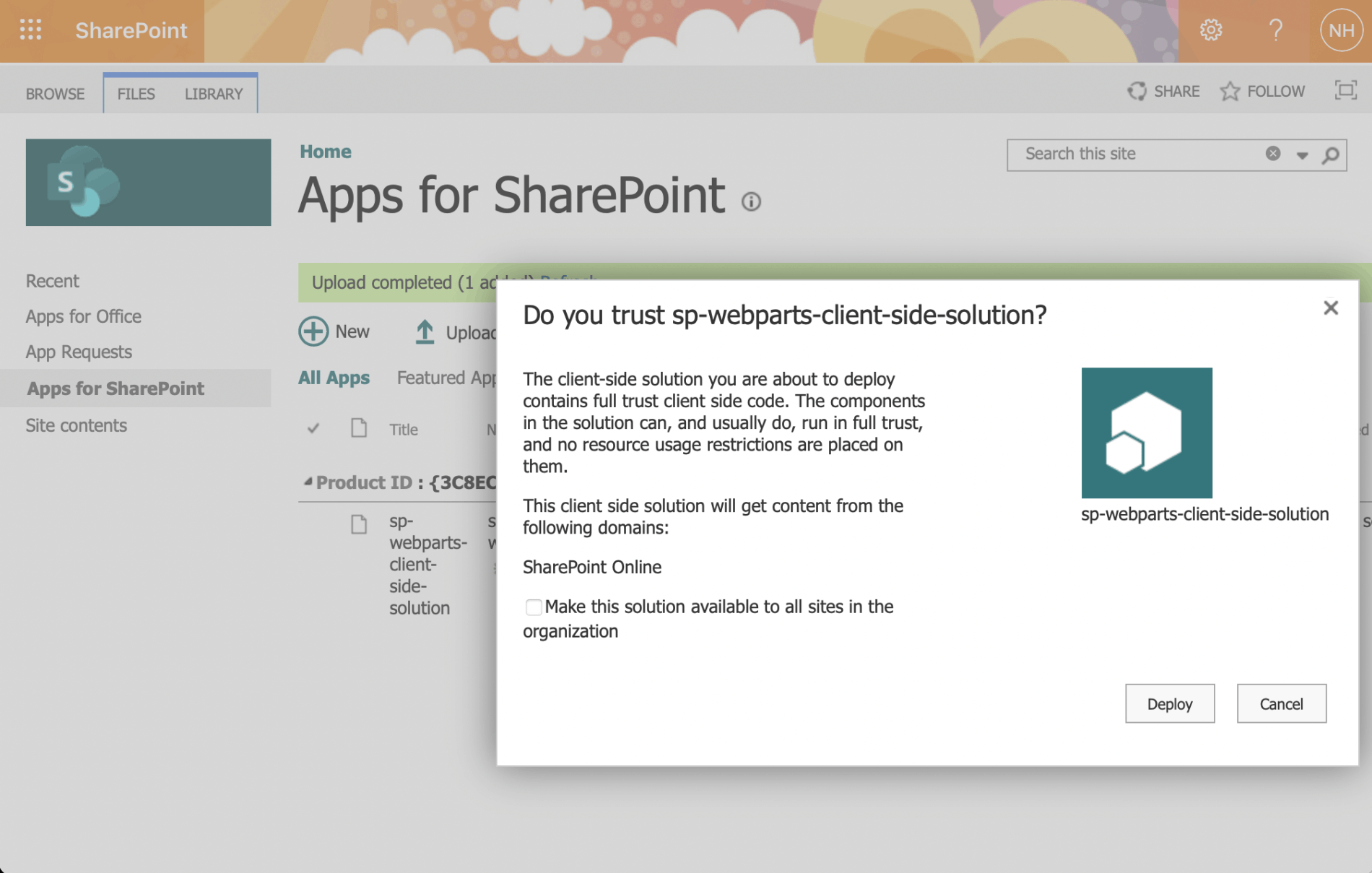
I copied the .sppkg package to the SharePoint app catalog
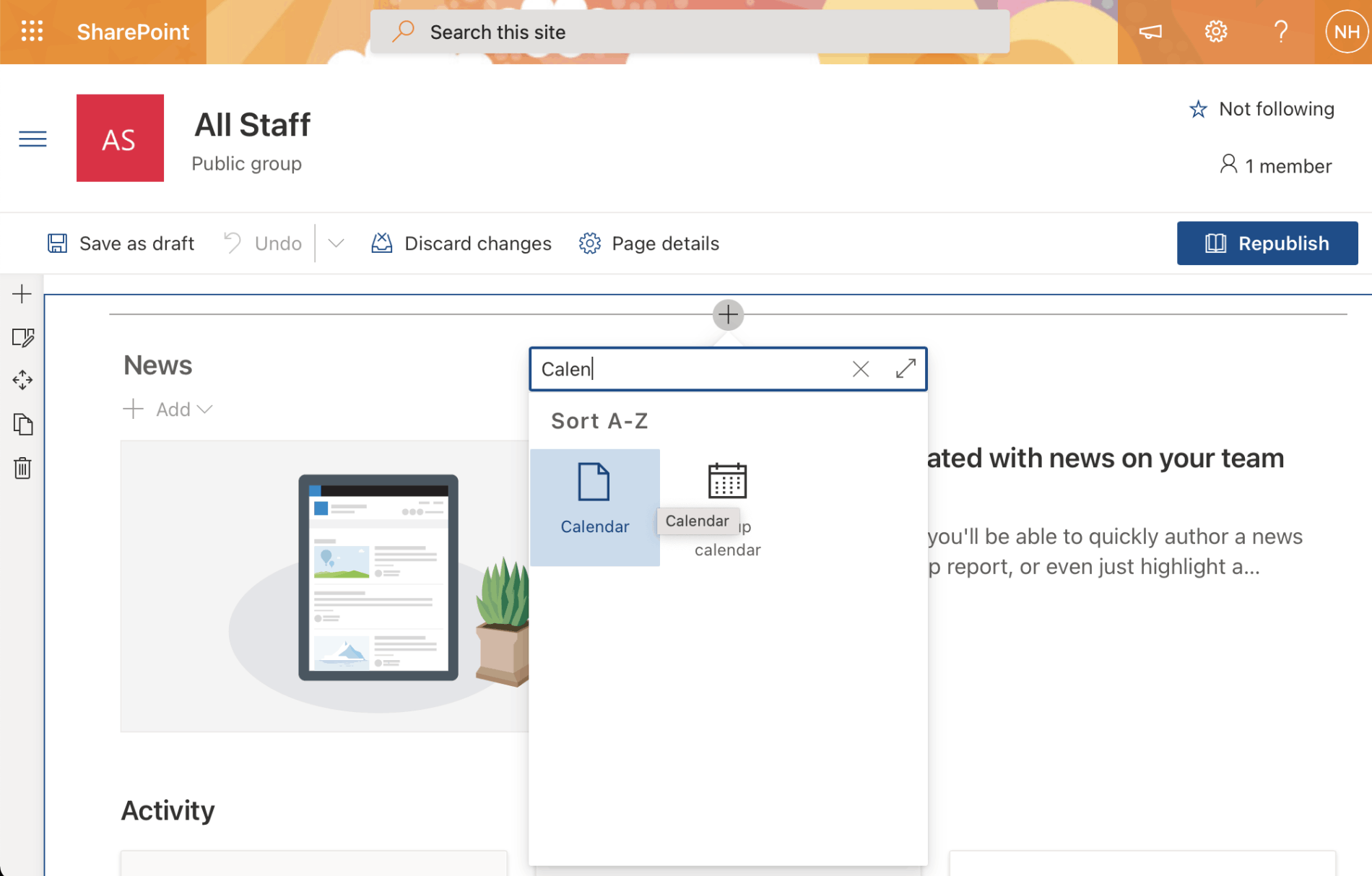
I added the Calendar Web Part to a SharePoint page
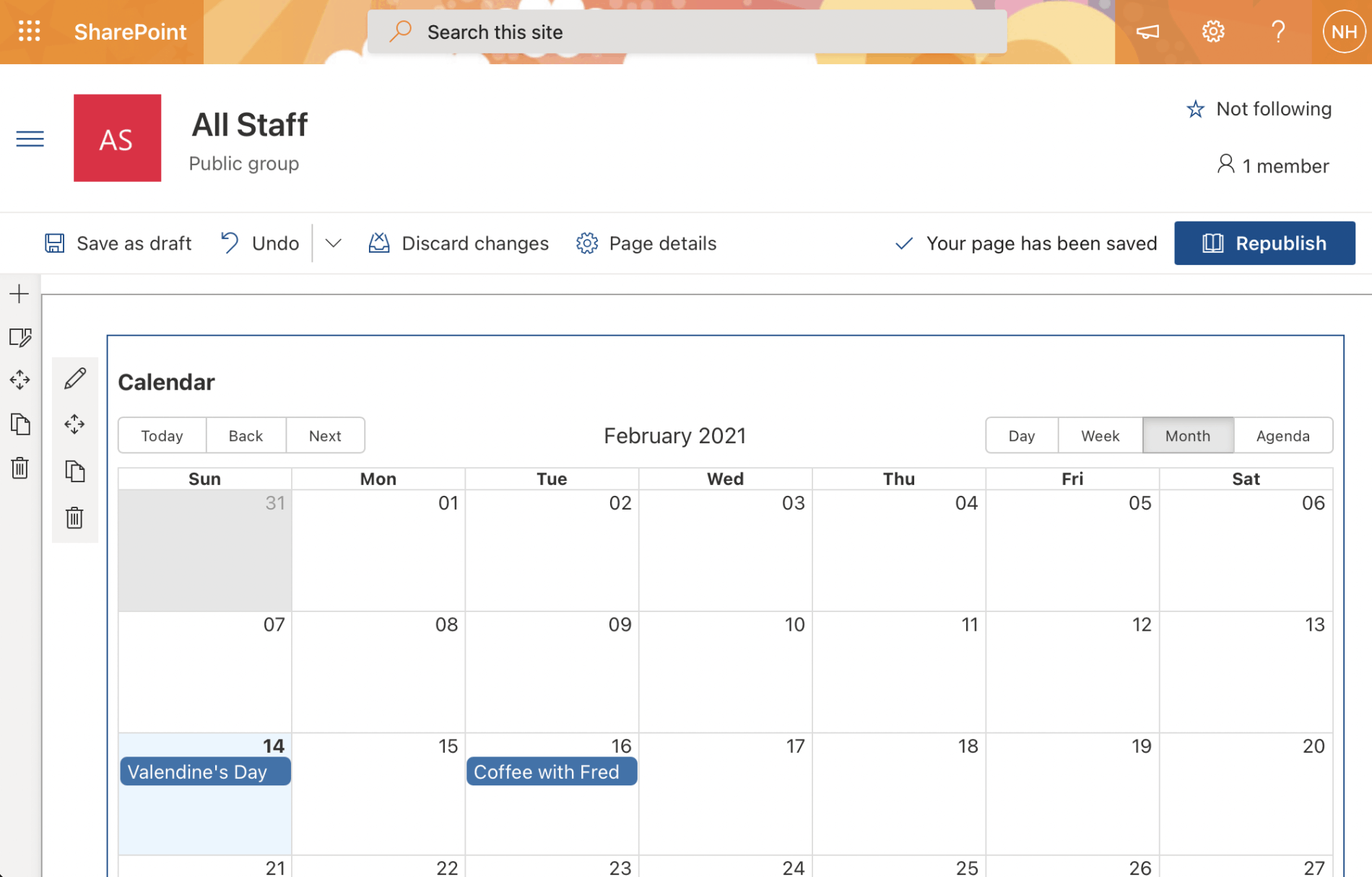
I set the Calendar Web Part properties
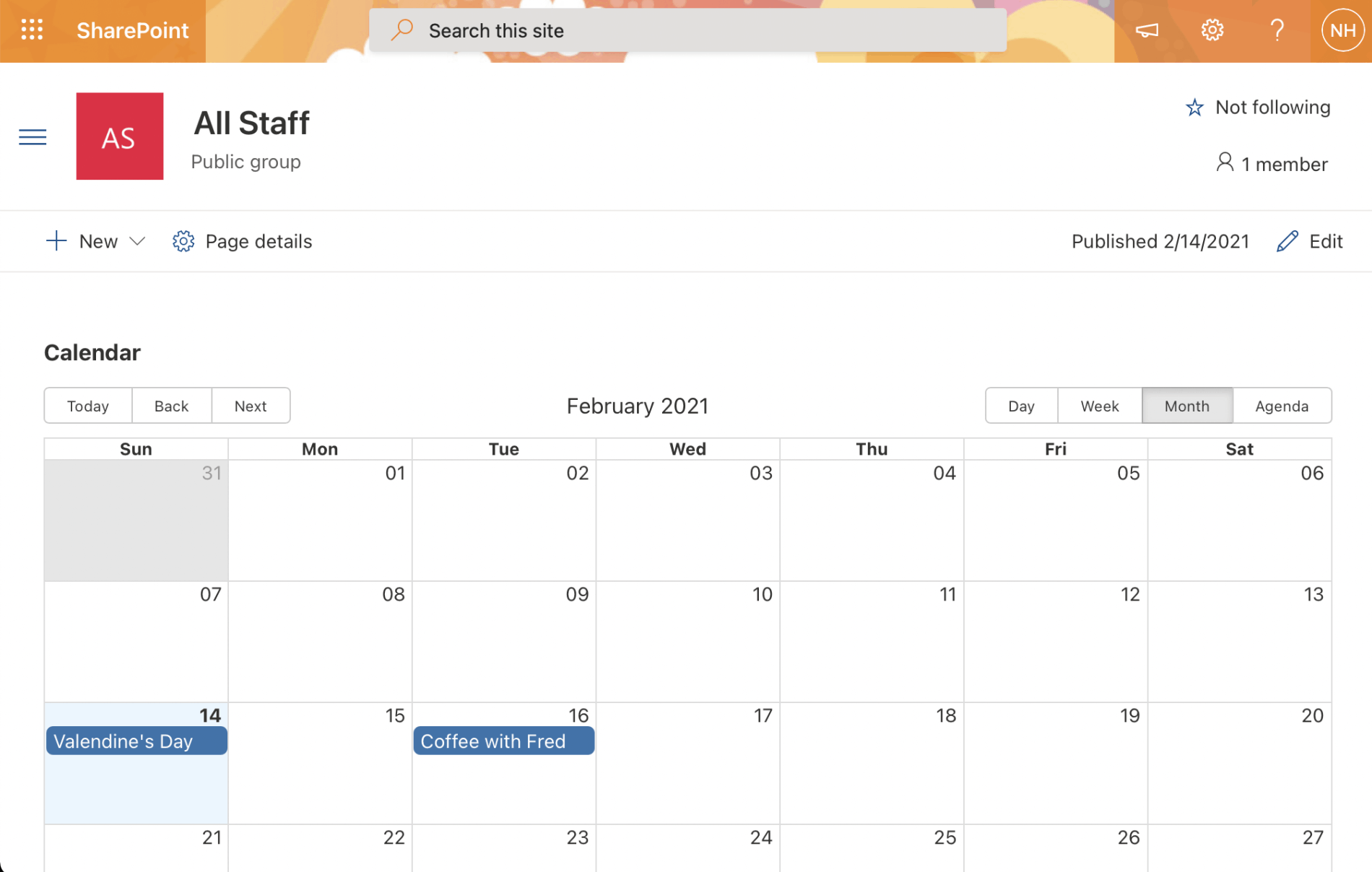
The Calendar Web Part running in the SharePoint page (in Month mode)
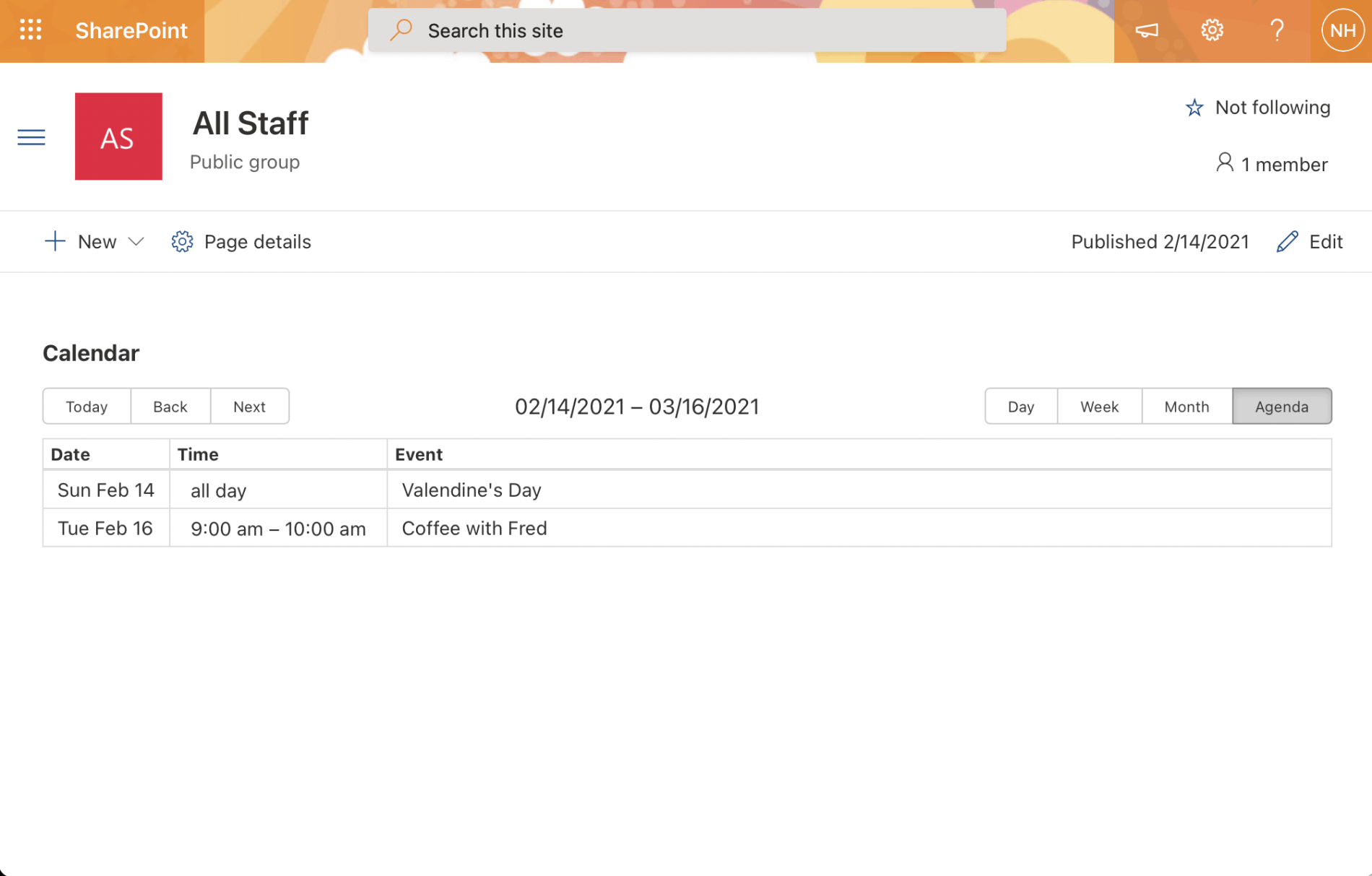
The Calendar Web Part running in the SharePoint page (in Agenda mode)
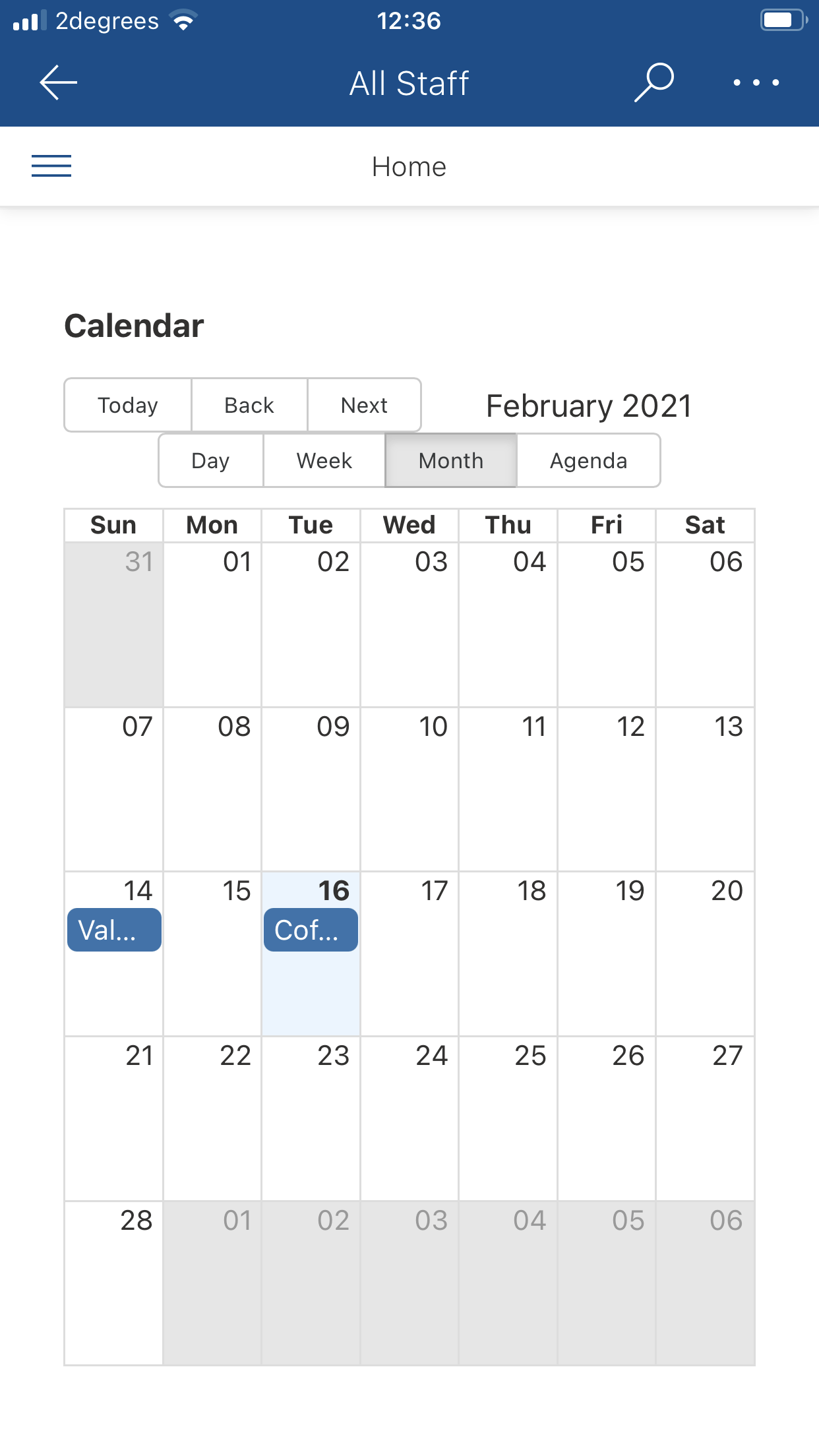
The Calendar Web Part running in the iOS SharePoint app (in Month mode)
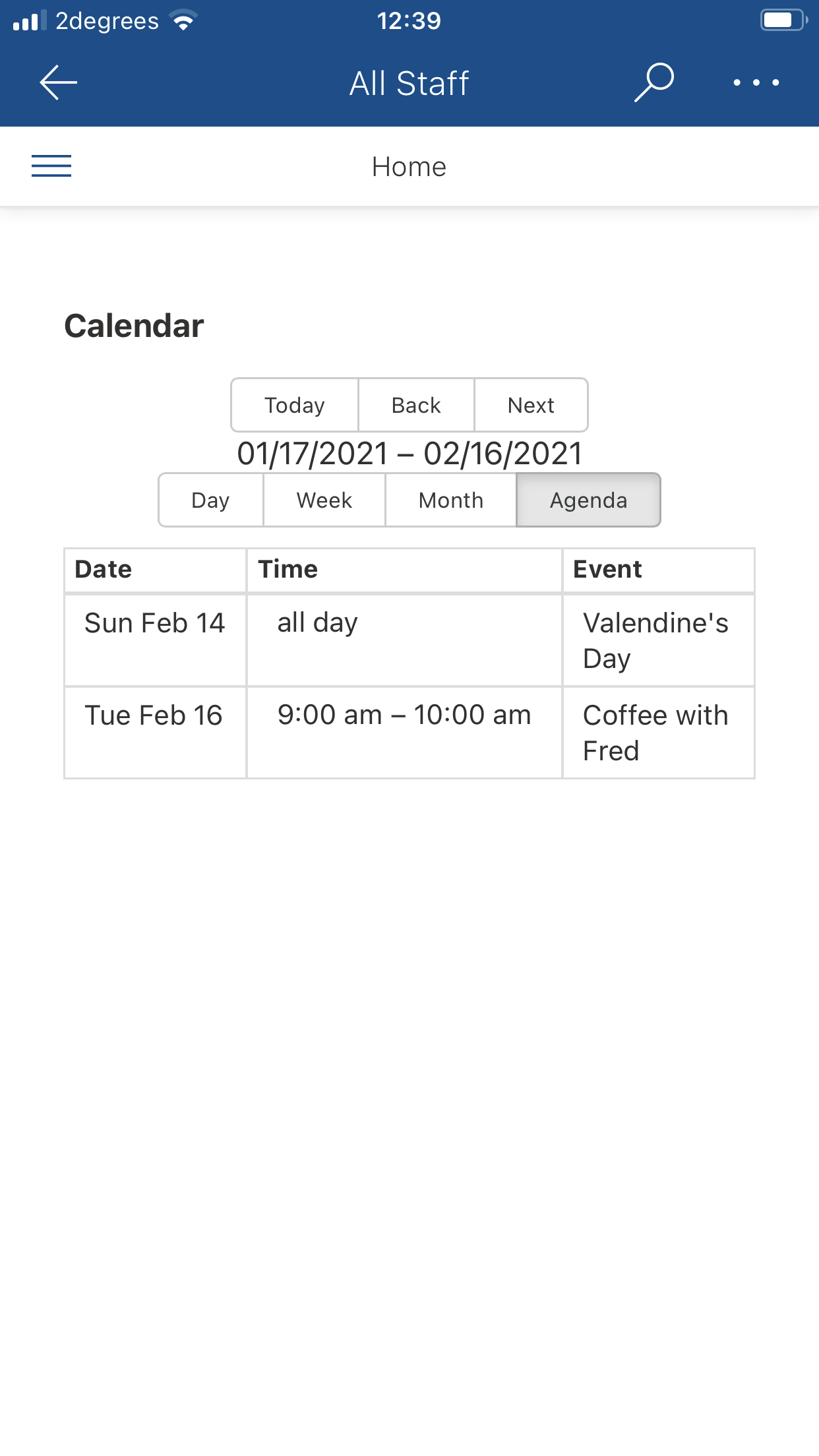
The Calendar Web Part running in the iOS SharePoint app (in Agenda mode)
Calendar.tsx
TYPESCRIPT
1import * as React from 'react';
2import { ICalendarProps } from './ICalendarProps';
3import { escape } from '@microsoft/sp-lodash-subset';
4import { WebPartContext } from '@microsoft/sp-webpart-base';
5import { FunctionComponent } from 'react';
6import { Spinner, SpinnerSize } from 'office-ui-fabric-react';
7import { useEffect, useState } from 'react';
8import spservices from '../../../services/spservices';
9import { Calendar as BigCalendar, momentLocalizer } from 'react-big-calendar';
10import * as moment from 'moment';
11import 'react-big-calendar/lib/css/react-big-calendar.css';
12
13const Calendar: FunctionComponent<ICalendarProps> =
14  ({ description, context }: { description: string, context: WebPartContext }) => {
15
16    const [busy, setBusy] = useState(true)
17    const [events, setEvents] = useState([])
18
19    useEffect(() => {
20      (async () => {
21        await refreshEvents()
22      })();
23    }, [])
24
25    const refreshEvents = async () => {
26      try {
27        setBusy(() => true);
28        const spService = new spservices(context);
29        const calendarEvents = await spService.getEvents();
30        setEvents(() => calendarEvents);
31        setBusy(() => false);
32      }
33      catch (error) {
34        setBusy(() => false);
35      }
36    }
37
38    const deleteEvent = async (id: number) => {
39      try {
40        const spService = new spservices(context);
41        await spService.deleteEvent(id);
42        const calendarEvents = await spService.getEvents();
43        setEvents(() => calendarEvents);
44      }
45      catch (error) {
46        setBusy(() => false);
47      }
48    }
49
50    const localizer = momentLocalizer(moment)
51
52    return (
53      (busy)
54        ? (
55          <Spinner size={SpinnerSize.large} label="Loading..." />
56        )
57        : (
58          <>
59            <h1>{escape(description)}</h1>
60            <BigCalendar
61              defaultDate={moment().startOf('day').toDate()}
62              localizer={localizer}
63              events={events}
64              views={{ day: true, week: true, month: true, agenda: true }}
65              style={{ height: 500 }}
66              components={{
67                eventWrapper: ({ event, children }) => (
68                  <div
69                    onContextMenu={
70                      e => {
71                        alert(`Will delete ${event.title} (${event.id})!`);
72                        deleteEvent(event.id);
73                        e.preventDefault();
74                      }
75                    }
76                  >
77                    {children}
78                  </div>
79                )
80              }}
81            />
82          </>
83        )
84    )
85  }
86
87export default Calendar
sp-services.ts
TYPESCRIPT
1import { WebPartContext } from "@microsoft/sp-webpart-base";
2import { sp } from '@pnp/sp';
3import "@pnp/sp/webs";
4import "@pnp/sp/lists";
5import "@pnp/sp/items";
6import "@pnp/sp/regional-settings";
7import * as moment from 'moment';
8
9export default class spservices {
10
11    constructor(private context: WebPartContext) {
12        sp.setup({
13            spfxContext: this.context
14        });
15    }
16
17    public async getLocalTime(date: string | Date): Promise<string> {
18        try {
19            const localTime = await sp.web.regionalSettings.timeZone.utcToLocalTime(date);
20            return localTime;
21        } catch (error) {
22            return Promise.reject(error);
23        }
24    }
25
26    public async getEvents(): Promise<any[]> {
27        try {
28
29            const items: any[] = await sp.web.lists.getByTitle("Calendar").items.get();
30
31            const promises = items.map(event =>
32                (async (item) => {
33
34                    let start: Date
35                    let end: Date
36
37                    if (item.fAllDayEvent) {
38
39                        // ignore timezone for all day events
40                        start = new Date(item.EventDate.slice(0, -1))
41                        end = new Date(item.EndDate.slice(0, -1))
42
43
44                    } else {
45
46                        const start1 = await this.getLocalTime(item.EventDate)
47                        start = new Date(start1)
48
49                        const end1 = await this.getLocalTime(item.EndDate)
50                        end = new Date(end1)
51
52                    }
53
54                    return ({
55                        id: item.Id,
56                        title:item.Title,
57                        allDay: item.fAllDayEvent,
58                        start: start,
59                        end: end,
60                    })
61
62                })(event))
63
64            return await (Promise.all(promises))
65
66        } catch (error) {
67            return Promise.reject(error)
68        }
69    }
70
71    public async deleteEvent(id: number) {
72        try {
73            if (sp) {
74                const list = sp.web.lists.getByTitle("Calendar");
75                await list.items.getById(id).delete();
76            }
77        } catch (error) {
78            return Promise.reject(error)
79        }
80    }
81
82}