Copilot Studio
Neil Haddley • February 25, 2024
Building a Copilot Studio topic that calls the Business Central connector to return live company data from Dynamics 365 in a chatbot
I wanted to teach a Copilot Studio bot to answer "list of companies" by pulling live data from Dynamics 365 Business Central. By default the Copilot had no idea how to respond — so I built a custom Topic that called the Business Central Connector, retrieved the company list from my PRODUCTION environment, and returned the results to the user.
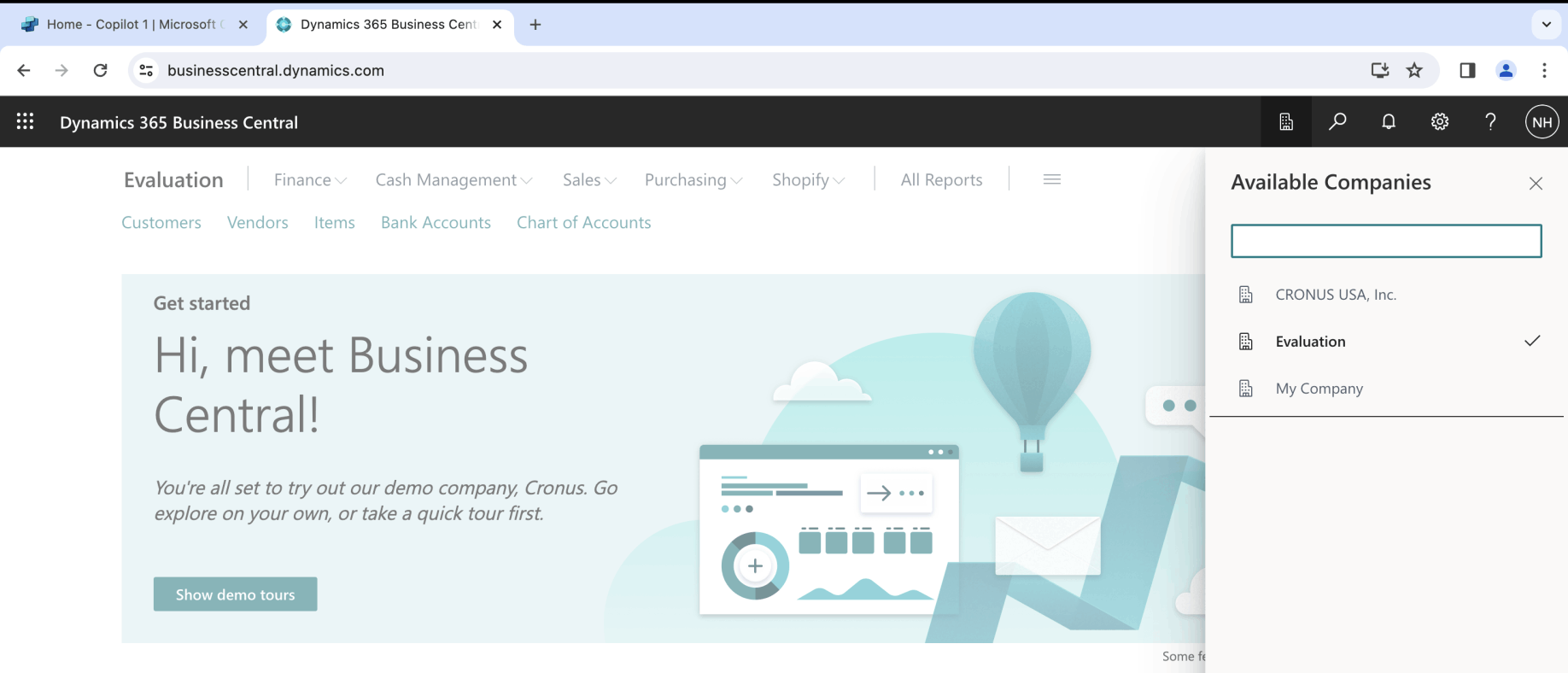
I confirmed there were three Companies in my PRODUCTION environment
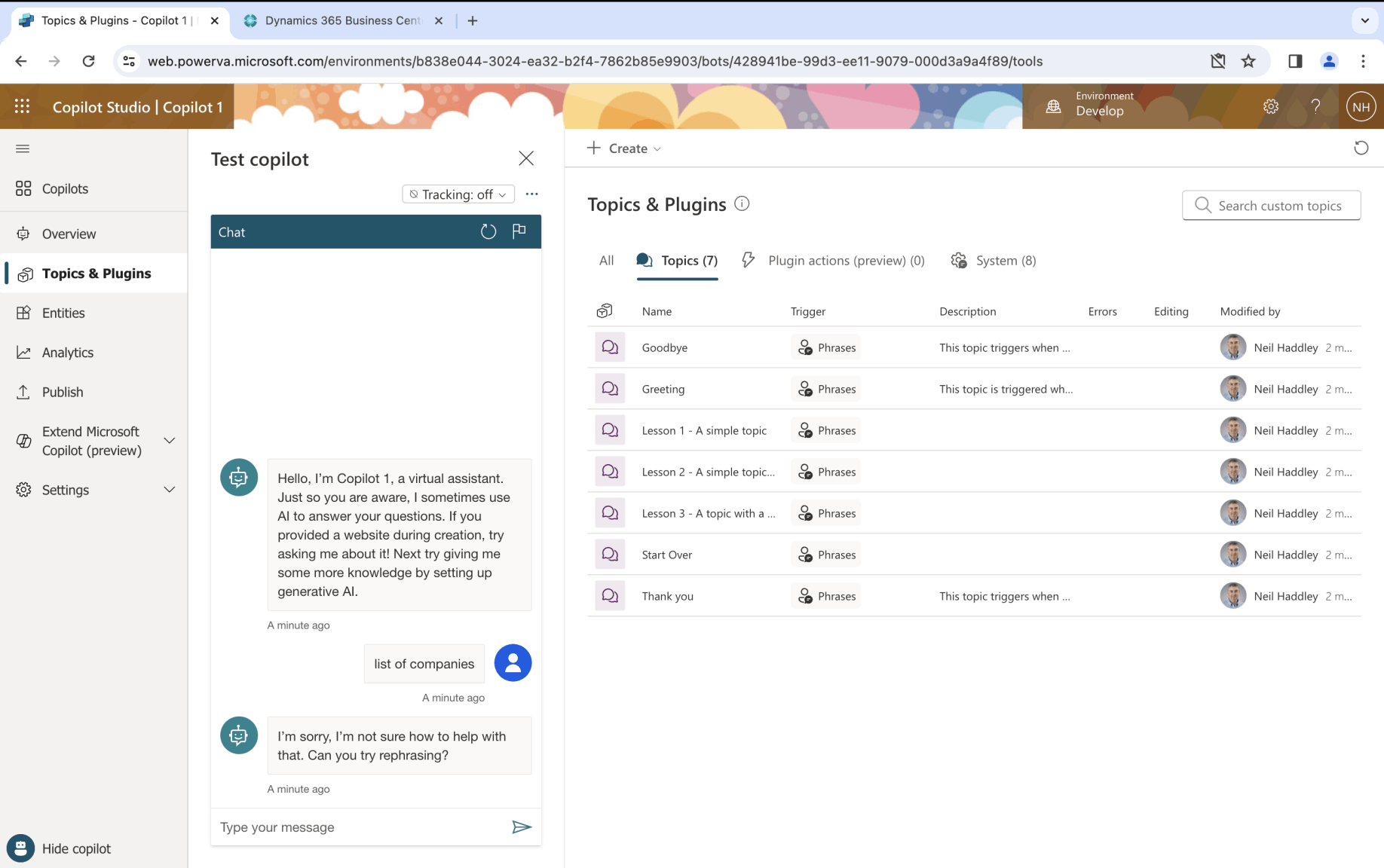
I created a new Copilot and asked it to provide a "list of companies". It replied "I'm sorry, I'm not sure how to help with that."
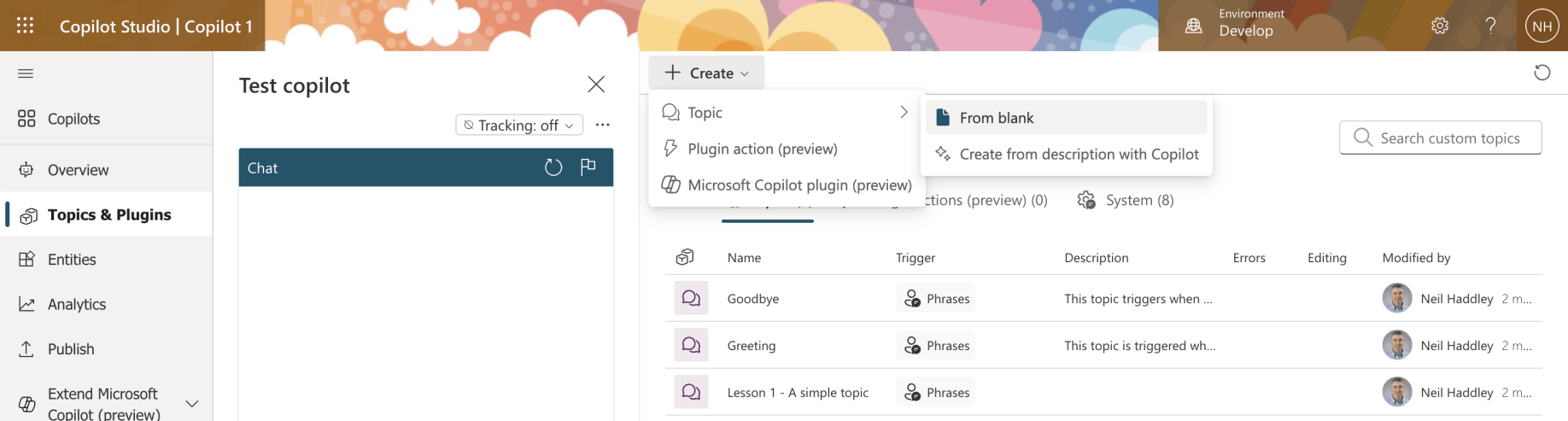
I created a new Topic from blank
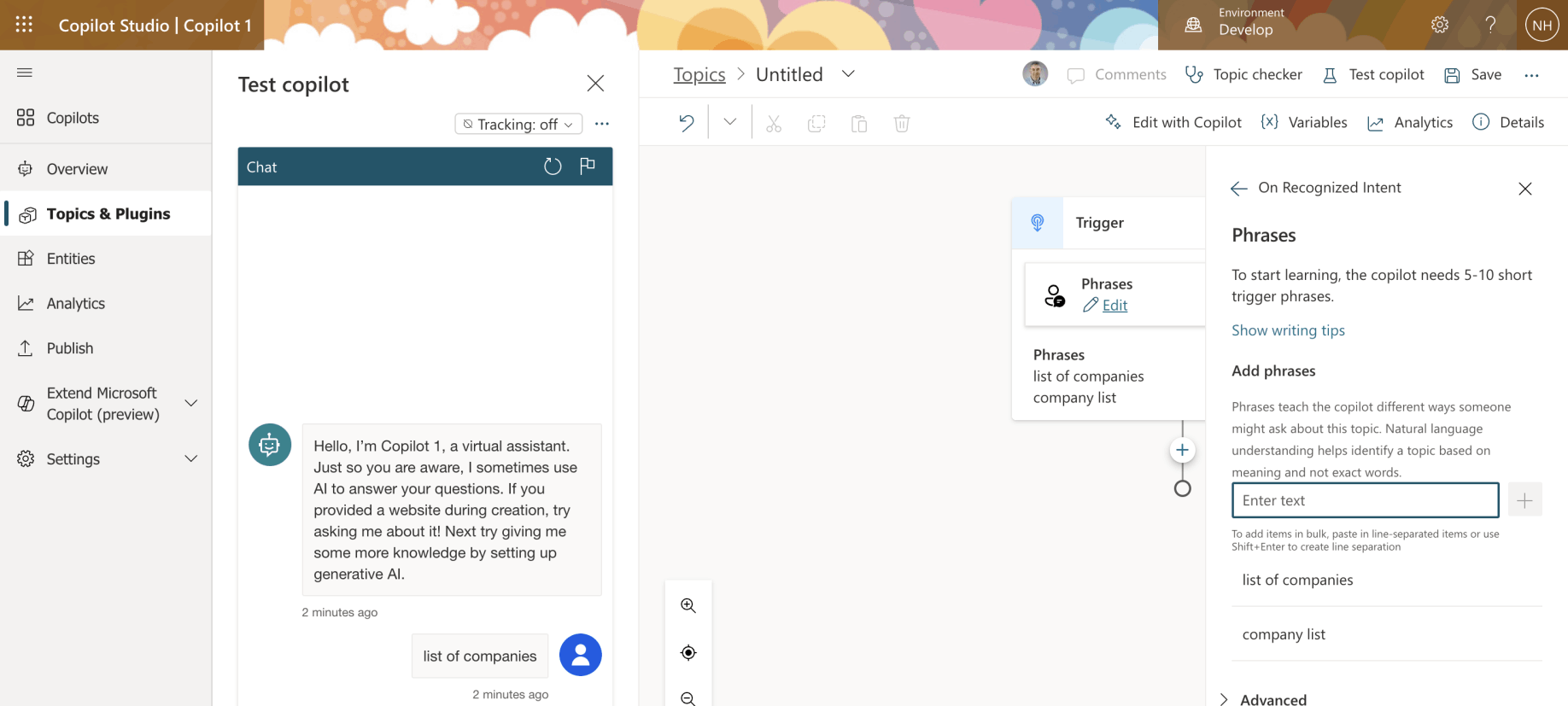
I added the Phrases "list of companies" and "company list"
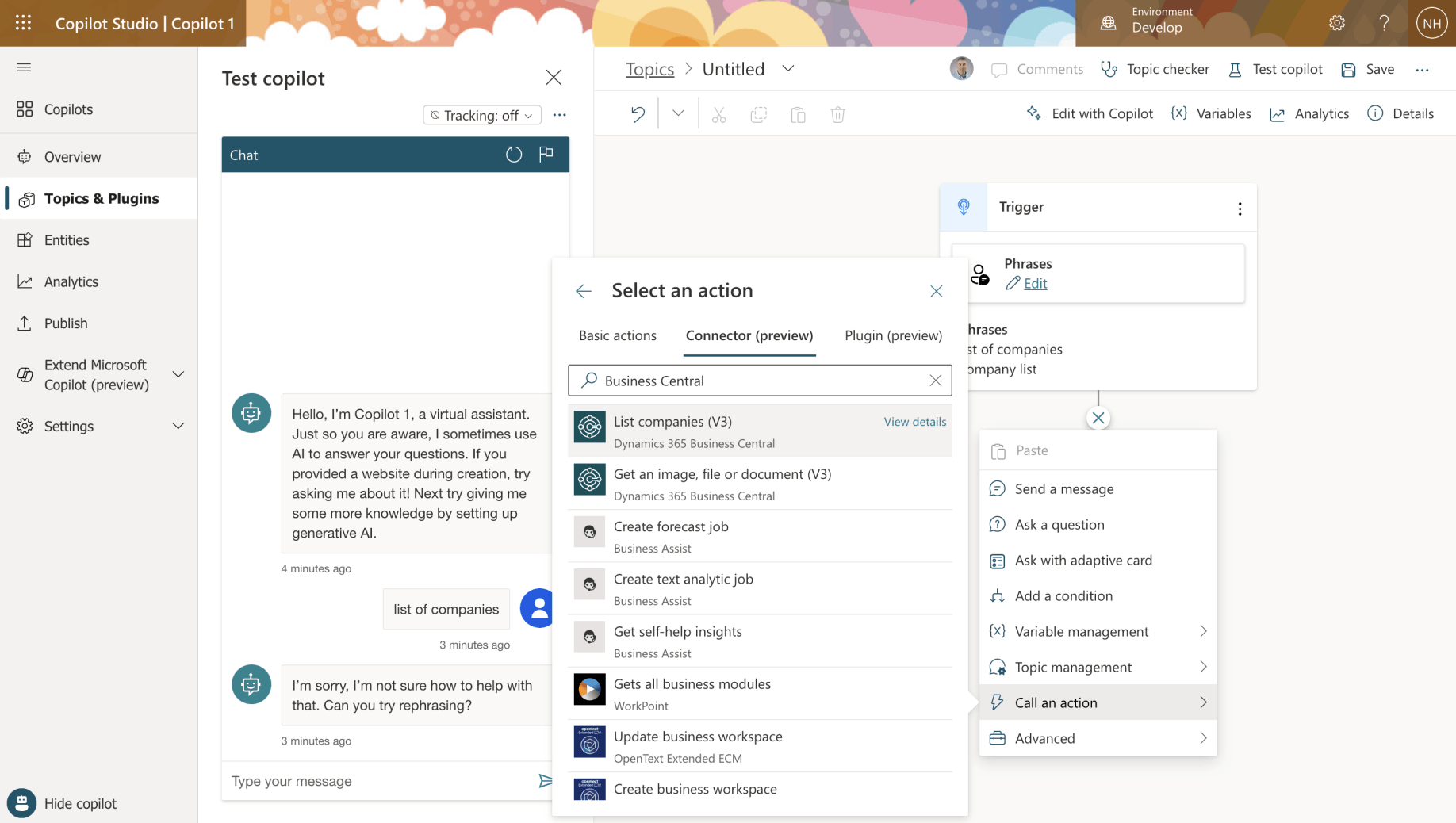
I selected Call an action > Connector (preview) and chose the "List companies (V3)" action
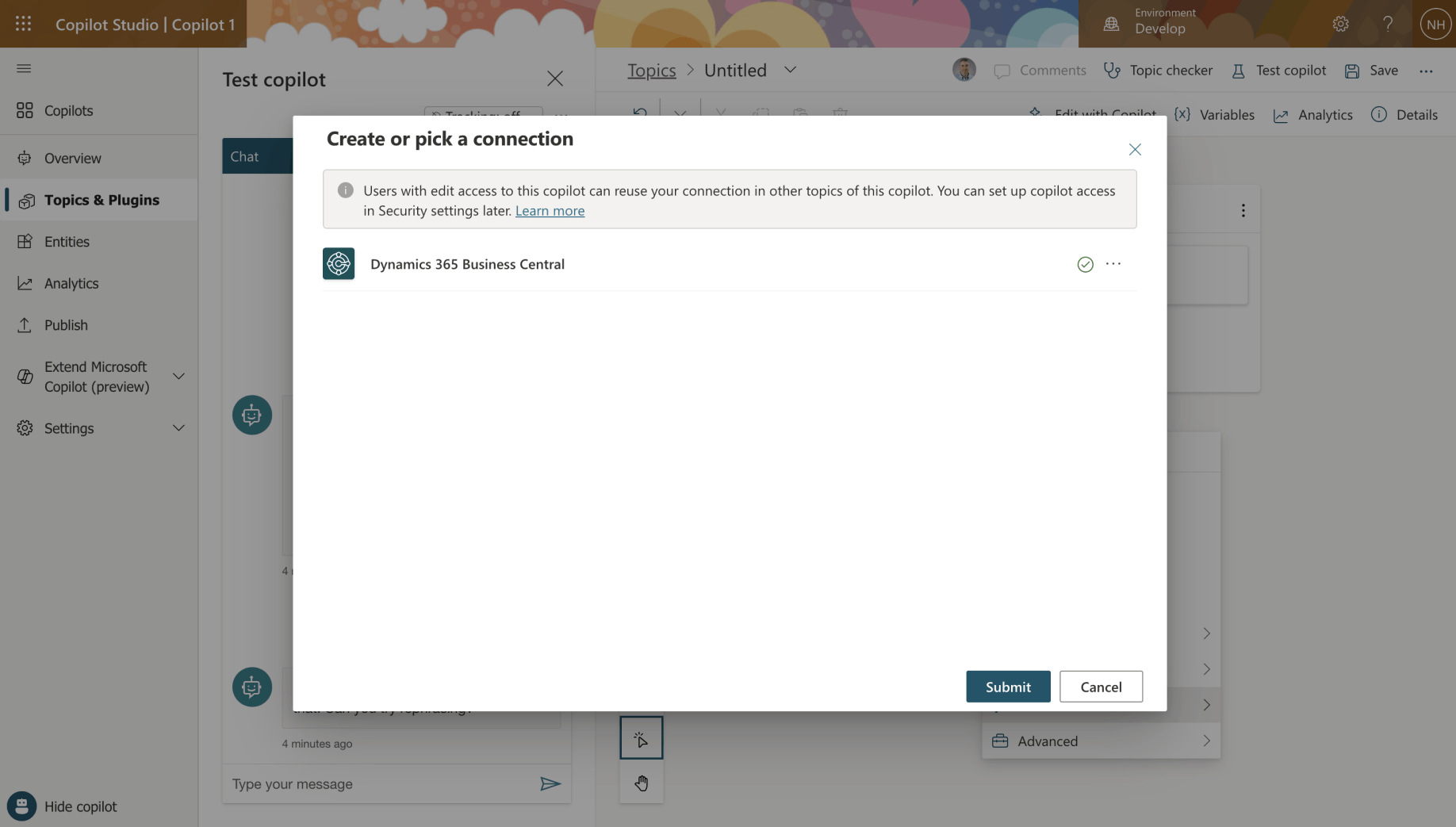
I clicked the Submit button
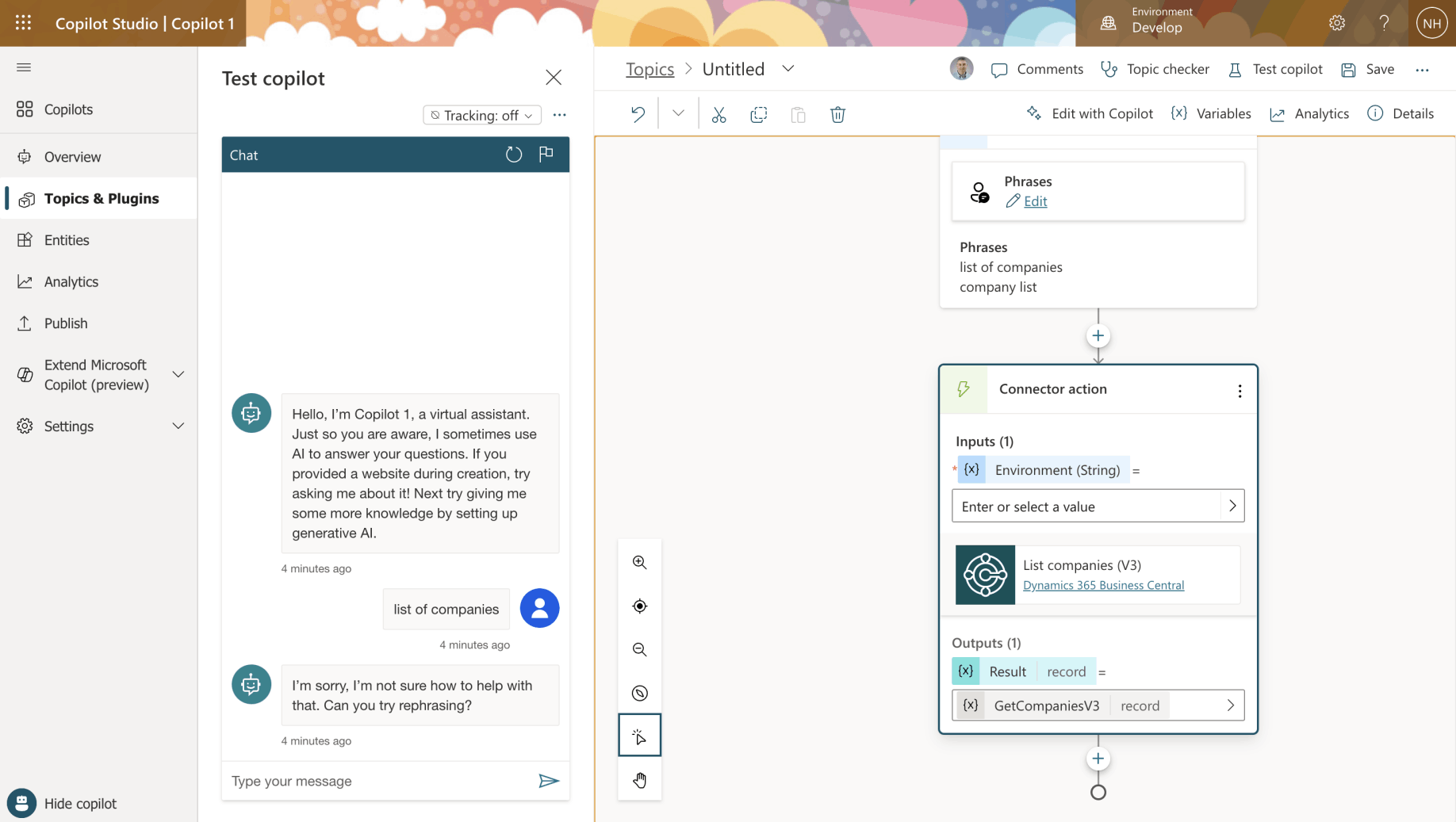
The Connector action appeared in the Topic flow

I provided the Environment (String) PRODUCTION
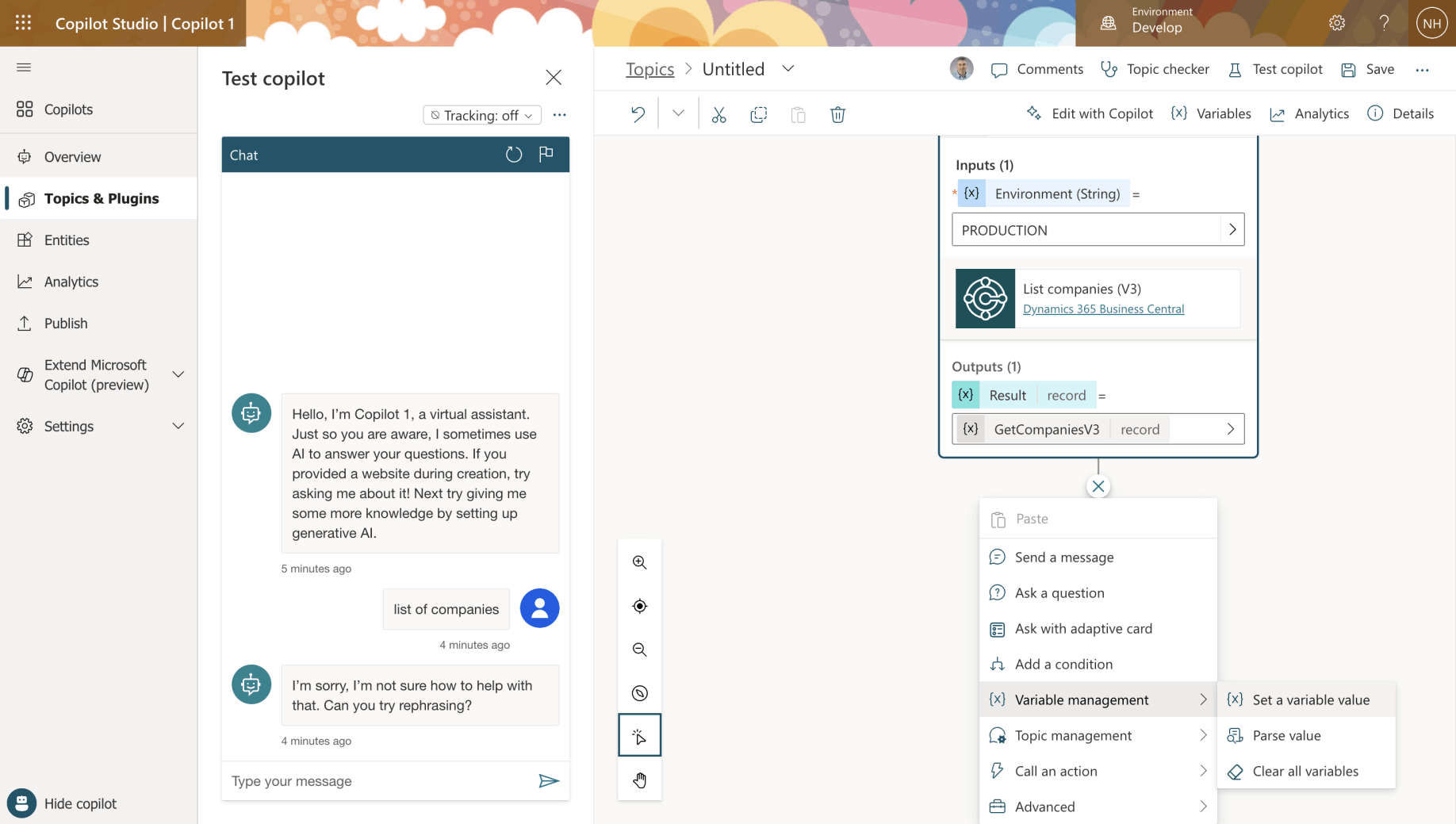
I selected Variable management > Set a variable value
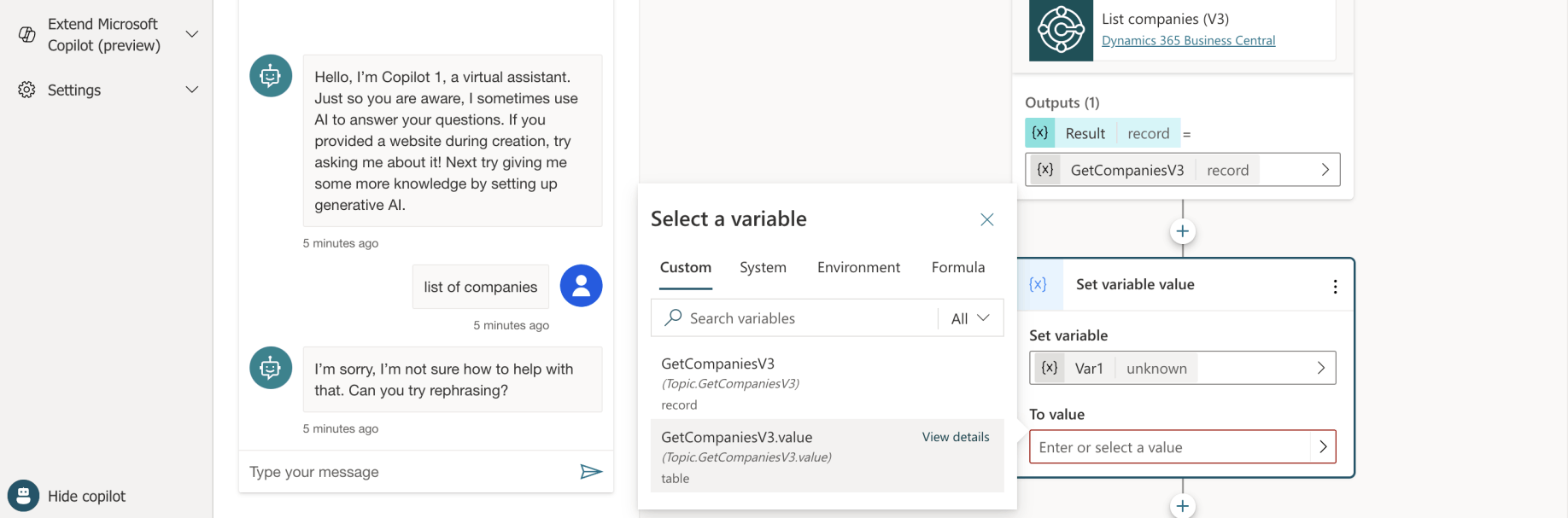
I set the variable name to Var1 and the value to GetCompaniesV3.value
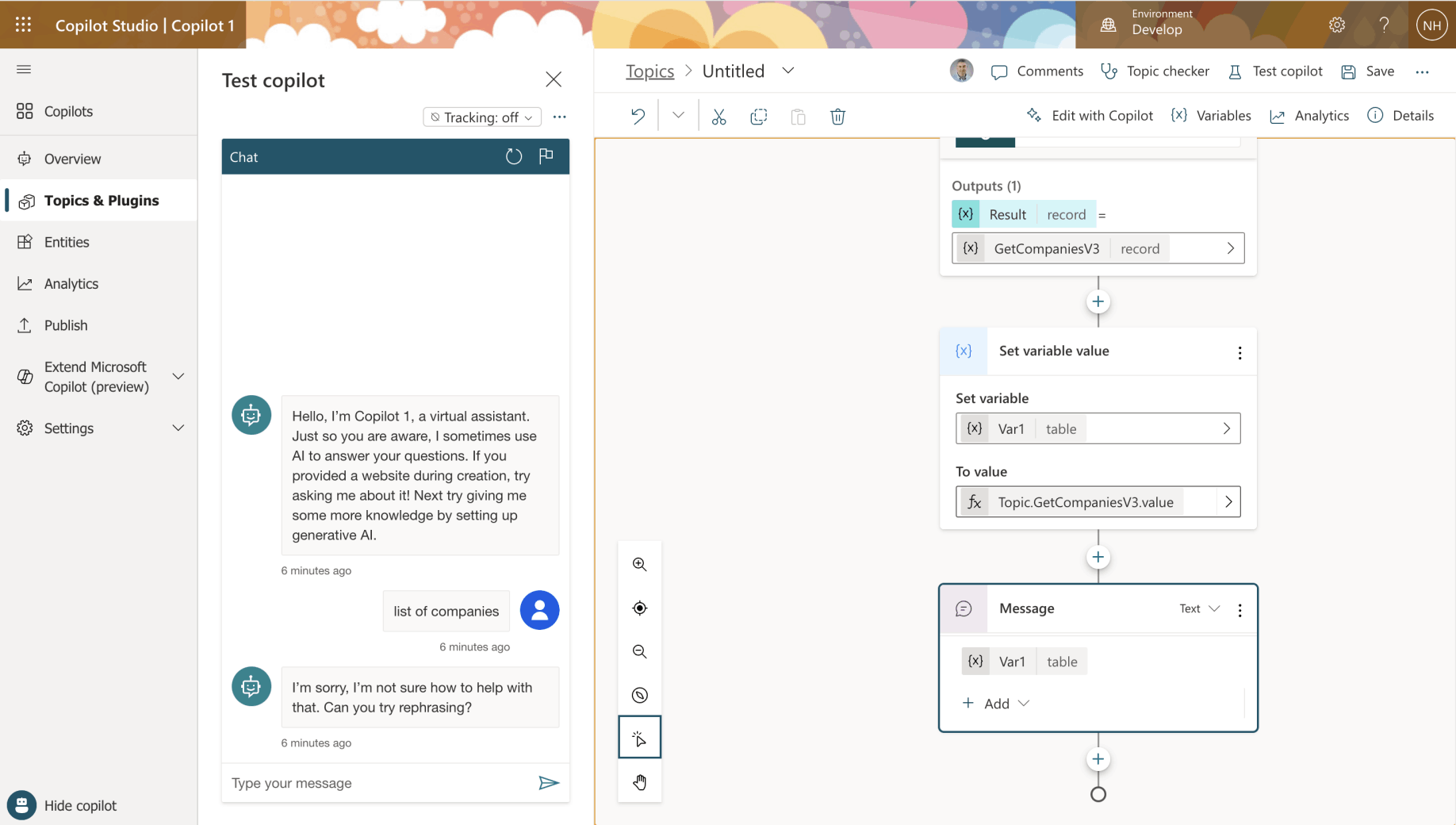
I selected GetCompaniesV3.value from the variable picker, which set Var1's type to table
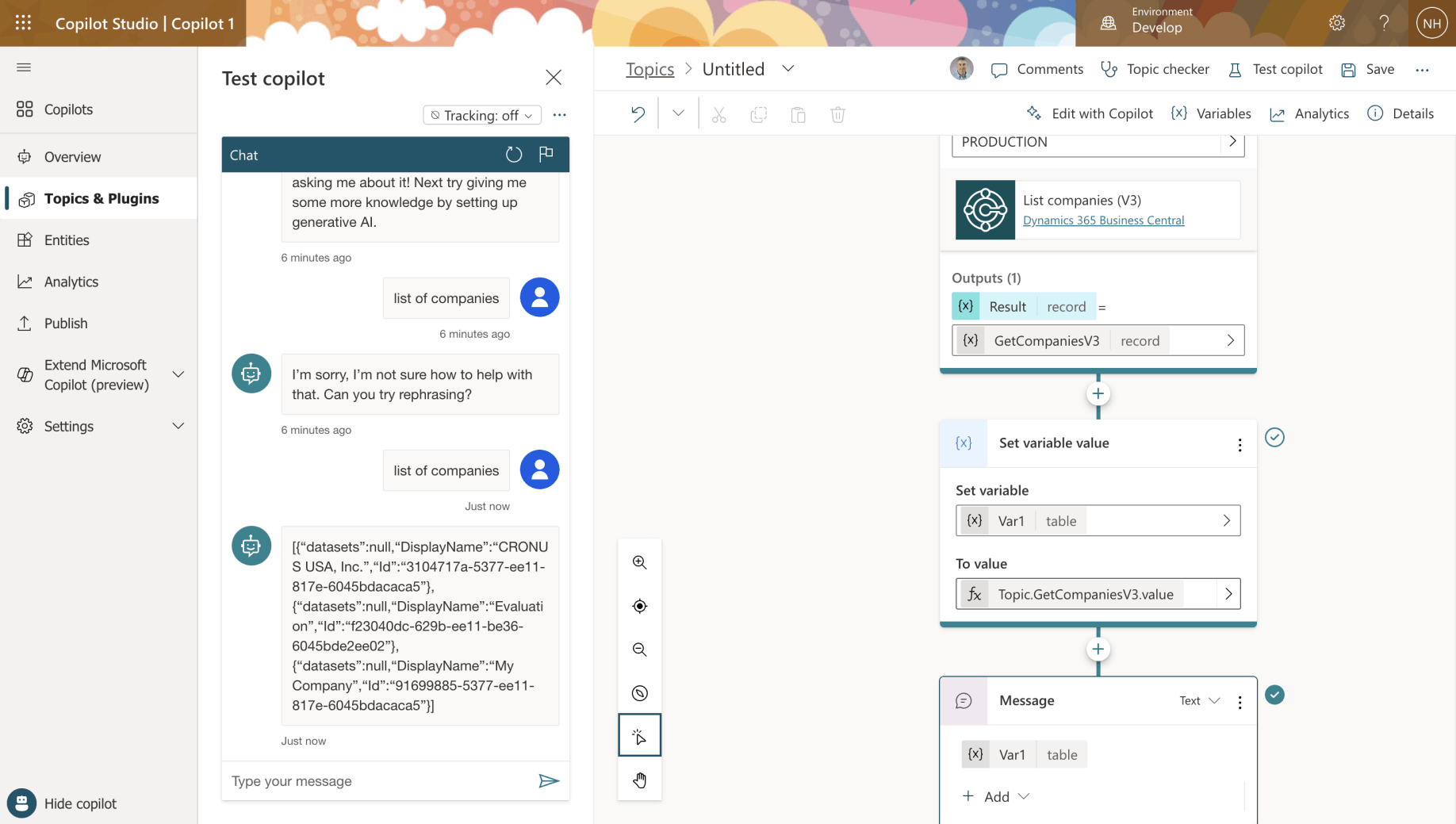
I added Message to return the Var1 table to the user
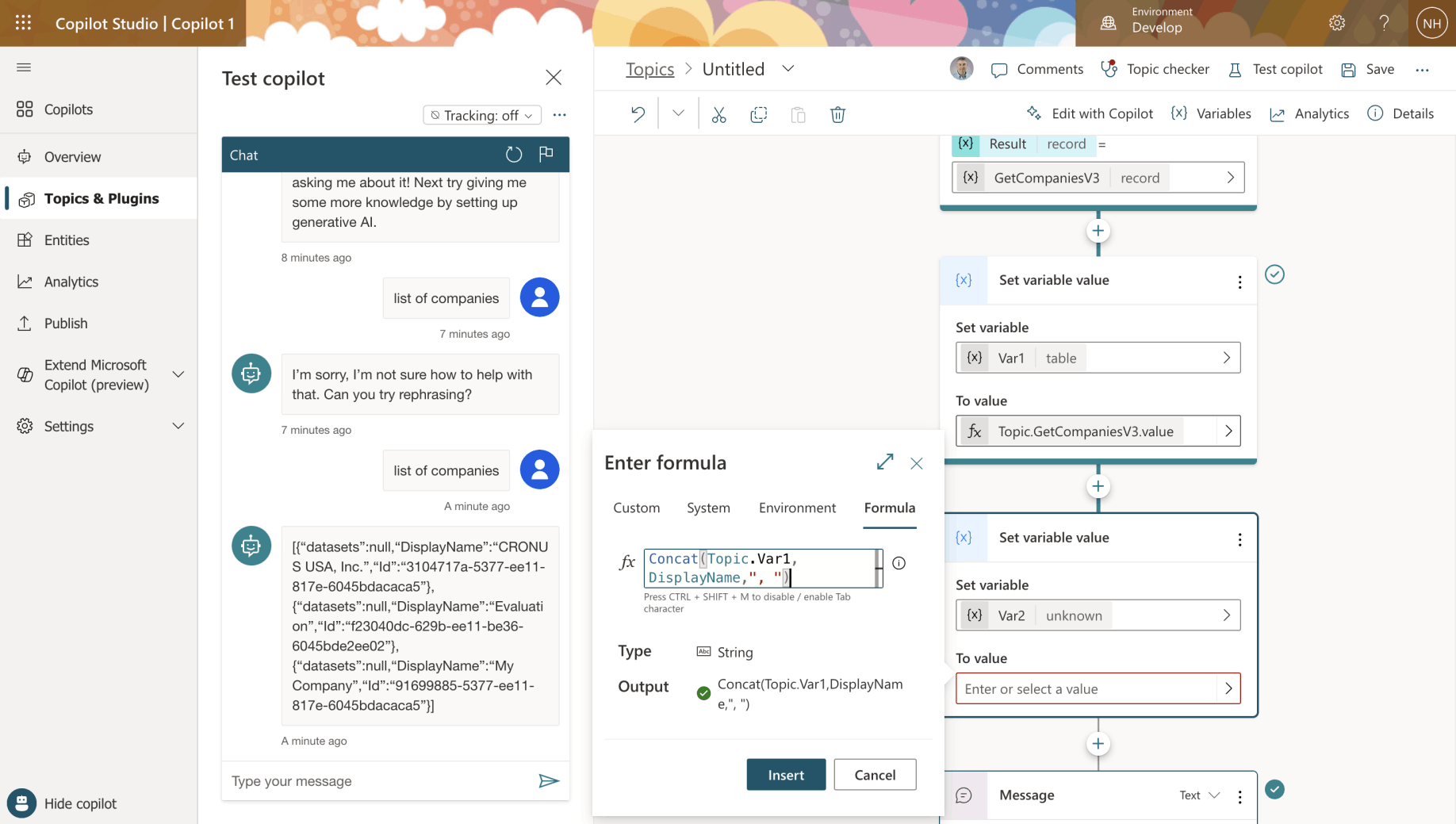
I created a second variable Var2 and set its value to the list of Company DisplayNames separated by ", "
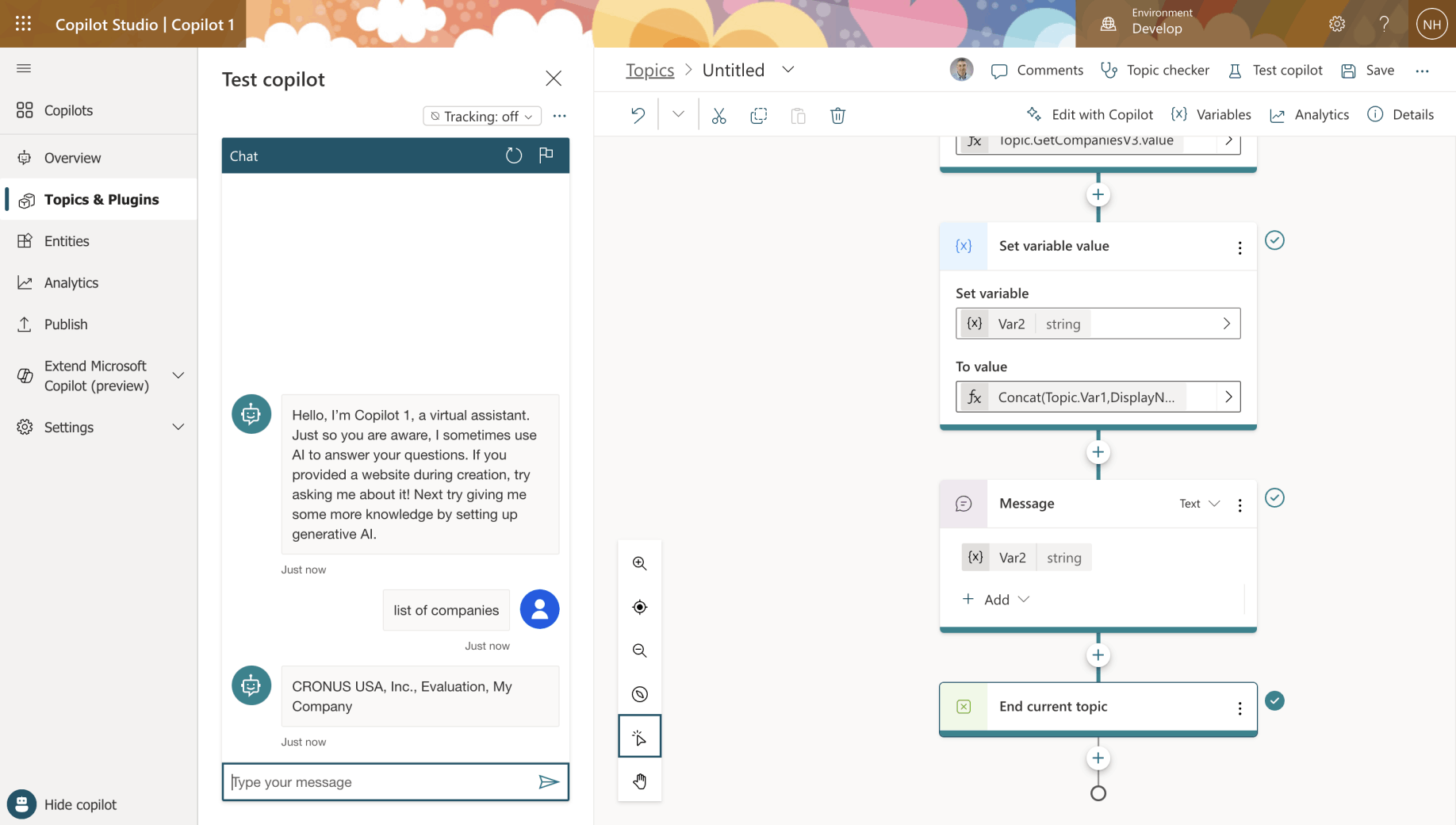
I selected Topic management > End current topic
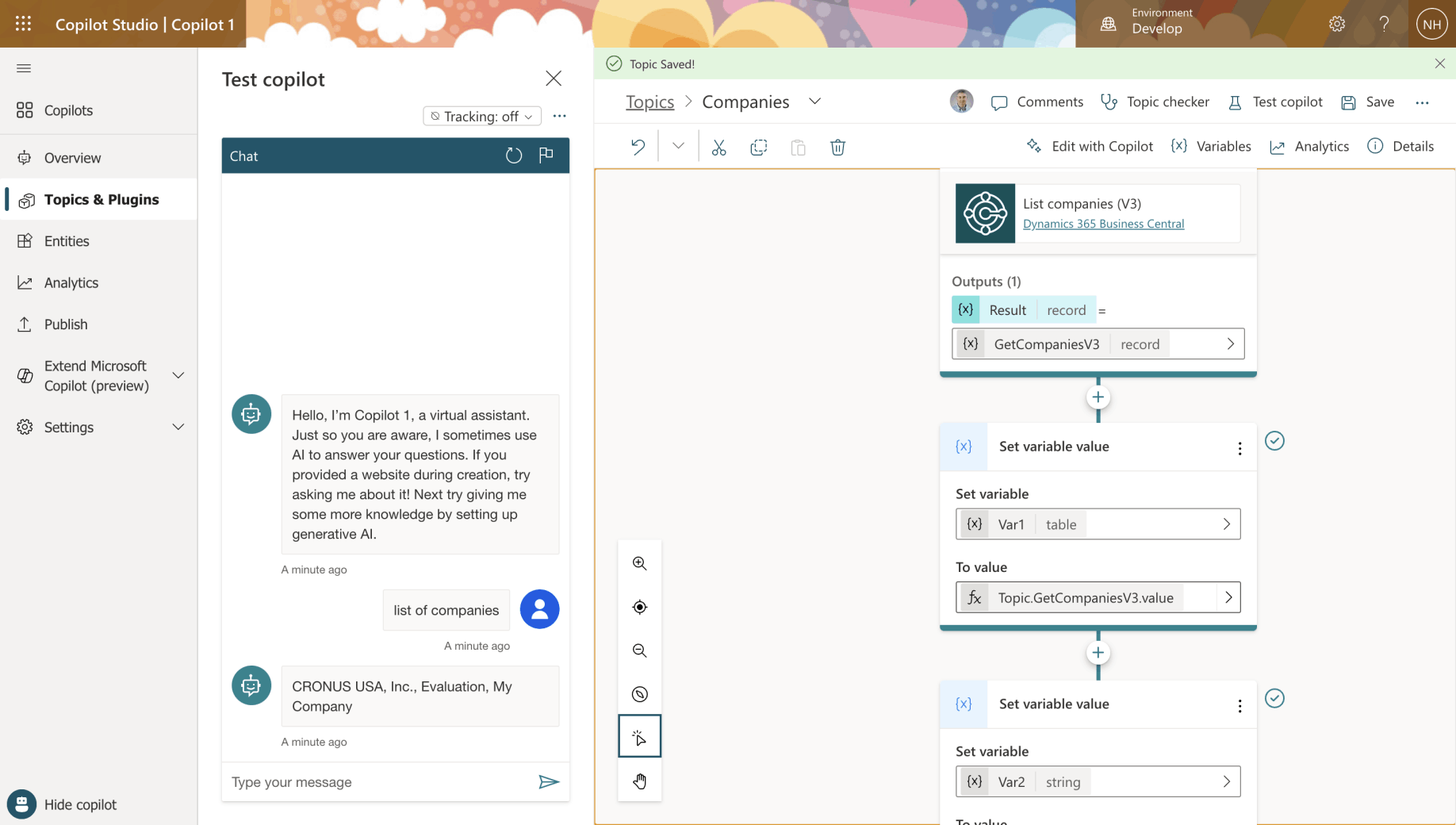
I entered "list of companies" into the Copilot. It returned the three company names.