I used Visual Studio 2019 and ASP.NET MVC 5 to create a todo app.
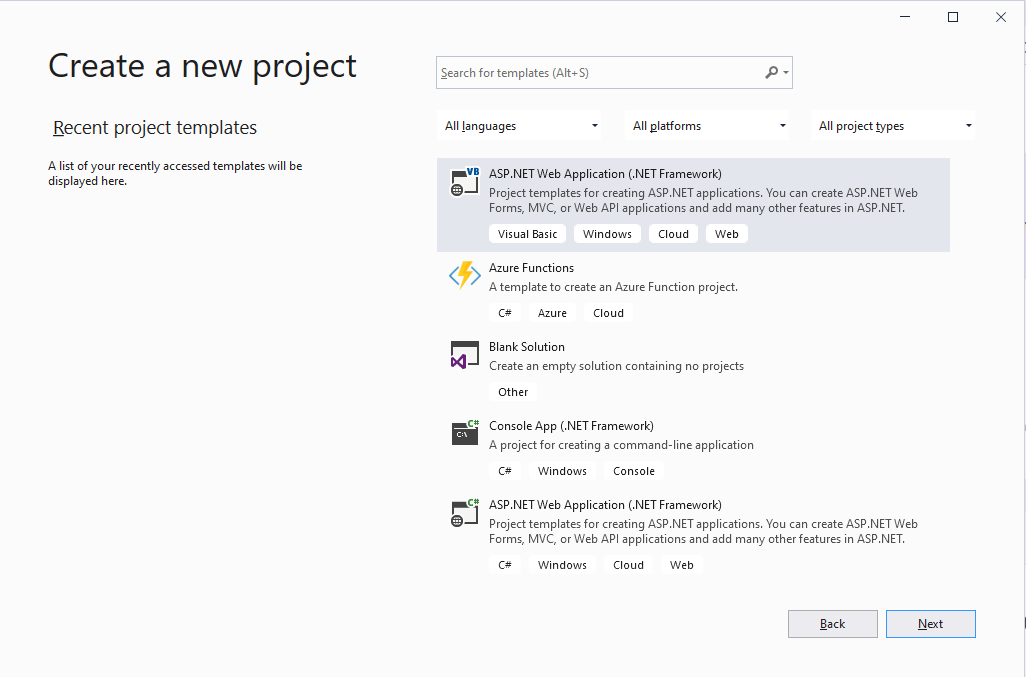
I created a new project
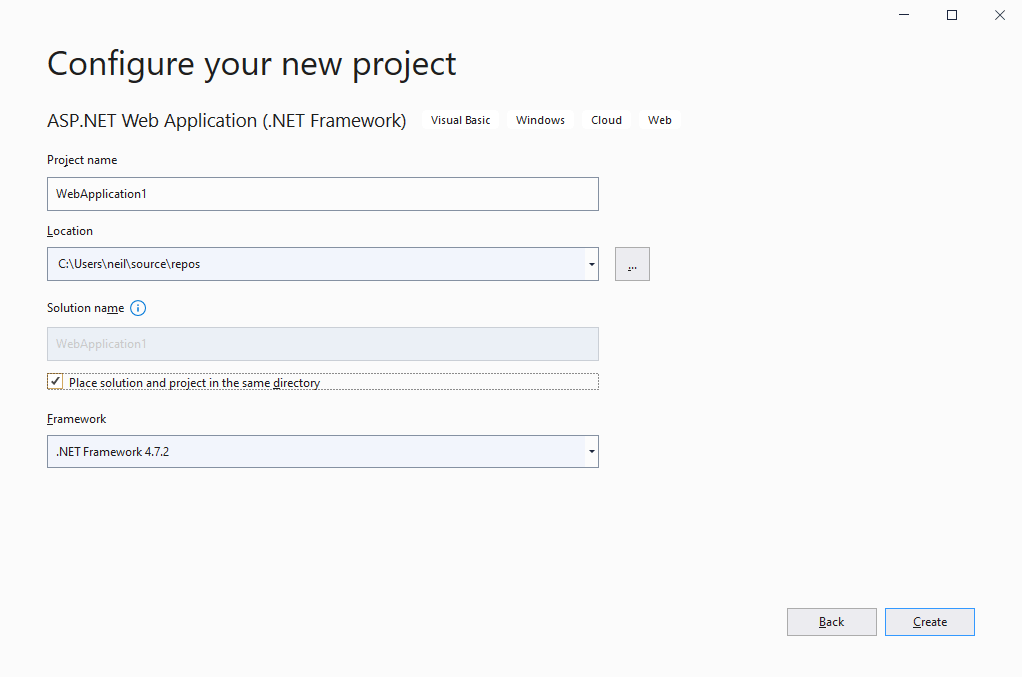
I configured the new project
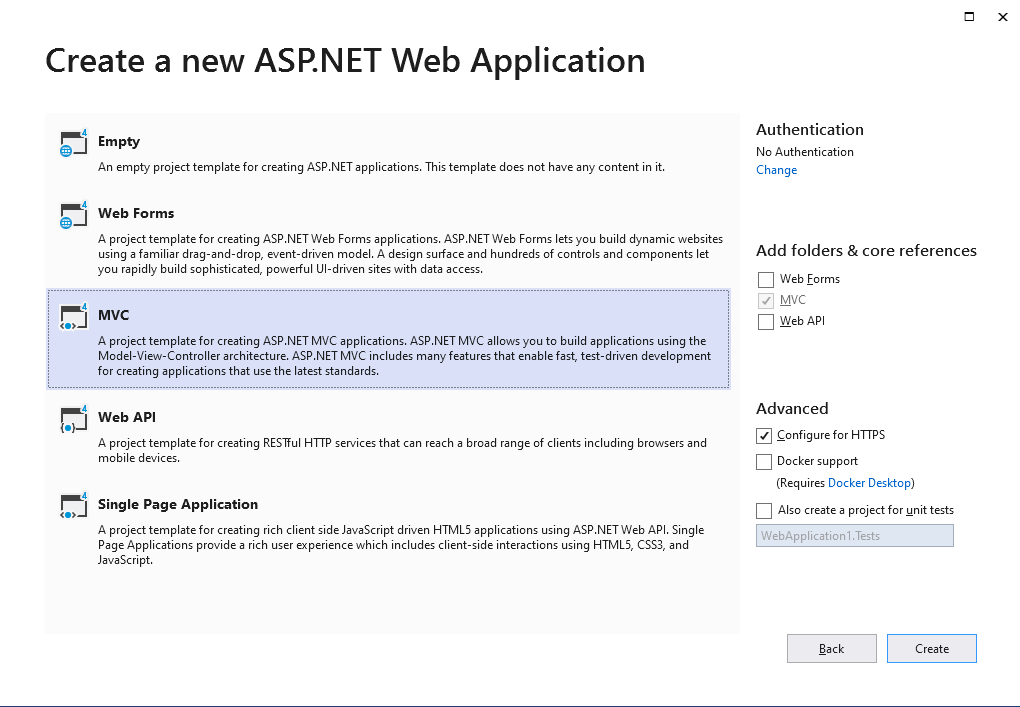
I created a Model-View-Controller web application
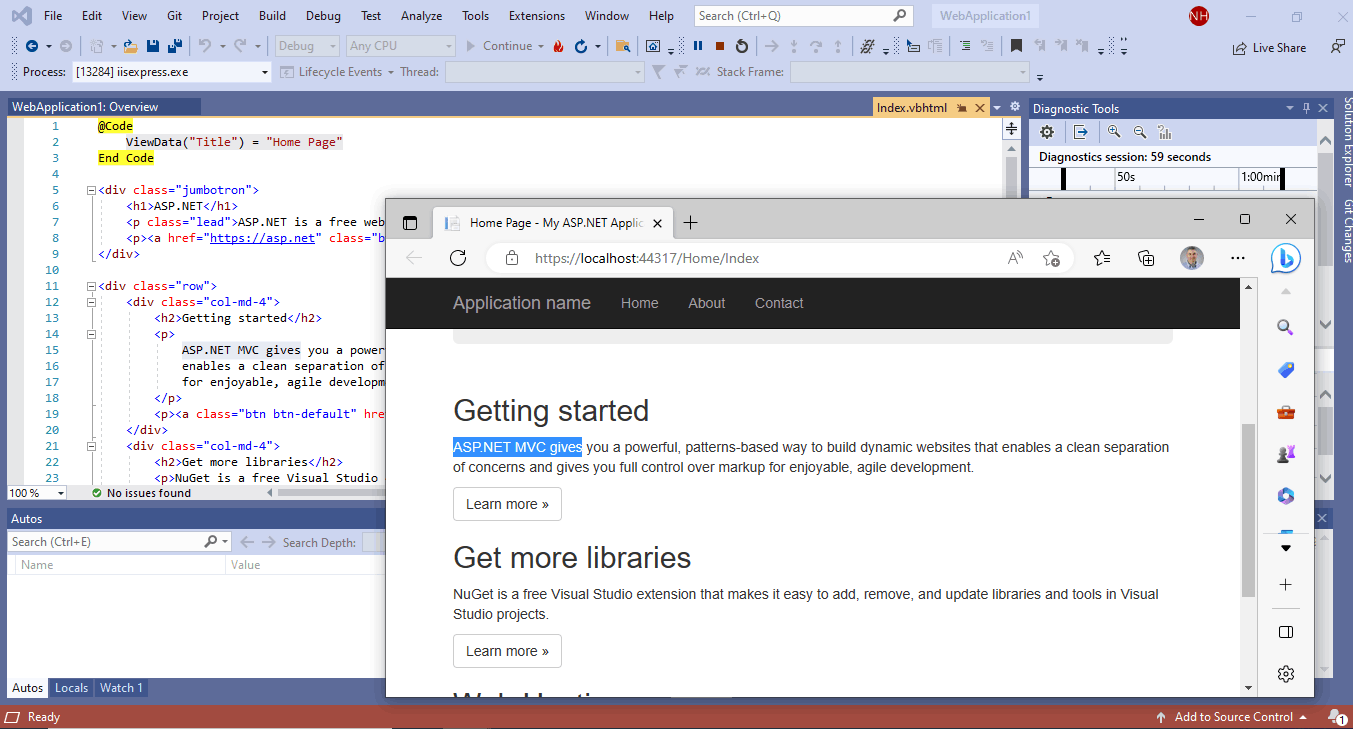
I ran the template project (notice the "ASP.NET MVC gives" text in the index.vbhtml file and the web browser).
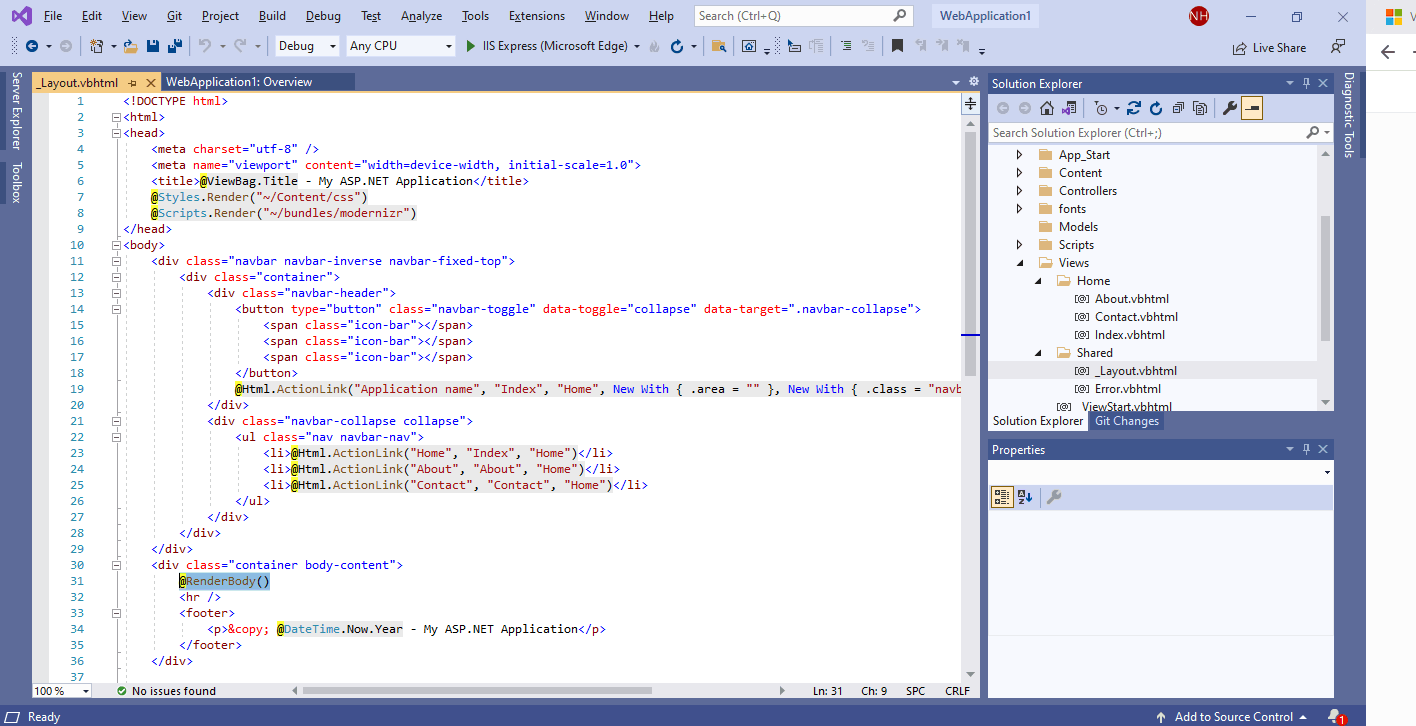
I reviewed the _Layout.vbhtml file, which provides a common web page framework and navigation
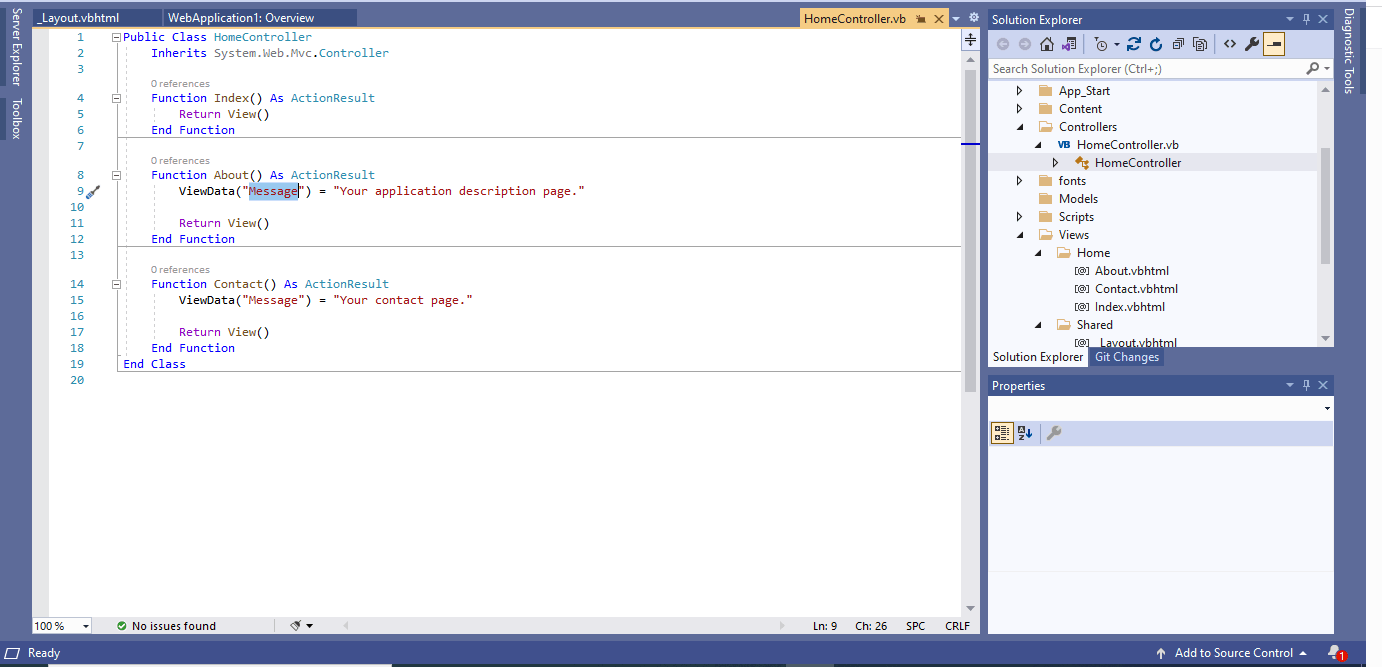
I reviewed the controller code. The About function set a "Message" value and returned the corresponding About view.
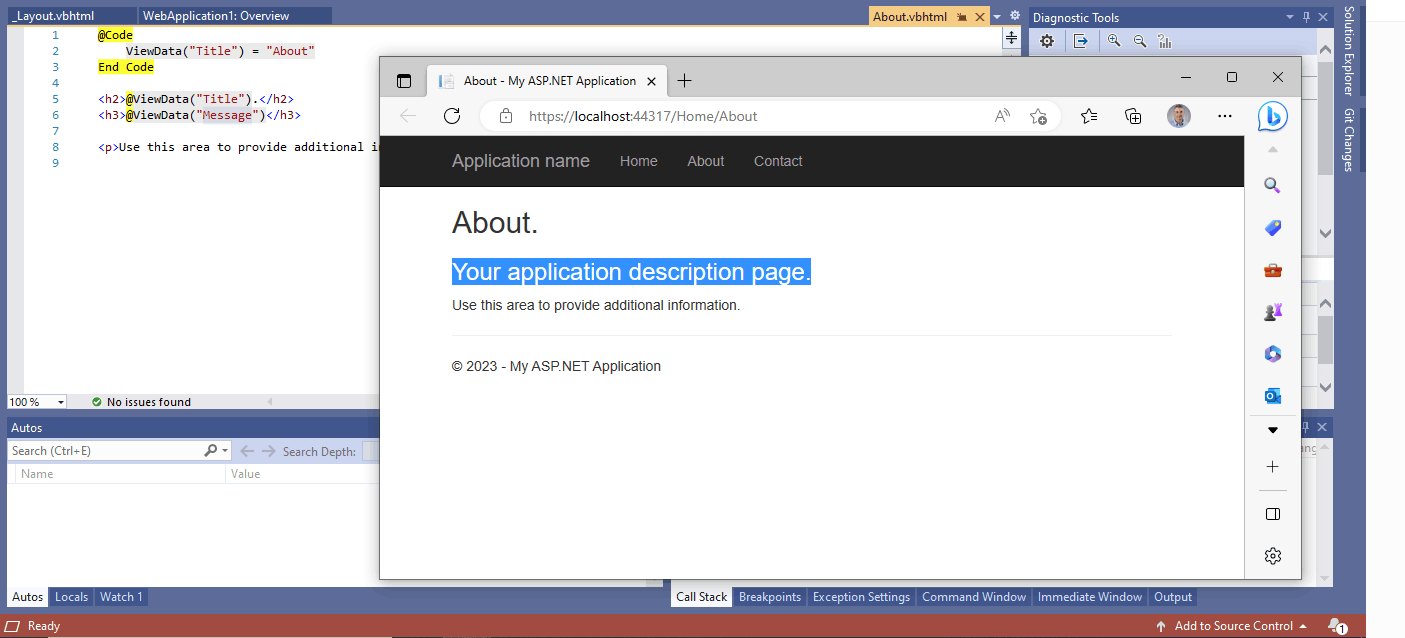
Notice that the About view renders the "Message".
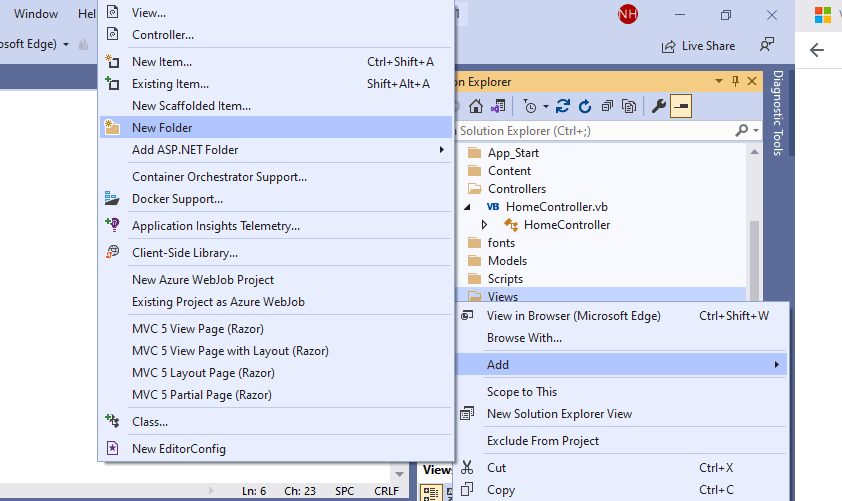
I created a new HelloWorld folder in the Views folder.
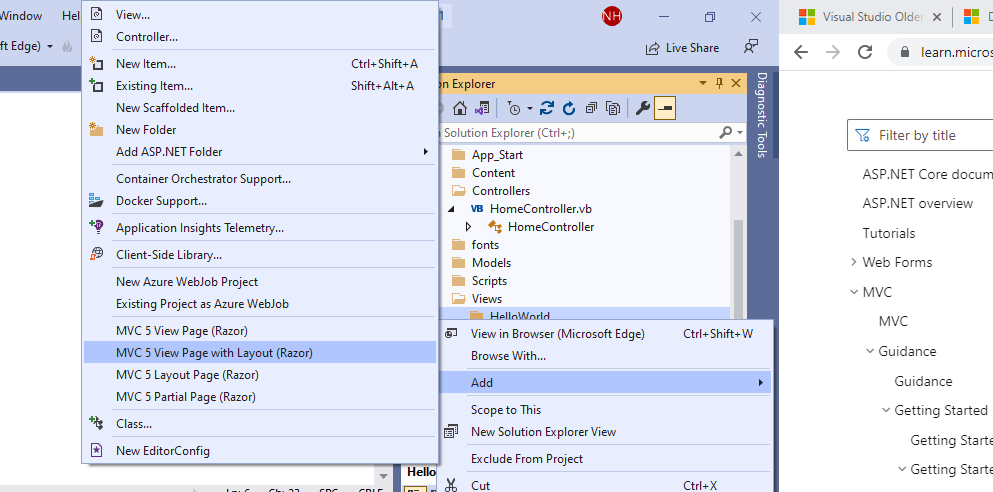
I added a view page to the HelloWorld folder.
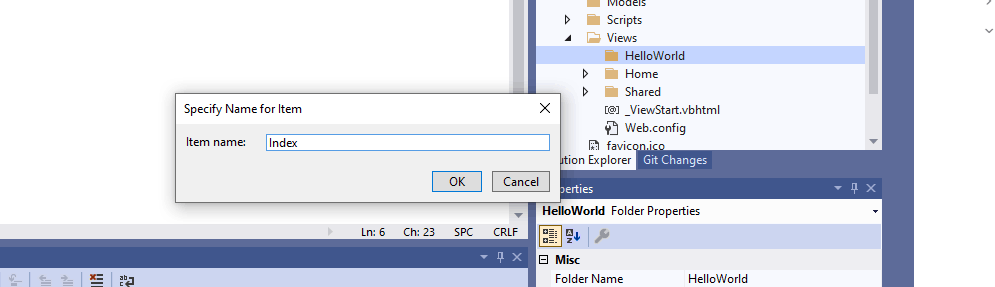
I named the new page "Index" making it the home page for the new folder.
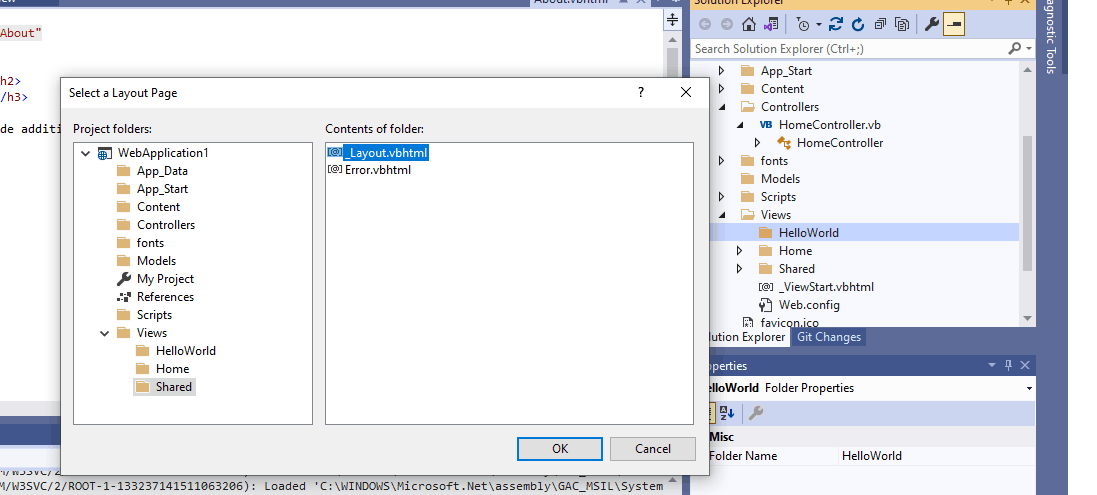
I selected the existing _Layout page
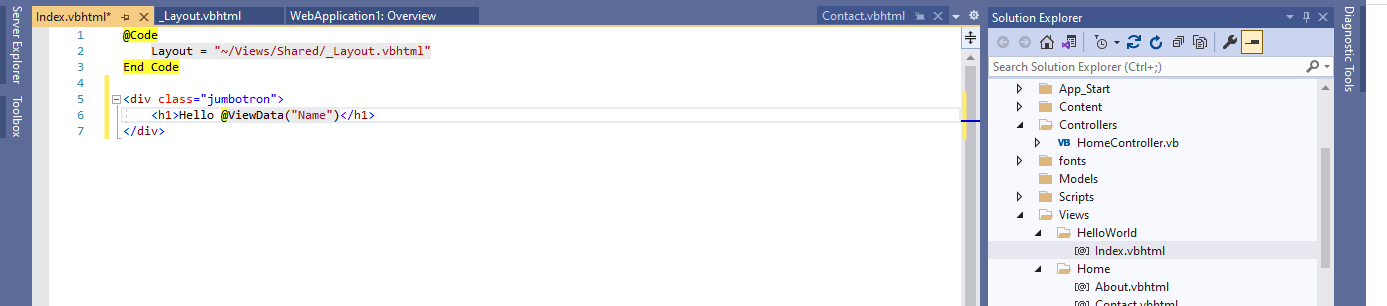
I added a reference to a "Name" value.
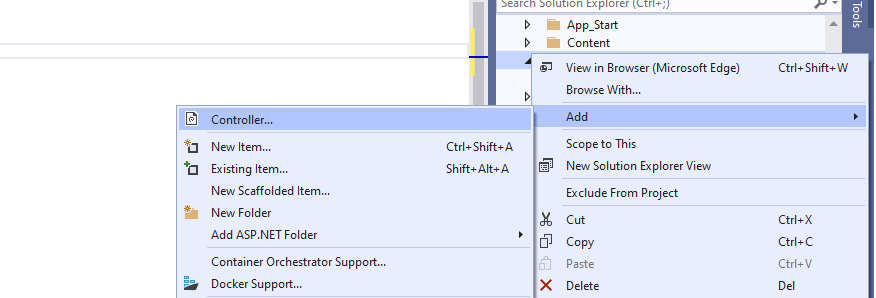
I added a new controller to the project
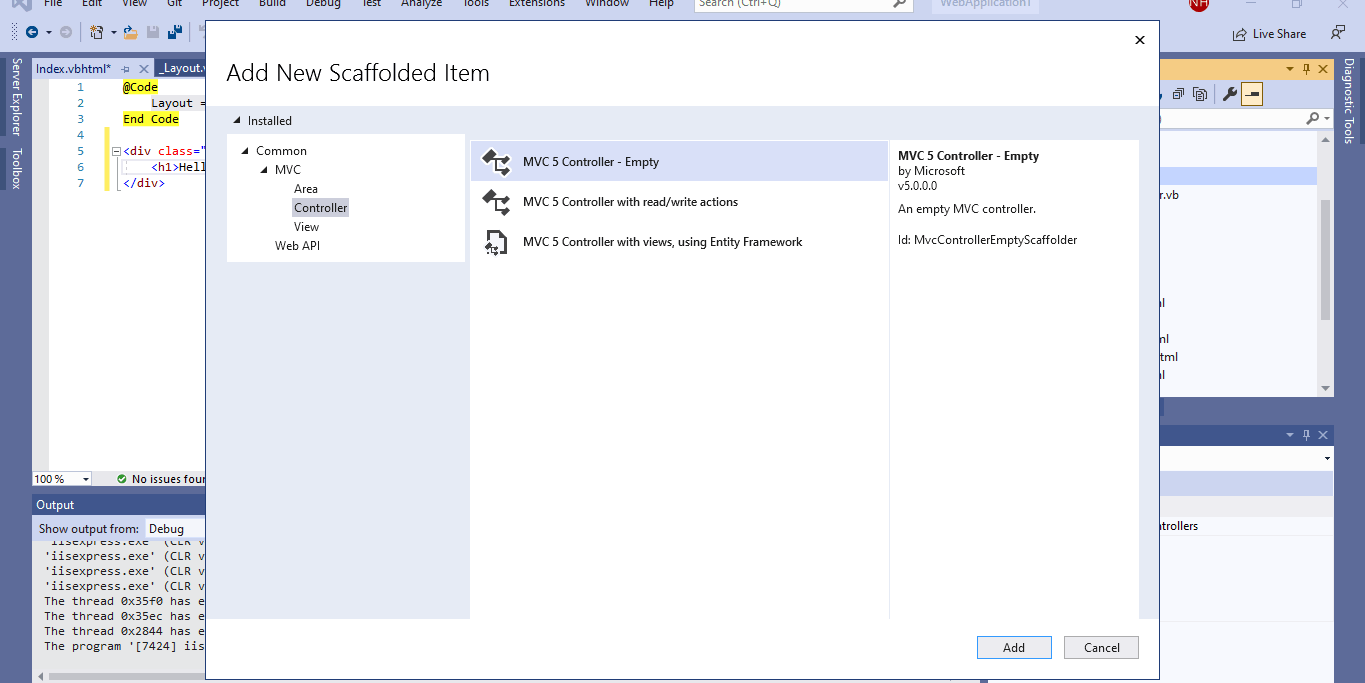
I created an empty controller.
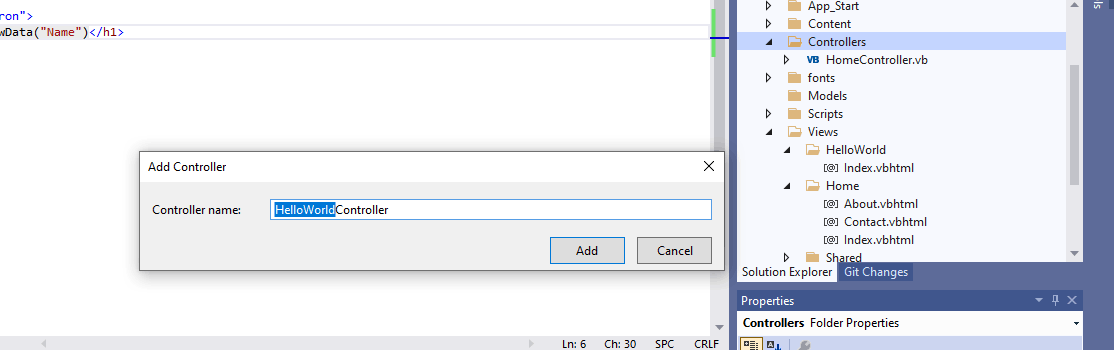
I named the controller HelloWorldController (in line with the folder I had already created)
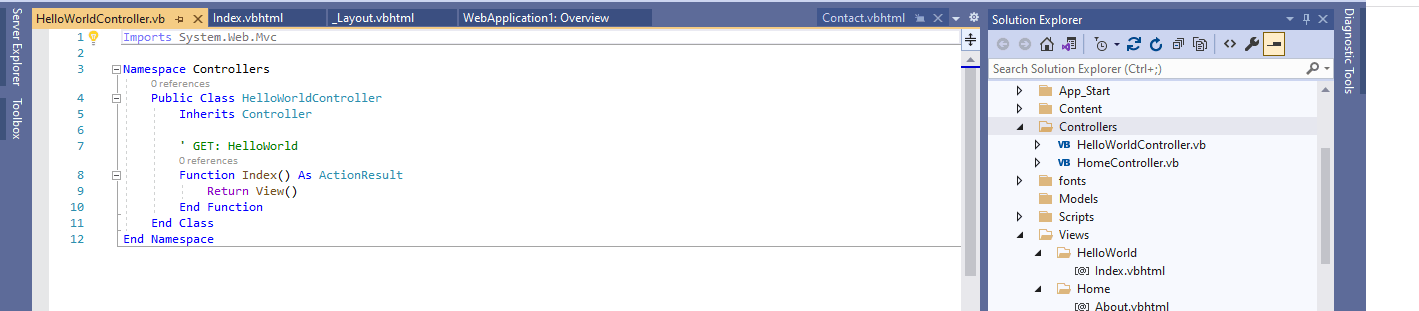
Visual Studio created an Index function that would handle requests for the HelloWorld page and return the Index view
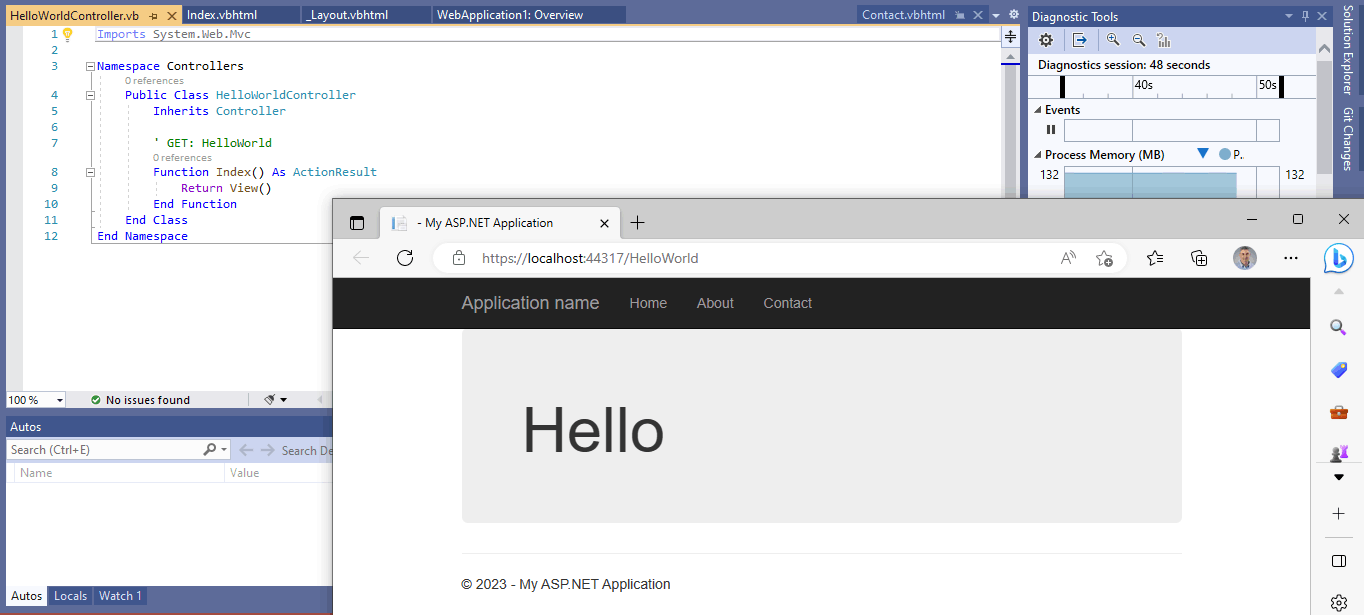
I added the folder name HelloWorld to the url and got the result above
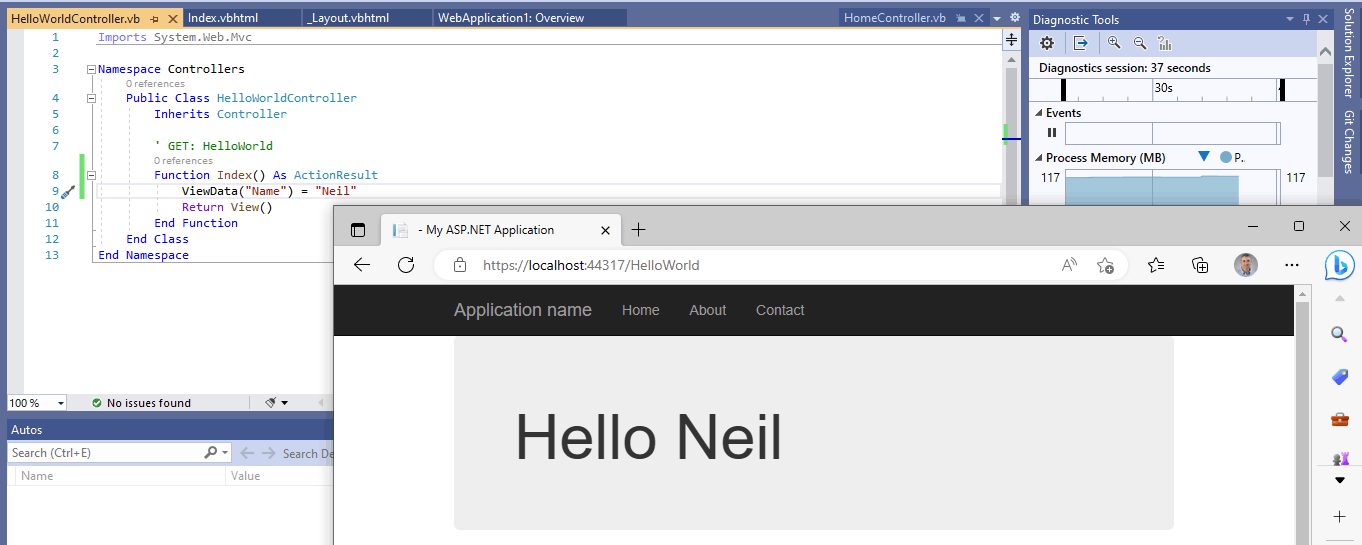
I updated the Controller function to set the "Name" value before returning the view. I refreshed the browser.
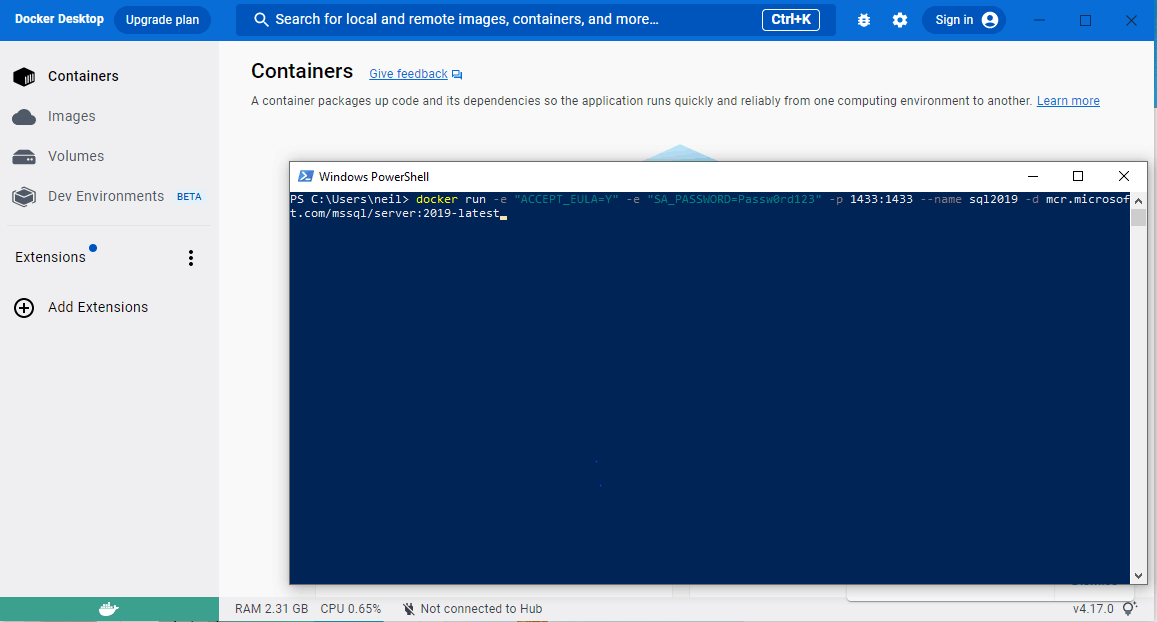
docker run -e "ACCEPT_EULA=Y" -e "SA_PASSWORD=Passw0rd123" -p 1433:1433 --name sql2019 -d mcr.microsoft.com/mssql/server:2019-latest
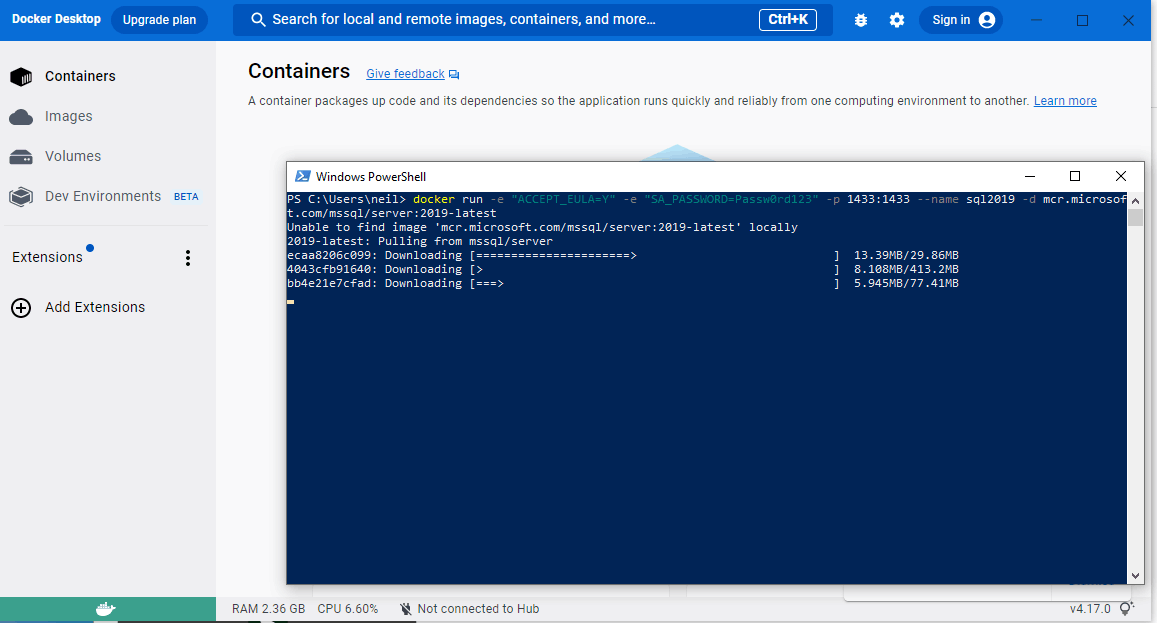
I downloaded a SQL Server docker image
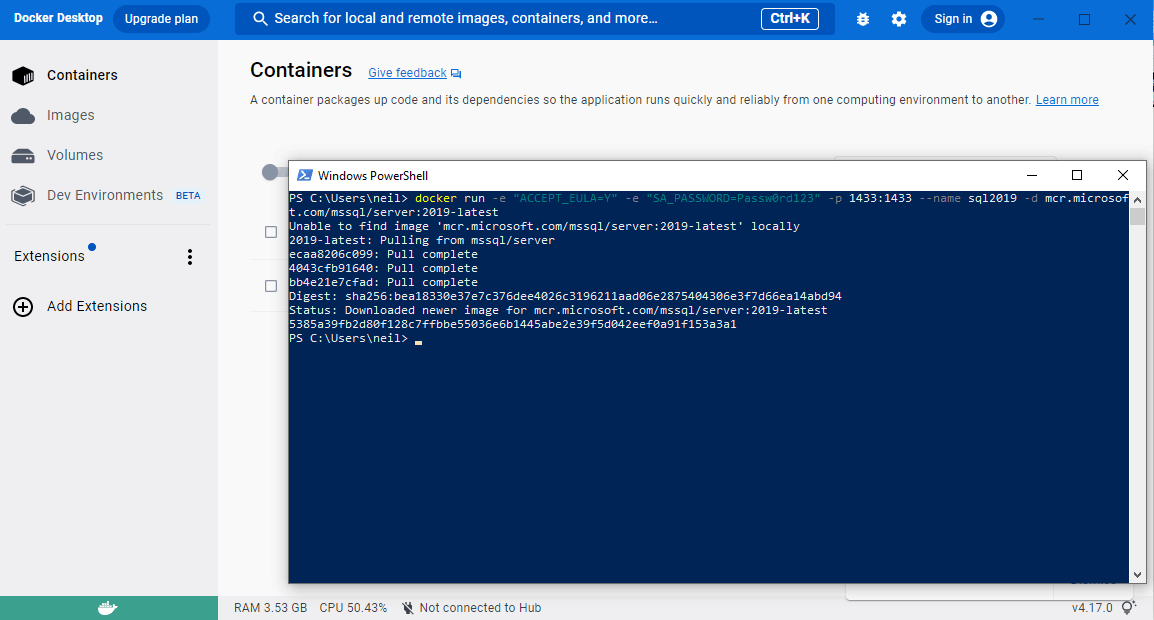
I created a container based on the downloaded docker image

I used Visual Studio to create a new database in the docker container's SQL Server
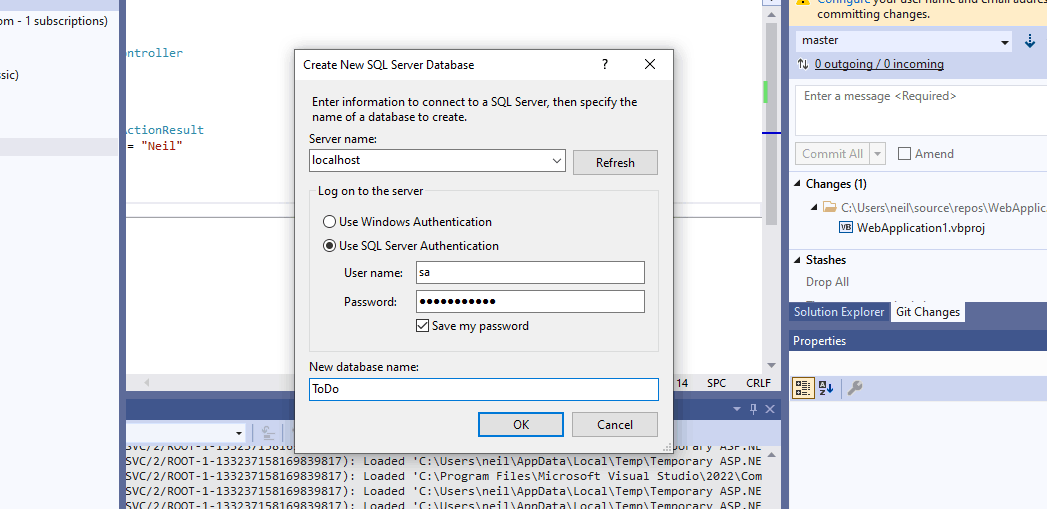
I entered the credentials
I opened Azure Data Studio to get another view of the database
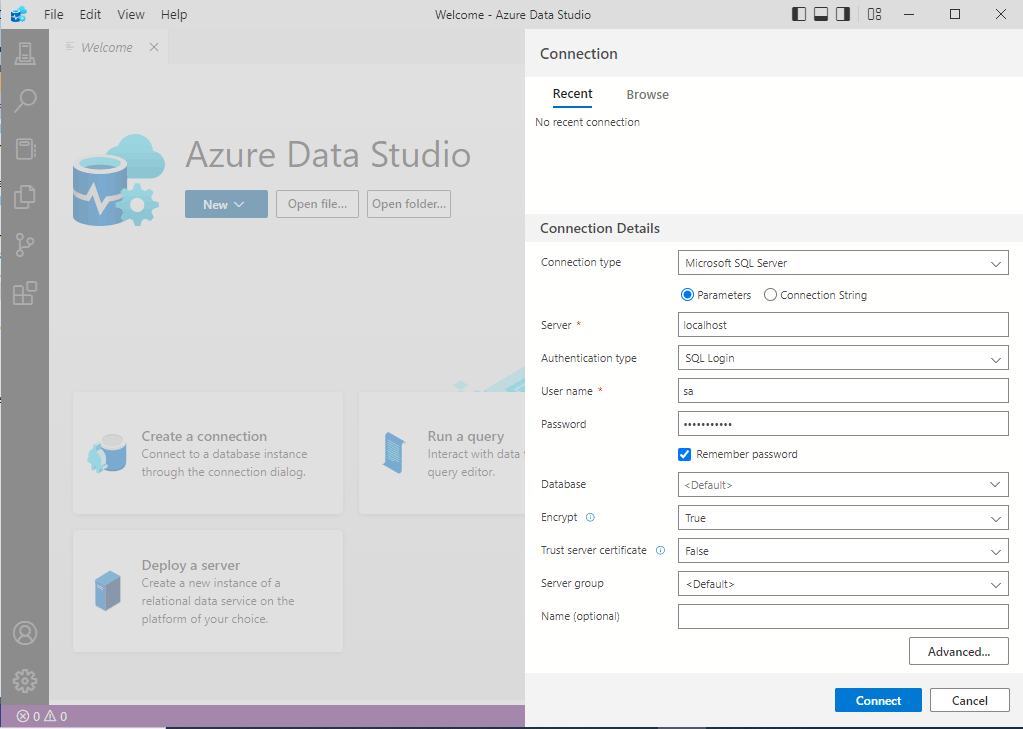
I entered the address of the SQL Server and the credentials
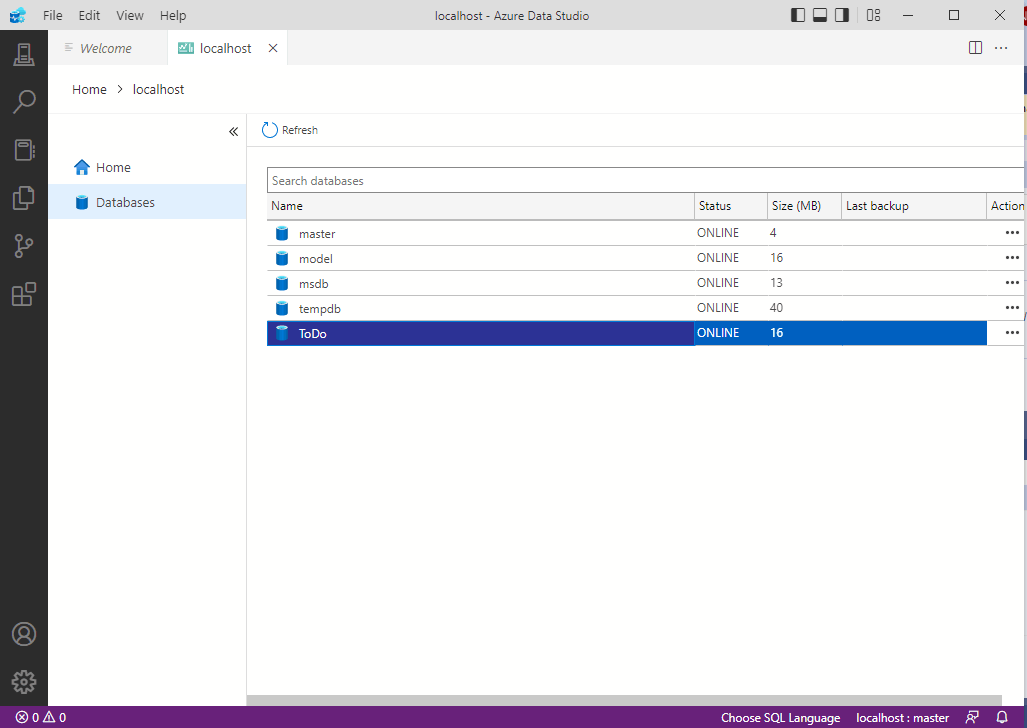
I selected the ToDo database
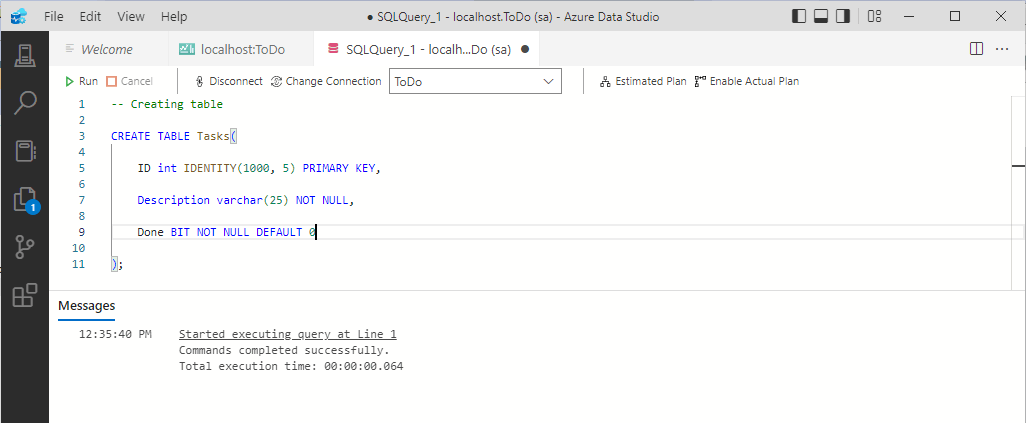
I created a Tasks table (with an automatically assigned ID column, a description column and a done boolean column)
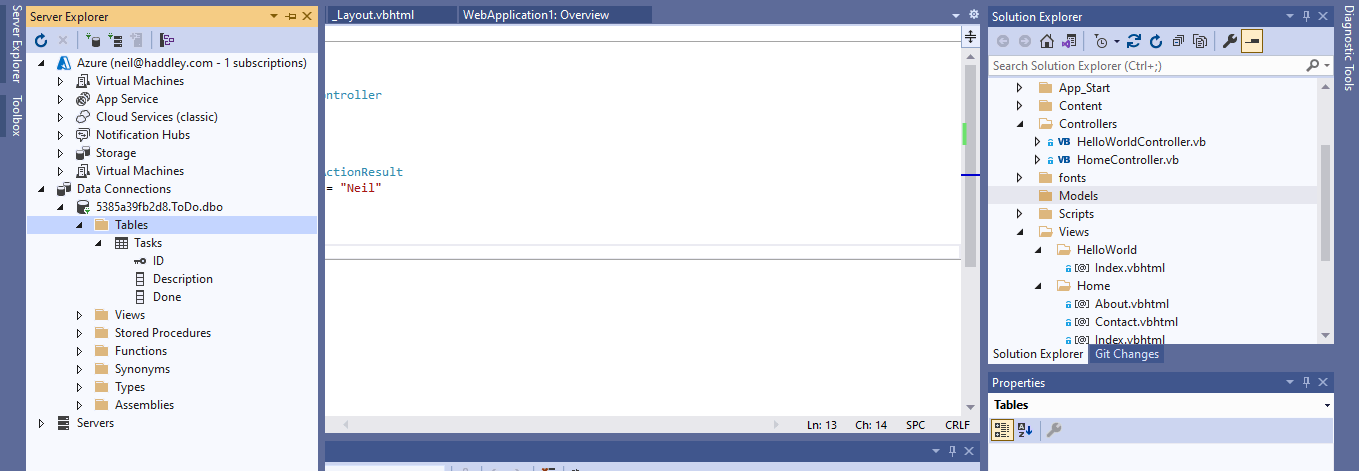
I refreshed Data Connections in Visual Studio
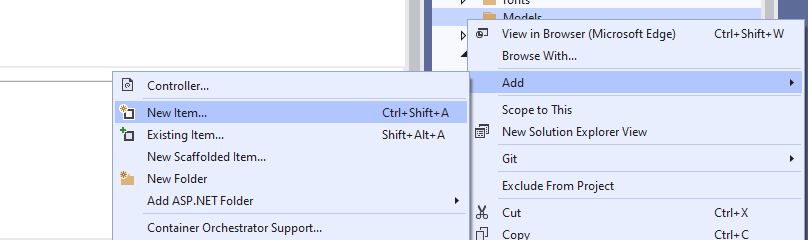
I selected the Models folder and selected the Add | New Item... menu item
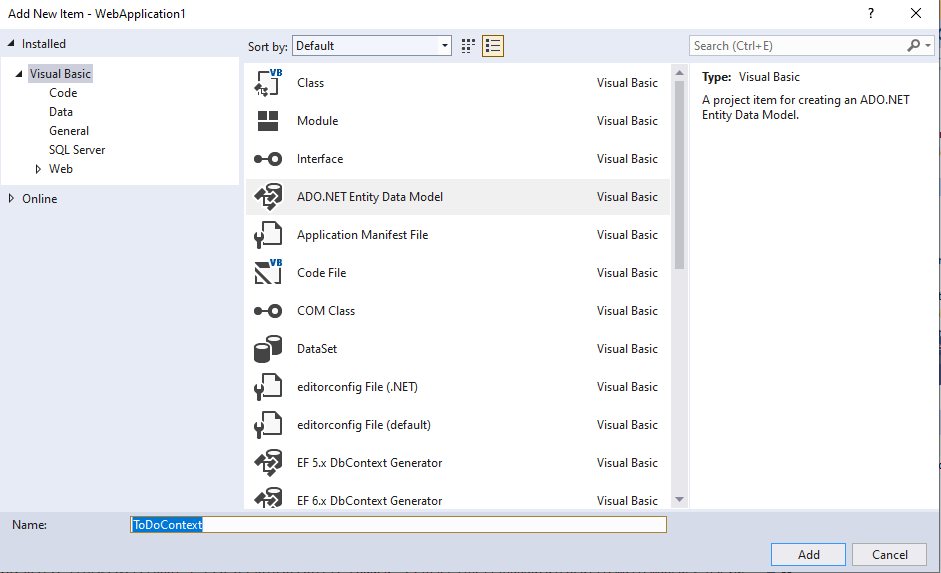
I entered the name ToDoContext and selected ADO.NET Entity Data Model
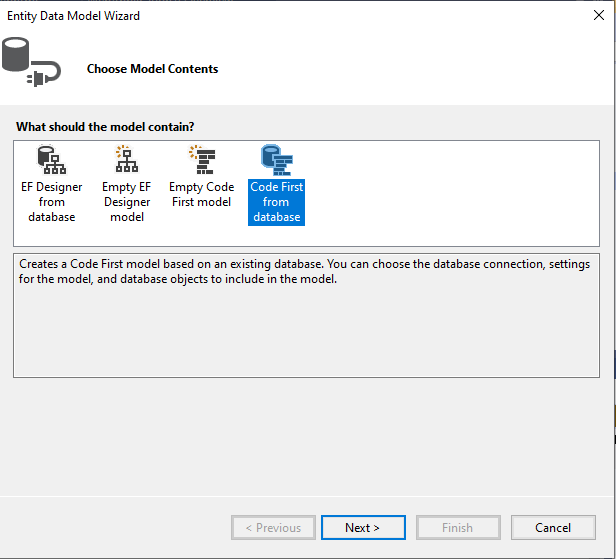
I selected Code First from database
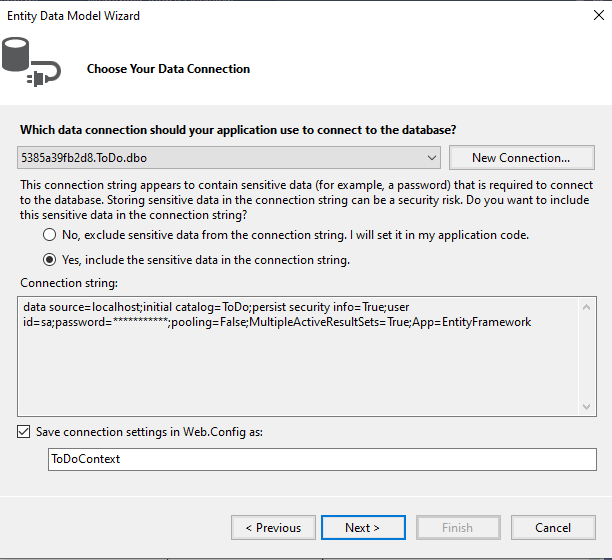
I asked Visual Studio to save the connection details in the Web.Config file (notice that the Web.Config file is never returned to a client browser)
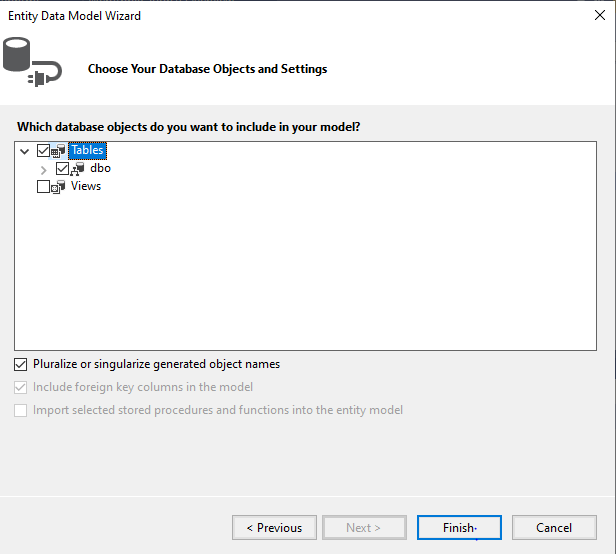
I selected the Tasks table
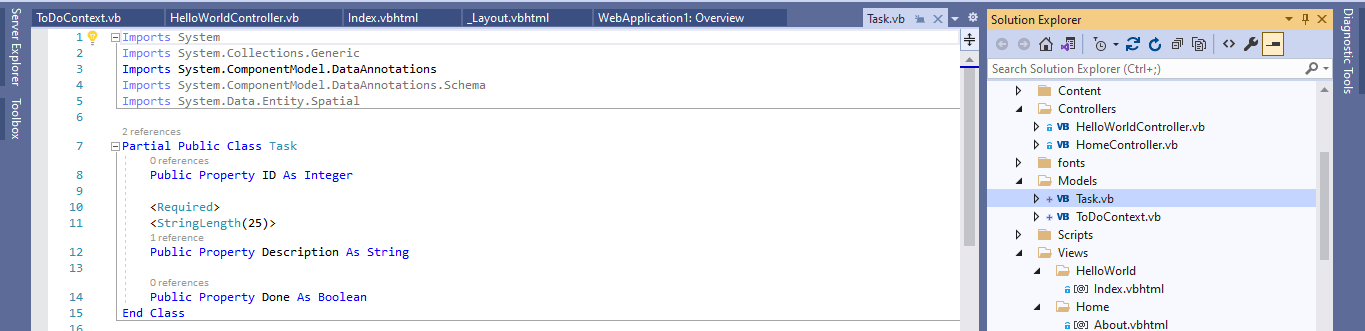
Visual Studio generated the Task class
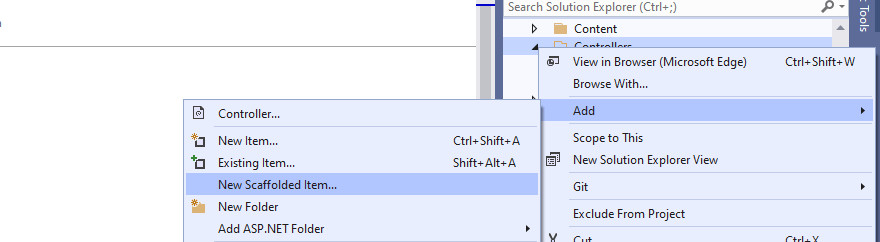
I selected the Controller folder and selected the Add | New Scaffolded Item... menu item
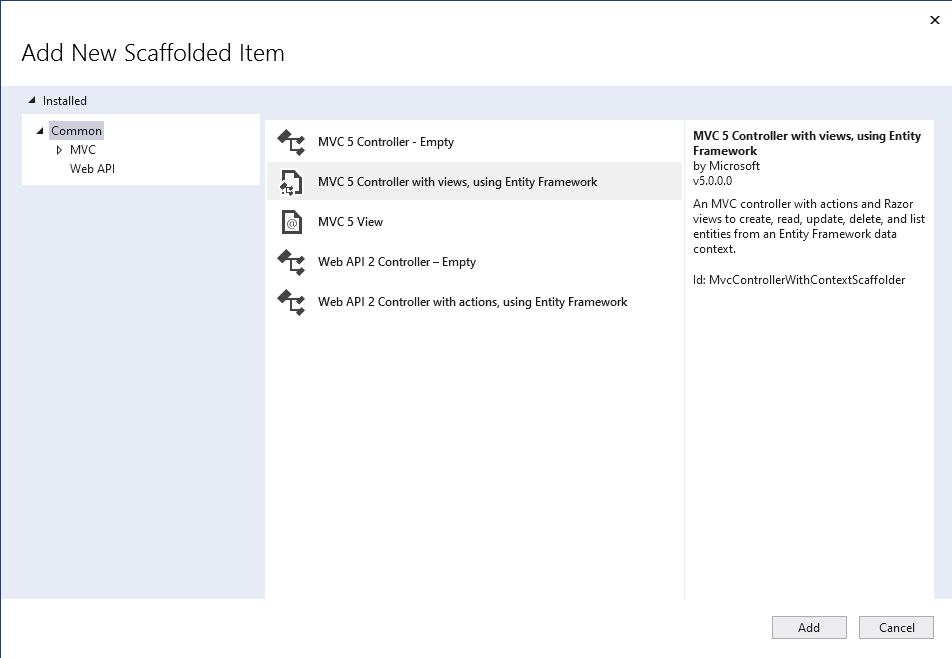
I selected the MVC 5 Controller with view, using Entity Framework option
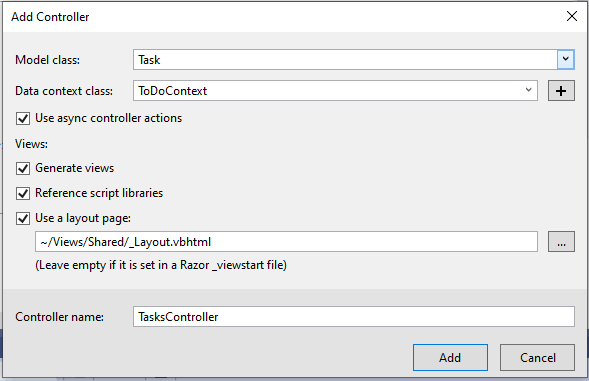
I entered the Model class name (Task) and the Data context class (ToDoContext).
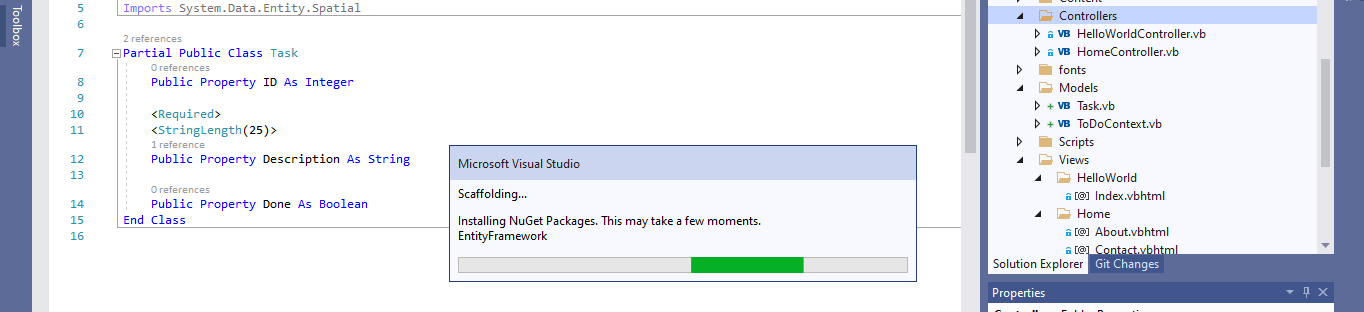
Visual Studio added CRUD controller functions and views.
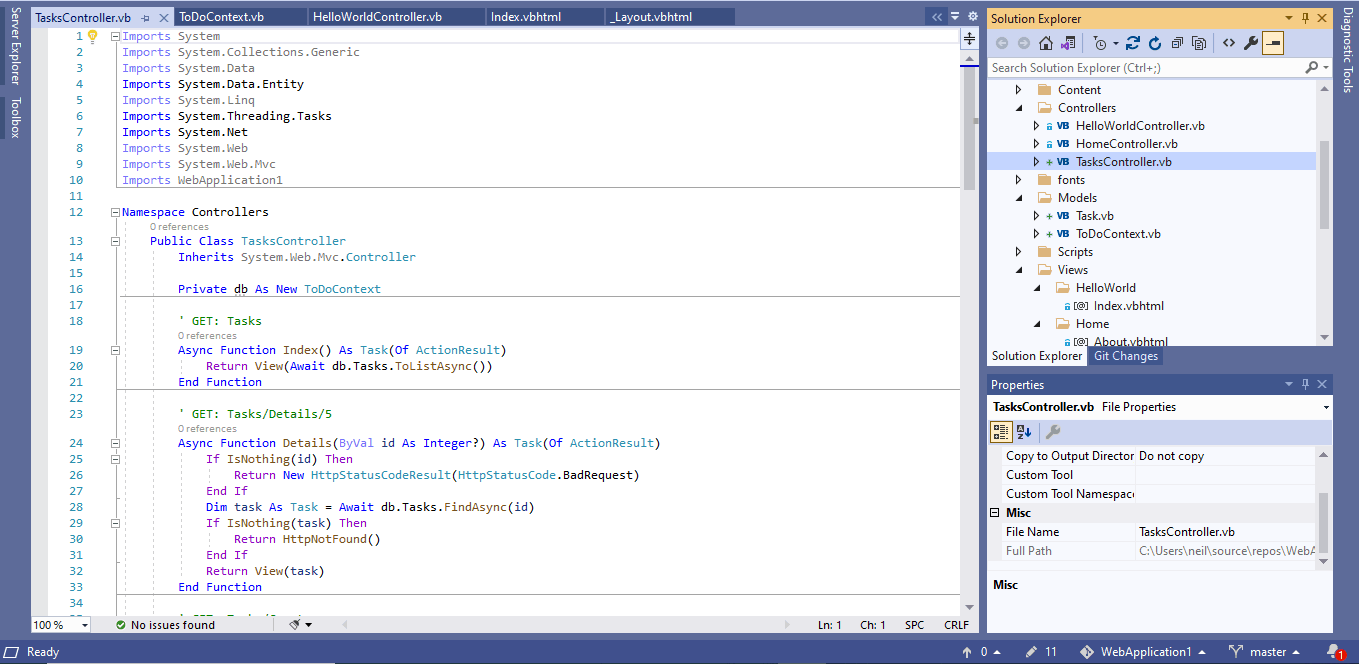
The controller functions included Index. The TaskController.Index function fetched all Tasks from the database and displayed them using the Tasks/Index view
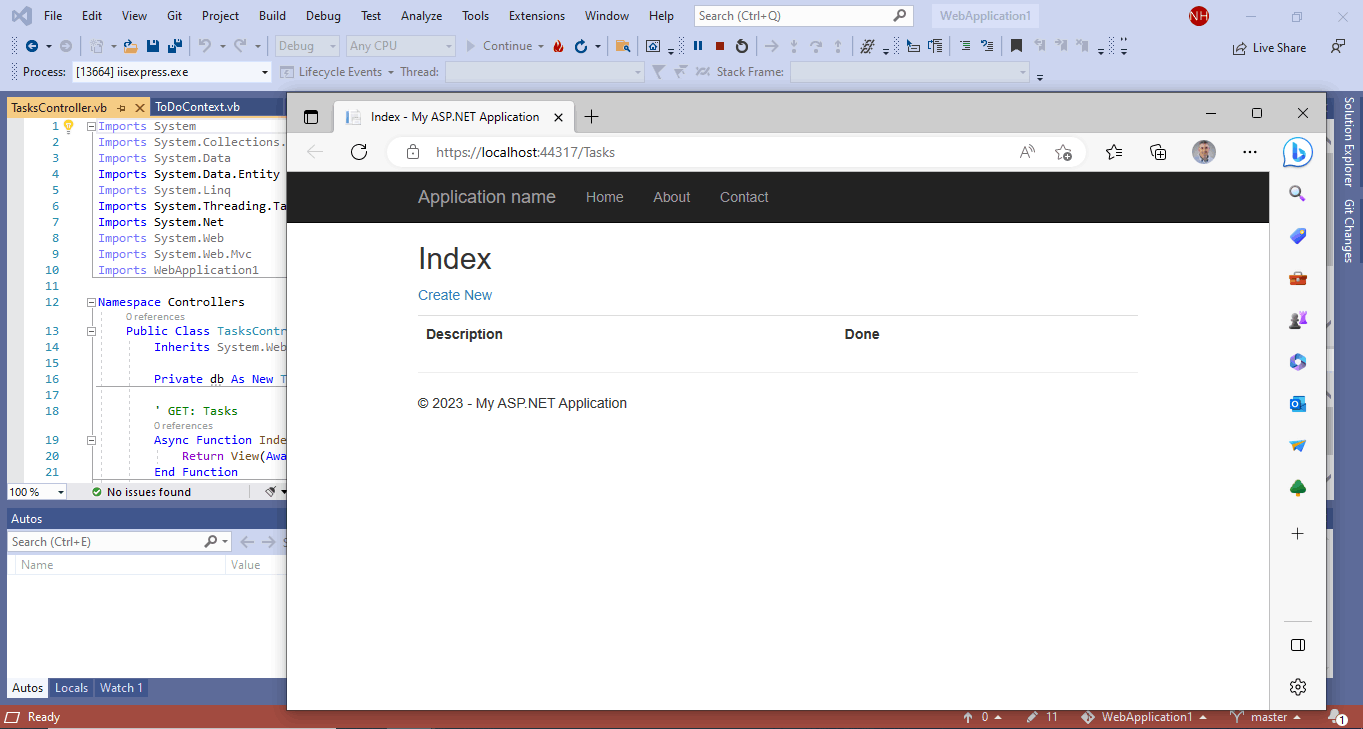
The TaskController.Index function executed when I navigated to /Tasks
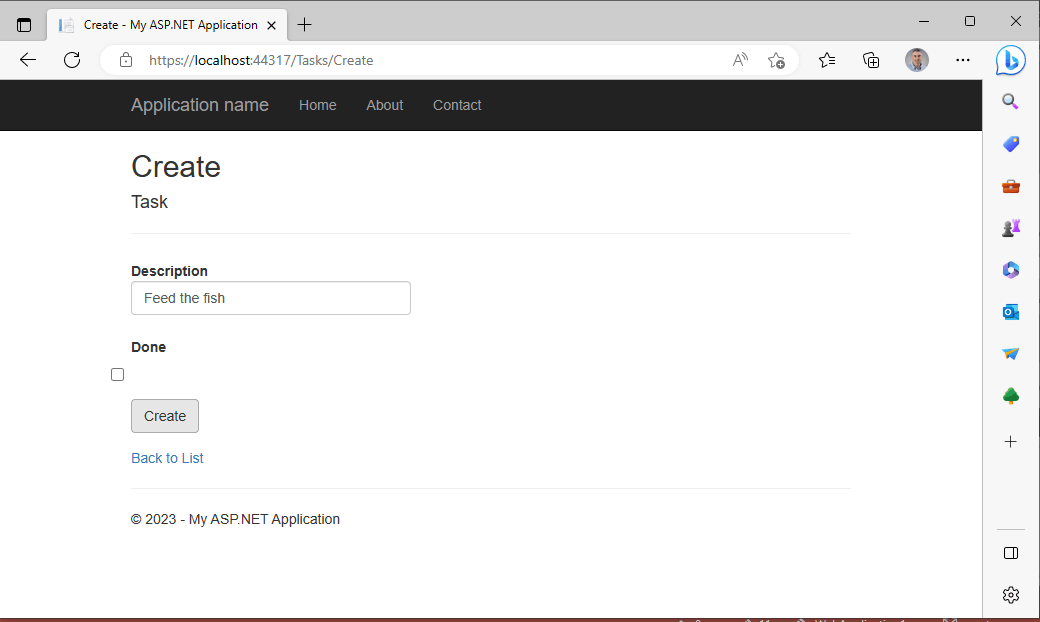
I clicked the Create New link, which navigated to the TaskController.Create function and returned the generated Create form
I entered the new task text "Feed the fish" and clicked the create Create button. This posted the contents of the form to another Controller function.
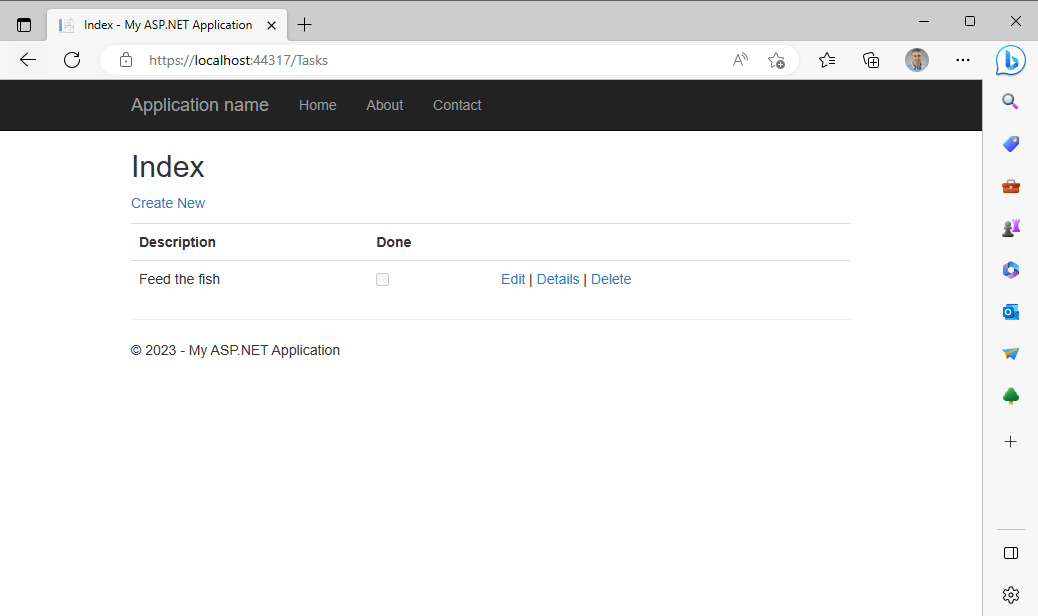
The post handling function added the item to the database table and redirected me back to the Index page.
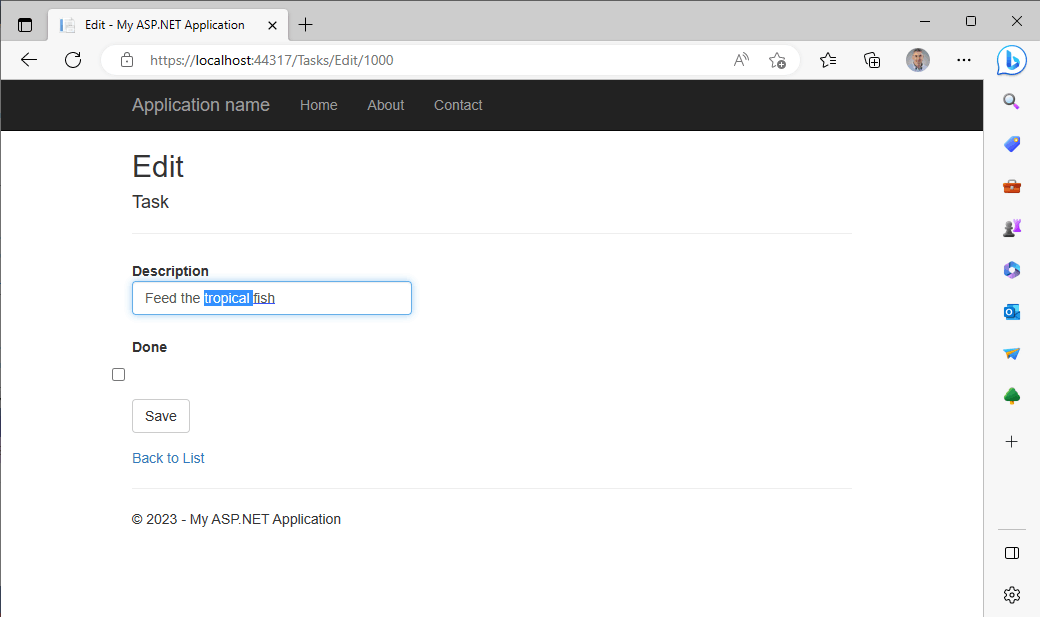
I used the generated Edit page to update the task.
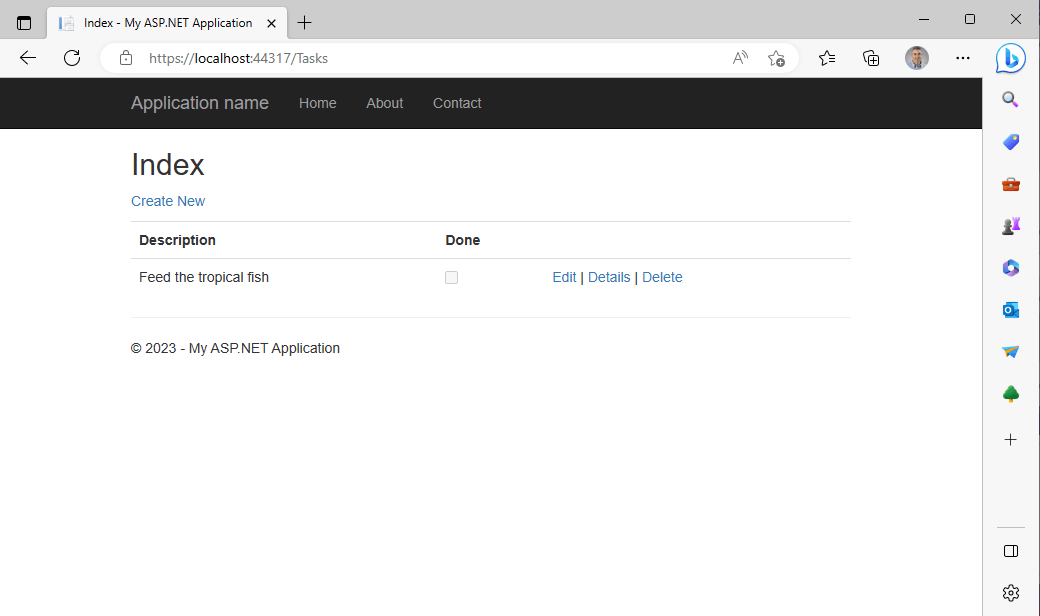
Once the database table row was updated, I was redirected back to the Index page.
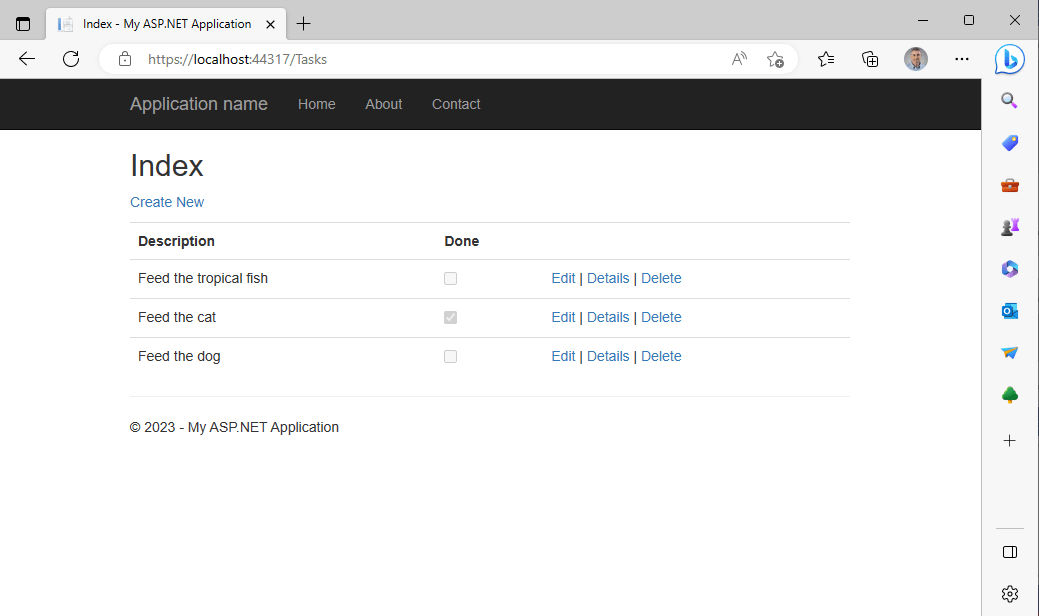
I added a couple of extra task and marked the Feed the cat task as done.
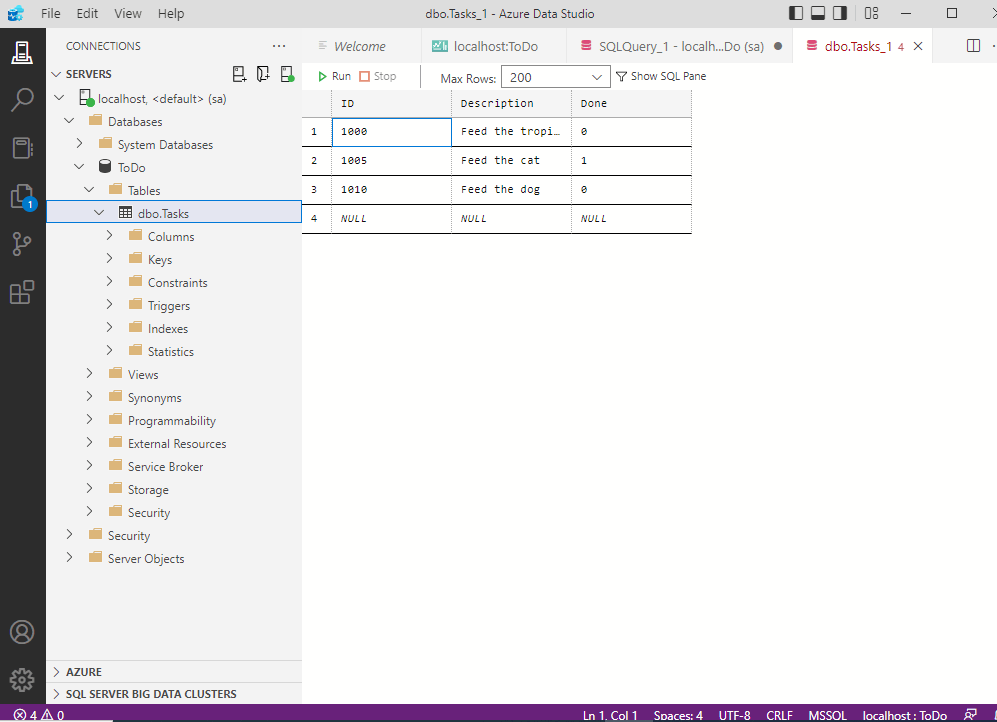
I reviewed the database table using the Azure Data Studio application
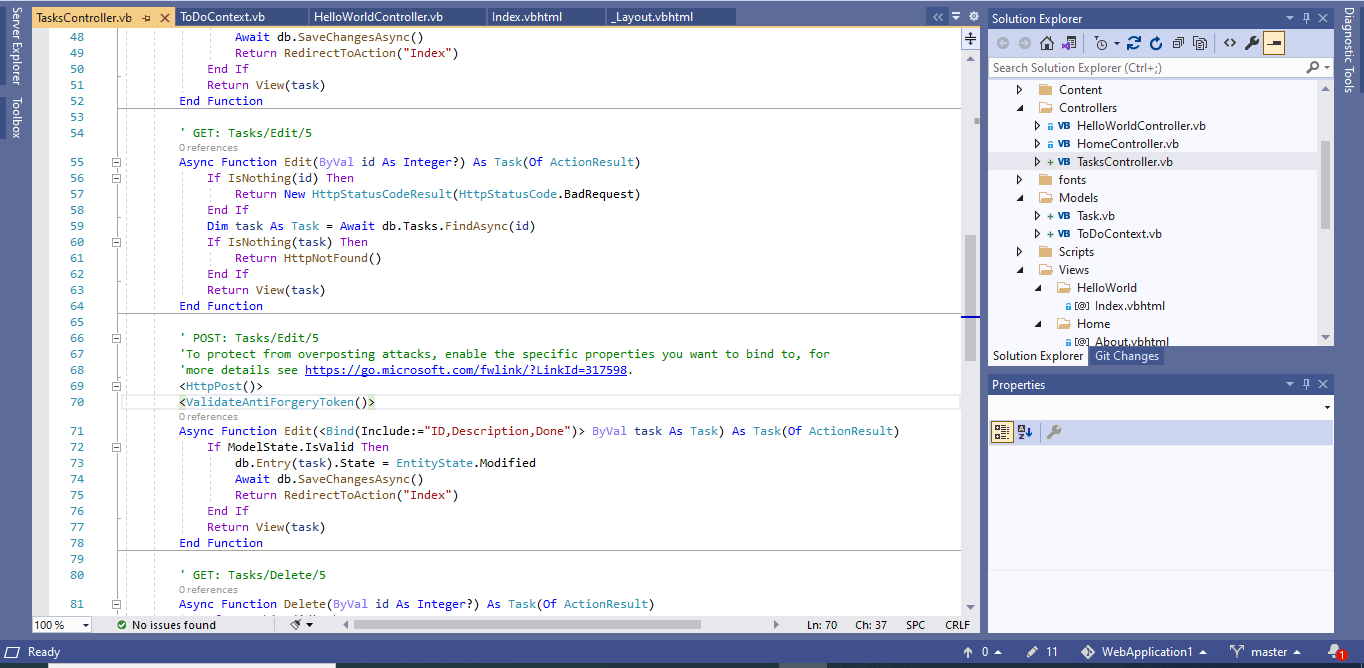
I reviewed the Controller code
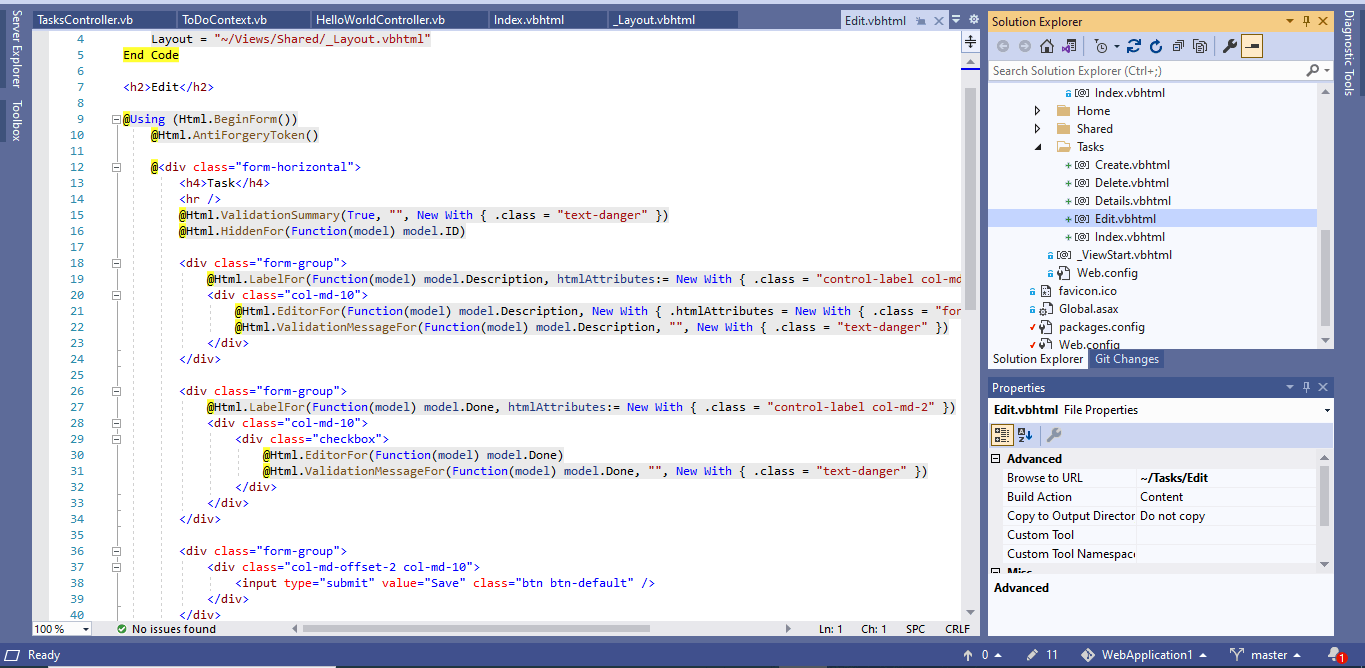
I reviewed the View code
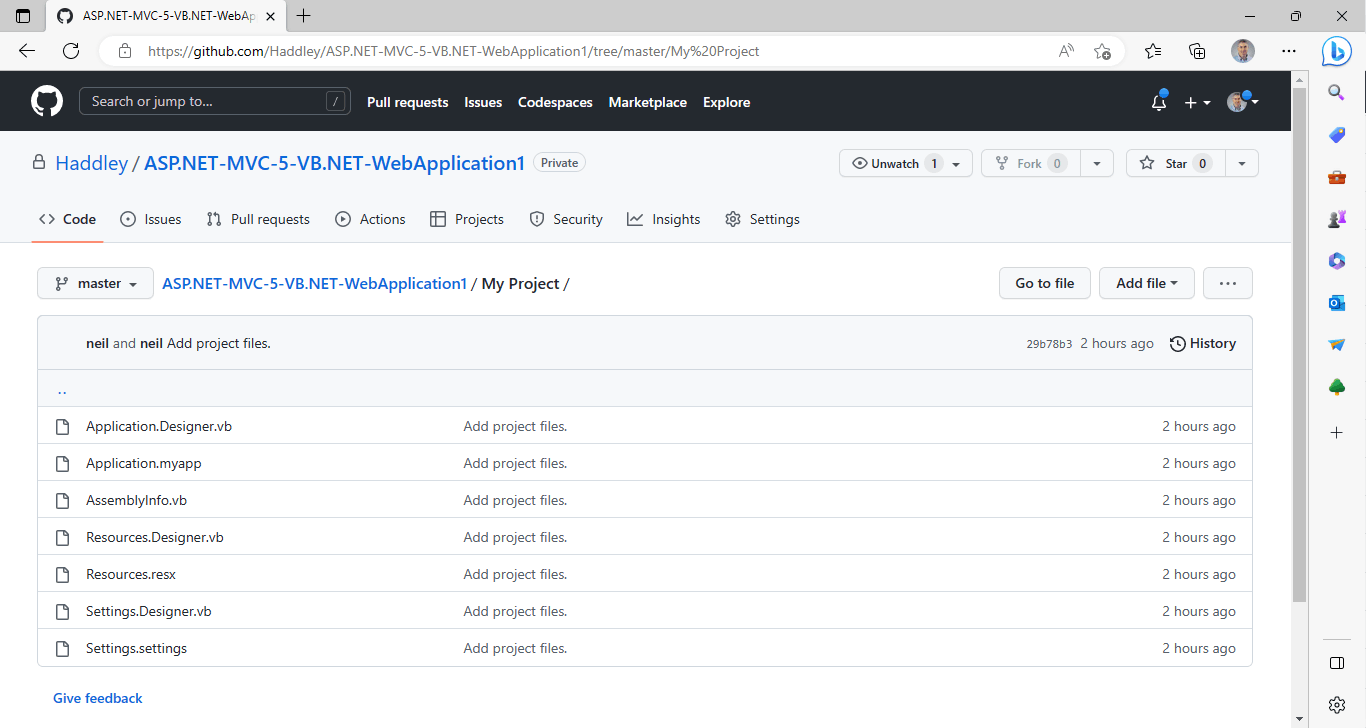
I pushed the project to GitHub