Azure Foundry Agent (Part 2)
Neil Haddley • October 27, 2026
Building a hosted agent in Microsoft Foundry that loads my page-line-summary skill, reads deposition PDFs, searches an Azure AI Search index of the split case documents, and saves its summaries
In Part 1 I ran my page-line-summary skill in a prompt agent. It worked, but the agent could not read a PDF or save a file, so I had to paste the transcript text into the message.
In this post I build a hosted agent, which is my own Python code that Foundry runs. It downloads the skill from Foundry, reads a deposition PDF, saves the summary as a file, and searches an Azure AI Search index of the case documents so that I can ask questions across all of them.
What a hosted agent is
A hosted agent is a Python (or C#) program that Foundry runs for me. Foundry gives each session its own sandbox with a persistent $HOME folder, a dedicated endpoint, and a dedicated Microsoft Entra identity for the agent. The agent calls my model deployment through the project endpoint, and Foundry bills the compute (CPU and memory) while sessions are active, plus the model tokens. The hosted agents documentation points to a pricing page, and I did not find a rate in the pages that I read, so I cannot give you a cost per hour.
Getting azd
The quickstart uses the Azure Developer CLI (azd). Microsoft's DevPack installs it with Homebrew, and on my Mac that failed because my Command Line Tools were too old.
BASH
1bash install-azd.sh --install-folder "$HOME/.azd/bin" --no-telemetry
2azd version        # azd version 1.37.1
3azd extension install microsoft.foundry
4azd auth login --use-device-code
Scaffolding the agent
Microsoft's samples repository has a hosted agent that downloads its skills from Foundry at startup, so I started from that one. azd ai agent init can run without prompts when I give it my existing project and model deployment.
BASH
1azd ai agent init --no-prompt \
2  -t "https://github.com/microsoft-foundry/foundry-samples/blob/main/samples/python/hosted-agents/agent-framework/responses/12-foundry-skills/azure.yaml" \
3  -p "/subscriptions/<id>/resourceGroups/haddley-foundry-rg/providers/Microsoft.CognitiveServices/accounts/haddley-foundry-name/projects/proj-default" \
4  -d gpt-5.4-mini --agent-name page-line-summary-agent \
5  --deploy-mode code --runtime python_3_13 --entry-point main.py
azd adopted my existing project (USE_EXISTING_AI_PROJECT="true") and bound my existing gpt-5.4-mini deployment, so it did not try to deploy a second model.
I then changed the generated azure.yaml. I removed the two sample skills, because mine was already in Foundry, and I set the environment variables for my skill and for Azure AI Search.
YAML
1services:
2    page-line-summary-agent:
3        codeConfiguration:
4            dependencyResolution: remote_build
5            entryPoint: main.py
6            runtime: python_3_13
7        container:
8            resources:
9                cpu: "0.5"
10                memory: 1Gi
11        env:
12            AZURE_AI_MODEL_DEPLOYMENT_NAME: ${AZURE_AI_MODEL_DEPLOYMENT_NAME}
13            SKILL_NAMES: ${SKILL_NAMES=page-line-summary}
14            AZURE_SEARCH_ENDPOINT: ${AZURE_SEARCH_ENDPOINT}
15            AZURE_SEARCH_INDEX_NAME: ${AZURE_SEARCH_INDEX_NAME=case-documents}
16        host: azure.ai.agent
17        kind: hosted
18        protocols:
19            - protocol: responses
20              version: 2.0.0
The agent code
The agent is about 135 lines in main.py plus a tools.py module. It does four things.
1. It downloads the skill at startup. The code asks the Skills API for each name in SKILL_NAMES, unpacks the archive, and gives the folder to a SkillsProvider. The provider tells the model the skill's name and description, and the model loads the full SKILL.md only when it needs it.
PYTHON
1context_providers.append(
2    SkillsProvider.from_paths(
3        skill_paths=str(DOWNLOADED_SKILLS_DIR),
4        disable_load_skill_approval=True,
5        disable_read_skill_resource_approval=True,
6    )
7)
2. It reads a PDF as tagged lines. The extract_transcript tool is the Part 1 extractor wrapped as a tool. It returns every line as PAGE:LINE text, and it handles the quirk that the page label prints after its lines.
3. It saves the summary. The save_summary tool writes a file into summaries/ in the session's $HOME, which I can download afterwards. Both tools refuse any path outside one folder:
PYTHON
1def _inside(path: str) -> Path:
2    root = files_dir()
3    candidate = (root / path).resolve()
4    if candidate != root and root not in candidate.parents:
5        raise ValueError(f"{path!r} is outside the allowed folder")
6    return candidate
4. It searches the case documents. I come back to the search_documents tool below.
The agent's instructions map the skill's Claude Code tools onto these: extract_transcript replaces Read, and save_summary replaces Write. They also tell the model that every Page:Line reference must come from a tag in a tool result.
Running it locally
azd ai agent run creates a virtual environment, starts the agent on port 8088, and opens the Agent Inspector. I sent it a request over the Responses protocol.
BASH
1curl -s -H "Content-Type: application/json" -X POST http://localhost:8088/responses -d @request.json
The agent loaded the skill, read PDF pages 13 to 17, and saved neruda_arness_summary.md, in 16.8 seconds.
Deploying it
BASH
1azd deploy
The first deploy took 1 minute 35 seconds. azd zips the source, uploads it, and Foundry resolves the dependencies and builds the agent remotely. No container registry was involved, and it needed no role beyond the ones I already had. Later deploys took under 50 seconds.
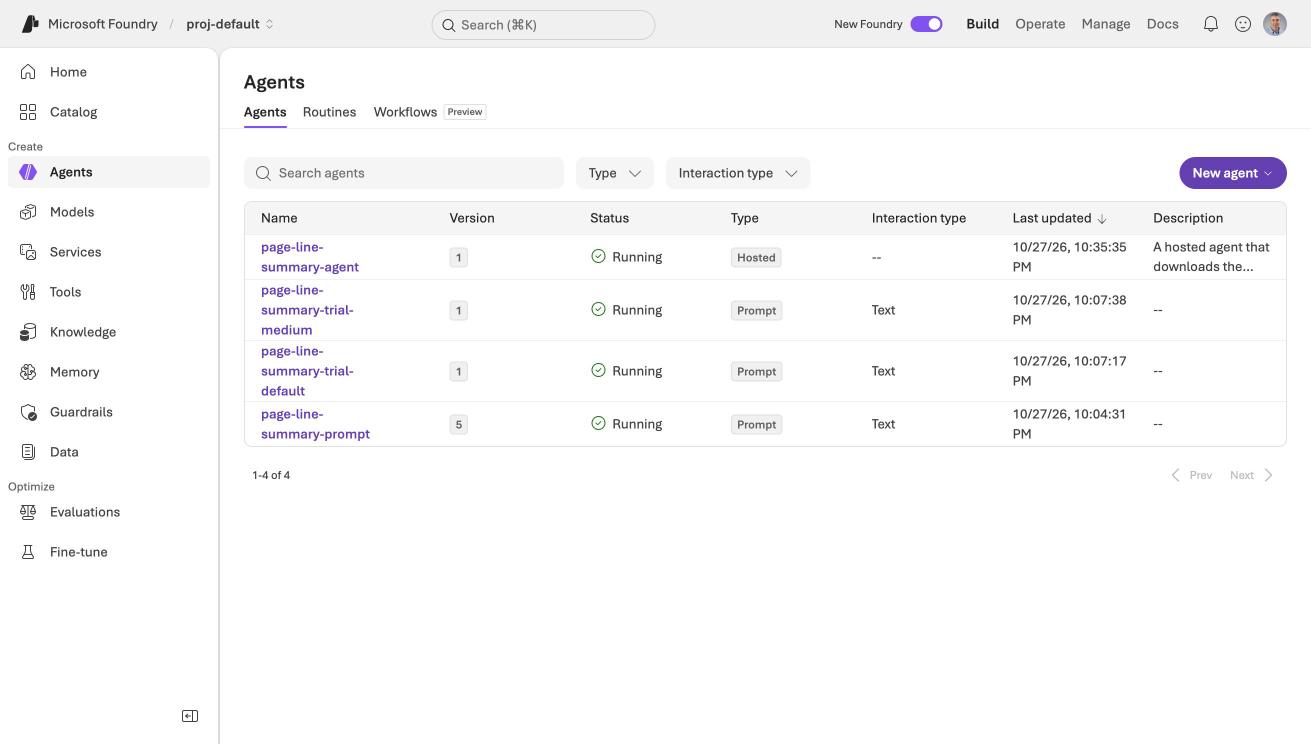
The Agents page listed page-line-summary-agent with the type Hosted, next to my prompt agents from Part 1
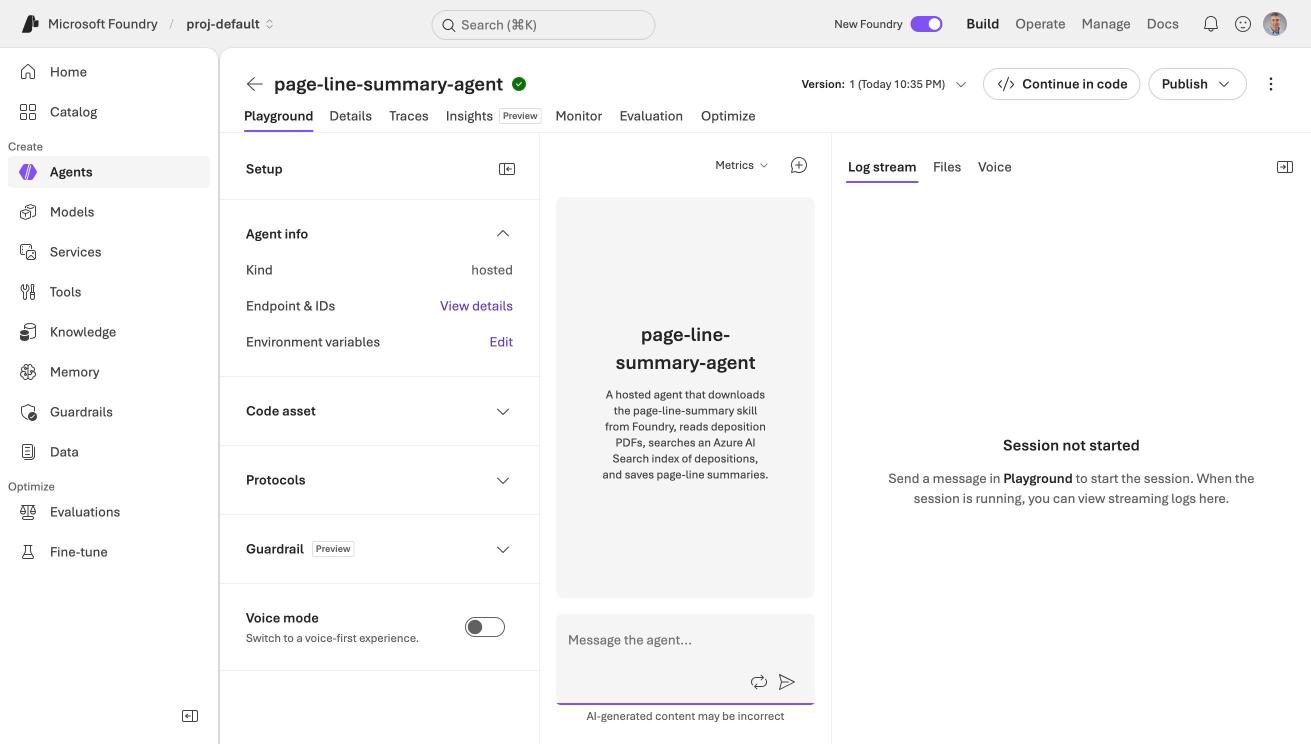
The hosted agent's playground offered a log stream and a Files tab for the session
Sessions and files
The agent reads files from its session, so the order of commands matters.
BASH
1azd ai agent invoke --new-session "Hello. Which tools do you have?"
2azd ai agent files upload ../../data/packet.pdf
3azd ai agent invoke "Please summarize the deposition excerpts in packet.pdf ..."
4azd ai agent files download -f summaries/neruda_arness_summary.md -t summary.md
The saved summary scored 3 of 3 on the contradictions I know are in the excerpts (the crew count, the "Brian" mix-up, and the 2011 to 2014 statement), and it labelled Mr. Stritch as defense counsel. That is one run, so it does not prove the agent is reliable.
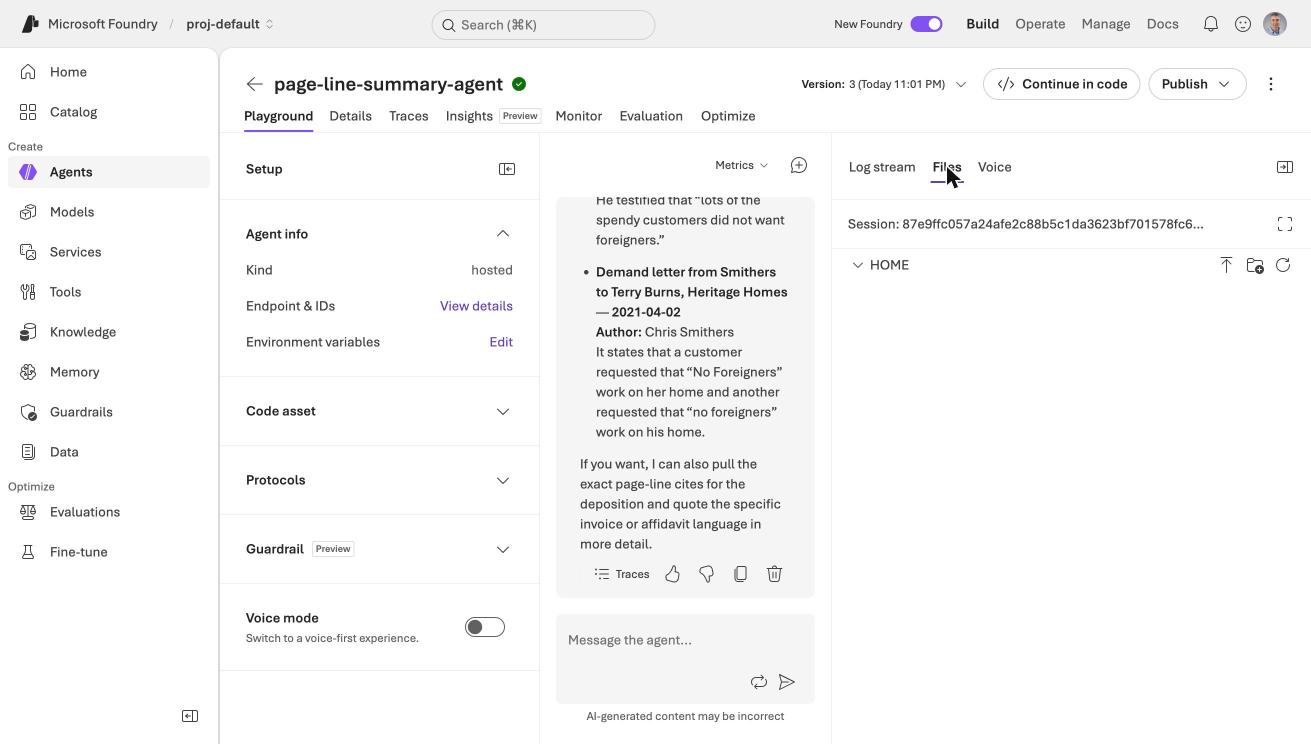
The playground's Files tab showed the session's HOME folder, with buttons to upload a file or make a folder
Splitting the packet into documents
My Part 1 sample was only two deposition excerpts. The packet they come from holds many other documents, so I split the 40-page packet into 22 separate documents and indexed each one. The split is a short Python script, split_packet.py, that writes one PDF and one text file per document, plus a manifest.json with each document's title, type, date, author, recipient and PDF pages.
| Type | Documents |
|---|---|
| Letters | 8 |
| Demand letters | 3 |
| Memoranda (one is a voicemail transcript) | 4 |
| Depositions (Arness and Neruda) | 2 |
| Affidavit | 1 |
| Invoices | 2 |
| Sample settlement agreements from other matters | 2 |
I skipped the cover, two blank pages and a divider, and two pages that repeated invoices that I already had.
Azure AI Search
I created a search service on the Free tier in the same resource group.
BASH
1az search service create -g haddley-foundry-rg -n haddley-depo-search --sku free --location eastus
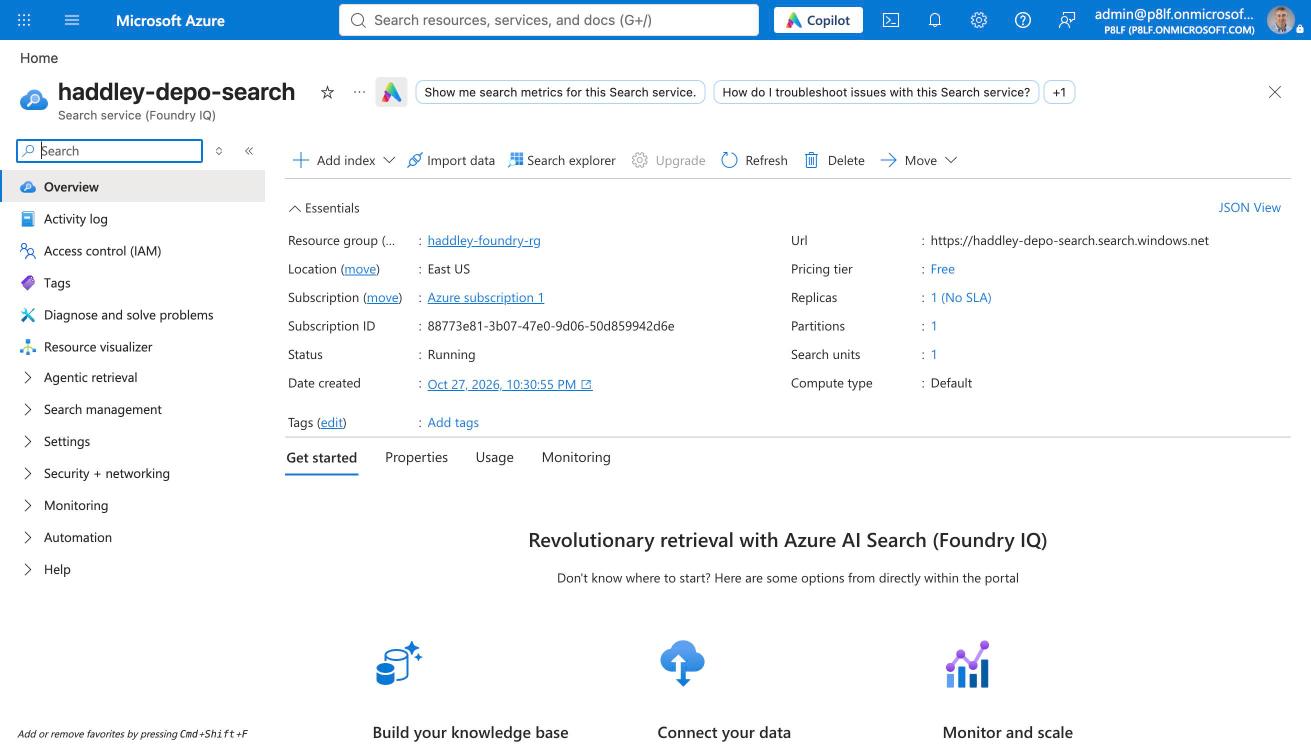
The haddley-depo-search service in East US showed the Free pricing tier
The index
The index has one record per document, except for depositions. Those get one record per transcript page, so a hit can be cited to the page and line. The 22 documents became 38 records. The fields are the document title, type, date, author, recipient, a category (case document or sample from another matter), the PDF pages, the transcript page (for depositions), and the text.
PYTHON
1SearchableField(name="doc_type", type=S, filterable=True, facetable=True),
2SimpleField(name="doc_date", type=S, filterable=True, sortable=True),
3SearchableField(name="author", type=S, filterable=True),
4SimpleField(name="category", type=S, filterable=True, facetable=True),
5SimpleField(name="page", type=SearchFieldDataType.Int32, filterable=True, sortable=True),
6SearchableField(name="text", type=S, analyzer_name="en.lucene"),
I did not use vector search here. The Part 2 post of my earlier series, Creating an Agent in Azure AI Foundry, used embeddings. For this job the names, dates and quoted phrases matter more than meaning, so plain keyword search with filters was enough, and it needs no embedding model deployment.
Roles again
The index needs data-plane roles, just as the skills did in Part 1. Three assignments, each scoped to the one search service, cover it:
| Who | Role | Why |
|---|---|---|
| Me | Search Service Contributor | Create the index |
| Me | Search Index Data Contributor | Upload documents |
| The agent's own identity | Search Index Data Reader | Query the index, and nothing else |
I found the agent's identity in azd ai agent show under instance_identity.
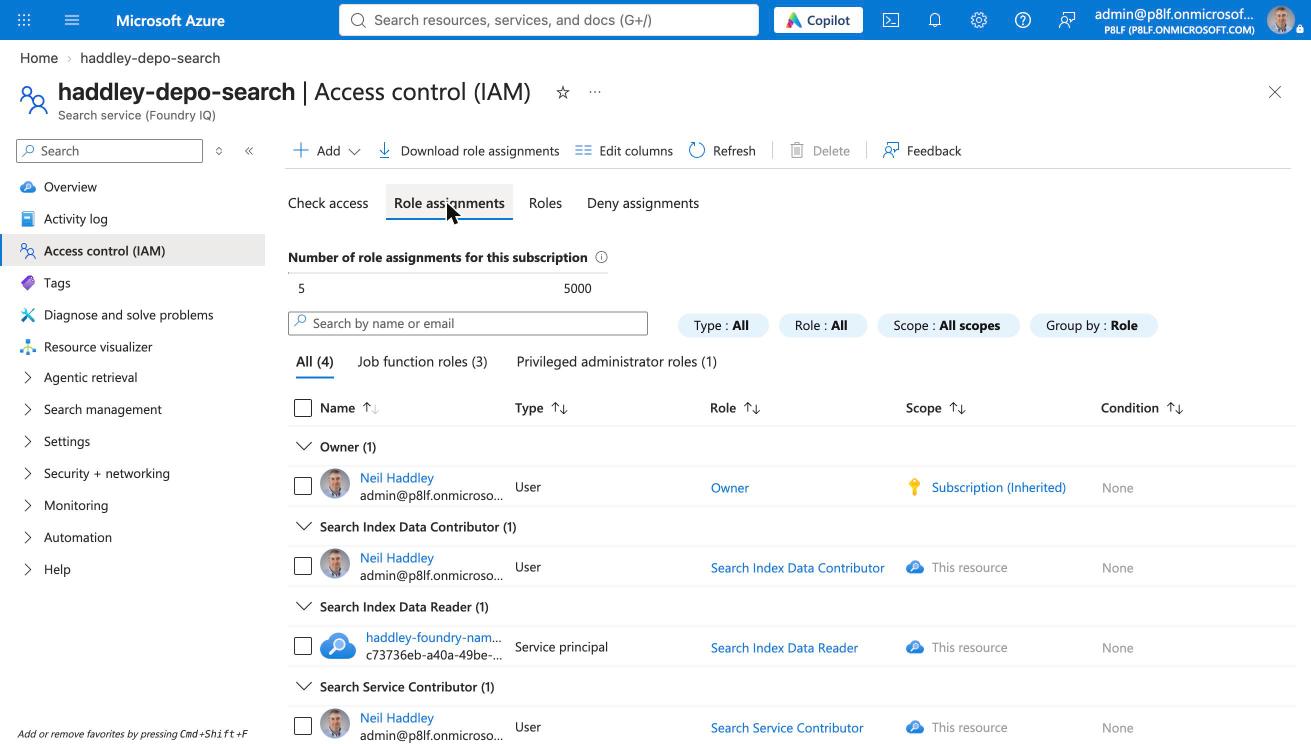
The Role assignments tab on the search service listed my two roles and the agent's identity with Search Index Data Reader
The agent never gets a key. It reads the index with its own identity, so there is no secret in an environment variable.
Testing the index
build_index.py uploaded all 38 records. In Search explorer, a query for "foreigners" returned 6 hits, with the affidavit first.
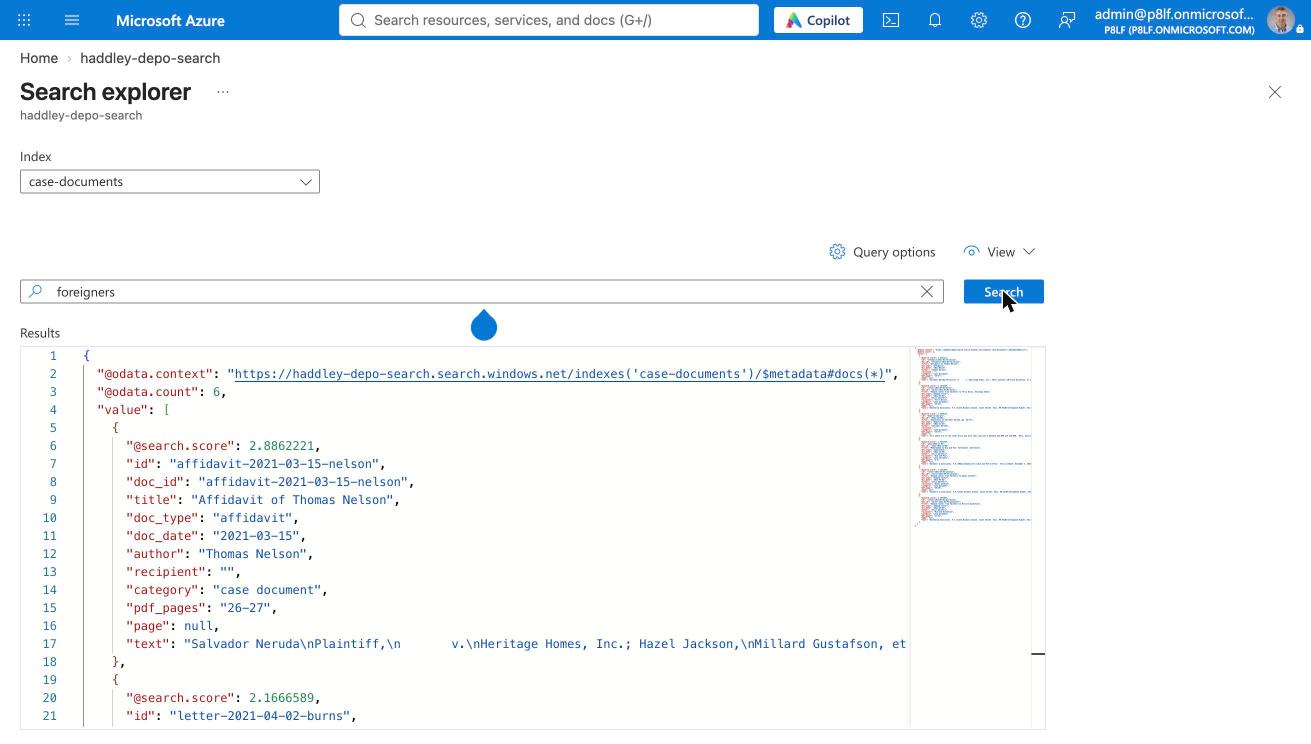
Search explorer on the case-documents index returned 6 hits for the query foreigners, with the Nelson affidavit scoring highest
I also checked a few queries from a script. "bad roofer" ranked the defense counsel's letter first, "2011 through 2014" ranked transcript page 68 first, and a filter on doc_type eq 'deposition' returned only transcript pages.
Asking across the documents
The search_documents tool takes a query and optional filters for document type and author. Each hit comes back with the title, type, date, author, PDF pages and text, and a deposition hit carries its PAGE:LINE tags. Hits from the sample agreements are labelled as samples from another matter.
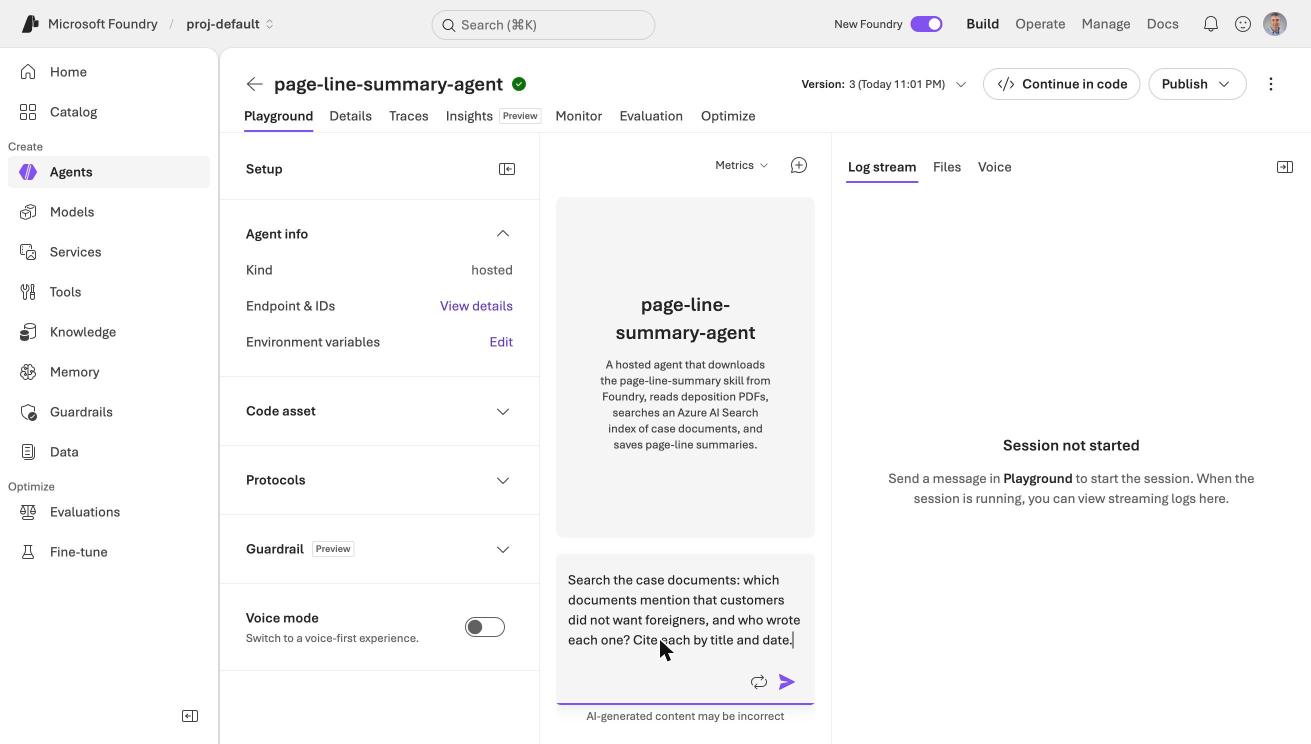
I typed a cross-document question in the hosted agent's playground
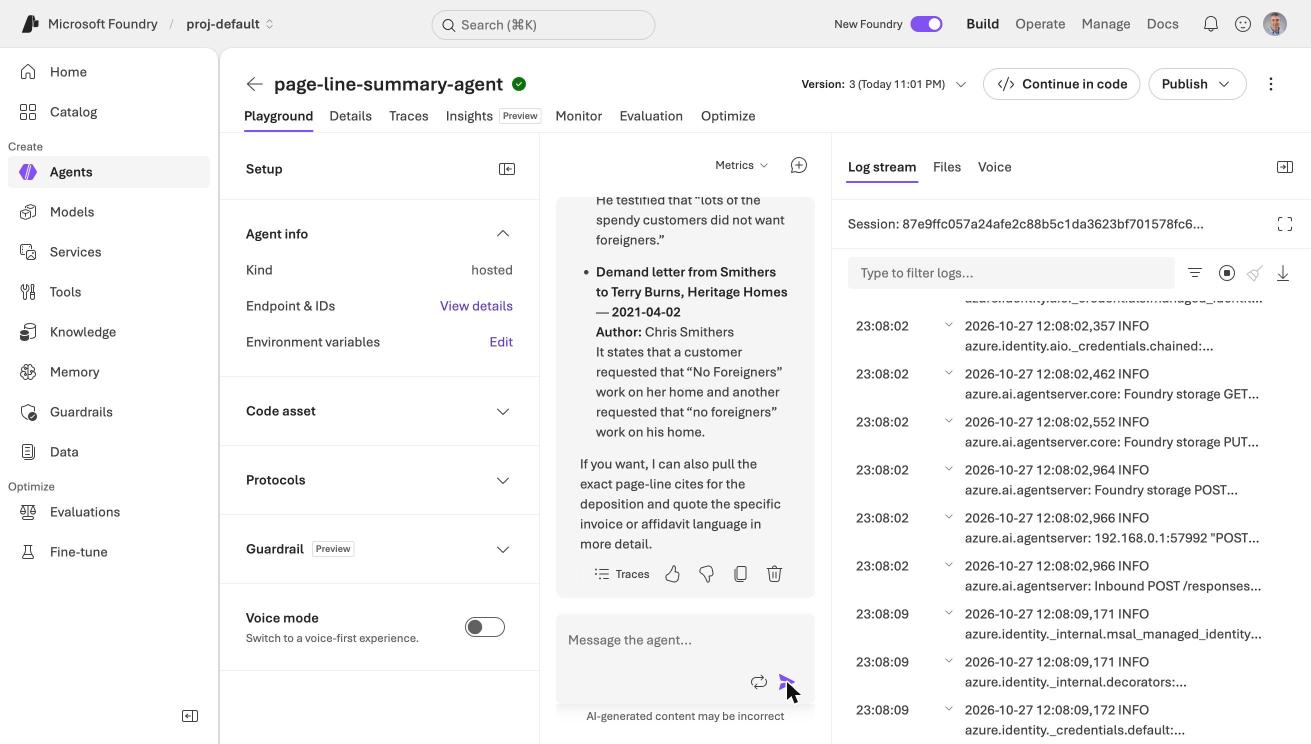
The agent listed each document that mentions the request, with its author and date, while the log stream ran beside it
Question 1: why did Neruda lose work?
I asked: "What reasons do the documents give for why Neruda lost work from Heritage Homes? Cite each source by its title and date, and cite a deposition by PAGE:LINE."
The agent searched twice and returned four groups of reasons with sources. I checked every citation against the transcript pages, and they were right. For example, 71:15–21 holds the "spendy customers did not want foreigners" passage, and 73:7–18 holds Neruda's account of what Nelson said about loyal crews.
One thing was wrong. The agent put "Heritage had too many jobs and was overbooked" under Heritage's side. The overbooking comes from Neruda's own testimony, and Arness is a former employee, so that heading mis-attributed the evidence.
Questions 2 and 3: do the documents conflict?
These are the questions where the agent matters most, because spotting a conflict is a lawyer's job. I read the packet first and found two places where documents disagree.
| Question | The conflict I found | What the agent said |
|---|---|---|
| Settlement figures | One letter says the proposal was raised from $250,000 "to double that amount", which is $500,000. A later memo says the previous offer was $300,000. | It listed the $300,000 and the $250,000, never mentioned the doubling, and reported a conflict between the $250,000 and $20,000 demands. Those went to different defendants, so that is not a conflict. |
| Start dates | Neruda says he started in February 2017 and met coordinators including Nelson. Nelson's affidavit says he worked at Heritage from January 2018. | It put both dates in its answer and concluded that the documents agree. |
The second one is an inference, not a direct contradiction, because Neruda does not say that Nelson assigned his jobs in 2017. A careful reader would flag it, and the agent did not.
One generic fix
I added one paragraph to the agent's instructions. It was not tailored to these two questions.
I redeployed (47 seconds) and asked both questions again.
| Before | After | |
|---|---|---|
| Settlement figures | False conflict between $250,000 and $20,000. Real conflict missed. | The false conflict was gone, and the agent explained that the $20,000 demands went to different parties. The doubling ($500,000) was still never mentioned, so the real conflict was still missed. |
| Start dates | Concluded the documents agree. | It converted "June of last year" into June 2020, which is correct, and still concluded that the documents agree. |
So the instruction helped a little with a false alarm and did not help with either real miss. This was one run of each question, so I would not draw a firm line between the two answers.
Cleaning up
The agent, the search service and the role assignments keep existing until I remove them. I have not removed them yet. When I am done:
BASH
1azd ai agent delete page-line-summary-agent
2az search service delete -g haddley-foundry-rg -n haddley-depo-search --yes
I would also delete the three role assignments that I created and the Part 1 prompt agents.
- Hilbert, Jim, "Civil Rights Settlement" (2016), Negotiation Teaching Materials, Mitchell Hamline School of Law