Business Central and DeepSeek Harness (Part 3)
Neil Haddley • November 18, 2026
Add Microsoft Learn as a second MCP server, so the AI can look up what a Business Central action does before anyone uses it.
Part 2 connected the harness to Business Central. The AI can now read stock and make drafts, but it only knows what its training and the company's data tell it. If I ask what an action does, I would like it to read Microsoft's documentation instead of guessing.
Microsoft runs a second MCP server for exactly this: Microsoft Learn. It needs no sign-in.
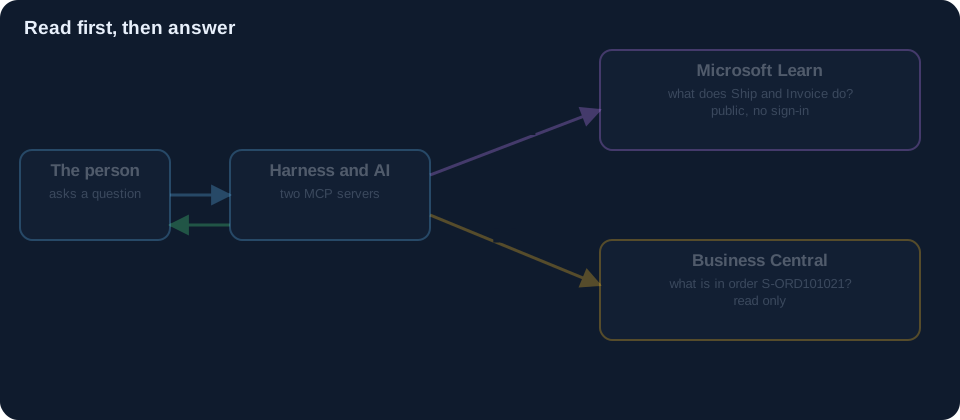 Scroll sideways, or tap the diagram to open it full size
One more entry
Next to the Business Central entry in the profile, I added a second:
YAML
1- insert:
2    - id: mcp-mslearn
3      name: '@deepseek-ai/dsh-mcp-client'
4      config:
5        serverName: mslearn
6        transport: stdio
7        command: mcp-remote
8        args:
9          - 'https://learn.microsoft.com/api/mcp'
10          - '--transport'
11          - 'http-only'
12        toolCallTimeoutMs: 120000
There is no tenant, no company and no configuration, because Learn is public documentation. After a restart, the harness has two servers, and the tool names show which is which: mcp__businesscentral__… and mcp__mslearn__….
Prompt C
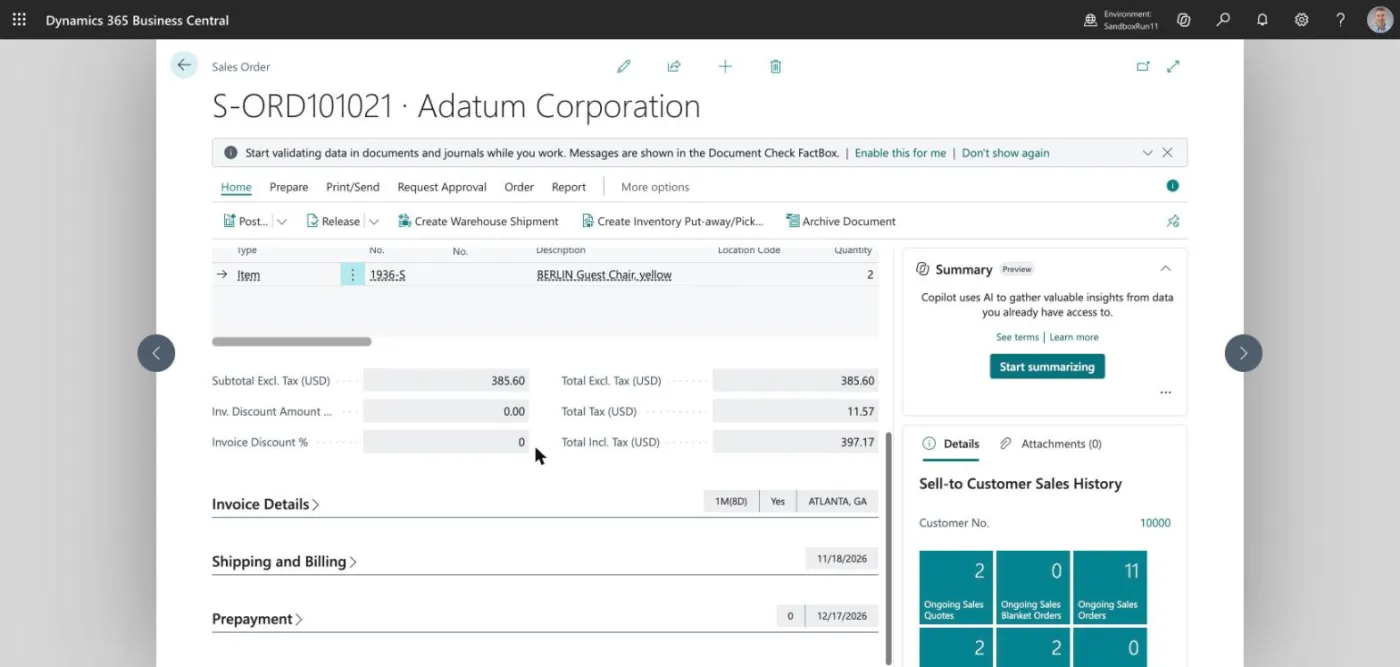
This time I ask it to read first and act later. In Part 2 I made a draft order, S-ORD101021, for two chairs.
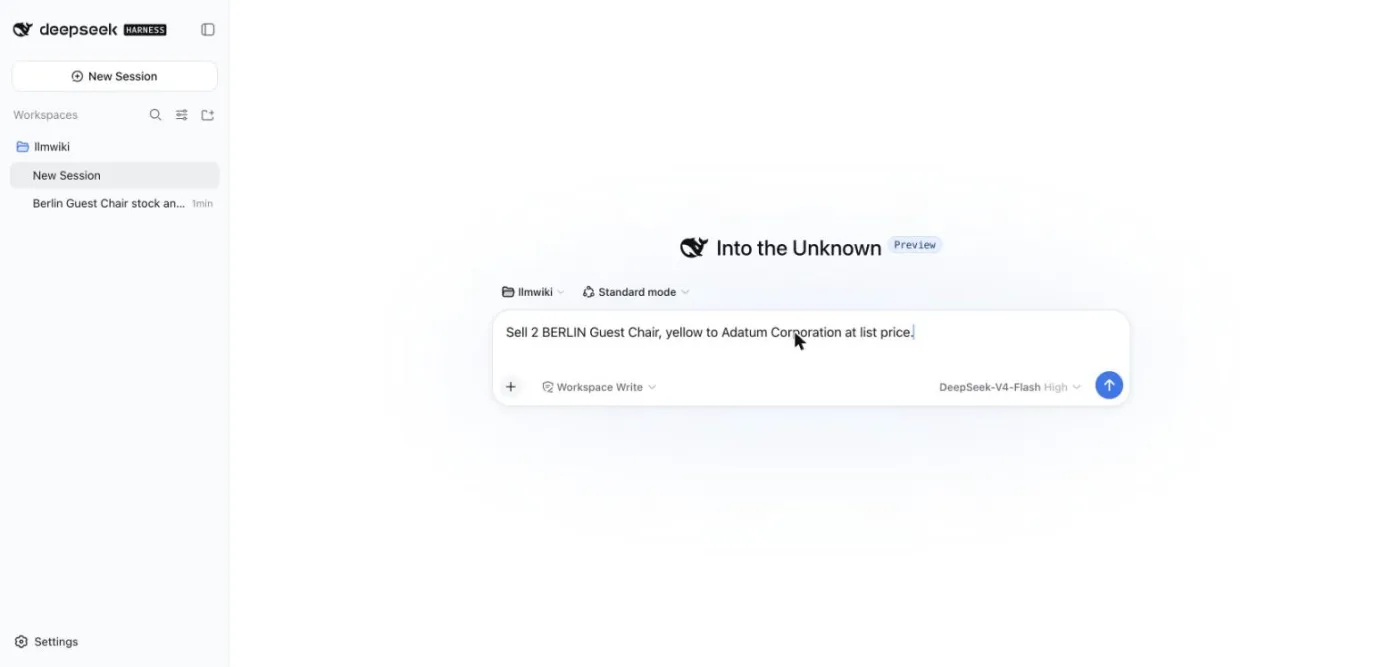
Before you do anything, look up on Microsoft Learn what the Ship and Invoice action does on a sales order in Business Central, then tell me what it would change for order S-ORD101021.
The harness shows each step as a line in the chat.
Read the lines from the top:
- A Learn search (
mcp__mslearn__microsoft_docs_search) for the Ship and Invoice action. - A read of the company's notes about the Business Central connection (Part 4 says what those notes are).
- Business Central lookups, read only: the order, its lines, the customer and the item.
- The answer.
The first part of the answer is about the action in general, with its sources:
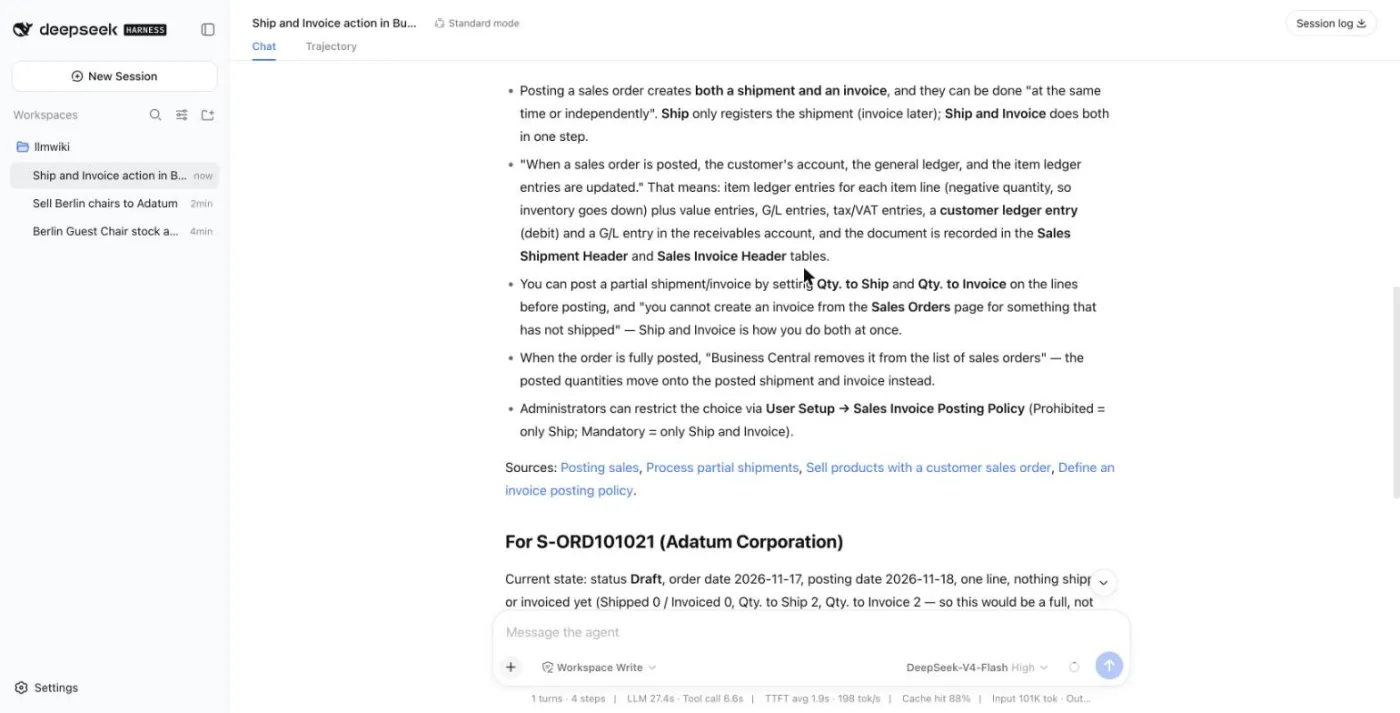
Then it applied that to my order:
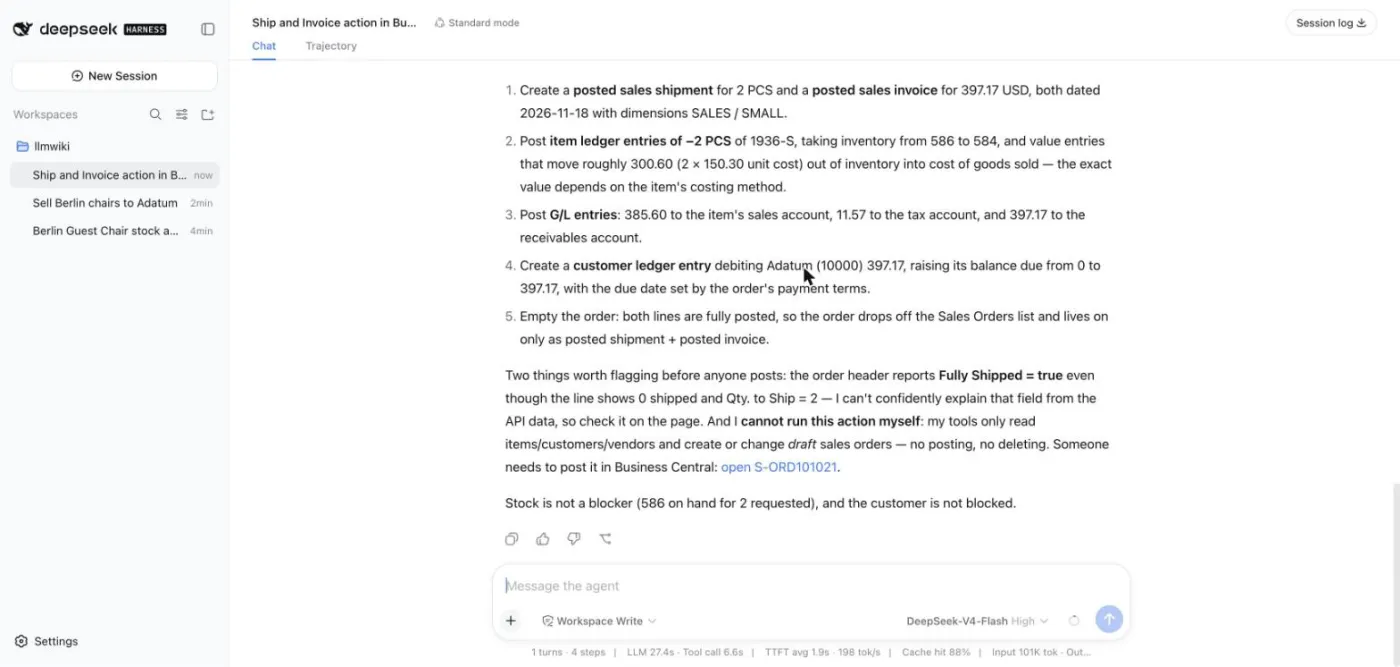
For this order, with two chairs at 192.80, it says posting would:
- create a posted shipment and a posted invoice for 397.17;
- post item entries of −2 and take the stock from 586 to 584;
- post the sales, tax and receivables entries (385.60, 11.57 and 397.17);
- create a customer entry for Adatum and raise its balance due from 0 to 397.17;
- take the order off the Sales Orders list.
And it says, in so many words, that it cannot run the action itself: its tools only read and make drafts. A person has to post it in Business Central.
Next: Part 4 gives the AI the company's own way of working.