Business Central and DeepSeek Harness (Part 6)
Neil Haddley • November 18, 2026
How the request_posting tool is built: how the add-on posts with one web API call as the signed-in user, a tool the AI can call with one argument, and one function that checks, asks a person and posts.
So far the AI can read, look things up and make drafts. It cannot post. That is on purpose, but a draft that nobody can post is only half a job. This post and the next add one carefully made way to post: a tool called request_posting. This post is about how it is built. Part 7 is about its rules and what it does not do.
Why a tool of my own
Because a posting tool that is simply switched on has nothing in front of it. The AI would call it and the order would be posted. No question to a person, no rules, and no record of why. Posting also cannot be undone from the AI's side.
So I want three things in front of the action: the company's rules checked in plain code, a person who reads the facts and decides, and the AI never holding the means to post. A tool that I write can do all three, and Business Central's own tool cannot.
The map
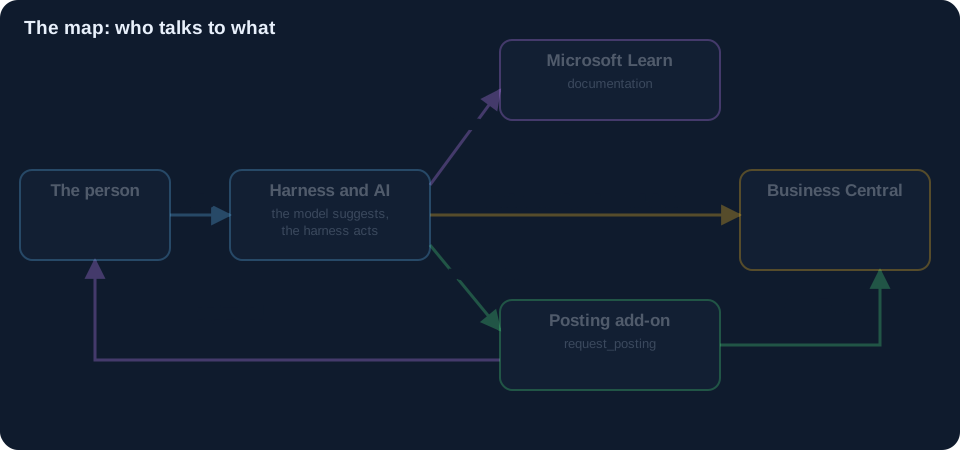 Scroll sideways, or tap the diagram to open it full size
How the add-on posts
The add-on has to ship and invoice the order, and the AI must not be offered that. So the add-on does not go through the MCP server for it. It calls Business Central's web API directly, with the shipAndInvoice action on the sales order, using the signed-in user's token. The harness profile from Part 2 names only the Assistant configuration, so the AI's tool list has no posting tool, and the MCP server has none to offer.
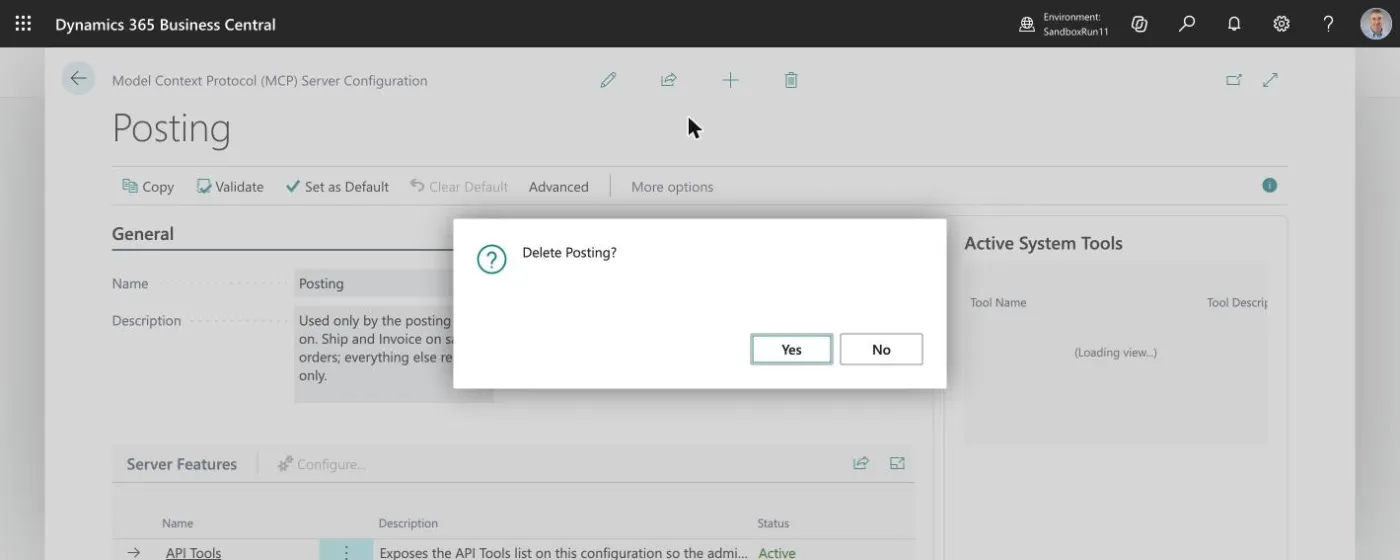
Here is the call, shortened:
 Scroll sideways, or tap the diagram to open it full size
A tool is a function with a name
The harness lets a plugin register a tool. A tool has a name, a description the AI reads, the arguments the AI may send, and a body that runs. Here is the registration, shortened. The notes in the picture are mine.
 Scroll sideways, or tap the diagram to open it full size
What the model is shown is small: a name (request_posting), a sentence about what it is for, and one argument, an order number. The model cannot choose the amount, the date or the customer. All it can do is ask.
Four ways to reach the person
A tool can talk to the person through the harness's own screens. There are four, and a tool can use any of them.
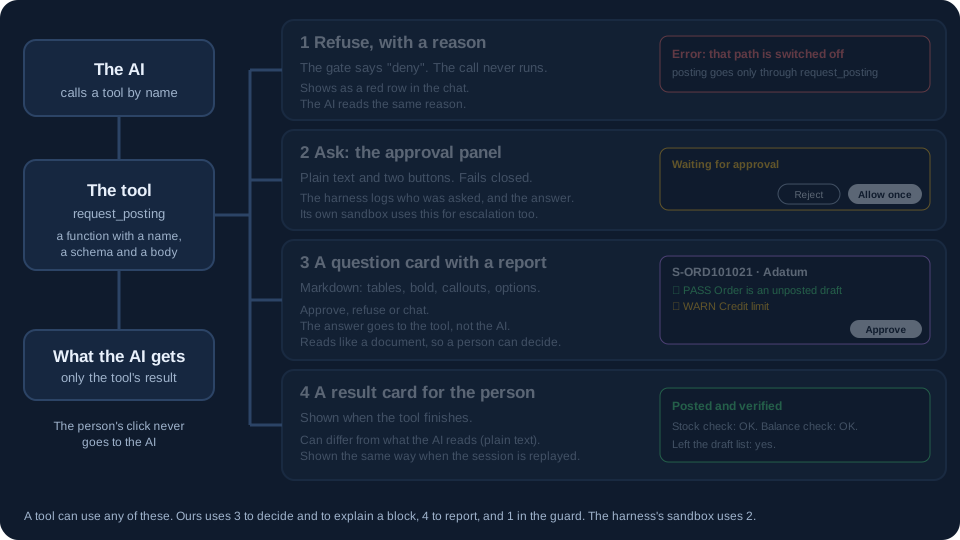 Scroll sideways, or tap the diagram to open it full size
- Refuse, with a reason. The call never runs, and the AI reads the same reason.
- Ask with the approval panel. Plain text and two buttons.
- Ask with a question card. A written report, with Approve, Refuse or "Chat about it". The answer goes to the tool, and not to the AI.
- Show a result card when the tool finishes. It can differ from what the AI reads.
My tool uses the question card to decide and to explain a block, the result card to report, and the first one for a guard (Part 7). The harness's own sandbox uses the approval panel for escalation. For posting I use the review card, because it reads like a document and not a sentence.
One function: check, ask, post
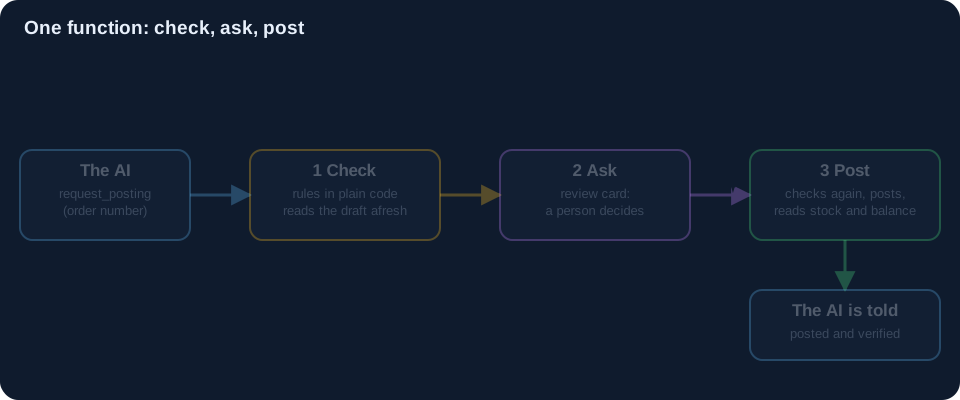 Scroll sideways, or tap the diagram to open it full size
This is the heart of it. The tool's body is one function that does three things in order, and nothing can skip a step, because there is no other way in.
 Scroll sideways, or tap the diagram to open it full size
- Check. It runs a small Python helper that reads the draft afresh from Business Central and applies the company's rules. That is plain code, with no AI.
- Ask. It opens the review card and waits. The AI is paused until the person answers.
- Post. Only after a clean Approve, it checks the order again (it may have changed) and posts through Business Central's API, as you. Then it reads the stock and the customer's balance back to see that they moved by the right amounts.
If a rule fails, there is no card with an Approve button at all. The AI is told which rules failed.
Prompt E
Now the same request as before, with a second sentence. I ask it to make the order and to ask for it to be posted.
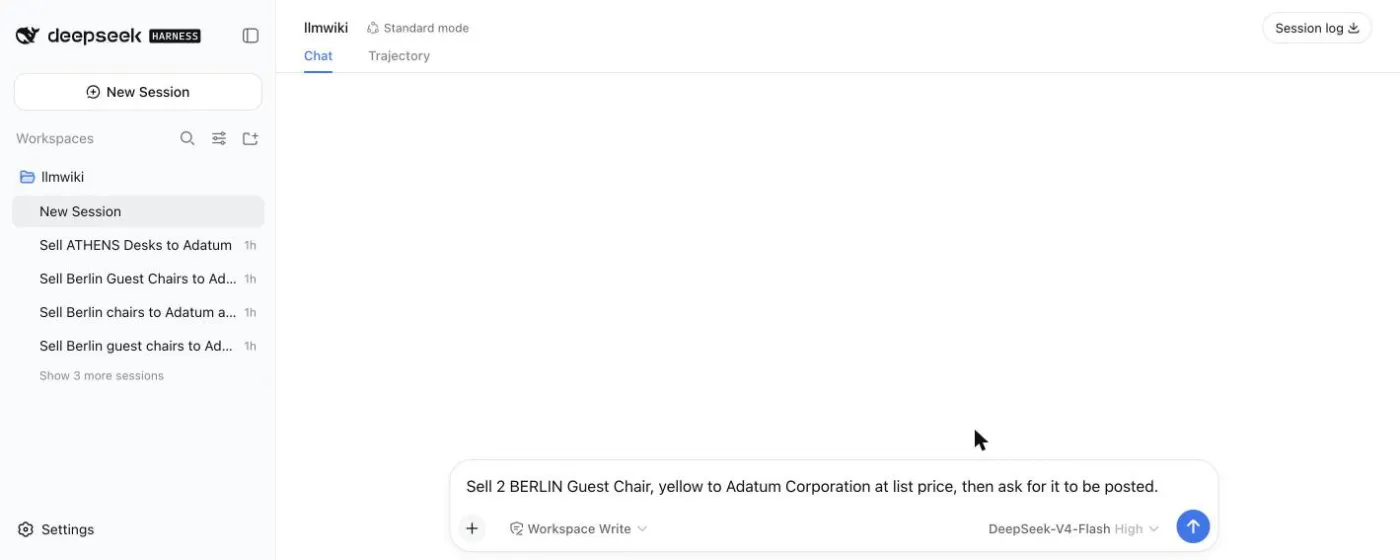
Sell 2 BERLIN Guest Chair, yellow to Adatum Corporation at list price, then ask for it to be posted.
The AI follows the SOP from Part 4. It finds the existing drafts for the same chairs and asks two things in one round: what to do about them, and the delivery date.
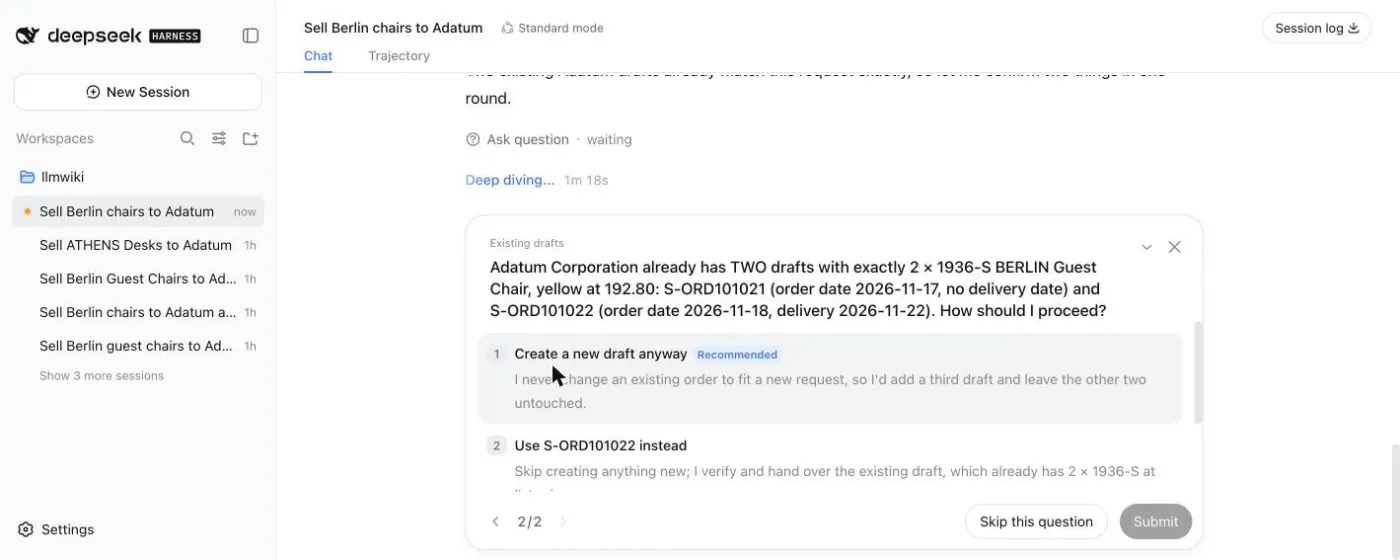
I chose to create a new draft and to accept the default date. The AI made S-ORD101025, read it back, checked the arithmetic, said "Numbers check out. Now asking for the draft to be posted", and called the tool:
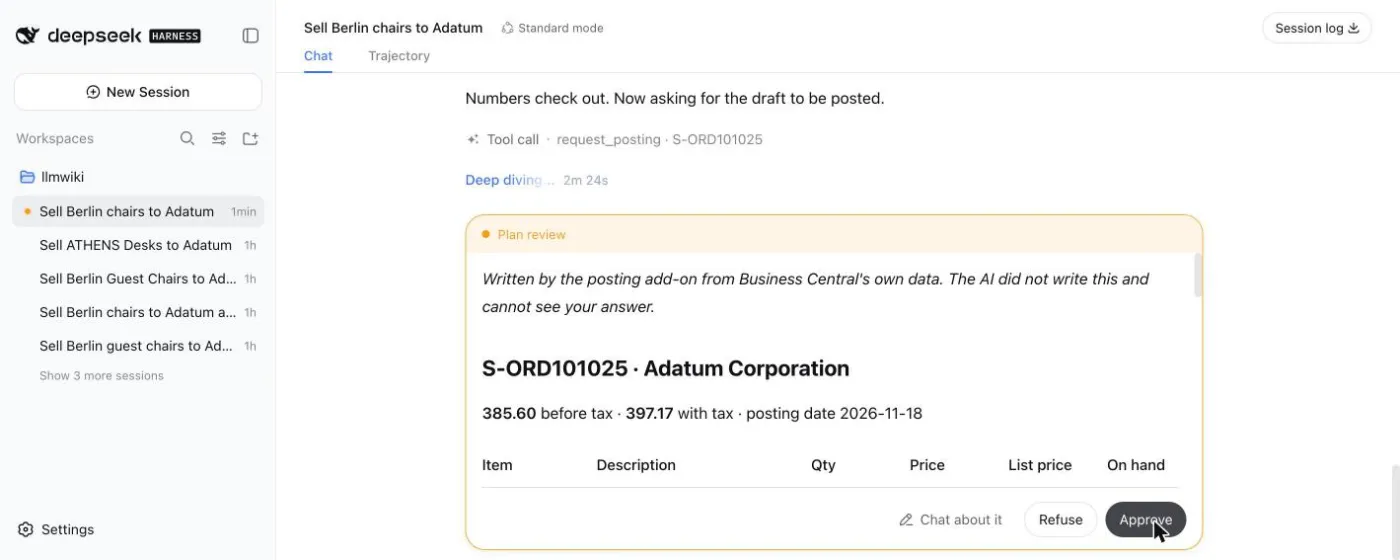
The card in that screenshot was not written by the AI. It says so at the top: "Written by the posting add-on from Business Central's own data. The AI did not write this and cannot see your answer." Part 7 goes through that card, one row at a time.
Next: Part 7 goes through the card, the rules, and what happens when a rule fails.