Business Central (Part 5)
Neil Haddley • December 22, 2024
Integration Tables
In Dynamics 365 Business Central, an Integration Table is a specialized table used to facilitate the exchange of data between Business Central and external systems or services. These tables are often used in integration scenarios, such as connecting with Dynamics 365 Sales (CRM), Power Platform, or other third-party applications.
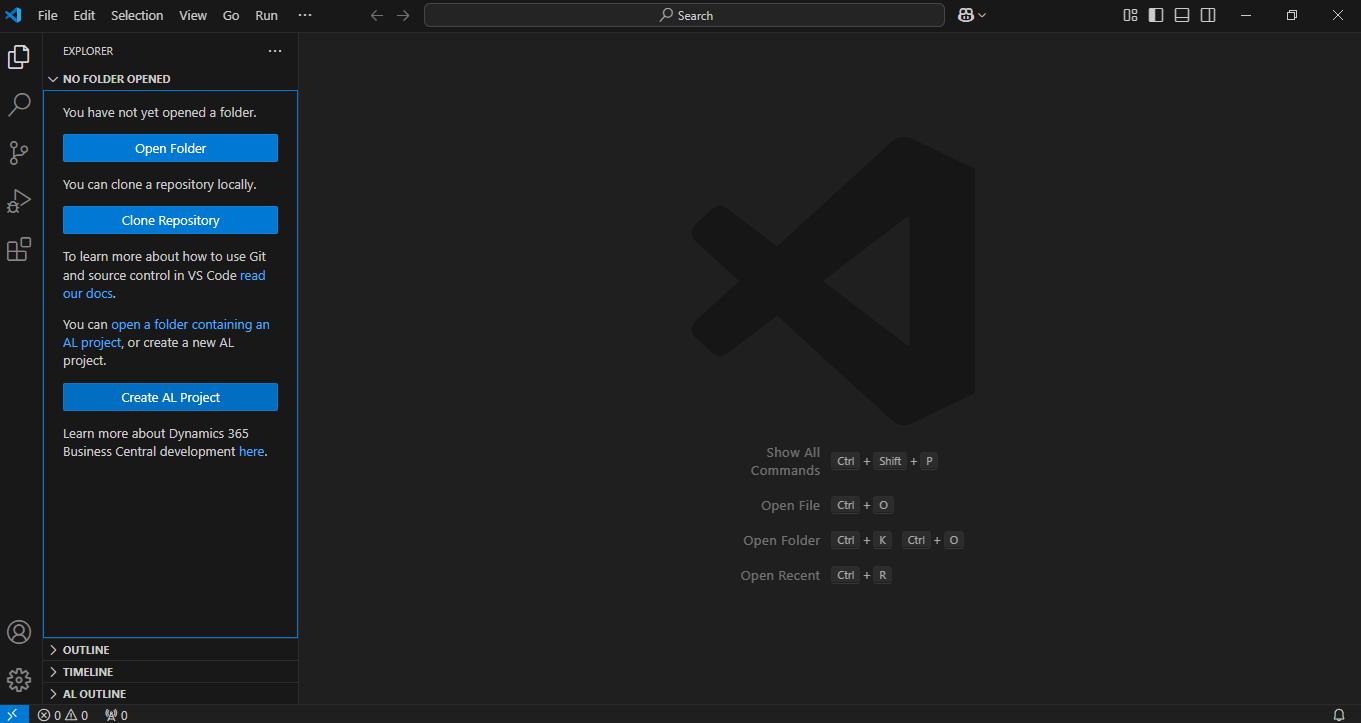
I clicked the Create AL Project button

I updated the project name

I entered DataverseIntegration

I selected the most recent platform

I selected the Microsoft cloud sandbox option
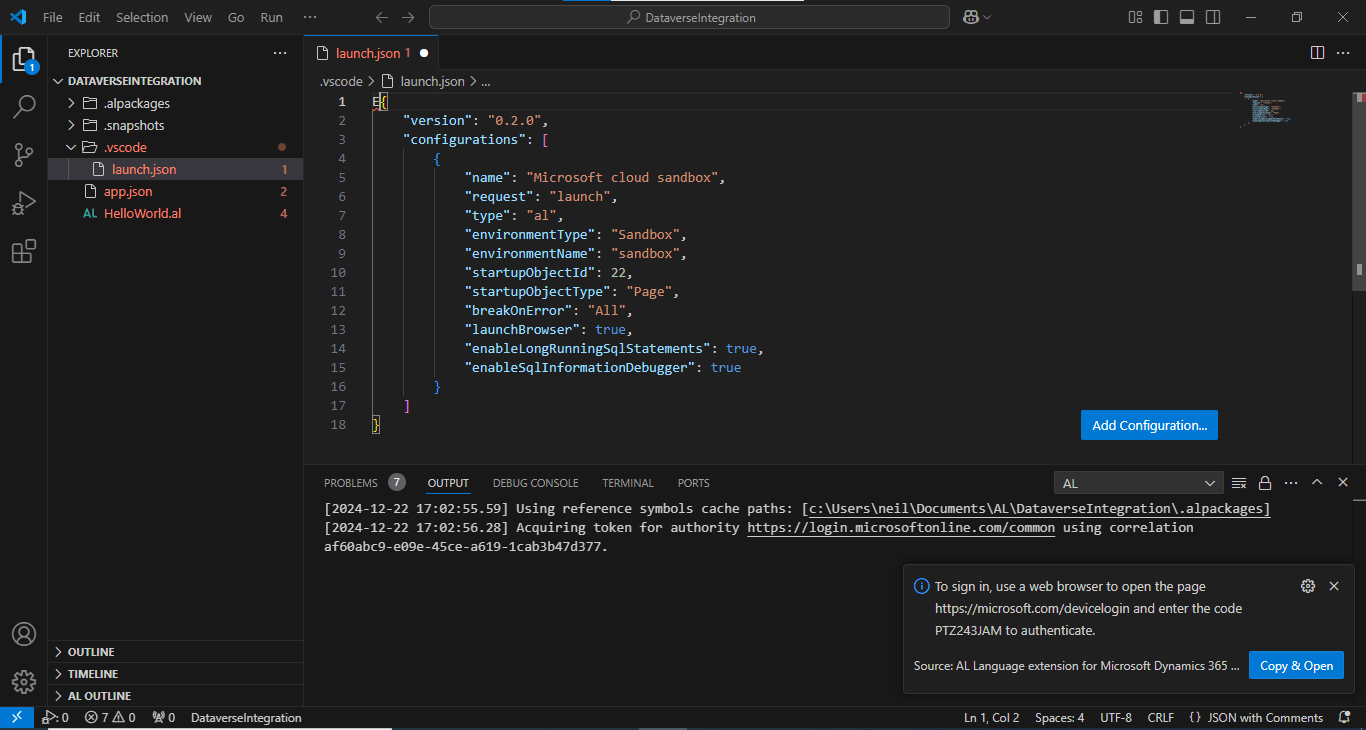
I clicked the Copy & Open button
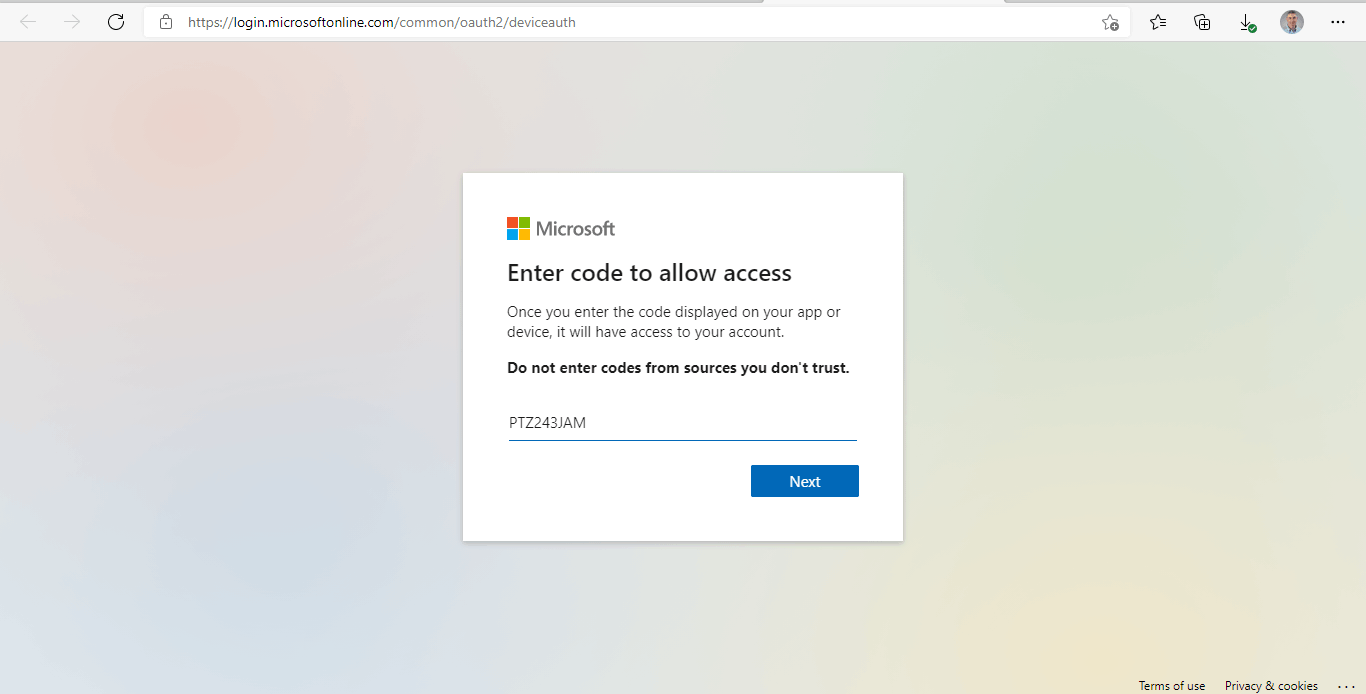
I pasted the code
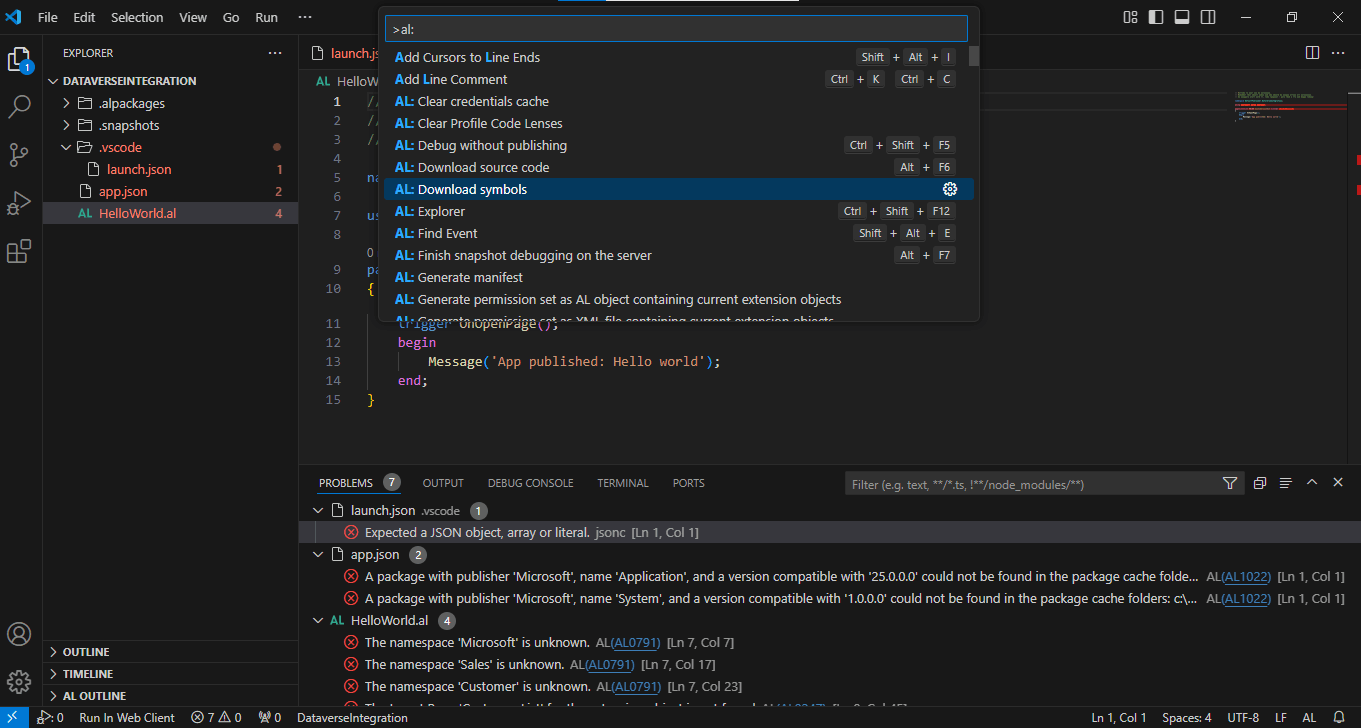
I selected Al: Download symbols
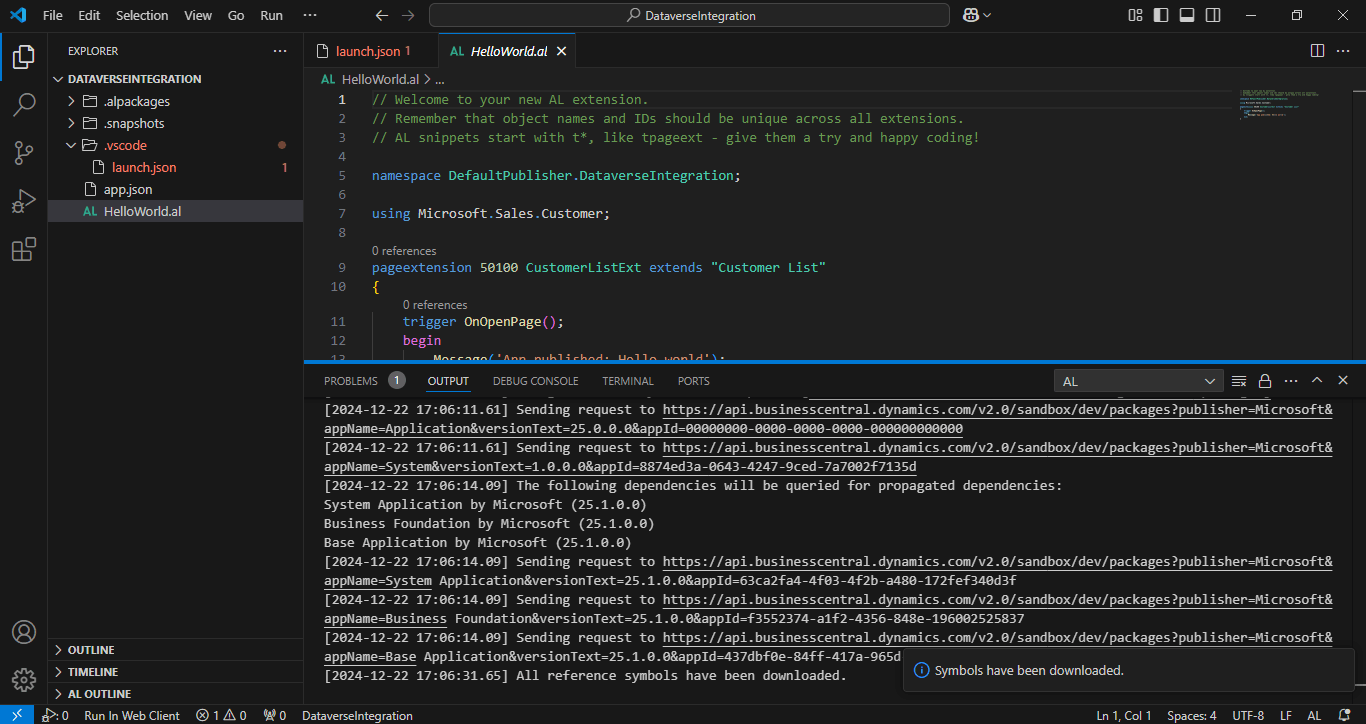
Symbols were downloaded
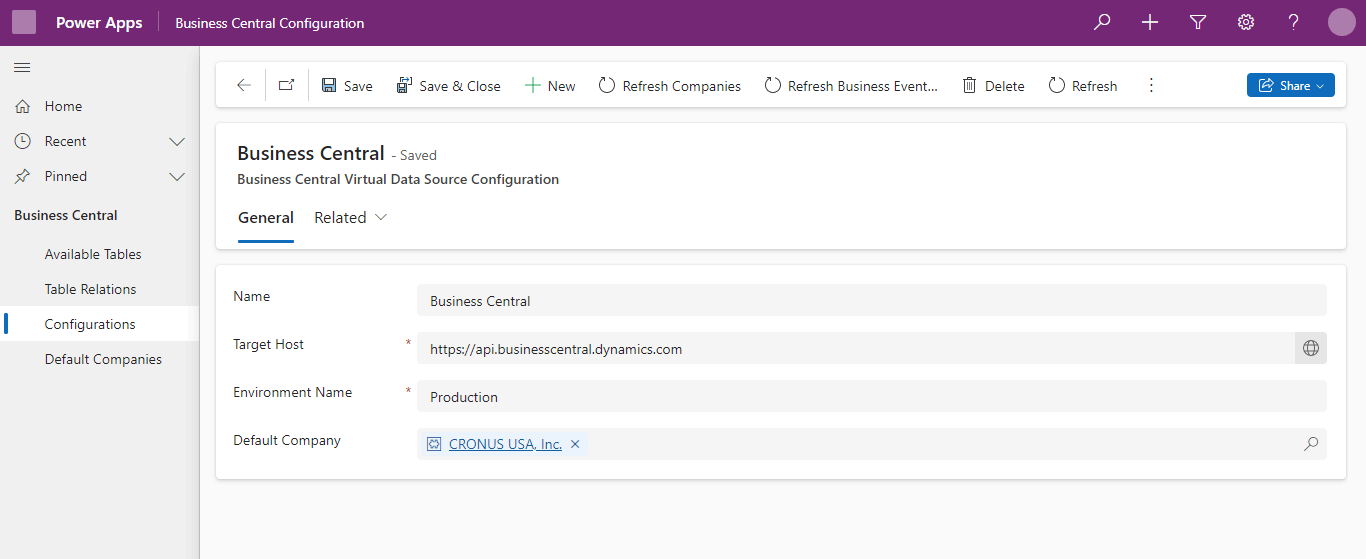
Initially the Develop Power Platform Environment was configured to access the Production Business Central Environment
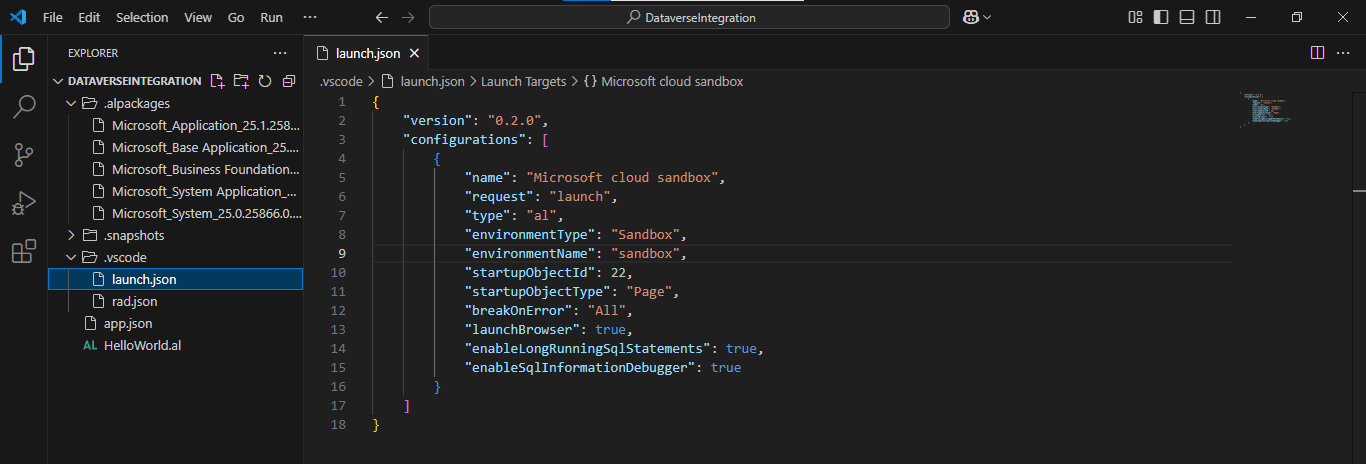
The Business Central AL project was configured to deploy to the Sandbox environment
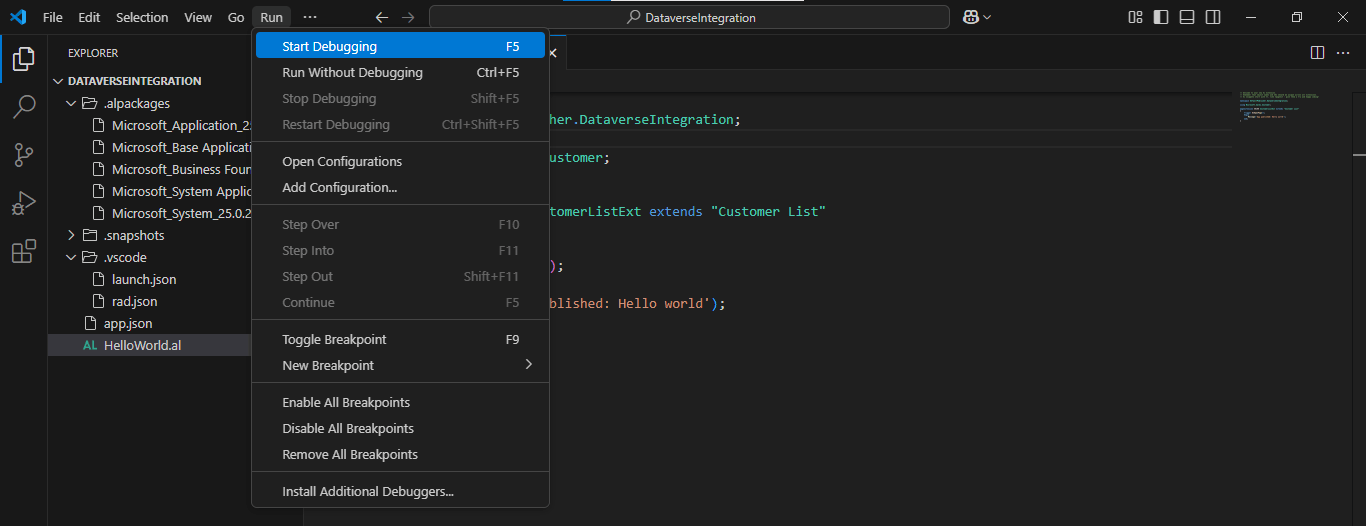
I clicked the Start Debugging menu option
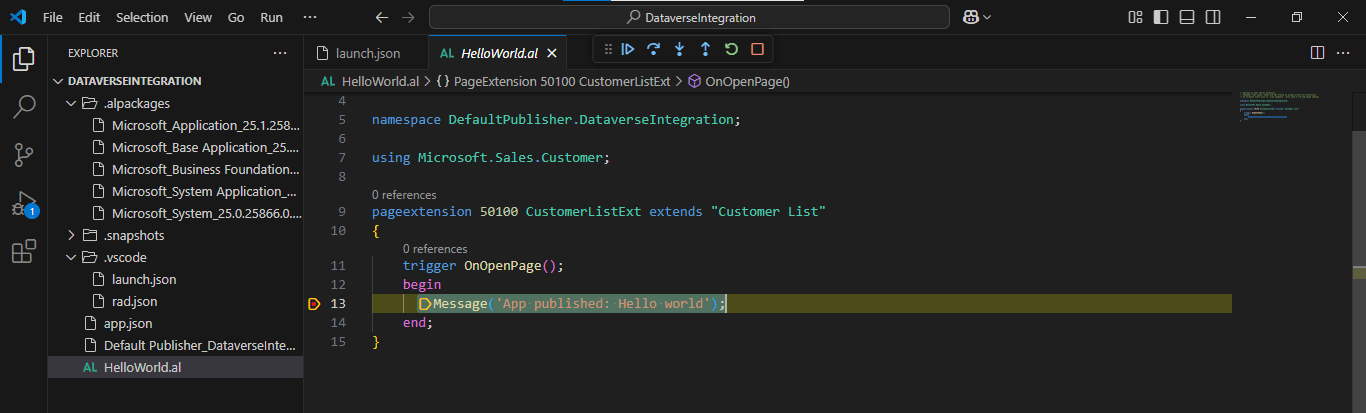
The AL code paused when the line 13 breakpoint was hit
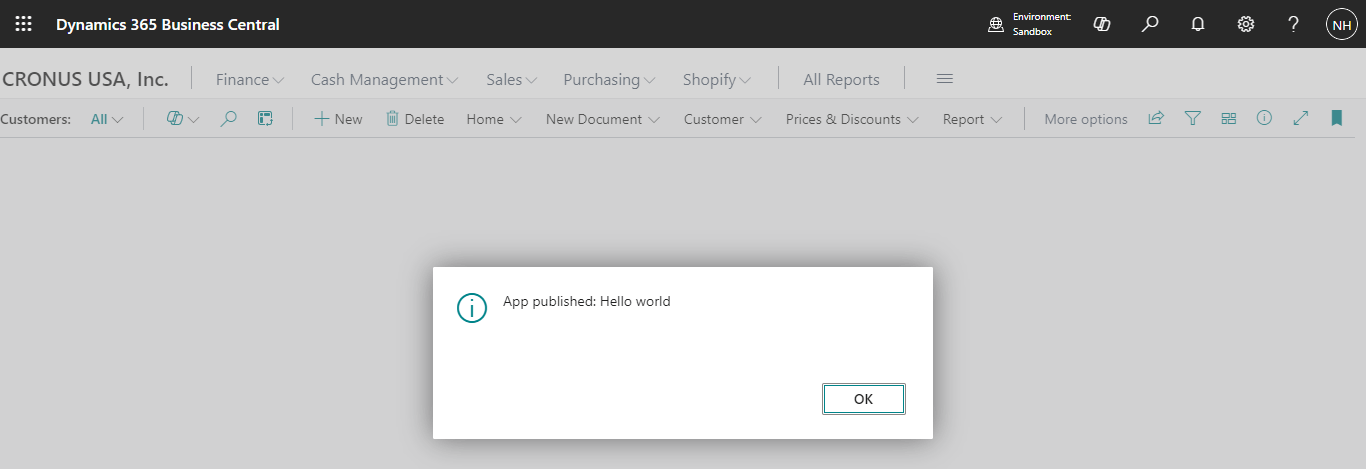
I clicked continue and the message was displayed
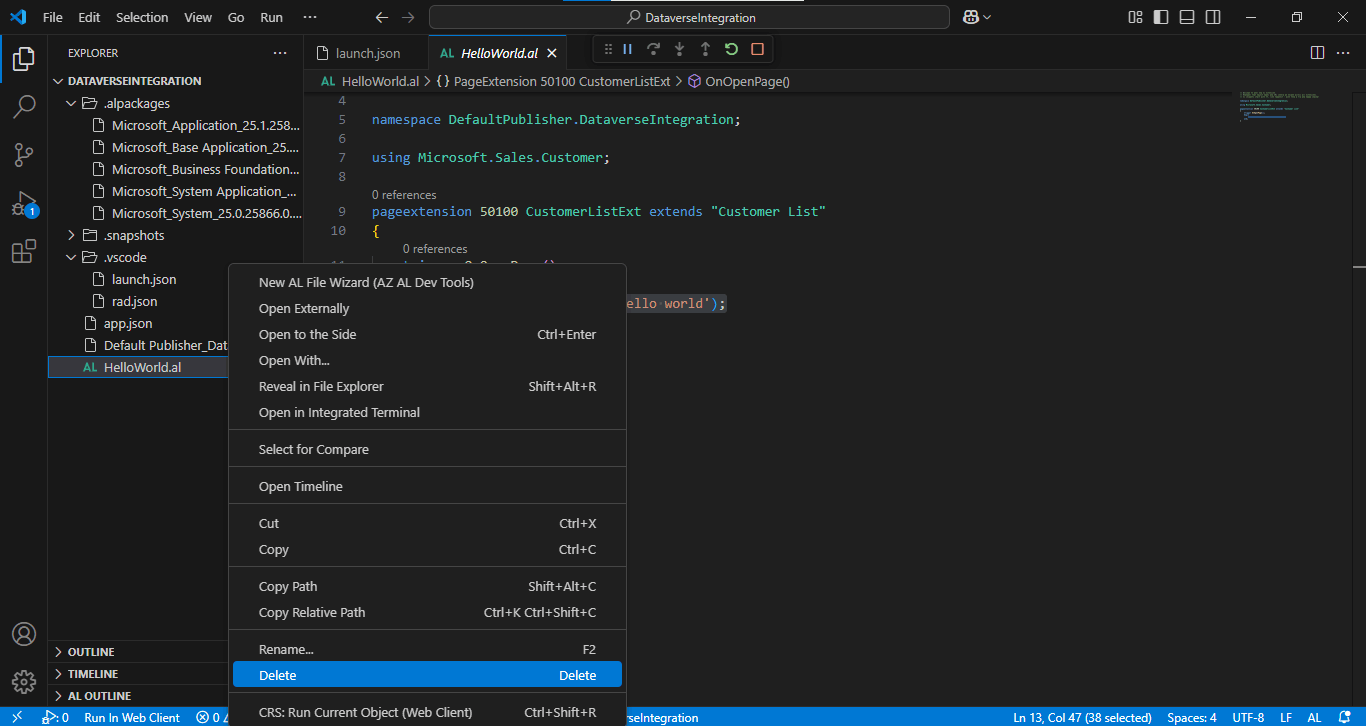
I deleted the HelloWorld.al file
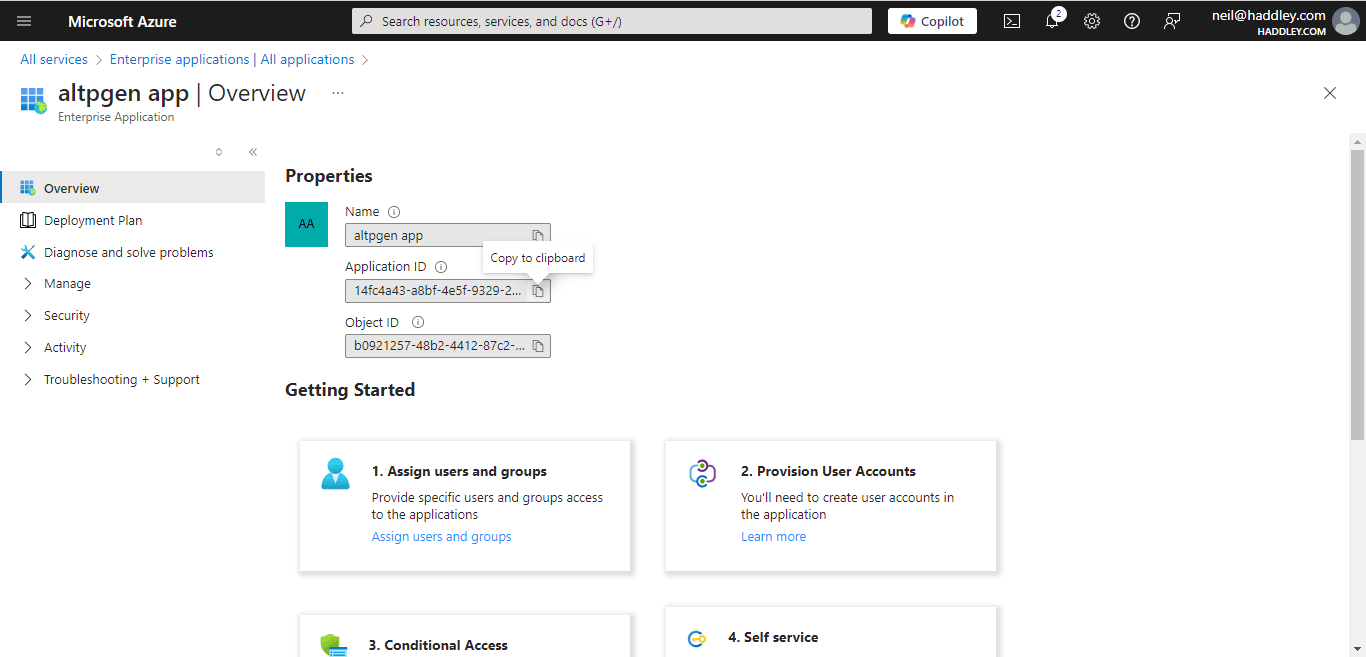
I navigated to the Azure portal to copy the Application (Client) Id

I navigated to an app running the Power Platform to copy the https://XXX.crm.dynamics.com url
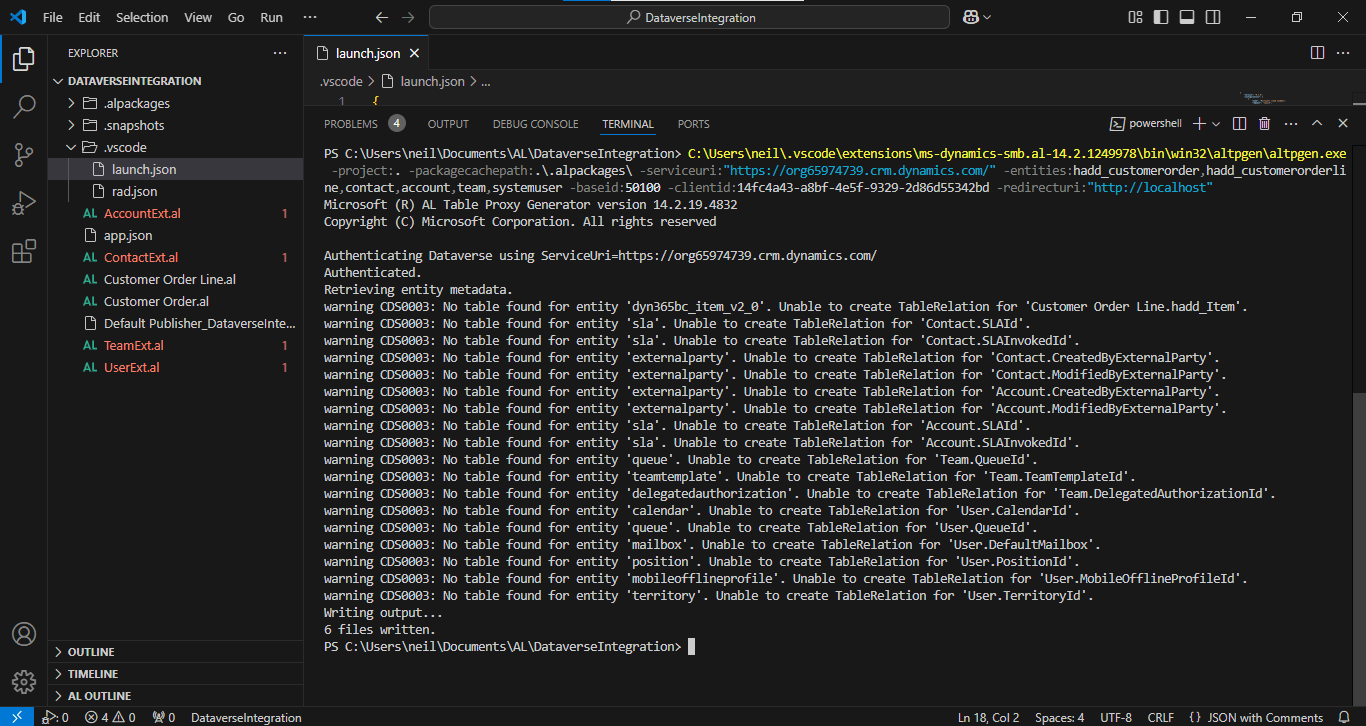
I ran the The AL Table Proxy Generator tool (altpgen.exe) to generate 6 files. AccountExt.al, ContactExt.al, Customer Order Line.al, Customer Order.al, TeamExt.al and UserExt.alI updated the object number in the generated AccountExt.al, Customer Order.al, TeamExt.al and UserExt.al files
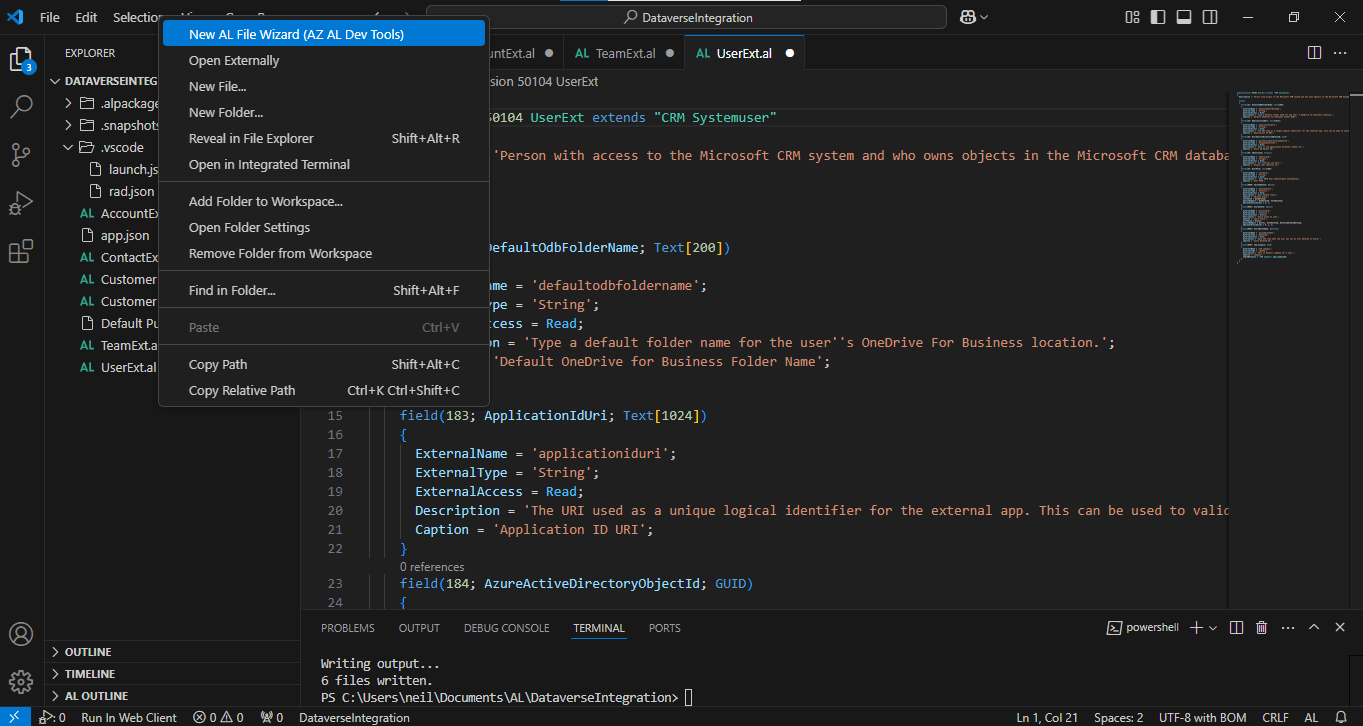
I ran the New AL File Wizard
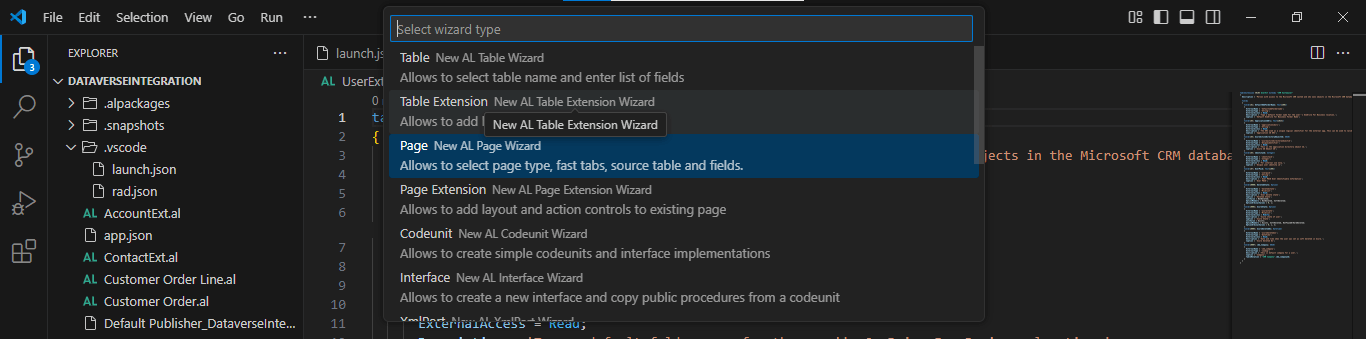
I selected the Page option
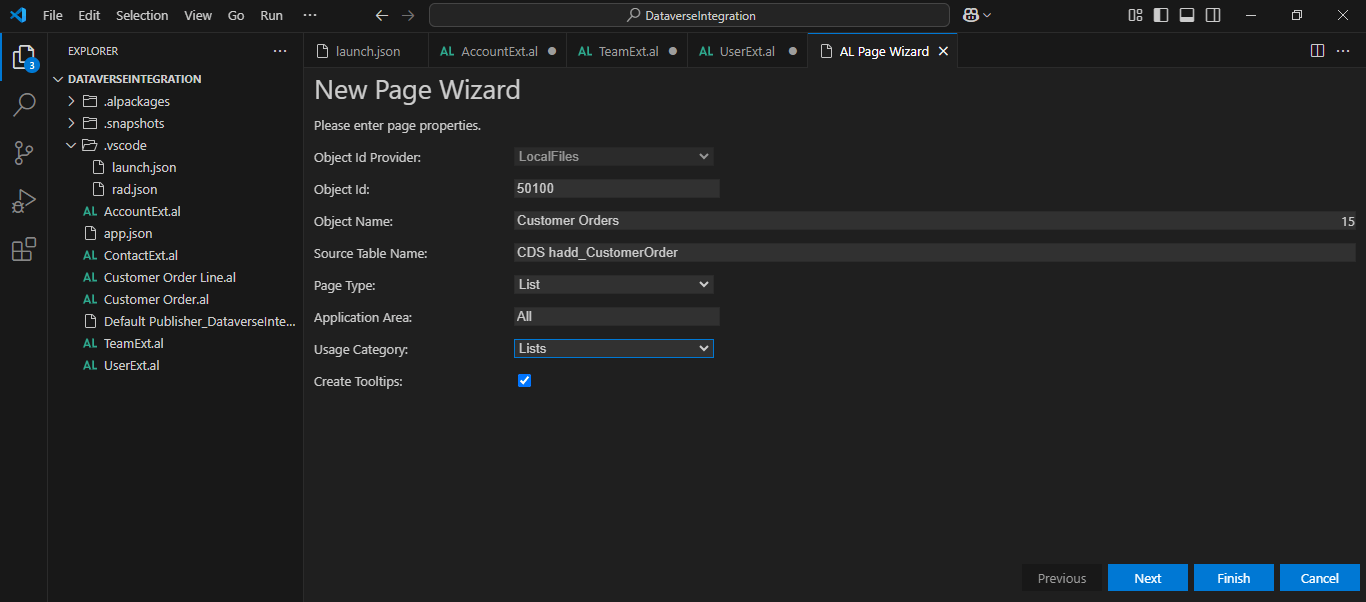
I entered list page details. I clicked the Next button
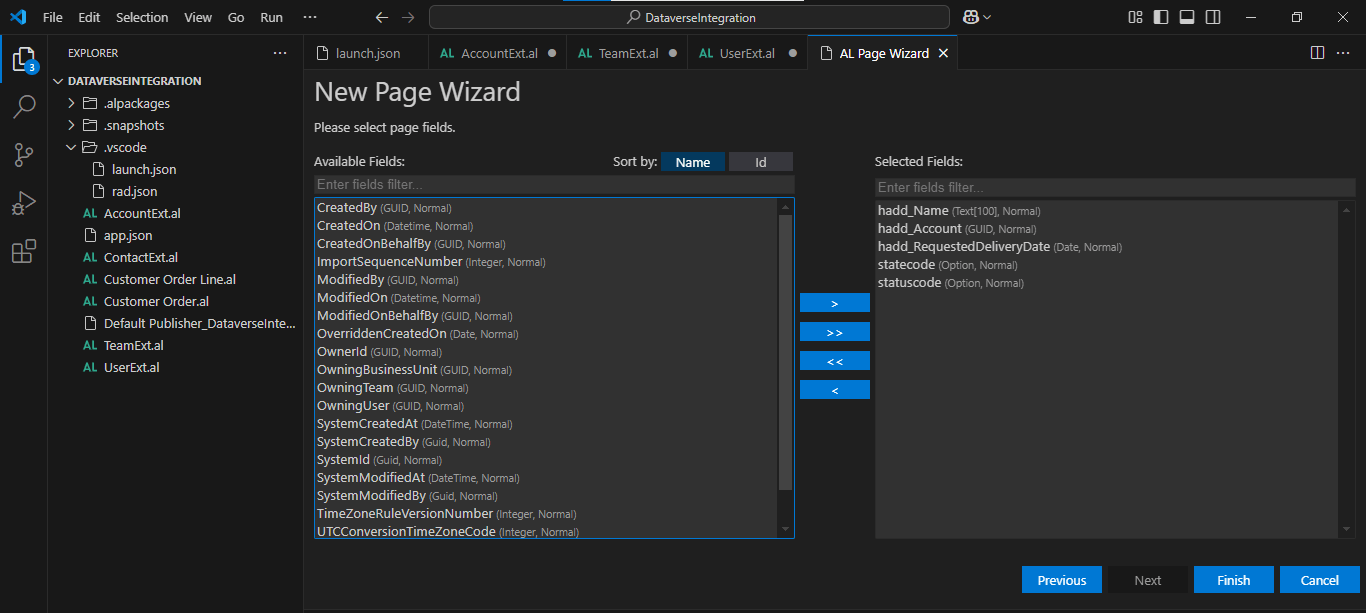
I selected 5 fields
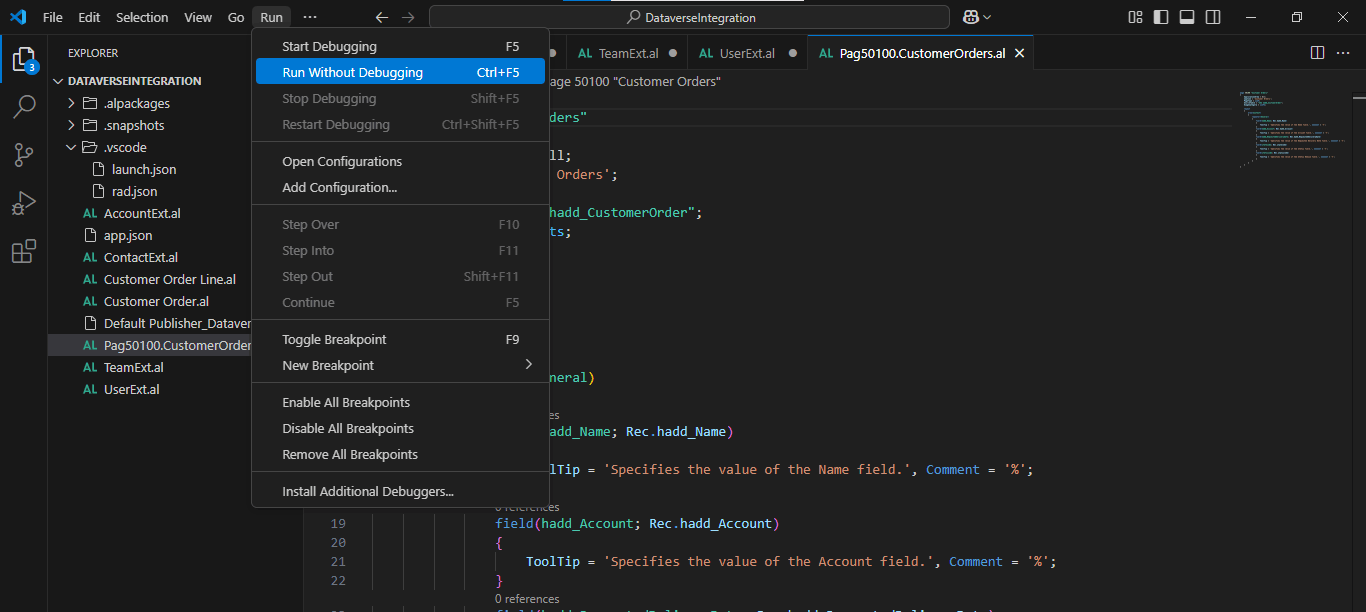
I deployed the AL code

I clicked the magnifying glass menu item and entered Customer Orders
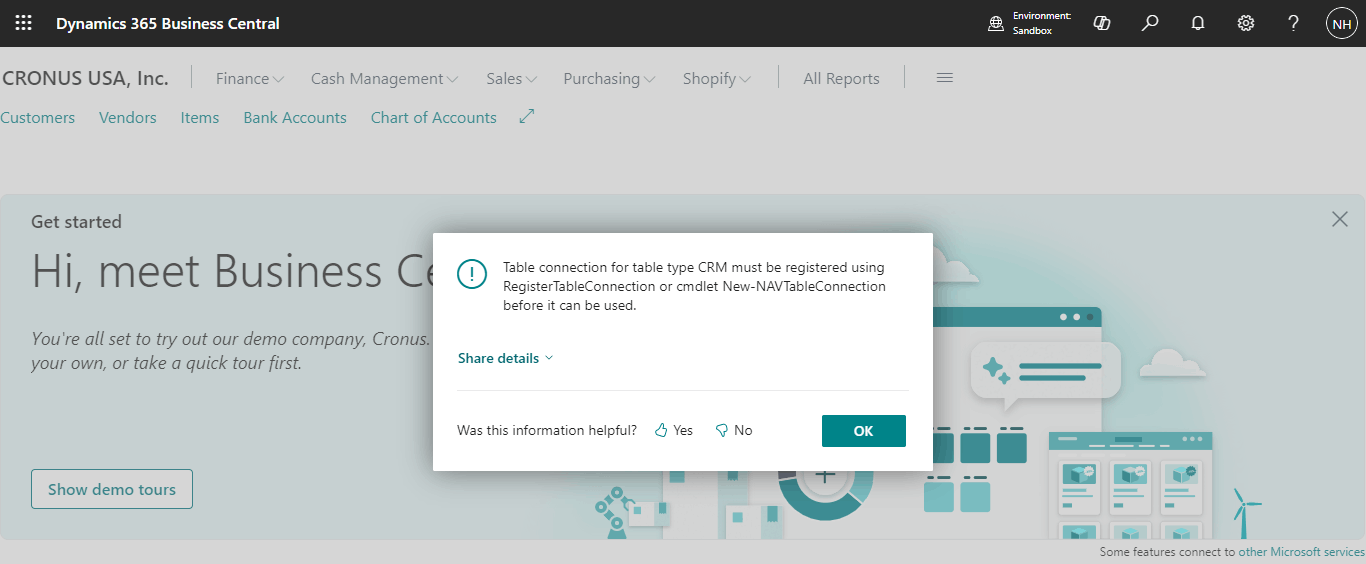
An error was generatedTable connection for table type CRM must be registered using RegisterTableConnection or cmdlet New-NAVTableConnection before it can be used.
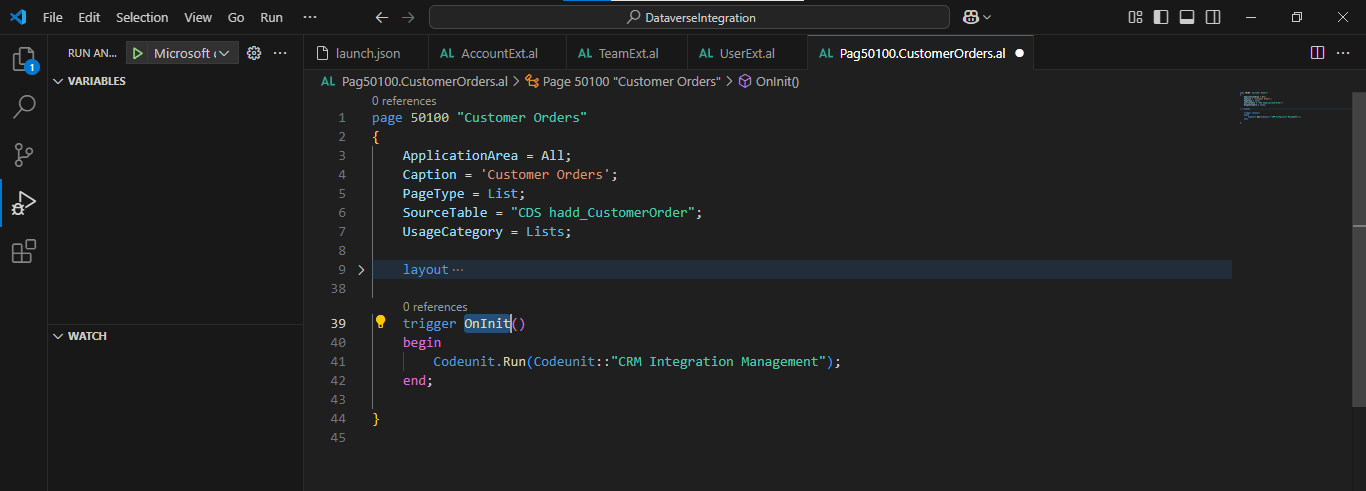
I added an OnInit() trigger
Under the hood: The first error
The Customer Orders page first failed with an error that said the table connection for table type CRM must be registered before it can be used. I added an OnInit() trigger to the page and ran it again, which gave another error, and then I ran the Dataverse Connection Setup wizard. The pages could only read Dataverse after the connection existed.
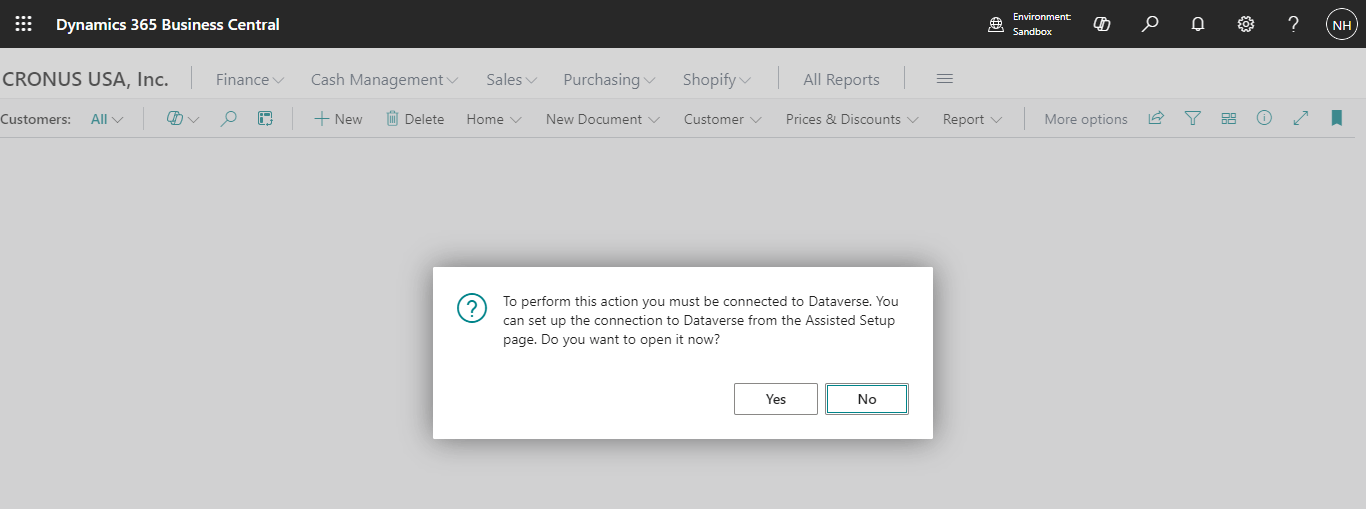
I navigated to the Customer Orders page again and received an error
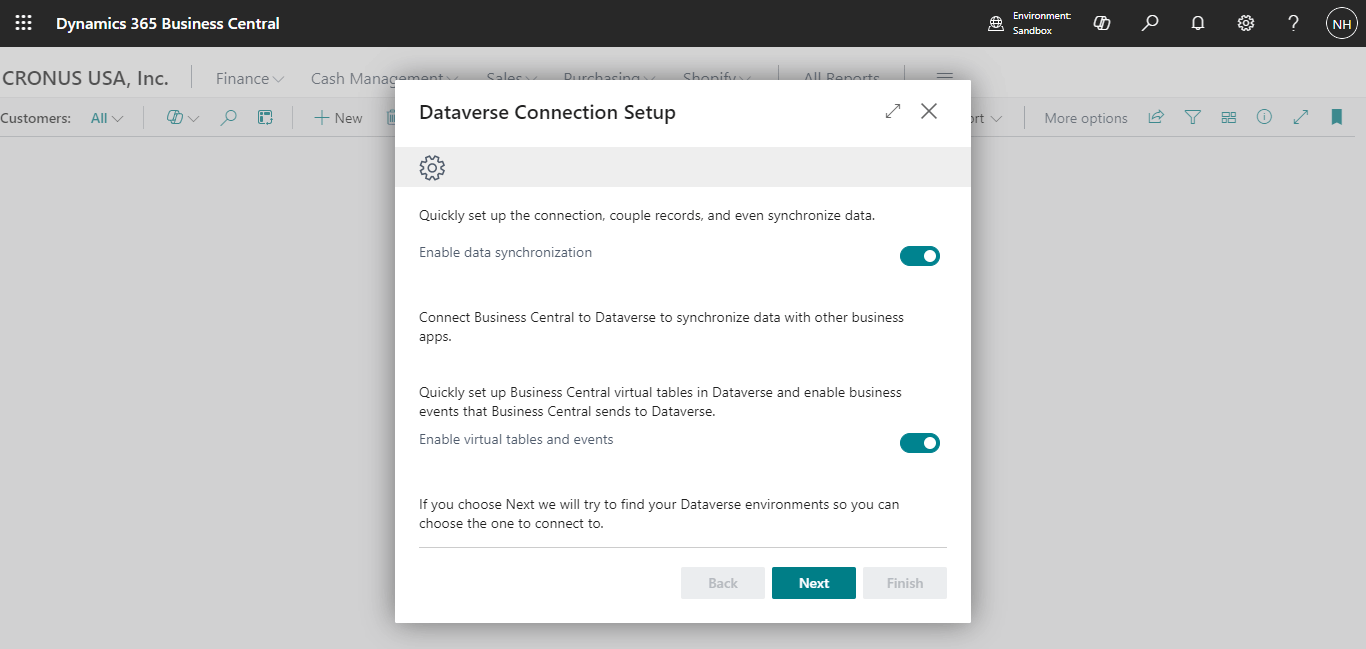
I ran the Dataverse Connection Setup wizard
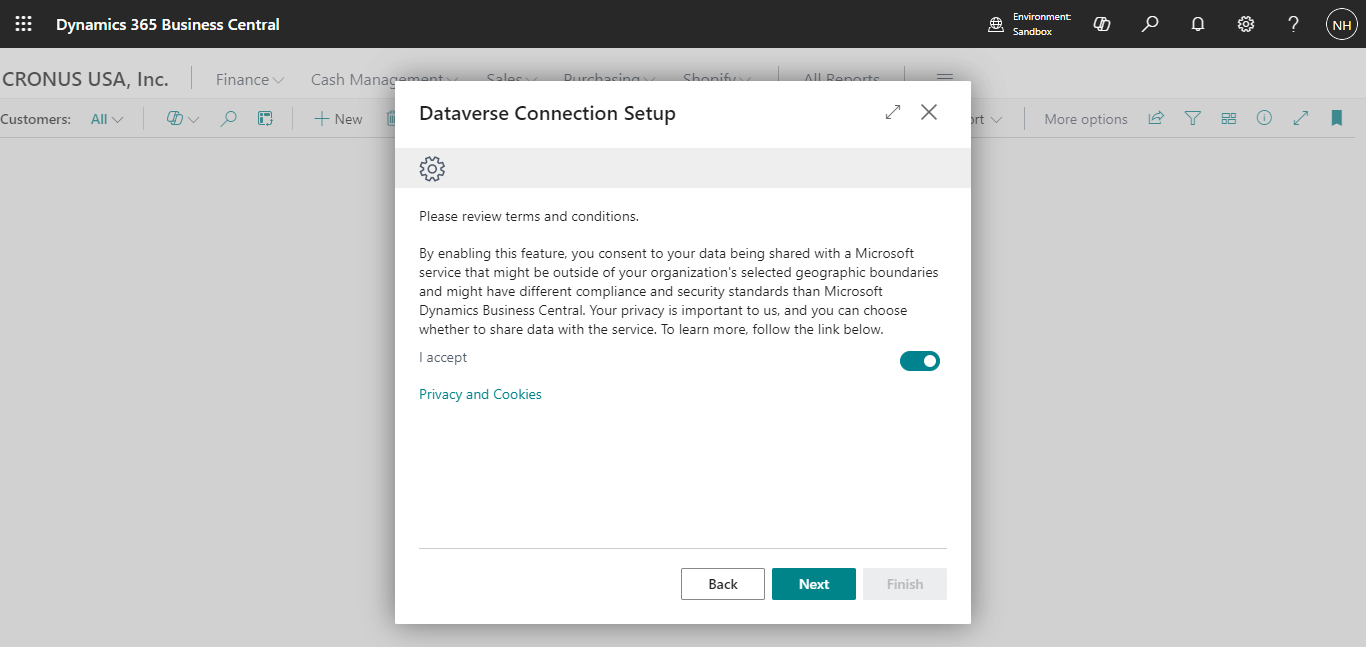
I accepted the conditions and clicked the Next button
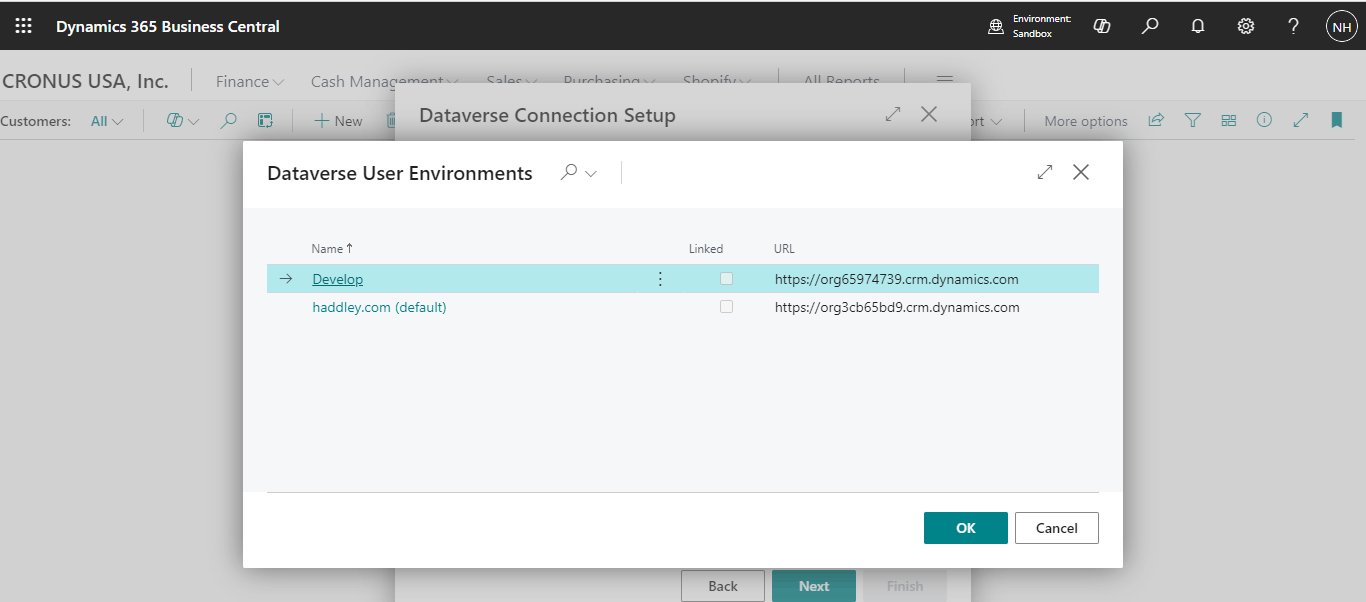
I selected the Develop Power Platform Environment
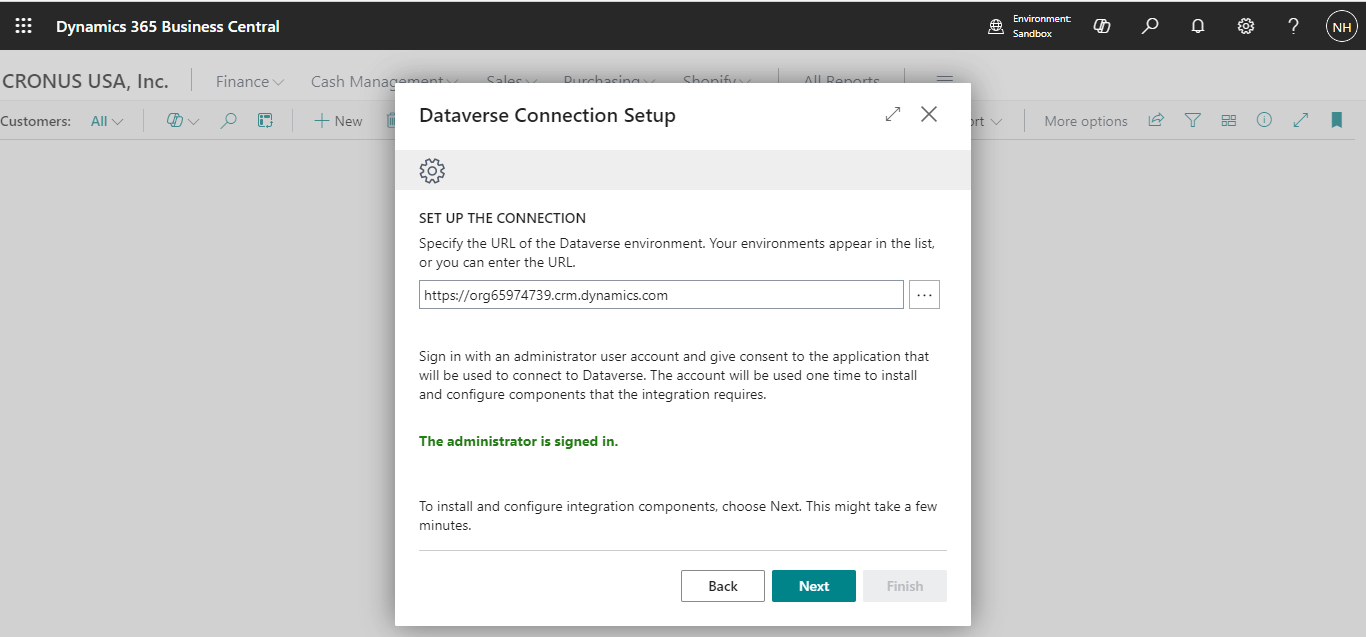
I clicked the Next button
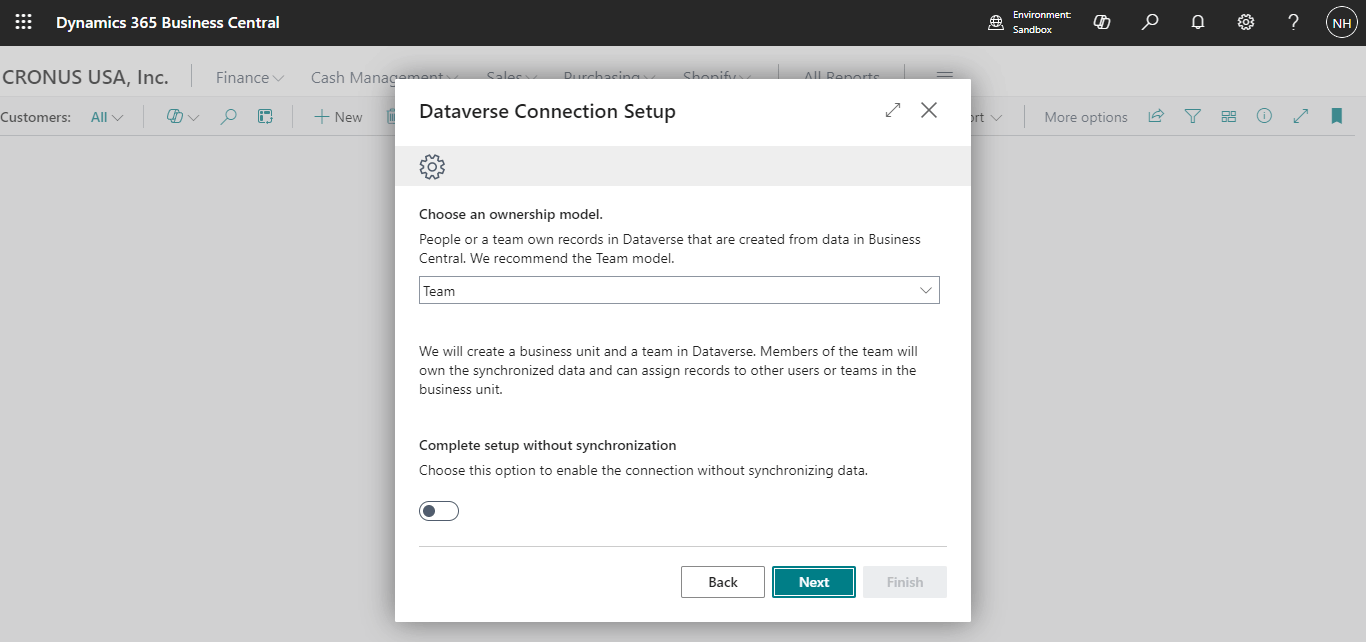
I clicked the Next button
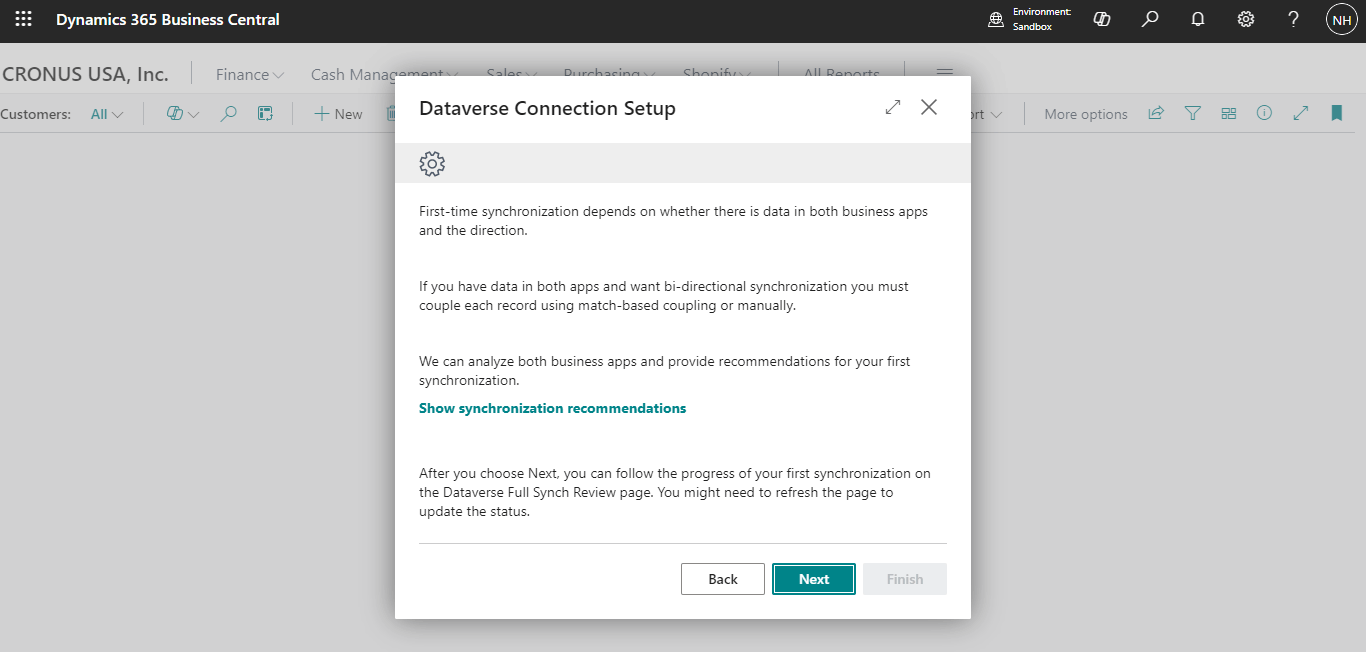
I clicked the Next button
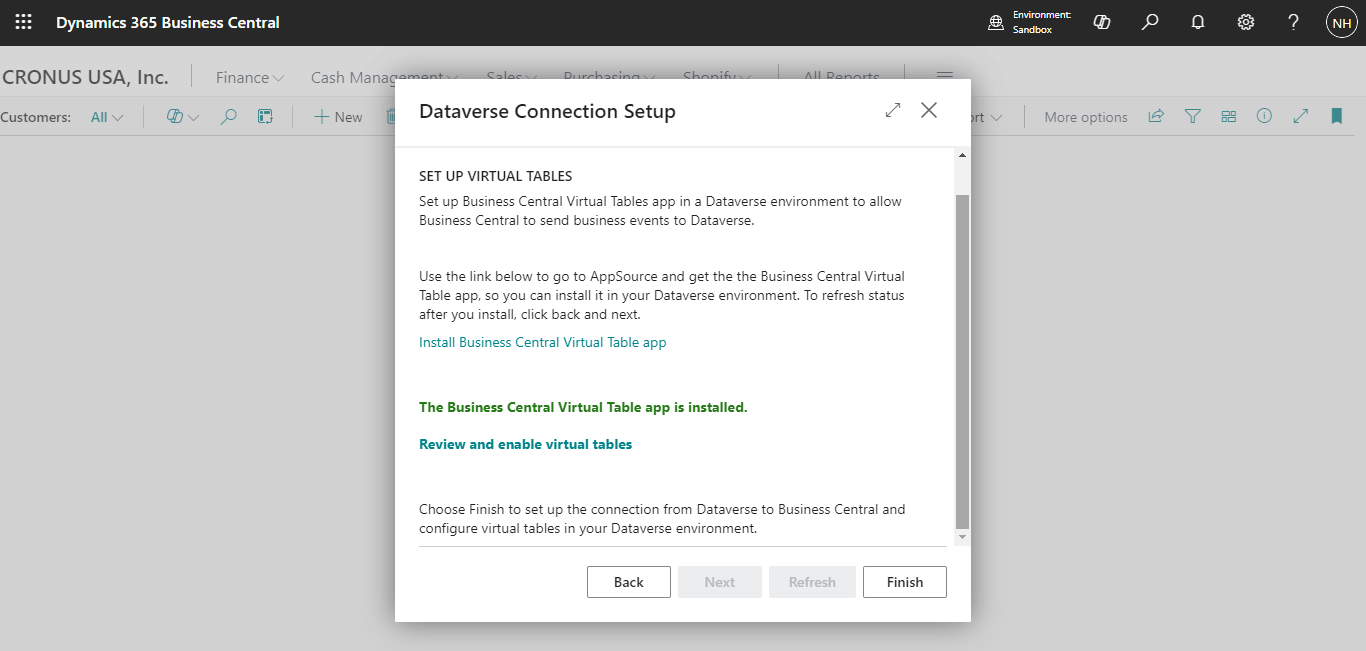
I clicked the Finish button
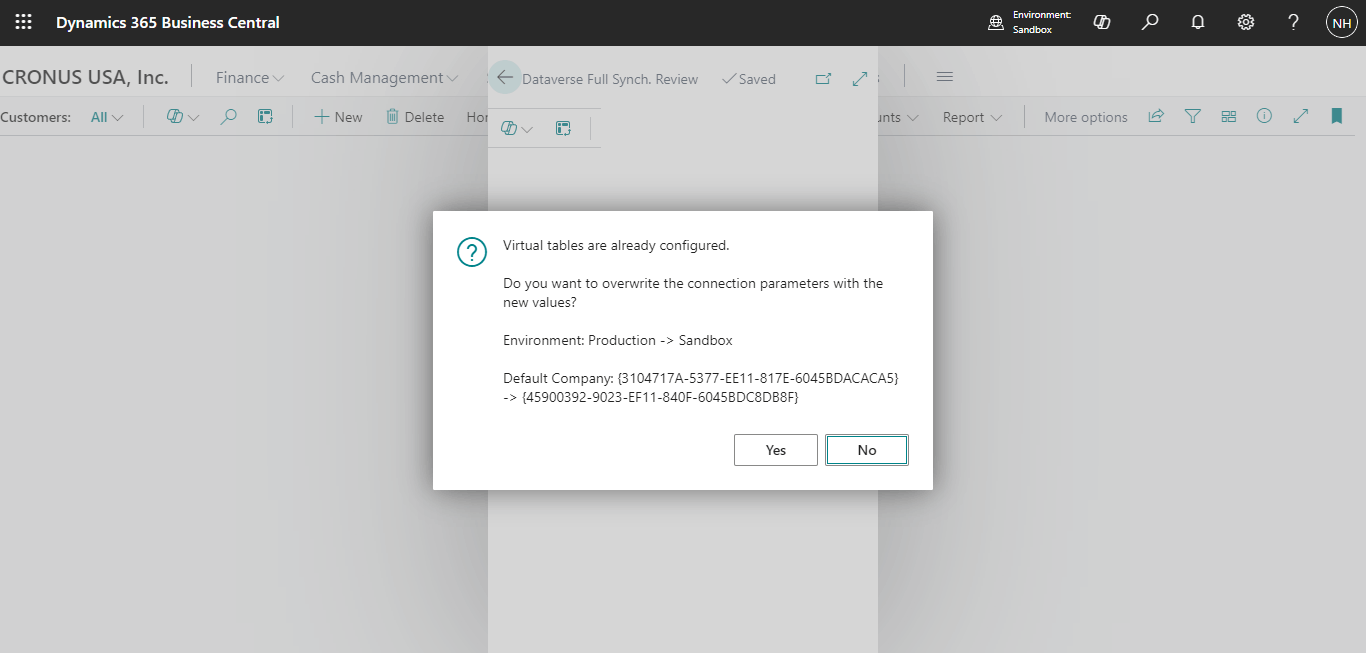
I clicked the Yes button
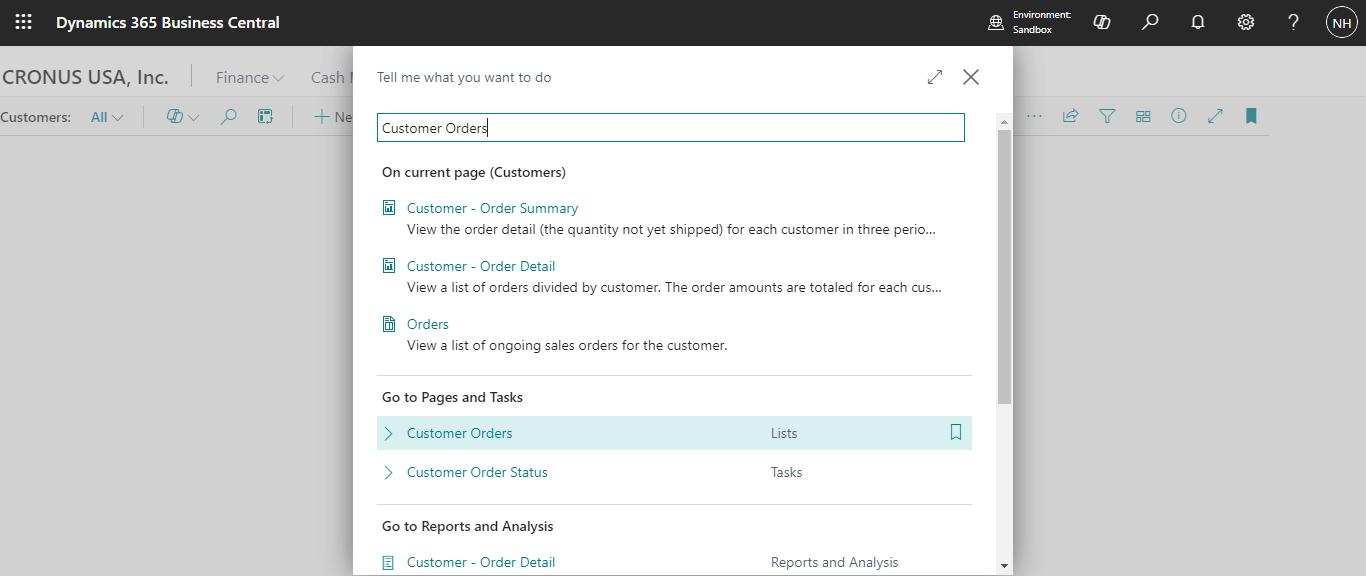
I clicked the magnifying glass menu item and entered Customer Orders
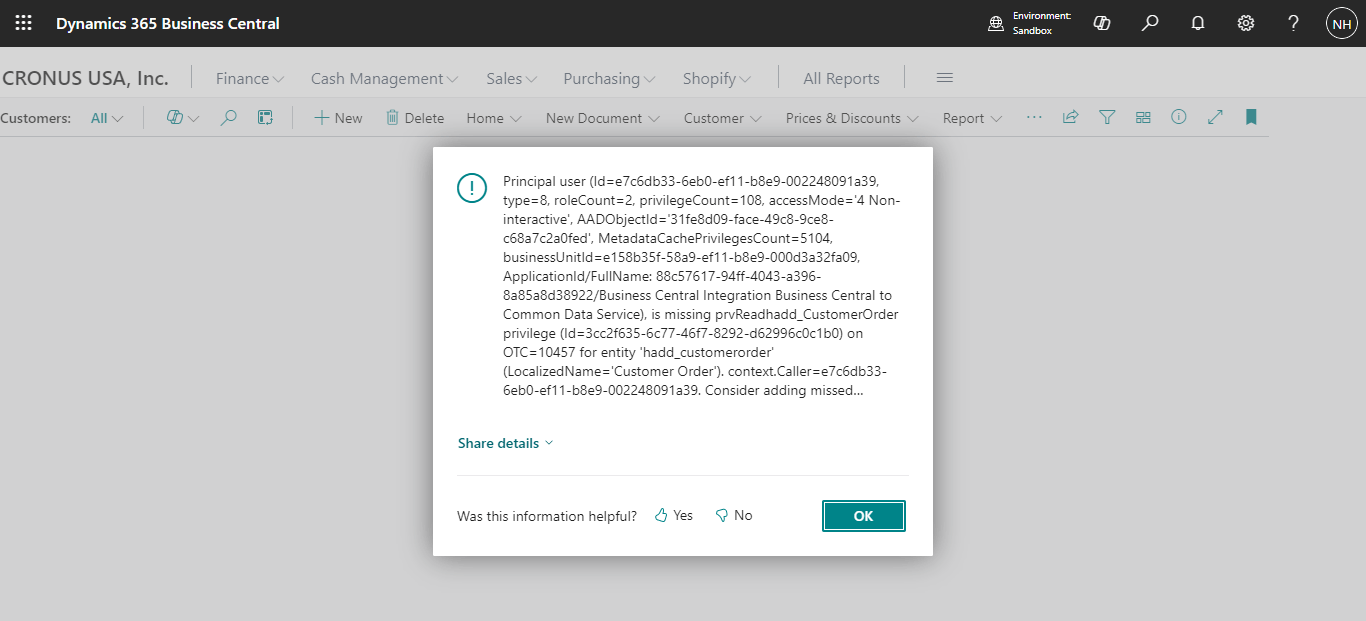
I received an error message. Business Central was unable to access the Dataverse Customer Orders table
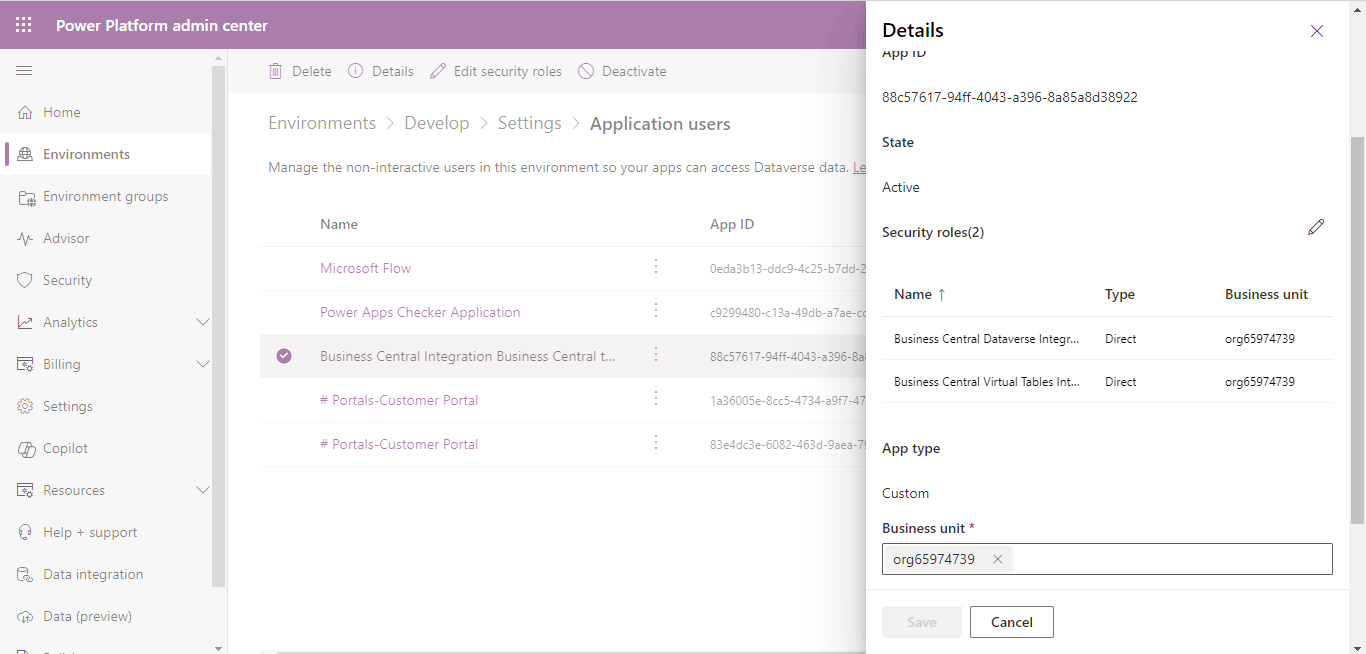
I reviewed the roles that the Business Central Integration Business Central t... application user had been assigned to
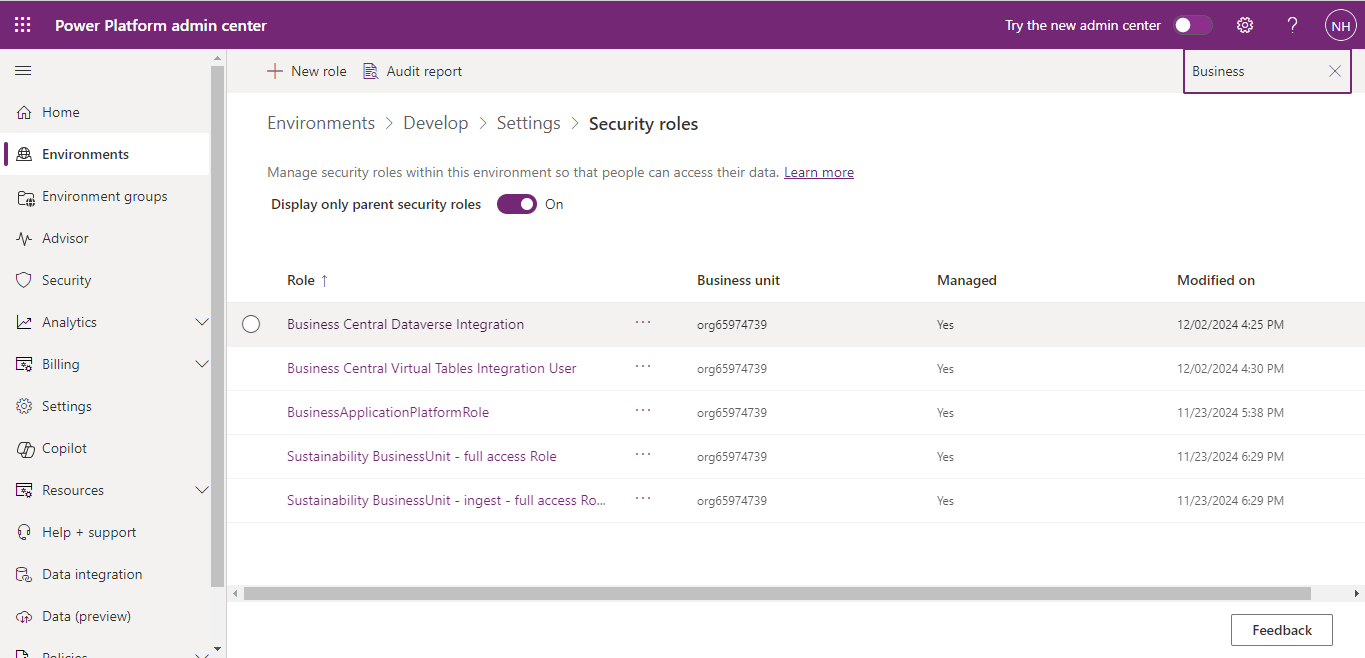
I updated the Business Central Dataverse Integration role
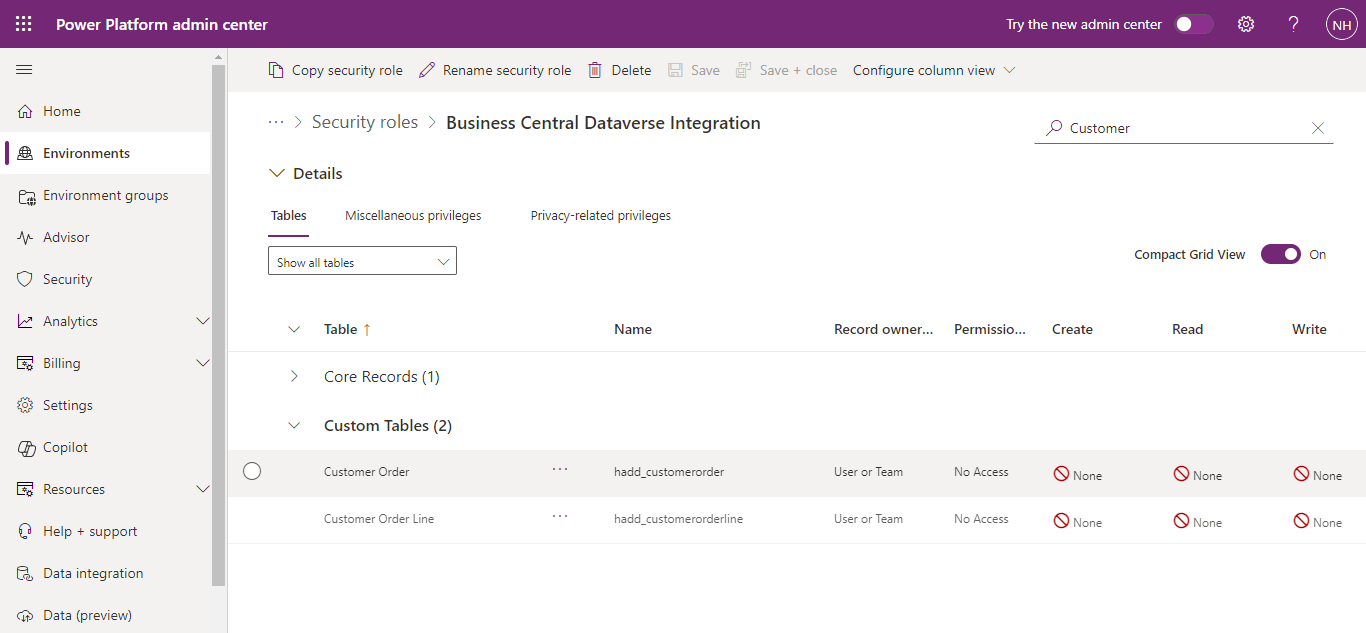
I selected the Customer Order table
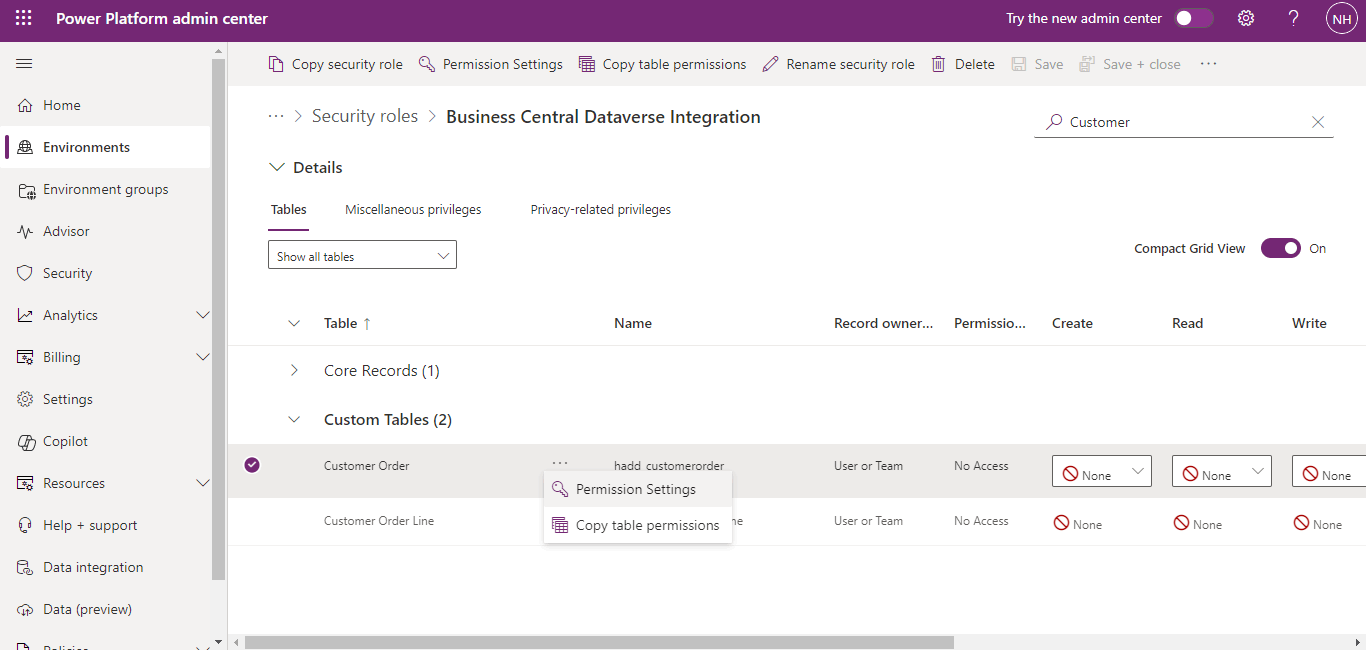
I clicked the Permission Settings option
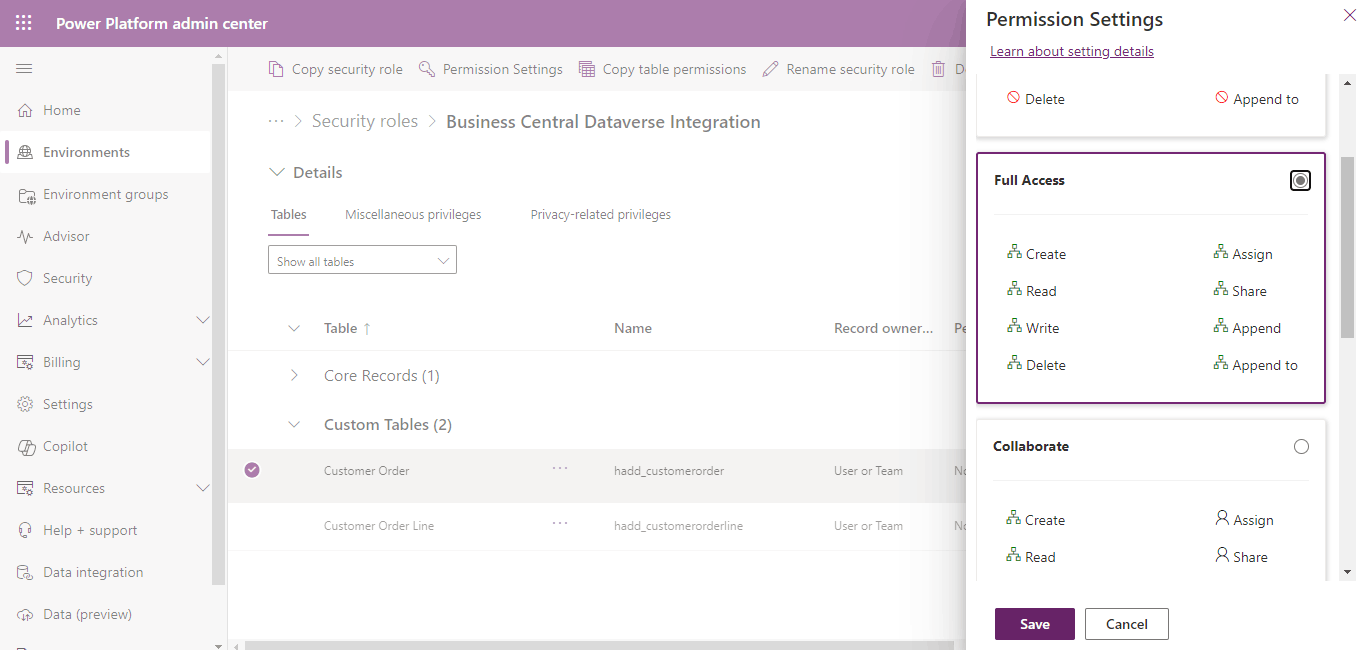
I selected Full Access and clicked the Save button
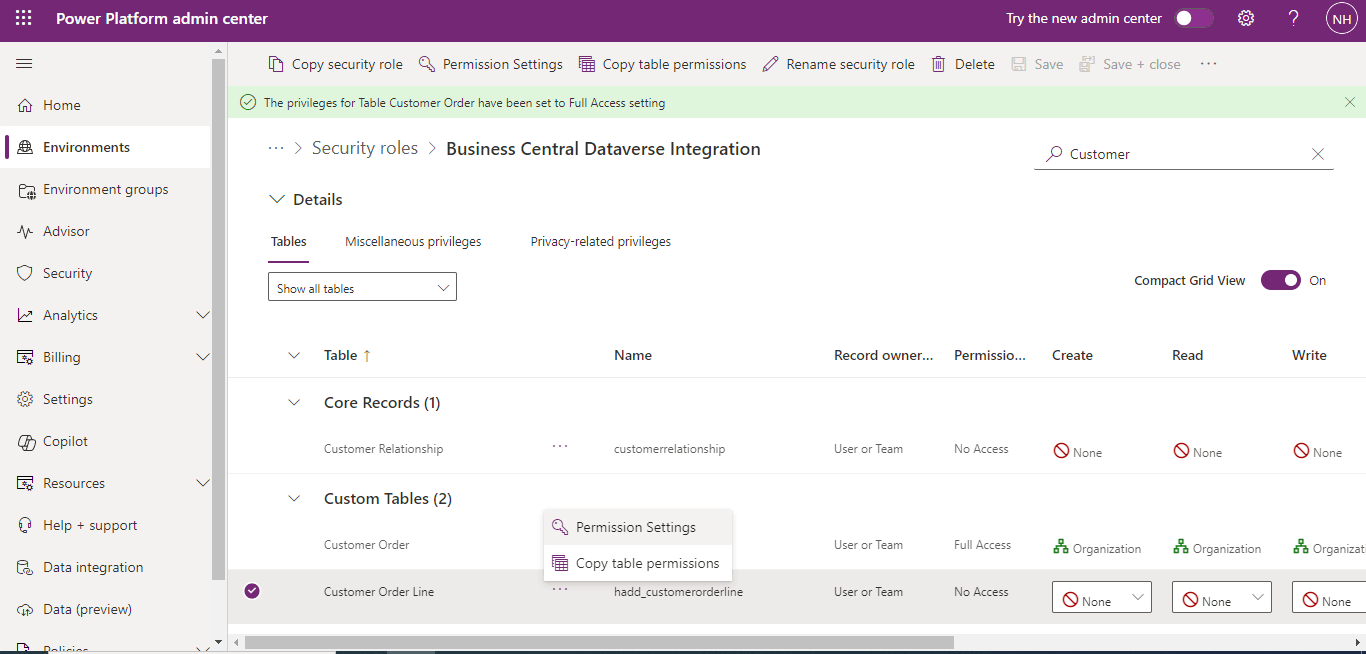
I selected the Customer Order Line table and clicked the Permission Settings option
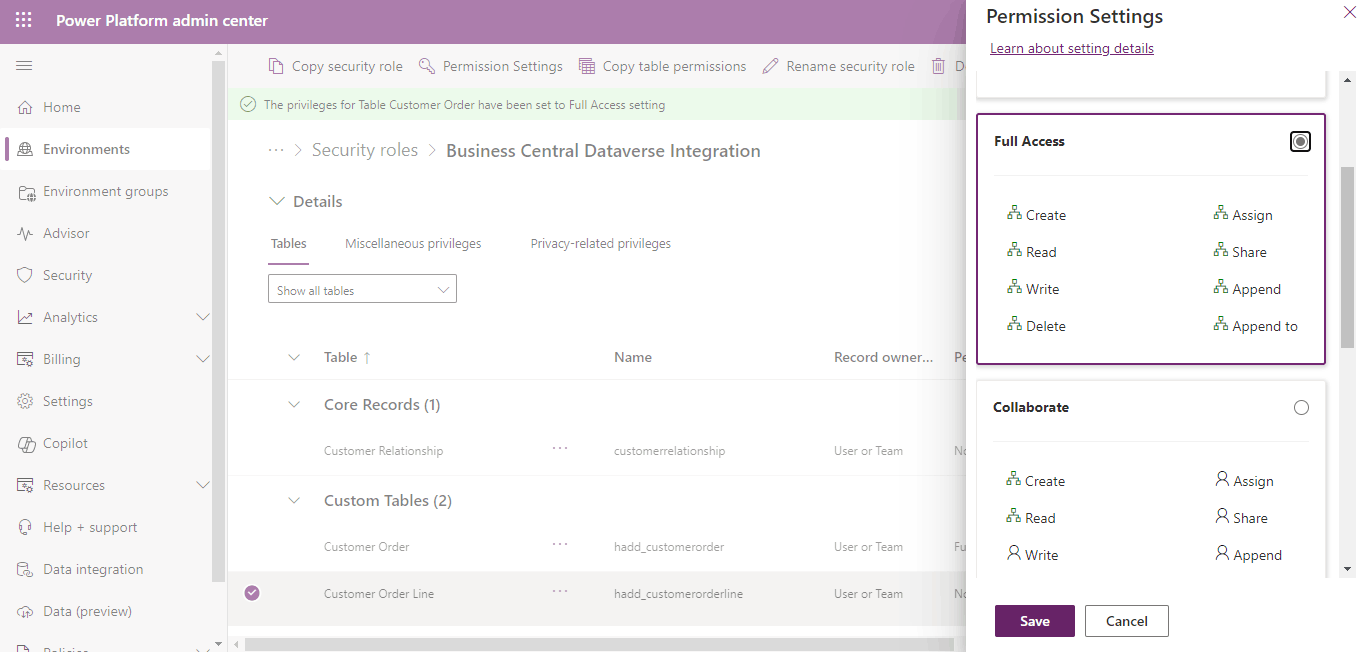
I selected Full Access and clicked the Save button

Any member of this role will now be able to access the Customer Order and Customer Order Line tables
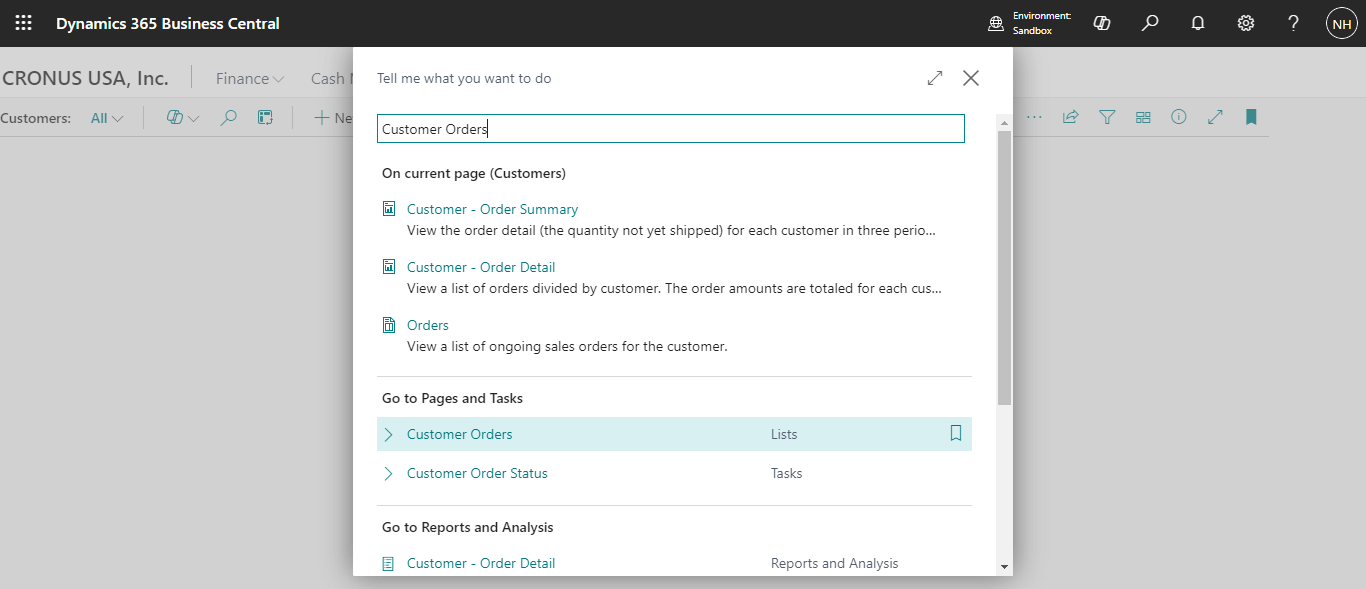
I selected the Customer Orders page
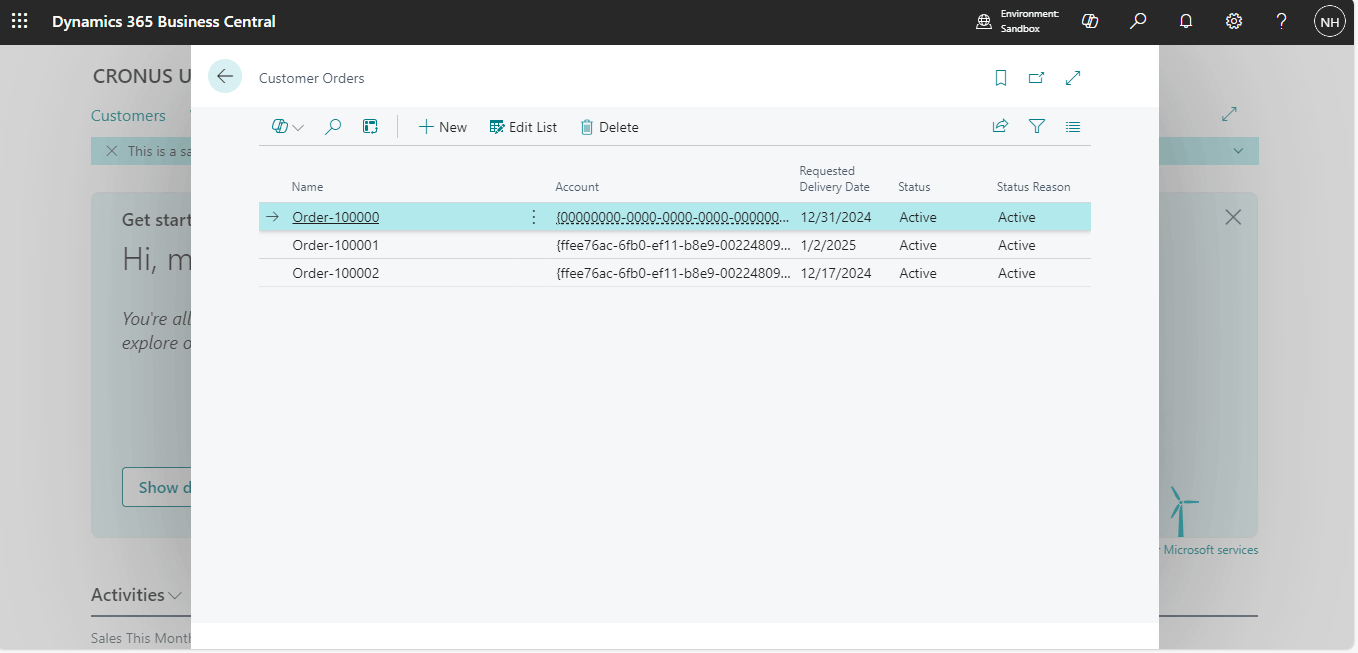
The Dataverse Customer Orders were displayed
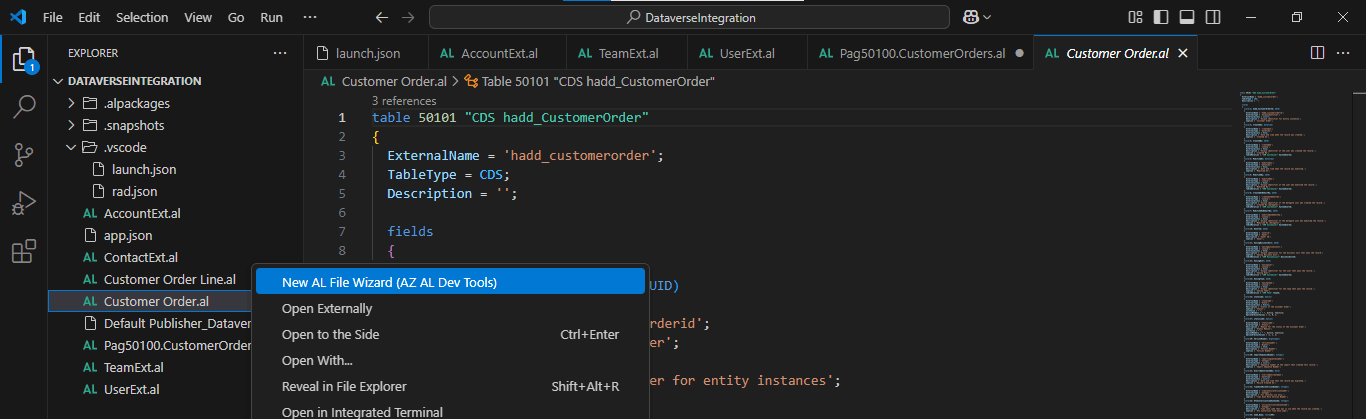
I ran the New AL File Wizard again
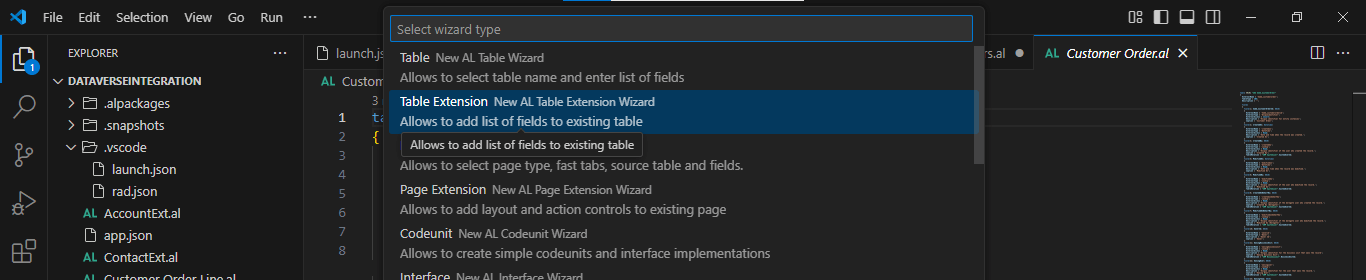
I selected the Table Extension option
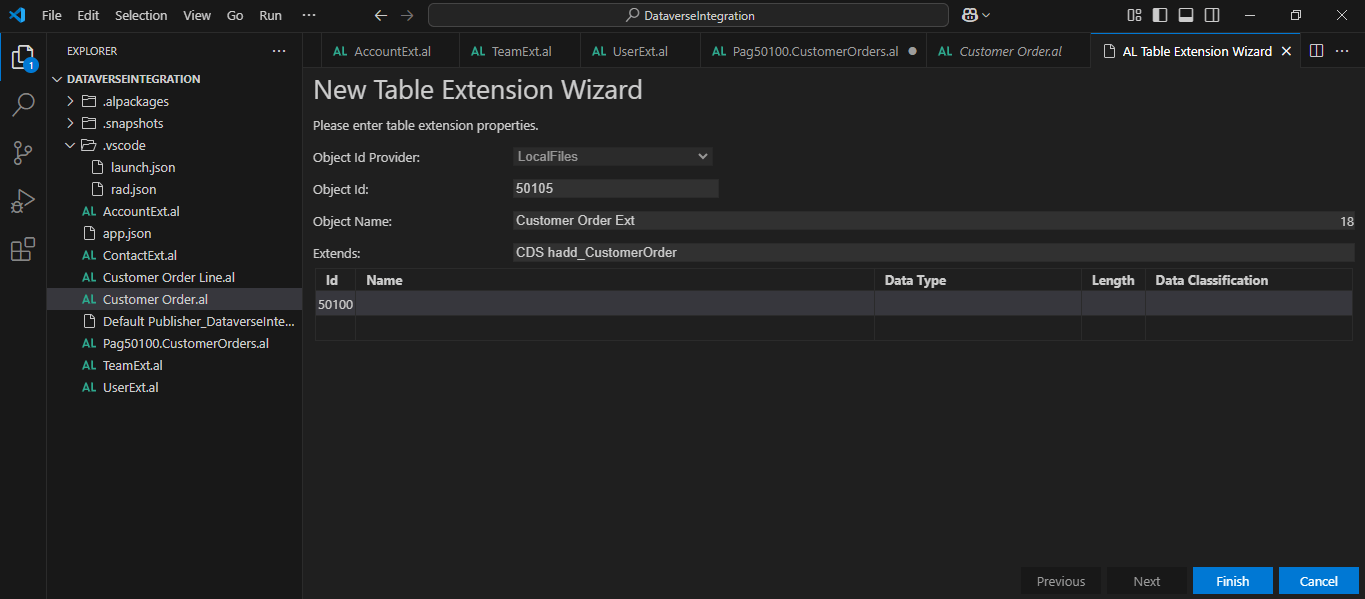
I wanted to create a Customer Order Extension
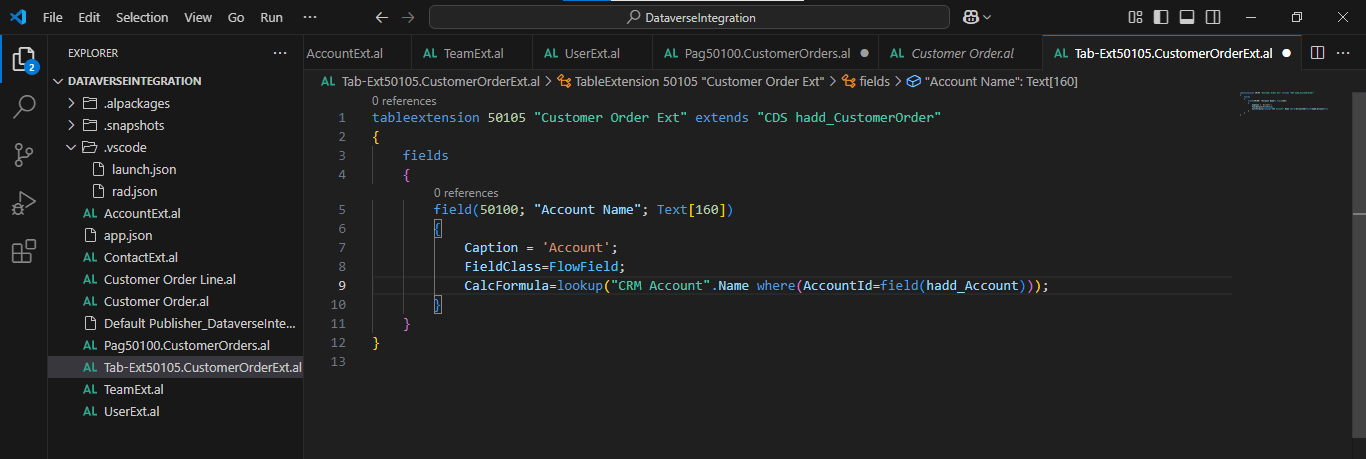
I added a flow field to the generated Customer Order Integration table using the Customer Order Extension file
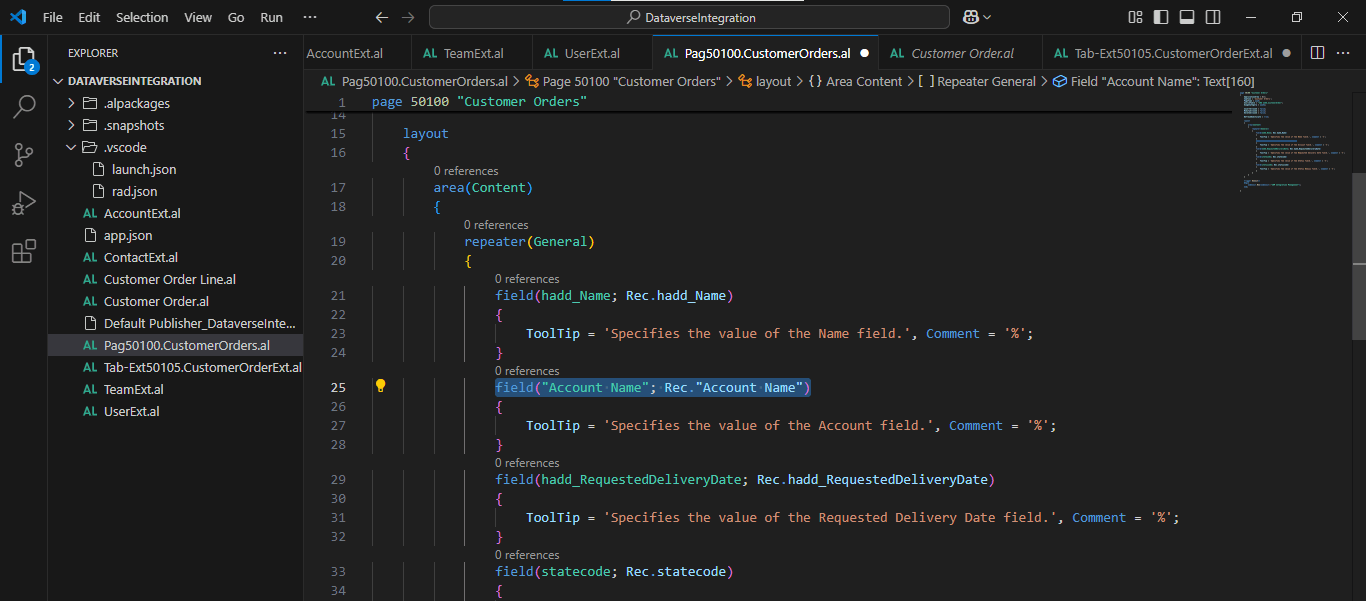
I updated the Customer Orders page to display the Account Name flow field rather than the GUID value
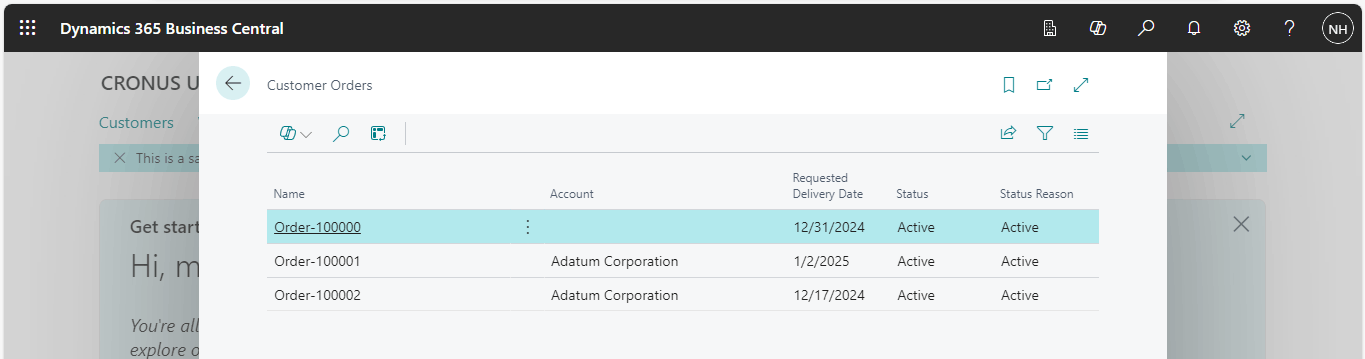
The Account column displayed the Account name
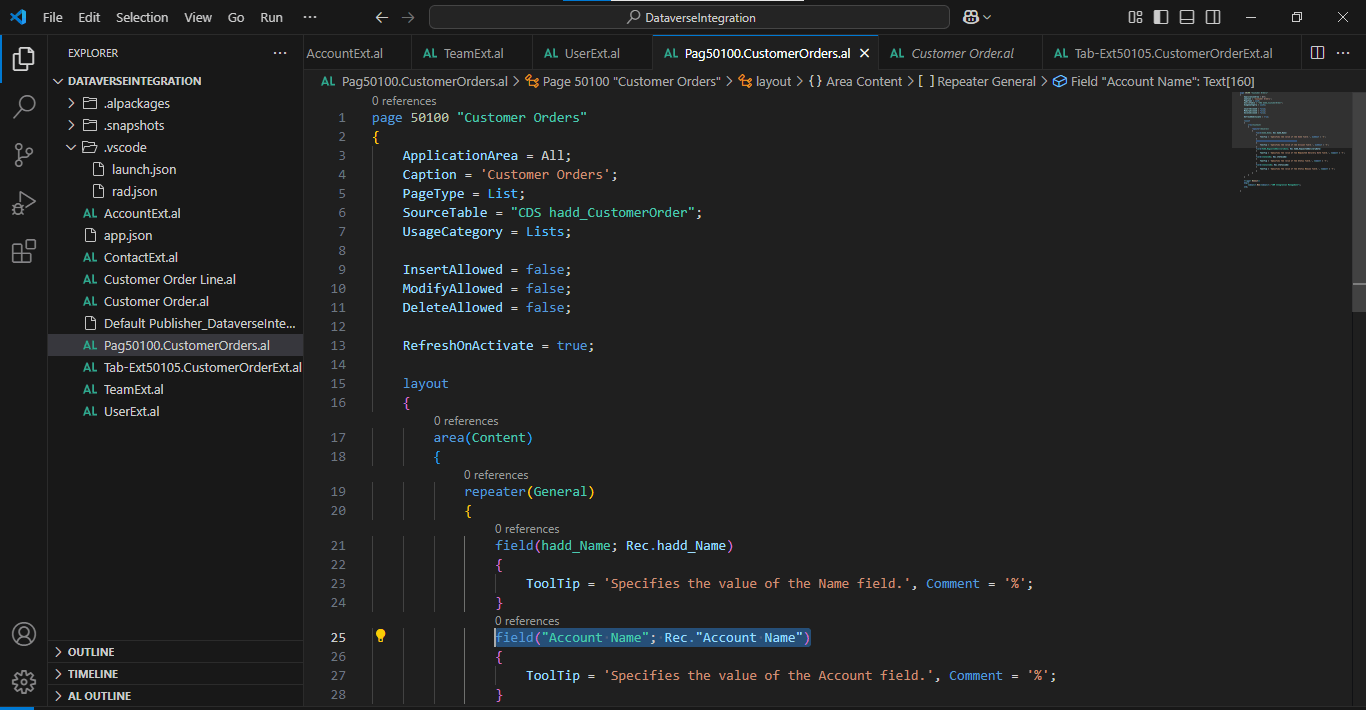
I updated the Customer Orders page to disable Insert, Modify and Delete and to enable RefreshOnActivate
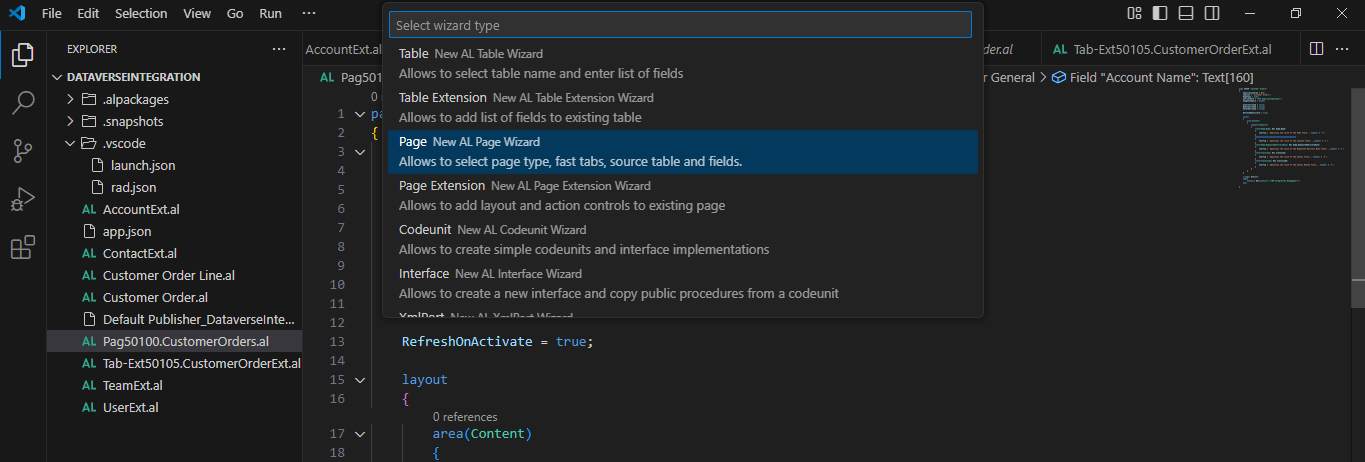
I ran the New AL File Wizard
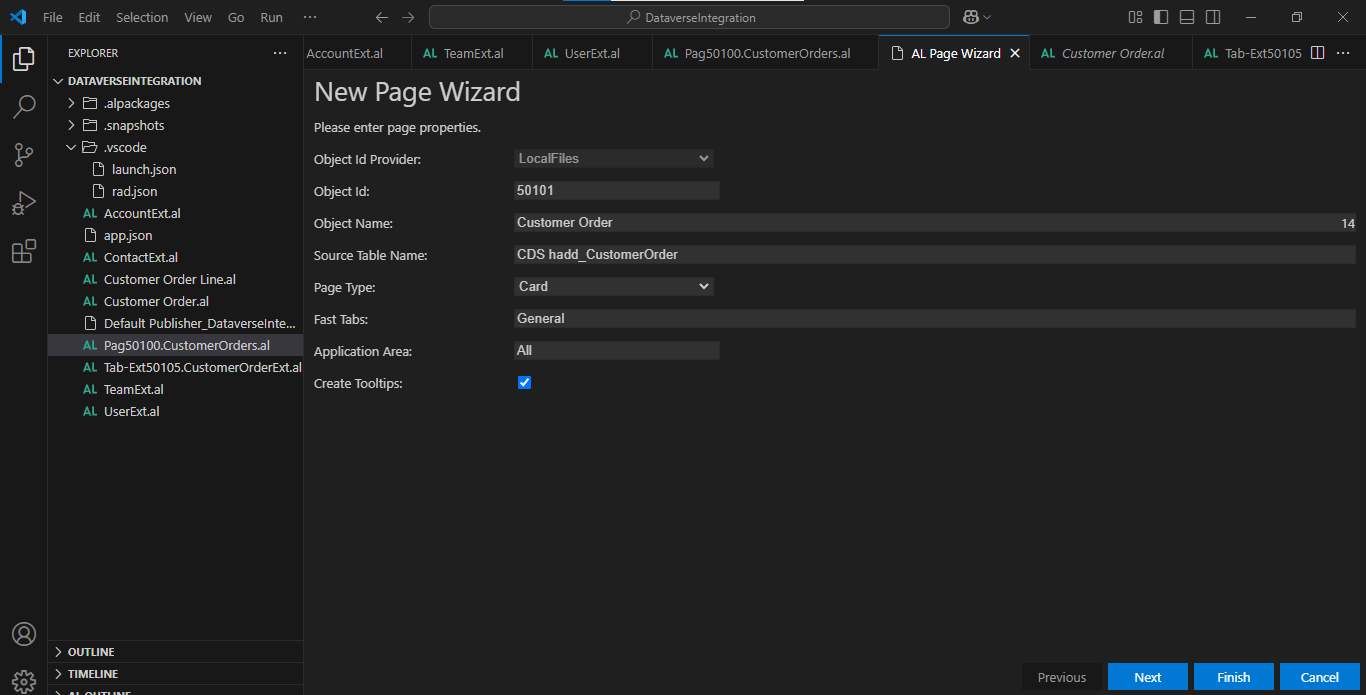
I ran the New AL File Wizard to create a Card page
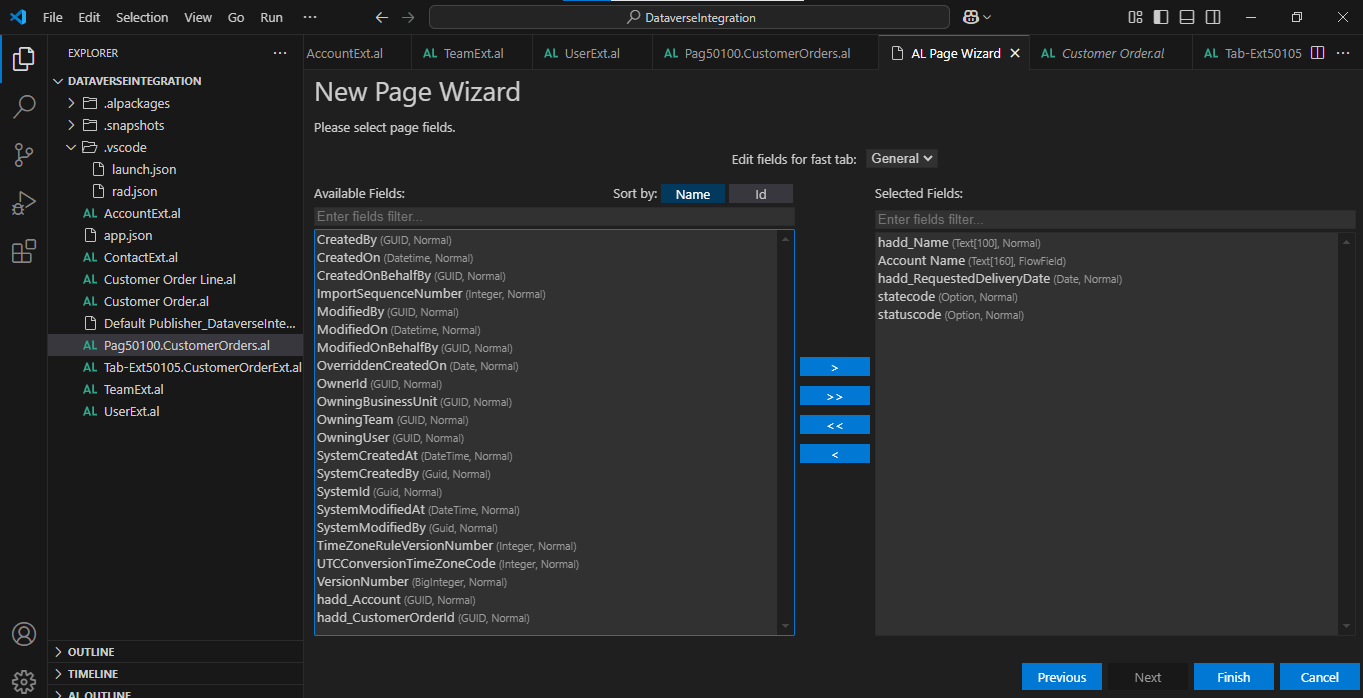
I selected the fields I wanted to display
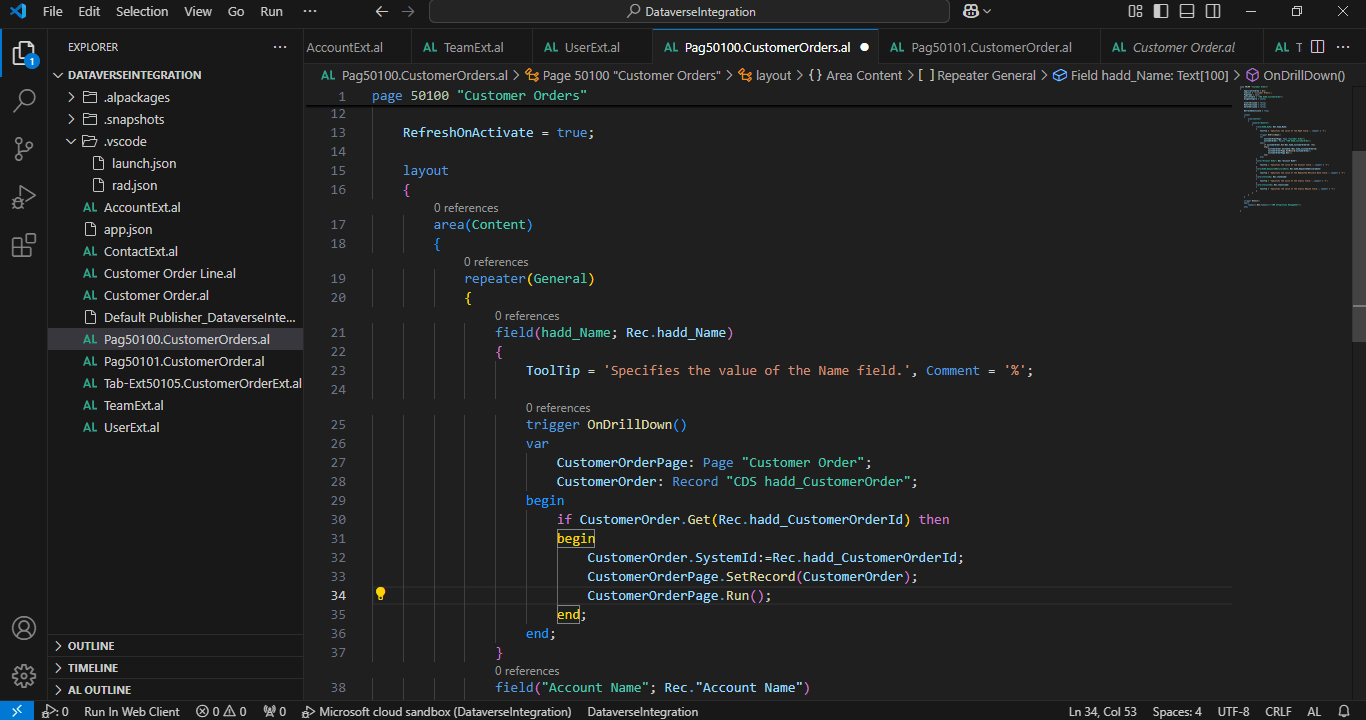
I added an OnDrillDown() trigger to the Customer Order's Name field
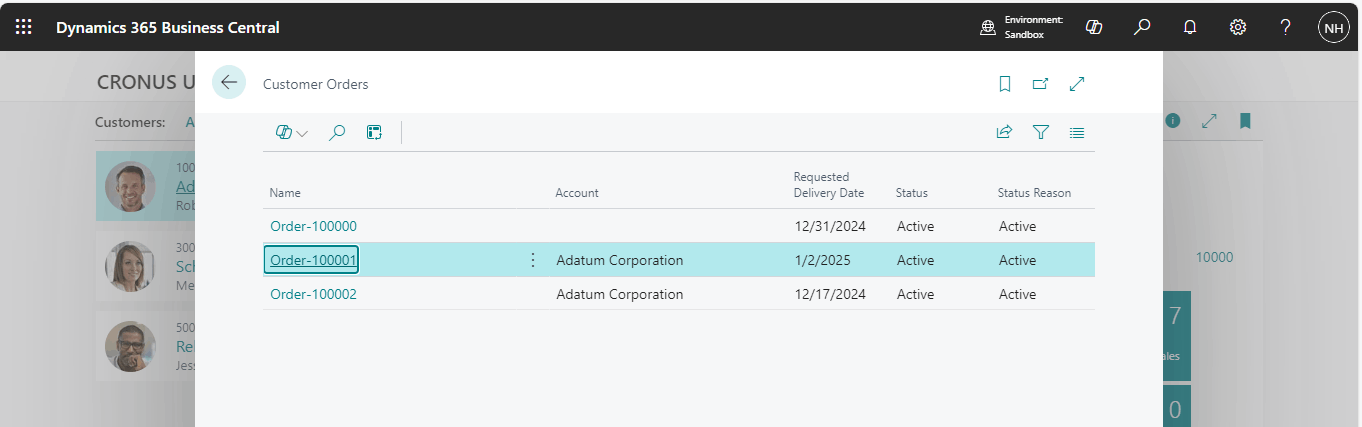
I clicked on a Customer Order
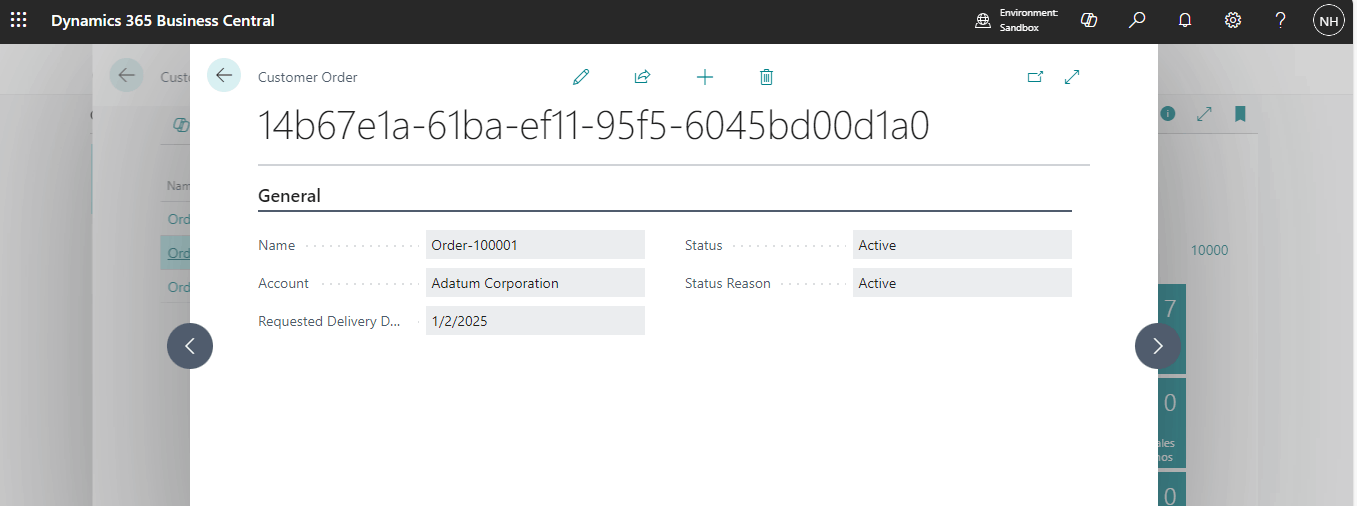
The Customer Order Card was displayed
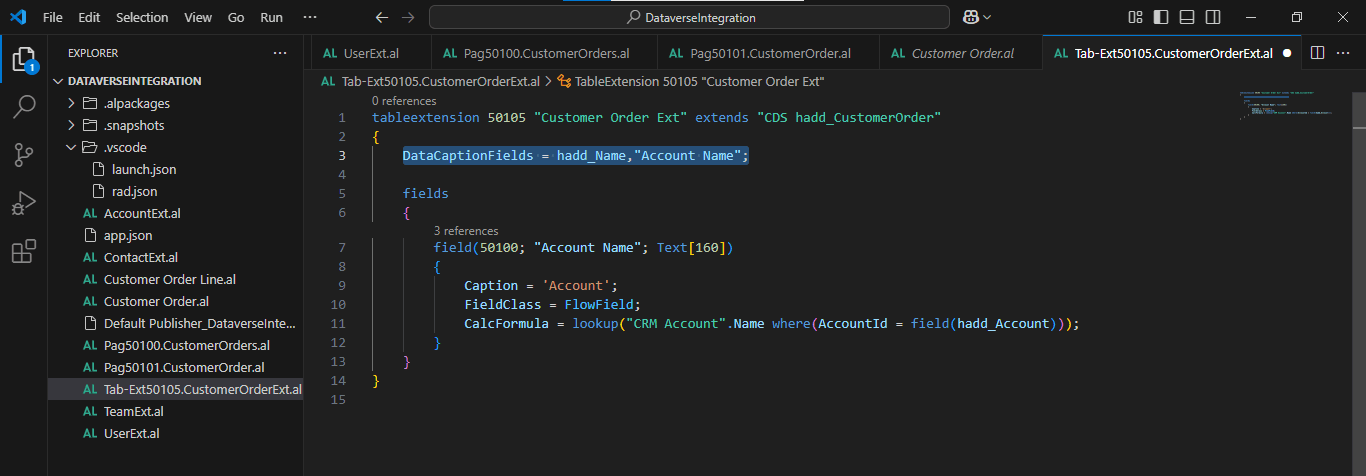
I added a DataCaptionFields value to the Customer Order (Extension)
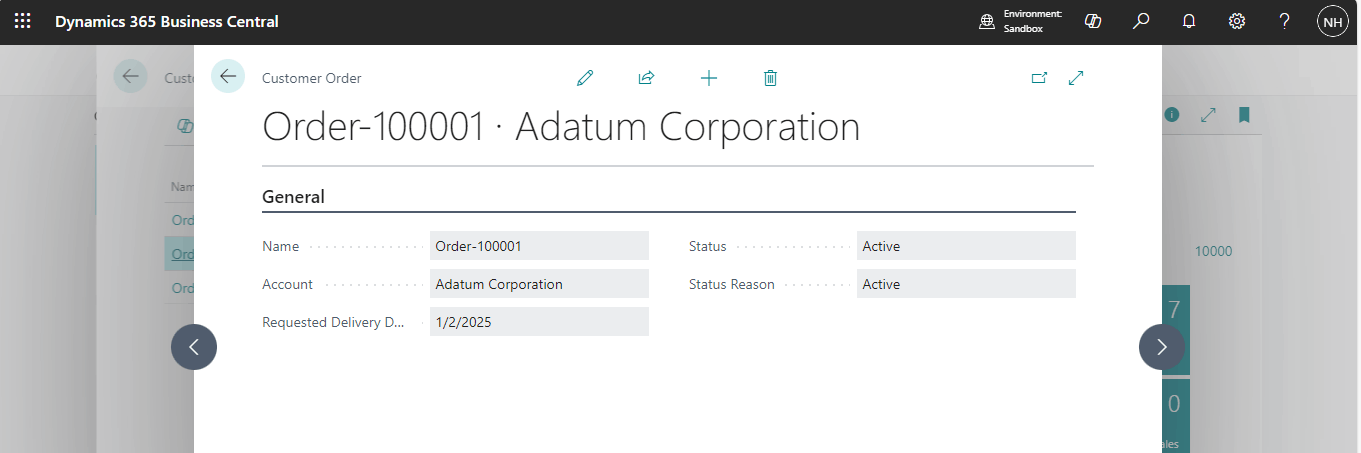
I reviewed the updated Card page
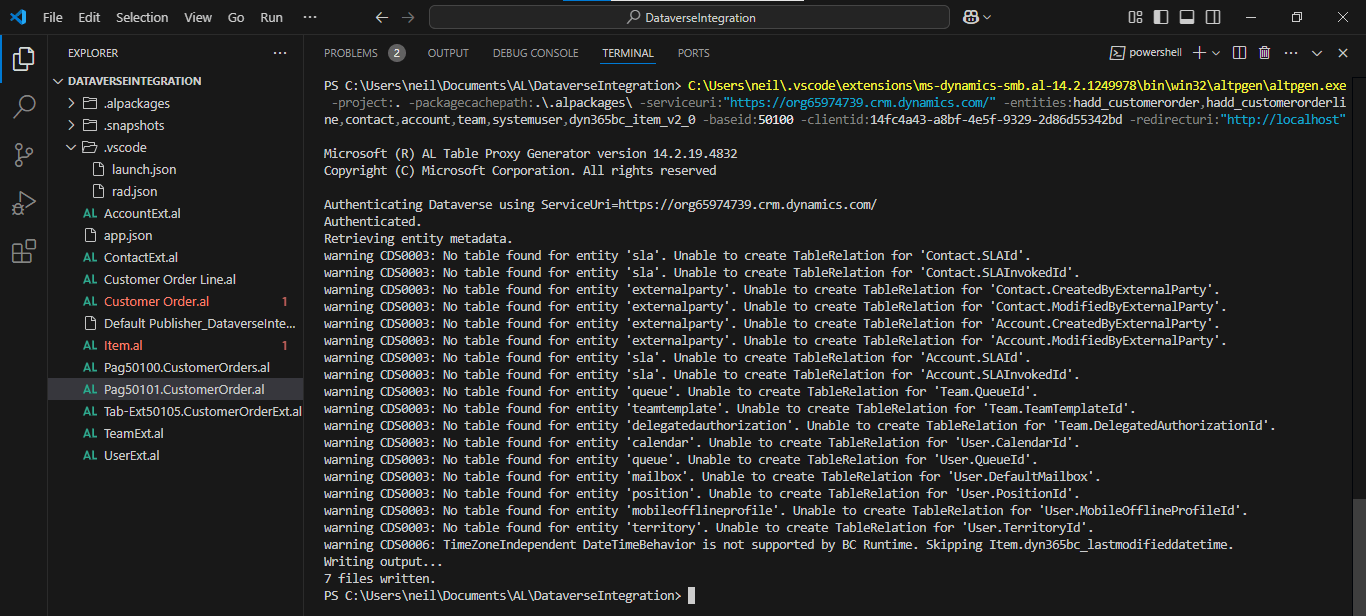
I added entity dyn365bc_Item_v2_0. I need to add this entity to ensure that the hadd_Item field is added to the generated Customer Order Lines Integration table.
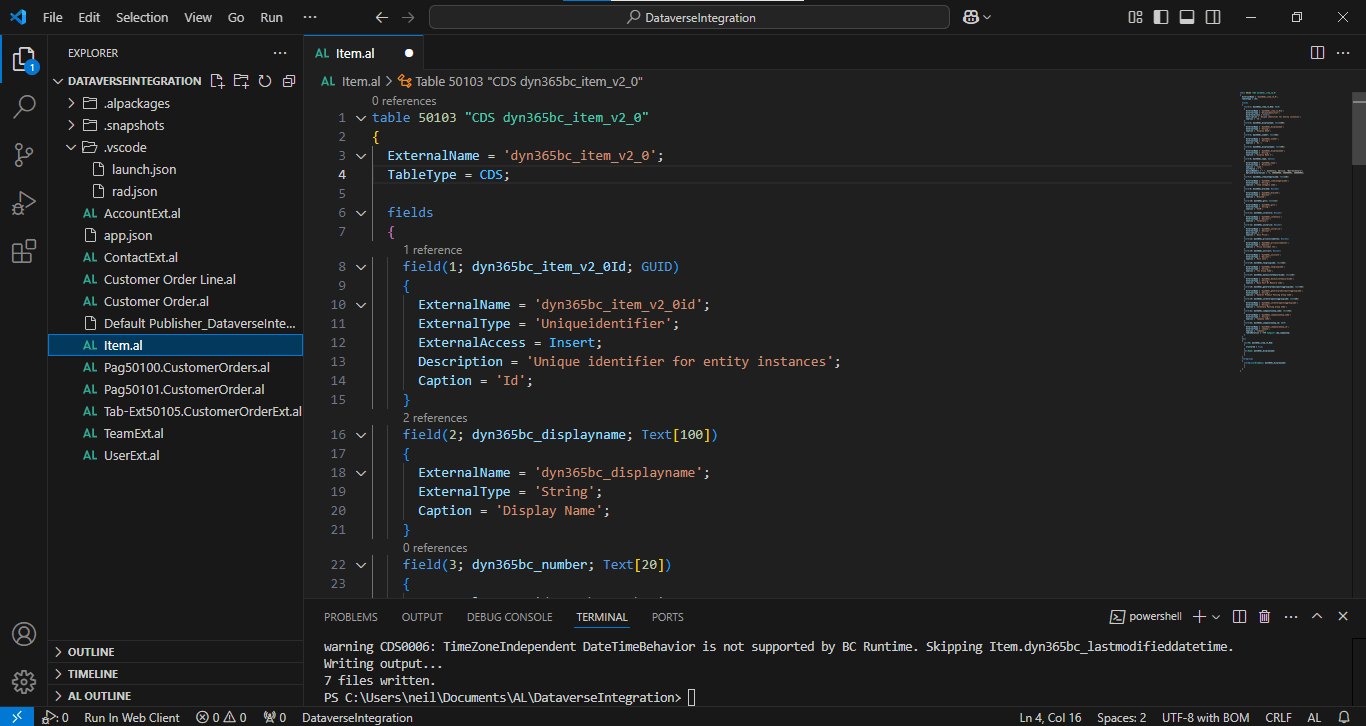
I updated the object number
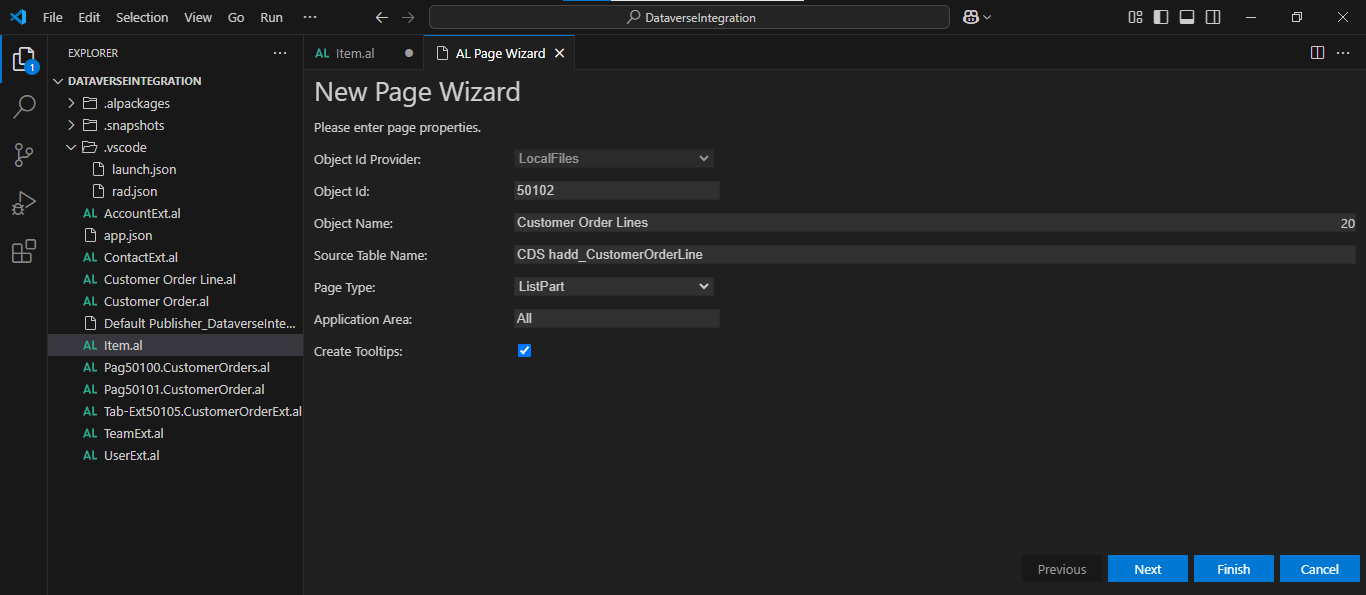
I added a Customer Order Lines ListPart
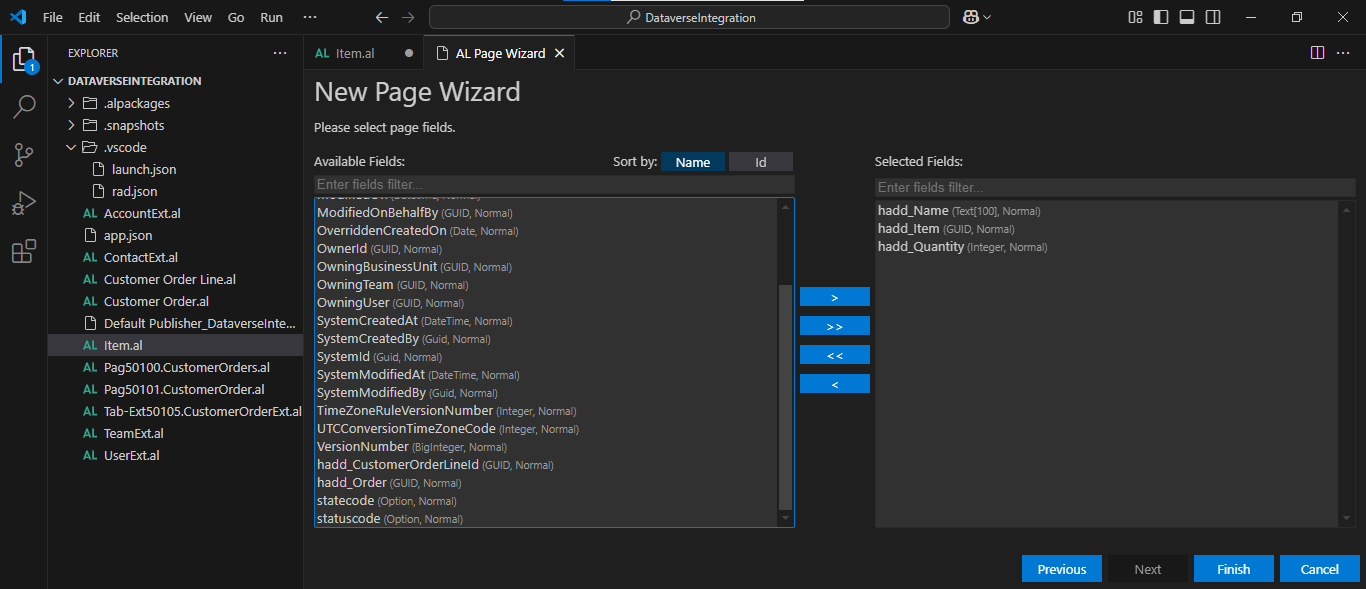
I added Name, Item (GUID) and Quantity fields to the ListPart
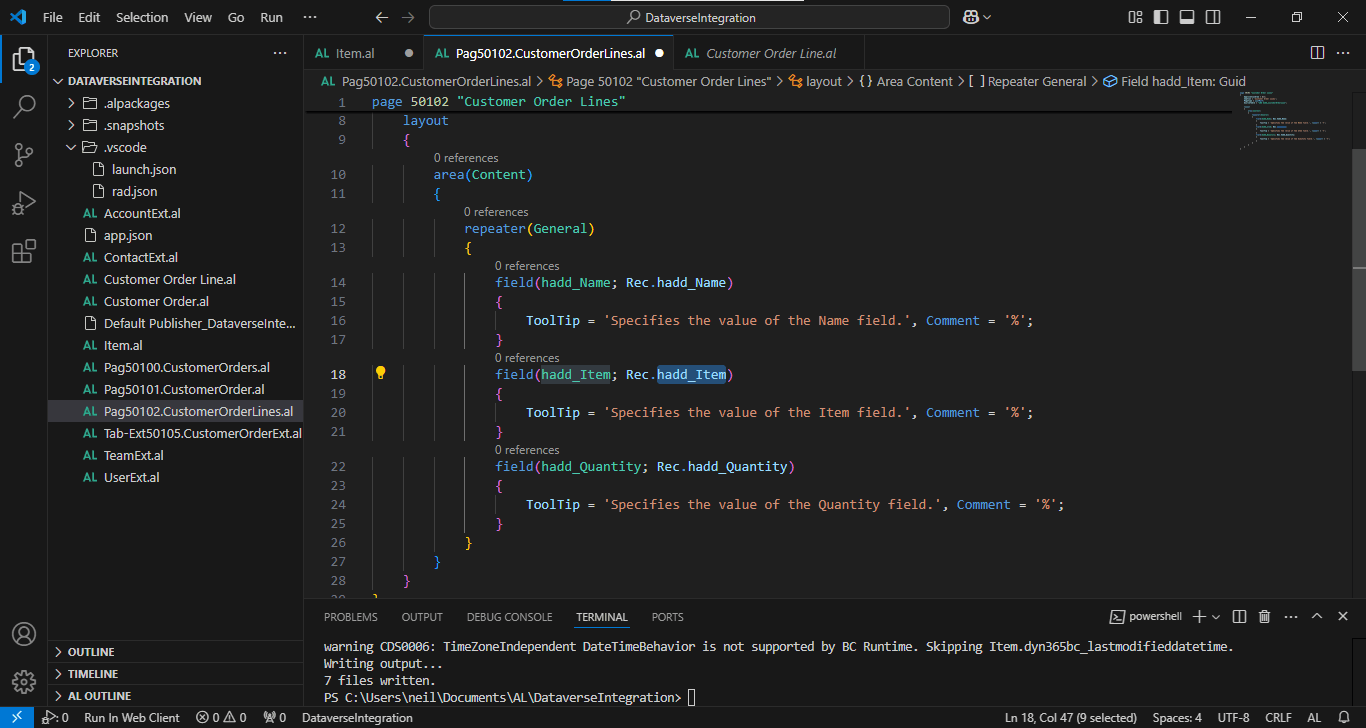
I noticed that hadd_Item is a GUID
Under the hood: A GUID is not an item
Each order line in Dataverse stores its item as a GUID. That is not much use on a page, so I used the GUID to look up the matching record in the Business Central Item table, and then showed the item's details and a calculated Amount. That is the benefit of an integration table: Business Central can join its own data to the Dataverse rows.
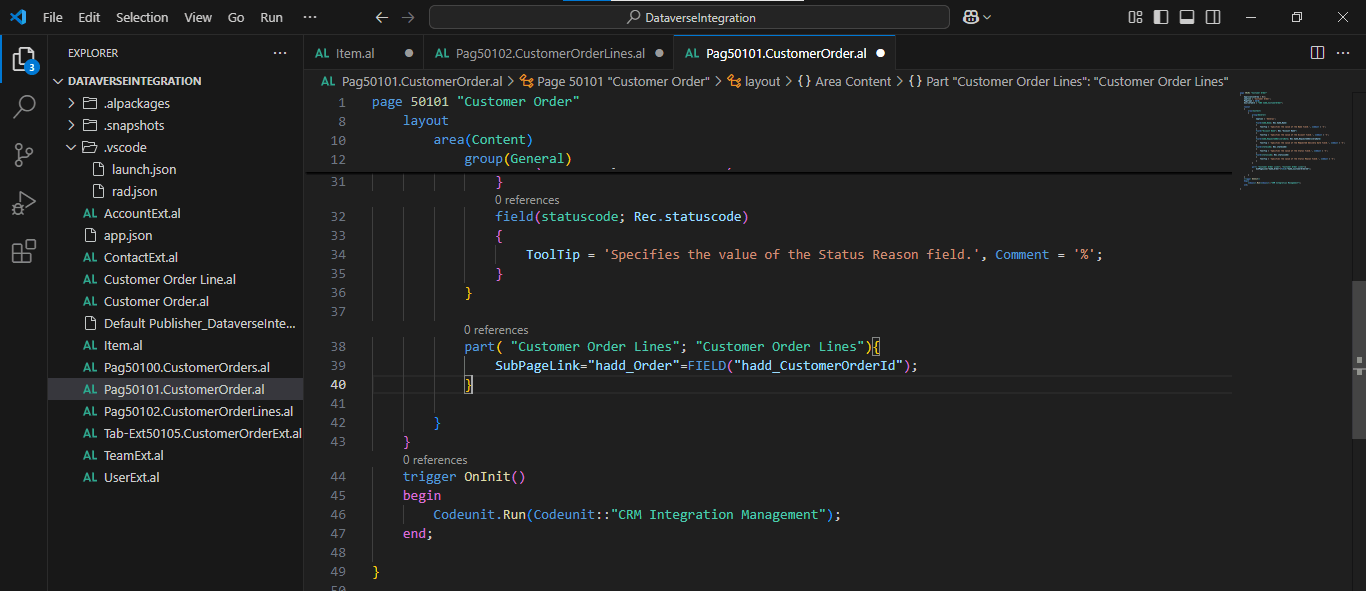
I added the ListPart to the Customer Order Card
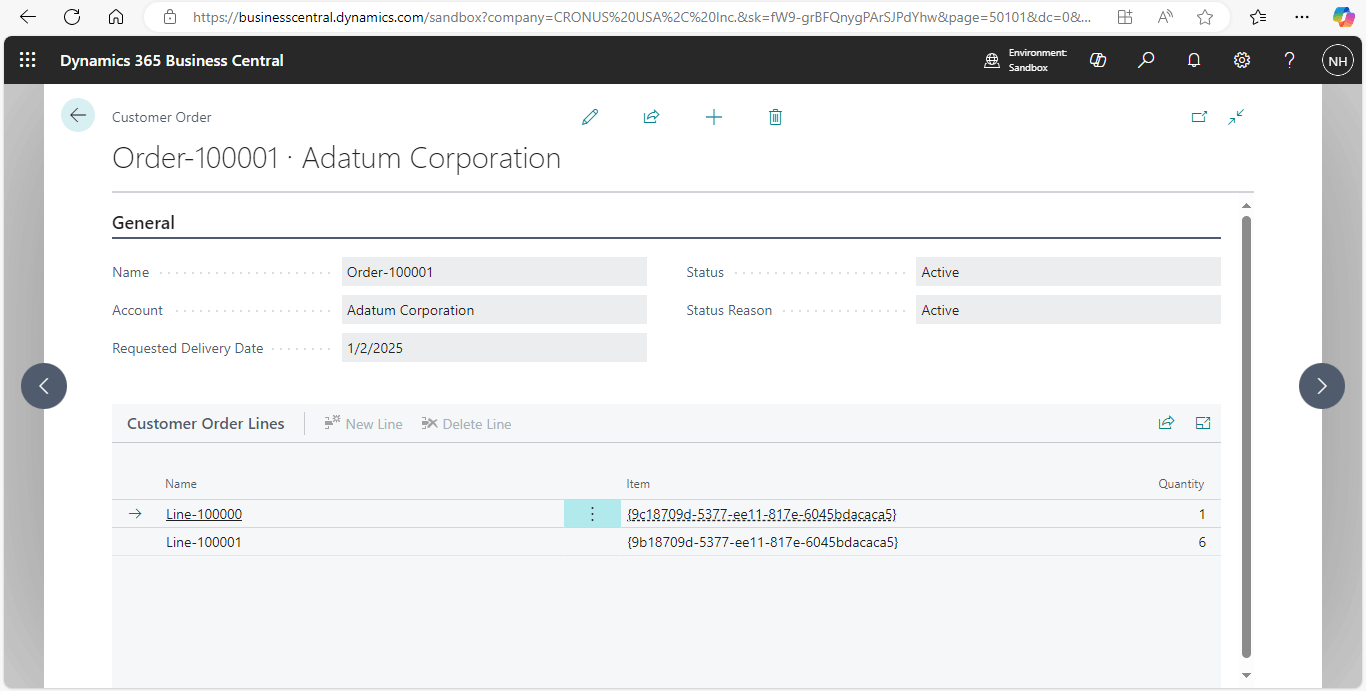
The Customer Order Line details are displayed
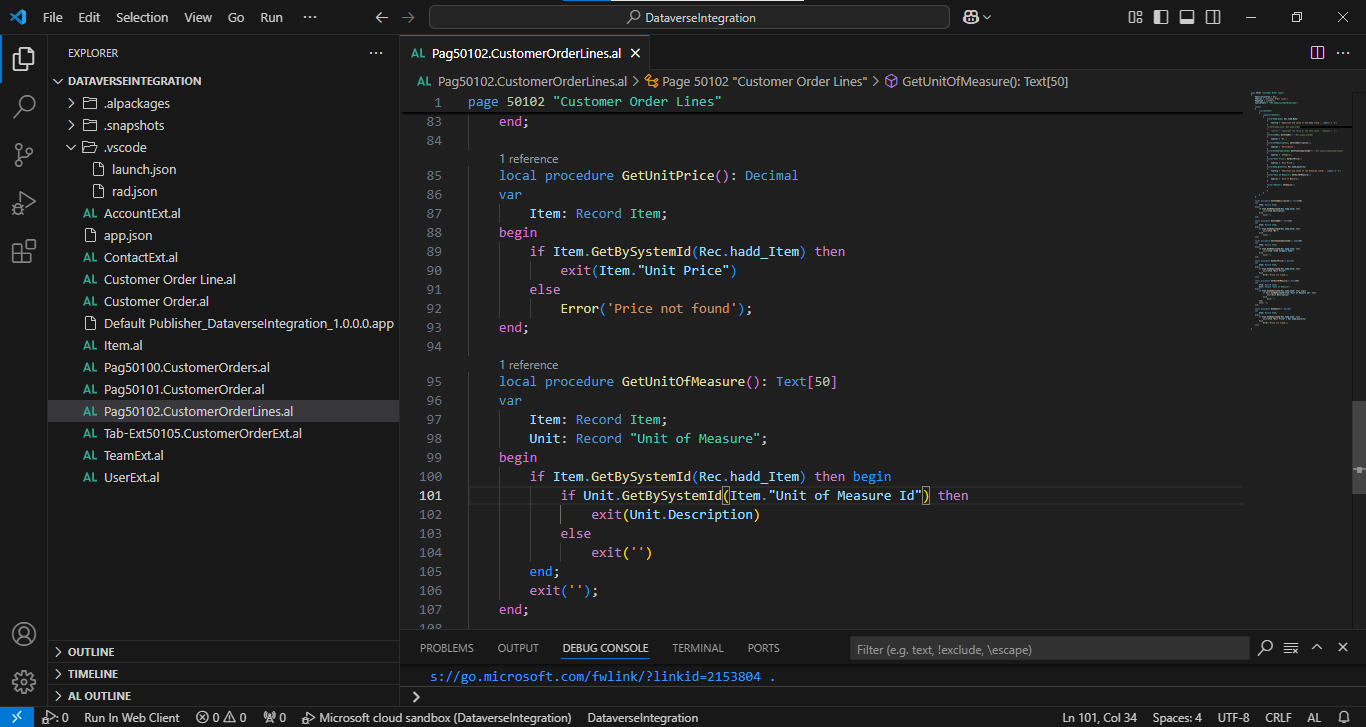
I updated the Customer Order Lines ListPart to lookup Item details. I was able to use the hadd_Item GUID to lookup records in the Business Central Item table.
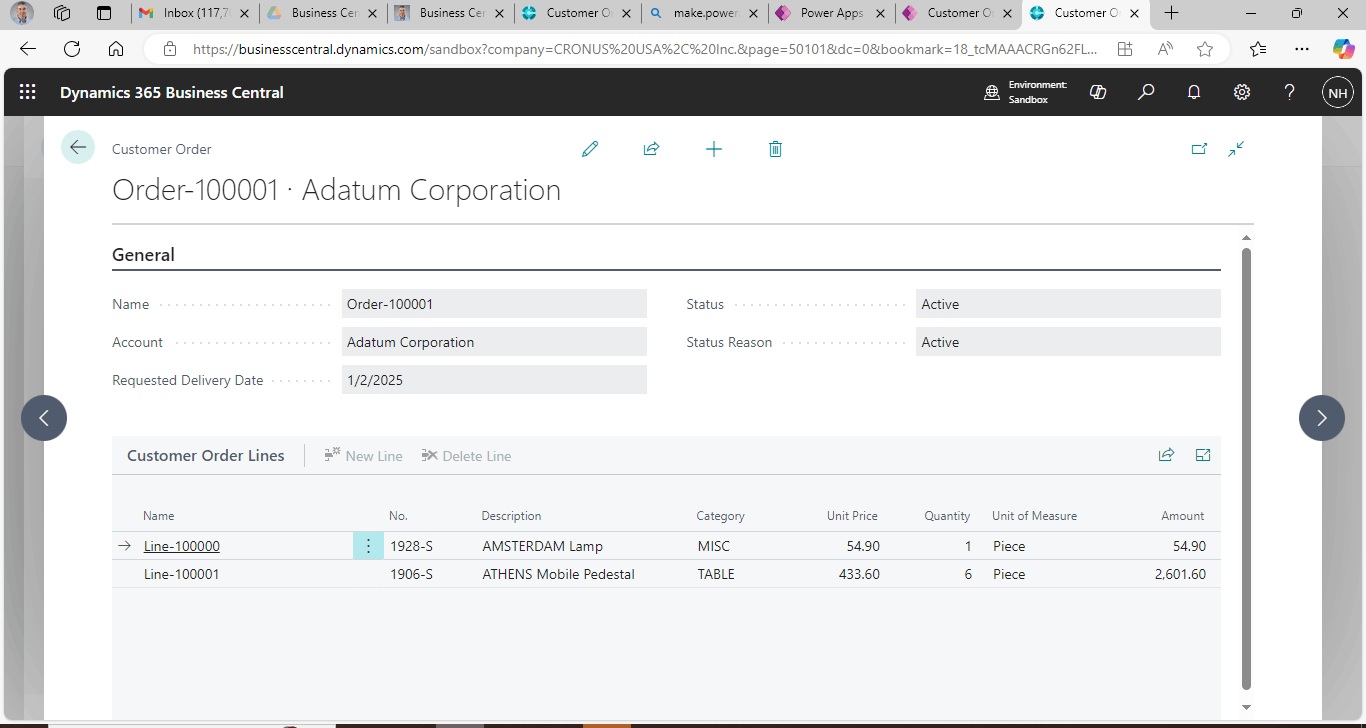
Item details and a calculated Amount value are displayed
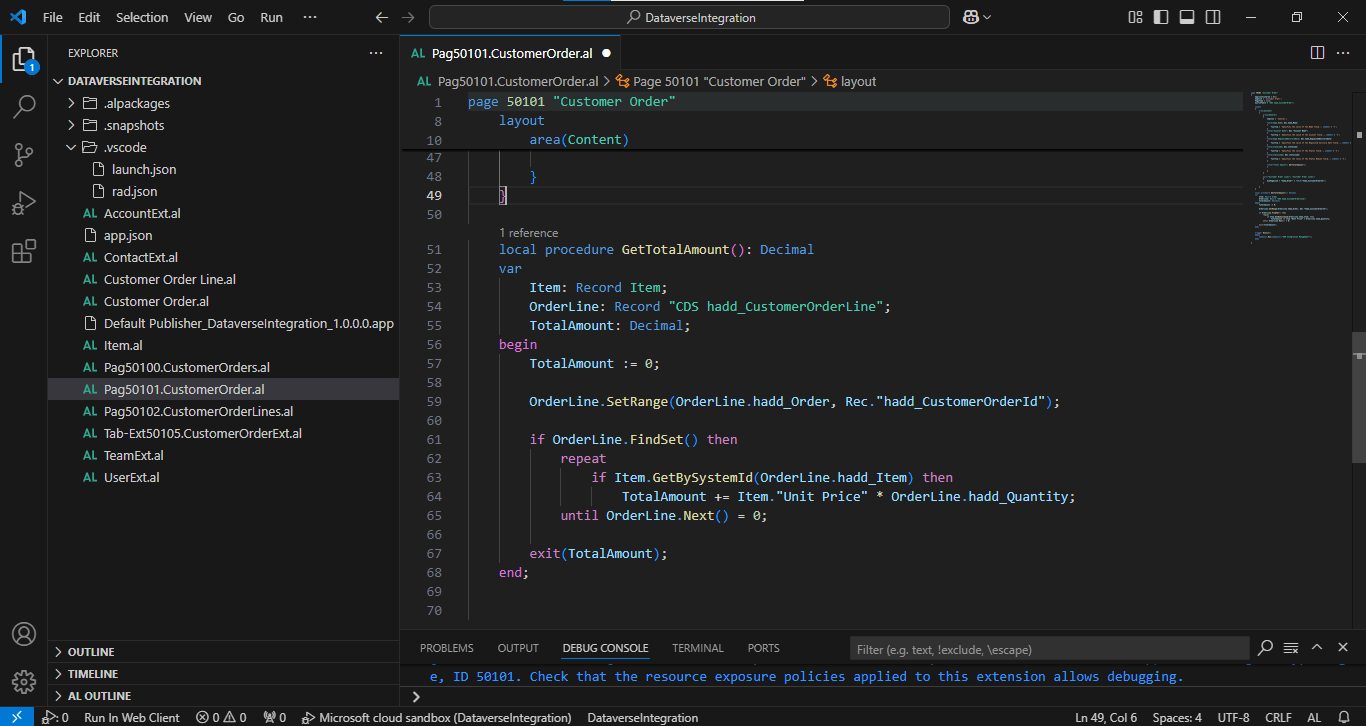
I added a GetTotalAmount() procedure
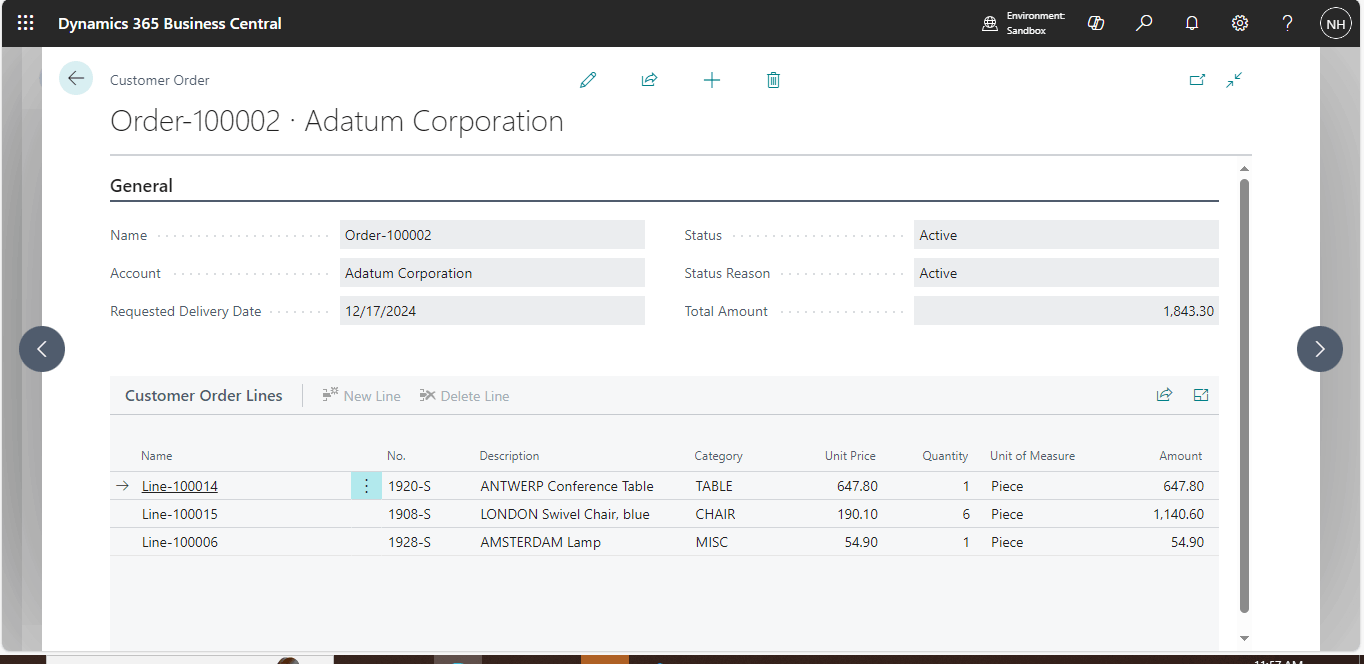
The Total Amount field was displayed on the Customer Order Card
AL
1page 50100 "Customer Orders"
2{
3    ApplicationArea = All;
4    Caption = 'Customer Orders';
5    PageType = List;
6    SourceTable = "CDS hadd_CustomerOrder";
7    UsageCategory = Lists;
8
9    InsertAllowed = false;
10    ModifyAllowed = false;
11    DeleteAllowed = false;
12
13    RefreshOnActivate = true;
14
15    layout
16    {
17        area(Content)
18        {
19            repeater(General)
20            {
21                field(hadd_Name; Rec.hadd_Name)
22                {
23                    ToolTip = 'Specifies the value of the Name field.', Comment = '%';
24
25                    trigger OnDrillDown()
26                    var
27                        CustomerOrderPage: Page "Customer Order";
28                        CustomerOrder: Record "CDS hadd_CustomerOrder";
29                    begin
30                        if CustomerOrder.Get(Rec.hadd_CustomerOrderId) then begin
31                            CustomerOrder.SystemId := Rec.hadd_CustomerOrderId;
32                            CustomerOrderPage.SetRecord(CustomerOrder);
33                            CustomerOrderPage.Run();
34                        end;
35                    end;
36                }
37                field("Account Name"; Rec."Account Name")
38                {
39                    ToolTip = 'Specifies the value of the Account field.', Comment = '%';
40                }
41                field(hadd_RequestedDeliveryDate; Rec.hadd_RequestedDeliveryDate)
42                {
43                    ToolTip = 'Specifies the value of the Requested Delivery Date field.', Comment = '%';
44                }
45                field(statecode; Rec.statecode)
46                {
47                    ToolTip = 'Specifies the value of the Status field.', Comment = '%';
48                }
49                field(statuscode; Rec.statuscode)
50                {
51                    ToolTip = 'Specifies the value of the Status Reason field.', Comment = '%';
52                }
53            }
54        }
55    }
56
57    trigger OnInit()
58    begin
59        Codeunit.Run(Codeunit::"CRM Integration Management");
60    end;
61
62}
Tab-Ext50105.CustomerOrderExt.al
AL
1tableextension 50105 "Customer Order Ext" extends "CDS hadd_CustomerOrder"
2{
3    DataCaptionFields = hadd_Name, "Account Name";
4
5    fields
6    {
7        field(50100; "Account Name"; Text[160])
8        {
9            Caption = 'Account';
10            FieldClass = FlowField;
11            CalcFormula = lookup("CRM Account".Name where(AccountId = field(hadd_Account)));
12        }
13    }
14}
Pag50102.CustomerOrderLines.al
AL
1page 50102 "Customer Order Lines"
2{
3    ApplicationArea = All;
4    Caption = 'Customer Order Lines';
5    PageType = ListPart;
6    SourceTable = "CDS hadd_CustomerOrderLine";
7
8    layout
9    {
10        area(Content)
11        {
12            repeater(General)
13            {
14                field(hadd_Name; Rec.hadd_Name)
15                {
16                    ToolTip = 'Specifies the value of the Name field.', Comment = '%';
17                }
18                /*field(hadd_Item; Rec.hadd_Item)
19                {
20                    ToolTip = 'Specifies the value of the Item field.', Comment = '%';
21                }*/
22                field(ItemNo; GetItemNo()) //Rec.wiise_ItemNo)
23                {
24                    Caption = 'No.';
25                }
26                field(ItemDescription; GetItemDescription())
27                {
28                    Caption = 'Description';
29                }
30                field(ItemCategoryCode; GetItemCategoryCode()) //Rec.wiise_ItemCategoryCode)
31                {
32                    Caption = 'Category';
33                }
34                field("Unit Price"; GetUnitPrice())
35                {
36                    Caption = 'Unit Price';
37                }
38                field(hadd_Quantity; Rec.hadd_Quantity)
39                {
40                    ToolTip = 'Specifies the value of the Quantity field.', Comment = '%';
41                }
42                field("Unit of Measure"; GetUnitOfMeasure())
43                {
44                    Caption = 'Unit of Measure';
45                }
46
47                field("Amount"; GetAmount())
48                {
49
50                }
51            }
52        }
53    }
54
55    local procedure GetItemDescription(): Text[100]
56    var
57        Item: Record Item;
58    begin
59        if Item.GetBySystemId(Rec.hadd_Item) then
60            exit(Item.Description)
61        else
62            exit('')
63    end;
64
65    local procedure GetItemNo(): Text[20]
66    var
67        Item: Record Item;
68    begin
69        if Item.GetBySystemId(Rec.hadd_Item) then
70            exit(Item."No.")
71        else
72            exit('')
73    end;
74
75    local procedure GetItemCategoryCode(): Code[20]
76    var
77        Item: Record Item;
78    begin
79        if Item.GetBySystemId(Rec.hadd_Item) then
80            exit(Item."Item Category Code")
81        else
82            exit('')
83    end;
84
85    local procedure GetUnitPrice(): Decimal
86    var
87        Item: Record Item;
88    begin
89        if Item.GetBySystemId(Rec.hadd_Item) then
90            exit(Item."Unit Price")
91        else
92            Error('Price not found');
93    end;
94
95    local procedure GetUnitOfMeasure(): Text[50]
96    var
97        Item: Record Item;
98        Unit: Record "Unit of Measure";
99    begin
100        if Item.GetBySystemId(Rec.hadd_Item) then begin
101            if Unit.GetBySystemId(Item."Unit of Measure Id") then
102                exit(Unit.Description)
103            else
104                exit('')
105        end;
106        exit('');
107    end;
108
109    local procedure GetAmount(): Decimal
110    var
111        Item: Record Item;
112    begin
113        if Item.GetBySystemId(Rec.hadd_Item) then
114            exit(Item."Unit Price" * Rec.hadd_Quantity)
115        else
116            Error('Price not found');
117    end;
118
119}
Pag50101.CustomerOrder.al
AL
1page 50101 "Customer Order"
2{
3    ApplicationArea = All;
4    Caption = 'Customer Order';
5    PageType = Card;
6    SourceTable = "CDS hadd_CustomerOrder";
7
8    layout
9    {
10        area(Content)
11        {
12            group(General)
13            {
14                Caption = 'General';
15
16                field(hadd_Name; Rec.hadd_Name)
17                {
18                    ToolTip = 'Specifies the value of the Name field.', Comment = '%';
19                }
20                field("Account Name"; Rec."Account Name")
21                {
22                    ToolTip = 'Specifies the value of the Account field.', Comment = '%';
23                }
24                field(hadd_RequestedDeliveryDate; Rec.hadd_RequestedDeliveryDate)
25                {
26                    ToolTip = 'Specifies the value of the Requested Delivery Date field.', Comment = '%';
27                }
28                field(statecode; Rec.statecode)
29                {
30                    ToolTip = 'Specifies the value of the Status field.', Comment = '%';
31                }
32                field(statuscode; Rec.statuscode)
33                {
34                    ToolTip = 'Specifies the value of the Status Reason field.', Comment = '%';
35                }
36
37                field("Total Amount"; GetTotalAmount())
38                {
39
40                }
41            }
42
43            part("Customer Order Lines"; "Customer Order Lines")
44            {
45                SubPageLink = "hadd_Order" = FIELD("hadd_CustomerOrderId");
46            }
47
48        }
49    }
50
51
52    local procedure GetTotalAmount(): Decimal
53    var
54        Item: Record Item;
55        OrderLine: Record "CDS hadd_CustomerOrderLine";
56        TotalAmount: Decimal;
57    begin
58        TotalAmount := 0;
59
60        OrderLine.SetRange(OrderLine.hadd_Order, Rec."hadd_CustomerOrderId");
61
62        if OrderLine.FindSet() then
63            repeat
64                if Item.GetBySystemId(OrderLine.hadd_Item) then
65                    TotalAmount += Item."Unit Price" * OrderLine.hadd_Quantity;
66            until OrderLine.Next() = 0;
67
68        exit(TotalAmount);
69    end;
70
71
72    trigger OnInit()
73    begin
74        Codeunit.Run(Codeunit::"CRM Integration Management");
75    end;
76
77}