DeepSeek Harness (Part 2)
Neil Haddley • September 27, 2026
Checking whether DeepSeek Harness's everything-is-a-plugin claim extends to the model itself: pointing it at a local Ollama-served model through a custom OpenAI-compatible provider, with no DeepSeek API key at all
In the original DeepSeek Harness post, I gave DeepSeek Harness a PRD and a PDD for a Space Invaders clone, connected it to the DeepSeek cloud API, and watched DeepSeek V4 Pro build and verify the game. DeepSeek Harness describes itself as "everything is a plugin — models, tools, sandboxes, storage." I wanted to find out whether that claim extends to the model itself. Can I point the harness at a model running entirely on my own Mac Studio (Apple M1 Max, 64 GB of memory), through Ollama, with no DeepSeek API key at all?
It worked. You can play the game the local model built right now — press Space to start, use the arrow keys or A/D to move, and press Space to fire.
Starting point
I opened DeepSeek Harness with the invaders-deepseek-harness-ollama workspace selected. Out of the box, the model picker offered only the DeepSeek cloud models, with DeepSeek-V4-Pro selected by default.
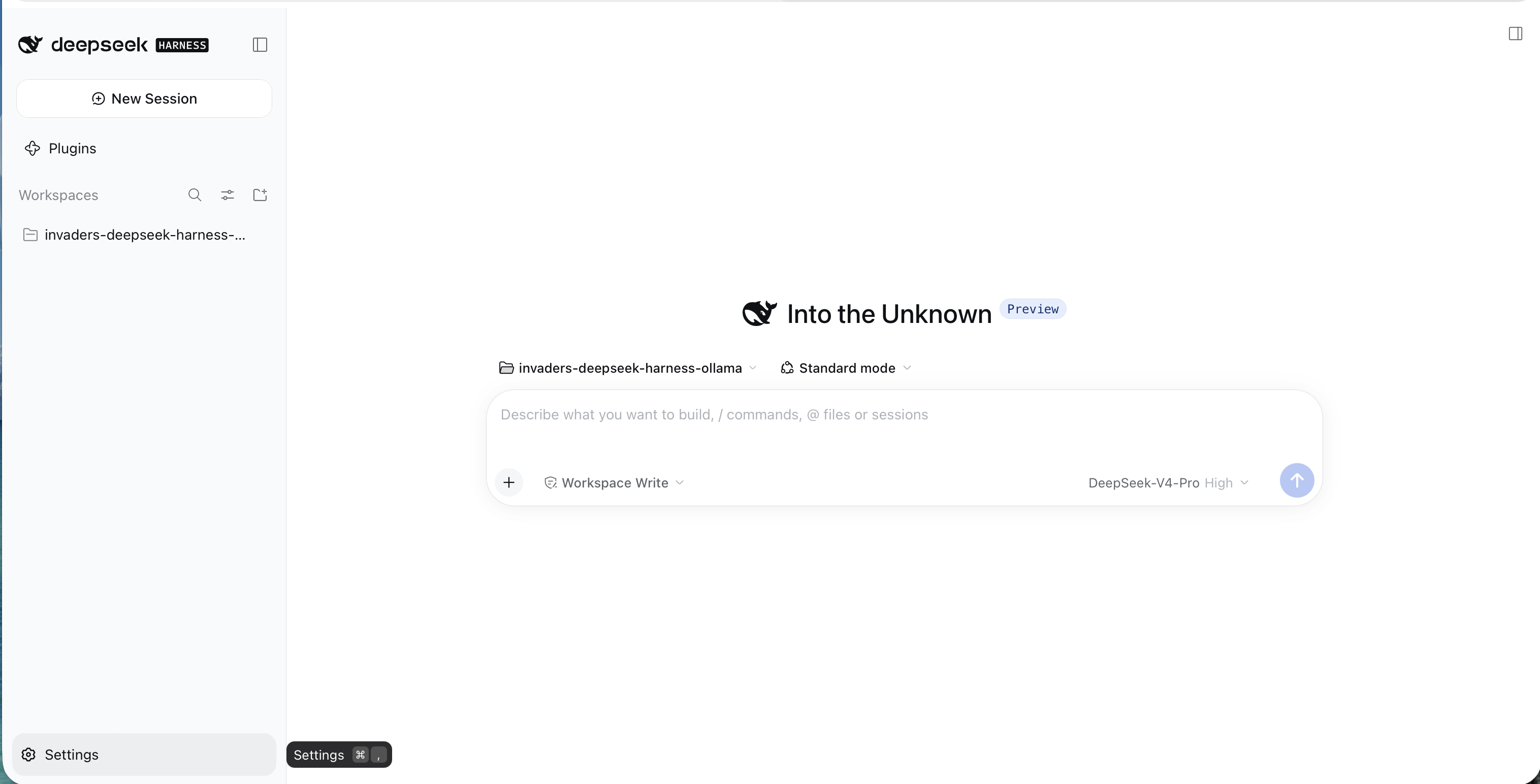
I opened the invaders-deepseek-harness-ollama workspace; the model picker defaulted to DeepSeek-V4-Pro, and I hovered over Settings
Skipping the cloud key
I opened Settings and selected Models. The only provider listed was the official DeepSeek one, asking for an API key. I left that field empty and clicked "Add model provider" instead.
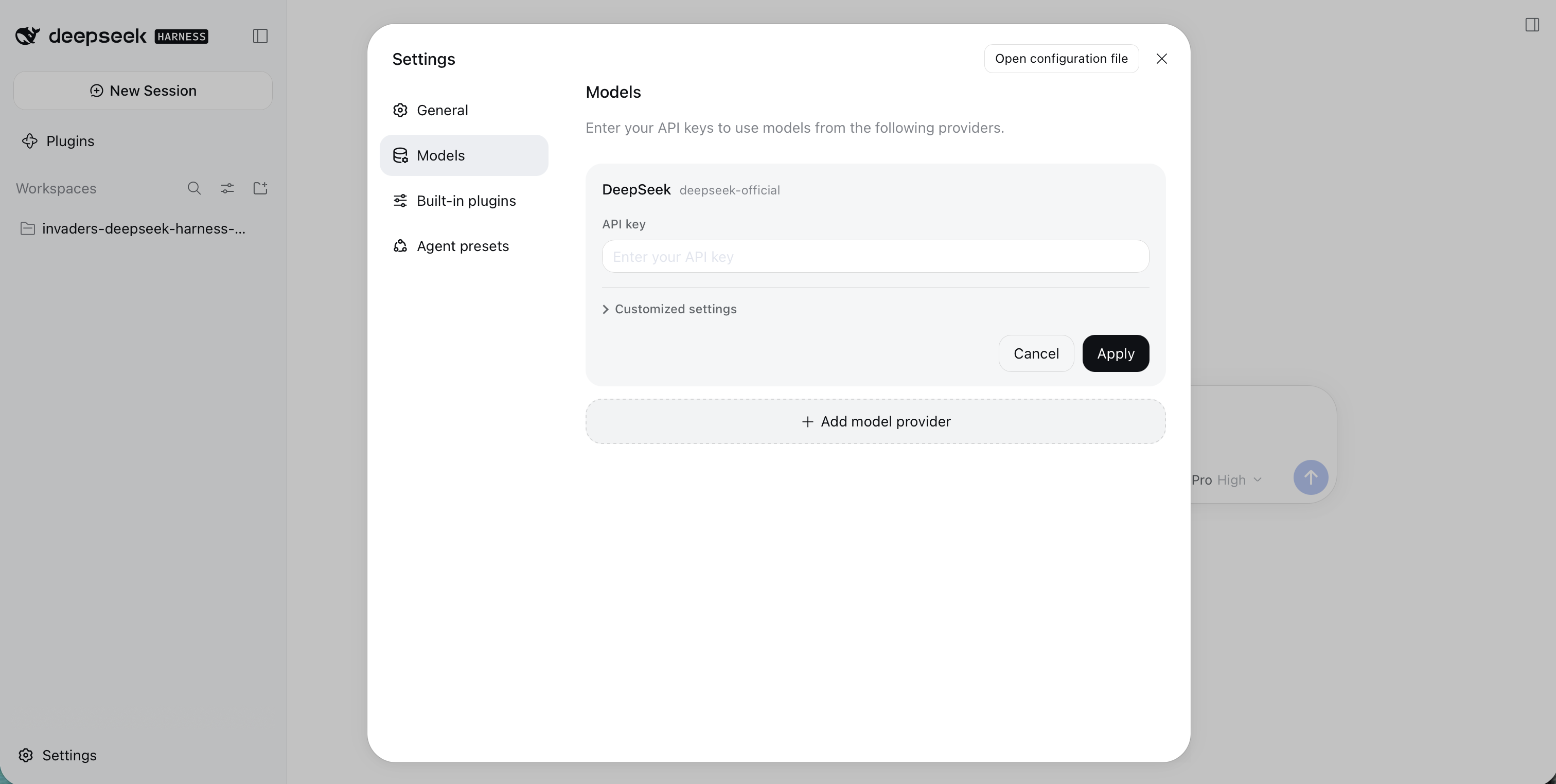
Settings → Models listed only the official DeepSeek provider; I left its API key empty and went to "Add model provider"
Adding Ollama as a custom provider
The new provider form has two tabs: "Third-party model provider" and "Custom model API". I chose Custom model API, which connects to any OpenAI- or Anthropic-compatible endpoint by base URL. Ollama serves an OpenAI-compatible API on its default port, so I filled in the form like this:
- Provider ID:
ollama - Display name:
ollama - Base URL:
http://localhost:11434/v1 - API protocol: OpenAI Chat Completions
Ollama does not check API keys, but the form still requires one, so I typed a placeholder value.
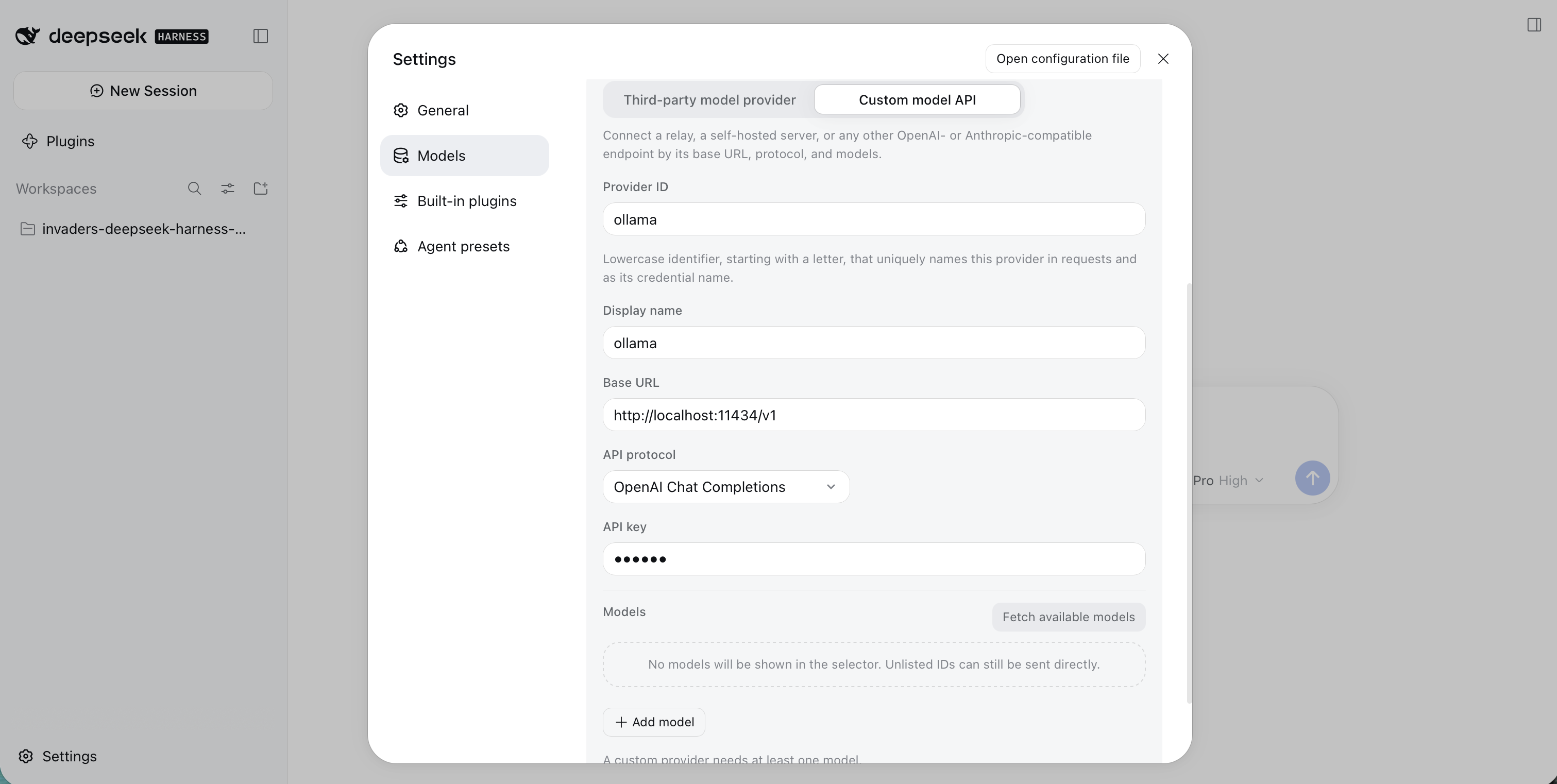
I chose Custom model API and pointed it at Ollama's OpenAI-compatible endpoint on localhost:11434; the API key is just a placeholder
Choosing a local model
The Models section at the bottom of the form warned that a custom provider needs at least one model. I clicked "Fetch available models", and DeepSeek Harness asked Ollama for its real model list rather than showing a fixed one. I filtered the list by "code" and it showed the coding models I have pulled on this Mac: several Qwen coders, DeepSeek Coder, Code Llama and SQLCoder. I selected qwen3-coder:30b.
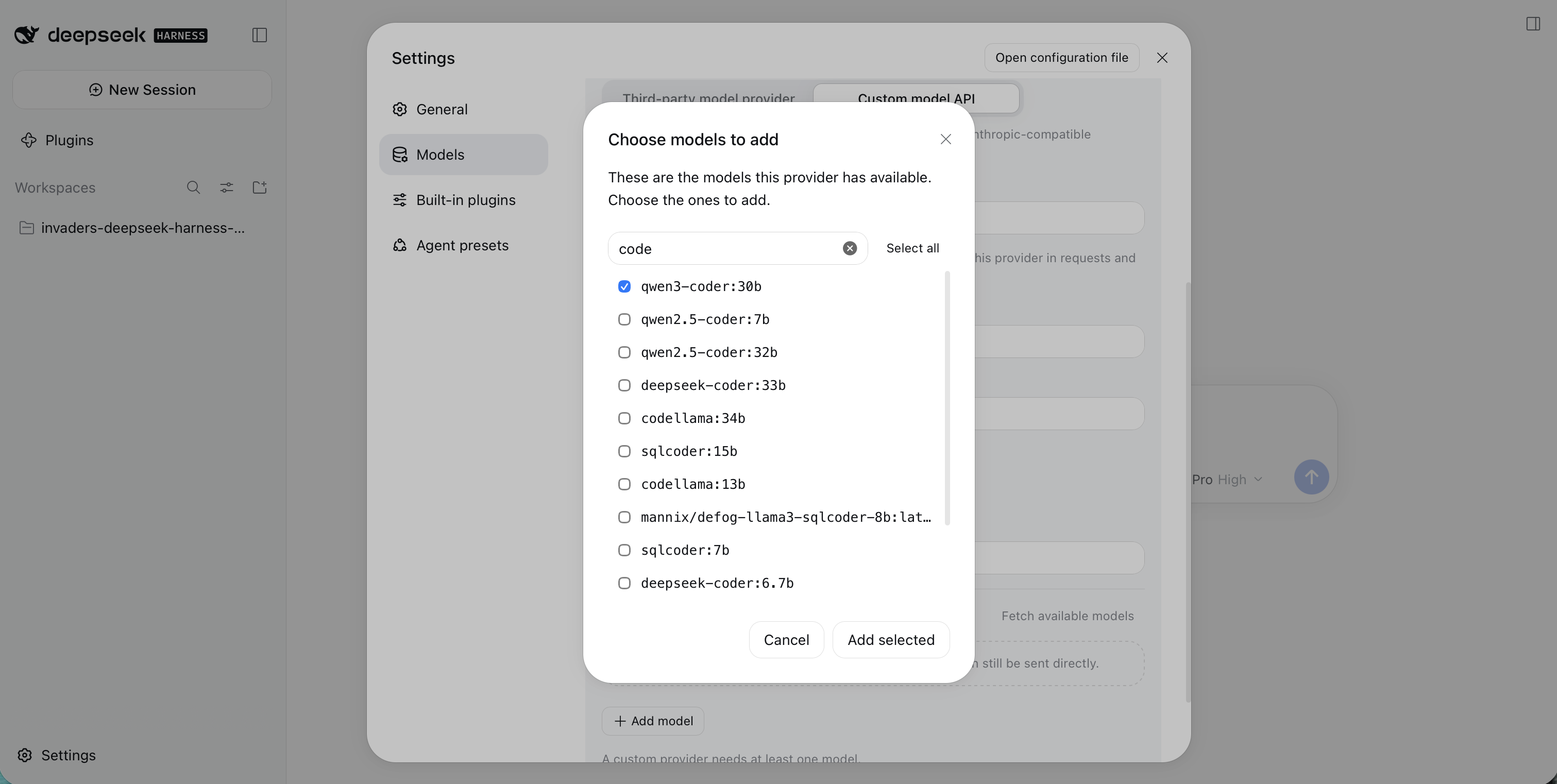
"Fetch available models" listed the models installed in my local Ollama; I filtered by "code" and ticked qwen3-coder:30b
I clicked "Add selected". The model appeared in the provider's model list, and I clicked "Create provider".
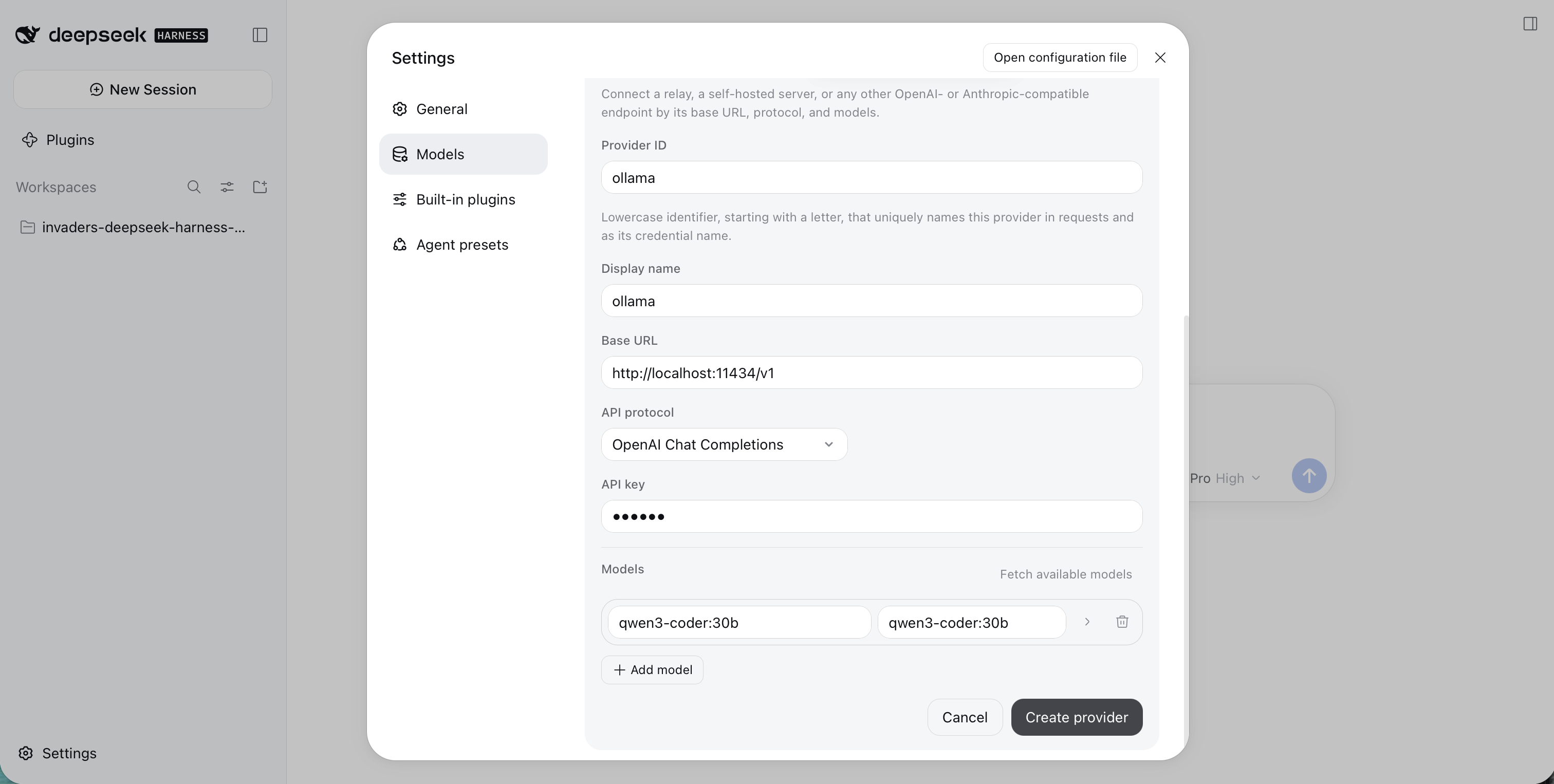
The ollama provider now had one model, qwen3-coder:30b, and I clicked Create provider
Two providers, one working
Back on the Models page, both providers sat side by side. DeepSeek showed a red dot because I never gave it a key. The new ollama provider, tagged "Custom", showed a green dot.
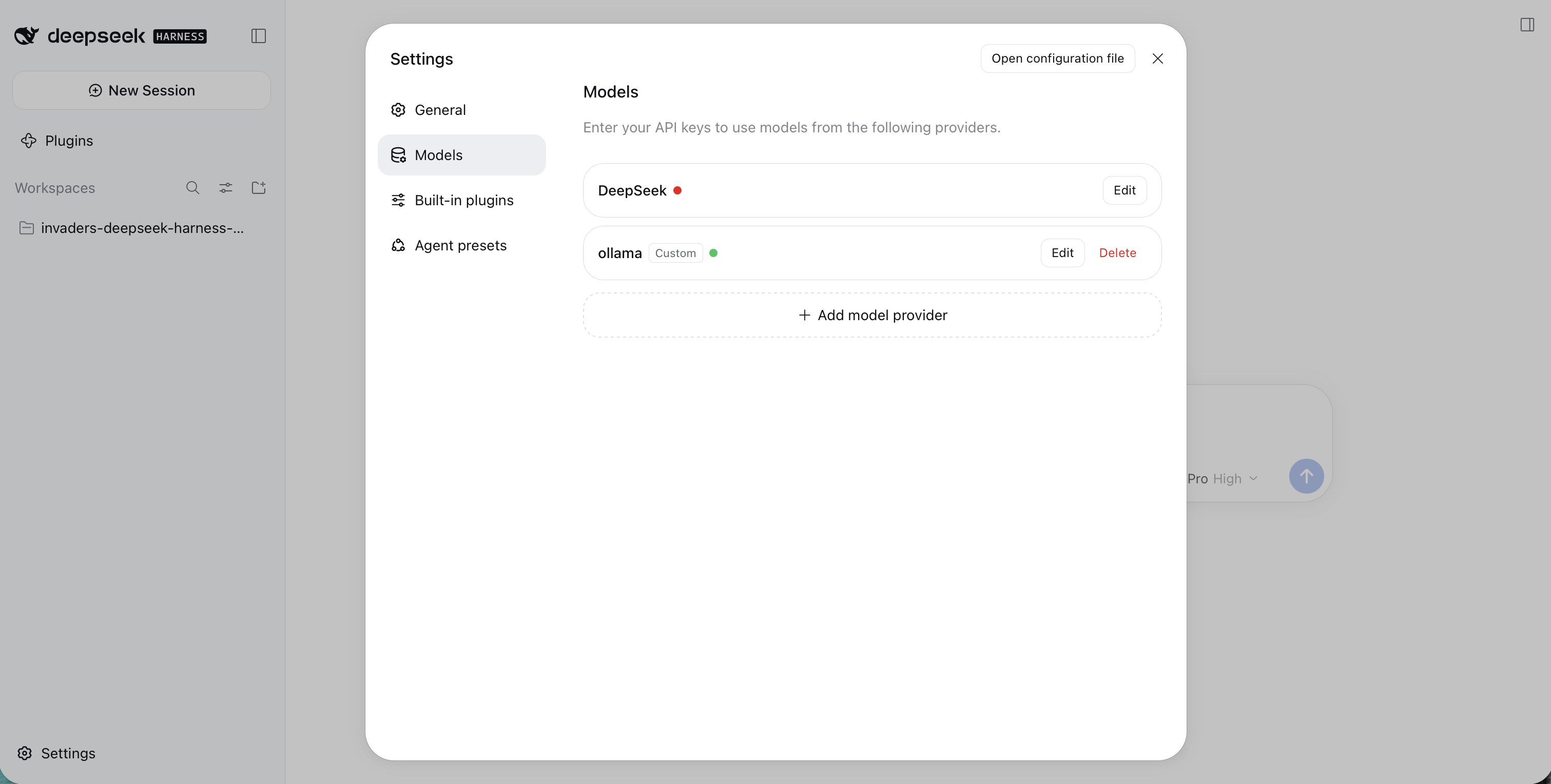
DeepSeek (red, no API key) next to my custom ollama provider (green, ready to use)
Selecting the local model
I closed Settings and opened the model picker again. It now had two groups: the DeepSeek cloud models (DeepSeek-V41-Flash and DeepSeek-V4-Pro) and a new ollama group containing qwen3-coder:30b. I selected the local model.
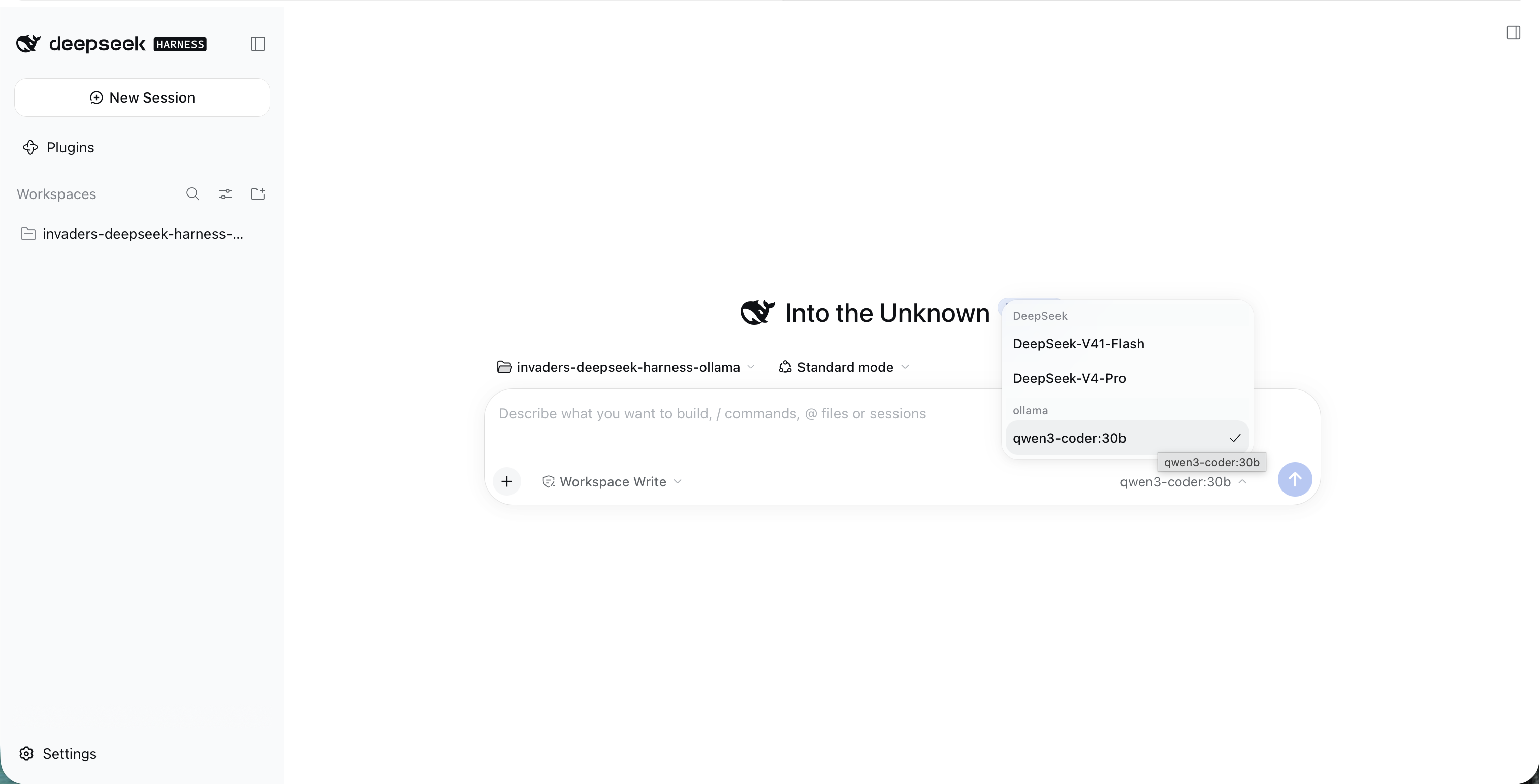
The model picker grouped the DeepSeek cloud models and my local ollama model together; I selected qwen3-coder:30b
At this point every request from this workspace goes to localhost:11434. The DeepSeek cloud provider still has no key configured.
The original documents were not enough
Getting the harness to talk to Ollama was the easy part. Getting a local model to build the game was not. I had a lot of problems with the local model when I gave it the same short PRD.md and PDD.md that DeepSeek V4 Pro and the other cloud models had built from without much trouble.
The leftovers from those attempts told the story. The model wrote a build plan and then stalled partway through it, with the collision and alien-shooting steps never ticked off. It wrote its own small web server, which sent every file back as text/html, so the browser refused to load the JavaScript modules. It created the game engine in index.html on the first click, while the engine also waited for a key press of its own. And it invented constant names and unit conventions of its own that the rest of the code did not agree with.
None of that was surprising in hindsight. The original documents left a lot of room for interpretation, and the cloud models filled that room with good guesses. The earlier builds had also hit real bugs: the UFO sound that never stopped, the cannon that never came back after being hit, a first frame that jumped, a half-written function in the audio code. The bigger models recovered from those with a prompt or two. The local model did not.
What fixed it: more detail, and an ARCHITECTURE.md
The problems went away once I added an ARCHITECTURE.md file and put a lot more detail into PRD.md and PDD.md:
PRD.mdnow pins down every number, every on-screen string and every control. It ends with an acceptance checklist that I can run from the browser console.PDD.mdnow explains each design decision, lists every bug the earlier builds hit and how the design prevents it, and includes the complete source for every file.ARCHITECTURE.mdis new. It lists the exact files, the exact names each file exports, and seventeen numbered build steps, each with a check to do before moving on to the next one.
All three documents are linked above, so you can read them or use them to run the same build with your own local model.
The biggest change is that the plan now lives in the documents rather than in the model. A small model does not have to decide what to build next, what to call things, or how to serve the page. It only has to follow the next step and check its work. I tested the documents by rebuilding the game from nothing but the code in PDD.md, and that build passed every check in the acceptance list.
The prompt
I cleared the invaders-deepseek-harness-ollama workspace so it held only the three documents, then gave qwen3-coder:30b this prompt. It deliberately does not ask the model to plan or to "think step by step", because the numbered steps in ARCHITECTURE.md already do that job:
PROMPT
1Build the Space Invaders game described in this folder.
2Read ARCHITECTURE.md first, then PRD.md, then PDD.md.
3Follow the numbered steps in ARCHITECTURE.md section 6 in order, one step at a time.
4For each step, create the file exactly as shown in PDD.md Appendix A, then do that step's check before moving on.
5Do not write your own plan. Do not rename, redesign, add or skip anything.
6Do not use Node.js or npm, and do not write a web server.
7Only read files in this folder.
8When every step is done, tell me the URL to open and list PRD.md section 9 so I can test it.
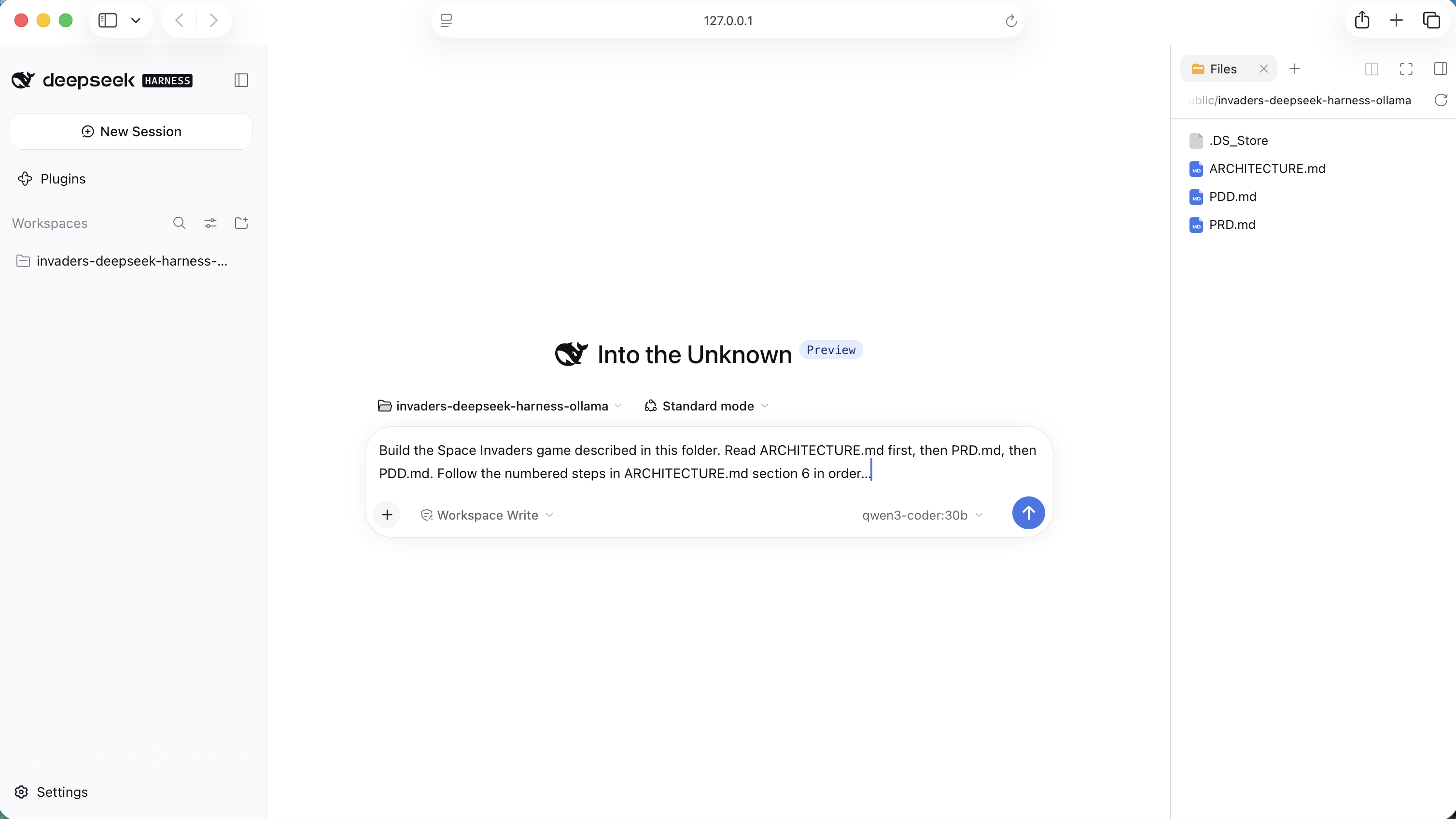
I typed the prompt into a workspace that held only ARCHITECTURE.md, PDD.md and PRD.md, with qwen3-coder:30b selected
The build
I sent the prompt at 08:00. The model did exactly what the prompt asked: it read ARCHITECTURE.md first, then PRD.md, then PDD.md, before touching anything.
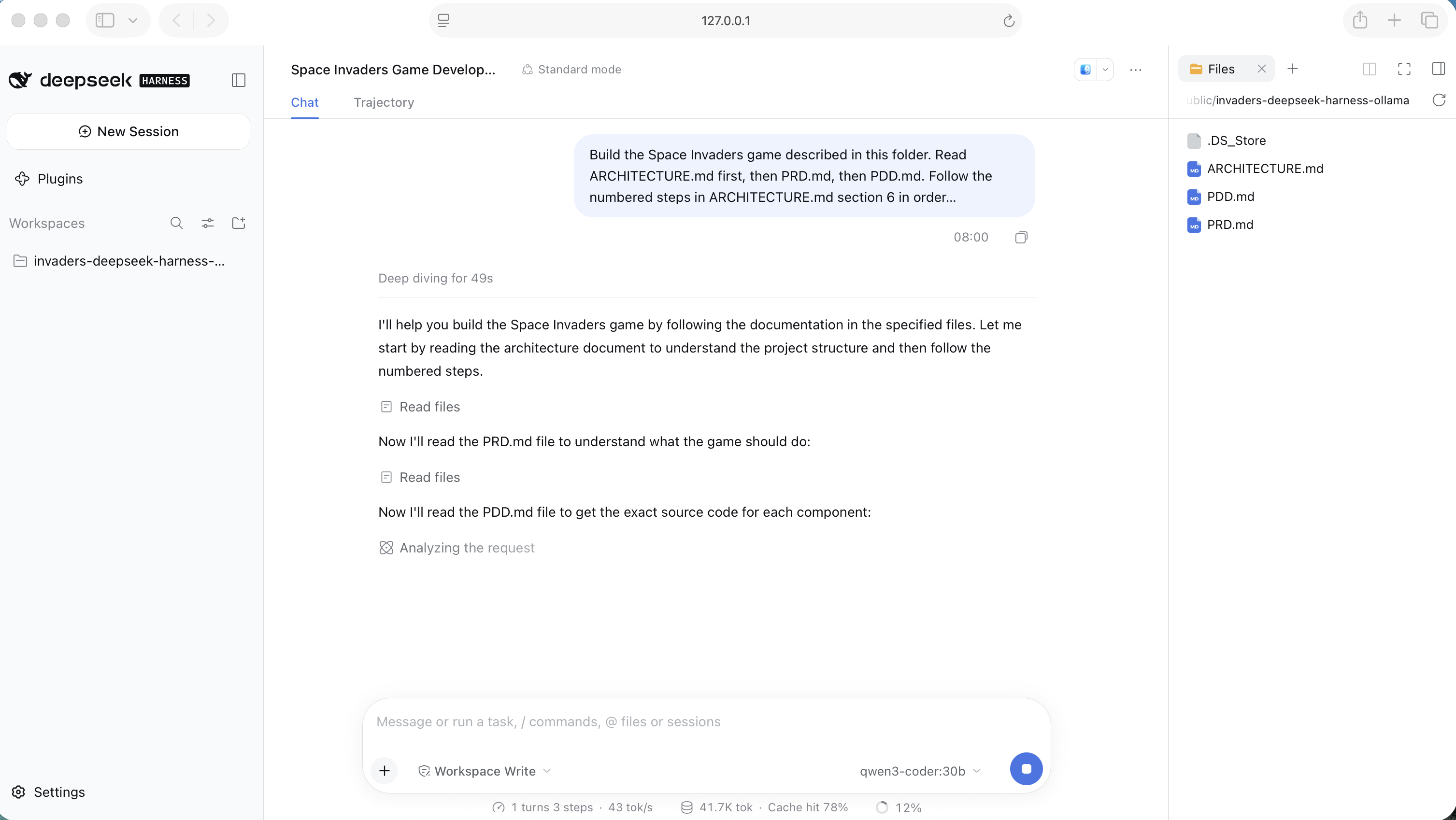
qwen3-coder:30b read ARCHITECTURE.md, then PRD.md, then PDD.md, in the order the prompt gave
PDD.md is long, so the model read it in two passes, going back for the rest of engine.js. Then it started on the numbered steps. It confirmed the folders were in place for step 1, wrote index.html for step 2 and ran that step's check, then moved on to src/constants.js for step 3. The Files panel on the right shows src/ and index.html appearing as it went.
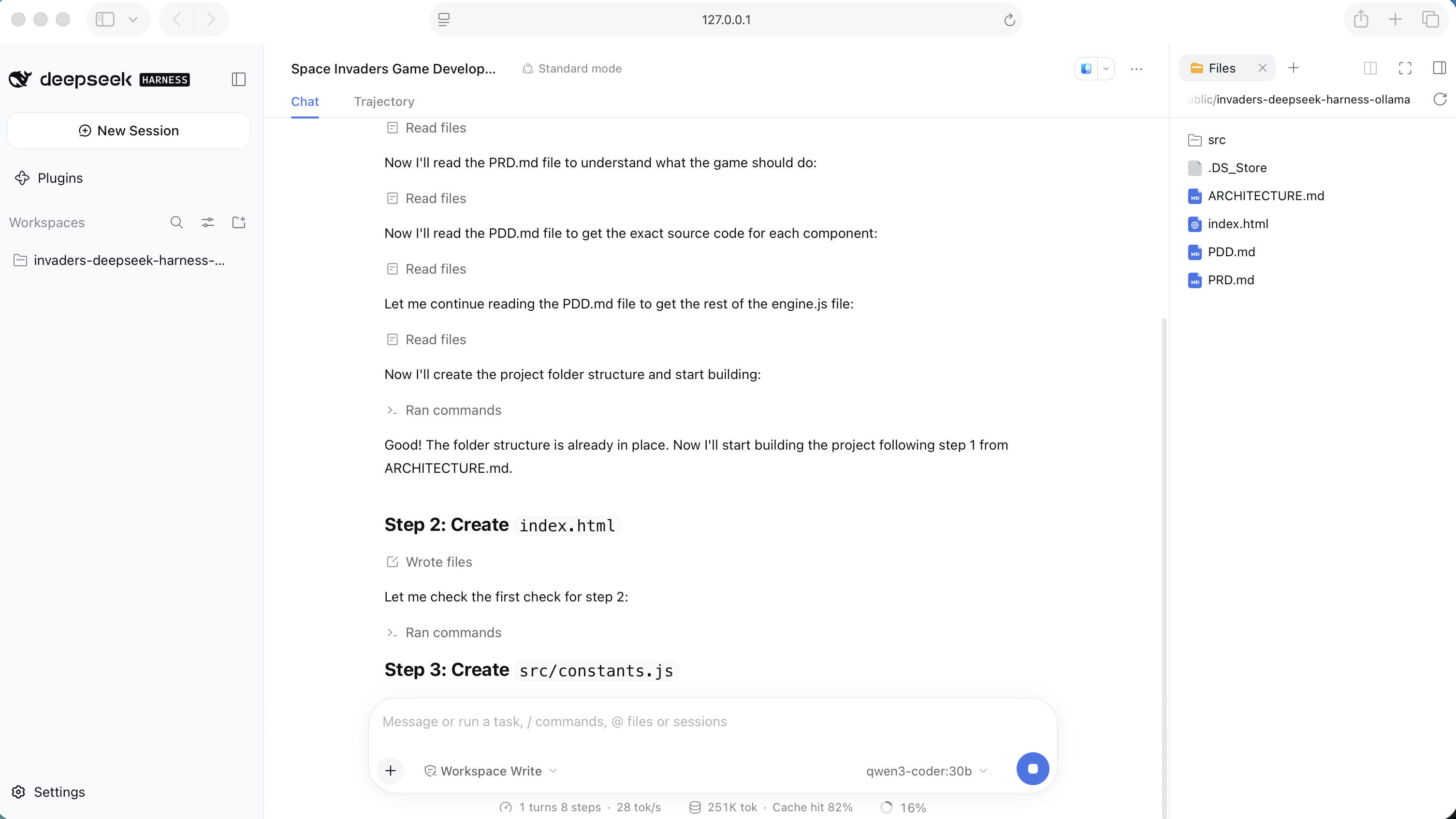
The model worked through the build steps by number, writing index.html for step 2, checking it, and starting src/constants.js for step 3
At 09:07, a little over an hour later, the model reported that the build was complete. It had created 14 files and 1,109 lines, with nothing deleted, including a 474-line engine.js. It left a static file server running as a background job and told me to open http://localhost:8000/ and work through the acceptance checklist in PRD.md section 9. The status bar recorded 42 steps in a single turn, about 2 million tokens processed, an 81% cache hit rate, and a generation speed of around 22 tokens per second on my M1 Max Mac Studio.
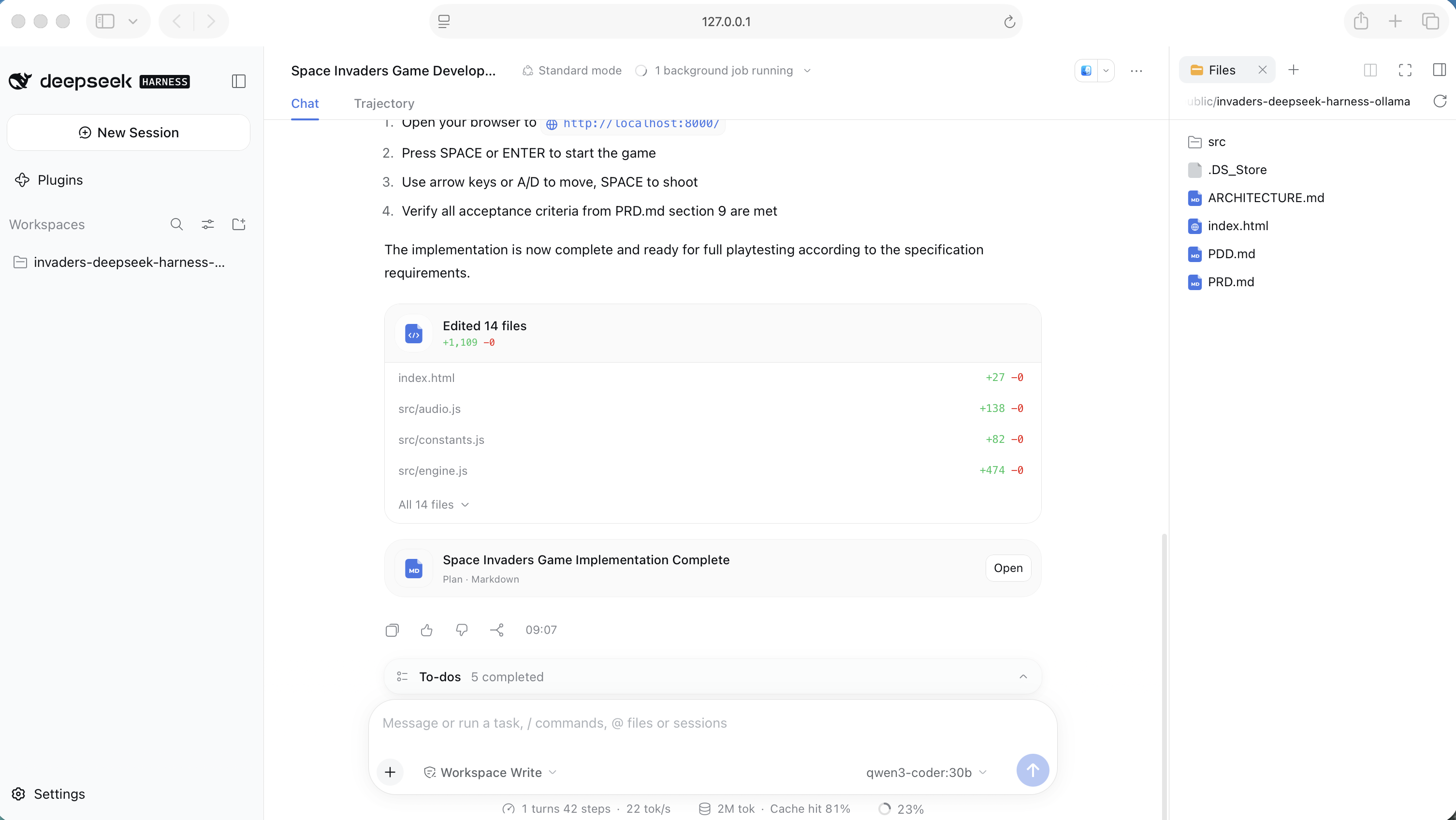
The session finished at 09:07 with 14 files and 1,109 lines added, a local server running, and the acceptance checklist to work through
I opened the game in the browser and played. The screen matched the specification: five rows of aliens, the red UFO crossing the top, arched green shields taking damage, the score and wave counter, and the lives shown as small cannons.
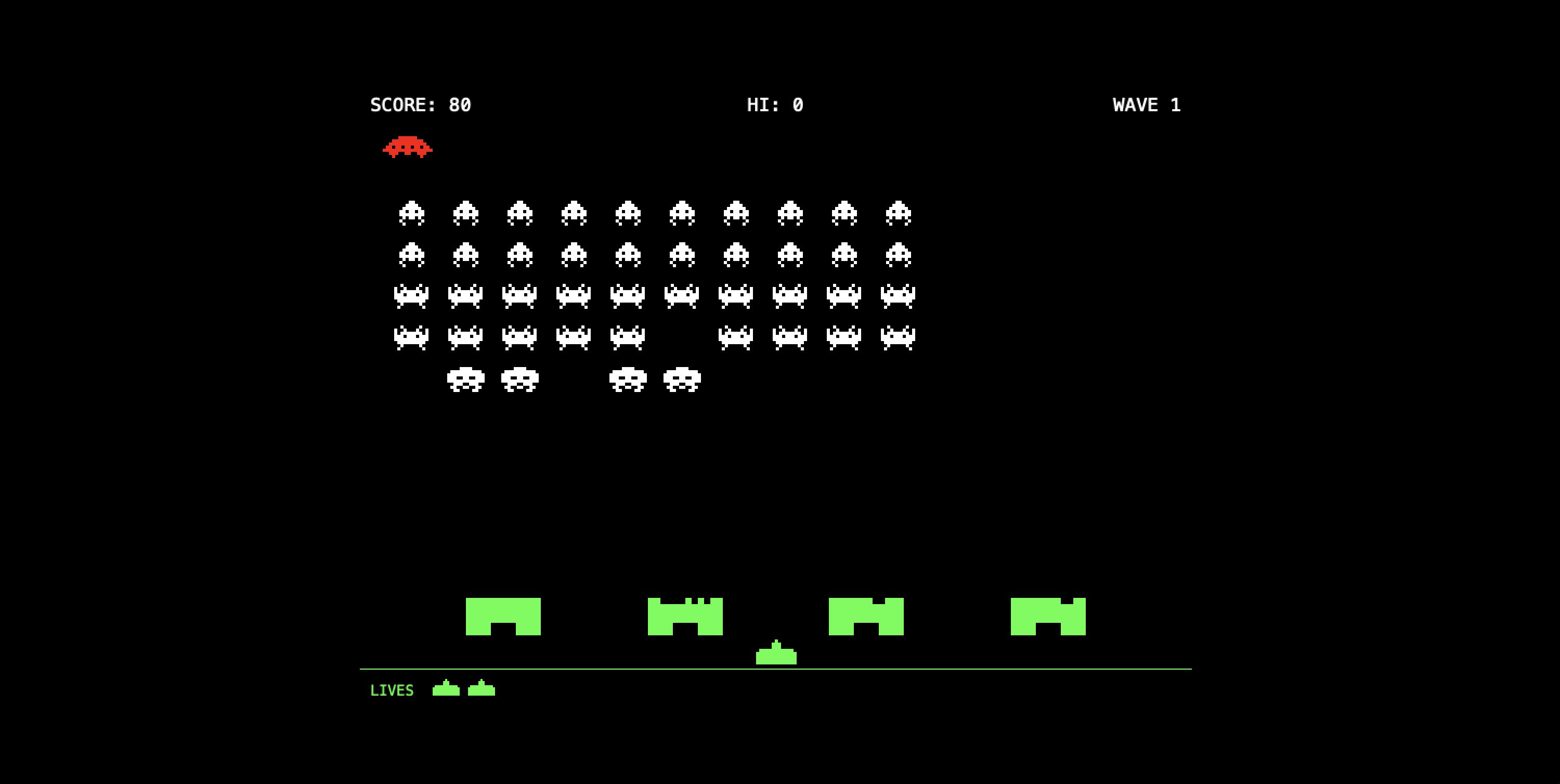
The game qwen3-coder:30b built, running in my browser: score 80, the UFO overhead, a few aliens down, and one life already lost
▶ Play the game qwen3-coder:30b built — press Space or Enter to start, arrow keys or A/D to move, Space to fire.
What the model actually wrote
Afterwards I compared the local model's files with the reference build I had used to test the documents. Apart from blank lines and final newlines, they were the same, line for line, in all 14 files. The only addition was a single comment in engine.js, at the point where PDD.md splits that file into parts. The model also created nothing it was not asked to: no server script, no test files and no plan file of its own. The earlier local attempt had produced all three.
That is the real result of this experiment. With loose documents, the local model improvised, and the improvisation broke things. With precise documents, it did not need to improvise at all.
For a model with a very short context window, the same approach should also work one step at a time: "Read ARCHITECTURE.md. Do step 3 only, exactly as written, including its check. Then stop."
What I learned
The model plugin works: DeepSeek Harness drove a local Ollama model through a full build, with no DeepSeek API key anywhere.
The harder lesson was about the documents. A specification that is good enough for a frontier cloud model can still be far too loose for a 30-billion-parameter local one. I had a lot of problems with the local model until I added ARCHITECTURE.md and a lot more detail to PRD.md and PDD.md. Once I spelled out every name, number and step, and wrote down every bug the earlier builds had hit, qwen3-coder:30b produced a working game in a single session, running entirely on a 64 GB M1 Max Mac Studio. That is not new hardware, and it was enough.
The trade-off is time. The cloud builds in my earlier posts finished in minutes. The local model took just over an hour for the same game. It cost nothing, though, and no code or prompt ever left my machine.
Try it yourself: play the game · PRD.md · PDD.md · ARCHITECTURE.md · DeepSeek Harness site · Ollama