Adding a Custom Topic to the Copilot in a Model-Driven App
Neil Haddley • June 1, 2026
The Copilot panel in a model-driven app is a Copilot Studio agent. I tested what it can and cannot do, then added a custom topic to fill one of the gaps.
Model-driven Power Apps include a built-in Copilot panel that lets users ask natural-language questions about their Dataverse data. What is less obvious is that the Copilot is actually a Copilot Studio agent running behind the scenes — which means you can open it in Copilot Studio and extend it with custom topics. In this post I built a simple Contacts app to explore what the default Copilot can and cannot do, then added a custom topic to fill one of the gaps. I tested this in June 2026, and Copilot features change quickly, so your screens may look different.
I started by creating a new solution called "Contacts" to keep everything organised.
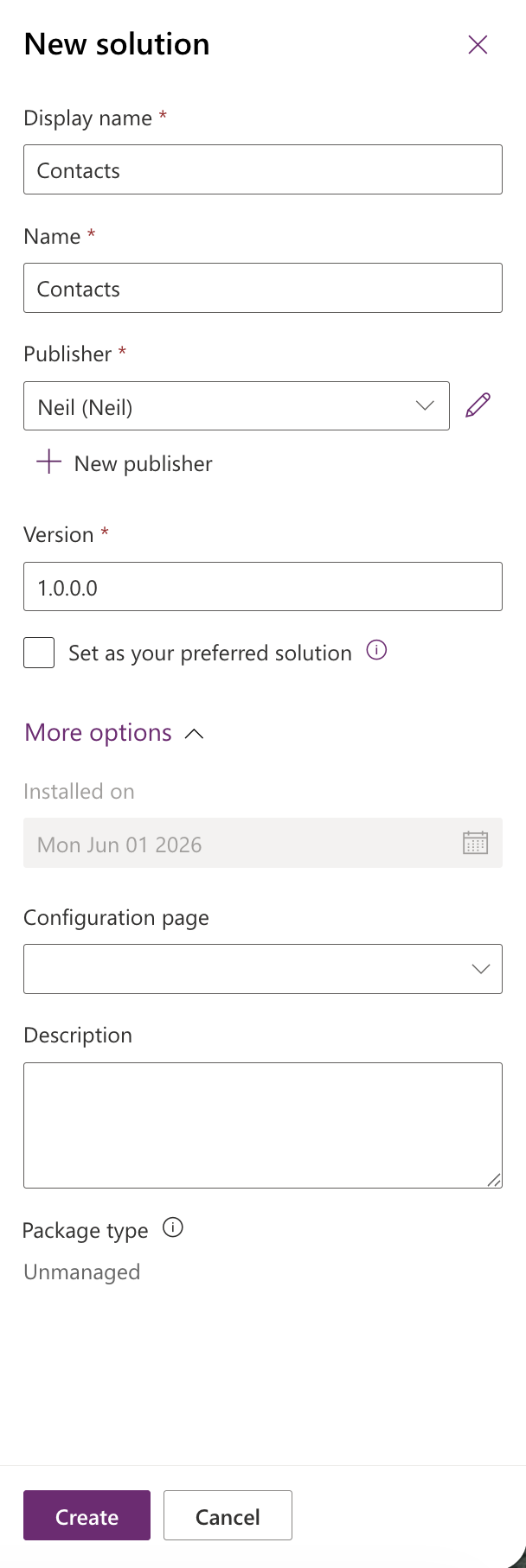
I created a new solution called Contacts
Inside the solution I went to New > App > Model-driven app.
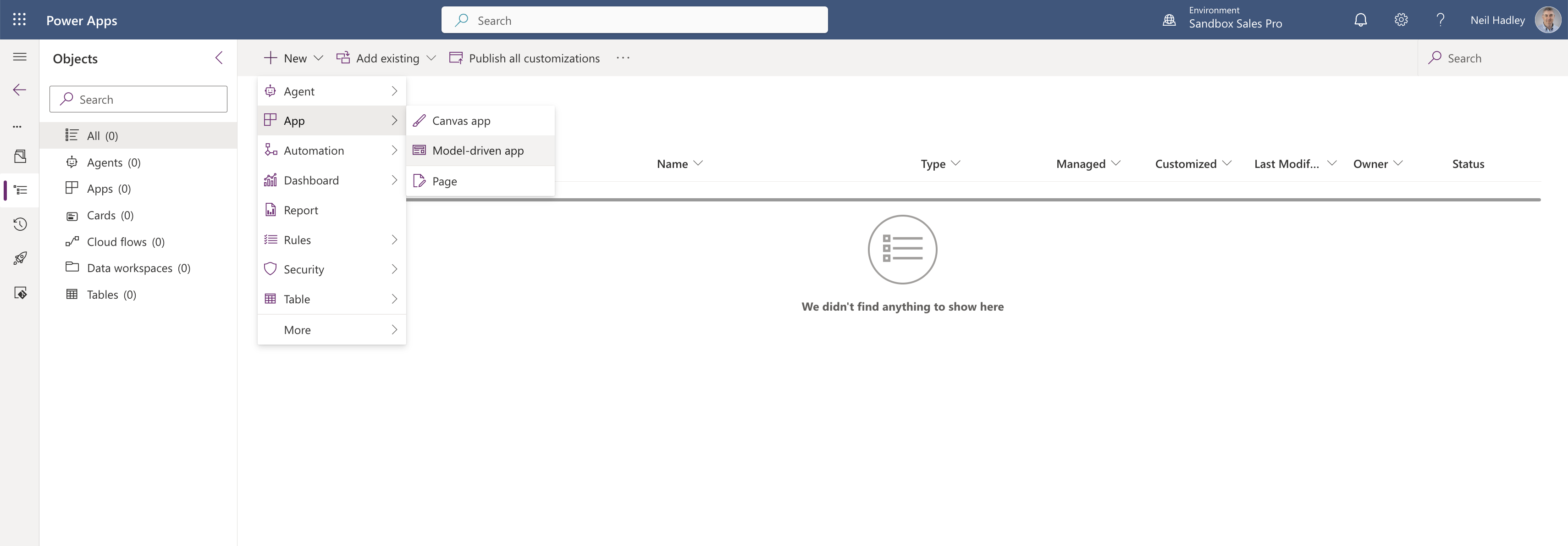
I selected Model-driven app from the New menu
I named the app "Contacts" and clicked Create.
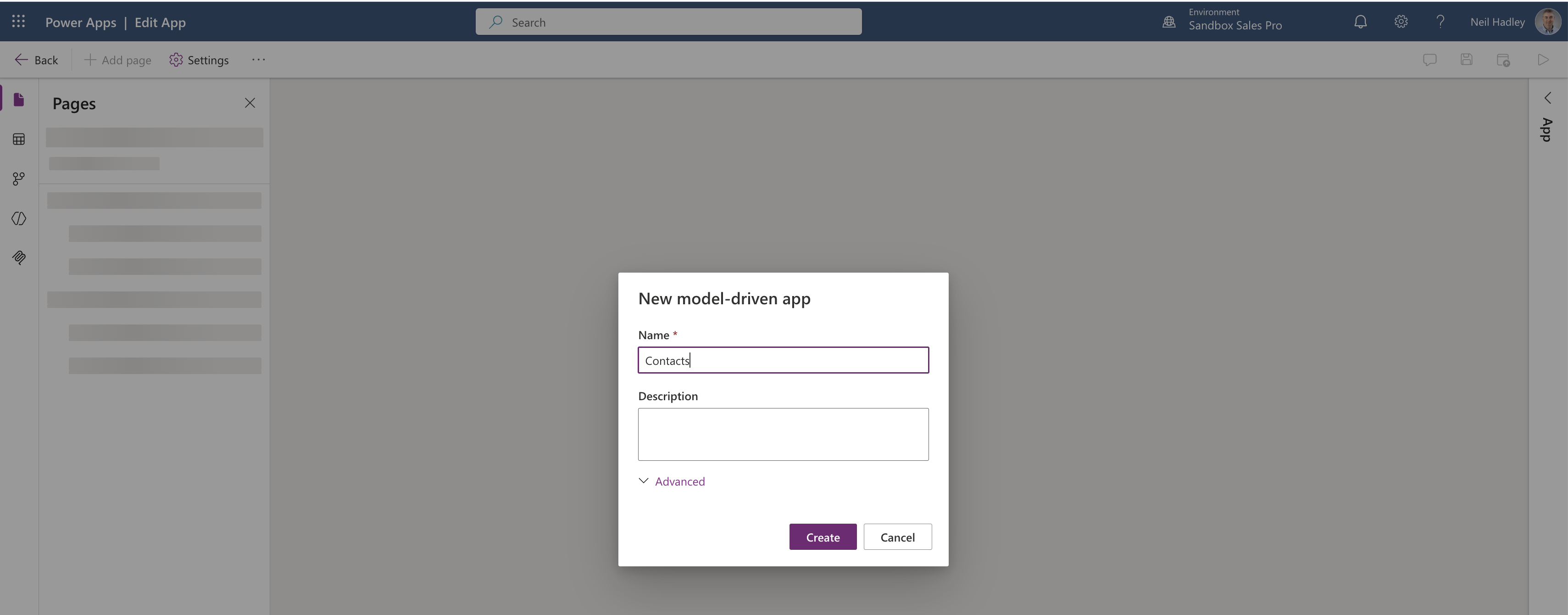
I named the model-driven app Contacts
I clicked Add page and chose Dataverse table to pull in the Contact table.
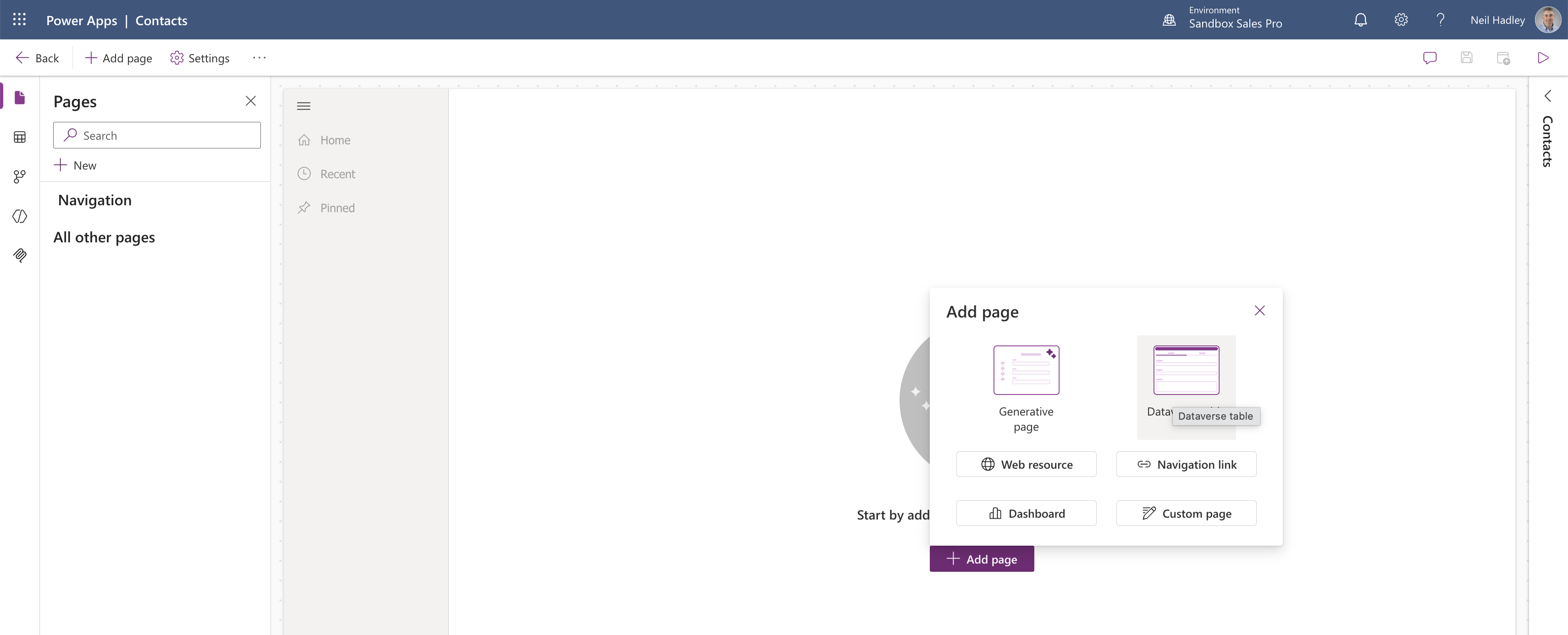
I chose Dataverse table from the Add page options
I searched for "contact" and selected the Contact table.
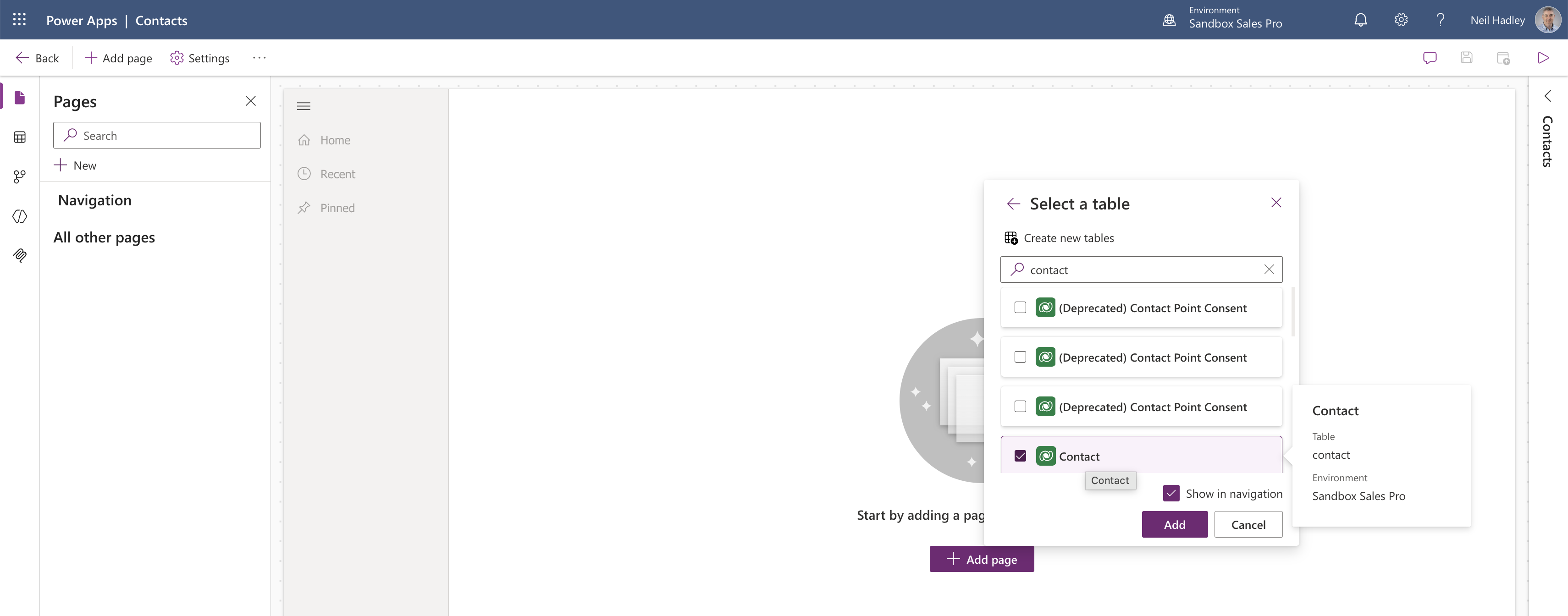
I selected the Contact table from the Dataverse table picker
The editor showed a live preview of the app with the standard Dynamics 365 navigation.

The app preview showed the Contacts view inside the editor
When I tried to navigate away, Power Apps asked me to save and publish first.
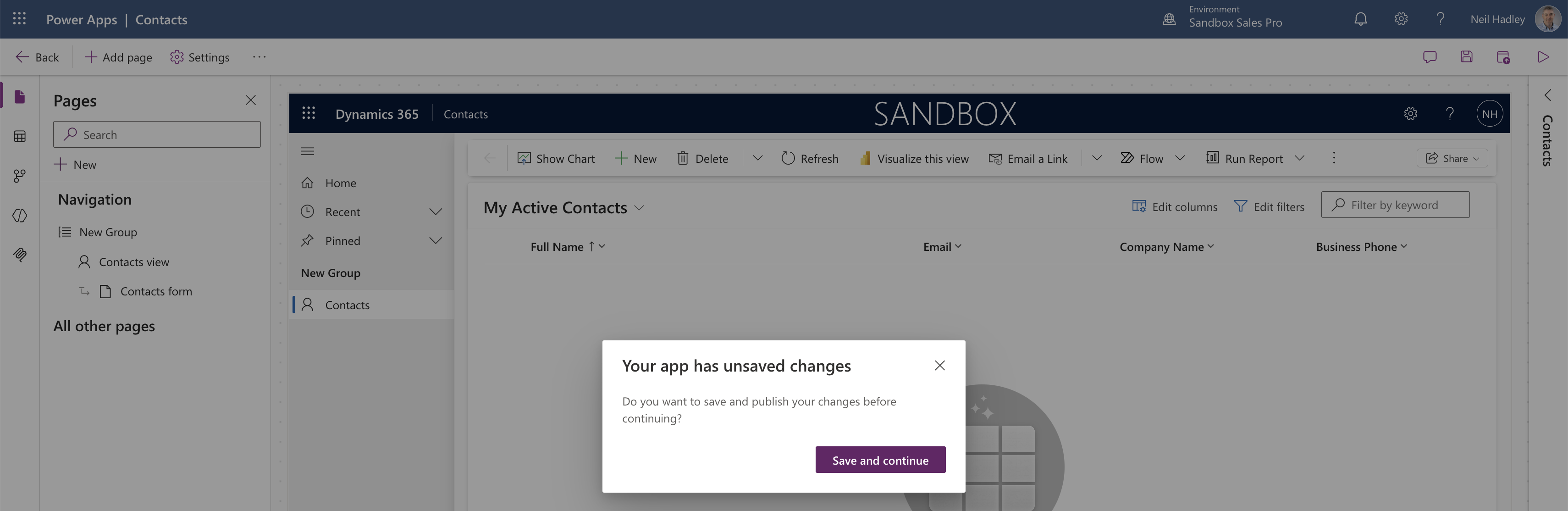
Power Apps asked me to save and publish before leaving
After publishing, I opened the app and saw the My Active Contacts view — empty for now.
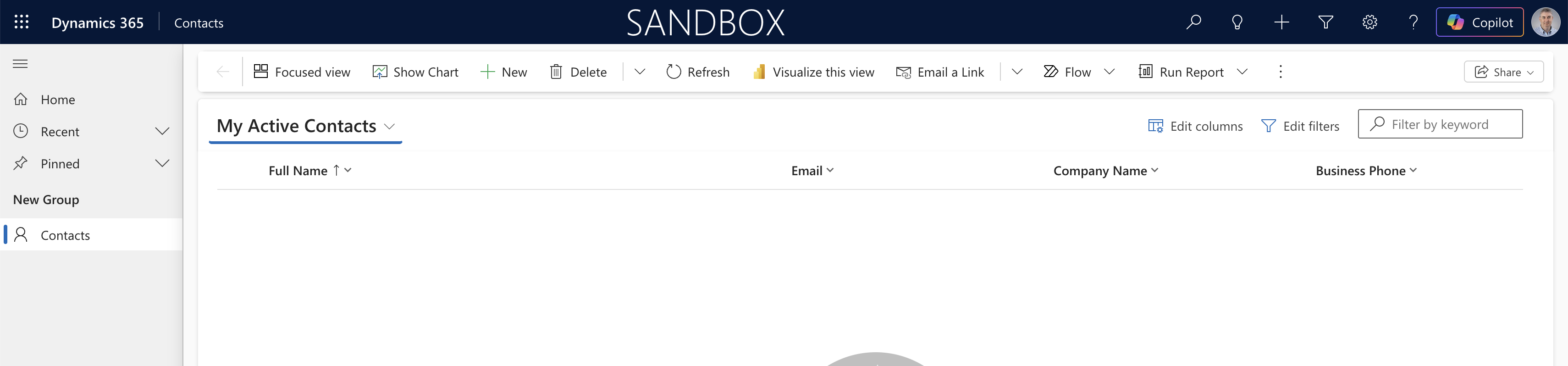
The published Contacts app showed an empty My Active Contacts view
I opened the Copilot panel on the right, which immediately offered a set of suggested questions about the Contacts table.
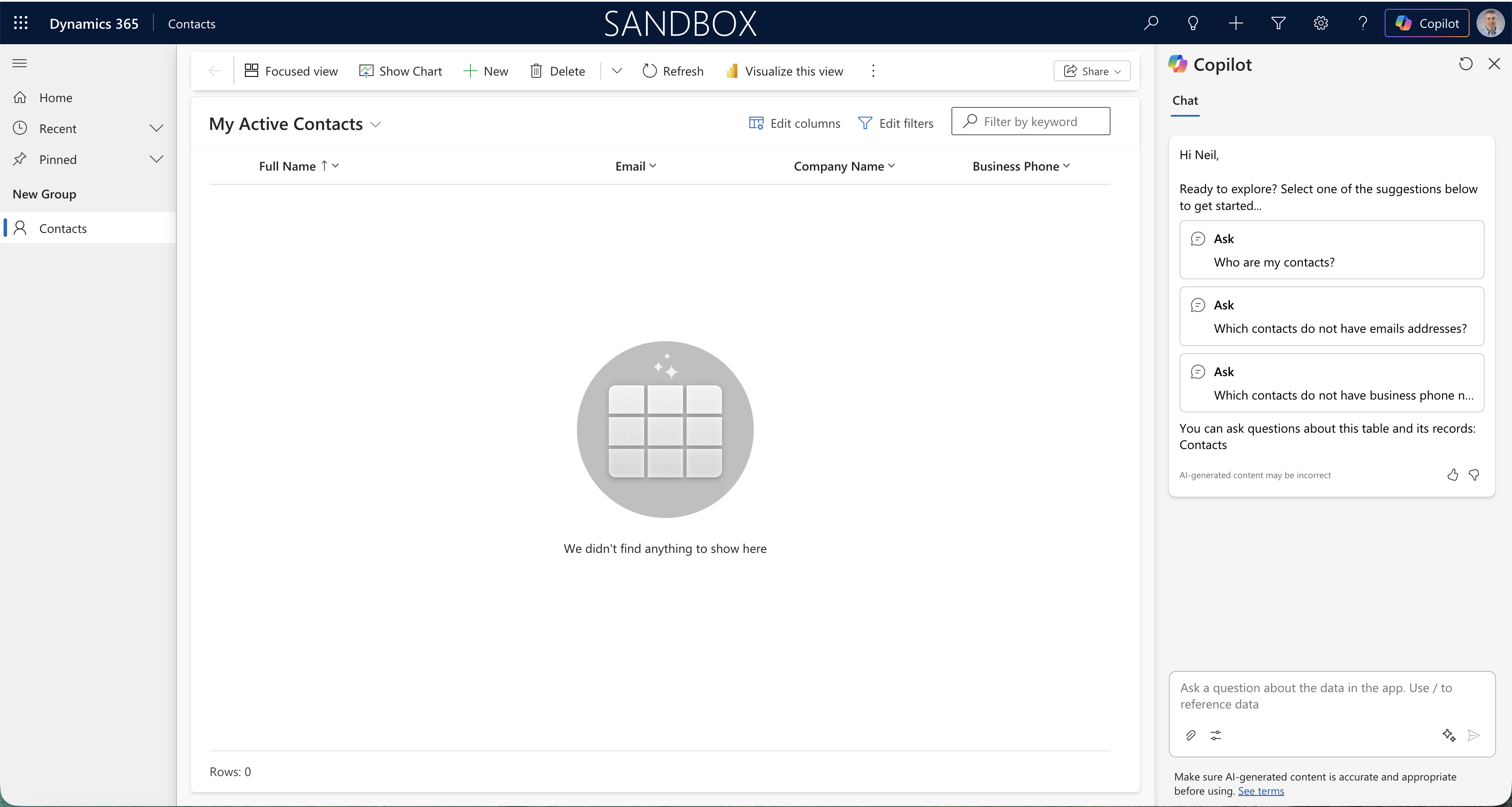
The Copilot panel appeared with suggested questions about my data
I asked "how many contacts?" and Copilot correctly reported there were none in the system.
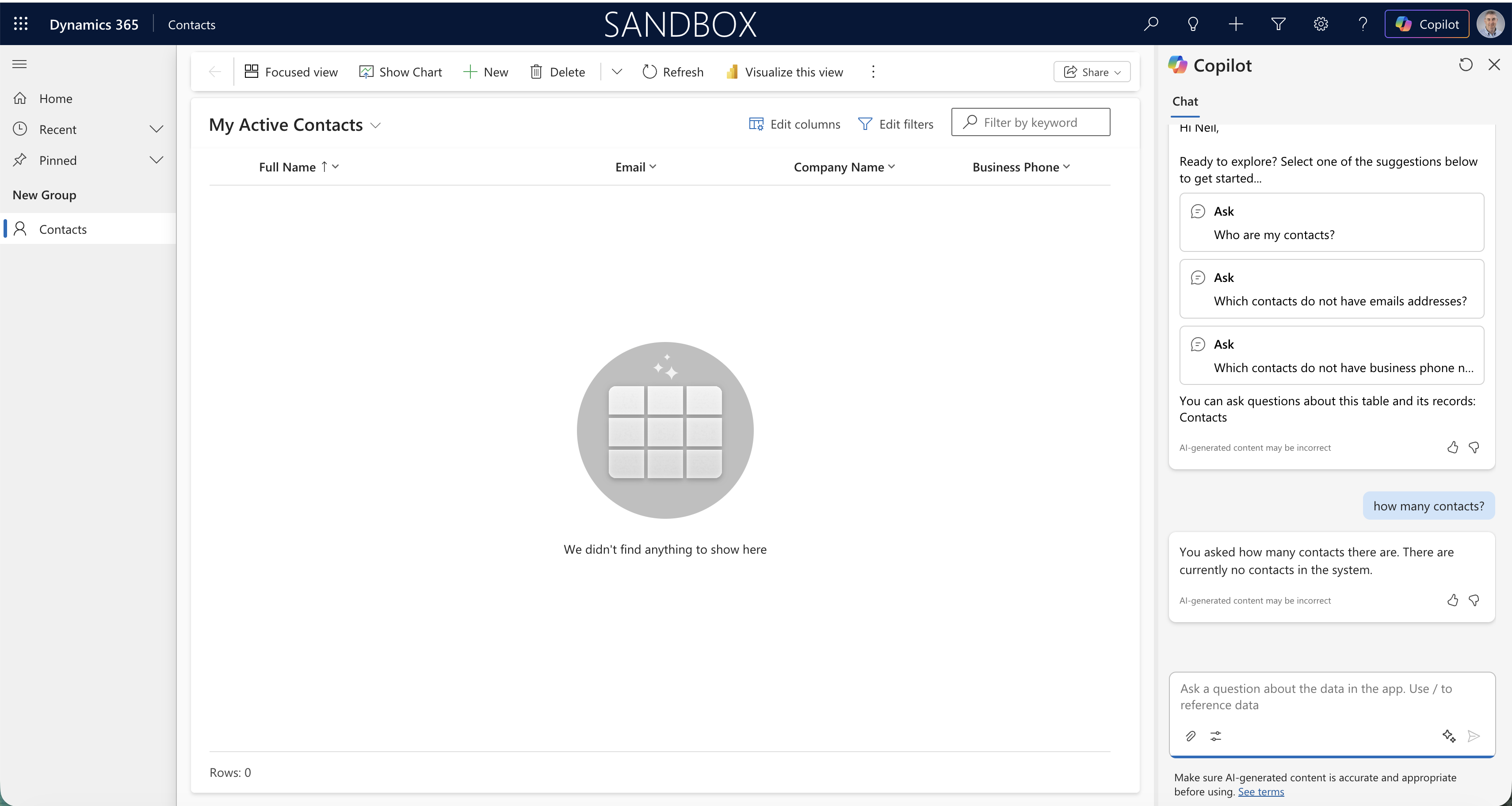
Copilot confirmed there were no contacts in the system
I then asked Copilot to add a contact named John Doe with phone number +1 604-555-1212. It could not create records directly, but it offered a link to the Contacts form to do it manually.
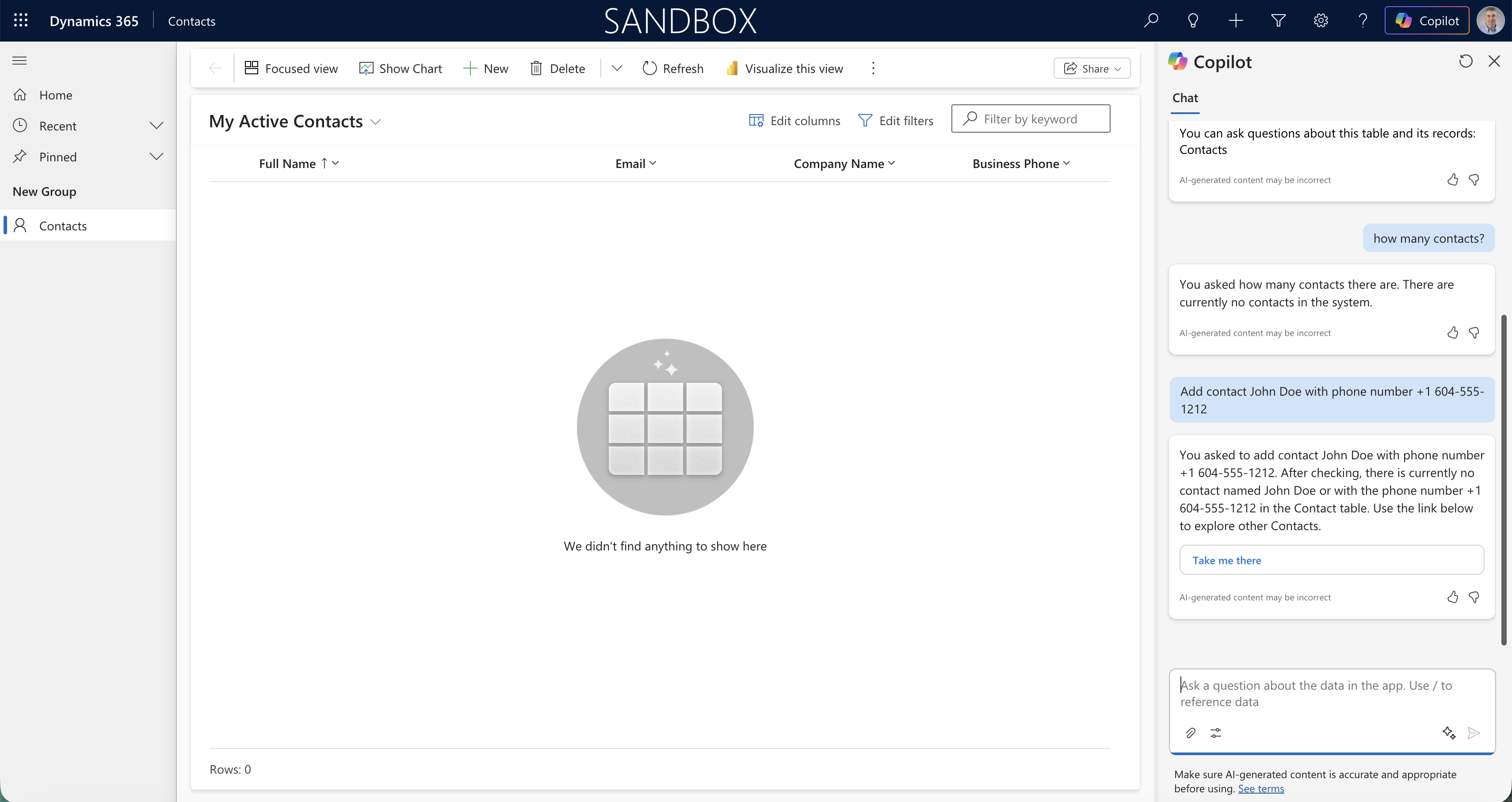
Copilot directed me to the Contacts form rather than creating a record itself
I opened the New Contact form and entered John Doe's name and mobile number.
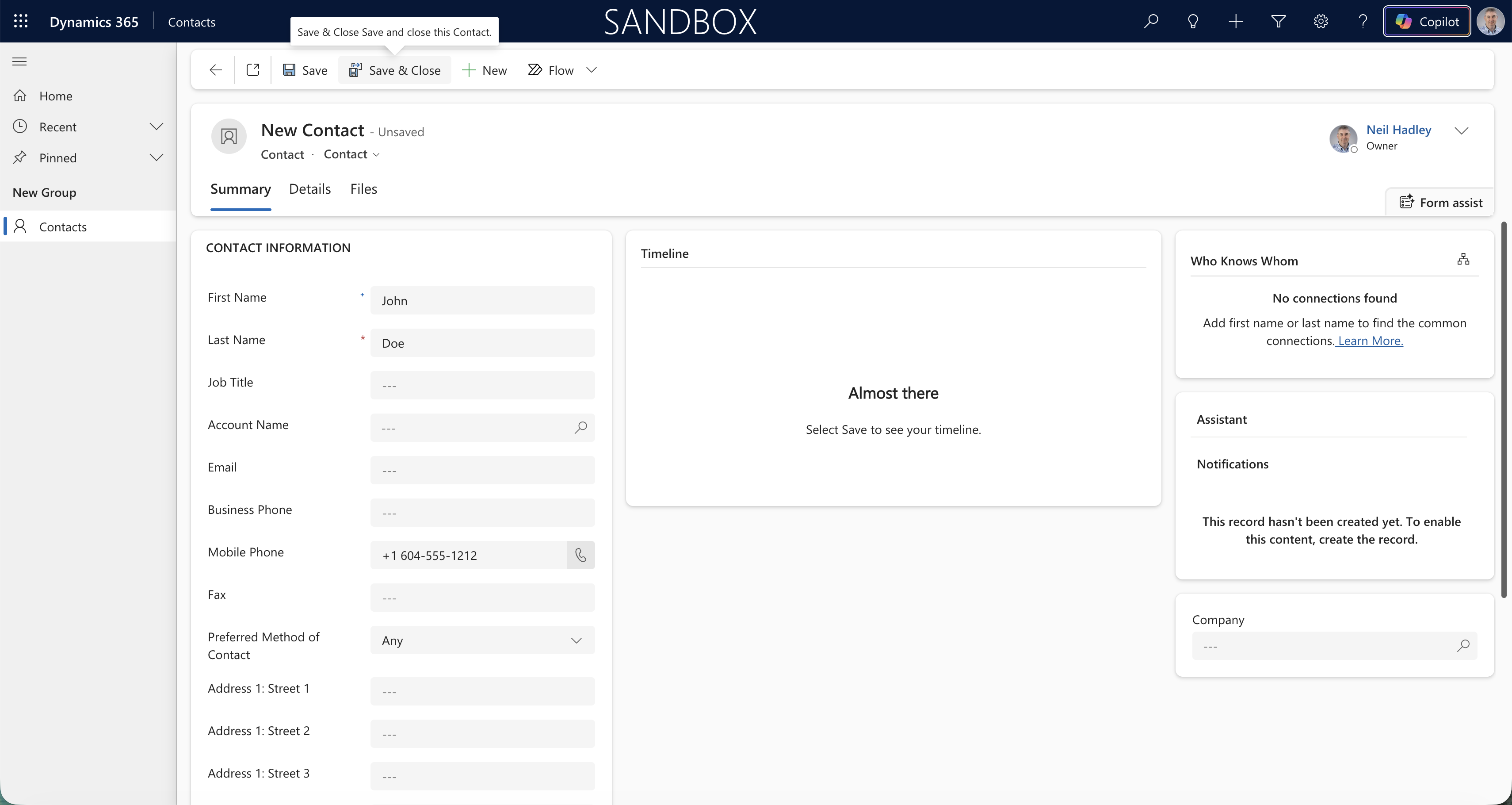
I filled in the New Contact form with John Doe's details
I typed "What do we know about /" in the chat input and the Copilot panel listed John Doe as a known entity I could reference.
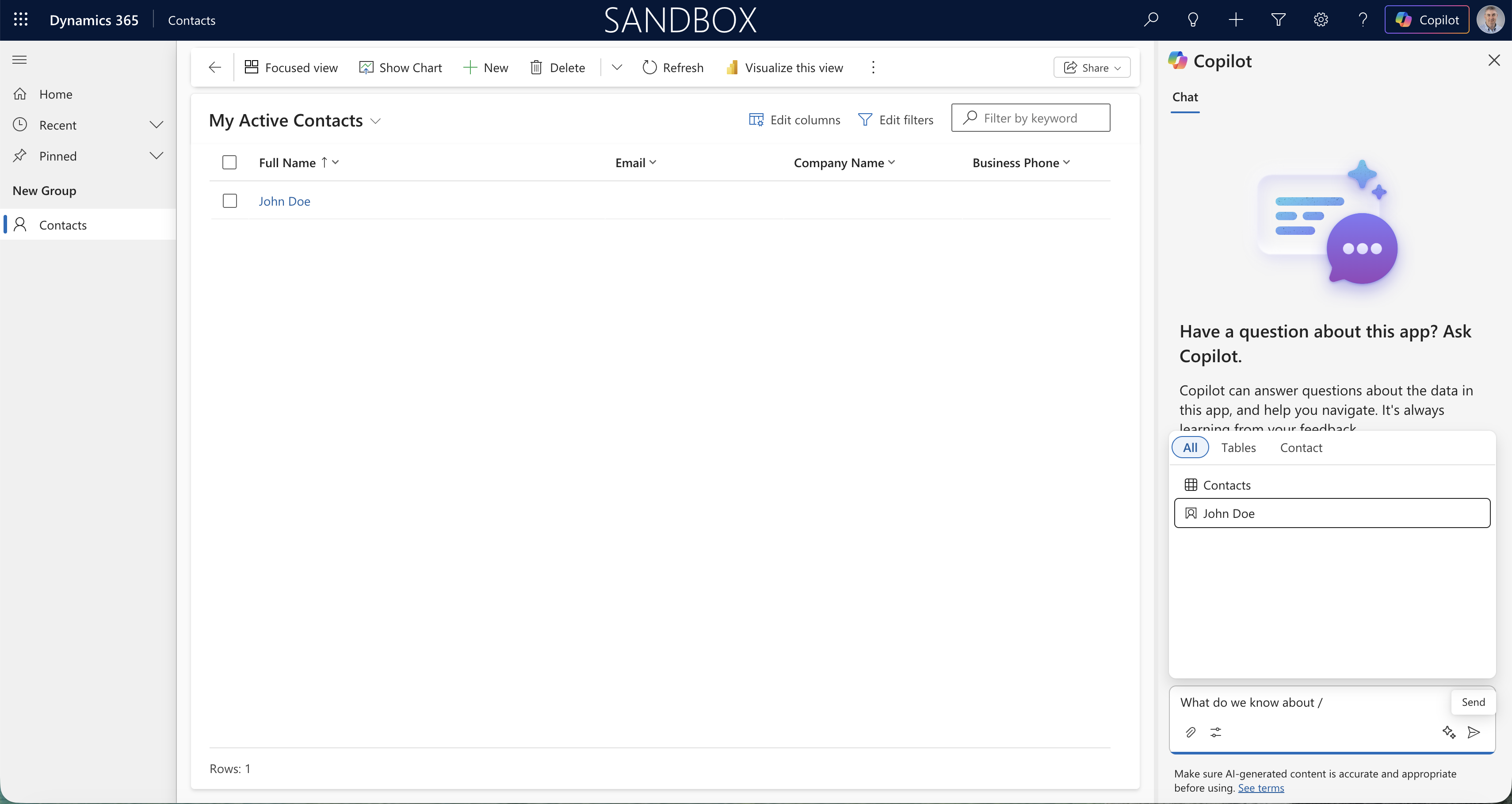
The Copilot panel showed John Doe as a referenceable record
I selected the John Doe entry and the question resolved to "What do we know about John Doe".
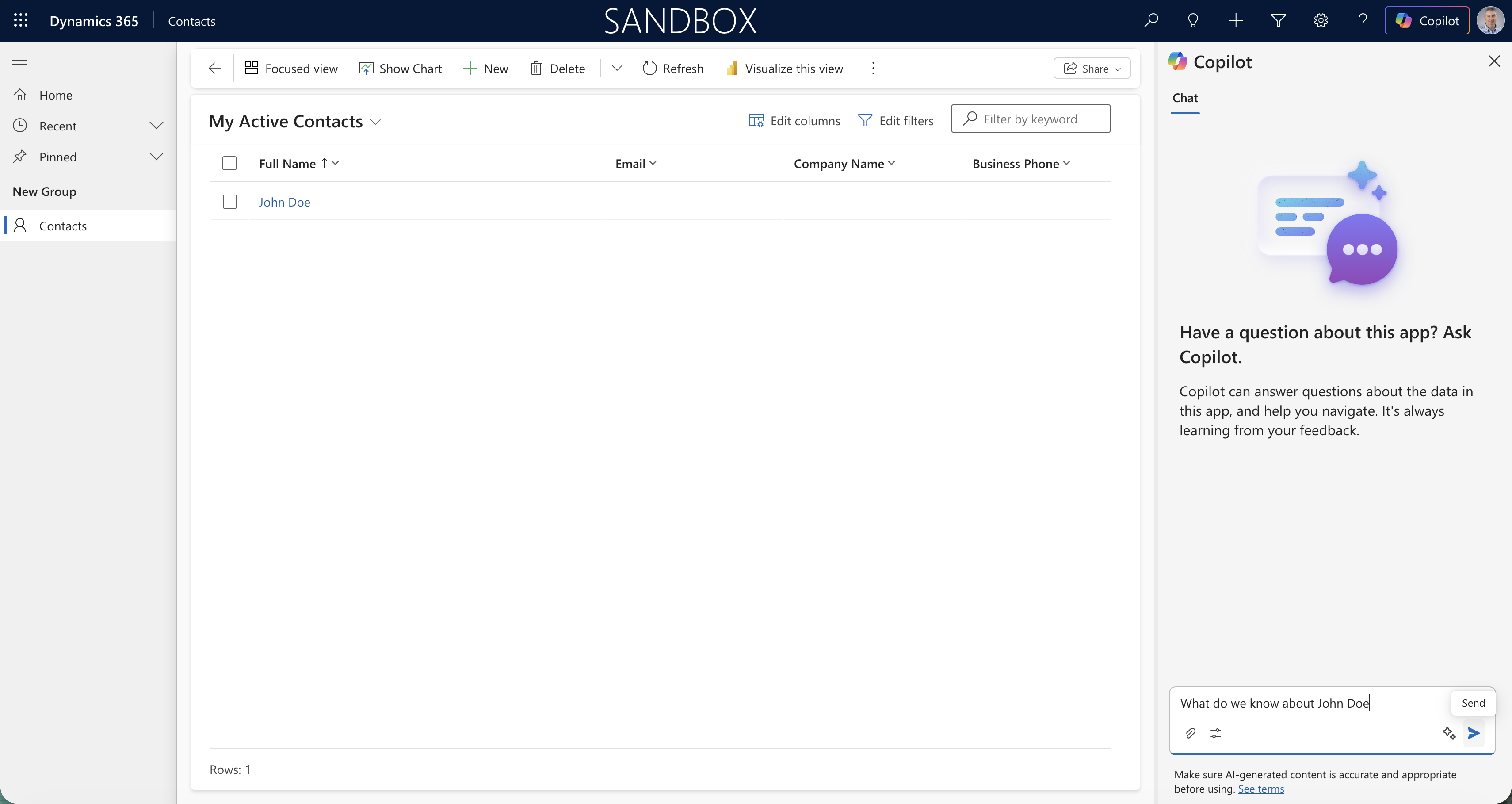
I selected the John Doe record to complete the question
Copilot returned his full name and contact ID, but noted there were no further details on file.
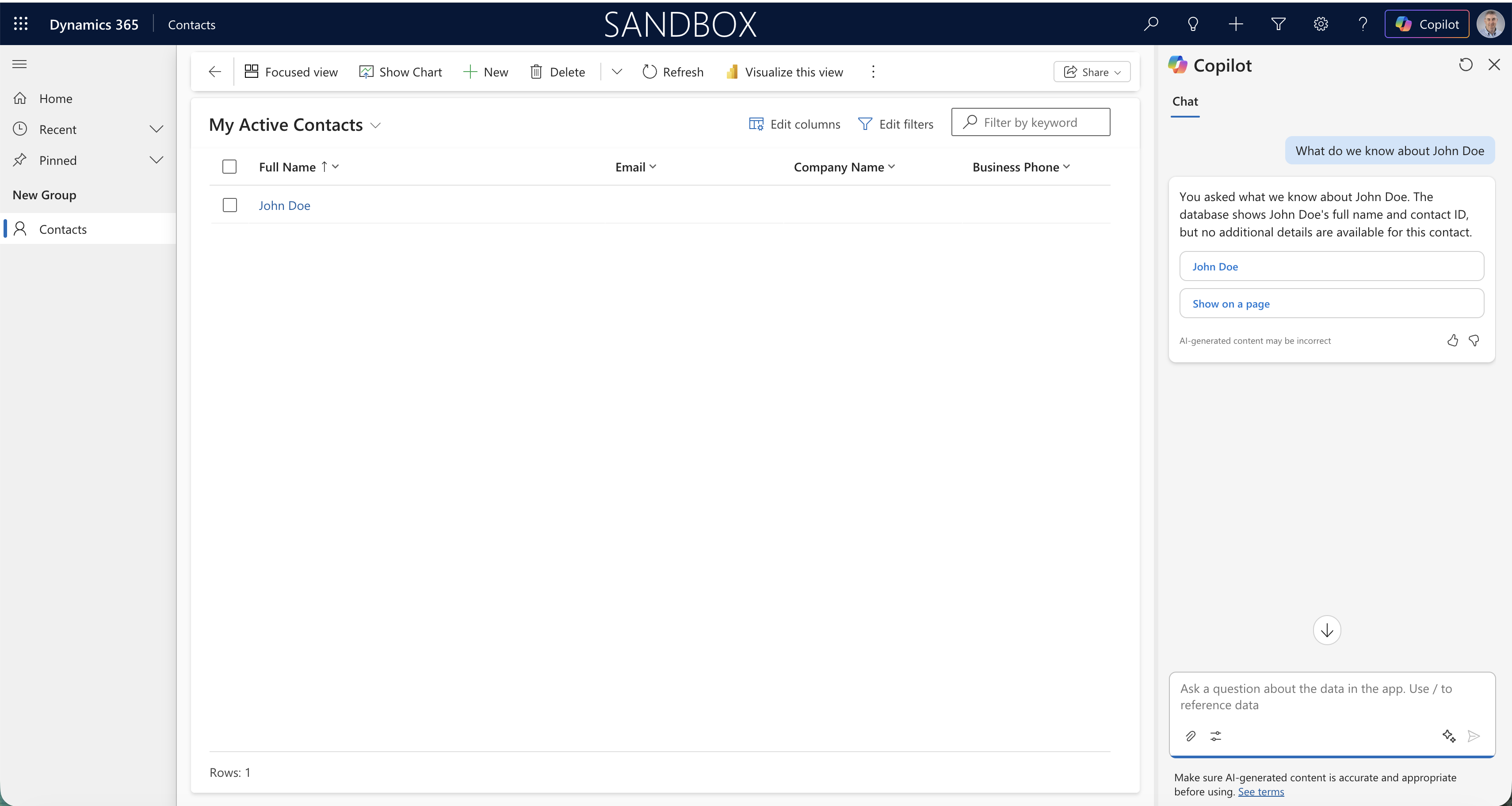
Copilot returned John Doe's name and contact ID with nothing else available
To test the boundaries of what Copilot knows, I asked "What is the Capital of France?" — a question with no answer in my Dataverse tables. I chose it because the answer is obvious to everyone, but cannot come from the Contacts table. Copilot correctly said it could not find relevant data in the Contacts tables.
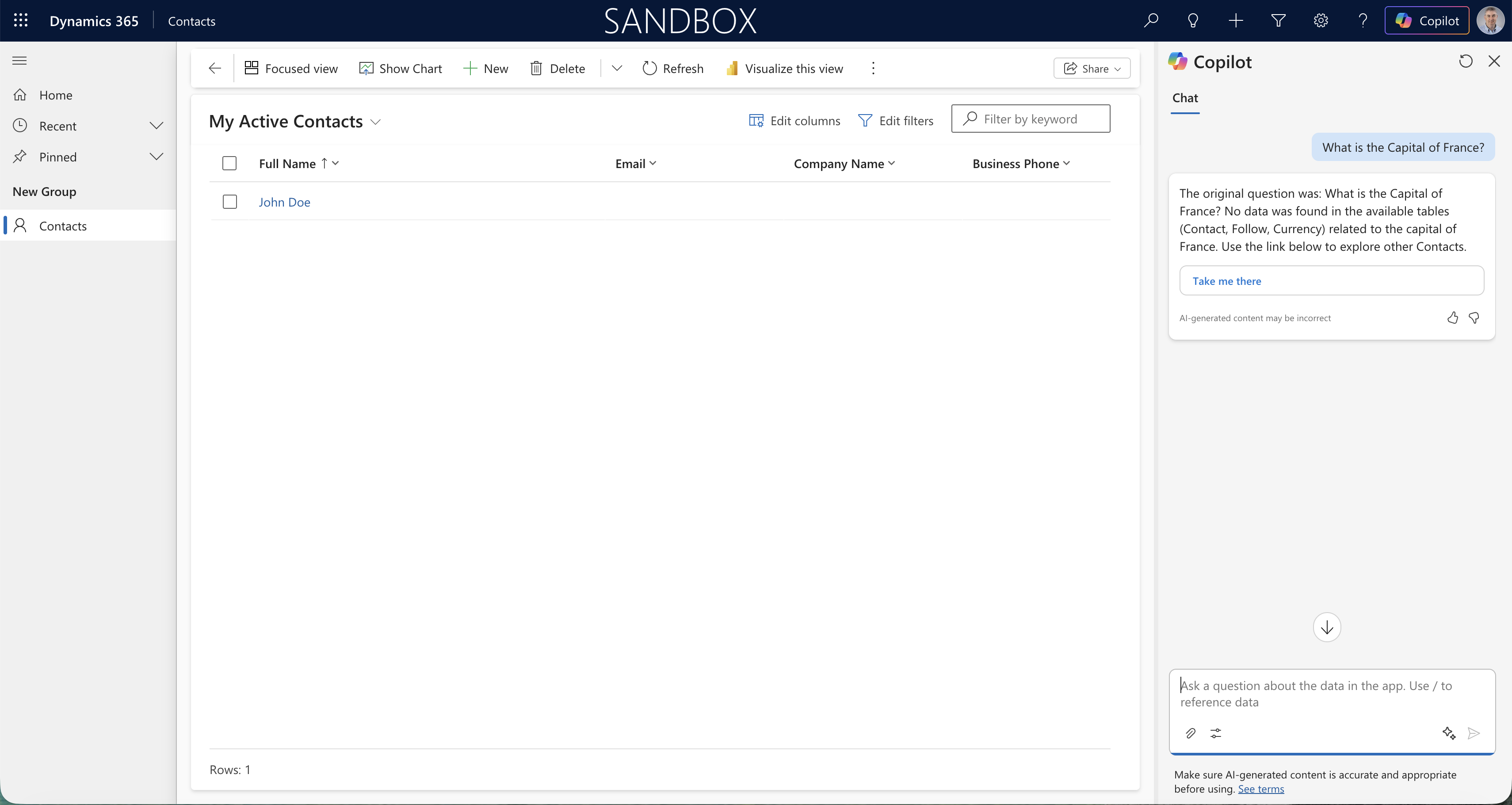
Copilot correctly said it could not answer from the Contacts data
This is where it gets interesting. I opened the Agents panel in the Power Apps editor and found the App assistant agent that drives the Copilot panel.
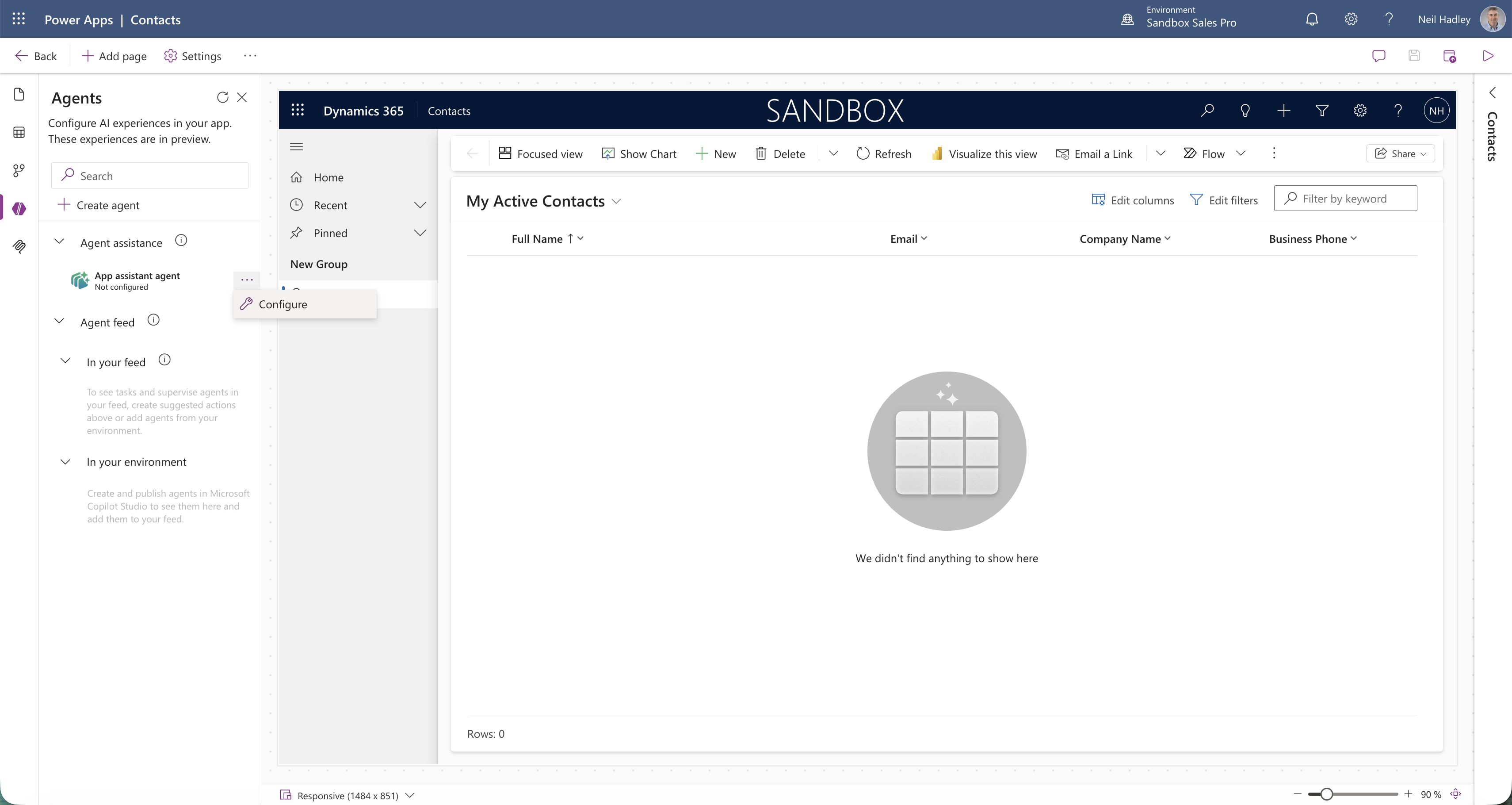
The Agents panel showed the App assistant agent
The detail panel described what the agent can do and offered a link to edit it in Copilot Studio.
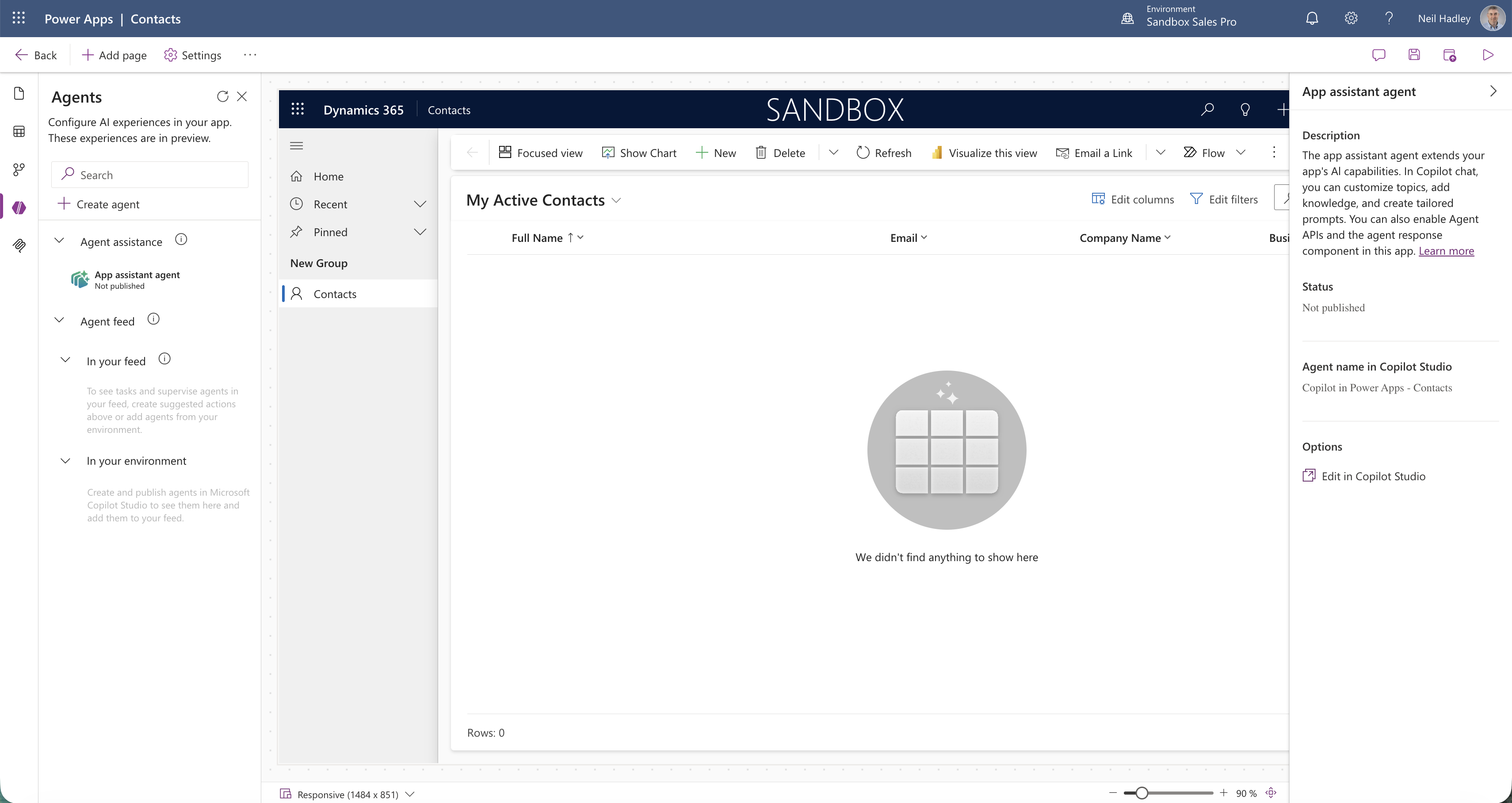
The agent details showed an Edit in Copilot Studio option
I clicked through to Copilot Studio, which opened the Copilot in Power Apps - Contacts agent with a live test panel on the right.
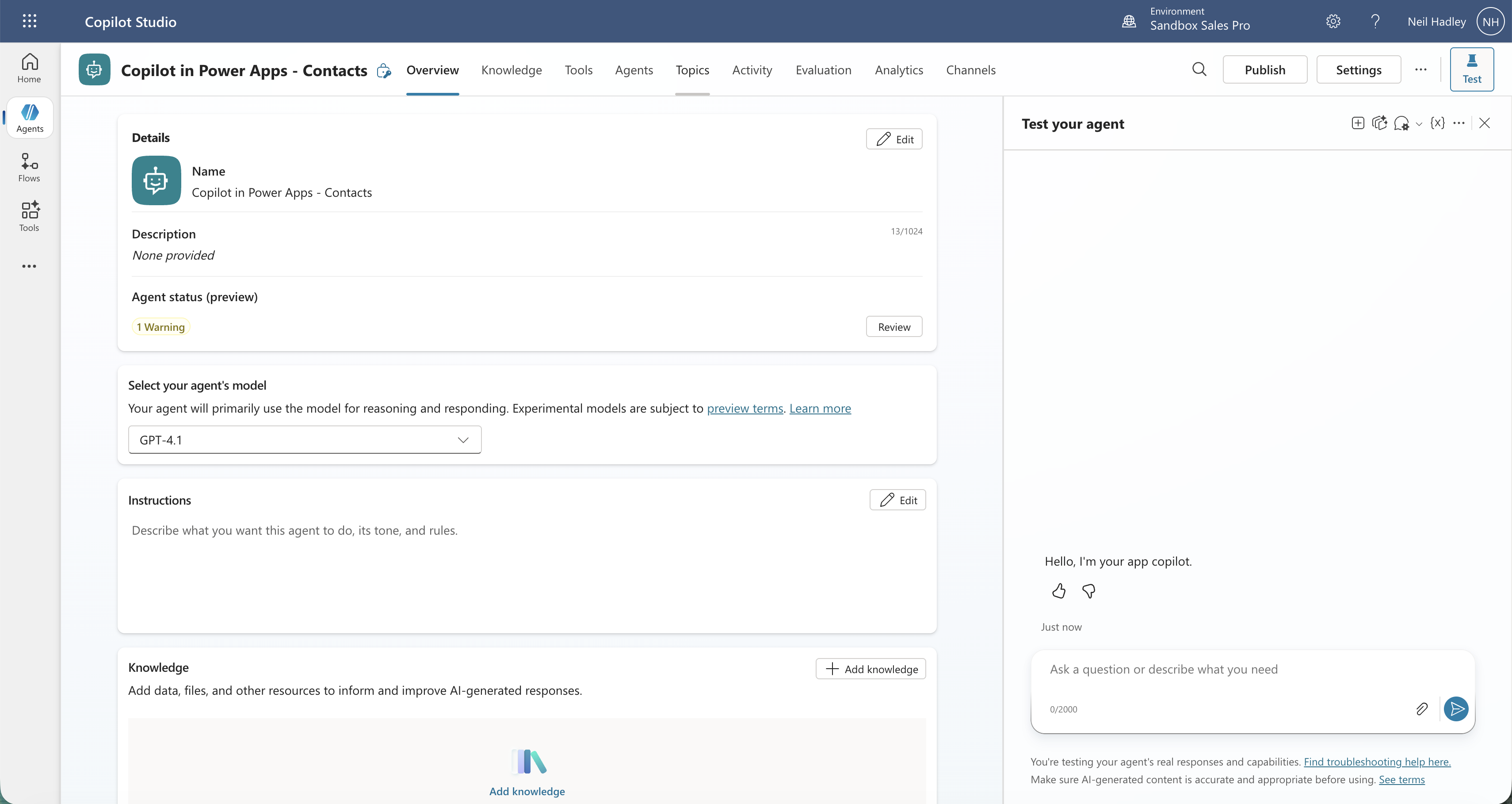
Copilot Studio showed the agent overview with a live test panel
I went to the Topics tab and clicked Add a topic, then selected "Add from description with Copilot" to let Copilot build the topic for me.

I selected Add from description with Copilot
I entered the topic name as "What is the Capital of France" and the intended response as "The Capital of France is Paris".
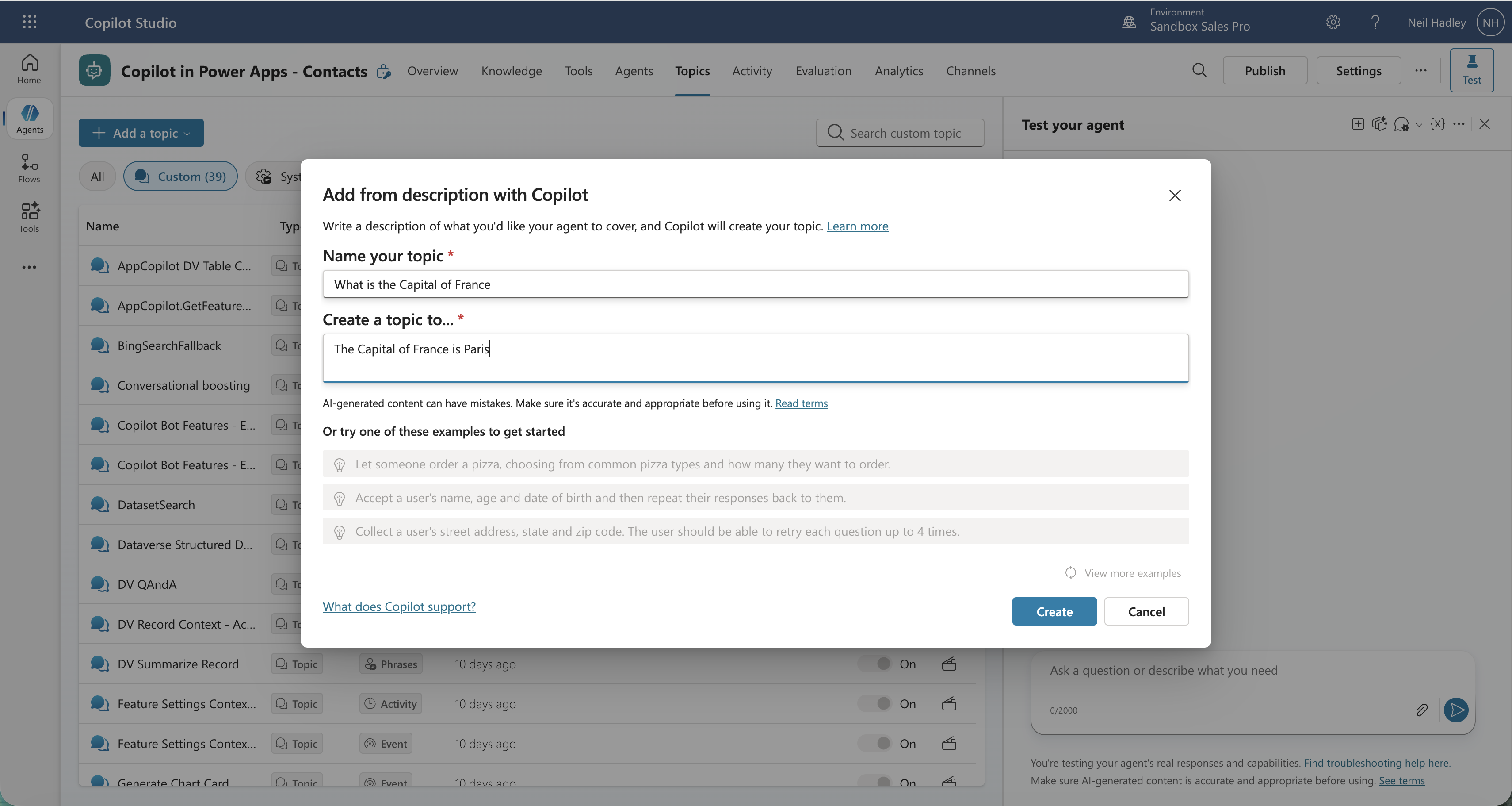
I entered the topic name and the answer I wanted Copilot to give
Copilot Studio generated a topic canvas with trigger phrases and a message node containing the answer — no manual canvas editing needed.
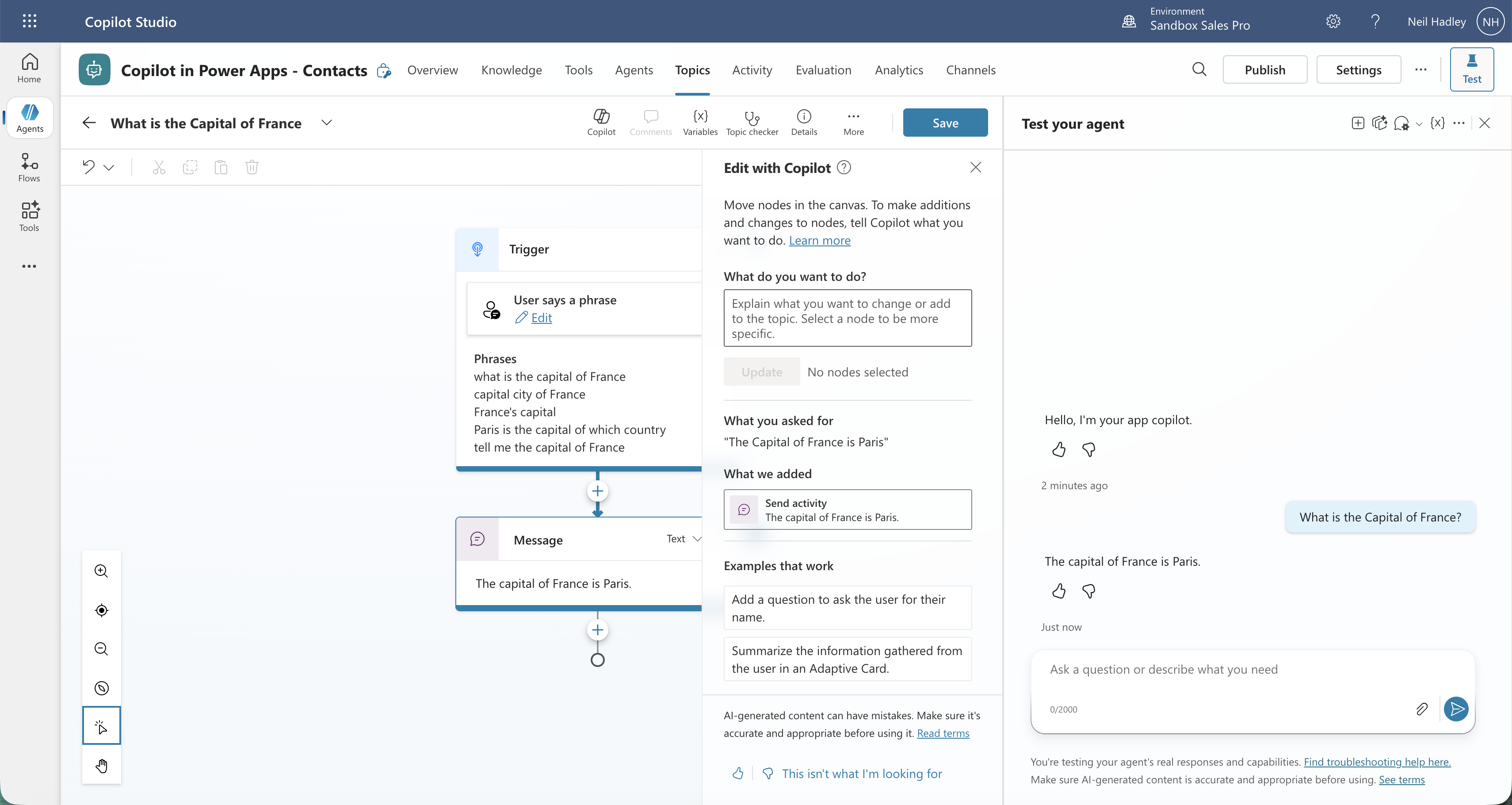
Copilot Studio built the topic canvas automatically
I clicked Publish and confirmed in the dialog that appeared.
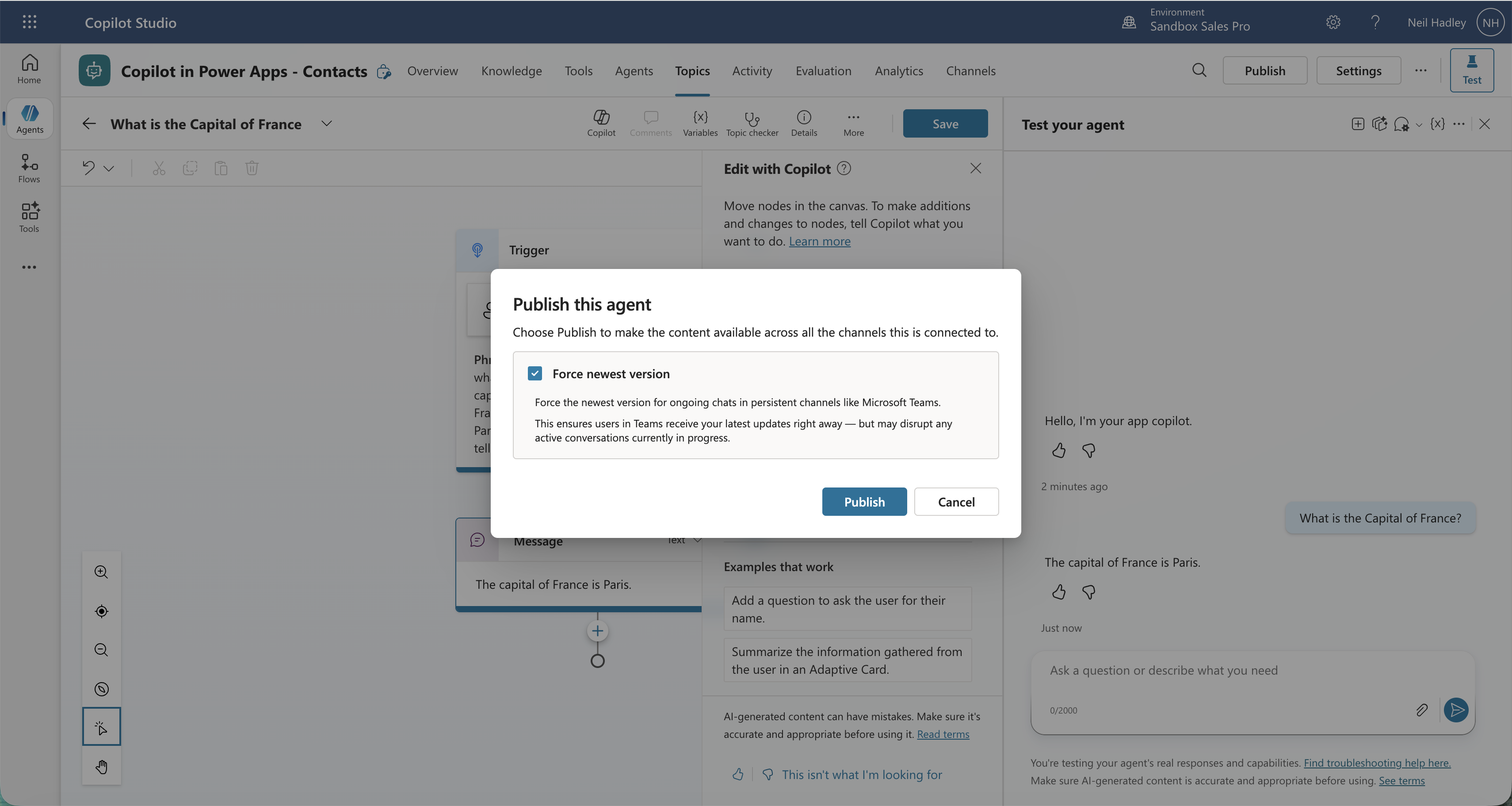
I clicked Publish to push the new topic to the agent
The topic showed a published timestamp, confirming it was live.
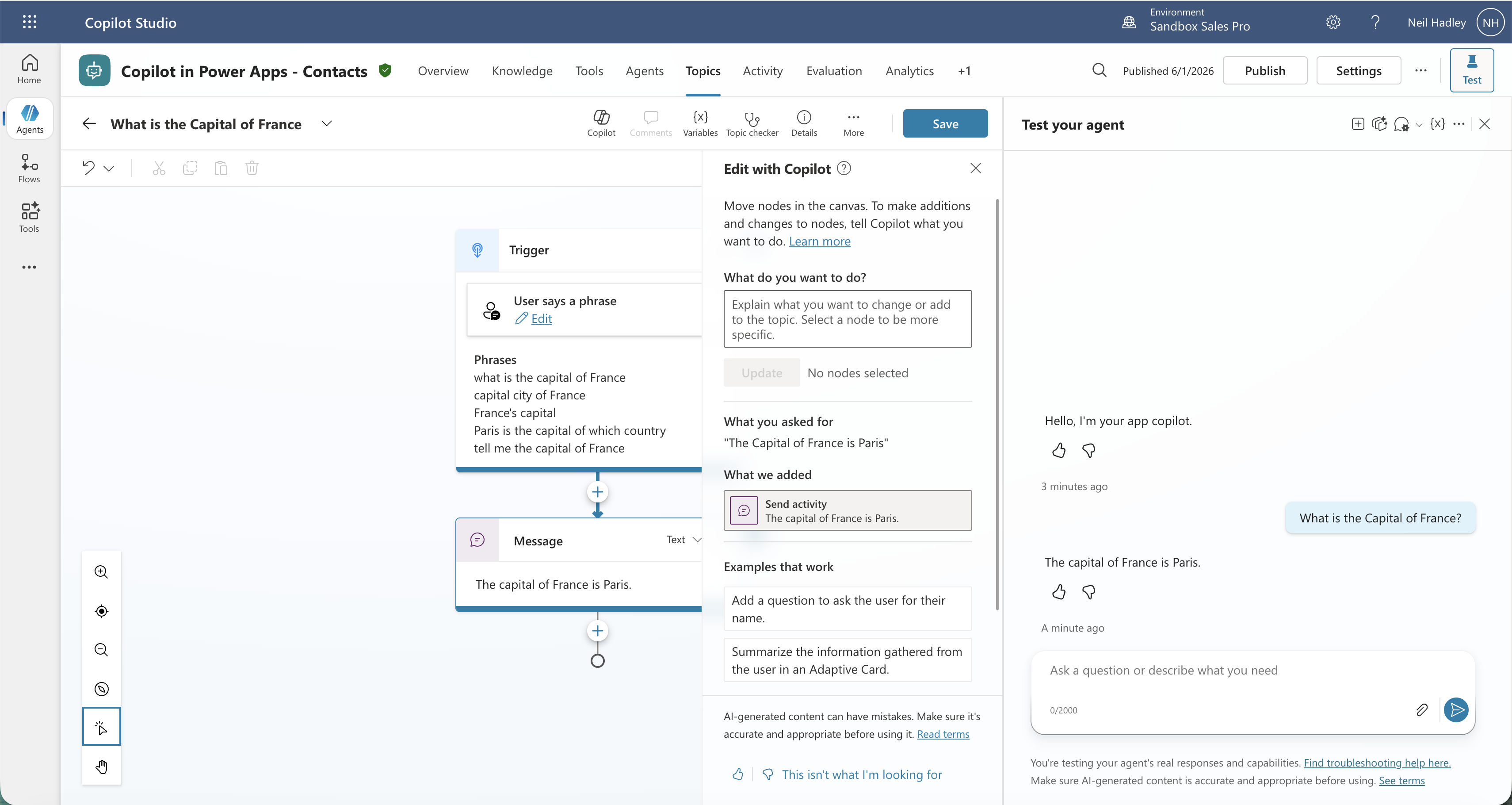
The topic showed it was published on 6/1/26
Back in Power Apps, the Agents panel confirmed the agent had been published with an updated timestamp.
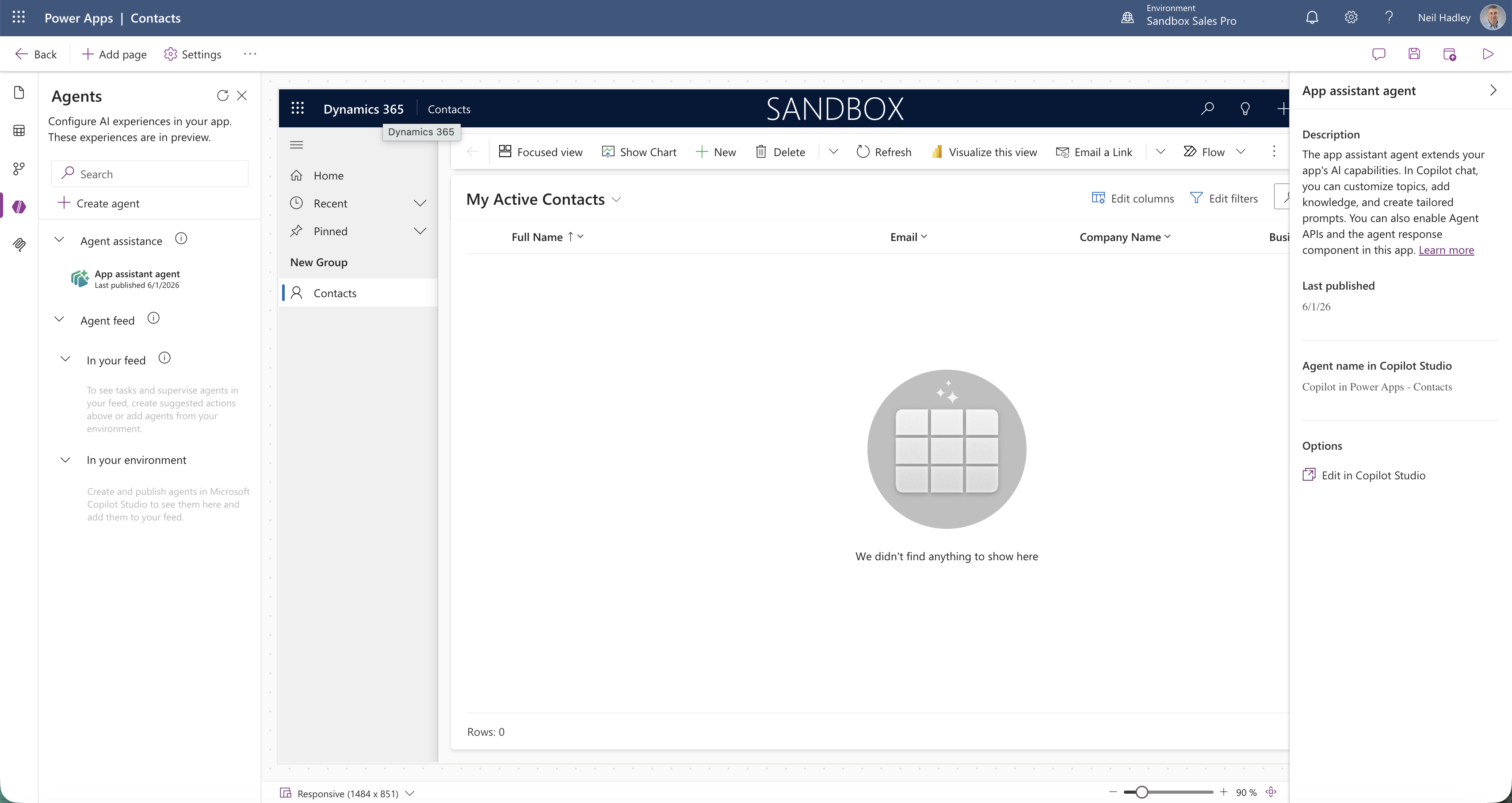
The Agents panel showed the agent was last published on 6/1/2026
I asked the same question again in the Copilot panel — this time it answered correctly.
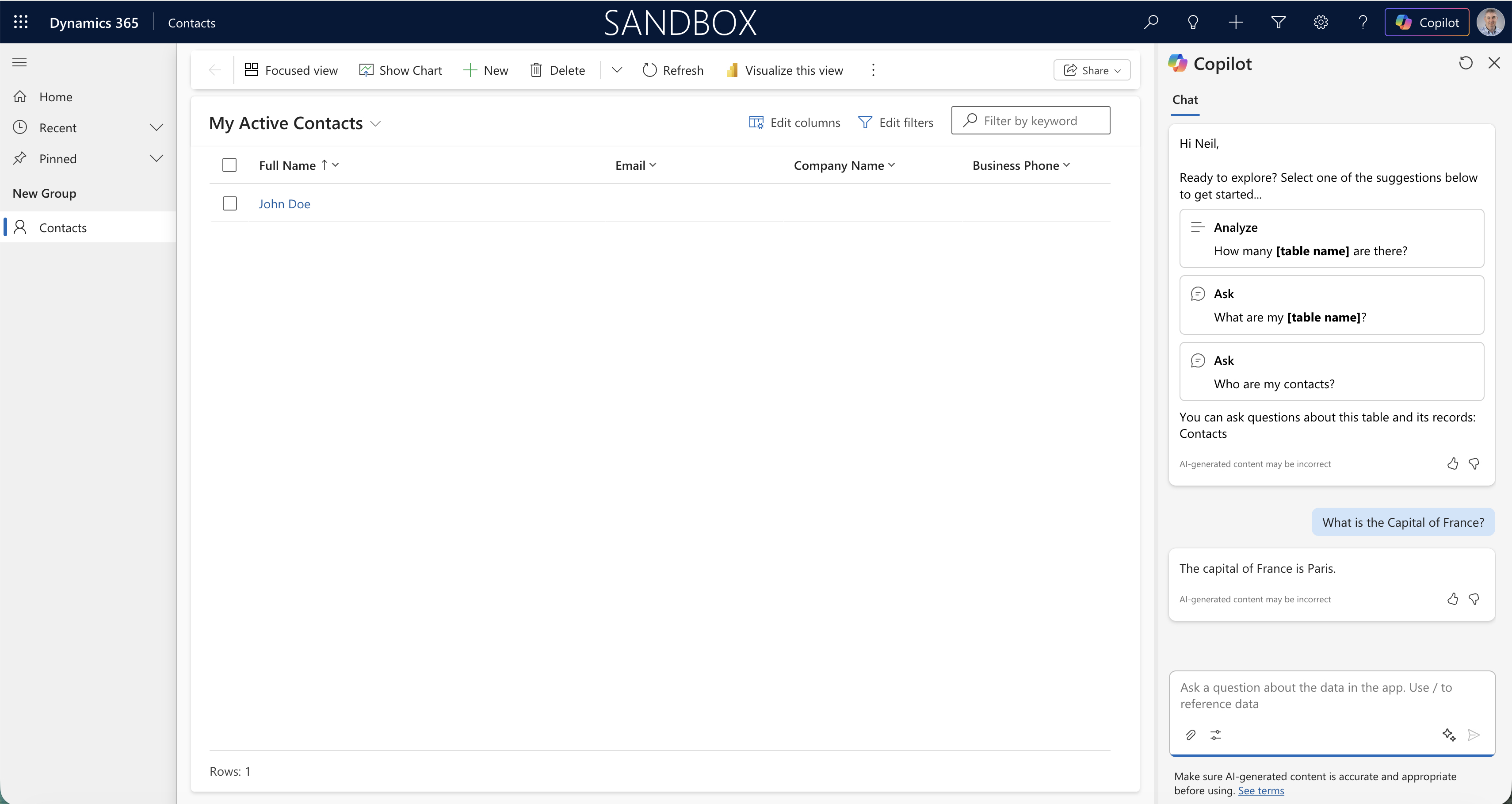
Copilot answered "The capital of France is Paris" using the new custom topic
Back in the solution I used Add existing to bring the customised agent into the Contacts solution, selecting it from the list.
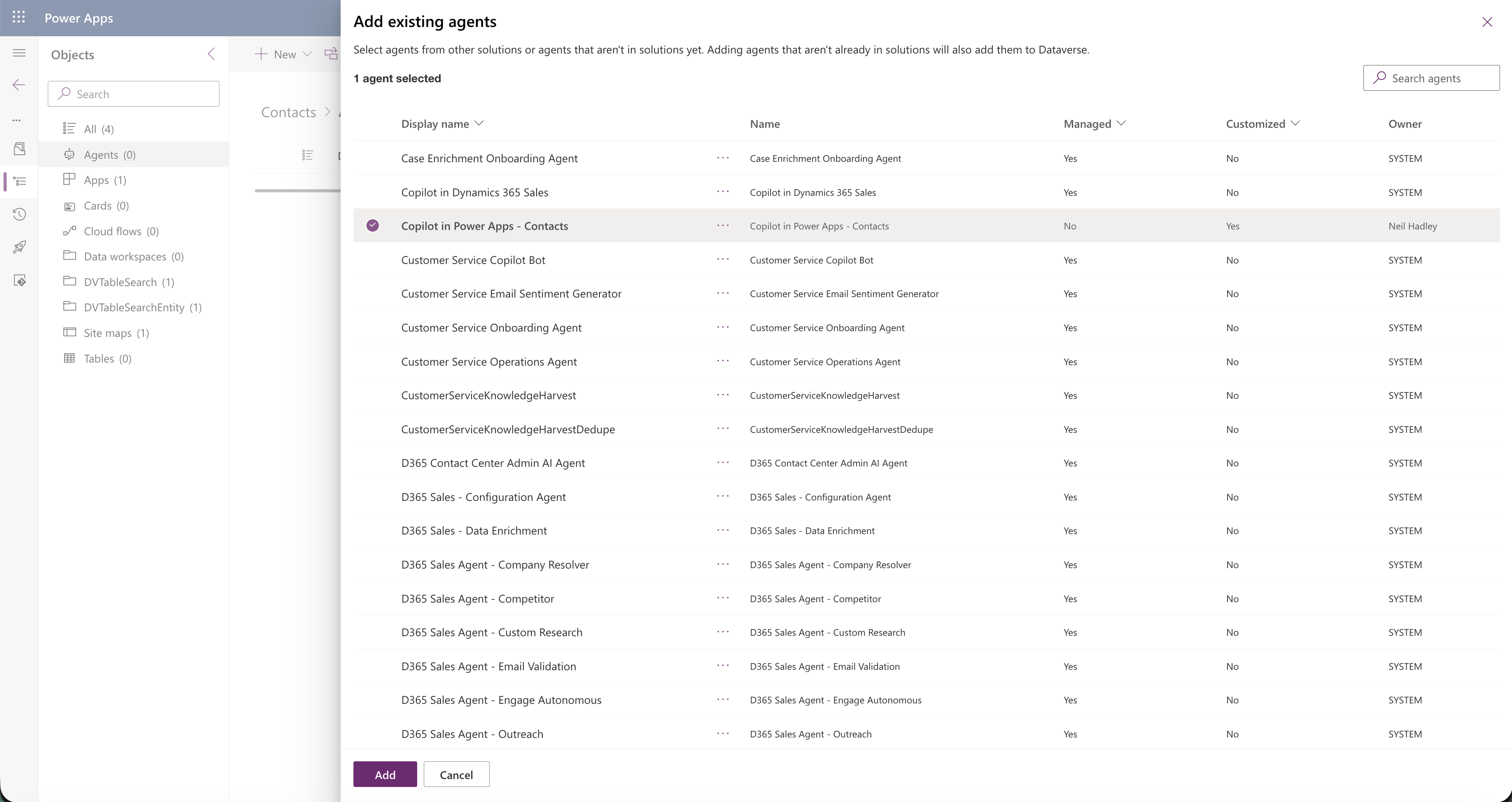
I selected the Copilot in Power Apps - Contacts agent to add to the solution
The agent now appeared under the Agents section of the solution, marked as customised and owned by me.
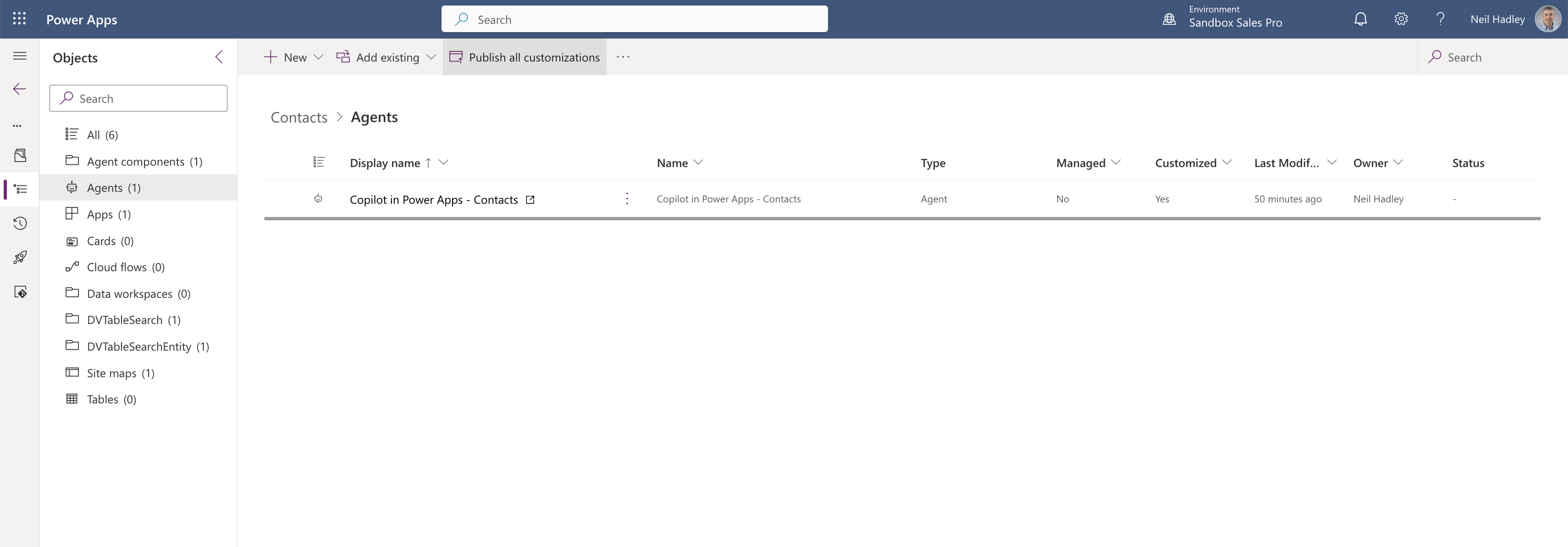
The customised agent was listed in the solution ready to be shipped with it