Java Spring Boot (Part 1)
Neil Haddley • April 6, 2021
Creating a REST API with Spring Boot and Spring Tool Suite: a books controller, annotations, and a React client served from the same project
I used Spring Tool Suite (an Eclipse-based IDE) and Maven (a Java build and dependency management tool) to create a REST API with Spring Boot.
Creating a REST project using Spring Boot
I opened Spring Tool Suite, created a new Spring Starter Project, added a Book class and a BooksRestController, then ran and tested the app in the browser.
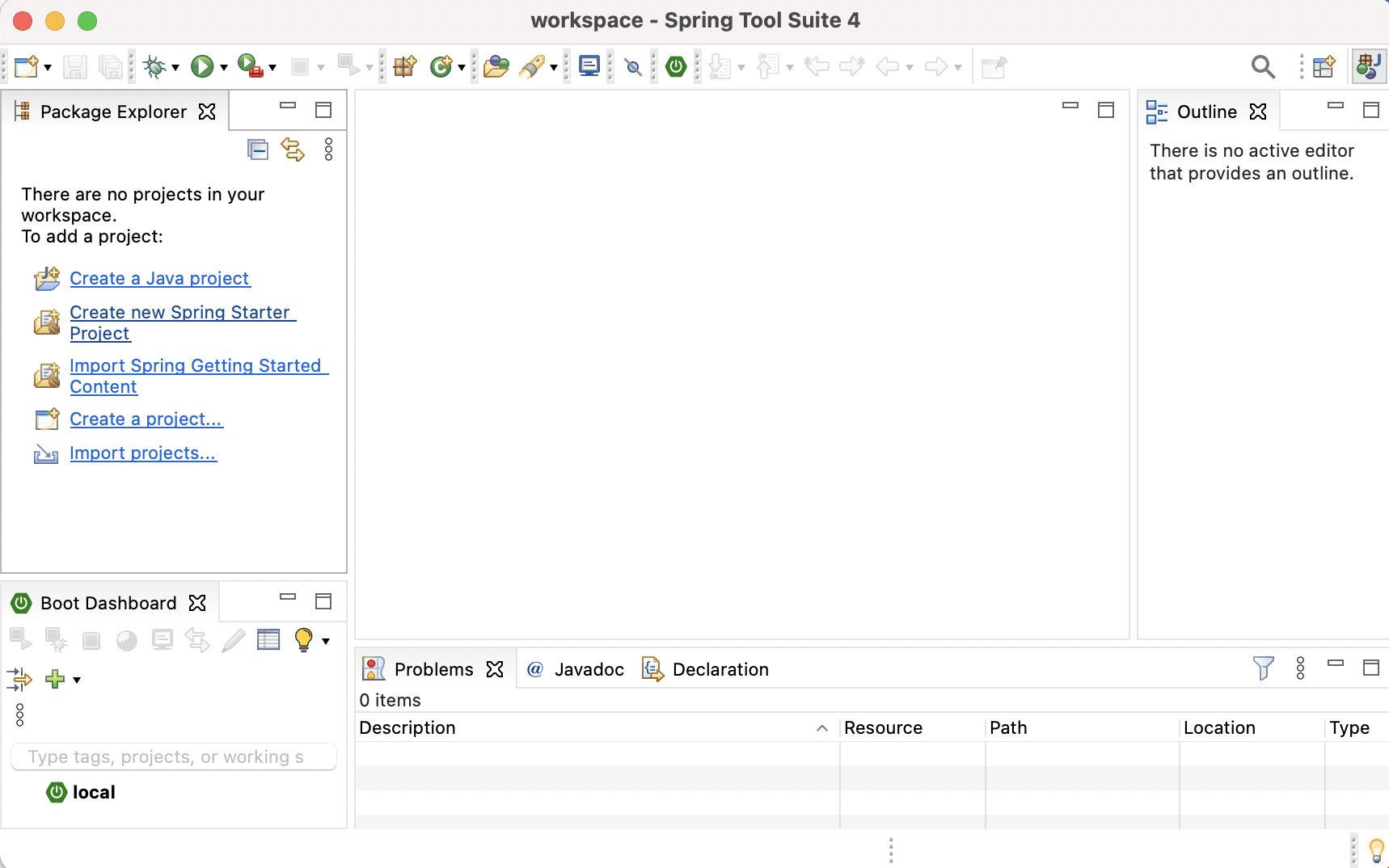
I created a new Spring Starter Project
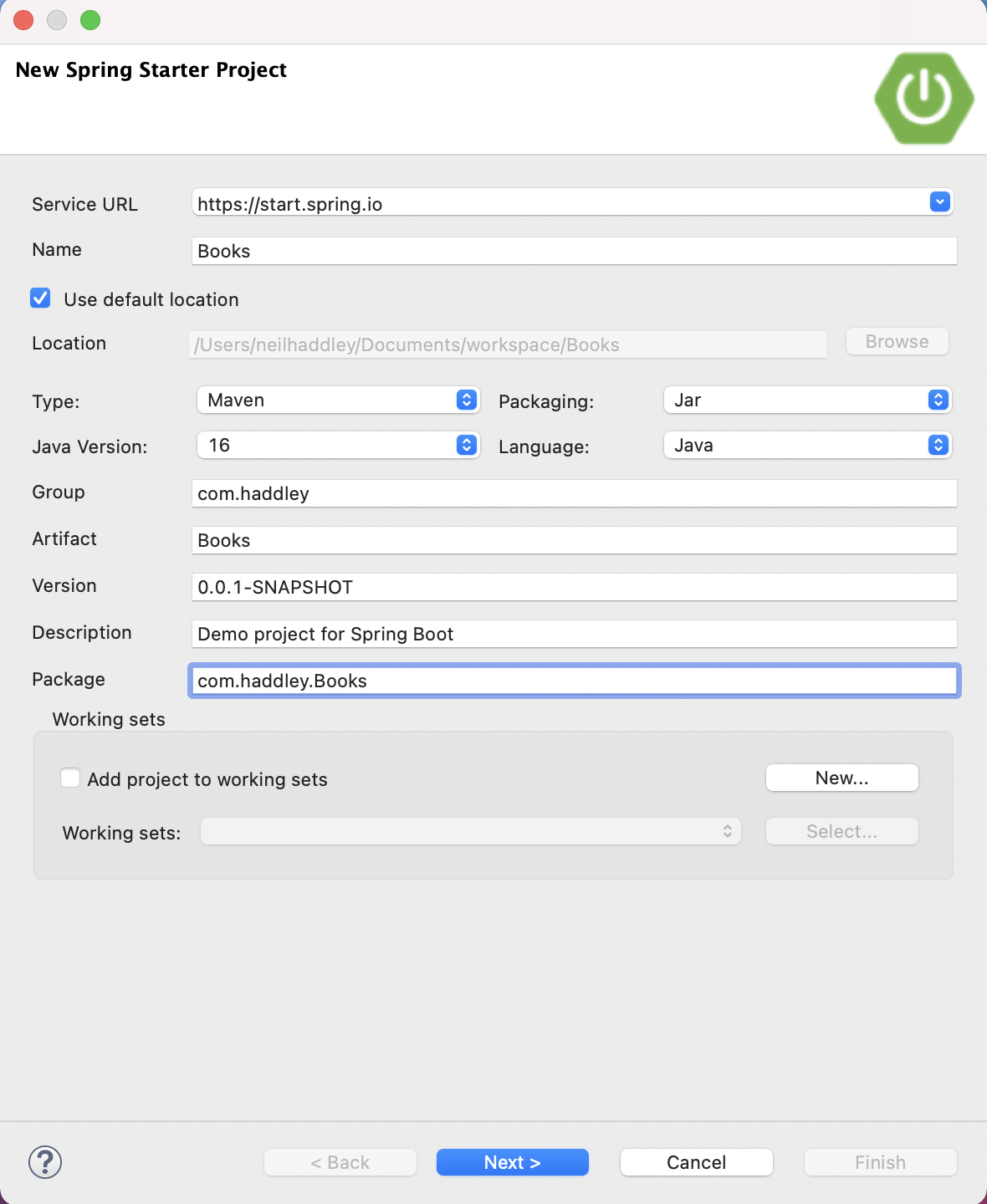
I entered the project name and package details
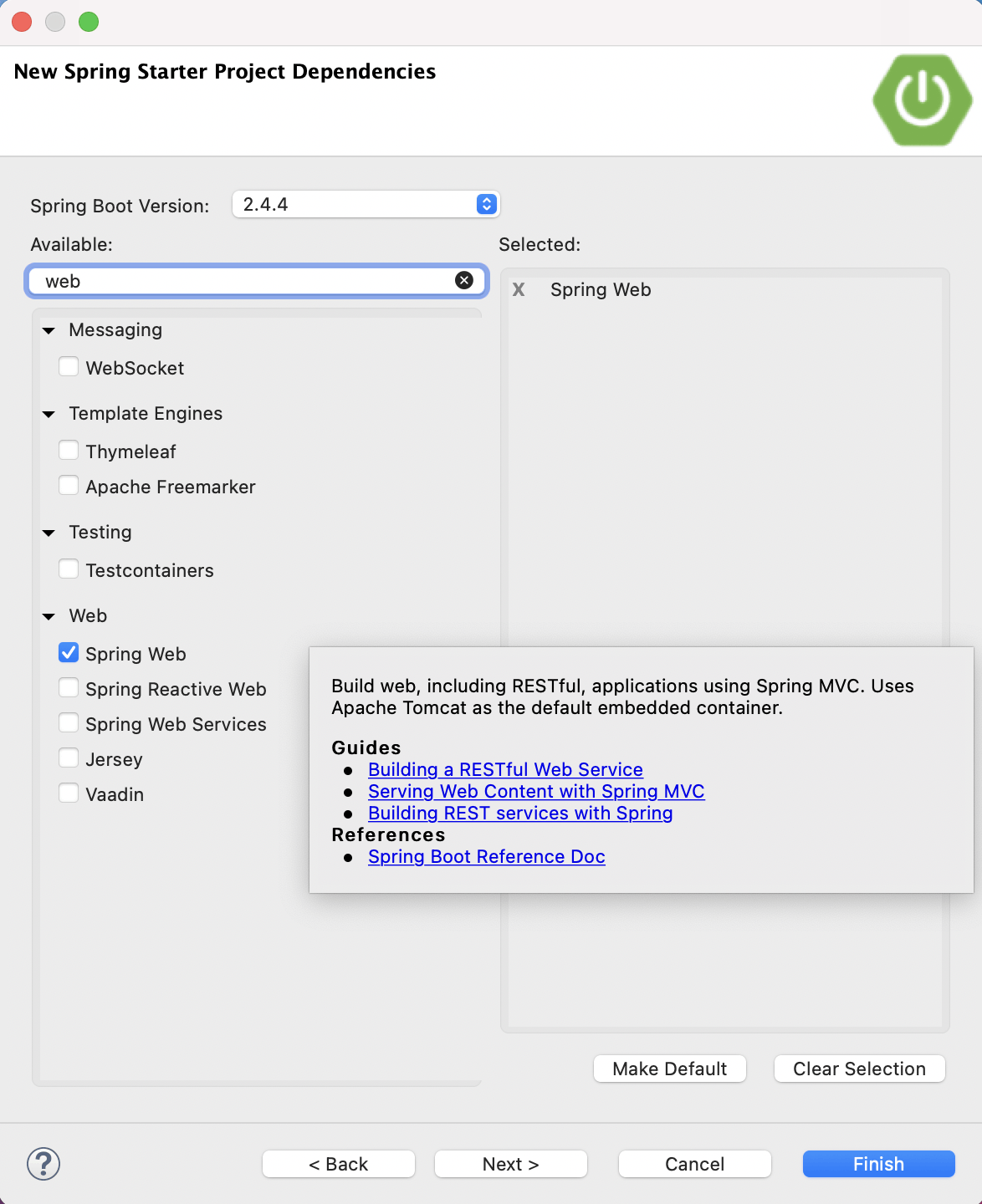
The REST API project depends on "Spring Web"
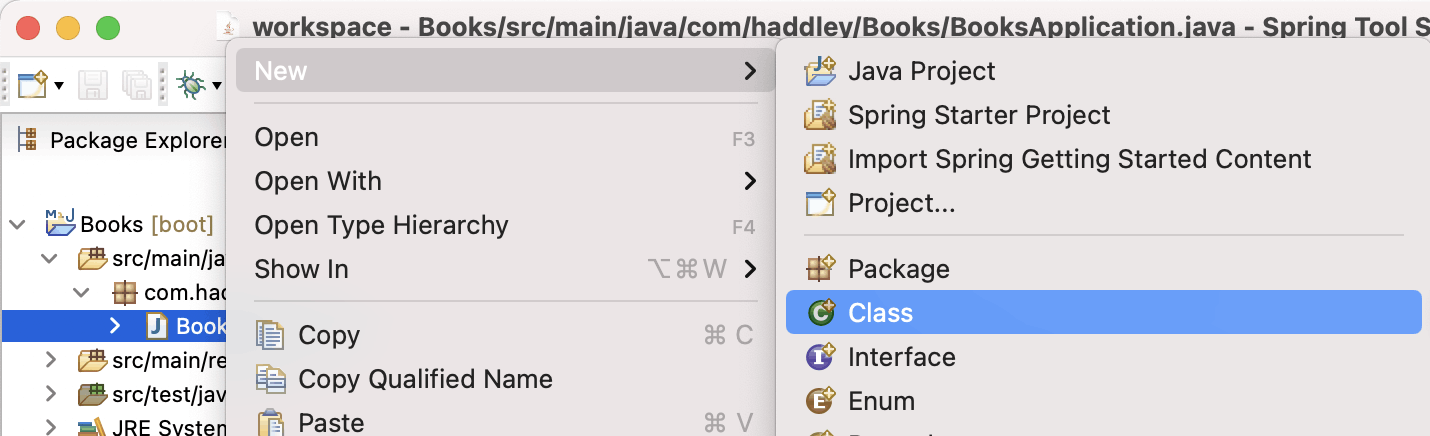
I added a new class
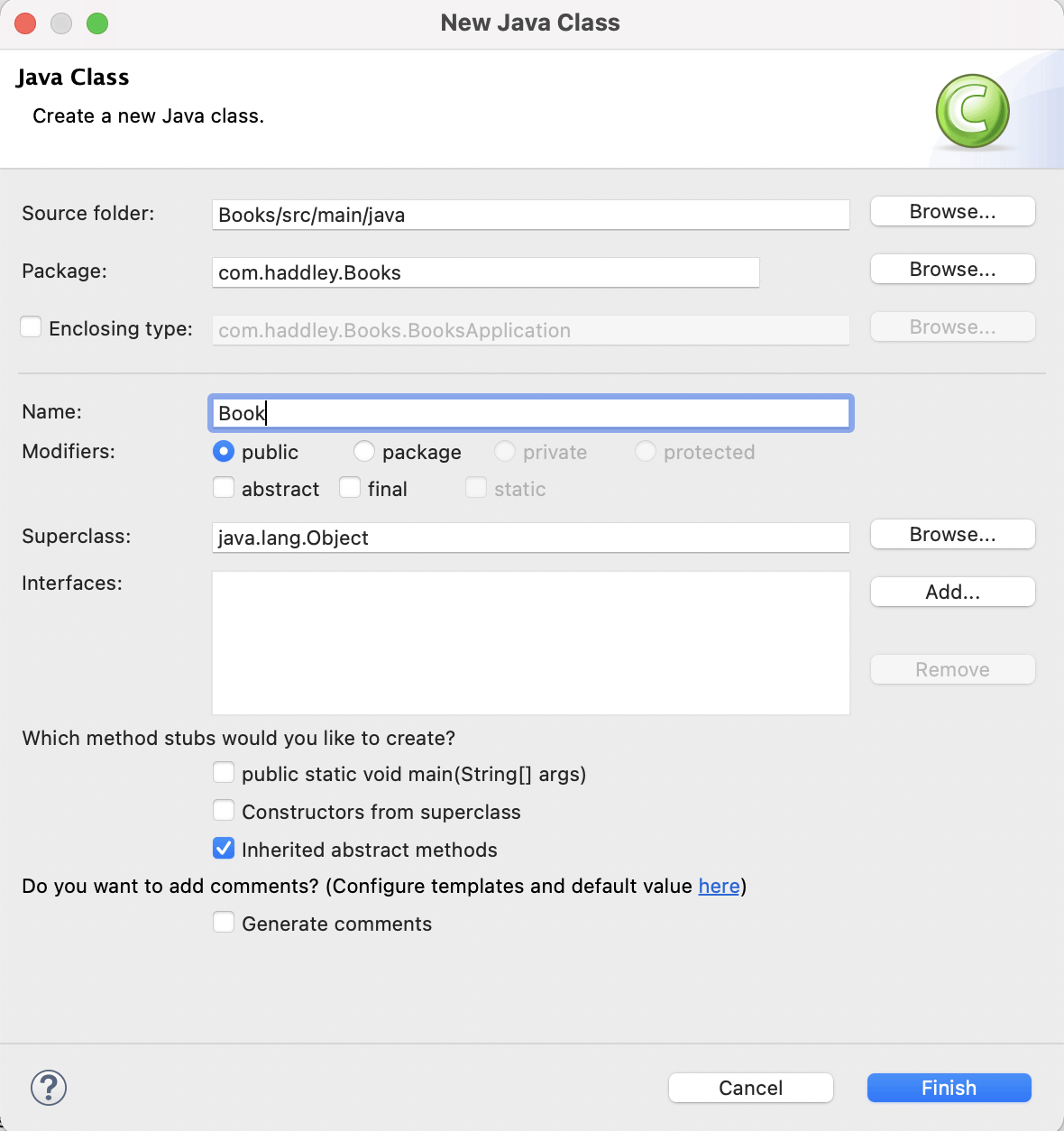
I added class "Book"
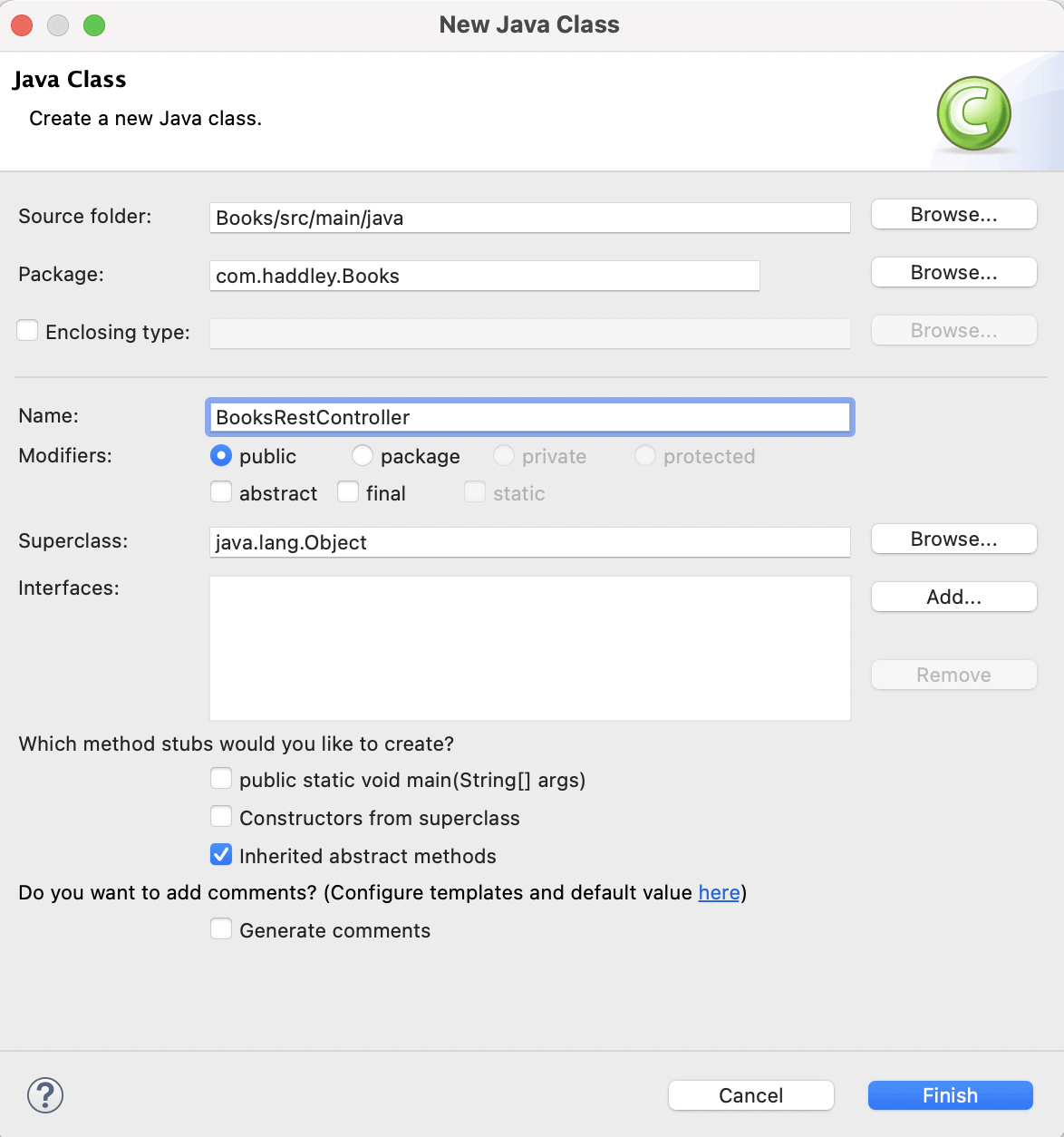
I added class "BooksRestController"
Annotations
The @RestController annotation is used to mark the BooksRestController class as a Spring Framework RestController.
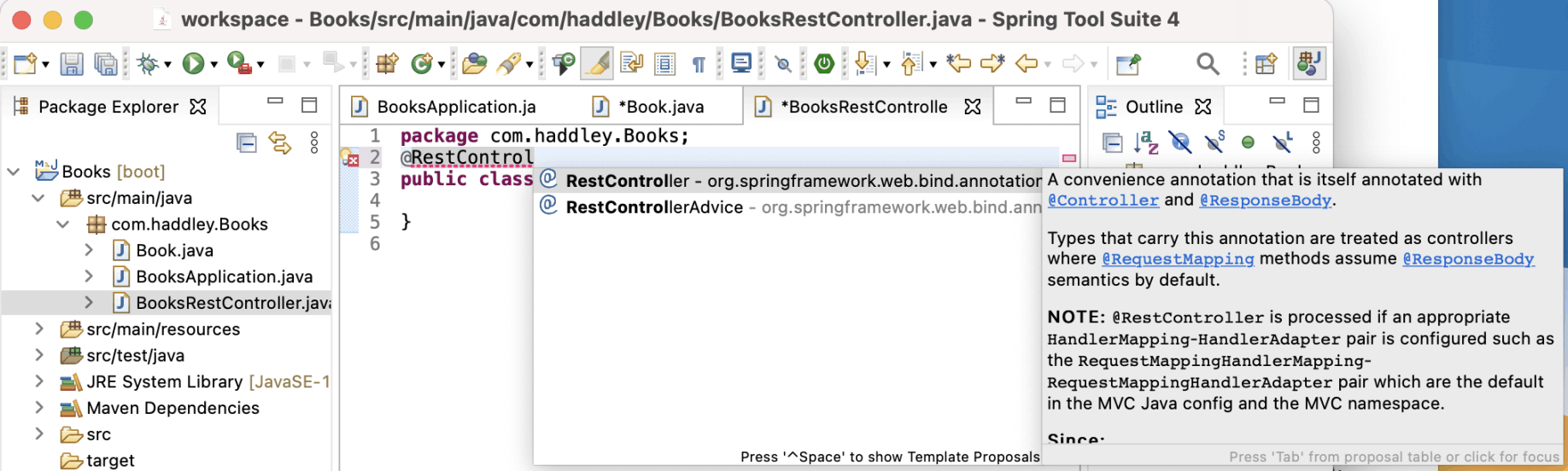
Add @RestController annotation to BooksRestController classUse CTRL+Space to import org.springframework.web.bind.annotation.RestController
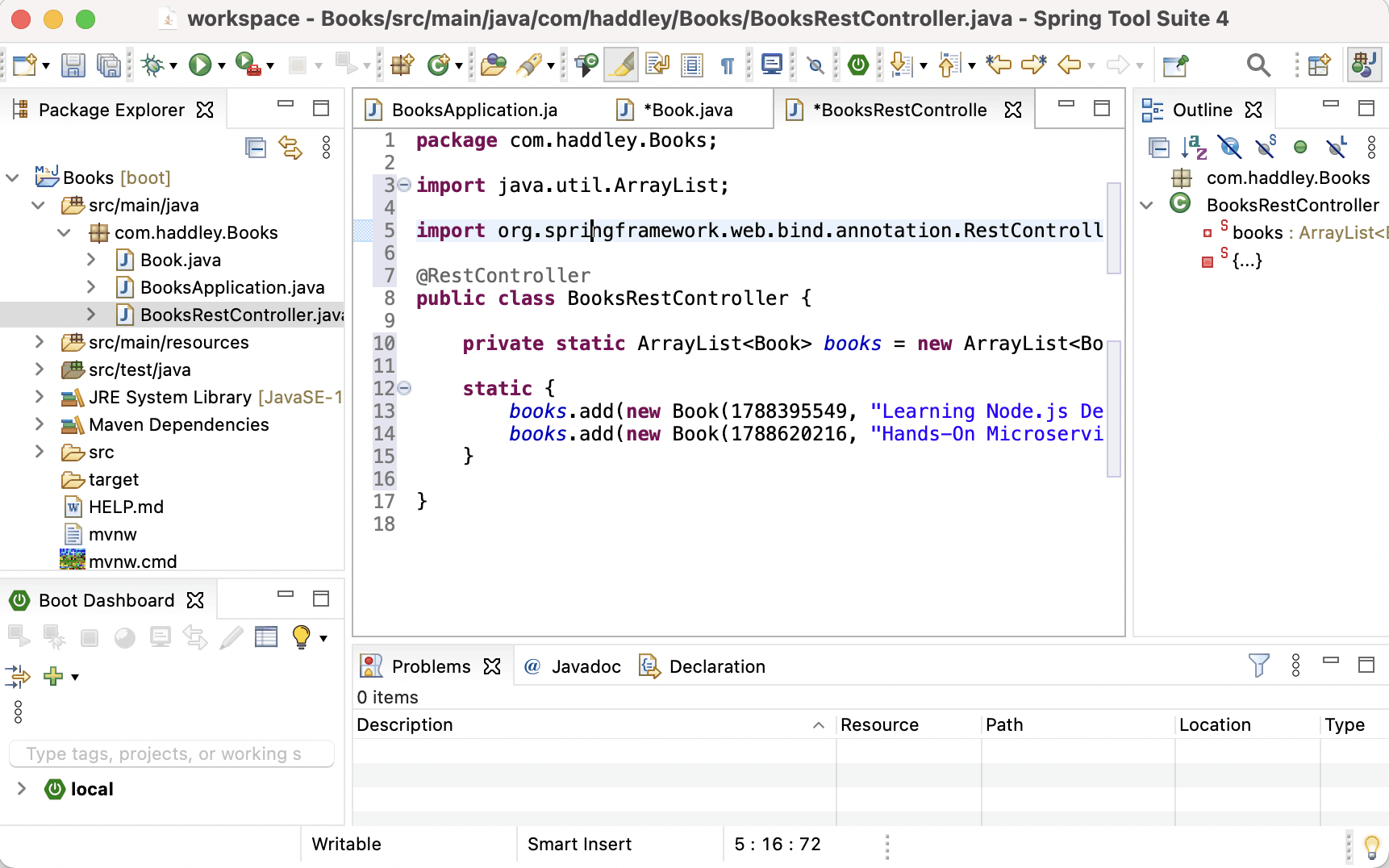
Add "books" ArrayList to the BooksRestController
Books REST Controller
The @GetMapping annotation is used to mark the book and books methods as HTTP Get method handlers.
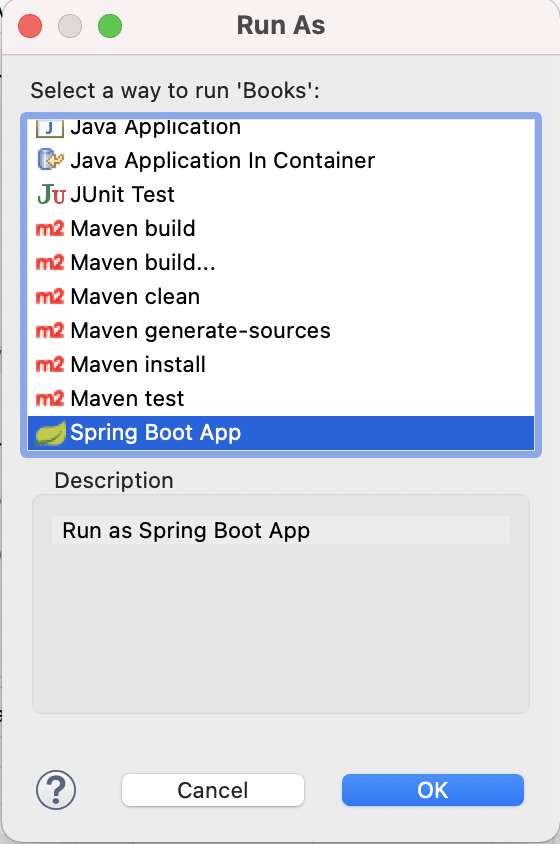
I ran it as a Spring Boot App
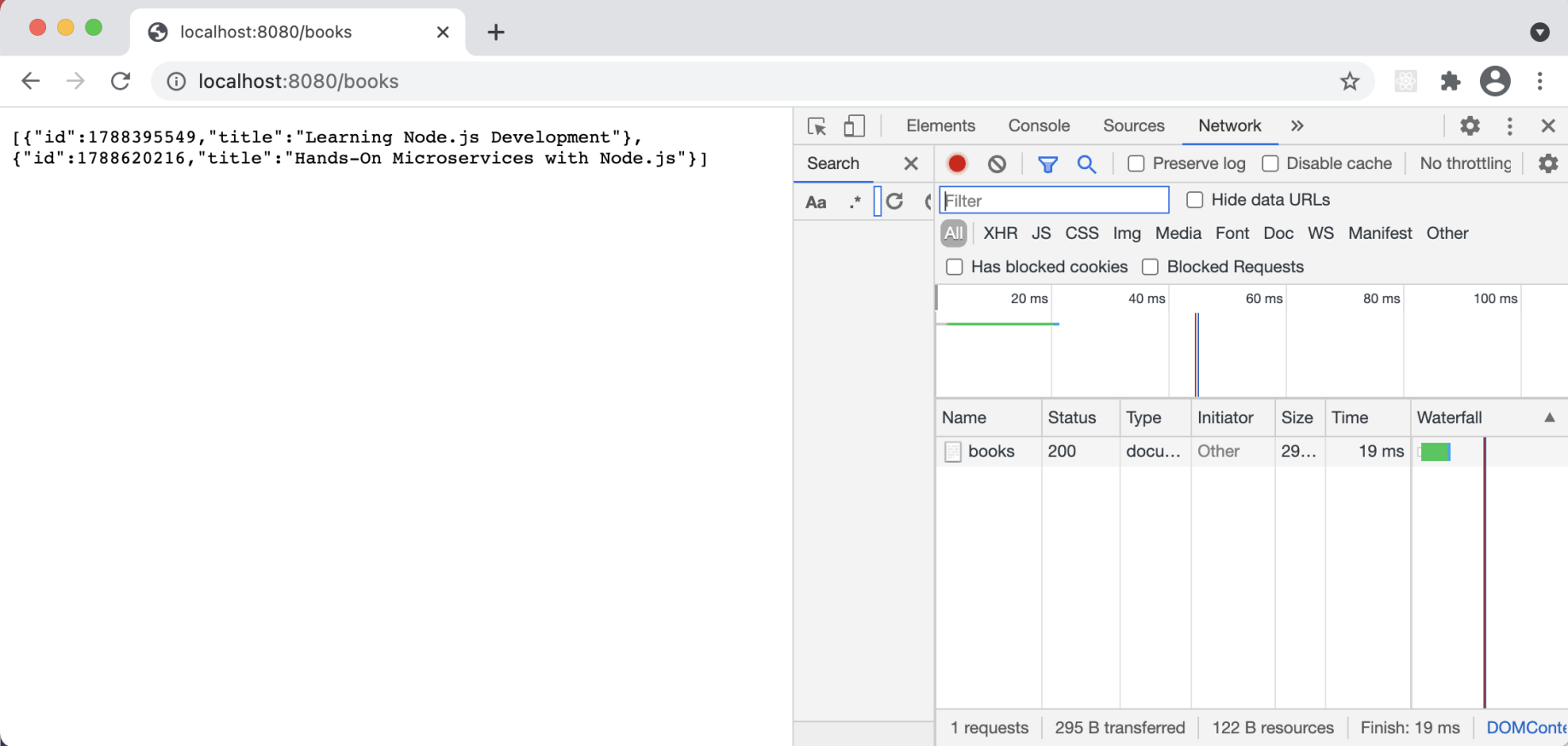
http://localhost:8080/books
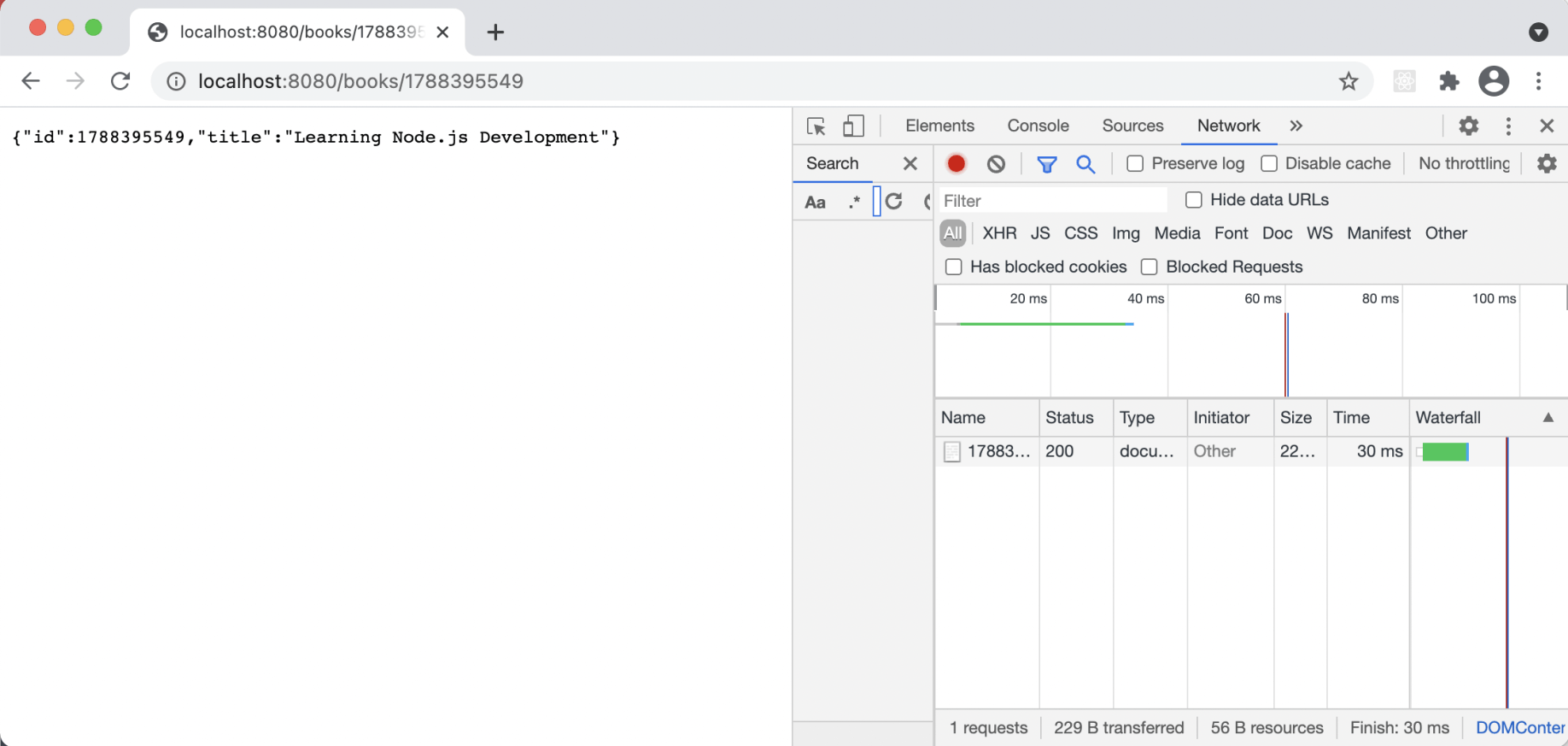
http://localhost:8080/books/1788395549
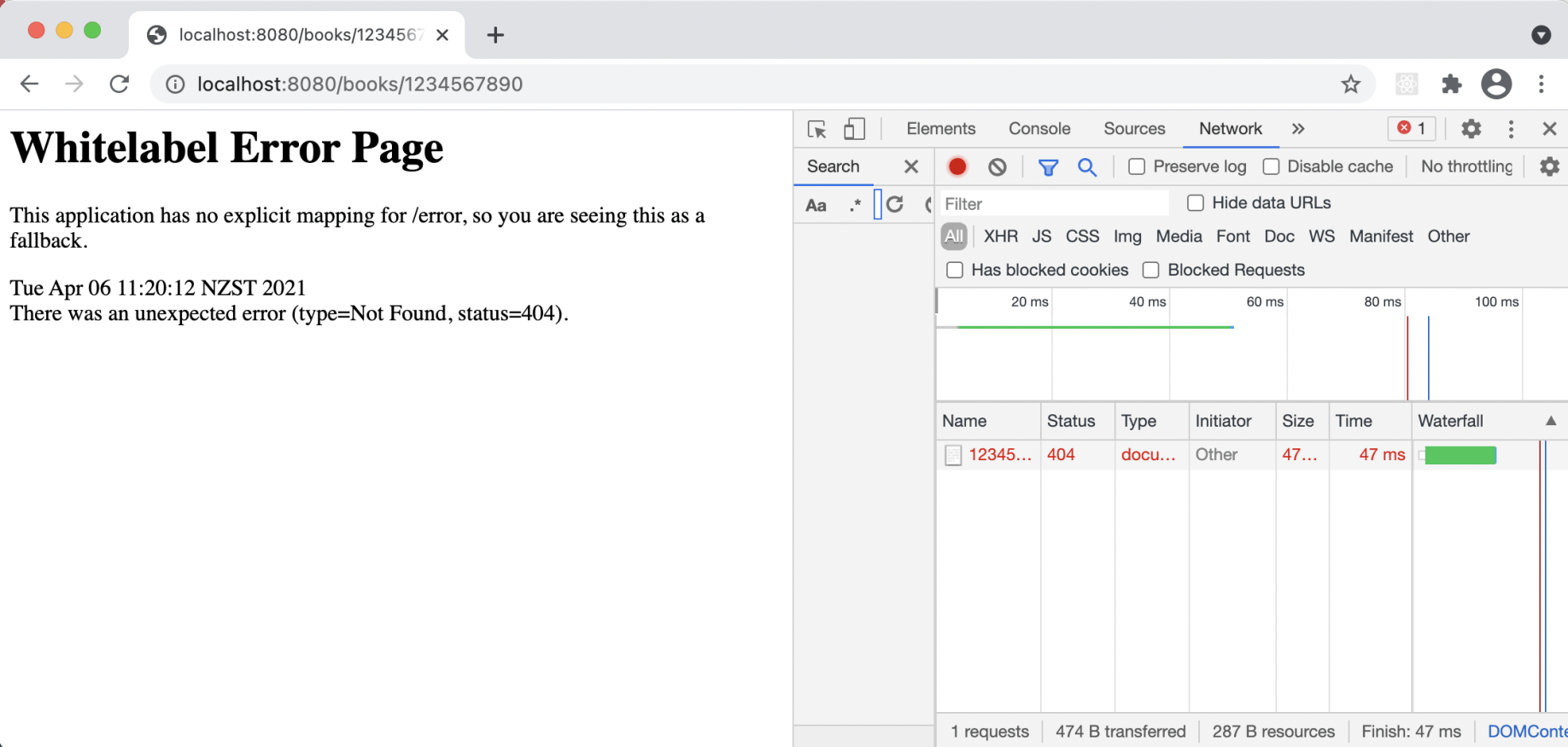
http://localhost:8080/books/1234567890
React client
I added static files (images, HTML, and JavaScript) to the /src/main/resources/static folder of the Spring Boot project, including a React app that calls the REST API exposed by the same Spring Boot project.
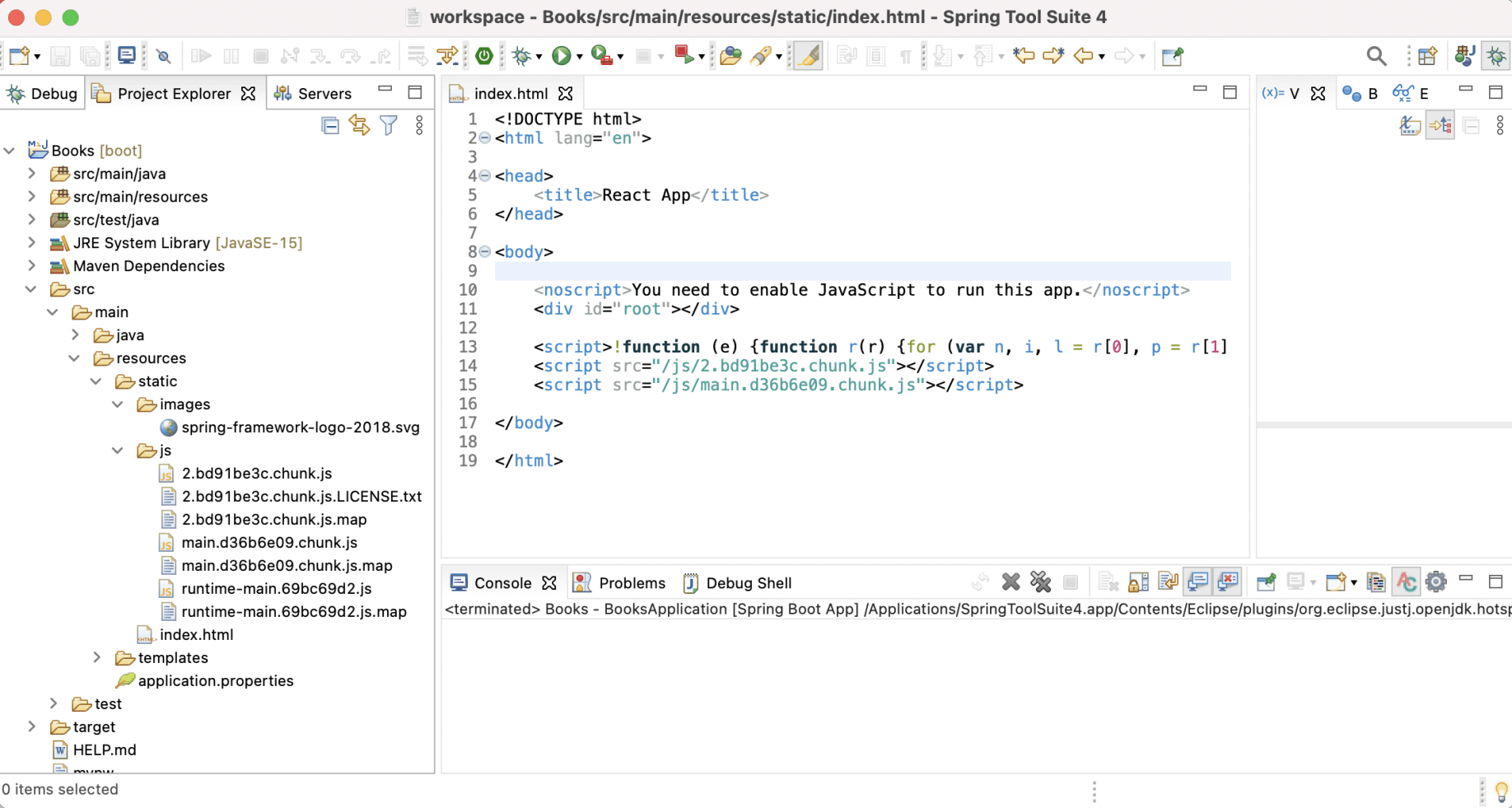
Static files
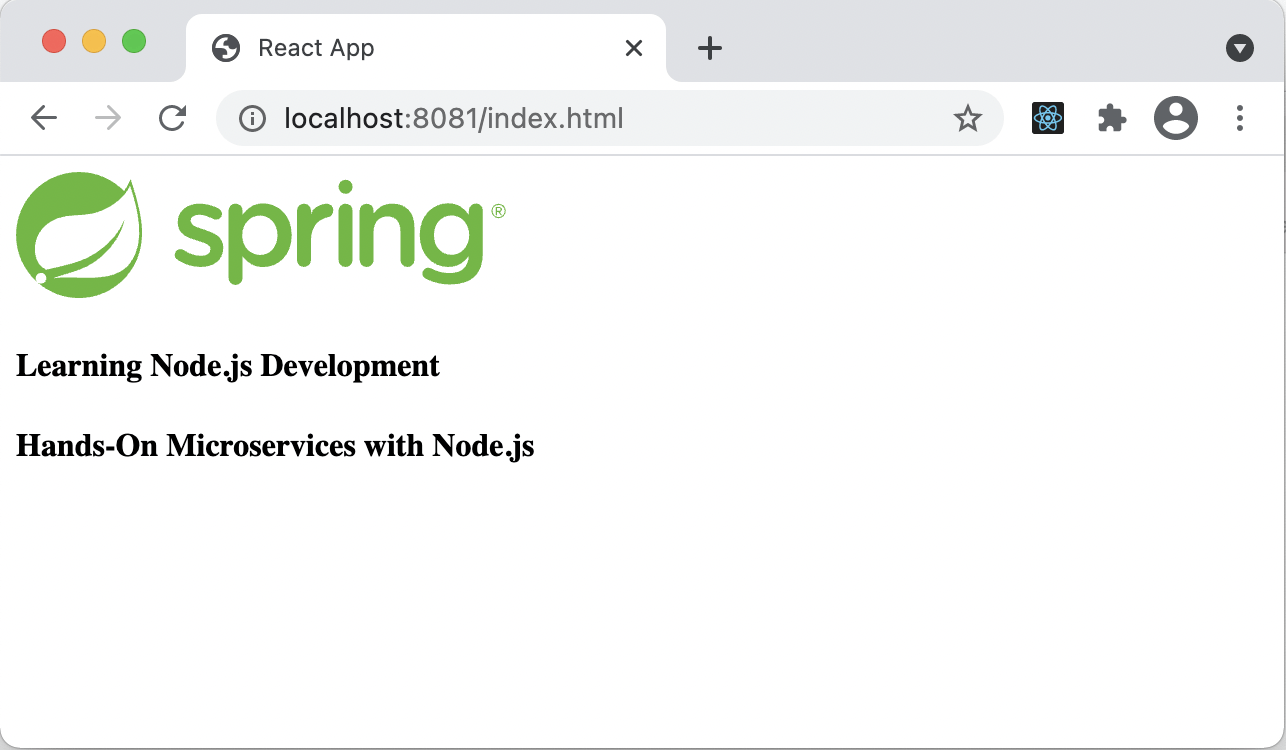
Running the React/Spring Boot app
Under the hood: Why the React app can call /books so easily
The React files sit in the Spring Boot project's static folder, so the same server delivers the page and answers the API. The fetch call in App.js uses the relative path /books, which means the browser sends it back to the server that delivered the page. Because the page and the API share one origin, I did not have to configure anything for cross-origin requests.
Book.java
JAVA
1package com.haddley.Books;
2
3public class Book {
4
5	public Book(long id, String title) {
6		_id = id;
7		_title = title;
8	}
9
10	private long _id;
11
12	public long getId() {
13		return _id;
14	}
15
16	public void setId(long id) {
17		this._id = id;
18	}
19
20	public String getTitle() {
21		return _title;
22	}
23
24	public void setTitle(String title) {
25		this._title = title;
26	}
27
28	private String _title;
29
30}
BooksRestController.java
JAVA
1package com.haddley.Books;
2
3import java.util.ArrayList;
4
5import org.springframework.http.HttpStatus;
6import org.springframework.web.bind.annotation.GetMapping;
7import org.springframework.web.bind.annotation.PathVariable;
8import org.springframework.web.bind.annotation.RestController;
9import org.springframework.web.server.ResponseStatusException;
10
11
12@RestController
13public class BooksRestController {
14
15	private static ArrayList<Book> books = new ArrayList<Book>();
16
17	static {
18		books.add(new Book(1788395549, "Learning Node.js Development"));
19		books.add(new Book(1788620216, "Hands-On Microservices with Node.js"));
20	}
21
22	@GetMapping("/books/{id}")
23	public Book book(@PathVariable Long id) {
24		@SuppressWarnings("unchecked")
25		ArrayList<Book> result = (ArrayList<Book>) BooksRestController.books.clone();
26		result.removeIf(n -> (n.getId() != id));
27		if (result.isEmpty()){
28			throw new ResponseStatusException(HttpStatus.NOT_FOUND, "Book Not Found");
29		}
30		return result.get(0);
31	}
32
33	@GetMapping("/books")
34	public ArrayList<Book> books() {
35		return BooksRestController.books;
36	}
37
38}
App.js
JAVASCRIPT
1import React, { useEffect, useState } from 'react';
2
3function App() {
4
5  const [books, setBooks] = useState([]);
6
7  useEffect(() => {
8
9    console.log("use effect");
10    fetch('/books')
11      .then(
12        (d) => {
13          d.json().then((b) => {
14            setBooks(() => b)
15          });
16        }
17      )
18
19  }
20    , [])
21
22  return (
23
24    <>
25        {books.map(book =>
26            <h4>{book.title}</h4>)}
27    </>
28
29  );
30}
31
32export default App;
index.html
HTML
1<!DOCTYPE html>
2<html lang="en">
3
4<head>
5	<title>React App</title>
6</head>
7
8<body>
9
10	<noscript>You need to enable JavaScript to run this app.</noscript>
11	<div id="root"></div>
12
13	<script>!function (e) {function r(r) {for (var n, i, l = r[0], p = r[1], f = r[2], c = 0, s = []; c < l.length; c++)i = l[c], Object.prototype.hasOwnProperty.call(o, i) && o[i] && s.push(o[i][0]), o[i] = 0; for (n in p) Object.prototype.hasOwnProperty.call(p, n) && (e[n] = p[n]); for (a && a(r); s.length;)s.shift()(); return u.push.apply(u, f || []), t()} function t() {for (var e, r = 0; r < u.length; r++) {for (var t = u[r], n = !0, l = 1; l < t.length; l++) {var p = t[l]; 0 !== o[p] && (n = !1)} n && (u.splice(r--, 1), e = i(i.s = t[0]))} return e} var n = {}, o = {1: 0}, u = []; function i(r) {if (n[r]) return n[r].exports; var t = n[r] = {i: r, l: !1, exports: {}}; return e[r].call(t.exports, t, t.exports, i), t.l = !0, t.exports} i.m = e, i.c = n, i.d = function (e, r, t) {i.o(e, r) || Object.defineProperty(e, r, {enumerable: !0, get: t})}, i.r = function (e) {"undefined" != typeof Symbol && Symbol.toStringTag && Object.defineProperty(e, Symbol.toStringTag, {value: "Module"}), Object.defineProperty(e, "__esModule", {value: !0})}, i.t = function (e, r) {if (1 & r && (e = i(e)), 8 & r) return e; if (4 & r && "object" == typeof e && e && e.__esModule) return e; var t = Object.create(null); if (i.r(t), Object.defineProperty(t, "default", {enumerable: !0, value: e}), 2 & r && "string" != typeof e) for (var n in e) i.d(t, n, function (r) {return e[r]}.bind(null, n)); return t}, i.n = function (e) {var r = e && e.__esModule ? function () {return e.default} : function () {return e}; return i.d(r, "a", r), r}, i.o = function (e, r) {return Object.prototype.hasOwnProperty.call(e, r)}, i.p = "/"; var l = this["webpackJsonpnode-spring-client"] = this["webpackJsonpnode-spring-client"] || [], p = l.push.bind(l); l.push = r, l = l.slice(); for (var f = 0; f < l.length; f++)r(l[f]); var a = p; t()}([])</script>
14	<script src="/js/2.bd91be3c.chunk.js"></script>
15	<script src="/js/main.d36b6e09.chunk.js"></script>
16
17</body>
18
19</html>