Business Central and DeepSeek Harness (Part 1)
Neil Haddley • November 18, 2026
Business Central has an MCP server built in. Four terms explained, then a short build: one configuration that lets an AI assistant read items, customers and vendors and make draft sales orders, and nothing else.
This is the first of seven short posts about letting an AI assistant do small jobs in Business Central. Every screenshot comes from one fresh copy of the practice company that I made for this series (Part 5 shows how).
Four terms: MCP, server, tool, configuration
- MCP (Model Context Protocol) is a standard way for an AI application to ask another program, "what can you do?", and then ask it to do one of those things. I built a small MCP server with one tool in Model Context Protocol, Part 1, and connected Claude Code to Business Central's built-in server in Part 4.
- An MCP server is the program that answers. Business Central has one, hosted by Microsoft at
mcp.businesscentral.dynamics.com. It is part of the product. - A tool is one thing the server can do for the AI, such as "list customers" or "create a sales order".
- An MCP server configuration is a list, kept inside Business Central, of which tools the server offers. Each tool comes from an API page (a Business Central page that is also a web API). For each page you choose what is allowed: read, create, modify, delete, or run an action.
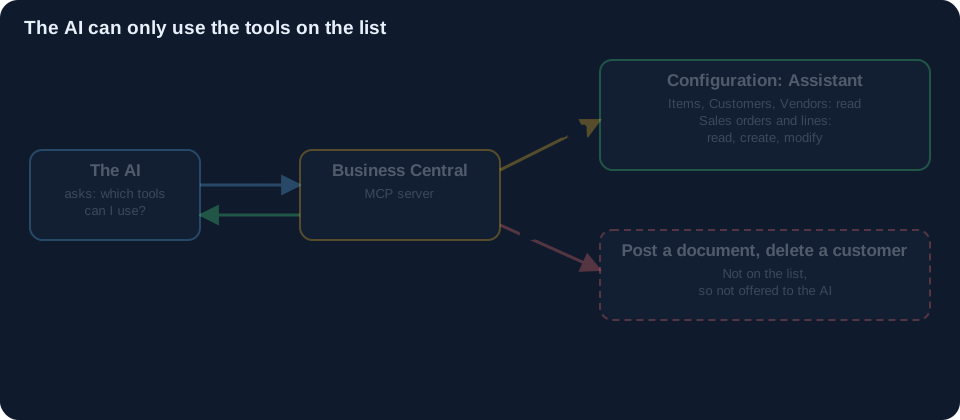 Scroll sideways, or tap the diagram to open it full size
So you do not give an AI "access to Business Central". You decide, page by page and permission by permission, which tools the AI is offered. If a tool is not on the list, the AI is never offered it, so it has nothing to call.
What we will build
One configuration, called Assistant. It is for an AI that does small, low-risk jobs: look things up, and prepare draft sales orders for a person to look at.
| Page | Read | Create and modify |
|---|---|---|
| Items (30008), Customers (30009), Vendors (30010) | yes | no |
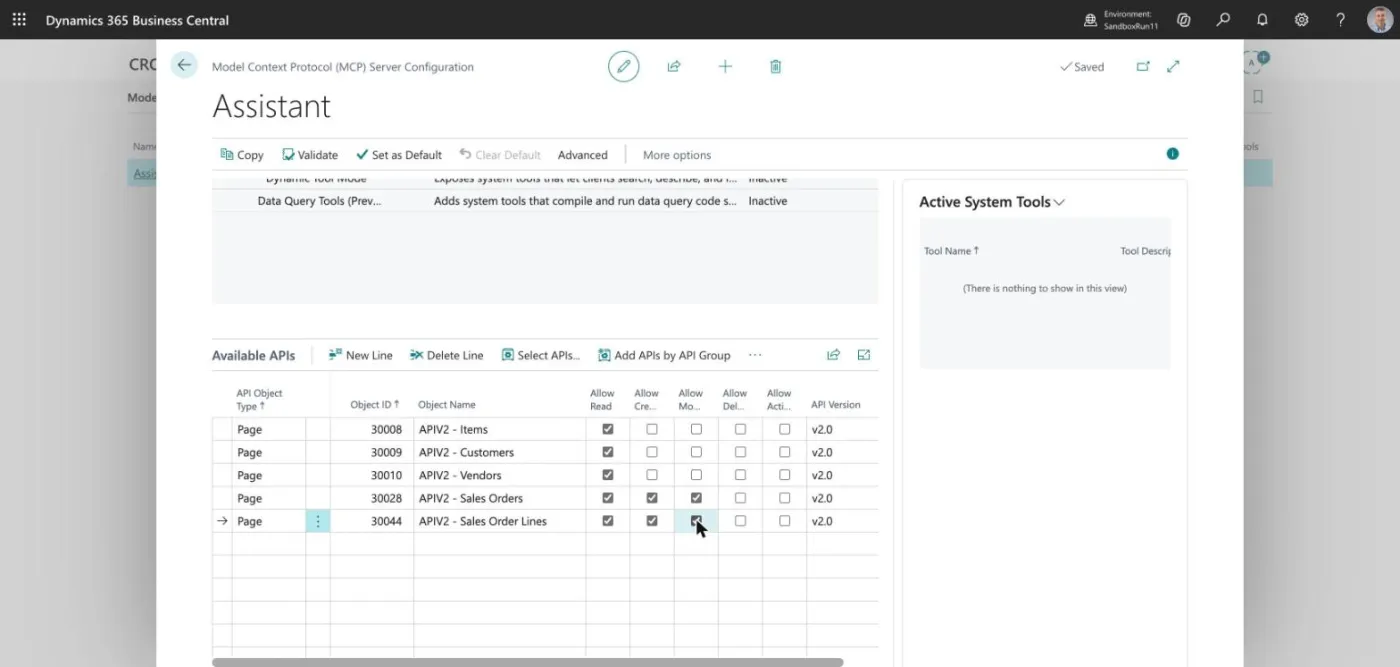
| Sales Orders (30028), Sales Order Lines (30044) | yes | yes |
Nothing can be deleted and nothing can be posted. A draft is only a draft until a person acts on it.
Build it
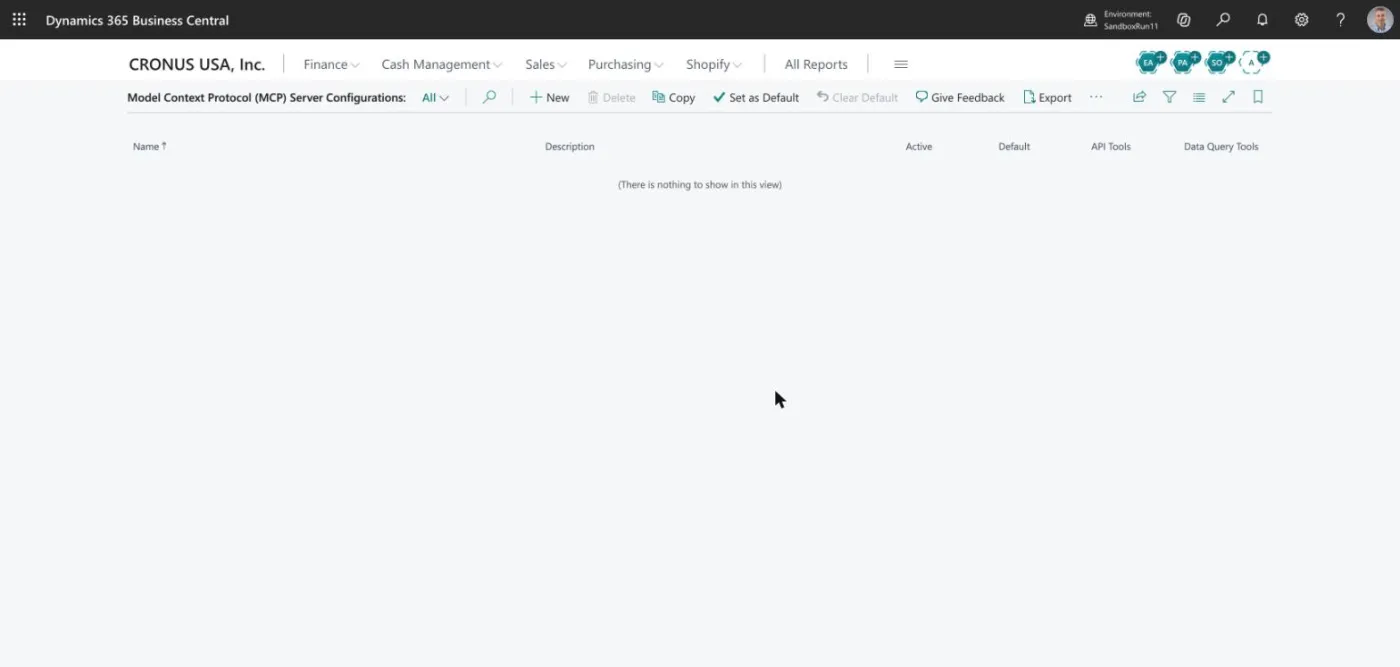
Search for Model Context Protocol (MCP) Server Configurations. The list is empty in the fresh sandbox.
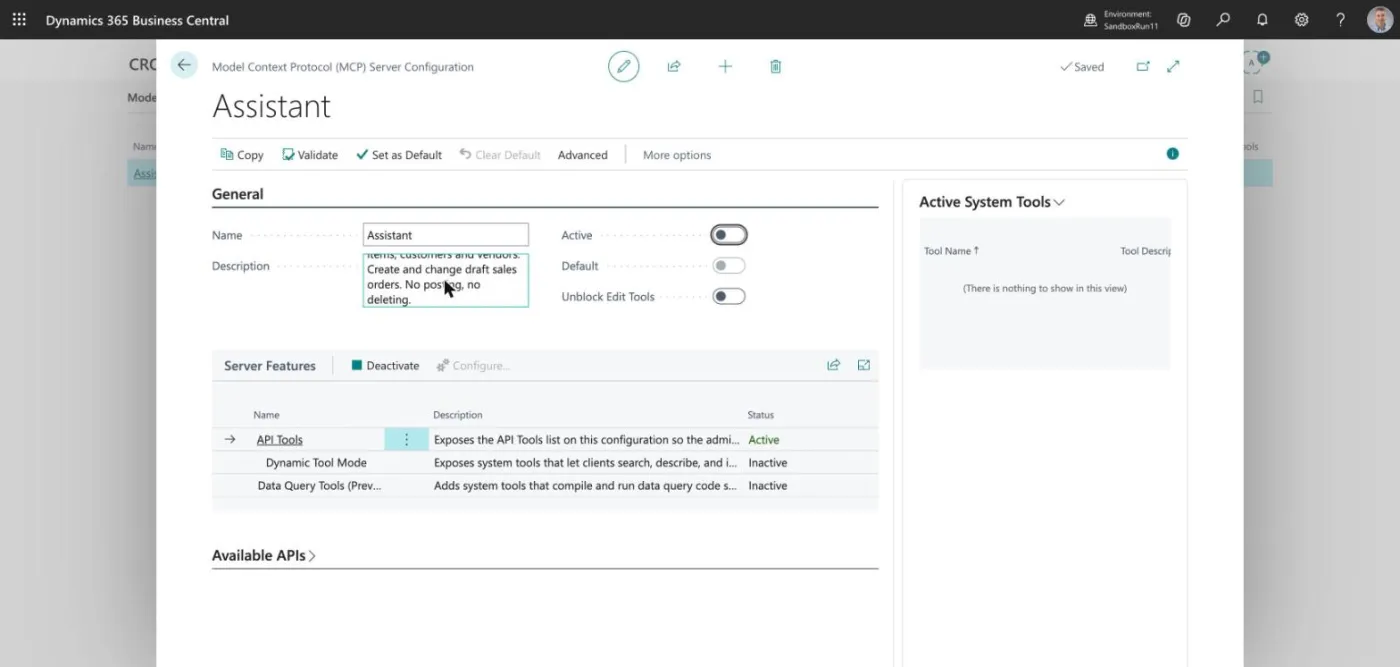
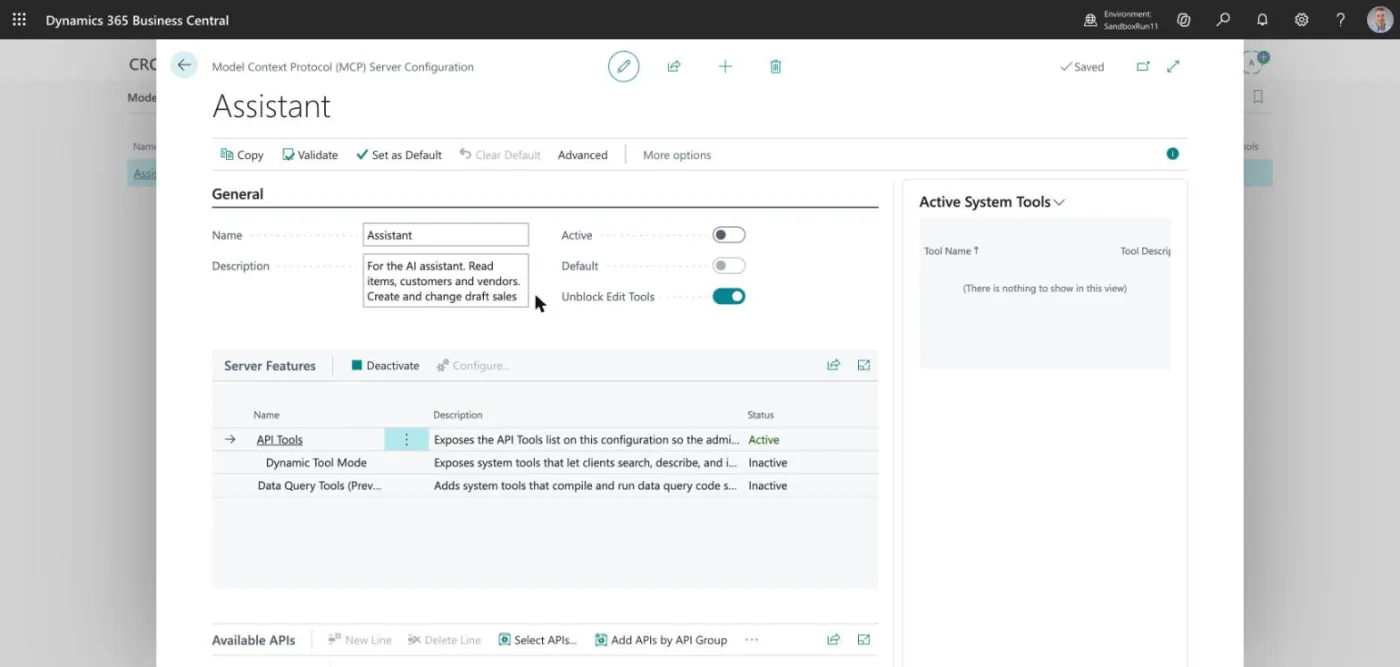
Choose New, type the name Assistant and a short description.
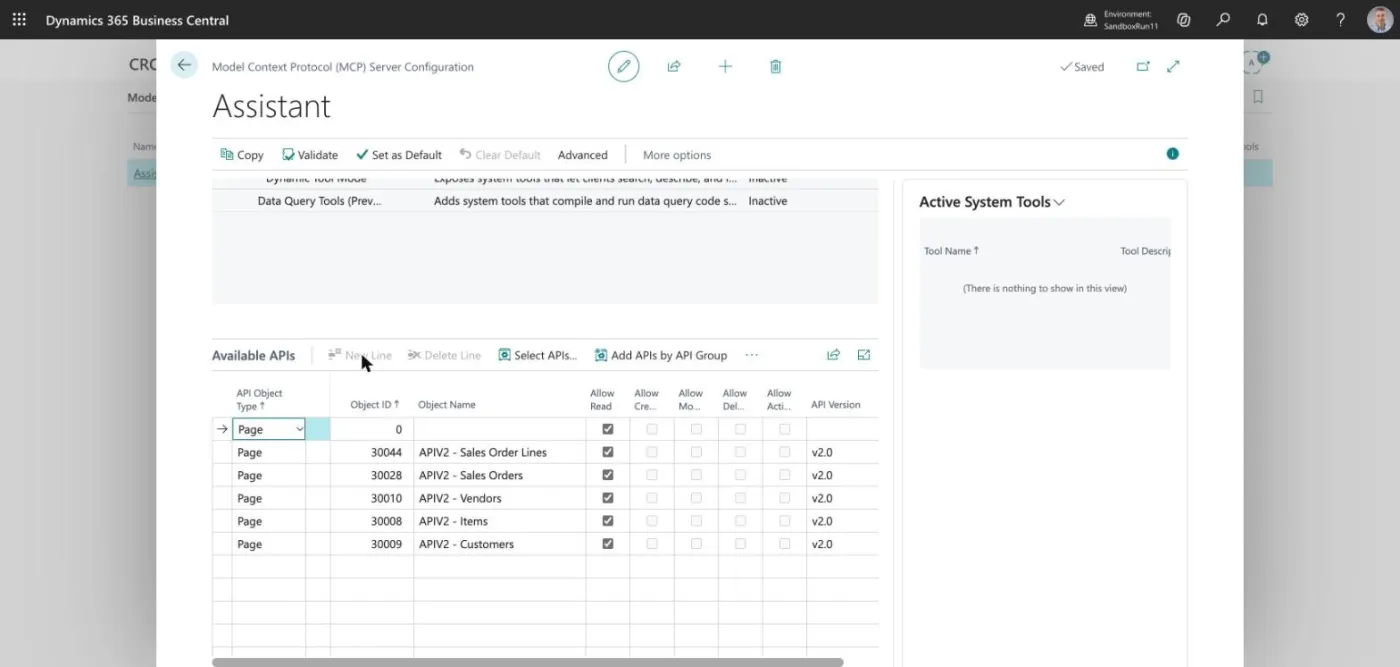
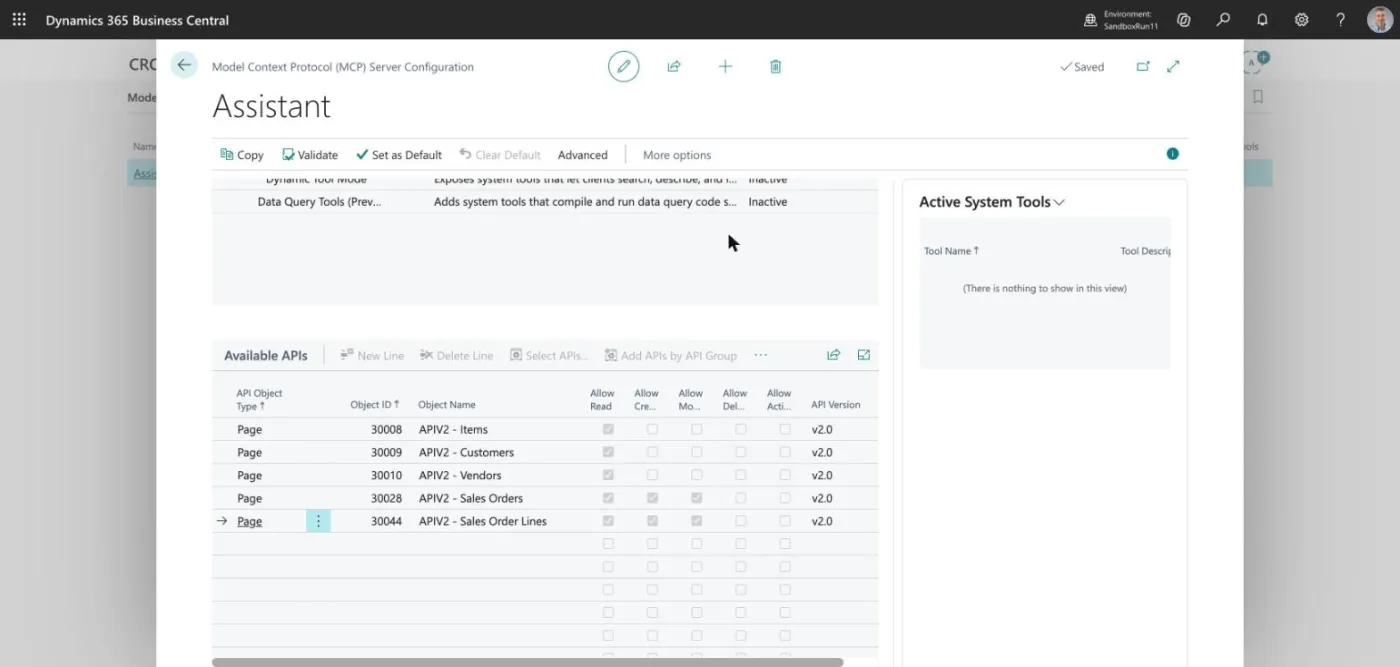
Now add the pages, one at a time, by typing each API object ID in the Available APIs list. The grid re-sorts by object ID after each entry, and the name appears once the row loses focus.
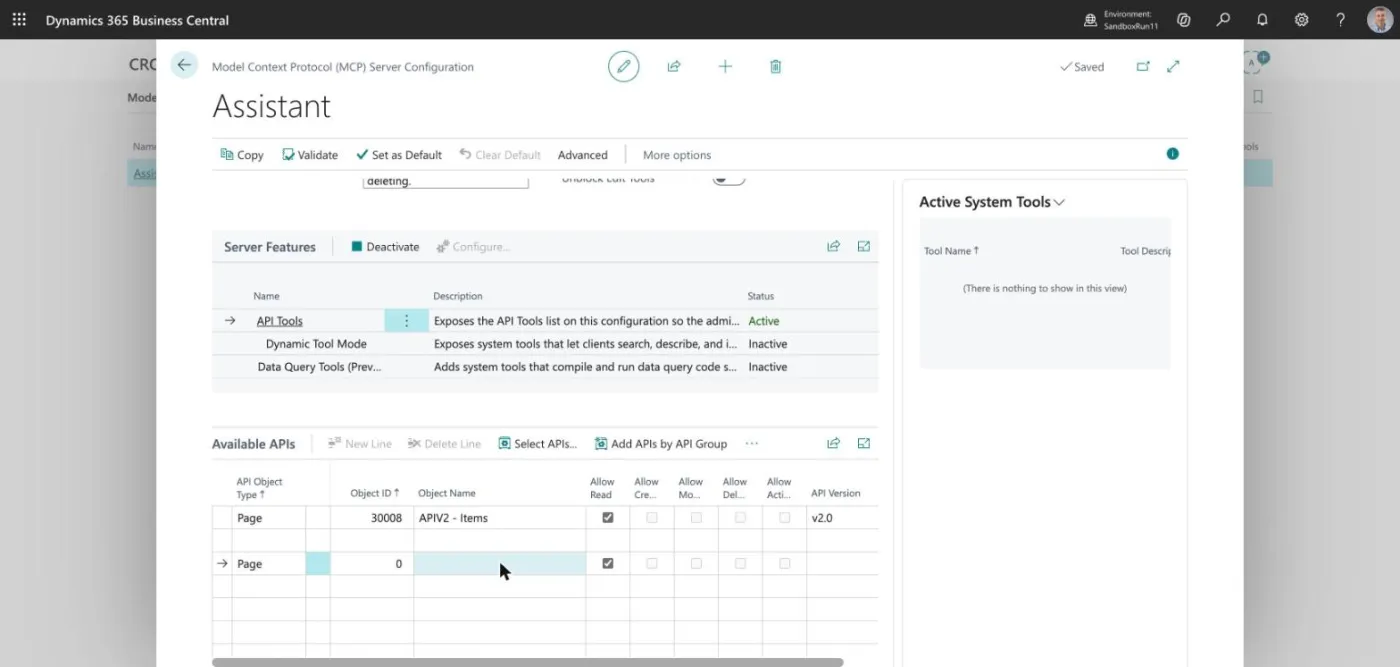
All five pages are in:
Tick Allow Read on every row. Tick Allow Create and Allow Modify only on Sales Orders and Sales Order Lines. The Create and Modify boxes stay greyed out until you switch on Unblock Edit Tools on the configuration. That switch is meant for a person to turn on, not the AI.
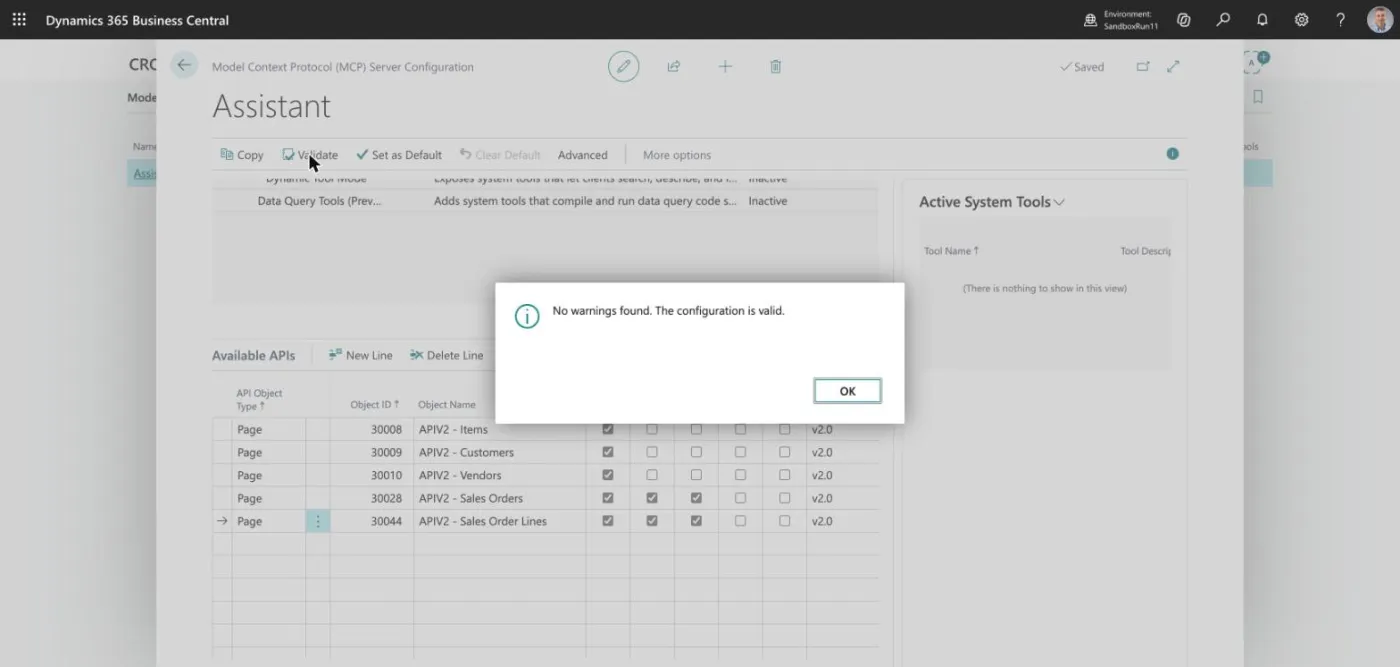
Choose Validate. You want "No warnings found".
Switch Active on last. An active configuration is locked: you cannot change its pages or its name until you switch it off again.
What this does not do
It does not decide who is signed in. The server uses a normal Microsoft sign-in, so the AI works with the permissions of the person who signed in. A configuration limits the tools. It is not a security boundary for that person's own account.
Next: Part 2 connects DeepSeek Harness to this configuration.